headlights DODGE CHARGER 2020 User Guide
[x] Cancel search | Manufacturer: DODGE, Model Year: 2020, Model line: CHARGER, Model: DODGE CHARGER 2020Pages: 412, PDF Size: 18.96 MB
Page 307 of 412
SERVICING AND MAINTENANCE305
(Continued)
The most common causes are:
Road salt, dirt and moisture accumulation.
Stone and gravel impact.
Insects, tree sap and tar.
Salt in the air near seacoast localities.
Atmospheric fallout/industrial pollutants.
BODY AND UNDERBODY MAINTENANCE
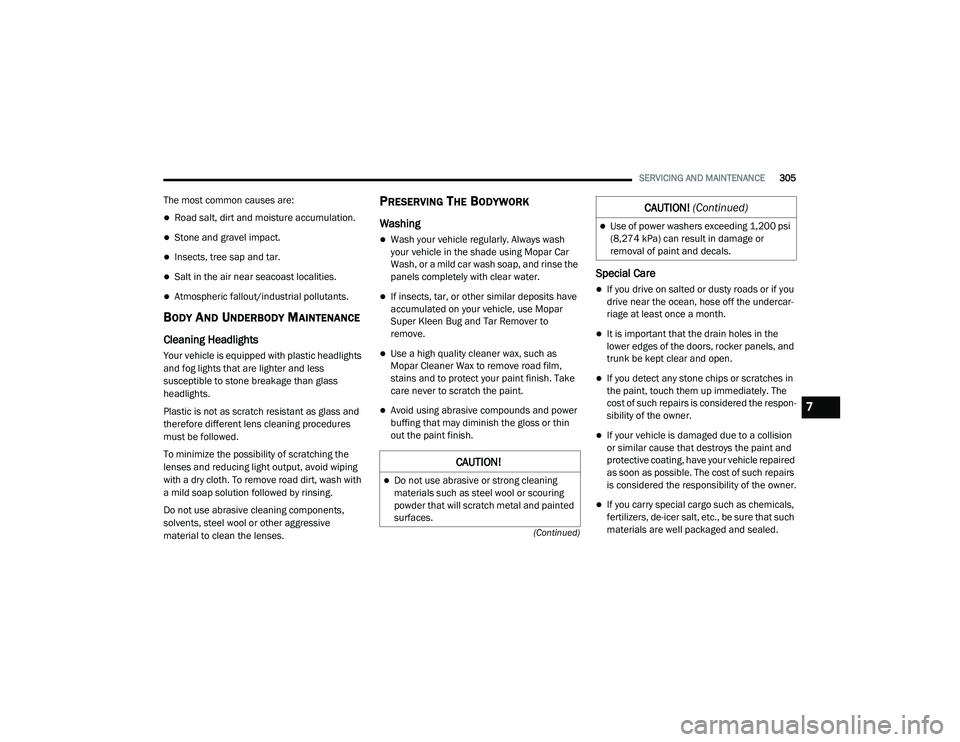
Cleaning Headlights
Your vehicle is equipped with plastic headlights
and fog lights that are lighter and less
susceptible to stone breakage than glass
headlights.
Plastic is not as scratch resistant as glass and
therefore different lens cleaning procedures
must be followed.
To minimize the possibility of scratching the
lenses and reducing light output, avoid wiping
with a dry cloth. To remove road dirt, wash with
a mild soap solution followed by rinsing.
Do not use abrasive cleaning components,
solvents, steel wool or other aggressive
material to clean the lenses.
PRESERVING THE BODYWORK
Washing
Wash your vehicle regularly. Always wash
your vehicle in the shade using Mopar Car
Wash, or a mild car wash soap, and rinse the
panels completely with clear water.
If insects, tar, or other similar deposits have
accumulated on your vehicle, use Mopar
Super Kleen Bug and Tar Remover to
remove.
Use a high quality cleaner wax, such as
Mopar Cleaner Wax to remove road film,
stains and to protect your paint finish. Take
care never to scratch the paint.
Avoid using abrasive compounds and power
buffing that may diminish the gloss or thin
out the paint finish.
Special Care
If you drive on salted or dusty roads or if you
drive near the ocean, hose off the undercar -
riage at least once a month.
It is important that the drain holes in the
lower edges of the doors, rocker panels, and
trunk be kept clear and open.
If you detect any stone chips or scratches in
the paint, touch them up immediately. The
cost of such repairs is considered the respon -
sibility of the owner.
If your vehicle is damaged due to a collision
or similar cause that destroys the paint and
protective coating, have your vehicle repaired
as soon as possible. The cost of such repairs
is considered the responsibility of the owner.
If you carry special cargo such as chemicals,
fertilizers, de-icer salt, etc., be sure that such
materials are well packaged and sealed.
CAUTION!
Do not use abrasive or strong cleaning
materials such as steel wool or scouring
powder that will scratch metal and painted
surfaces.
Use of power washers exceeding 1,200 psi
(8,274 kPa) can result in damage or
removal of paint and decals.
CAUTION! (Continued)
7
20_LD_OM_EN_USC_t.book Page 305
Page 325 of 412
MULTIMEDIA323
When making a selection, press the button on
the touchscreen to enter the desired menu.
Once in the desired menu, press and release
the preferred setting “option” until a check
mark appears next to the setting, showing that
setting has been selected. Once the setting is complete, press the X button on the
touchscreen to close out of the settings screen.
Pressing the Up or Down Arrow button on the
right side of the screen will allow you to toggle
up or down through the available settings.
The following tables list the settings that may be
found within the Uconnect 4 with 7-inch display
radio, along with the selectable options
pertaining to each setting.
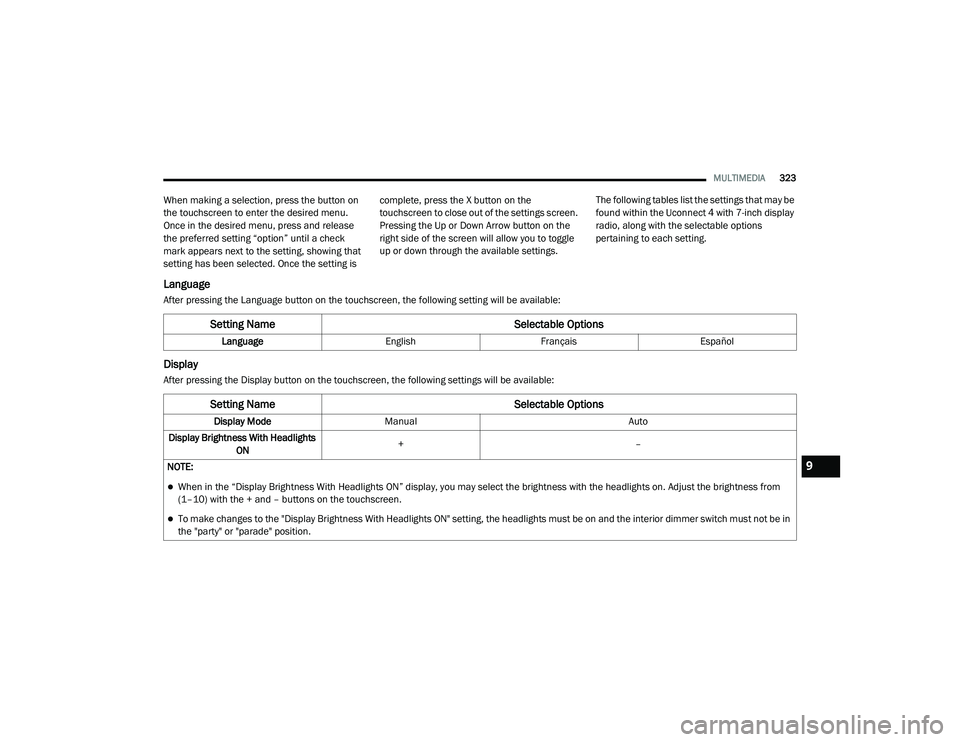
Language
After pressing the Language button on the touchscreen, the following setting will be available:
Display
After pressing the Display button on the touchscreen, the following settings will be available:
Setting Name
Selectable Options
LanguageEnglishFrançais Español
Setting Name Selectable Options
Display ModeManual Auto
Display Brightness With Headlights ON +
–
NOTE:
When in the “Display Brightness With Headlights ON” display, you may select the brightness with the headlights on. Adjust the brightness from
(1–10) with the + and – buttons on the touchscreen.
To make changes to the "Display Brightness With Headlights ON" setting, the headlights must be on and the interior dimmer switch must not be in
the "party" or "parade" position.
9
20_LD_OM_EN_USC_t.book Page 323
Page 326 of 412
324MULTIMEDIA
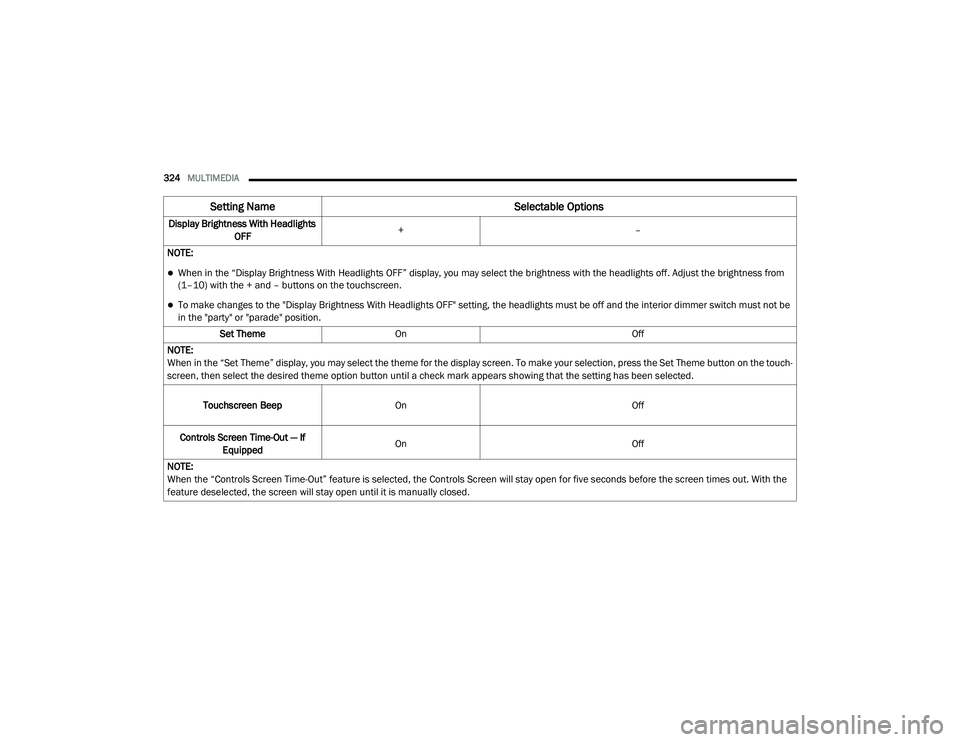
Display Brightness With Headlights
OFF +
–
NOTE:
When in the “Display Brightness With Headlights OFF” display, you may select the brightness with the headlights off. Adjust the brightness from
(1–10) with the + and – buttons on the touchscreen.
To make changes to the "Display Brightness With Headlights OFF" setting, the headlights must be off and the interior dimmer switch must not be
in the "party" or "parade" position. Set Theme On Off
NOTE:
When in the “Set Theme” display, you may select the theme for the display screen. To make your selection, press the Set Theme button on the touch -
screen, then select the desired theme option button until a check mark appears showing that the setting has been selected.
Touchscreen Beep On Off
Controls Screen Time-Out — If Equipped On
Off
NOTE:
When the “Controls Screen Time-Out” feature is selected, the Controls Screen will stay open for five seconds before the screen times out. With the
feature deselected, the screen will stay open until it is manually closed.
Setting Name Selectable Options
20_LD_OM_EN_USC_t.book Page 324
Page 332 of 412
330MULTIMEDIA
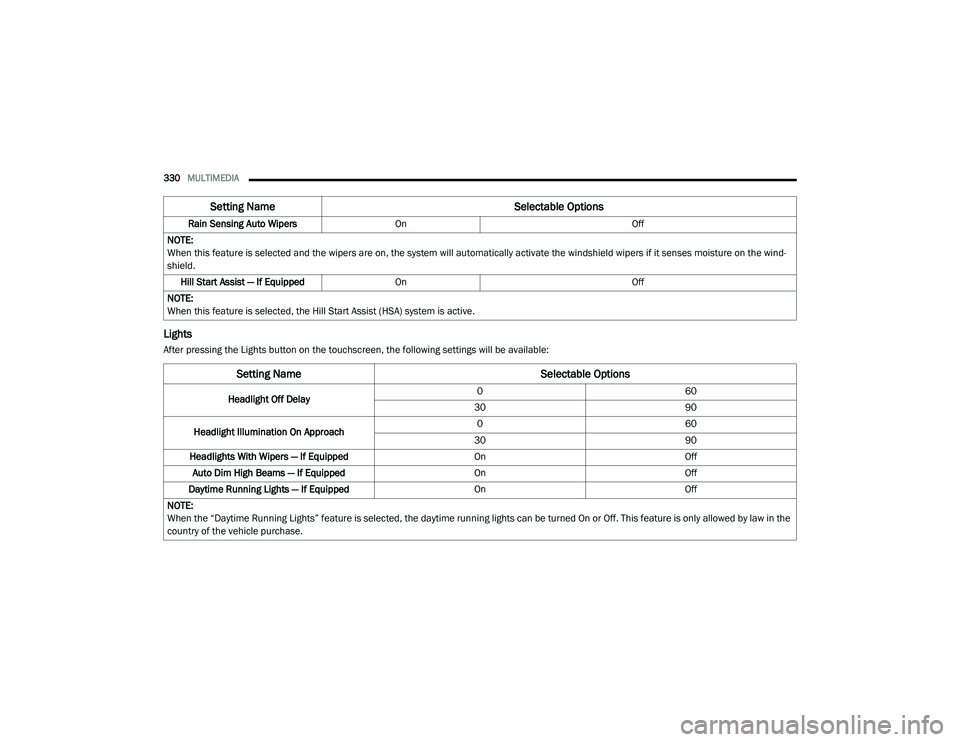
Lights
After pressing the Lights button on the touchscreen, the following settings will be available:Rain Sensing Auto Wipers
On Off
NOTE:
When this feature is selected and the wipers are on, the system will automatically activate the windshield wipers if it senses moisture on the wind -
shield.
Hill Start Assist — If Equipped On Off
NOTE:
When this feature is selected, the Hill Start Assist (HSA) system is active.
Setting Name Selectable Options
Setting NameSelectable Options
Headlight Off Delay0
60
30 90
Headlight Illumination On Approach 0
60
30 90
Headlights With Wipers — If Equipped OnOff
Auto Dim High Beams — If Equipped OnOff
Daytime Running Lights — If Equipped OnOff
NOTE:
When the “Daytime Running Lights” feature is selected, the daytime running lights can be turned On or Off. This feature is only allowed by law in the
country of the vehicle purchase.
20_LD_OM_EN_USC_t.book Page 330
Page 340 of 412
338MULTIMEDIA
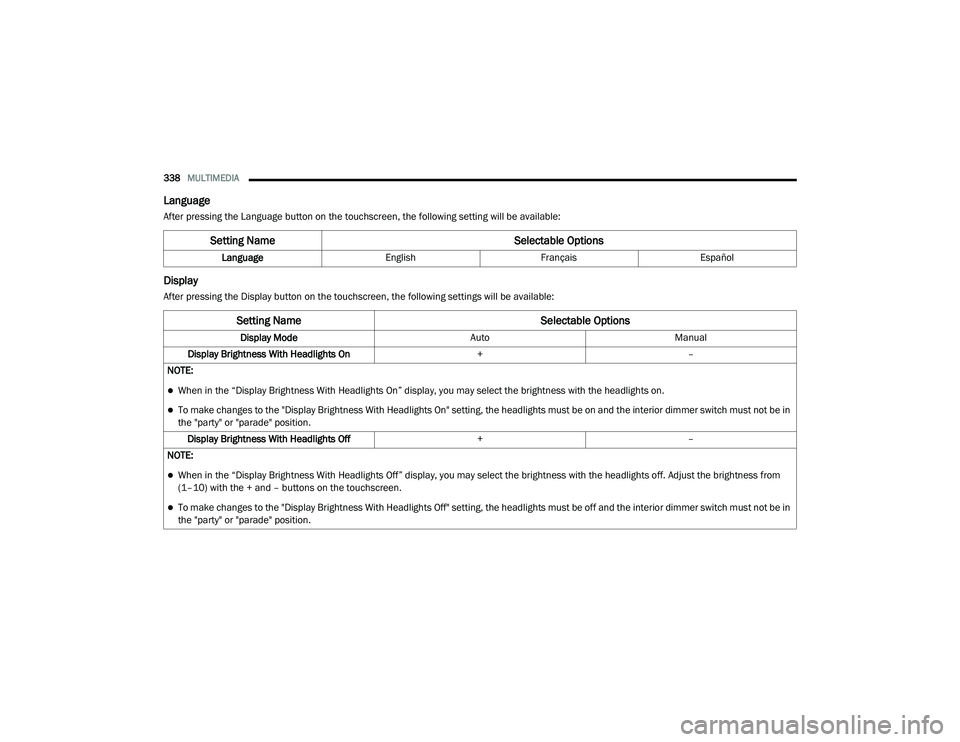
Language
After pressing the Language button on the touchscreen, the following setting will be available:
Display
After pressing the Display button on the touchscreen, the following settings will be available:
Setting Name Selectable Options
LanguageEnglishFrançais Español
Setting Name Selectable Options
Display ModeAutoManual
Display Brightness With Headlights On +–
NOTE:
When in the “Display Brightness With Headlights On” display, you may select the brightness with the headlights on.
To make changes to the "Display Brightness With Headlights On" setting, the headlights must be on and the interior dimmer switch must not be in
the "party" or "parade" position. Display Brightness With Headlights Off +–
NOTE:
When in the “Display Brightness With Headlights Off” display, you may select the brightness with the headlights off. Adjust the brightness from
(1–10) with the + and – buttons on the touchscreen.
To make changes to the "Display Brightness With Headlights Off" setting, the headlights must be off and the interior dimmer switch must not be in
the "party" or "parade" position.
20_LD_OM_EN_USC_t.book Page 338
Page 347 of 412
MULTIMEDIA345
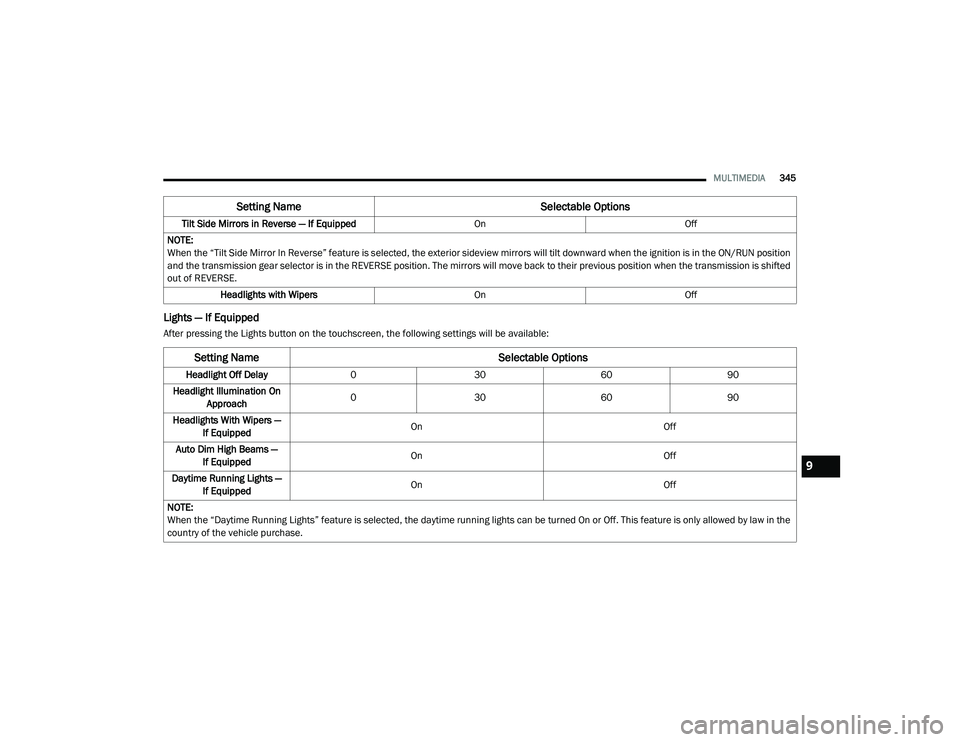
Lights — If Equipped
After pressing the Lights button on the touchscreen, the following settings will be available:Tilt Side Mirrors in Reverse — If Equipped
OnOff
NOTE:
When the “Tilt Side Mirror In Reverse” feature is selected, the exterior sideview mirrors will tilt downward when the ignition is in the ON/RUN position
and the transmission gear selector is in the REVERSE position. The mirrors will move back to their previous position when the transmission is shifted
out of REVERSE. Headlights with Wipers OnOff
Setting Name Selectable Options
Setting NameSelectable Options
Headlight Off Delay 0 30 6090
Headlight Illumination On Approach 0
30 6090
Headlights With Wipers — If Equipped On
Off
Auto Dim High Beams — If Equipped On
Off
Daytime Running Lights — If Equipped On
Off
NOTE:
When the “Daytime Running Lights” feature is selected, the daytime running lights can be turned On or Off. This feature is only allowed by law in the
country of the vehicle purchase.
9
20_LD_OM_EN_USC_t.book Page 345
Page 351 of 412
MULTIMEDIA349
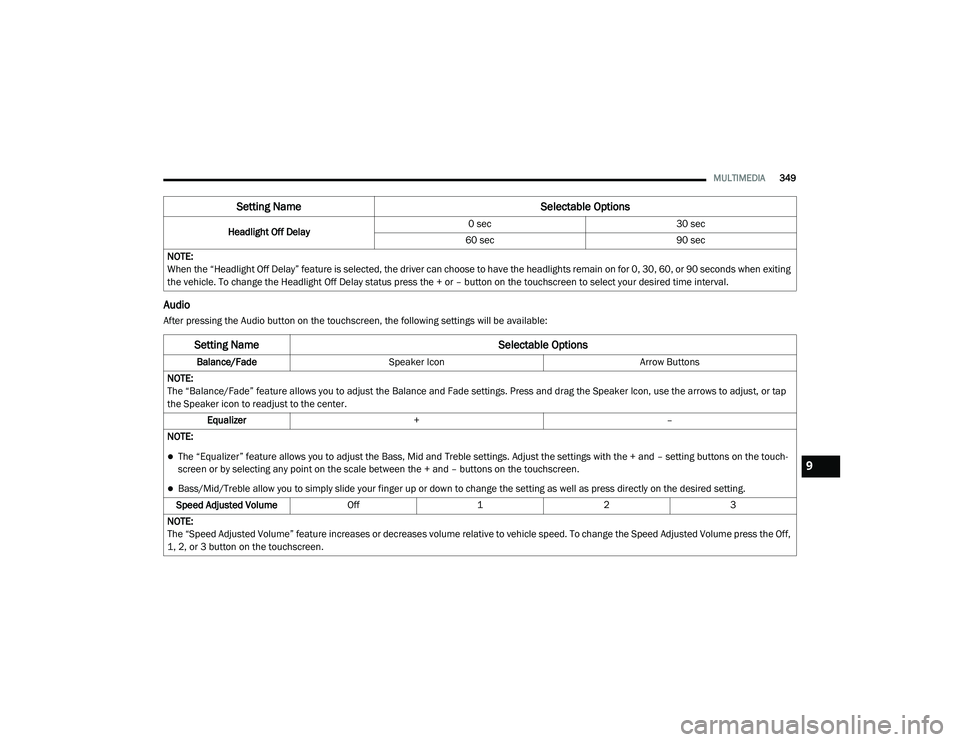
Audio
After pressing the Audio button on the touchscreen, the following settings will be available:Headlight Off Delay
0 sec
30 sec
60 sec 90 sec
NOTE:
When the “Headlight Off Delay” feature is selected, the driver can choose to have the headlights remain on for 0, 30, 60, or 90 seconds when exiting
the vehicle. To change the Headlight Off Delay status press the + or – button on the touchscreen to select your desired time interval.
Setting Name Selectable Options
Setting NameSelectable Options
Balance/FadeSpeaker Icon Arrow Buttons
NOTE:
The “Balance/Fade” feature allows you to adjust the Balance and Fade settings. Press and drag the Speaker Icon, use the arrows to adjust, or tap
the Speaker icon to readjust to the center. Equalizer + –
NOTE:
The “Equalizer” feature allows you to adjust the Bass, Mid and Treble settings. Adjust the settings with the + and – setting buttons on the touch -
screen or by selecting any point on the scale between the + and – buttons on the touchscreen.
Bass/Mid/Treble allow you to simply slide your finger up or down to change the setting as well as press directly on the desired setting.
Speed Adjusted Volume Off123
NOTE:
The “Speed Adjusted Volume” feature increases or decreases volume relative to vehicle speed. To change the Speed Adjusted Volume press the Off,
1, 2, or 3 button on the touchscreen.
9
20_LD_OM_EN_USC_t.book Page 349
Page 397 of 412
395
INDEX
A
About Your Brakes......................................... 308Adaptive Cruise Control (ACC)
(Cruise Control).............................................. 177Adding Engine Coolant (Antifreeze)............... 282Adding Fuel.................................................... 200Adding Washing Fluid.................................... 270Additives, Fuel............................................... 310AdjustForward....................................................... 34Rearward..................................................... 34Air Bag........................................................... 135Advance Front Air Bag............................... 135Air Bag Operation...................................... 136Air Bag Warning Light................................ 134Driver Knee Air Bag................................... 137Enhanced Accident Response......... 141, 249Event Data Recorder (EDR)....................... 249Front Air Bag............................................. 135If Deployment Occurs................................ 140Knee Impact Bolsters................................ 137Maintaining Your Air Bag System.............. 142Maintenance............................................. 142Redundant Air Bag Warning Light.............135Side Air Bags............................................. 137Transporting Pets...................................... 155
Air Bag Light.................................. 95, 134, 156
Air Cleaner, Engine (Engine Air Cleaner Filter)... 275
Air Conditioner Maintenance........................ 275Air Conditioner Refrigerant........................... 275Air Conditioner System................................. 275Air Conditioning.................................. 53, 57, 61Air Conditioning Filter..............................63, 276Air Conditioning, Operating Tips....................... 62Air Filter........................................................ 275Air PressureTires......................................................... 294AlarmArm The System................................... 24, 25Panic........................................................... 15Rearm The System...................................... 25Security Alarm...................................... 24, 98Alarm SystemSecurity Alarm............................................. 24All Wheel DriveTowing...................................................... 249Alterations/ModificationsVehicle........................................................... 9Android Auto................................................. 389Antifreeze (Engine Coolant)........ 281, 313, 314Disposal................................................... 283
Anti-Lock Brake System (ABS)....................... 106Anti-Lock Warning Light................................ 101Apple CarPlay................................................ 389Arming SystemSecurity Alarm.............................................24Assist, Hill Start............................................. 111Audio Settings............................................... 361Audio Systems (Radio).................................. 321Auto Down Power Windows..............................65Auto Up Power Windows..................................65Automatic Door Locks...............................29, 30Automatic Headlights.......................................47Automatic High Beams.....................................46Automatic Temperature Control (ATC).......57, 62Automatic Transmission....................... 167, 286Adding Fluid......... 286, 315, 317, 318, 320Fluid And Filter Change............................. 286Fluid Change............................................. 286Fluid Level Check...................................... 285Fluid Type............ 285, 315, 317, 318, 320Special Additives...................................... 285Automatic Transmission
Limp Home Mode................................... 29, 171AutoPark....................................................... 16011
20_LD_OM_EN_USC_t.book Page 395
Page 400 of 412
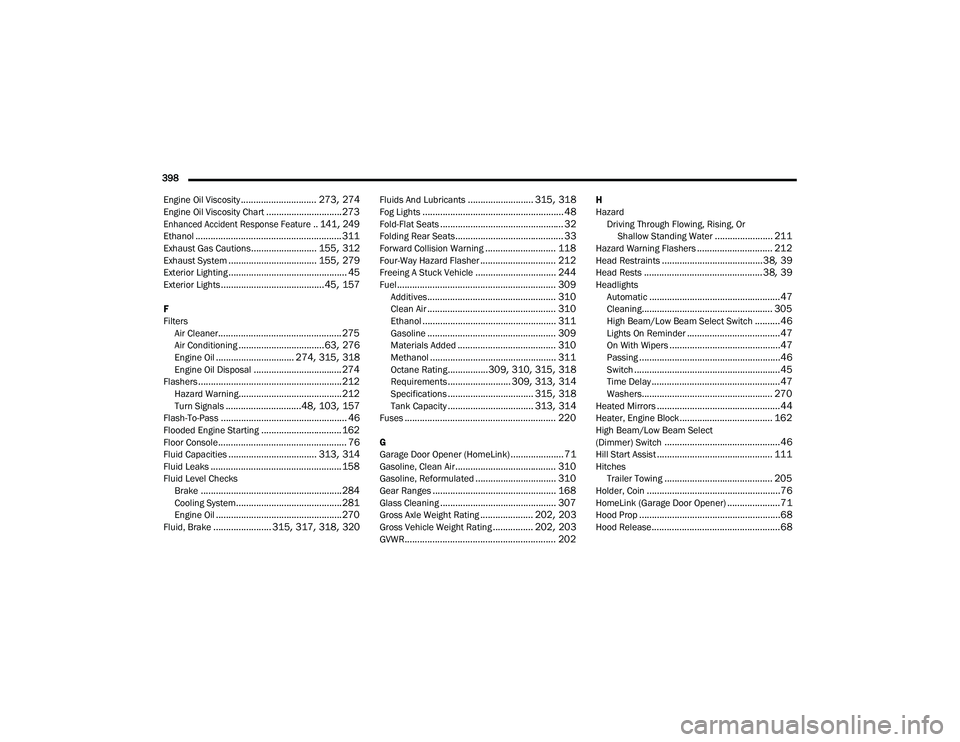
398 Engine Oil Viscosity
.............................. 273, 274Engine Oil Viscosity Chart.............................. 273
Enhanced Accident Response Feature.. 141, 249
Ethanol.......................................................... 311Exhaust Gas Cautions.......................... 155, 312Exhaust System................................... 155, 279Exterior Lighting............................................... 45Exterior Lights......................................... 45, 157
F
Filters Air Cleaner
................................................. 275Air Conditioning.................................. 63, 276Engine Oil............................... 274, 315, 318Engine Oil Disposal................................... 274Flashers......................................................... 212Hazard Warning......................................... 212Turn Signals..............................48, 103, 157Flash-To-Pass.................................................. 46Flooded Engine Starting................................ 162Floor Console................................................... 76Fluid Capacities................................... 313, 314Fluid Leaks.................................................... 158Fluid Level ChecksBrake........................................................ 284Cooling System.......................................... 281Engine Oil.................................................. 270Fluid, Brake....................... 315, 317, 318, 320
Fluids And Lubricants.......................... 315, 318Fog Lights........................................................ 48Fold-Flat Seats................................................. 32Folding Rear Seats........................................... 33Forward Collision Warning............................ 118Four-Way Hazard Flasher.............................. 212Freeing A Stuck Vehicle................................ 244Fuel............................................................... 309Additives................................................... 310Clean Air................................................... 310Ethanol..................................................... 311Gasoline................................................... 309Materials Added....................................... 310Methanol.................................................. 311Octane Rating................309, 310, 315, 318Requirements......................... 309, 313, 314Specifications.................................. 315, 318Tank Capacity.................................. 313, 314Fuses............................................................ 220
G
Garage Door Opener (HomeLink)..................... 71Gasoline, Clean Air........................................ 310Gasoline, Reformulated................................ 310Gear Ranges................................................. 168Glass Cleaning.............................................. 307Gross Axle Weight Rating..................... 202, 203Gross Vehicle Weight Rating................ 202, 203GVWR............................................................ 202
H
HazardDriving Through Flowing, Rising, Or Shallow Standing Water
....................... 211Hazard Warning Flashers.............................. 212Head Restraints........................................38, 39Head Rests............................................... 38, 39HeadlightsAutomatic....................................................47Cleaning.................................................... 305High Beam/Low Beam Select Switch..........46Lights On Reminder.....................................47On With Wipers............................................47Passing........................................................46Switch..........................................................45Time Delay...................................................47Washers.................................................... 270Heated Mirrors.................................................44Heater, Engine Block..................................... 162High Beam/Low Beam Select
(Dimmer) Switch..............................................46Hill Start Assist.............................................. 111HitchesTrailer Towing........................................... 205Holder, Coin.....................................................76HomeLink (Garage Door Opener).....................71Hood Prop........................................................68Hood Release...................................................68
20_LD_OM_EN_USC_t.book Page 398
Page 401 of 412
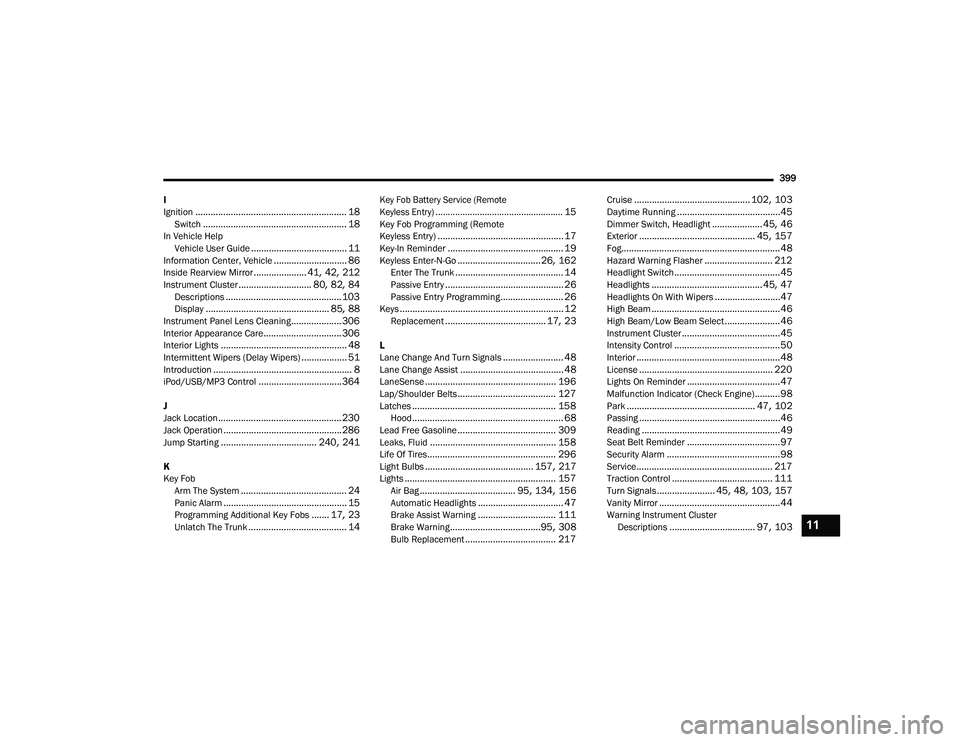
399
I
Ignition
............................................................ 18Switch......................................................... 18In Vehicle Help Vehicle User Guide...................................... 11Information Center, Vehicle............................. 86Inside Rearview Mirror..................... 41, 42, 212Instrument Cluster............................. 80, 82, 84Descriptions.............................................. 103Display................................................. 85, 88Instrument Panel Lens Cleaning.................... 306Interior Appearance Care............................... 306Interior Lights.................................................. 48Intermittent Wipers (Delay Wipers).................. 51Introduction....................................................... 8iPod/USB/MP3 Control................................. 364
J
Jack Location................................................. 230Jack Operation............................................... 286Jump Starting...................................... 240, 241
K
Key FobArm The System
.......................................... 24Panic Alarm................................................. 15Programming Additional Key Fobs....... 17, 23Unlatch The Trunk....................................... 14
Key Fob Battery Service (Remote
Keyless Entry).................................................... 15
Key Fob Programming (Remote
Keyless Entry).................................................. 17Key-In Reminder.............................................. 19Keyless Enter-N-Go.................................26, 162Enter The Trunk........................................... 14Passive Entry............................................... 26Passive Entry Programming......................... 26Keys................................................................. 12Replacement........................................ 17, 23
L
Lane Change And Turn Signals........................ 48Lane Change Assist......................................... 48LaneSense.................................................... 196Lap/Shoulder Belts....................................... 127Latches......................................................... 158Hood............................................................ 68Lead Free Gasoline....................................... 309Leaks, Fluid.................................................. 158Life Of Tires................................................... 296Light Bulbs........................................... 157, 217Lights............................................................ 157Air Bag...................................... 95, 134, 156Automatic Headlights.................................. 47Brake Assist Warning............................... 111Brake Warning....................................95, 308Bulb Replacement.................................... 217
Cruise.............................................. 102, 103Daytime Running.........................................45Dimmer Switch, Headlight.................... 45, 46Exterior.............................................. 45, 157Fog...............................................................48Hazard Warning Flasher........................... 212Headlight Switch..........................................45Headlights............................................ 45, 47Headlights On With Wipers..........................47High Beam...................................................46High Beam/Low Beam Select......................46Instrument Cluster.......................................45Intensity Control..........................................50Interior.........................................................48License..................................................... 220Lights On Reminder.....................................47Malfunction Indicator (Check Engine)..........98Park................................................... 47, 102Passing........................................................46Reading.......................................................49Seat Belt Reminder.....................................97Security Alarm.............................................98Service...................................................... 217Traction Control........................................ 111Turn Signals....................... 45, 48, 103, 157Vanity Mirror................................................44Warning Instrument Cluster Descriptions.................................. 97, 10311
20_LD_OM_EN_USC_t.book Page 399