sport mode DODGE CHARGER 2021 Owners Manual
[x] Cancel search | Manufacturer: DODGE, Model Year: 2021, Model line: CHARGER, Model: DODGE CHARGER 2021Pages: 320, PDF Size: 20.61 MB
Page 6 of 320
4
STARTING AND OPERATING
STARTING THE ENGINE ........................................ 83
Automatic Transmission .................................83
Normal Starting ...............................................83
AutoPark ...........................................................84
Keyless Enter ‘n Go™ — Ignition......................85
Cold Weather Operation
(Below –22°F Or −30°C) ...............................85
If Engine Fails To Start .....................................85
After Starting.....................................................86
ENGINE BLOCK HEATER — IF EQUIPPED ........... 86
ENGINE BREAK-IN RECOMMENDATIONS —
3.6L & 5.7L ........................................................... 86
PARKING BRAKE ................................................... 87
AUTOMATIC TRANSMISSION................................ 88 Ignition Park Interlock ......................................89
Brake Transmission Shift Interlock (BTSI)
System .............................................................89
8-Speed Automatic Transmission ...................89
SPORT MODE — WITHOUT PERFORMANCE
CONTROL ................................................................ 94
FUEL SAVER TECHNOLOGY 5.7L ONLY—
IF EQUIPPED ........................................................... 94
ELECTRIC POWER STEERING............................... 94
CRUISE CONTROL SYSTEMS — IF EQUIPPED ... 95
Cruise Control ...................................................95
Adaptive Cruise Control (ACC) .........................96 PARKSENSE REAR PARK ASSIST —
IF EQUIPPED ........................................................ 105
ParkSense Sensors ....................................... 105
ParkSense Display ........................................ 105ParkSense Warning Display ......................... 108
Enabling And Disabling ParkSense .............. 108
Service The ParkSense Park Assist System ...108
Cleaning The ParkSense System ................. 108
ParkSense System Usage Precautions........ 108
LANESENSE — IF EQUIPPED ............................. 109
LaneSense Operation ................................... 109Turning LaneSense On Or Off ....................... 110
LaneSense Warning Message ...................... 110Changing LaneSense Status ........................ 112
PARKVIEW REAR BACK UP CAMERA............... 112
REFUELING THE VEHICLE ................................... 113
VEHICLE LOADING ............................................. 114 Vehicle Certification Label ............................ 114
Gross Vehicle Weight Rating (GVWR) .......... 114
Gross Axle Weight Rating (GAWR) ............... 114
Overloading.................................................... 115
Loading ......................................................... 115
TRAILER TOWING ................................................ 115
Common Towing Definitions......................... 115
Trailer Hitch Classification ............................ 117
Trailer Towing Weights (Maximum Trailer
Weight Ratings) ............................................. 117Trailer And Tongue Weight ........................... 118Towing Requirements ................................... 118Towing Tips ................................................... 121 RECREATIONAL TOWING
(BEHIND MOTORHOME) ..................................... 121
DRIVING TIPS ....................................................... 122
Driving On Slippery Surfaces ........................ 122Driving Through Water ................................. 122
MULTIMEDIA
UCONNECT SYSTEMS ......................................... 124
CYBERSECURITY ................................................. 124
UCONNECT SETTINGS ........................................ 125 Customer Programmable Features ............. 125
UCONNECT INTRODUCTION................................ 138
System Overview .......................................... 138Drag & Drop Menu Bar ................................. 140
Safety And General Information................... 140
UCONNECT MODES ............................................. 141
Steering Wheel Audio Controls..................... 141Radio Mode .................................................. 141Media Mode ................................................. 150
Phone Mode ................................................. 152
ANDROID AUTO™ & APPLE CARPLAY® —
IF EQUIPPED ......................................................... 163
Android Auto™ .............................................. 163
Apple CarPlay® ............................................. 165Android Auto™ And Apple CarPlay® Tips And
Tricks.............................................................. 166
21_LD_OM_EN_USC_t.book Page 4
Page 7 of 320
5
PERFORMANCE PAGES ...................................... 167 Home .............................................................. 168
Timers ............................................................ 170
Gauges ........................................................... 172G-Force ........................................................... 173Engine ............................................................ 173
Dynamometer (Dyno) .................................... 174
DODGE DRIVE MODES — IF EQUIPPED............. 174
Performance Control —
If Equipped..................................................... 174
RADIO OPERATION AND MOBILE PHONES...... 179
Regulatory And Safety Information .............. 179
SAFETY
SAFETY FEATURES .............................................. 180 Anti-Lock Brake System (ABS) ..................... 180
Electronic Brake Control (EBC) System ....... 181
AUXILIARY DRIVING SYSTEMS .......................... 185
Blind Spot Monitoring (BSM) —
If Equipped..................................................... 185
Forward Collision Warning (FCW) With
Mitigation Operation ..................................... 188
Tire Pressure Monitoring
System (TPMS) .............................................. 190 OCCUPANT RESTRAINT SYSTEMS ................... 193
Occupant Restraint Systems Features ....... 193
Important Safety Precautions ...................... 193Seat Belt Systems ........................................ 194Supplemental Restraint
Systems (SRS) ............................................... 200
Child Restraints ............................................. 208
SAFETY TIPS ....................................................... 220
Transporting Passengers .............................. 220Transporting Pets ......................................... 220
Safety Checks You Should Make Inside
The Vehicle ................................................... 220
Periodic Safety Checks You Should Make
Outside The Vehicle ...................................... 221
Exhaust Gas................................................... 222
Carbon Monoxide Warnings ......................... 222
IN CASE OF EMERGENCY
HAZARD WARNING FLASHERS ........................ 223
ASSIST AND SOS MIRROR — IF EQUIPPED ..... 223
JACKING AND TIRE CHANGING ......................... 226 Preparations For Jacking .............................. 226Jack Location/Spare Tire Stowage .............. 227Jacking Instructions ...................................... 228 TIRE SERVICE KIT — IF EQUIPPED ..................... 231
Tire Service Kit Storage ................................ 231Tire Service Kit Components And
Operation ....................................................... 231Tire Service Kit Usage Precautions .............. 232
Sealing A Tire With Tire Service Kit .............. 233
JUMP STARTING ................................................. 236
Preparations For Jump Start ........................ 236Jump Starting Procedure .............................. 237
REFUELING IN EMERGENCY .............................. 238
IF YOUR ENGINE OVERHEATS ........................... 239
MANUAL PARK RELEASE —
8-SPEED TRANSMISSION ................................... 240
FREEING A STUCK VEHICLE ............................... 242
TOWING A DISABLED VEHICLE .......................... 243 All Wheel Drive (AWD) Models...................... 244
Rear Wheel Drive (RWD) Models ................ 244
ENHANCED ACCIDENT RESPONSE
SYSTEM (EARS) ................................................... 244
EVENT DATA RECORDER (EDR) ......................... 244
21_LD_OM_EN_USC_t.book Page 5
Page 14 of 320
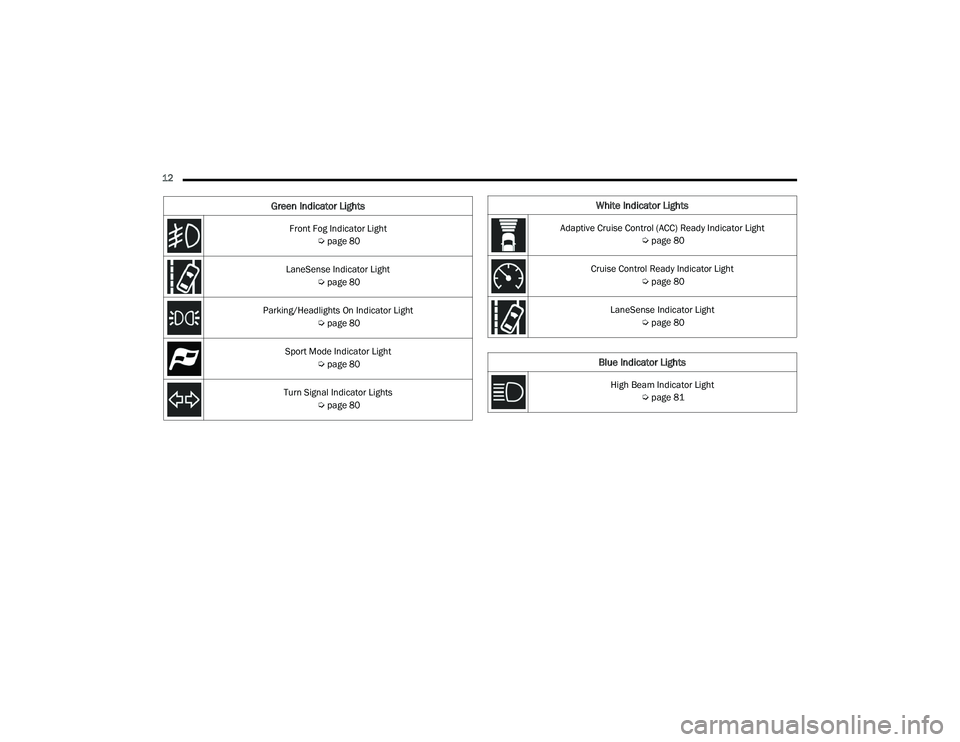
12 Front Fog Indicator Light Úpage 80
LaneSense Indicator Light Úpage 80
Parking/Headlights On Indicator Light Úpage 80
Sport Mode Indicator Light Úpage 80
Turn Signal Indicator Lights Úpage 80
Green Indicator LightsWhite Indicator Lights
Adaptive Cruise Control (ACC) Ready Indicator Light
Úpage 80
Cruise Control Ready Indicator Light Úpage 80
LaneSense Indicator Light Úpage 80
Blue Indicator Lights
High Beam Indicator Light
Úpage 81
21_LD_OM_EN_USC_t.book Page 12
Page 82 of 320
80GETTING TO KNOW YOUR INSTRUMENT PANEL
GREEN INDICATOR LIGHTS
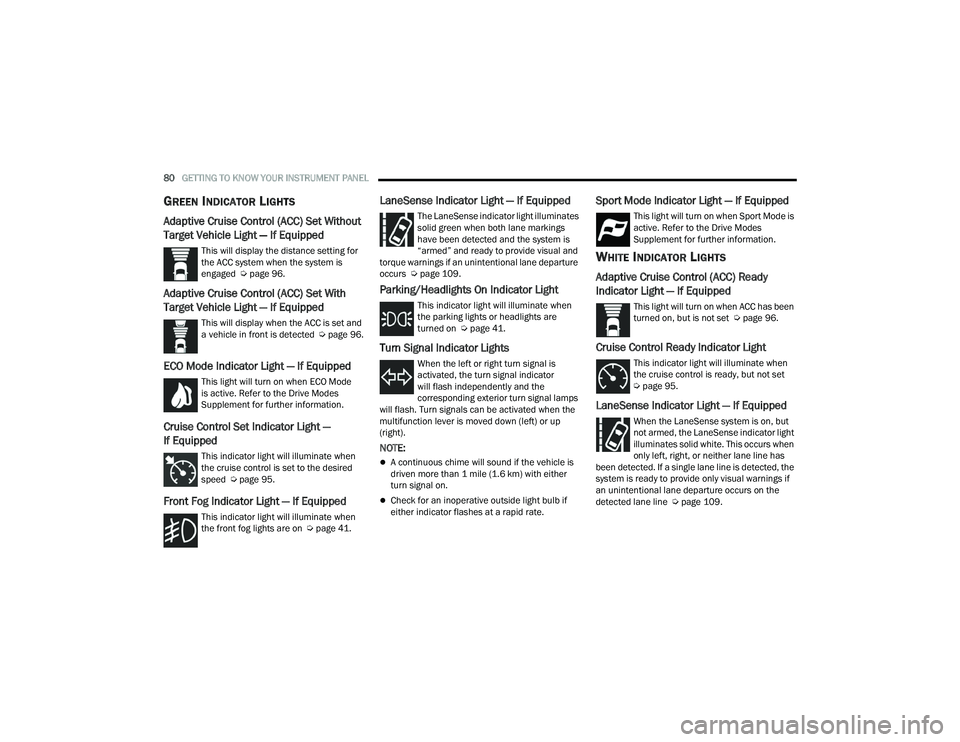
Adaptive Cruise Control (ACC) Set Without
Target Vehicle Light — If Equipped
This will display the distance setting for
the ACC system when the system is
engaged Úpage 96.
Adaptive Cruise Control (ACC) Set With
Target Vehicle Light — If Equipped
This will display when the ACC is set and
a vehicle in front is detected Ú page 96.
ECO Mode Indicator Light — If Equipped
This light will turn on when ECO Mode
is active. Refer to the Drive Modes
Supplement for further information.
Cruise Control Set Indicator Light —
If Equipped
This indicator light will illuminate when
the cruise control is set to the desired
speed Úpage 95.
Front Fog Indicator Light — If Equipped
This indicator light will illuminate when
the front fog lights are on Ú page 41.
LaneSense Indicator Light — If Equipped
The LaneSense indicator light illuminates
solid green when both lane markings
have been detected and the system is
“armed” and ready to provide visual and
torque warnings if an unintentional lane departure
occurs Ú page 109.
Parking/Headlights On Indicator Light
This indicator light will illuminate when
the parking lights or headlights are
turned on Ú page 41.
Turn Signal Indicator Lights
When the left or right turn signal is
activated, the turn signal indicator
will flash independently and the
corresponding exterior turn signal lamps
will flash. Turn signals can be activated when the
multifunction lever is moved down (left) or up
(right).
NOTE:
A continuous chime will sound if the vehicle is
driven more than 1 mile (1.6 km) with either
turn signal on.
Check for an inoperative outside light bulb if
either indicator flashes at a rapid rate.
Sport Mode Indicator Light — If Equipped
This light will turn on when Sport Mode is
active. Refer to the Drive Modes
Supplement for further information.
WHITE INDICATOR LIGHTS
Adaptive Cruise Control (ACC) Ready
Indicator Light — If Equipped
This light will turn on when ACC has been
turned on, but is not set Ú page 96.
Cruise Control Ready Indicator Light
This indicator light will illuminate when
the cruise control is ready, but not set
Úpage 95.
LaneSense Indicator Light — If Equipped
When the LaneSense system is on, but
not armed, the LaneSense indicator light
illuminates solid white. This occurs when
only left, right, or neither lane line has
been detected. If a single lane line is detected, the
system is ready to provide only visual warnings if
an unintentional lane departure occurs on the
detected lane line Ú page 109.
21_LD_OM_EN_USC_t.book Page 80
Page 96 of 320
94STARTING AND OPERATING
Holding the (-) paddle pressed (if equipped), or
holding the gear selector in the (-) position, will
downshift the transmission to the lowest gear
possible at the current speed.
Transmission shifting will be more noticeable
when AutoStick is enabled.
The system may revert to automatic shift mode
if a fault or overheat condition is detected.
To disengage AutoStick mode, return the gear
selector to the DRIVE position, or press and hold
the (+) shift paddle (if equipped, and the gear
selector is already in DRIVE) until “D” is once again
indicated in the instrument cluster. You can shift in
or out of the AutoStick mode at any time without
taking your foot off the accelerator pedal.
SPORT MODE — WITHOUT PERFORMANCE
CONTROL
Your vehicle is equipped with a SPORT Mode feature.
This mode is a configuration set up for typical
enthusiast driving. The engine, transmission, and
steering systems are all set to their SPORT settings.
SPORT Mode will provide improved throttle response
and modified shifting for an enhanced driving
experience, as well the greatest amount of steering
feel. This mode may be activated and deactivated by
pushing the Sport button on the instrument panel
switch bank.
For vehicles equipped with Drive Modes or a
“SUPER TRACK PAK” button, refer to “Drive Modes
Supplement” for further information.
FUEL SAVER TECHNOLOGY 5.7L ONLY—
IF EQUIPPED
This feature offers improved fuel economy by
shutting off four of the engine's eight cylinders
during light load and cruise conditions. The system
is automatic with no driver inputs or additional
driving skills required.
NOTE:This system may take some time to return to full
functionality after a battery disconnect.
ELECTRIC POWER STEERING
The electric power steering system provides
increased vehicle response and ease of
maneuverability. The system adapts to different
driving conditions. If the electric steering system
experiences a fault that prevents it from providing
assist, you will still have the ability to steer the
vehicle manually.
If the Electric Power Steering Fault Warning Light is
displayed and the “SERVICE POWER STEERING” or the
“POWER STEERING ASSIST OFF – SERVICE SYSTEM”
message is displayed within the instrument cluster
display, this indicates the vehicle needs to be taken to
the dealer for service
Ú
page 74.
NOTE:
Even if the power steering assistance is no longer
operational, it is still possible to steer the vehicle.
Under these conditions there will be a substantial
increase in steering effort, especially at low speeds
and during parking maneuvers.
If the condition persists, see an authorized
dealer for service.
WARNING!
Do not downshift for additional engine braking
on a slippery surface. The drive wheels could
lose their grip and the vehicle could skid,
causing a collision or personal injury.
WARNING!
Continued operation with reduced assist could
pose a safety risk to yourself and others. Service
should be obtained as soon as possible.
21_LD_OM_EN_USC_t.book Page 94
Page 132 of 320
130MULTIMEDIA
Safety/Assistance
When the Safety/Assistance button is selected on the touchscreen, the system displays the options related to the vehicle’s safety settings. These options will
differ depending on the features equipped on the vehicle. The settings may display in list form or within subfolders on the screen. To access a subfolder, select
the desired folder; the available options related to that feature will then display on the screen.
NOTE:Depending on the vehicle’s options, feature settings may vary.
Setting Name Description
Forward Collision Warning Sensitivity
This setting will change the distance at which the Forward Collision Warning (FCW) alert sounds. The “Medium”
setting will have the FCW system signal when an object is in view, and the possibility of a collision is detected.
The “Near” setting will have the FCW system signal when the object is closer to the vehicle. The “Far” setting will have the FCW system signal when an object is at a far distance from the vehicle.
Forward Collision Warning This setting will turn the Forward Collision Warning system on or off. The “Off” setting will deactivate
the FCW system. The “Warning Only” setting will provide only an audible chime when a collision is detected. The “Warning + Active Braking” setting will provide an audible chime and apply brake pressure when a collision is detected.
Forward Collision Warning Active Braking
This setting will activate Forward Collision Warning Active Braking. The available options are “On” and “Off”.
ParkSense This setting will change the type of ParkSense alert when a close object is detected and provide both
an audible chime and a visual display.
Rear ParkSense Volume This setting adjusts the volume of the Rear ParkSense system. The available settings are “Low”,
“Medium”, and “High”.
Blind Spot Alert This setting will change the type of alert provided when an object is detected in a vehicle’s blind spot.
The “Off” setting will turn off Blind Spot Alert. The “Lights” setting will activate the Blind Spot Alert
lights on the outside mirrors. The “Lights & Chime” setting will activate both the lights on the outside mirrors and an audible chime.
Electric Power Steering Default
This setting will adjust the power steering modes. Setting options are “Normal”, “Sport”, and “Comfort”.
Hill Start Assist This setting will turn the Hill Start Assist system on or off.
21_LD_OM_EN_USC_t.book Page 130
Page 173 of 320
MULTIMEDIA171
With a USB jump drive installed, press the USB
button to save to the jump drive.
Press the Uconnect button to save the current
timer data to the Owner’s web page.
NOTE:The Uconnect option will be grayed out or missing
if the vehicle does not have a valid Uconnect
account associated with it.
Press the Cancel button to return to the Timers
page.
The tabs on the Timers page contain the timers
listed below:
Reaction Time
Measures the driver's reaction time for
launching the vehicle against a simulated drag
strip timing light (behavior modeled after 500
Sportsman Tree) displayed in the instrument
cluster display.
NOTE:Drag timers (RT, 60 ft [20 m], 330 ft [100 m],
1/8 mile [200 m], 1000 ft [300 m], and 1/4 mile
[400 m]).
NOTE:Accel & Braking timers (0-60 mph [0-100 km/h],
0-100 mph [0-160 km/h], Brake from mph
[km/h], and Brake Distance ft [meters]).
0-60 mph (0-100 km/h)
Displays the time it takes for the vehicle to go
from 0 to 60 mph (0 to 100 km/h).
0-100 mph (0-160 km/h)
Displays the time it takes for the vehicle to go
from 0 to 100 mph (0 to 160 km/h).
60 ft (20 m) ET
Displays the time it takes the vehicle to go
60 feet (20 m).
330 ft (100 m) ET
Displays the time it takes the vehicle to go
330 feet (100 m).
⅛ Mile (200 m) ET
Displays the time it takes for the vehicle to go
⅛ mile (200 m).
⅛ Mile (200 m) mph
Displays the vehicle speed at the time ⅛ mile
(200 m) was reached.
1000 ft (300 m) ET
Displays the time it takes the vehicle to go
1000 ft (300 m).
¼ Mile (400 m) ET
Displays the time it takes for the vehicle to go
¼ mile (400 m).
¼ Mile (400 m) mph
Displays the speed the vehicle was at when
¼ mile (400 m) was reached.
Brake Distance ft (meters)
Displays the distance it takes the vehicle to
make a complete stop.
NOTE:The distance measurement will be aborted if the
brake pedal is released or the parking brake is
engaged, before the vehicle comes to a complete
stop.
Brake from mph (km/h)
Displays the speed the vehicle is traveling when
the brake pedal is pressed.
NOTE:Brake Distance and Speed timers only display
"ready" when vehicle is traveling at greater than
30 mph (48 km/h).
5
21_LD_OM_EN_USC_t.book Page 171
Page 177 of 320
MULTIMEDIA175
Drive Mode Set-Up
Performance Control Set-Up
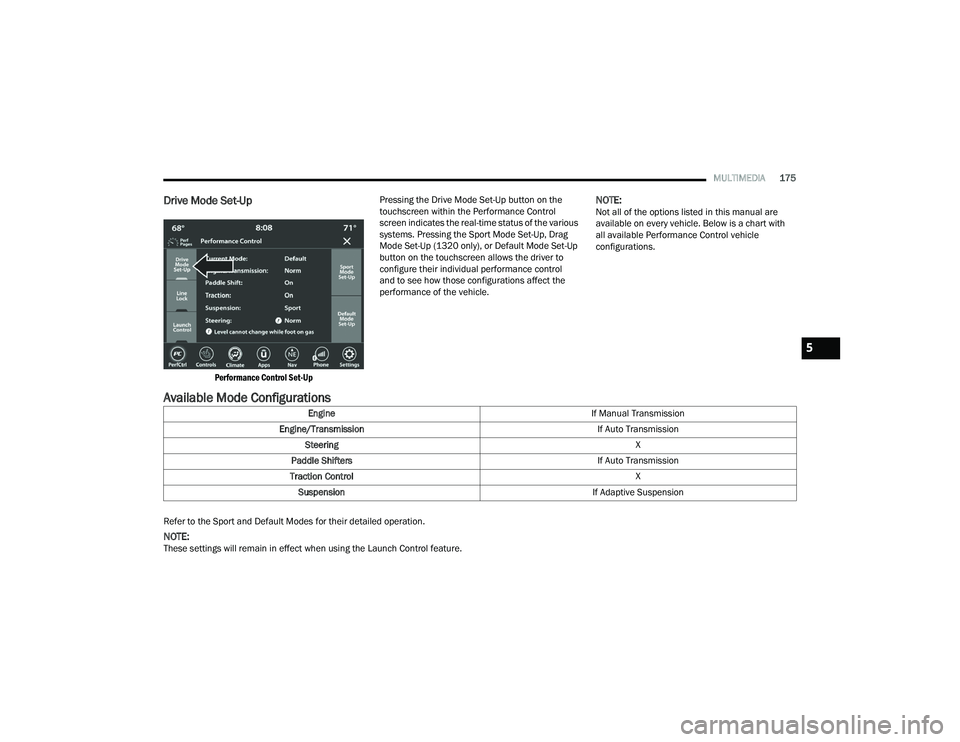
Pressing the Drive Mode Set-Up button on the
touchscreen within the Performance Control
screen indicates the real-time status of the various
systems. Pressing the Sport Mode Set-Up, Drag
Mode Set-Up (1320 only), or Default Mode Set-Up
button on the touchscreen allows the driver to
configure their individual performance control
and to see how those configurations affect the
performance of the vehicle.
NOTE:Not all of the options listed in this manual are
available on every vehicle. Below is a chart with
all available Performance Control vehicle
configurations.
Available Mode Configurations
Refer to the Sport and Default Modes for their detailed operation.
NOTE:These settings will remain in effect when using the Launch Control feature.
Engine
If Manual Transmission
Engine/Transmission If Auto Transmission
Steering X
Paddle Shifters If Auto Transmission
Traction Control X
Suspension If Adaptive Suspension
5
21_LD_OM_EN_USC_t.book Page 175
Page 178 of 320
176MULTIMEDIA
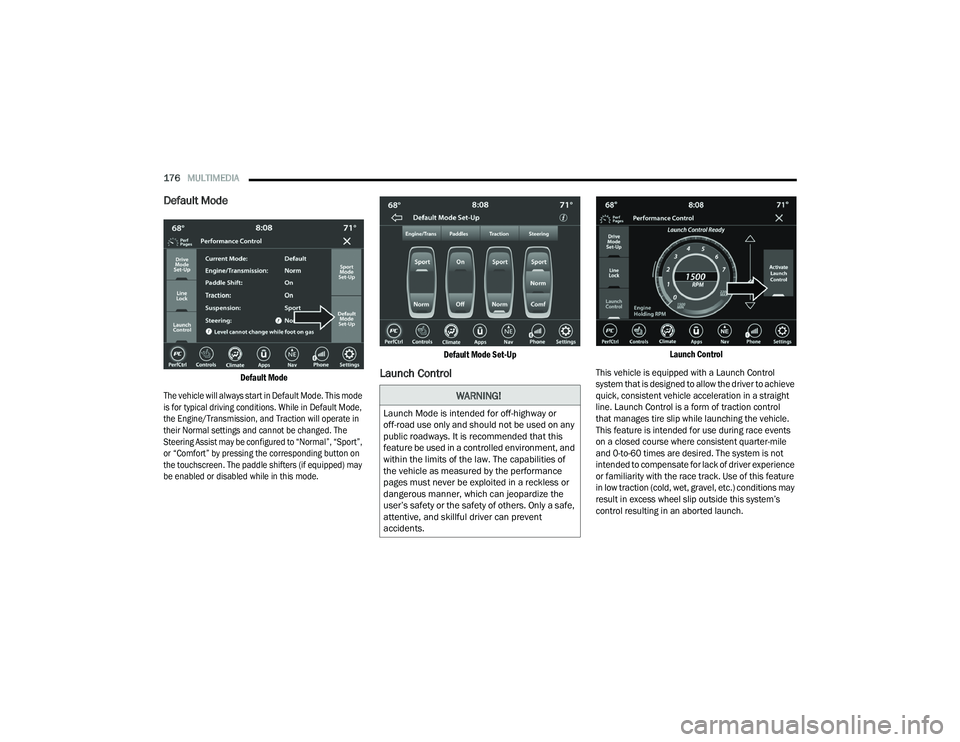
Default Mode
Default Mode
The vehicle will always start in Default Mode. This mode
is for typical driving conditions. While in Default Mode,
the Engine/Transmission, and Traction will operate in
their Normal settings and cannot be changed. The
Steering Assist may be configured to “Normal”, “Sport”,
or “Comfort” by pressing the corresponding button on
the touchscreen. The paddle shifters (if equipped) may
be enabled or disabled while in this mode.
Default Mode Set-Up
Launch Control
Launch Control
This vehicle is equipped with a Launch Control
system that is designed to allow the driver to achieve
quick, consistent vehicle acceleration in a straight
line. Launch Control is a form of traction control
that manages tire slip while launching the vehicle.
This feature is intended for use during race events
on a closed course where consistent quarter-mile
and 0-to-60 times are desired. The system is not
intended to compensate for lack of driver experience
or familiarity with the race track. Use of this feature
in low traction (cold, wet, gravel, etc.) conditions may
result in excess wheel slip outside this system’s
control resulting in an aborted launch.
WARNING!
Launch Mode is intended for off-highway or
off-road use only and should not be used on any
public roadways. It is recommended that this
feature be used in a controlled environment, and
within the limits of the law. The capabilities of
the vehicle as measured by the performance
pages must never be exploited in a reckless or
dangerous manner, which can jeopardize the
user’s safety or the safety of others. Only a safe,
attentive, and skillful driver can prevent
accidents.
21_LD_OM_EN_USC_t.book Page 176
Page 179 of 320
MULTIMEDIA177
NOTE:
Launch Control should not be used on public
roads. Always check track conditions and the
surrounding area.
Launch Control is not available for the first
500 miles (805 km) of the vehicle’s life.
Launch Control should only be used when the
engine and transmission are at operating
temperature.
Launch Control is intended to be used on dry,
paved road surfaces only. Use on slippery or
loose surfaces may cause damage to vehicle
components and is not recommended.
Launch Control is not available in ESC Full Off
mode.
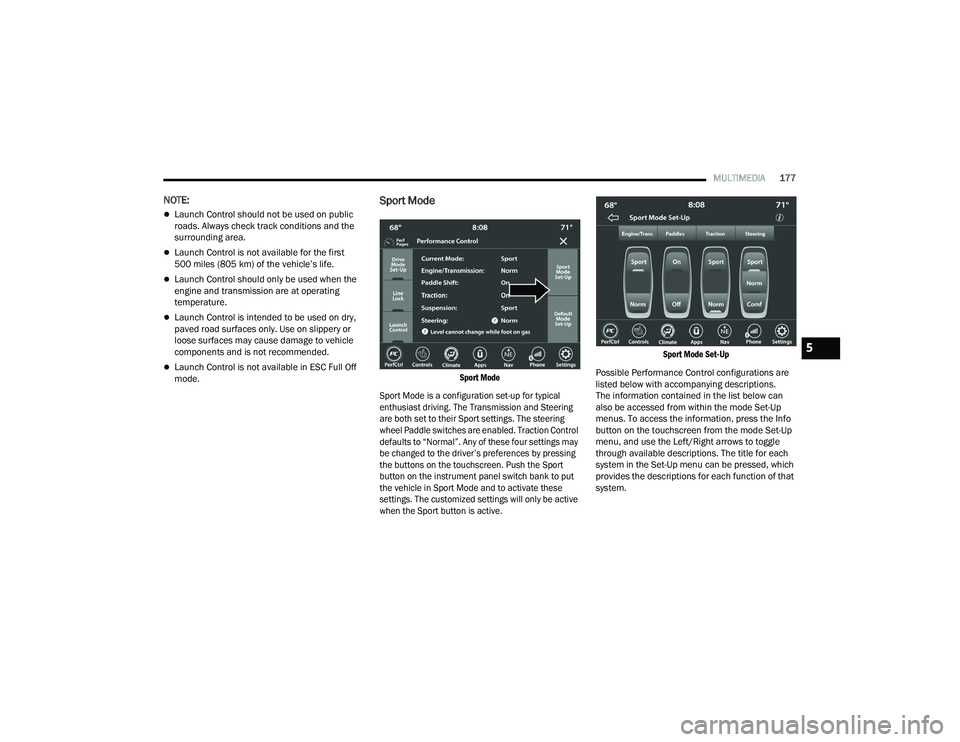
Sport Mode
Sport Mode
Sport Mode is a configuration set-up for typical
enthusiast driving. The Transmission and Steering
are both set to their Sport settings. The steering
wheel Paddle switches are enabled. Traction Control
defaults to “Normal”. Any of these four settings may
be changed to the driver’s preferences by pressing
the buttons on the touchscreen. Push the Sport
button on the instrument panel switch bank to put
the vehicle in Sport Mode and to activate these
settings. The customized settings will only be active
when the Sport button is active. Sport Mode Set-Up
Possible Performance Control configurations are
listed below with accompanying descriptions.
The information contained in the list below can
also be accessed from within the mode Set-Up
menus. To access the information, press the Info
button on the touchscreen from the mode Set-Up
menu, and use the Left/Right arrows to toggle
through available descriptions. The title for each
system in the Set-Up menu can be pressed, which
provides the descriptions for each function of that
system.
5
21_LD_OM_EN_USC_t.book Page 177