steering DODGE CHARGER SRT 2015 7.G Service Manual
[x] Cancel search | Manufacturer: DODGE, Model Year: 2015, Model line: CHARGER SRT, Model: DODGE CHARGER SRT 2015 7.GPages: 595, PDF Size: 16.43 MB
Page 319 of 595
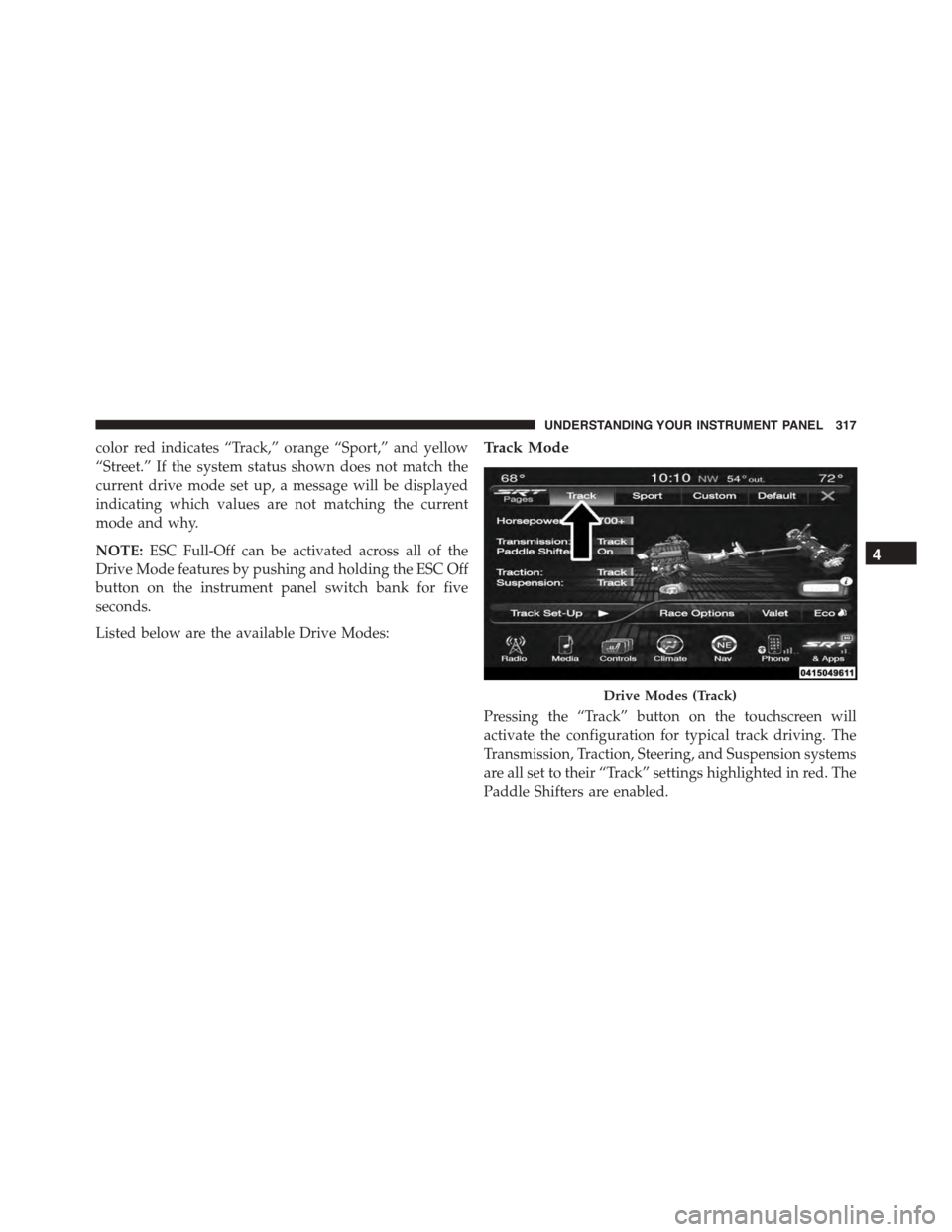
color red indicates “Track,” orange “Sport,” and yellow
“Street.” If the system status shown does not match the
current drive mode set up, a message will be displayed
indicating which values are not matching the current
mode and why.
NOTE:ESC Full-Off can be activated across all of the
Drive Mode features by pushing and holding the ESC Off
button on the instrument panel switch bank for five
seconds.
Listed below are the available Drive Modes:
Track Mode
Pressing the “Track” button on the touchscreen will
activate the configuration for typical track driving. The
Transmission, Traction, Steering, and Suspension systems
are all set to their “Track” settings highlighted in red. The
Paddle Shifters are enabled.
Drive Modes (Track)
4
UNDERSTANDING YOUR INSTRUMENT PANEL 317
Page 320 of 595
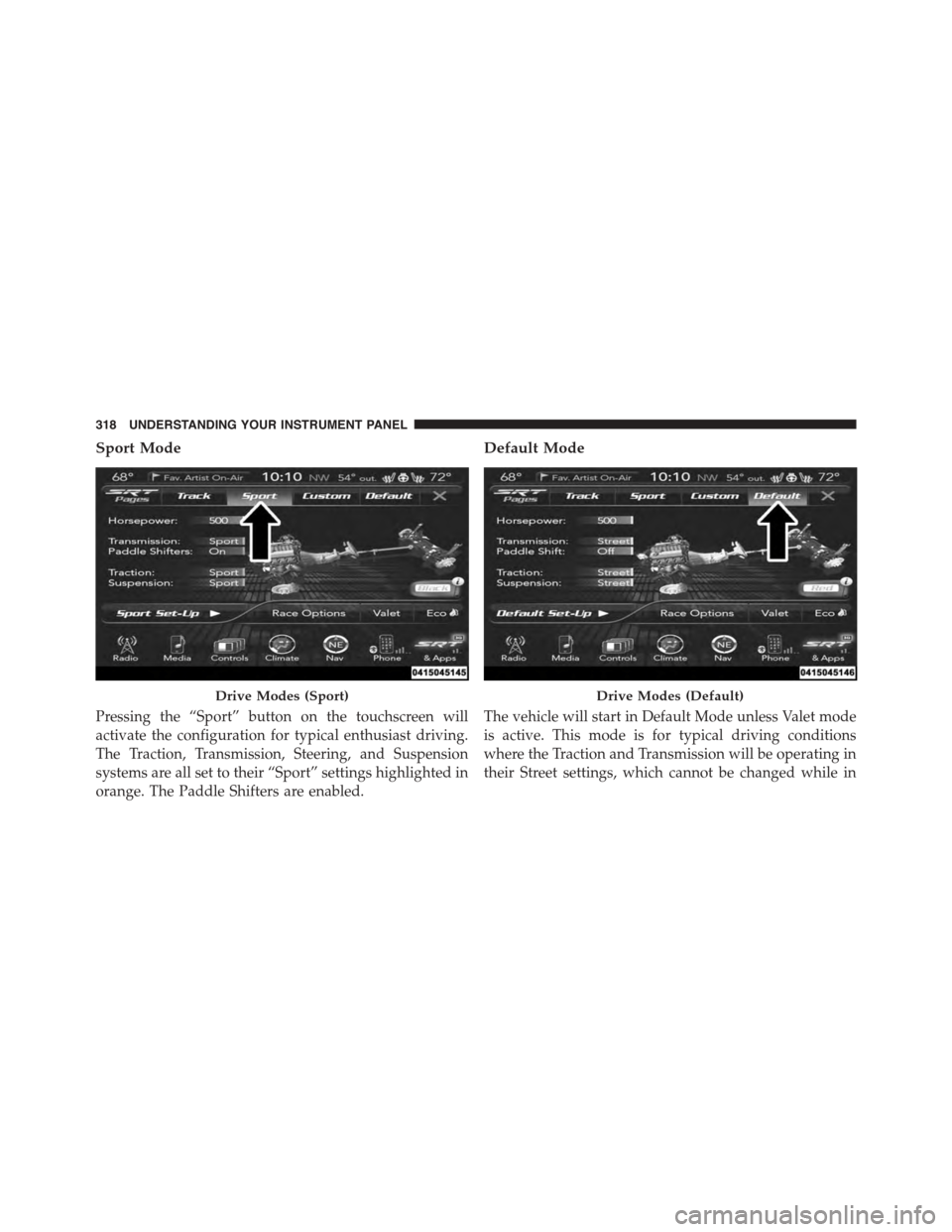
Sport Mode
Pressing the “Sport” button on the touchscreen will
activate the configuration for typical enthusiast driving.
The Traction, Transmission, Steering, and Suspension
systems are all set to their “Sport” settings highlighted in
orange. The Paddle Shifters are enabled.
Default Mode
The vehicle will start in Default Mode unless Valet mode
is active. This mode is for typical driving conditions
where the Traction and Transmission will be operating in
their Street settings, which cannot be changed while in
Drive Modes (Sport)Drive Modes (Default)
318 UNDERSTANDING YOUR INSTRUMENT PANEL
Page 321 of 595
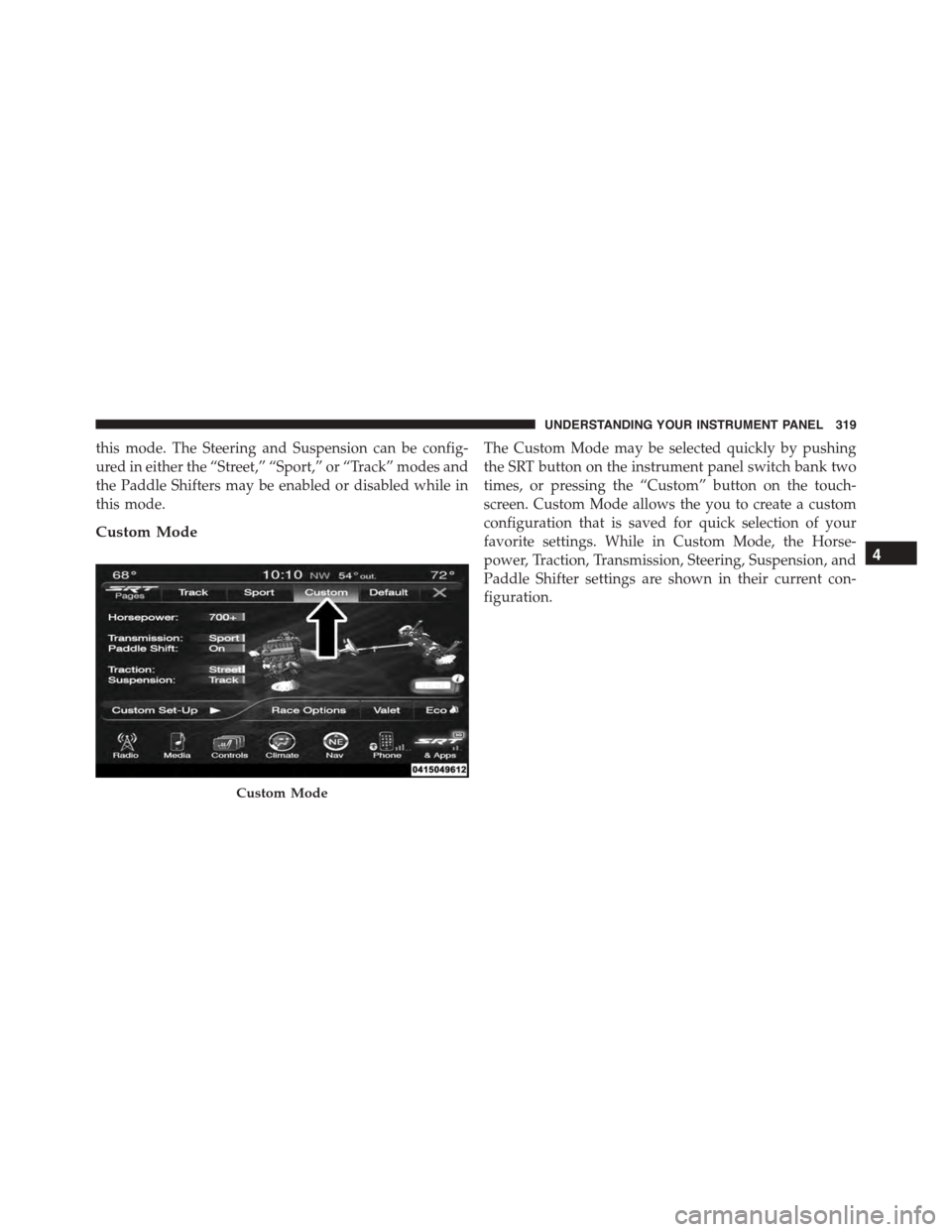
this mode. The Steering and Suspension can be config-
ured in either the “Street,” “Sport,” or “Track” modes and
the Paddle Shifters may be enabled or disabled while in
this mode.
Custom Mode
The Custom Mode may be selected quickly by pushing
the SRT button on the instrument panel switch bank two
times, or pressing the “Custom” button on the touch-
screen. Custom Mode allows the you to create a custom
configuration that is saved for quick selection of your
favorite settings. While in Custom Mode, the Horse-
power, Traction, Transmission, Steering, Suspension, and
Paddle Shifter settings are shown in their current con-
figuration.
Custom Mode
4
UNDERSTANDING YOUR INSTRUMENT PANEL 319
Page 325 of 595
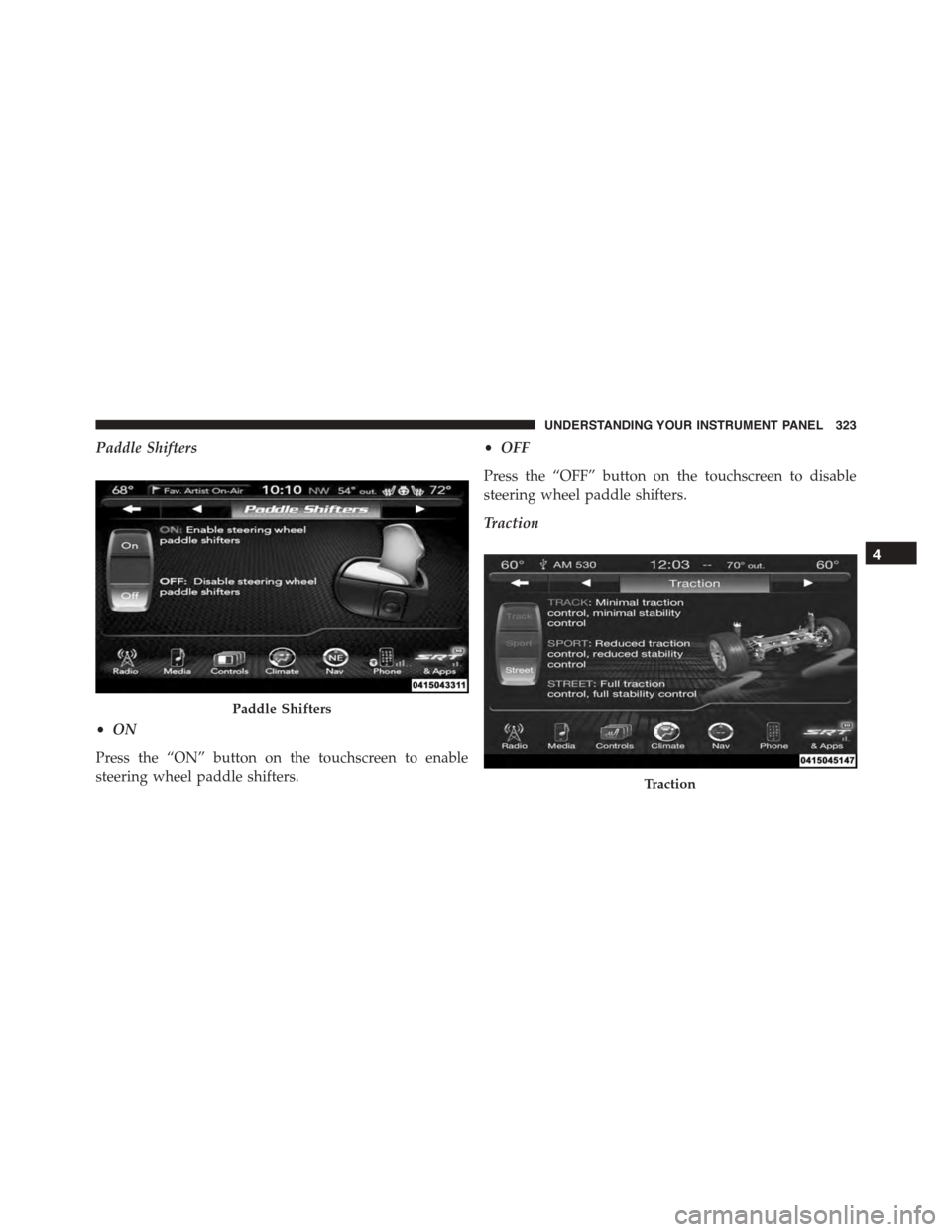
Paddle Shifters
•ON
Press the “ON” button on the touchscreen to enable
steering wheel paddle shifters.
•OFF
Press the “OFF” button on the touchscreen to disable
steering wheel paddle shifters.
Traction
Paddle Shifters
Traction
4
UNDERSTANDING YOUR INSTRUMENT PANEL 323
Page 327 of 595
•Sport
Press the “Sport” button on the touchscreen to provide a
firmer suspension stiffness with moderate comfort trade-
off.
•Street
Press the “Street” button on the touchscreen to provide a
balance of suspension stiffness and ride comfort for
typical daily driving.
Steering — If Equipped With 6.4L Engine
•Track
Press the “Track” button on the touchscreen to adjust the
steering effort to the highest level.
•Sport
Press the “Sport” button on the touchscreen to adjust the
steering effort to the higher level.
•Street
Press the “Street#button on the touchscreen to adjust the
steering effort to the lowest level.
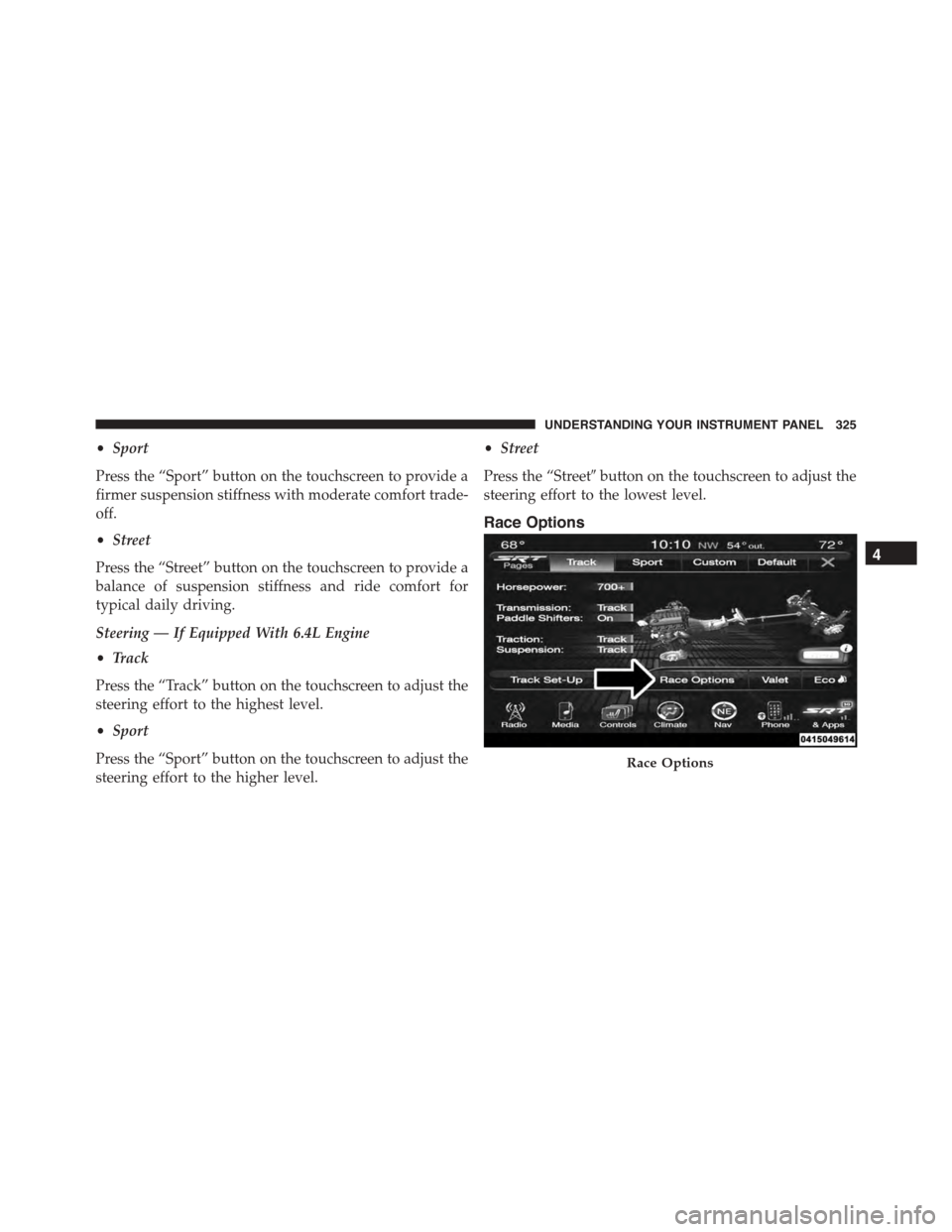
Race Options
Race Options
4
UNDERSTANDING YOUR INSTRUMENT PANEL 325
Page 332 of 595
While in Valet Mode the following vehicle configurations
are set and locked to prevent unauthorized modification:
•Engine limited to the lowest power output state.
•Transmission locks out access to first gear and up-
shifts earlier than normal.
•Traction, Steering, and Suspension are set to their
STREET settings.
•Steering wheel paddle shifters are disabled.
•The Drive Mode interface is not available. Pressing the
SRT button on the touchscreen will display the unlock
keypad.
•The ESC Off button is disabled.
•The Launch Control button is disabled.
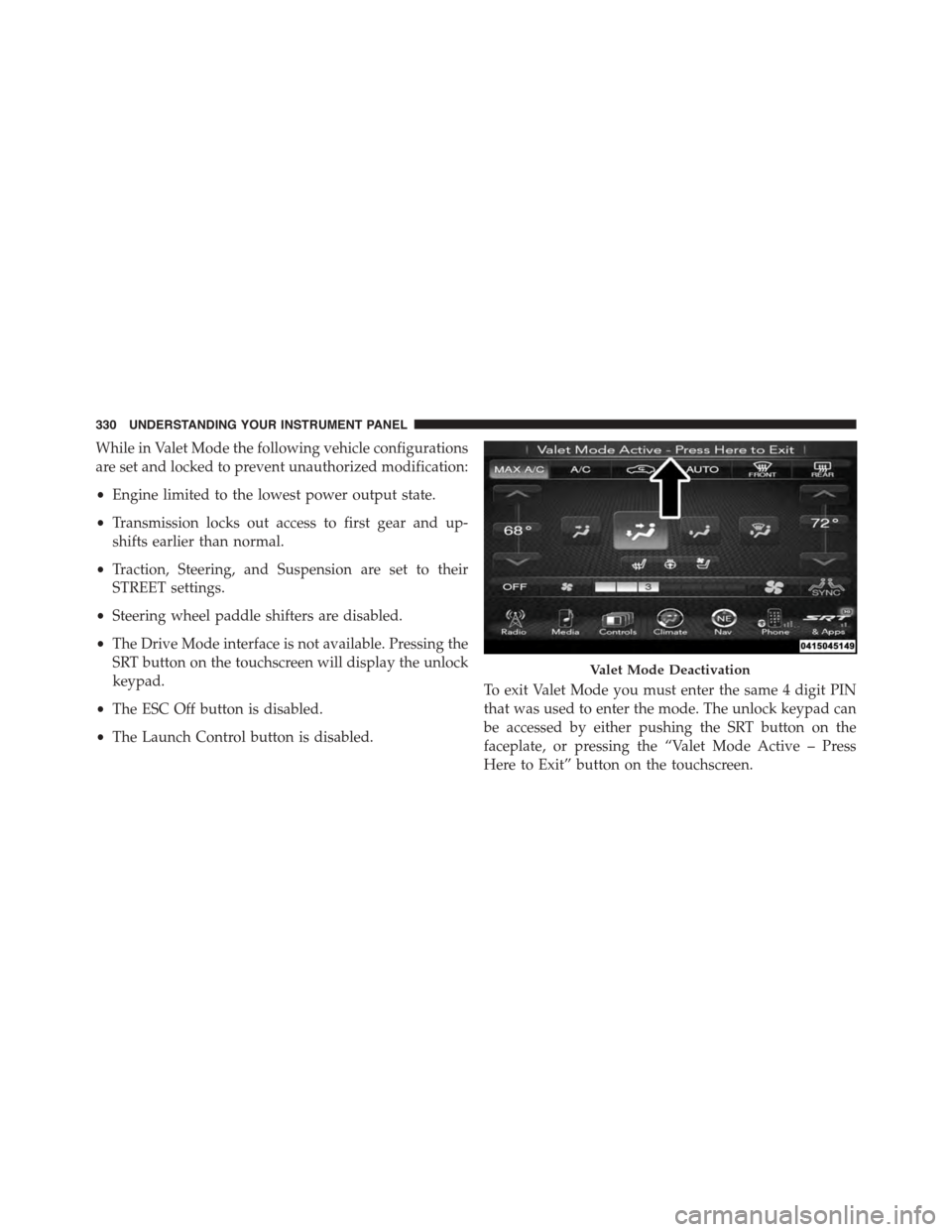
To exit Valet Mode you must enter the same 4 digit PIN
that was used to enter the mode. The unlock keypad can
be accessed by either pushing the SRT button on the
faceplate, or pressing the “Valet Mode Active – Press
Here to Exit” button on the touchscreen.
Valet Mode Deactivation
330 UNDERSTANDING YOUR INSTRUMENT PANEL
Page 336 of 595
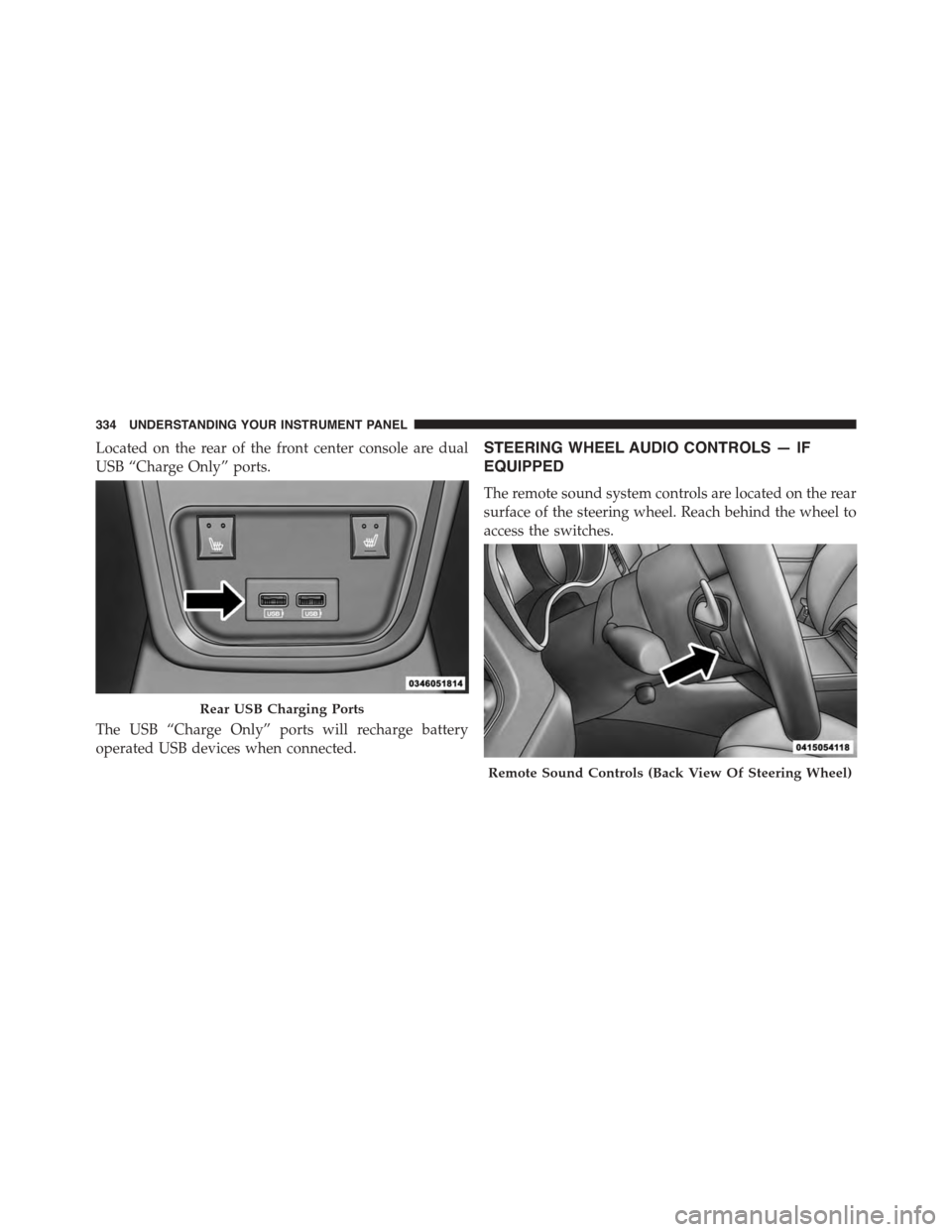
Located on the rear of the front center console are dual
USB “Charge Only” ports.
The USB “Charge Only” ports will recharge battery
operated USB devices when connected.
STEERING WHEEL AUDIO CONTROLS — IF
EQUIPPED
The remote sound system controls are located on the rear
surface of the steering wheel. Reach behind the wheel to
access the switches.
Rear USB Charging Ports
Remote Sound Controls (Back View Of Steering Wheel)
334 UNDERSTANDING YOUR INSTRUMENT PANEL
Page 353 of 595
Get Started
All you need to control your Uconnect® system with
your voice are the buttons on your steering wheel.
1. VisitUconnectPhone.comto check mobile device and
feature compatibility and to find phone pairing in-
structions.
2. Reduce background noise. Wind and passenger con-
versations are examples of noise that may impact
recognition.
3. Speak clearly at a normal pace and volume while
facing straight ahead. The microphone is positioned
on the rearview mirror and aimed at the driver.
4. Each time you give a Voice Command, you must first
push either the VR or Phone button, wait untilafter
the beep, then say your Voice Command.
5. You can interrupt the help message or system prompts
by pushing the VR or Phone button and saying a Voice
Command from current category.4
UNDERSTANDING YOUR INSTRUMENT PANEL 351
Page 359 of 595
TIP:Your mobile phone must have the full implementa-
tion of theMessage Access Profile (MAP)to take advan-
tage of this feature. For details about MAP, visit
UconnectPhone.com. Apple iPhone® iOS6 or later sup-
ports readingincomingtext messages only.
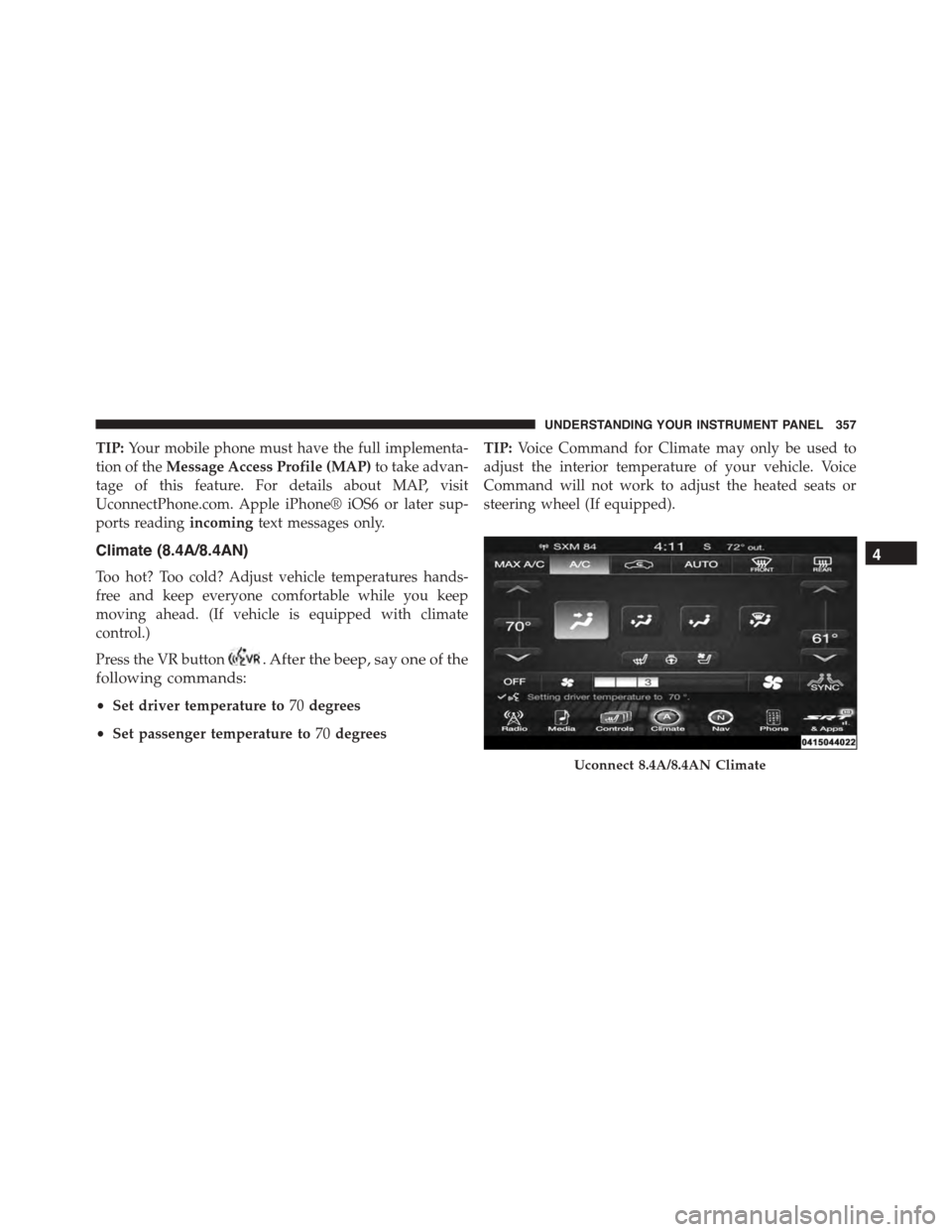
Climate (8.4A/8.4AN)
Too hot? Too cold? Adjust vehicle temperatures hands-
free and keep everyone comfortable while you keep
moving ahead. (If vehicle is equipped with climate
control.)
Press the VR button. After the beep, say one of the
following commands:
•Set driver temperature to70degrees
•Set passenger temperature to70degrees
TIP:Voice Command for Climate may only be used to
adjust the interior temperature of your vehicle. Voice
Command will not work to adjust the heated seats or
steering wheel (If equipped).
Uconnect 8.4A/8.4AN Climate
4
UNDERSTANDING YOUR INSTRUMENT PANEL 357
Page 367 of 595
STARTING AND OPERATING
CONTENTS
!STARTING PROCEDURES................369
▫Automatic Transmission................369
▫Keyless Enter-N-Go™..................370
▫Normal Starting.......................370
▫Extreme Cold Weather
(Below –20°F Or−29°C)................372
▫If Engine Fails To Start.................372
▫After Starting........................374
!ENGINE BLOCK HEATER — IF EQUIPPED . . .374
!AUTOMATIC TRANSMISSION............374
▫Key Ignition Park Interlock...............376
▫Brake/Transmission Shift Interlock System . . .376
▫Eight-Speed Automatic Transmission.......377
!AUTOSTICK..........................384
▫Steering Wheel Mounted Paddle Shifters Or
Console Mounted Shifter................384
!DRIVE MODES........................387
▫Launch Mode — If Equipped.............392
▫Guidelines For Track Use................394
5