change time DODGE CHARGER SRT 2015 7.G Uconnect 8.4A
[x] Cancel search | Manufacturer: DODGE, Model Year: 2015, Model line: CHARGER SRT, Model: DODGE CHARGER SRT 2015 7.GPages: 429, PDF Size: 4.01 MB
Page 327 of 429
•Automatic download and update of a phone book, if
supported, begins as soon as the Bluetooth® wireless
phone connection is made to the Uconnect® Phone, for
example, after you start the vehicle.
•A maximum of 5,000 contact names with four numbers
per contact will be downloaded and updated every
time a phone is connected to the Uconnect® Phone.
•Depending on the maximum number of entries down-
loaded, there may be a short delay before the latest
downloaded names can be used. Until then, if avail-
able, the previously downloaded phonebook is avail-
able for use.
•Only the phonebook of the currently connected mobile
phone is accessible.
•This downloaded phonebook cannot be edited or
deleted on the Uconnect® Phone. These can only be
edited on the mobile phone. The changes are trans-
ferred and updated to Uconnect® Phone on the next
phone connection.
Managing Your Favorites
There are three ways you can add an entry to your
Favorites.
1. During an active call of a number to make a favorite,
press and hold the preset button on the touchscreen on
the top of the phone main screen.
2. After loading the mobile phonebook, select phone-
book from the Phone main screen, then select the
appropriate number. Press the#Settings#button next to
the selected number to display the options pop-up. In
the pop-up select “Add to Favorites.”
NOTE:If the Favorites list is full, you will be asked to
remove an existing favorite.
326 Uconnect® 8.4AN — If Equipped
Page 379 of 429
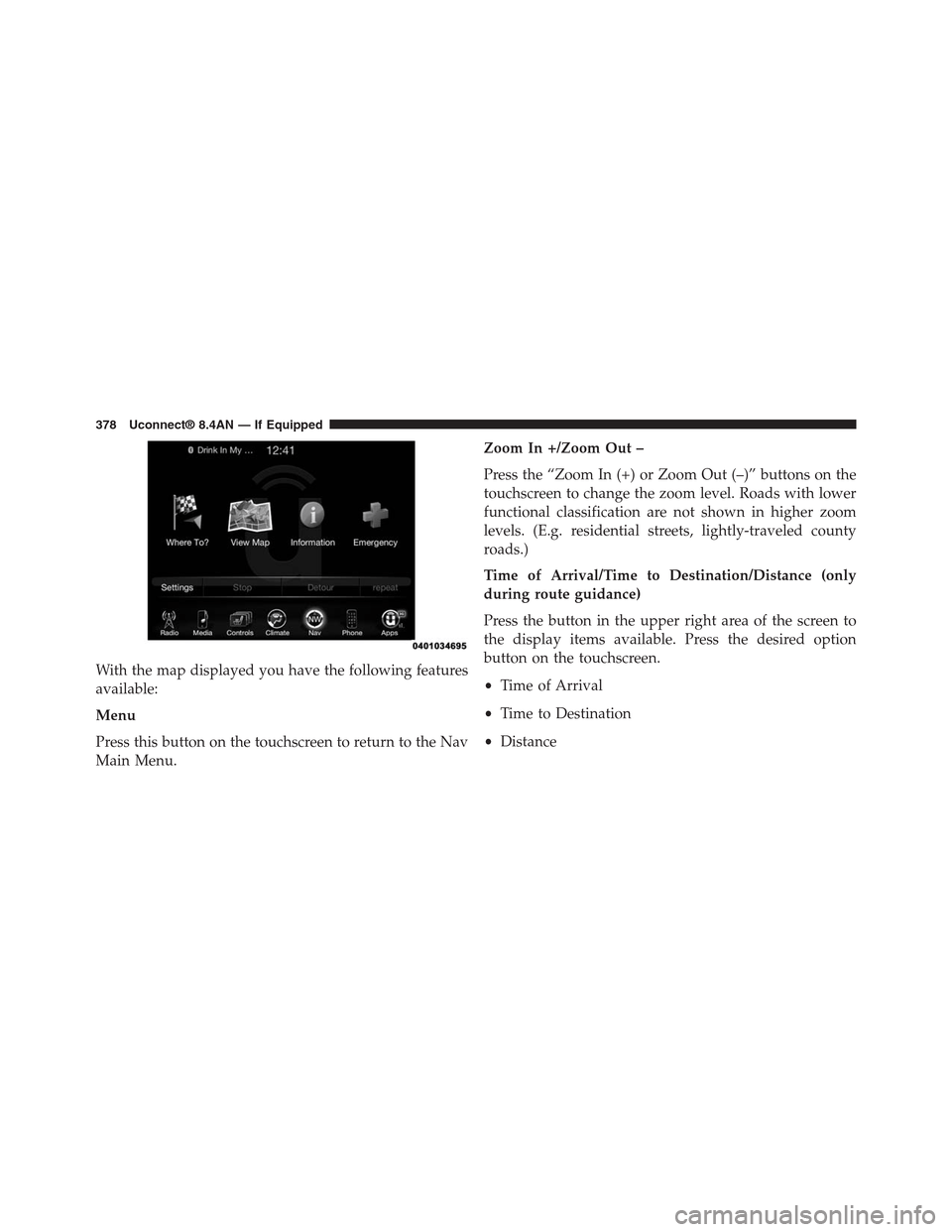
With the map displayed you have the following features
available:
Menu
Press this button on the touchscreen to return to the Nav
Main Menu.
Zoom In +/Zoom Out –
Press the “Zoom In (+) or Zoom Out (–)” buttons on the
touchscreen to change the zoom level. Roads with lower
functional classification are not shown in higher zoom
levels. (E.g. residential streets, lightly-traveled county
roads.)
Time of Arrival/Time to Destination/Distance (only
during route guidance)
Press the button in the upper right area of the screen to
the display items available. Press the desired option
button on the touchscreen.
•Time of Arrival
•Time to Destination
•Distance
378 Uconnect® 8.4AN — If Equipped
Page 384 of 429
•3D (3D Map View Is Only Available On Uconnect
8.4AN. Must Select 3D City Models Or 3D Landmarks
For 3D Map View To Display.)
•2D
Orientation
Press this button on the touchscreen to change how the
Map Orientation is displayed. Press the desired button on
the touchscreen.
•North Up
•Heading Up
Current Street
Press this button on the touchscreen to turn on/off the
current street display on the lower center of the Map
View. Press and release the button on the touchscreen
until a check-mark appears, showing the setting has been
selected.
Destination Information
Press this button on the touchscreen to change the
Destination Information that is displayed in the upper
right corner of the Map View. Press the desired button on
the touchscreen.
•Time of Arrival
•Time to Destination
•Distance
AutoZoom
Press this button on the touchscreen to change how the
AutoZoom feature adjust the zoom level during guid-
ance in Map View. Press the desired button on the
touchscreen.
•Far
•Normal
4
Uconnect® 8.4AN — If Equipped 383
Page 388 of 429
•Junction View
Press this button on the touchscreen to enable Junction
View during route guidance. Press and release the button
on the touchscreen until a check-mark appears, showing
the setting has been selected.
•Navigation Turn-by-Turn Displayed In Cluster
Press this button on the touchscreen to enable navigation
turn-by-turn displayed in vehicles cluster during route
guidance. Press and release the button on the touchscreen
until a check-mark appears, showing the setting has been
selected.
•TMC Route Mode (If Equipped)
Press this button on the touchscreen to change how the
Traffic Message Channel (TMC) Route Mode functions
during route guidance. Press the desired button on the
touchscreen.
Automatic
By Delay Time
Manual
Off
•TMC Avoidance Types (IF Equipped)
Press this button on the touchscreen to display the
available Traffic Message Channel (TMC) Avoidance
Types you would like displayed while in route guidance.
Press and release the desired selection button on the
touchscreen until a check-mark appears, showing the
setting has been selected.
•Avoid
Press the Avoid button on the touchscreen to choose road
types to avoid during your route. To make a selection
press and release the desired setting until a check-mark
appears.
4
Uconnect® 8.4AN — If Equipped 387
Page 398 of 429
You can search for a Fire Department by the following
categories, which are button tabs at the top of the
screen.
•Name
•Distance
•ABC (Search)
NOTE:In case of emergency, please contact the facility to
verify their availability before proceeding.
3. Press the desired Fire Department and press “Yes” to
confirm the destination.
If you are currently on a route guidance and you select a
Fire Department the system will ask you to choose one of
the following:
•Cancel previous route
•Add as first destination
•Add as last destination
NOTE:You can press the “back arrow” button on the
touchscreen to return to the previous screen or the “X”
button on the touchscreen to exit.
Map Updates
The map data available in your vehicle is the most
up-to-date information that was available when your
vehicle was built. Map data is updated periodically as
map information changes. Follow the steps below if you
wish to obtain an update for your vehicle.
1. Depending on the vehicle you own, please visit
www.Chrysler.com,www.Jeep.com,
www.Dodge.com,www.ramtrucks.com, or
www.drivesrt.comto obtain your map update. Click
the “Owners” tab at the top of the page. At the bottom
of the page (website footer) under “Multimedia Sys-
tems” select NAVTEQ Navigation Updates. Simply
enter your information and place your order.
4
Uconnect® 8.4AN — If Equipped 397