ECU DODGE CHARGER SRT 2015 7.G Uconnect 8.4A
[x] Cancel search | Manufacturer: DODGE, Model Year: 2015, Model line: CHARGER SRT, Model: DODGE CHARGER SRT 2015 7.GPages: 429, PDF Size: 4.01 MB
Page 116 of 429
•Using the Uconnect® Access App from a compatible
smartphone
•From the Mopar Owner Connect website
(moparownerconnect.com)
•Contacting Uconnect® Care
If you want, you can set-up notifications for your account
to receive an email or text (SMS) message every time a
command is sent to turn on the horn and lights.
How It Works
1. Download the Uconnect® Access App to a compatible
smartphone and login using your username and pass-
word.
2. To turn on the horn and lights, press the “trumpet
icon.” To turn-off the horn and lights, press the
“trumpet icon” again.
3. A pop-up screen will appear asking for your
Uconnect® Security PIN (this is the same 4- digit code
established when your registered your Uconnect®
Access system). Enter the Uconnect® Security PIN on
the keypad and press “OK.”
4. The Uconnect® Access App will confirm if your
command was sent (or not). Press “OK” to close the
pop-up screen.
5. It will take a little while for the command to go
through to your vehicle. The time it takes depends on
a number of technical conditions
6. A message will appear on the screen to let you know
if the command was received by your vehicle.
2
ALL ABOUT Uconnect® ACCESS 115
Page 117 of 429
Mopar Owner Connect website:
1. Log on to the Mopar Owner Connect website
(moparownerconnect.com) using the username and
password you used when registering your Uconnect®
Access system.
•If you forgot your username or password, links are
provided on the website to help you retrieve them.
2. If you have more than one vehicle registered into the
Mopar Owner Connect website
(moparownerconnect.com), select the vehicle you
want to send the command by clicking on its image
along the top.
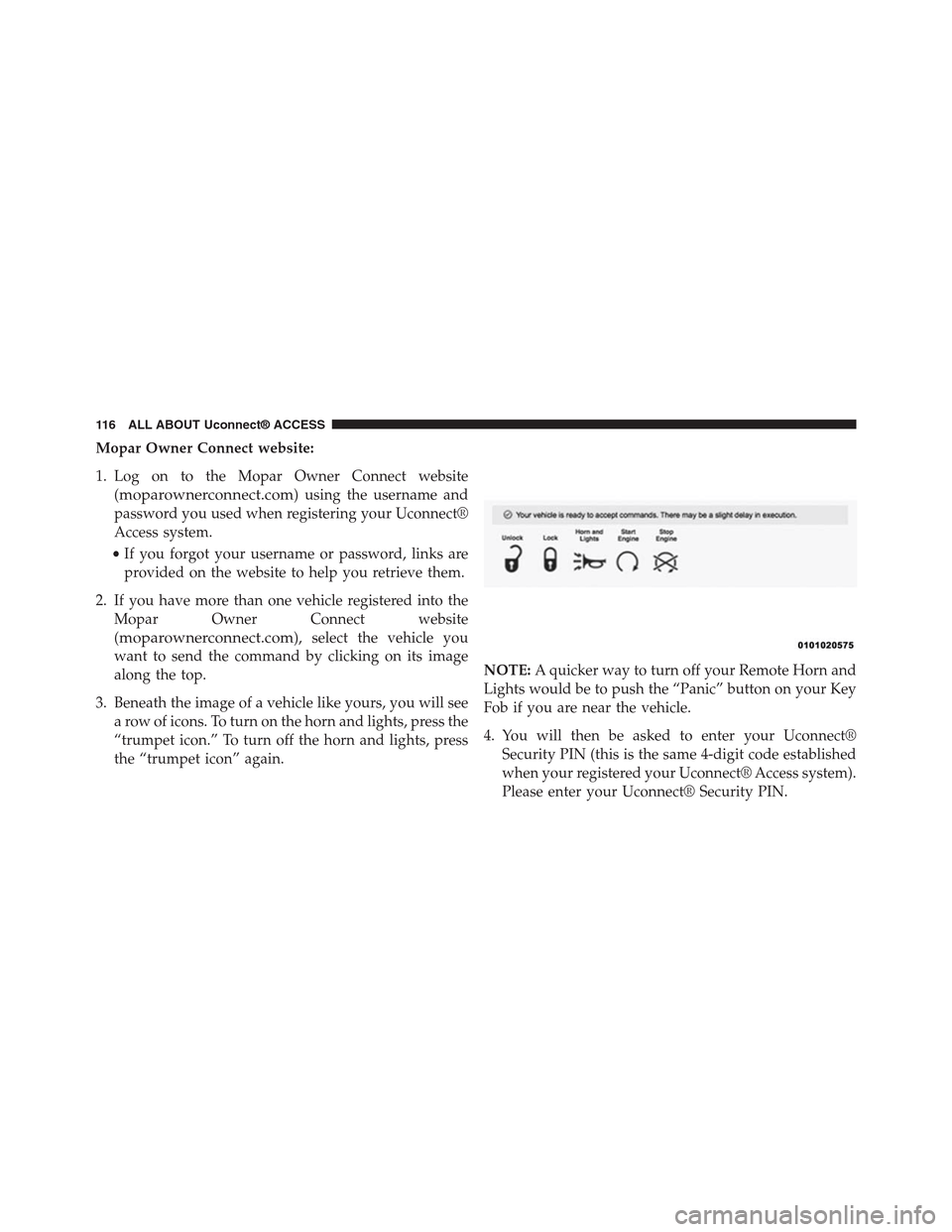
3. Beneath the image of a vehicle like yours, you will see
a row of icons. To turn on the horn and lights, press the
“trumpet icon.” To turn off the horn and lights, press
the “trumpet icon” again.
NOTE:A quicker way to turn off your Remote Horn and
Lights would be to push the “Panic” button on your Key
Fob if you are near the vehicle.
4. You will then be asked to enter your Uconnect®
Security PIN (this is the same 4-digit code established
when your registered your Uconnect® Access system).
Please enter your Uconnect® Security PIN.
11 6 A L L A B O U T U c o n n e c t ® A C C E S S
Page 118 of 429
5. A message will appear on the screen to let you know
if the command was received by your vehicle.
Uconnect® Care:
1. If you need to unlock the doors of your vehicle,
contact Uconnect® Care by calling 855-792-4241.
NOTE:The Uconnect® Care agents are trained to help
you with unlocking of your door (for example, in an
accidental lock-out). All other Remote Services should be
performed via the Mopar Owner Connect website
(moparownerconnect.com) or through the Uconnect®
Access App on your compatible smartphone.
2. For security purposes, the Uconnect® Care agent will
verify your identity by asking for your 4-digit
Uconnect® Security PIN.
3. After providing your Uconnect® Security PIN, you
can ask them to lock or unlock your vehicle. The agent
will send a command to your vehicle to get the task
done.
Give It A Try!
•Download the Uconnect® Access App to your smart-
phone.
•Enter the username and password that you established
for the Mopar Owner Connect website
(moparownerconnect.com) during registration of
your new vehicle.
•If logging in for the first time, you will be asked to
agree to the Terms of Service.
2
ALL ABOUT Uconnect® ACCESS 117
Page 120 of 429
FAQs
1.How long does it take to sound my horn and flash
the lights?Depending on various conditions, it can
take three minutes or more for the request to get
through to your vehicle, although Uconnect® is al-
ways striving to improve performance.
2.Which is faster, my Key Fob or the Uconnect® Access
App?Your Key Fob will sound the horn and flash the
lights quicker; however its range is limited.
3.Will my vehicle be safe if I lose my smartphone?
People sometimes lose their phone, which is why
security measures have been engineered into the
Uconnect® Access App. Asking for your username,
password and Uconnect® Security PIN help to ensure
that nobody can access your vehicle if they happen to
find your smartphone.
4.How do I turn off the horn and lights after I turn
them on?By pressing the “horn icon” a second time
on your Uconnect® Access App, a second command
will be sent to shutoff the horn and lights. Alterna-
tively, if you are close enough to the vehicle you can
use the Key Fob to turn off the horn and lights by
pressing the “Panic” button.
5.Why can’t all phones use the Uconnect® Access
App?The Uconnect® Access App has been designed
to work on most smartphones with the Apple and
Android operating systems. The capabilities of these
smartphone allows us to remotely command your
vehicle. Other operating systems may be supported in
the future.
2
ALL ABOUT Uconnect® ACCESS 119
Page 122 of 429
How It Works
Via Mobile uses the Uconnect® Access smartphone app
and your smartphone’s data plan to access your personal
Pandora® account from the vehicle and control it using
the vehicle touchscreen. A compatible smartphone is
required. The Pandora® mobile app on your phone does
not need to be launched to use Pandora® Via Mobile.
1. If you haven’t yet registered with Uconnect® Access,
begin by pushing the “Apps” icon on the touchscreen
inside your vehicle, and then push “Uconnect Regis-
tration.”
2. Once you receive an email from “Uconnect Access,”
click on the secure link to complete your registration
onmoparownerconnect.comwhere you’ll be guided
through setup of your Via Mobile profile.
3. Next, link app accounts to your Via Mobile profile by
entering your login information for Pandora®.
If you’ve already registered with Uconnect® Access,
log in tomoparownerconnect.comto set up your Via
Mobile profile. Click on “Via Mobile Profile.”
4. Next, connect your smartphone to the vehicle touch-
screen. The Uconnect® Access app is compatible with
select iPhone® and Android smartphones. Visit
UconnectPhone.comto confirm that your smart-
phone is compatible with Uconnect®. Once you’ve
confirmed your smartphone is compatible, pair it to
the vehicle touchscreen via Bluetooth® to use Via
Mobile apps. If using an iPhone®, a USB cable may
also be supported for the data connection.
2
ALL ABOUT Uconnect® ACCESS 121
Page 130 of 429
the vehicle touchscreen. A compatible smartphone is
required. The iHeartRadio mobile app on your phone
does not need to be launched to use iHeartRadio Via
Mobile.
1. If you haven’t yet registered with Uconnect® Access,
begin by pressing the “Apps” icon on the touchscreen
inside your vehicle, and then press “Uconnect Regis-
tration.”
2. Once you receive an email from “Uconnect Access,”
click on the secure link to complete your registration
onmoparownerconnect.comwhere you’ll be guided
through setup of your Via Mobile profile.
3. Next, link app accounts to your Via Mobile profile by
entering your login information for apps like iHeart-
Radio.
If you’ve already registered with Uconnect® Access,
log in tomoparownerconnect.comto set up your Via
Mobile profile. Click on “Via Mobile Profile”.
4. Connect your smartphone to the vehicle touchscreen.
The Uconnect® Access app is compatible with select
iPhone® and Android smartphones. Visit
UconnectPhone.comto confirm that your smart-
phone is compatible with Uconnect®. Once you’ve
confirmed your smartphone is compatible, pair it to
the vehicle touchscreen via Bluetooth® to use Via
Mobile apps. If using an iPhone®, a USB cable may
also be supported for the data connection.
5. Launch the Uconnect® Access app on your connected
smartphone and log in with your Mopar Owner
Connect Username/Email and password. From the
vehicle touchscreen press the “Apps” button and
select iHeartRadio from the list. iHeartRadio is located
within the “All Apps” tab. To launch iHeartRadio
using voice recognition, push the button on the steer-
ing wheel and say, “launch iHeartRadio Via Mobile.”
2
ALL ABOUT Uconnect® ACCESS 129
Page 139 of 429
1. If you have not registered with Uconnect® Access,
begin by pressing the “Apps” button on the touch-
screen inside your vehicle, and then press “Uconnect
Registration.”
2. Once you receive an email from “Uconnect Access,”
click on the secure link to complete your registration
onmoparownerconnect.comwhere you’ll be guided
through setup of your Via Mobile profile.
3. Next, link app accounts to your Via Mobile profile by
entering your login information for apps like Slacker
Radio.
If you’ve already registered with Uconnect Access, log
in tomoparownerconnect.comto set up your Via
Mobile profile. Click on “Via Mobile Profile”.
4. Next, connect your smartphone to the vehicle touch-
screen. The Uconnect® Access app is compatible with
select iPhone® and Android smartphones. Visit
UconnectPhone.comto confirm that your smart-
phone is compatible with Uconnect®. Once you’ve
confirmed your smartphone is compatible, pair it to
the vehicle touchscreen via Bluetooth® to use Via
Mobile apps. If using an iPhone®, a USB cable may
also be supported for the data connection.
5. Launch the Uconnect® Access app on your connected
smartphone and log in with your Mopar Owner
Connect Username/Email and password. From the
vehicle touchscreen press the “Apps” button and
select Slacker Radio from the list. Slacker Radio is
located within the “All Apps” tab. To launch Slacker
Radio using voice recognition, push the button on the
steering wheel and say, “launch Slacker Via Mobile.”
138 ALL ABOUT Uconnect® ACCESS
Page 147 of 429
1. If you have not yet registered with Uconnect® Access,
begin by pressing the “Apps” icon on the touchscreen
inside your vehicle, then pressing “Uconnect Registra-
tion.”
2. Once you receive an email from “Uconnect Access,”
click on the secure link to complete your registration
onmoparownerconnect.comwhere you will be
guided through the setup of your Via Mobile profile.
3. Next, link app accounts to your Via Mobile profile by
entering your login information for Aha™.
If you have already registered with Uconnect® Access,
log in tomoparownerconnect.comto set up your Via
Mobile profile. Click on “Via Mobile Profile.”
4. Next, connect your smartphone to the vehicle touch-
screen. The Uconnect® Access app is compatible with
select iPhone® and Android smartphones. Visit
UconnectPhone.comto confirm that your smart-
phone is compatible with Uconnect. Once you have
confirmed your smartphone is compatible, pair it to
the vehicle touchscreen via Bluetooth® to use Via
Mobile apps. If using an iPhone®, a USB cable may
also be supported for the data connection.
5. Launch the Uconnect® Access app on your connected
smartphone and log in with your Mopar Owner
Connect Username/Email and password. From the
vehicle touchscreen press the#Apps#button and select
Aha™ from the list. Aha™ is located within the “All
Apps” tab. To launch Aha™ using voice recognition,
push the VR button on the steering wheel and say,
“launch Aha™ Via Mobile.”
146 ALL ABOUT Uconnect® ACCESS
Page 161 of 429
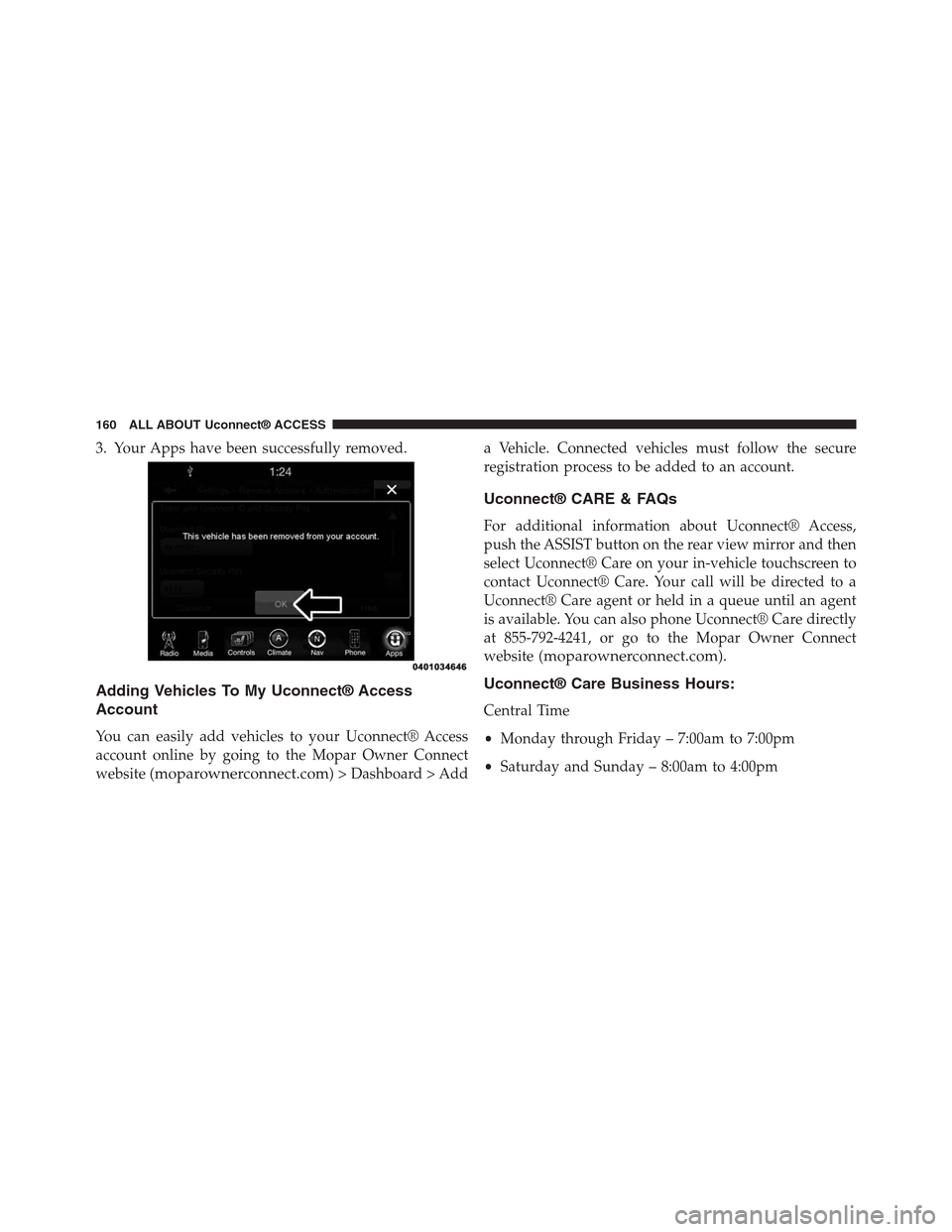
3. Your Apps have been successfully removed.
Adding Vehicles To My Uconnect® Access
Account
You can easily add vehicles to your Uconnect® Access
account online by going to the Mopar Owner Connect
website (moparownerconnect.com) > Dashboard > Add
a Vehicle. Connected vehicles must follow the secure
registration process to be added to an account.
Uconnect® CARE & FAQs
For additional information about Uconnect® Access,
push the ASSIST button on the rear view mirror and then
select Uconnect® Care on your in-vehicle touchscreen to
contact Uconnect® Care. Your call will be directed to a
Uconnect® Care agent or held in a queue until an agent
is available. You can also phone Uconnect® Care directly
at 855-792-4241, or go to the Mopar Owner Connect
website (moparownerconnect.com).
Uconnect® Care Business Hours:
Central Time
•Monday through Friday – 7:00am to 7:00pm
•Saturday and Sunday – 8:00am to 4:00pm
160 ALL ABOUT Uconnect® ACCESS
Page 162 of 429
1.How Do I Register For My Uconnect® Access Ac-
count?Press the “Apps” button on the in-vehicle
touchscreen, then select Uconnect® Registration.
2.Why Do I Need An Email Address?Without an email
address, customers cannot register for Uconnect®
Access. Customers need to register so they can sub-
scribe to receive additional services and create a
Uconnect® Security PIN for remote command re-
quests.
3.How Do I Create A Uconnect® Security PIN?Set up
your Uconnect® Security PIN during the registration
process. The Uconnect® Security PIN will be required
to authenticate you when accessing your account via
Uconnect® Care or performing any remote services
such as Remote Door Lock/Unlock, Remote Horn &
Lights, or Remote Vehicle Start.
4.What If I Forgot My Uconnect® Security PIN?If
you’ve already registered and forgot your Uconnect®
Security PIN, you can reset the pin by selecting Edit
Profile on the Mopar Owner Connect website
(moparownerconnect.com), or you can call
Uconnect® Care at 855-792-4241.
5.How Do I Create A Uconnect® Payment PIN?Log
into the Mopar Owner Connect website
(moparownerconnect.com) with your username and
password. Select Edit Profile > Uconnect® Payment
Account to create an account (and PIN) (if you have a
Uconnect® Access equipped vehicle).
6.What Is A Uconnect® Payment PIN?A Uconnect®
Payment PIN is a unique 4-digit code that you create
to gain access to your payment information – your
credit cards, billing address, payment history and
more. It is required in order to purchase Uconnect®
Access packages and Apps.
2
ALL ABOUT Uconnect® ACCESS 161