instrument panel DODGE CHARGER SRT 2018 Manual PDF
[x] Cancel search | Manufacturer: DODGE, Model Year: 2018, Model line: CHARGER SRT, Model: DODGE CHARGER SRT 2018Pages: 490, PDF Size: 5.08 MB
Page 433 of 490
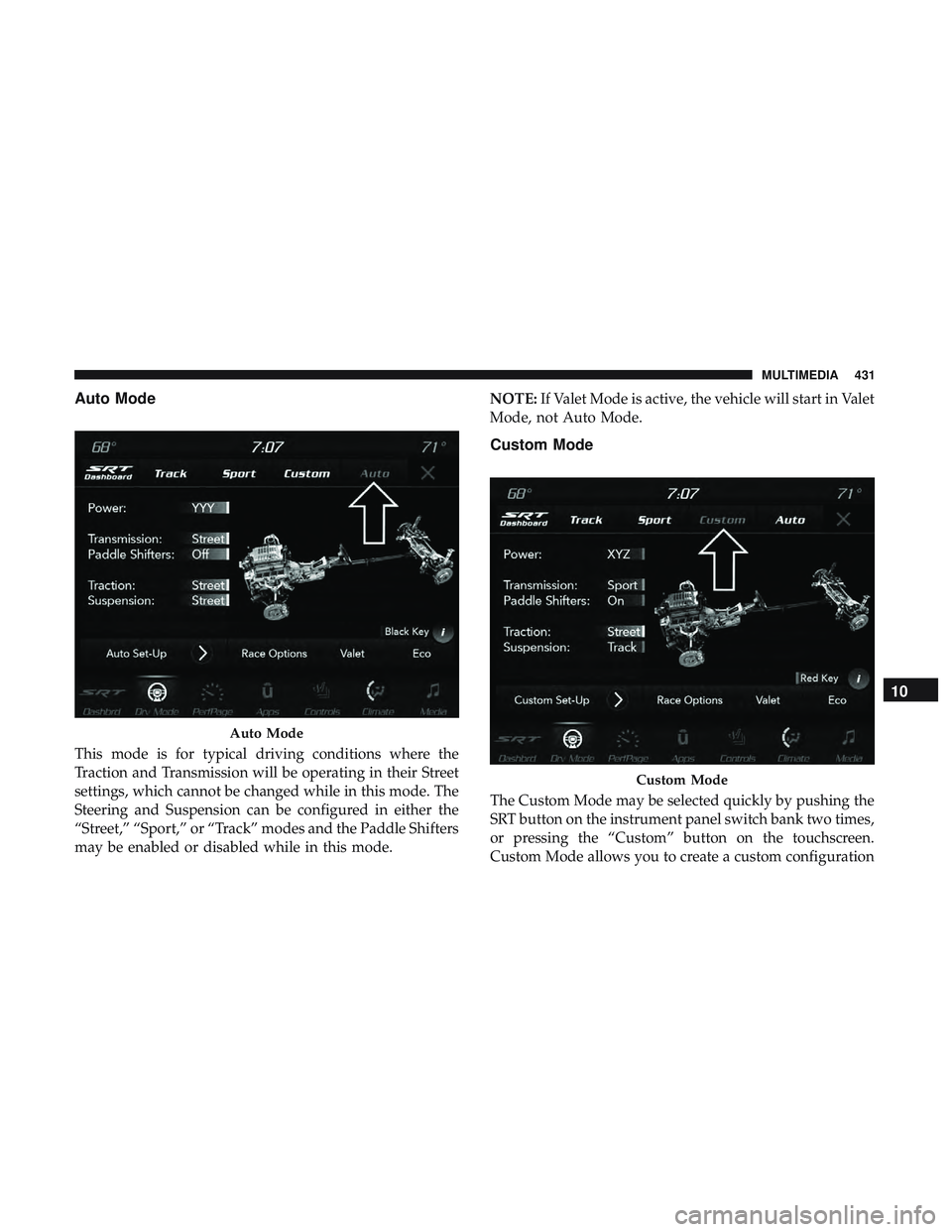
Auto Mode
This mode is for typical driving conditions where the
Traction and Transmission will be operating in their Street
settings, which cannot be changed while in this mode. The
Steering and Suspension can be configured in either the
“Street,” “Sport,” or “Track” modes and the Paddle Shifters
may be enabled or disabled while in this mode.NOTE:
If Valet Mode is active, the vehicle will start in Valet
Mode, not Auto Mode.
Custom Mode
The Custom Mode may be selected quickly by pushing the
SRT button on the instrument panel switch bank two times,
or pressing the “Custom” button on the touchscreen.
Custom Mode allows you to create a custom configuration
Auto Mode
Custom Mode
10
MULTIMEDIA 431
Page 442 of 490
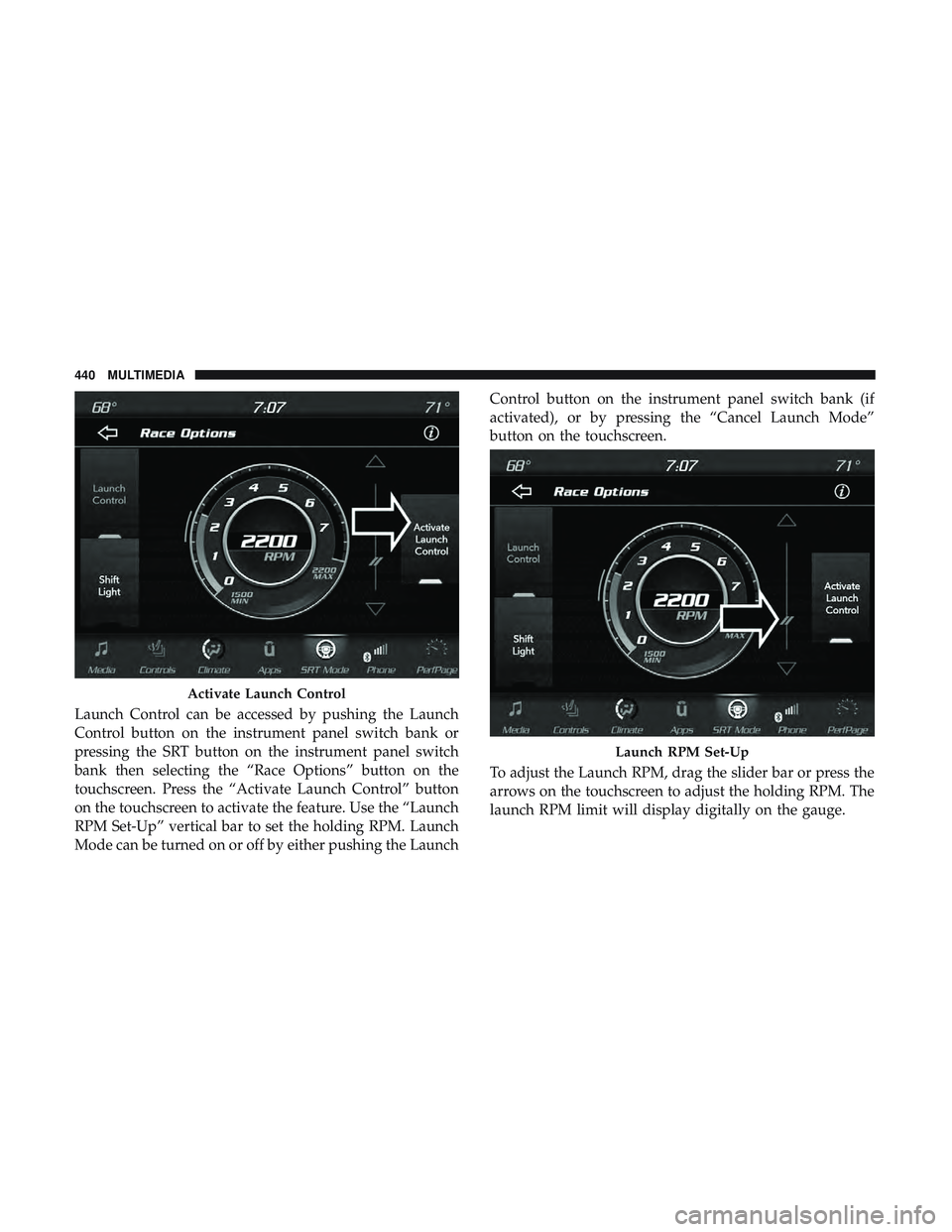
Launch Control can be accessed by pushing the Launch
Control button on the instrument panel switch bank or
pressing the SRT button on the instrument panel switch
bank then selecting the “Race Options” button on the
touchscreen. Press the “Activate Launch Control” button
on the touchscreen to activate the feature. Use the “Launch
RPM Set-Up” vertical bar to set the holding RPM. Launch
Mode can be turned on or off by either pushing the LaunchControl button on the instrument panel switch bank (if
activated), or by pressing the “Cancel Launch Mode”
button on the touchscreen.
To adjust the Launch RPM, drag the slider bar or press the
arrows on the touchscreen to adjust the holding RPM. The
launch RPM limit will display digitally on the gauge.
Activate Launch Control
Launch RPM Set-Up
440 MULTIMEDIA
Page 480 of 490
Hood Release..............................86
Ignition ..................................25
Switch .................................25
Immobilizer (Sentry Key) ......................31
Information Center, Vehicle ...................109
Inside Rearview Mirror ....................56, 280
Instrument Cluster ..................... .106, 107
Descriptions ............................129
Display ............................109, 112
Instrument Panel Lens Cleaning ................373
Interior Appearance Care .....................372
Interior Lights ..............................65
Intermittent Wipers (Delay Wipers) ...............69
Introduction ................................4
Jack Operation ............................346
Jump Starting ..........................309, 310
Key Fob Arm The System ..........................33
Panic Alarm .............................20
Programming Additional Key Fobs ..........24, 32
Unlatch The Trunk ........................19
Key Fob Battery Service (Remote Keyless Entry) .....21Key Fob Programming (Remote Keyless Entry)
......24
Key-In Reminder ............................27
Keyless Enter-N-Go ..................... .37, 214
Enter The Trunk ..........................19
Passive Entry ............................37
Passive Entry Programming ..................37
Keys ....................................17
Replacement ..........................24, 32
Key, Sentry (Immobilizer) ......................31
Lane Change And Turn Signals .................64
Lane Change Assist ..........................65
LaneSense ............................... .265
Lap/Shoulder Belts ........................ .165
Latches ................................. .207
Hood ..................................86
Lead Free Gasoline ........................ .379
Leaks, Fluid ............................. .207
Life Of Tires ............................. .360
Light Bulbs .......................... .206, 285
Lights .................................. .206
A i
rBag .........................120, 174, 204
Automatic Headlights ......................62
Brake Assist Warning ..................... .142
Brake Warning .......................120, 377
478 INDEX