start stop button DODGE CHARGER SRT 2019 User Guide
[x] Cancel search | Manufacturer: DODGE, Model Year: 2019, Model line: CHARGER SRT, Model: DODGE CHARGER SRT 2019Pages: 496, PDF Size: 5.32 MB
Page 224 of 496
CAUTION!
Damage to the transmission may occur if the following
precautions are not observed:
•Shift into or out of PARK or REVERSE only after the
vehicle has come to a complete stop.
• Do not shift between PARK, REVERSE, NEUTRAL,
or DRIVE when the engine is above idle speed.
• Before shifting into any gear, make sure your foot is
firmly pressing the brake pedal.
NOTE: You must press and hold the brake pedal while
shifting out of PARK.
Ignition Park Interlock
This vehicle is equipped with an Ignition Park Interlock which
requires the transmission to be in PARK before the ignition can
be turned to the OFF mode. This helps the driver avoid
inadvertently leaving the vehicle without placing the trans-
mission in PARK. This system also locks the transmission in
PARK whenever the ignition is in the OFF mode.
NOTE:The transmission is NOT locked in PARK when the
ignition is in the ACC mode (even though the engine will be
off). Ensure that the transmission is in PARK, and the ignition
is OFF (not in ACC mode) before exiting the vehicle.
Brake/Transmission Shift Interlock System
This vehicle is equipped with a Brake Transmission Shift
Interlock system (BTSI) that holds the transmission gear
selector in PARK unless the brakes are applied. To shift the
transmission out of PARK, the engine must be running and
the brake pedal must be pressed. The brake pedal must
also be pressed to shift from NEUTRAL into DRIVE or
REVERSE when the vehicle is stopped or moving at low
speeds.
Eight-Speed Automatic Transmission
The transmission gear range (PRNDM) is displayed both
on the gear selector and in the instrument cluster.
To select a gear range, press the lock button on the gear
selector and move the selector rearward or forward. To
shift the transmission out of PARK, the engine must be
running and the brake pedal must be pressed. You must
also press the brake pedal to shift from NEUTRAL into
DRIVE or REVERSE when the vehicle is stopped or mov-
ing at low speeds. Select the DRIVE range for normal
driving.
222 STARTING AND OPERATING
Page 234 of 496
Launch control will be active until the vehicle reaches
62 mph (100 km/h), at which point the ESC system will
return to its current ESC mode.
Launch control will abort before launch completion, dis-
play “Launch Aborted” in the cluster under any of the
following conditions:
•The accelerator pedal is released during launch. ESC
system continues in ESC Full ON.
• The ESC system detects that the vehicle is no longer
moving in a straight line.
• The “ESC OFF” button is pushed to change the system
to another mode.
NOTE: After launch control has been aborted, ESC will
return to its current ESC mode.
CAUTION!
Do not attempt to shift when the drive wheels are
spinning and do not have traction. Damage to the
transmission may occur.
Guidelines For Track Use
NOTE: Because of the extreme conditions encountered
during track use, any damage or wear associated with
track use may not be covered by warranty.
• If your SRT vehicle is equipped with Drive Modes, they
will alter the vehicle’s performance in various driving
situations. It is recommended that your vehicle operates
in SPORT or TRACK modes during the track event.
• Prior to each track event/day, verify all fluids are at the
correct levels. Refer to “Fluid Capacities” in “Technical
Specifications” for further information.
• Prior to each track event, verify the front and rear brake
pads have more than ½ pad thickness remaining. If the
brake pads require changing, please burnish prior to
track outing at full pace.
NOTE: Use of DOT 4 brake fluid is suggested for extended
track usage due to increased thermal capacity.
• At the conclusion of each track event, it is recommended
that a brake bleed procedure is performed to maintain
the pedal feel and stopping capability of your Brembo
High Performance brake system.
232 STARTING AND OPERATING
Page 248 of 496
NOTE:
•When you override and push the SET (+)button or SET
(-) buttons, the new set speed will be the current speed
of the vehicle.
• When you use the SET (-)button to decelerate, if the
engine’s braking power does not slow the vehicle suffi-
ciently to reach the set speed, the brake system will
automatically slow the vehicle.
• The ACC system applies the brake down to a full stop
when following a target vehicle. If an ACC host vehicle
follows a target vehicle to a standstill, the host vehicle
will release the vehicle brakes two seconds after coming
to a full stop.
• The ACC system maintains set speed when driving up
hill and down hill. However, a slight speed change on
moderate hills is normal. In addition, downshifting may
occur while climbing uphill or descending downhill.
This is normal operation and necessary to maintain set
speed. When driving up hill and down hill, the ACC
system will cancel if the braking temperature exceeds
normal range (overheated).Setting The Following Distance In ACC
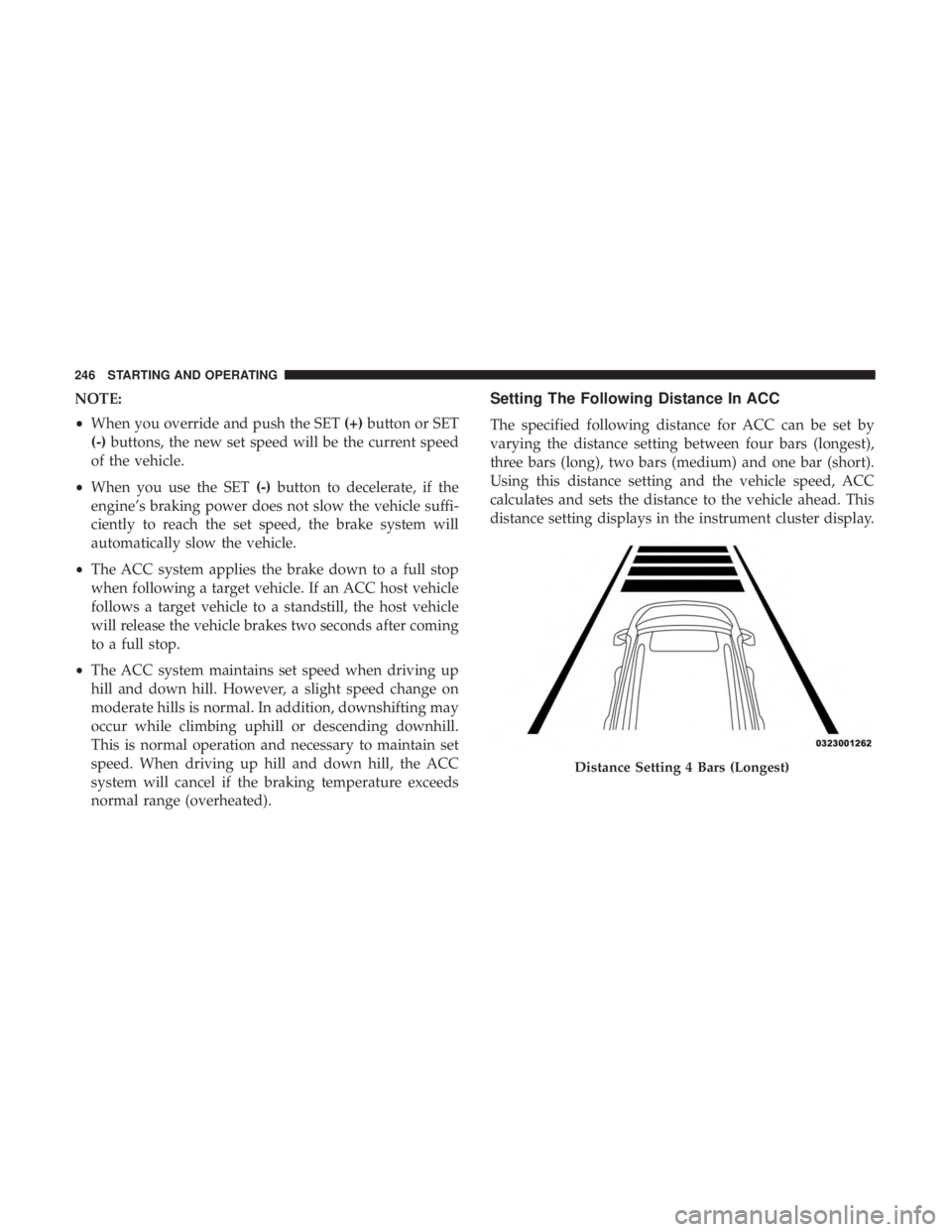
The specified following distance for ACC can be set by
varying the distance setting between four bars (longest),
three bars (long), two bars (medium) and one bar (short).
Using this distance setting and the vehicle speed, ACC
calculates and sets the distance to the vehicle ahead. This
distance setting displays in the instrument cluster display.
Distance Setting 4 Bars (Longest)
246 STARTING AND OPERATING
Page 416 of 496
Doors & Locks
After pressing the “Doors & Locks” button on the touch-
screen, the following settings will be available:
Setting NameSelectable Options
Auto Door Locks — If Equipped On
Off
Auto Unlock On Exit On Off
NOTE:
When the “Auto Unlocks On Exit” feature is selected, all doors unlock when the vehicle is stopped, the transmission
is in the PARK or NEUTRAL position and the driver’s door is opened. Flash Lights With Lock On Off
NOTE:
When the “Flash Lights With Lock” feature is selected, the exterior lights flash when the doors are locked or un-
locked with the key fob, or when using the passive entry feature. This feature may be selected with or without the
“Sound Horn on Lock” feature selected. Sound Horn With Lock Off1st Press 2nd Press
Sound Horn With Remote Start — If Equipped On
Off
1st Press Of Key Fob Un- locks Driver Door
All Doors
414 MULTIMEDIA
Page 435 of 496
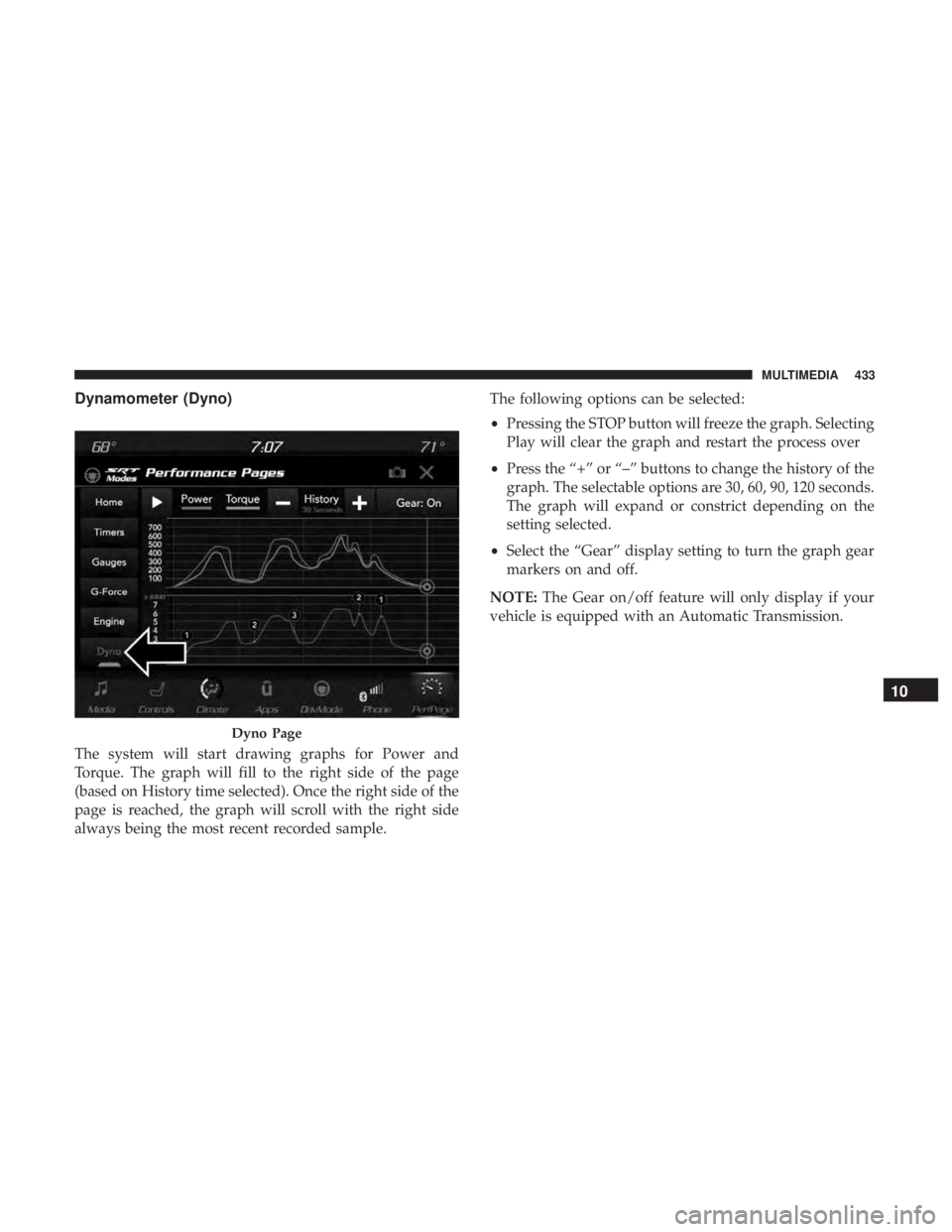
Dynamometer (Dyno)
The system will start drawing graphs for Power and
Torque. The graph will fill to the right side of the page
(based on History time selected). Once the right side of the
page is reached, the graph will scroll with the right side
always being the most recent recorded sample.The following options can be selected:
•
Pressing the STOP button will freeze the graph. Selecting
Play will clear the graph and restart the process over
• Press the “+” or “–” buttons to change the history of the
graph. The selectable options are 30, 60, 90, 120 seconds.
The graph will expand or constrict depending on the
setting selected.
• Select the “Gear” display setting to turn the graph gear
markers on and off.
NOTE: The Gear on/off feature will only display if your
vehicle is equipped with an Automatic Transmission.
Dyno Page
10
MULTIMEDIA 433