radio DODGE DAKOTA 2008 3.G Workshop Manual
[x] Cancel search | Manufacturer: DODGE, Model Year: 2008, Model line: DAKOTA, Model: DODGE DAKOTA 2008 3.GPages: 426, PDF Size: 6.39 MB
Page 203 of 426

Reception Quality
Satellite reception may be interrupted due to one of the
following reasons:
²The vehicle is parked in an underground parking
structure or under a physical obstacle.
²Dense tree coverage may interrupt reception in the
form of short audio mutes.
²Driving under wide bridges or along tall buildings can
cause intermittent reception.
²Placing objects over or too close to the antenna can
cause signal blockage.
Operating Instructions - Satellite Mode
NOTE:The ignition switch must be in the ON or ACC
position to operate the radio.
SEEK Buttons
Press and release the SEEK buttons to search for the next
channel in Satellite mode. Press the right switch to seek
up and the left switch to seek down. The radio will
remain tuned to the new channel until you make another
selection. Holding either button will bypass channels
without stopping until you release it.
SCAN Button
Pressing the SCAN button causes the tuner to search for
the next channel, pausing for 8 seconds before continuing
to the next. To stop the search, press the SCAN button a
second time.
INFO Button
Pressing the INFO button will cycle between Artist, Song
Title, and Composer (if available) information. Also,
pressing and holding the INFO button for an additional
INSTRUMENT PANEL AND CONTROLS 203
4
Page 204 of 426

3 seconds will make the radio display the Song Title all of
the time (press and hold again to return to normal
display).
RW/FF
Pressing the RW (Rewind) or FF (Fast Forward) buttons
causes the tuner to search for the next channel in the
direction of the arrows.
TUNE Control (Rotary)
Turn the right side rotary control clockwise to increase or
counter-clockwise to decrease the channel.
MUSIC TYPE Button
Pressing this button once will turn on the Music Type
mode for 5 seconds. Pressing the MUSIC TYPE button or
turning the TUNE control knob within 5 seconds will
allow the program format type to be selected.
Toggle the MUSIC TYPE button again to select the music
type.By pressing the SEEK button when the Music Type
function is active, the radio will be tuned to the next
channel with the same selected Music Type name.
If a preset button is activated while in the Music Type
(Program Type) mode, the Music Type mode will be
exited and the radio will tune to the preset channel.
SETUP Button
Pressing the SETUP button allows you to select the
following items:
²Display Sirius ID number Ð Press the SELECT button
to display the Sirius ID number. This number is used
to activate, deactivate, or change the Sirius subscrip-
tion.
SET Button Ð To Set the Push-Button Memory
When you are receiving a channel that you wish to
commit to push-button memory, press the SET button.
The symbol SET 1 will now show in the display window.
204 INSTRUMENT PANEL AND CONTROLS
Page 205 of 426

Select the button (1-6) you wish to lock onto this channel
and press and release that button. If a button is not
selected within 5 seconds after pressing the SET button,
the channel will continue to play but will not be stored
into push-button memory.
You may add a second channel to each push-button by
repeating the above procedure with this exception: Press
the SET button twice and SET 2 will show in the display
window. Each button can be set for SET 1 and SET 2. This
allows a total of 12 Satellite channels to be stored into
push-button memory. The channels stored in SET 2
memory can be selected by pressing the push-button
twice.
Every time a preset button is used, a corresponding
button number will display.
Buttons1-6
These buttons tune the radio to the channels that you
commit to push-button memory {12 Satellite stations}.
Operating Instructions - Hands Free Phone (If
Equipped)
Refer to ªHands-Free Communication (UConnectŸ)º in
Section 3 of this manual.
Operating Instructions - Video Entertainment
System (VESŸ) (If Equipped)
Refer to separate ªVideo Entertainment System (VESŸ)
Guide.º
REMOTE SOUND SYSTEM CONTROLS Ð IF
EQUIPPED
The remote sound system controls are located on the rear
surface of the steering wheel. Reach behind the wheel to
access the switches.
INSTRUMENT PANEL AND CONTROLS 205
4
Page 206 of 426

The right hand control is a rocker type switch with a push
button in the center. Pressing the top of the switch will
increase the volume and pressing the bottom of the
switch will decrease the volume.
The button located in the center of the right hand control
will switch modes to Radio or CD.The left hand control is a rocker type switch with a push
button in the center. The function of the left hand control
is different depending on which mode you are in.
The following describes the left hand control operation in
each mode.
Radio Operation
Pressing the top of the switch will SEEK up for the next
listenable station and pressing the bottom of the switch
will SEEK down for the next listenable station.
The button located in the center of the left hand control
will tune to the next pre-set station that you have
programmed in the radio pre-set push-buttons.
CD Player
Pressing the top of the switch once will go to the next
track on the CD. Pressing the bottom of the switch once
206 INSTRUMENT PANEL AND CONTROLS
Page 207 of 426

will go to the beginning of the current track or to the
beginning of the previous track if it is within one second
after the current track begins to play.
If you press the switch up or down twice it plays the
second track, three times, it will play the third, etc.
The button in the center of the left hand switch changes
CD's on the 6±Disc in-dash CD changer radio. This
button does not function for all other radios.
COMPACT DISC MAINTENANCE
To keep the compact discs in good condition, take the
following precautions:
1. Handle the disc by its edge; avoid touching the
surface.
2. If the disc is stained, clean the surface with a soft cloth,
wiping from center to edge.3. Do not apply paper or tape to the disc; avoid scratch-
ing the disc.
4. Do not use solvents such as benzine, thinner, cleaners,
or antistatic sprays.
5. Store the disc in its case after playing.
6. Do not expose the disc to direct sunlight.
7. Do not store the disc where temperatures may become
too high.
NOTE:If you experience difficulty in playing a particu-
lar disc, it may be damaged (i.e. scratched, reflective
coating removed, a hair, moisture or dew on the disc)
oversized, or have theft protection encoding. Try a
known good disc before considering disc player service.
INSTRUMENT PANEL AND CONTROLS 207
4
Page 209 of 426

RADIO OPERATION AND CELLULAR PHONES
Under certain conditions, the cellular phone being ON in
your vehicle can cause erratic or noisy performance from
your radio. This condition may be lessened or eliminated
by relocating the cellular phone antenna. This condition
is not harmful to the radio. If your radio performance
does not satisfactorily ªclearº by the repositioning of the
antenna, it is recommended that the radio volume be
turned down or off during cellular phone operation.
CLIMATE CONTROLS
The controls for the heating, ventilation and air condi-
tioning system in this vehicle consist of a series of rotary
knobs. These comfort controls can be set to obtain desired
interior conditions.
Air Conditioning And Heater
Air Conditioning And Heater Operation
To turn on the Air Conditioning, set the fan control at any
speed and press the snowflake button located at the right
of the control panel. Conditioned air will be directed
through the outlets selected by the mode control. A light
INSTRUMENT PANEL AND CONTROLS 209
4
Page 249 of 426
BRAKE SYSTEM
In the event power assist is lost for any reason (for
example, repeated brake applications with the engine
off), the brakes will still function. The effort required to
brake the vehicle will be significantly more than that
required with the power system operating.
If either the front or rear hydraulic system loses normal
capability, the remaining system will still function with
some loss of braking effectiveness. This will be evident by
increased pedal travel during application, greater pedal
force required to slow or stop, and activation of the Brake
Warning light and the ABS light during brake use.
Rear Wheel Anti-Lock Brake System ± If
Equipped
This Anti-Lock Brake System provides increased vehicle
stability and brake performance under most braking
conditions. The system automatically controls the opera-
tion of the rear brakes to prevent rear wheel lockup.The system remains operational in the four-wheel drive
mode. The level of performance is reduced when the
front brakes are locked up. This will cause the rear brakes
to lock-up through the drivetrain, which may reduce the
effectiveness of the anti-lock system.
During severe braking conditions, particularly with
changing road surfaces, such as ice to concrete, a slight
drop or minor pulsation may be felt in the brake pedal.
WARNING!
Both Anti-Lock Brake Systems contain sophisticated
electronic equipment. It may be susceptible to inter-
ference caused by improperly installed or high out-
put radio transmitting equipment. This interference
can cause possible loss of anti-lock braking capabil-
ity. Installation of such equipment should be done by
qualified professionals.
STARTING AND OPERATING 249
5
Page 276 of 426

NOTE:It is particularly important, for you to check the
tire pressure in all of your tires regularly and to maintain
the proper pressure.
The Tire Pressure Monitoring System (TPMS) consists of
the following components:
²Receiver Module
²4 Wheel Sensors
²Tire Pressure Monitoring Telltale Lamp
The Tire Pressure Monitoring Telltale Lamp will
illuminate in the instrument cluster, and an au-
dible chime will be activated when one or more of
the four active road tire pressures are low. The audible
chime will sound once every ignition cycle for each
condition that it detects. Should this occur, you should
stop as soon as possible, check the inflation pressure of
each tire on your vehicle, and inflate each tire to the
pressure recommended by the vehicle manufacturer. Thesystem will automatically update and the TPM warning
lamp will extinguish once the updated tire pressures
have been received. The vehicle may need to be driven
for up to 10 minutes above 15 mph (25 kph) to receive
this information.
The ªTire Pressure Monitoring Telltale Lightº will flash
on and off for 75 seconds, and will remain on solid when
a system fault is detected. The system fault will also
sound a chime. If the ignition key is cycled, this sequence
will repeat, providing the system fault still exists. A
system fault can occur by any of the following scenarios:
1. Jamming due to electronic devices or driving next to
facilities emitting the same Radio Frequencies as the TPM
sensors.
2. Installing some form of aftermarket window tinting
that affects radio wave signals.
276 STARTING AND OPERATING
Page 323 of 426
JUMP STARTING
WARNING!
²Battery fluid is a corrosive acid solution; do not
allow battery fluid to contact eyes, skin or cloth-
ing. Don't lean over battery when attaching
clamps or allow the clamps to touch each other. If
acid splashes in eyes or on skin, flush the contami-
nated area immediately with large quantities of
water.
²A battery generates hydrogen gas which is flam-
mable and explosive. Keep flame or spark away
from the vent holes. Do not use a booster battery
or any other booster source with an output that
exceeds 12 volts.Check the Battery Test Indicator (if equipped). If a light or
bright colored dot is visible in the indicator (if equipped),
DO NOT jump-start the battery.
If the indicator (if equipped) is dark or shows a green dot,
proceed as follows:
1. Wear eye protection and remove all metal jewelry such
as watch bands or bracelets which might make an
unintended electrical contact.
2. Park the booster vehicle within cable reach but with-
out letting the vehicles touch. Set the parking brake, place
the automatic transmission in PARK and turn the ignition
OFF on both vehicles.
3. Turn OFF heater, radio and all unnecessary electrical
loads.
WHAT TO DO IN EMERGENCIES 323
6
Page 368 of 426
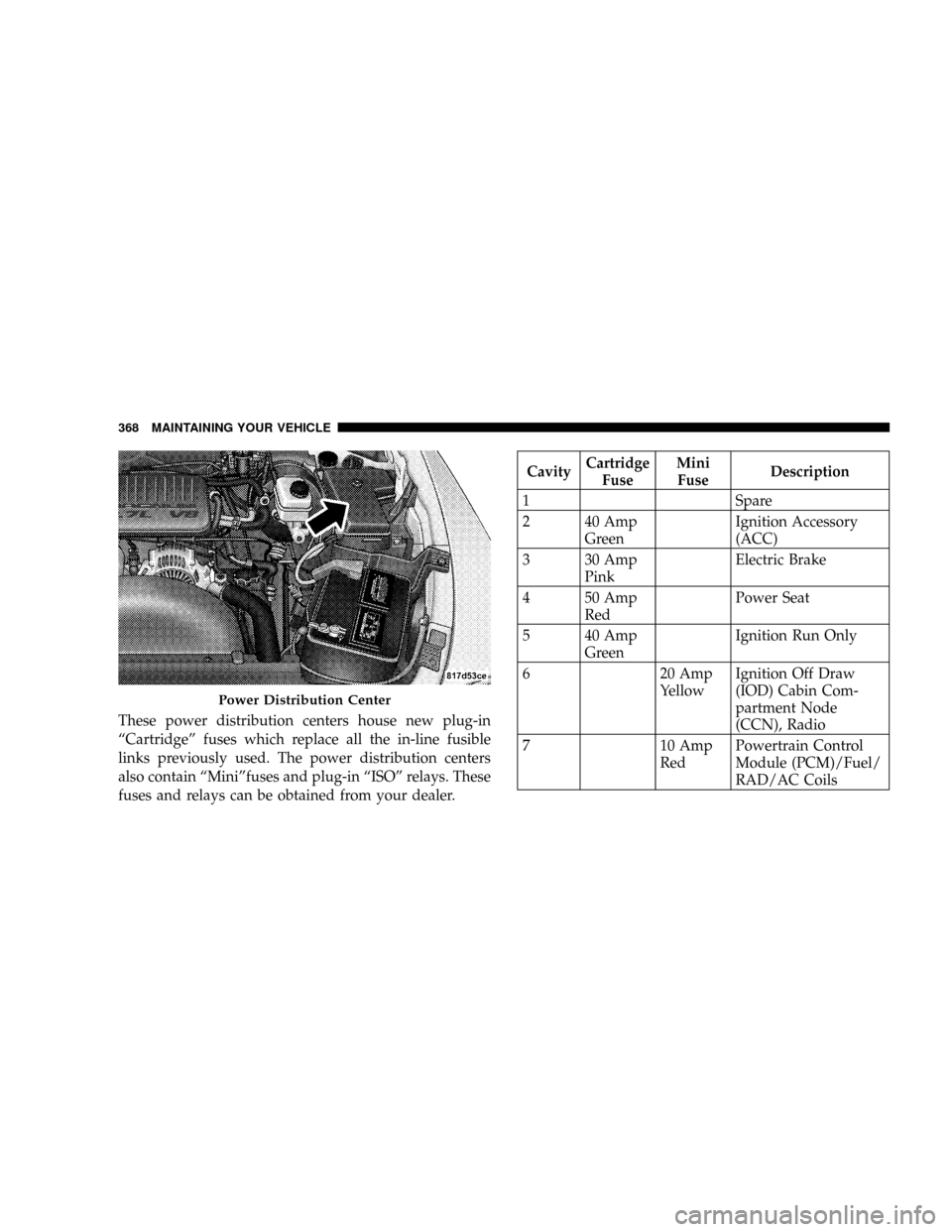
These power distribution centers house new plug-in
ªCartridgeº fuses which replace all the in-line fusible
links previously used. The power distribution centers
also contain ªMiniºfuses and plug-in ªISOº relays. These
fuses and relays can be obtained from your dealer.
CavityCartridge
FuseMini
FuseDescription
1 Spare
2 40 Amp
GreenIgnition Accessory
(ACC)
3 30 Amp
PinkElectric Brake
4 50 Amp
RedPower Seat
5 40 Amp
GreenIgnition Run Only
6 20 Amp
YellowIgnition Off Draw
(IOD) Cabin Com-
partment Node
(CCN), Radio
7 10 Amp
RedPowertrain Control
Module (PCM)/Fuel/
RAD/AC Coils
Power Distribution Center
368 MAINTAINING YOUR VEHICLE