key DODGE DAKOTA 2009 3.G Owner's Guide
[x] Cancel search | Manufacturer: DODGE, Model Year: 2009, Model line: DAKOTA, Model: DODGE DAKOTA 2009 3.GPages: 449, PDF Size: 10.96 MB
Page 117 of 449
Voice Training
For users experiencing difficulty with the system recog-
nizing their voice commands or numbers, the UConnectt
system Voice Training feature may be used.
1. Press the VR hard-key, speak ªSystem Setupº and once
you are in that menu then speak ªVoice Training.º This
will train your own voice to the system and will improve
recognition.
2. Repeat the words and phrases when prompted by the
UConnecttSystem. For best results, the Voice Training
session should be completed when the vehicle is parked,
engine running, all windows closed, and the blower fan
switched OFF. This procedure may be repeated with a
new user. The system will adapt to the last trained voice
only.
SEATS
Manual Seat Adjustment
The adjusting lever is at the front of the seat, near the
floor. Lift the lever and move the seat to the desired
position. Release the bar to lock the seat into position.
Using body pressure, move forward and rearward on the
seat to be sure the seat adjusters have latched.
UNDERSTANDING THE FEATURES OF YOUR VEHICLE 115
3
Page 125 of 449
LIGHTS
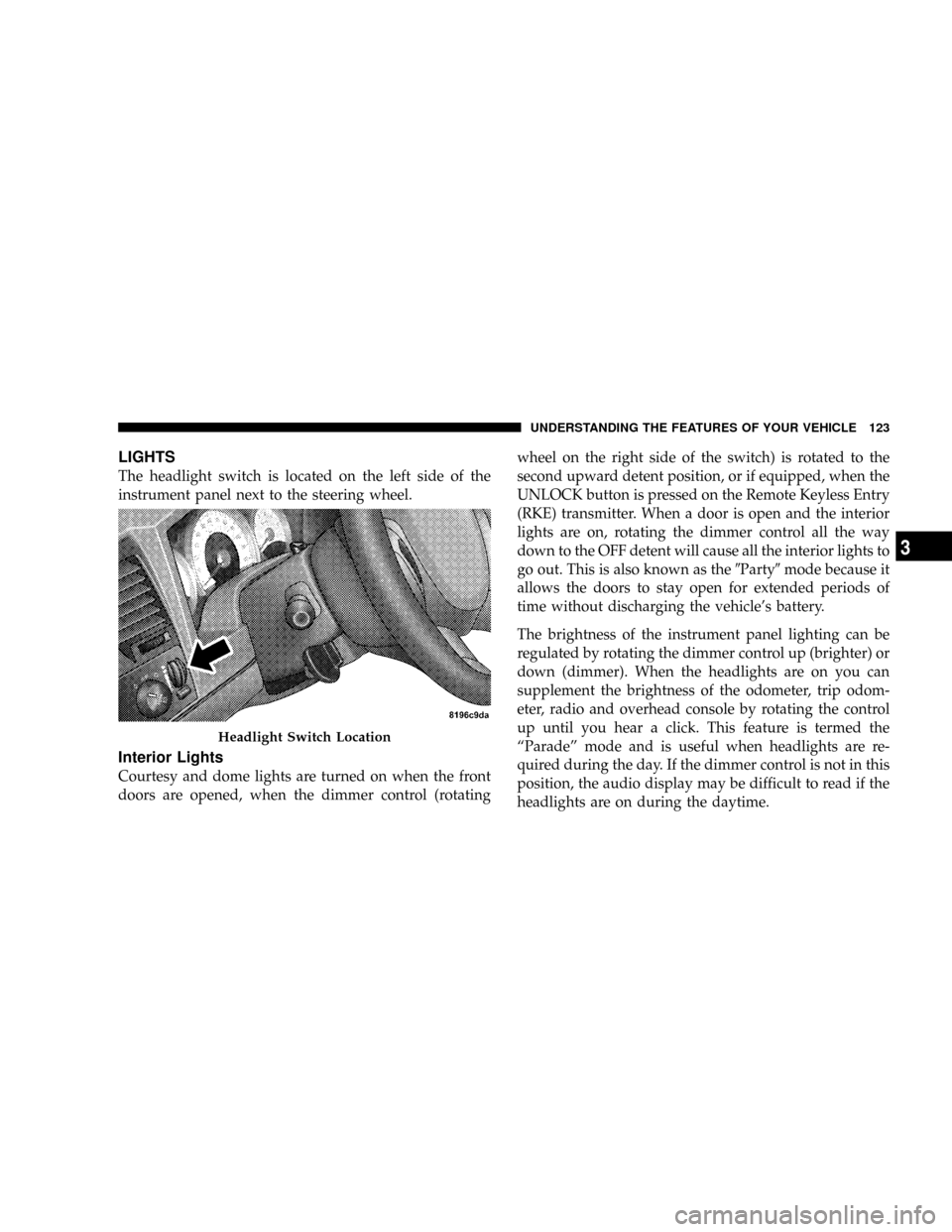
The headlight switch is located on the left side of the
instrument panel next to the steering wheel.
Interior Lights
Courtesy and dome lights are turned on when the front
doors are opened, when the dimmer control (rotatingwheel on the right side of the switch) is rotated to the
second upward detent position, or if equipped, when the
UNLOCK button is pressed on the Remote Keyless Entry
(RKE) transmitter. When a door is open and the interior
lights are on, rotating the dimmer control all the way
down to the OFF detent will cause all the interior lights to
go out. This is also known as the9Party9mode because it
allows the doors to stay open for extended periods of
time without discharging the vehicle's battery.
The brightness of the instrument panel lighting can be
regulated by rotating the dimmer control up (brighter) or
down (dimmer). When the headlights are on you can
supplement the brightness of the odometer, trip odom-
eter, radio and overhead console by rotating the control
up until you hear a click. This feature is termed the
ªParadeº mode and is useful when headlights are re-
quired during the day. If the dimmer control is not in this
position, the audio display may be difficult to read if the
headlights are on during the daytime.
Headlight Switch Location
UNDERSTANDING THE FEATURES OF YOUR VEHICLE 123
3
Page 138 of 449
Courtesy/Reading Lights
Near the front of the console are two courtesy/reading
lights.
Both lights illuminate as courtesy lights when a door is
opened, when the dimmer control is rotated to the
courtesy light position (fully upward position), or when
the UNLOCK button is pressed on the Remote Keyless
Entry (RKE) transmitter, if so equipped. These lights are
also operated individually as reading lights by pressing
the recessed area of the corresponding lens.NOTE:The courtesy/reading lights will remain on until
the switch is pressed a second time, so be sure they have
been turned off before leaving the vehicle. If the interior
lights are left on after the vehicle is turned OFF, they will
extinguish after approximately 10 minutes.
COMPASS/TEMPERATURE MINI-TRIP COMPUTER
This feature allows you to choose between a compass/
temperature display and one of four trip conditions being
monitored.
136 UNDERSTANDING THE FEATURES OF YOUR VEHICLE
Page 180 of 449
CAUTION!
The TPMS has been optimized for the original
equipment tires and wheels. TPMS pressures and
warning have been established for the tire size
equipped on your vehicle. Undesirable system opera-
tion or sensor damage may result when using re-
placement equipment that is not of the same size,
type, and/or style. Aftermarket wheels can cause
sensor damage. Do not use tire sealant from a can, or
balance beads if your vehicle is equipped with a
TPMS, as damage to the sensors may result.
23. Airbag Warning Light
The airbag warning light will illuminate and
remain lit for six to eight seconds when the
ignition is first turned ON. If the light does not
illuminate when the ignition is first turned ON,or the light stays on or comes on while driving, have the
airbag system checked by an authorized dealer.
24. 4WD Indicator
The 4WD indicator illuminates when the transfer case is
in 4WD position.
25. SVC (Service) 4WD Indicator
The SVC 4WD illuminates when the ignition key is
turned to the ON position and will stay on for two
seconds. If the light stays on or illuminates during
driving, it means that the 4WD system is not functioning
properly and that service is required.
26. Cruise Indicator
The cruise indicator illuminates when the electronic
speed control system is turned on.
178 UNDERSTANDING YOUR INSTRUMENT PANEL
Page 242 of 449
Normal Starting
NOTE:Normal starting of either a warm or cold engine
is obtained without pumping or depressing the accelera-
tor pedal.
Turn the ignition switch to the START position and
release when the engine starts. If the engine fails to start
within 10 seconds, turn the key to the OFF position, wait
5 seconds, then repeat the starting procedure.
Extreme Cold Weather (below ±20ÉF or ±29ÉC)
To insure reliable starting at these temperatures, use of an
externally powered electric engine block heater (available
from your dealer) is recommended.
If Engine Fails To Start
WARNING!
²Never pour fuel or other flammable liquids into
the throttle body air inlet opening in an attempt to
start the vehicle. This could result in a flash fire
causing serious personal injury.
²Do not attempt to push or tow your vehicle to get
it started. Vehicles equipped with an automatic
transmission cannot be started this way. Unburned
fuel could enter the catalytic converter and once
the engine has started, ignite and damage the
converter and vehicle. If the vehicle has a dis-
charged battery, booster cables may be used to
obtain a start from a booster battery or the battery
in another vehicle. This type of start can be dan-
gerous if done improperly. Refer to ªJump-
Startingº in Section 6 and follow them carefully.
240 STARTING AND OPERATING
Page 243 of 449
If the engine fails to start after you have followed the
normal starting procedure, it may be flooded. Push the
accelerator pedal all the way to the floor and hold it there
while cranking the engine. This should clear any excess
fuel, in case the engine is flooded.
CAUTION!
To prevent damage to the starter, do not crank the
engine for more than 15 seconds at a time. Wait 10 to
15 seconds before trying again.
If the engine has been flooded, it may start to run, but not
have enough power to continue running when the key is
released. If this occurs, continue cranking with the accel-
erator pedal pushed all the way to the floor. Release the
accelerator pedal and the key once the engine is running
smoothly.If the engine shows no sign of starting after two 15 sec-
ond periods of cranking with the accelerator pedal held
to the floor, the normal starting procedure should be
repeated.
After Starting
The idle speed is automatically controlled and will de-
crease as the engine warms up.
ENGINE BLOCK HEATER Ð IF EQUIPPED
The engine block heater warms engine coolant and
permits quicker starts in cold weather. Connect the cord
to a standard 110-115 Volt AC electrical outlet with a
grounded, three-wire extension cord.
The engine block heater cord is located at the right front
of the engine compartment for all engine applications.
STARTING AND OPERATING 241
5
Page 257 of 449
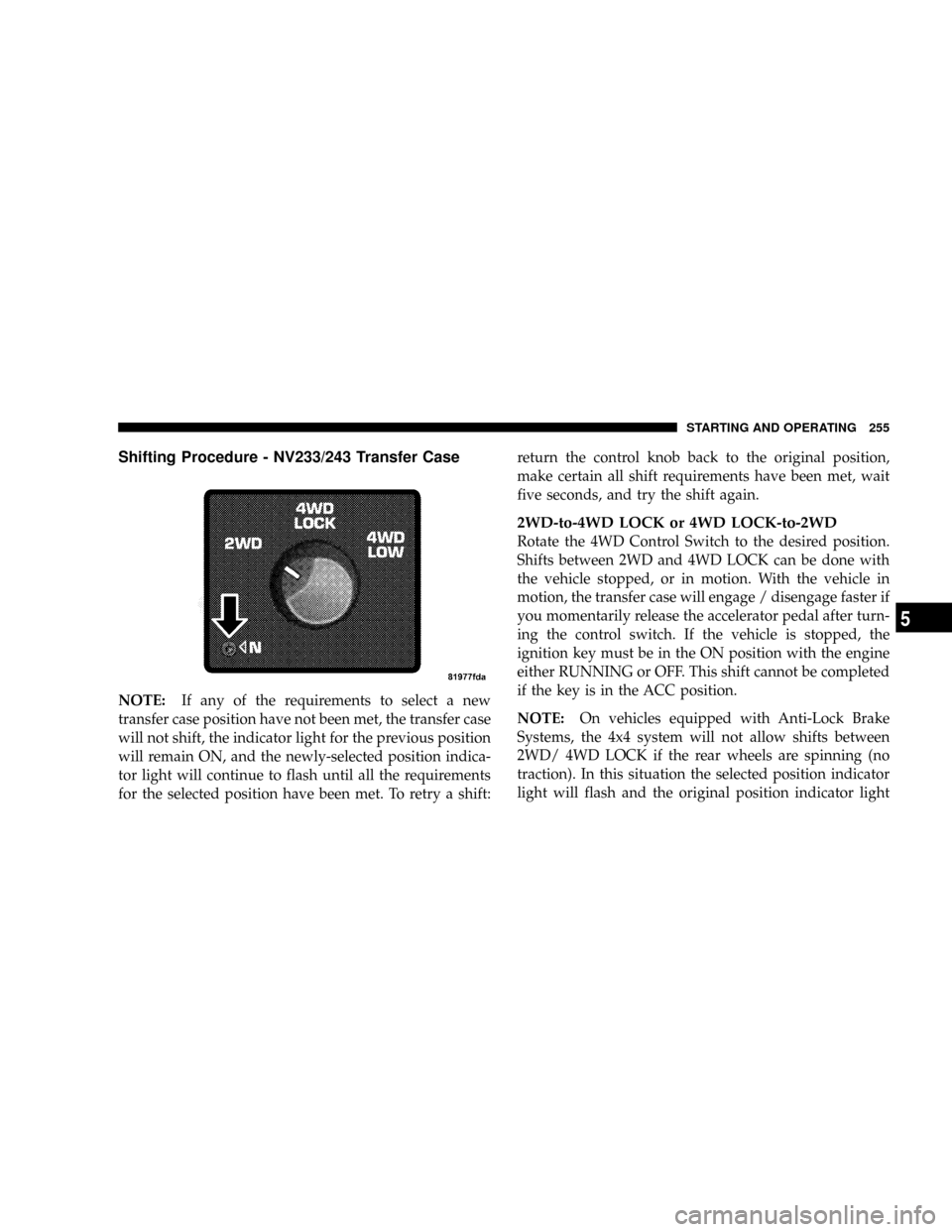
Shifting Procedure - NV233/243 Transfer Case
NOTE:If any of the requirements to select a new
transfer case position have not been met, the transfer case
will not shift, the indicator light for the previous position
will remain ON, and the newly-selected position indica-
tor light will continue to flash until all the requirements
for the selected position have been met. To retry a shift:return the control knob back to the original position,
make certain all shift requirements have been met, wait
five seconds, and try the shift again.
2WD-to-4WD LOCK or 4WD LOCK-to-2WD
Rotate the 4WD Control Switch to the desired position.
Shifts between 2WD and 4WD LOCK can be done with
the vehicle stopped, or in motion. With the vehicle in
motion, the transfer case will engage / disengage faster if
you momentarily release the accelerator pedal after turn-
ing the control switch. If the vehicle is stopped, the
ignition key must be in the ON position with the engine
either RUNNING or OFF. This shift cannot be completed
if the key is in the ACC position.
NOTE:On vehicles equipped with Anti-Lock Brake
Systems, the 4x4 system will not allow shifts between
2WD/ 4WD LOCK if the rear wheels are spinning (no
traction). In this situation the selected position indicator
light will flash and the original position indicator light
STARTING AND OPERATING 255
5
Page 258 of 449
will remain ON. At this time, reduce speed and stop
spinning the wheels to complete the shift. There may be
a delay up to 10 seconds for the shift to complete after the
wheels have stopped spinning.
4WD LOCK-to-4WD LOW or 4WD LOW-to-4WD
LOCK
NOTE:When shifting into or out of 4WD LOW, some
gear noise may be heard. This noise is normal and is not
detrimental to the vehicle or occupants.
Shifting can be performed with the vehicle rolling 2 to
3 mph (3 to 5 km/h), or completely stopped. USE
EITHER OF THE FOLLOWING PROCEDURES:
Preferred Procedure
1. With engine RUNNING, slow vehicle to 2 to 3 mph (3
to 5 km/h).2. Shift the transmission into NEUTRAL (depress clutch
on manual transmissions).
3. While still rolling, rotate the transfer case control
switch to the desired position.
4. After the desired position indicator light is ON (not
flashing), shift transmission back into gear (release clutch
on manual transmissions).
Alternate Procedure
1. Bring the vehicle to complete stop.
2. With the key ON and the engine either OFF or
RUNNING, shift the transmission into NEUTRAL (de-
press clutch on manual transmissions).
3. Rotate the transfer case control switch to the desired
position.
256 STARTING AND OPERATING
Page 259 of 449
4. After the desired position indicator light is ON (not
flashing), shift transmission back into gear (release clutch
on manual transmissions).
NOTE:If steps 1 or 2, of either the Preferred or Alternate
Procedure, are not satisfied prior to attempting the shift,
or if they no longer are being met while the shift attempt
is in process, then the indicator light will flash and the
current transfer case position will be maintained. To retry
the selection, turn the control knob back to the current
position, wait five seconds, and retry shift.
NOTE:The ignition key must be ON for a shift to take
place and for the position indicator lights to be operable.
If the key is not ON then the shift will not take place and
no position indicator lights will be on or flashing.NV 244 Generation II Transfer Case Operating
Information / Precautions
The NV 244 Generation II is an electric-shift transfer case
and is operated by the 4WD Control Switch, which is
located on the instrument panel.
The NV 244 Generation II transfer case provides four
mode positions - Normal four-wheel drive (4WD) high
range, 4-wheel-drive lock (4WD LOCK), 4-wheel drive
low (4WD LOW) range, and NEUTRAL.
This transfer case is equipped with an inter-axle differ-
ential that allows driving the vehicle in the normal
all-wheel drive position (4WD) at all times on any given
road surface, including dry, hard-surfaced roads. The
4WD mode allows the front and rear wheels to rotate at
different speeds. This eliminates driveline binding and
component wear normally associated with driving the
vehicle in the 4WD LOCK position on dry, hard-surfaced
STARTING AND OPERATING 257
5
Page 264 of 449
3. While still rolling, rotate the transfer case control
switch to the desired position.
4. After the position indicator light has stopped flashing,
shift the transmission back into gear.
Alternate Procedure
1. Bring the vehicle to a complete stop.
2. With the key ON and the engine either OFF or
running, shift the transmission into NEUTRAL.
3. Rotate the transfer case control switch to the desired
position.
4. After the position indicator light has stopped flashing,
shift the transmission back into gear.
NOTE:
²The ignition key must be ON for a shift to take place
and for the position indicator lights to be operable. Ifthe key is not ON then the shift will not take place and
no position indicator lights will be on or flashing.
²If any of the requirements to select a new transfer case
position have not been met, the transfer case will not
shift. The indicator light will flash and the current
transfer case position will be maintained. To retry the
selection, turn the control knob back to the current
position, wait five seconds, and retry the shift.
LIMITED-SLIP REAR AXLE DIFFERENTIAL Ð IF
EQUIPPED
The limited-slip differential provides additional traction
on snow, ice, mud, sand and gravel. It improves traction
when there is a difference between the characteristics of
the surface under the right and left rear wheels. During
normal driving and cornering, the limited-slip unit is
similar to a conventional differential. But on a slippery
surface, the differential delivers more of the driving effort
to the wheel having the better traction.
262 STARTING AND OPERATING