AUX DODGE DAKOTA 2009 3.G Owners Manual
[x] Cancel search | Manufacturer: DODGE, Model Year: 2009, Model line: DAKOTA, Model: DODGE DAKOTA 2009 3.GPages: 449, PDF Size: 10.96 MB
Page 151 of 449
2. This device must accept any interference that may be
received including interference that may cause undesired
operation
NOTE:The transmitter has been tested and it complies
with FCC and IC rules. Changes or modifications not
expressly approved by the party responsible for compli-
ance could void the user 's authority to operate the
device.
The term ªICº before the certification/registration num-
ber only signifies that Industry Canada technical specifi-
cations were met.
ELECTRICAL POWER OUTLETS
This vehicle has two 12-Volt auxiliary power outlets that
can provide up to 20-Amps of current for accessories
designed for use with standard power outlet adapters.
The outlets are located in the instrument panel (below the
temperature control setting knob) and inside the full -
size center console. When the optional Cigar Lighterheating element is used, it heats when pushed in and
pops out automatically when ready for use.To preserve
the heating element, do not hold the lighter in the
heating position.
The instrument panel outlet can be reconfigured by the
customer to operate only when the ignition is ON (switch
battery fed) or with the ignition switch ON/OFF (battery
fed) to allow for cellular phone charging and/or opera-
tion while the ignition is OFF. This can be done by
moving the power outlet (switchable) fuse (fuse #22)
from the inboard position to the outboard position.
NOTE:All accessories connected to these outlets should
be removed or turned OFF when the vehicle is not in use,
to protect the battery against discharge (unless the cus-
tomer has reconfigured the fuse block to switched battery
feed).
UNDERSTANDING THE FEATURES OF YOUR VEHICLE 149
3
Page 165 of 449
UNDERSTANDING YOUR INSTRUMENT PANEL
CONTENTS
mInstruments And Controls................ 166
mInstrument Cluster..................... 167
mInstrument Cluster Description............ 168
mElectronic Digital Clock................. 179
NClock Setting Procedure................ 179
mSales Code REQ Ð AM/FM Stereo Radio And
6±Disc CD/DVD Changer (MP3/WMA AUX
Jack)................................ 180
NOperating Instructions - Radio Mode....... 180NOperation Instructions - (Disc Mode For CD
And MP3/WMA Audio Play, DVD-Video) . . . 189
NNotes On Playing MP3/WMA Files........ 191
NList Button (Disc Mode For MP3/WMA
Play)............................. 193
NInfo Button (Disc Mode For MP3/WMA
Play)............................. 193
mAM/FM/CD/DVD Multimedia System Radio
(RER/REN) ± If Equipped................ 196
NOperating Instructions Ð Voice Recognition
System (VR) Ð If Equipped............. 1964
Page 166 of 449
NOperating Instructions Ð Hands-Free
Communication (UConnectt)Ð
If Equipped......................... 196
NClock Setting Procedure................ 196
mSales Code RES Ð AM/FM Stereo Radio With
CD Player (MP3 AUX Jack)................ 198
NOperating Instructions Ð Radio Mode...... 199
NOperation Instructions Ð CD Mode For CD
And MP3 Audio Play.................. 202
NNotes On Playing MP3 Files............. 204
NOperation Instructions - Auxiliary Mode.... 207
mSales Code RES/RSC Ð AM/FM Stereo Radio
With CD Player (MP3 AUX Jack) And Sirius
Radio............................... 207
NOperating Instructions Ð Radio Mode...... 208NOperation Instructions Ð CD Mode For CD
And MP3 Audio Play.................. 214
NNotes On Playing MP3 Files............. 216
NList Button (CD Mode For MP3 Play)...... 218
NInfo Button (CD Mode For MP3 Play)...... 219
mSound Box Operation................... 220
mSatellite Radio Ð If Equipped
(REN/REQ/RER/RES/REU Radios Only)..... 221
NSystem Activation.................... 221
NElectronic Serial Number/Sirius
Identification Number (ESN/SID)......... 221
NSelecting Satellite Mode................ 222
NSatellite Antenna..................... 222
NReception Quality.................... 223
164 UNDERSTANDING YOUR INSTRUMENT PANEL
Page 182 of 449
3. After the hours are adjusted, push the TUNE/AUDIO
control knob to set the minutes.
4. Adjust the minutes by turning the TUNE/AUDIO
control knob.
5. To exit, press any button/knob, or wait approximately
five seconds.
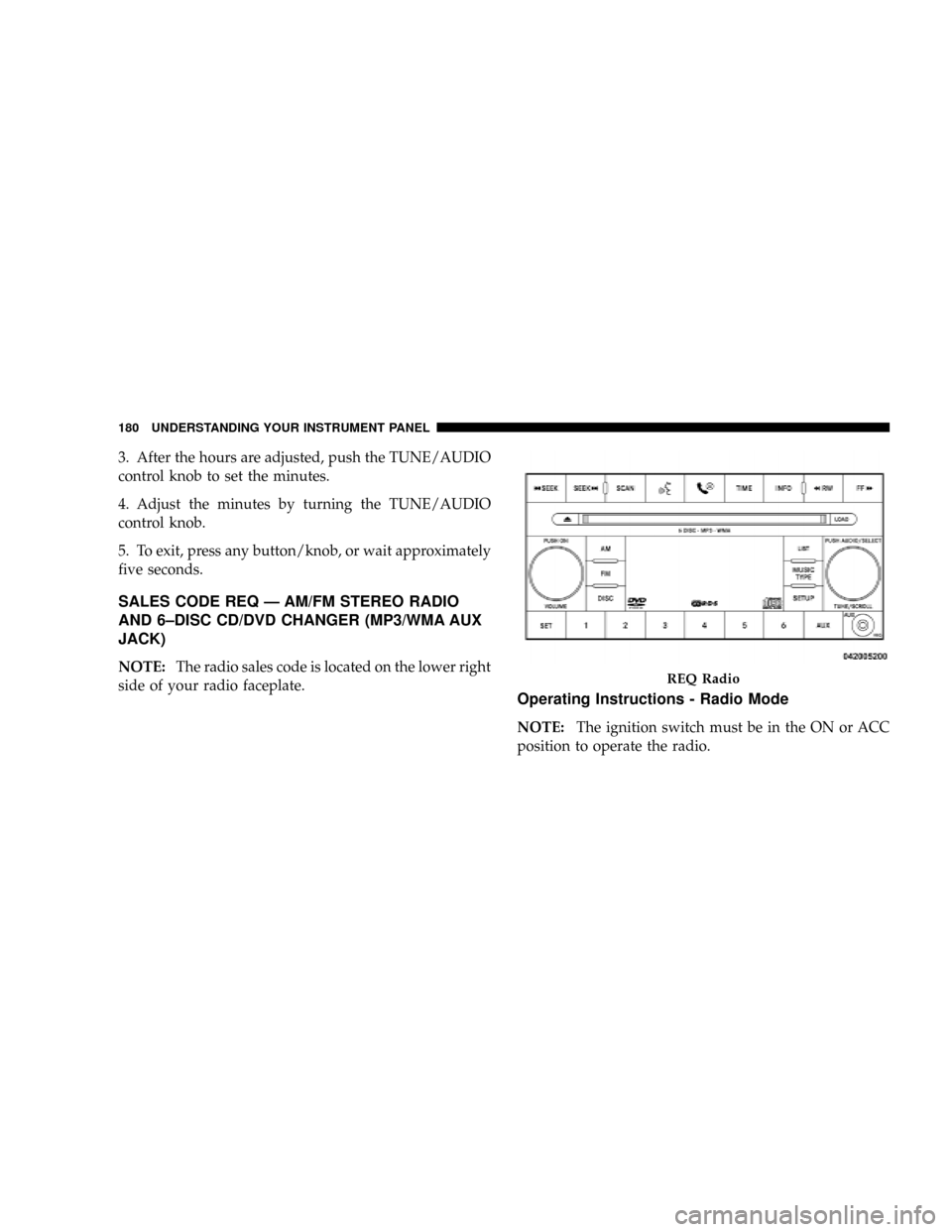
SALES CODE REQ Ð AM/FM STEREO RADIO
AND 6±DISC CD/DVD CHANGER (MP3/WMA AUX
JACK)
NOTE:The radio sales code is located on the lower right
side of your radio faceplate.
Operating Instructions - Radio Mode
NOTE:The ignition switch must be in the ON or ACC
position to operate the radio.
REQ Radio
180 UNDERSTANDING YOUR INSTRUMENT PANEL
Page 196 of 449
Press and hold the INFO button again for three seconds
to return to9elapsed time9display.
Operation Instructions - Auxiliary Mode
The auxiliary (AUX) jack is an audio input jack, which
allows the user to plug in a portable device such as an
MP3/WMA player, cassette player, or microphone and
utilize the vehicle's audio system to amplify the source
and play through the vehicle speakers.
Pressing the AUX button will change the mode to auxil-
iary device if the AUX jack is connected.
NOTE:The AUX device must be turned on and the
device's volume set to the proper level. If the AUX audio
is not loud enough, turn the device's volume up. If the
AUX audio sounds distorted, turn the device's volume
down.
SEEK Button (Auxiliary Mode)
No function.
SCAN Button (Auxiliary Mode)
No function.
EJECT Button (Auxiliary Mode)
No function.
TIME Button (Auxiliary Mode)
Press the TIME button to change the display from
elapsed playing time to time of day. The time of day will
display for five seconds.
RW/FF (Auxiliary Mode)
No function.
SET Button (Auxiliary Mode)
No function.
194 UNDERSTANDING YOUR INSTRUMENT PANEL
Page 200 of 449
Touch the screen where the words ªShow Time if Radio is
Offº are displayed to change the current setting.
Changing the Time Zone
1. Turn on the multimedia system.
2. Touch the screen where the time is displayed. The
clock setting menu will appear on the screen.
3. Touch the screen where the words ªSet Time Zoneº are
displayed. The time zone selection menu will appear on
the screen.
4. Select a time zone by touching the screen where your
selection appears. If you do not see a time zone that you
want to select, touch the screen where the word ªPageº is
displayed to view additional time zones in the menu.
5. Touch the screen where the word ªSaveº is displayed.
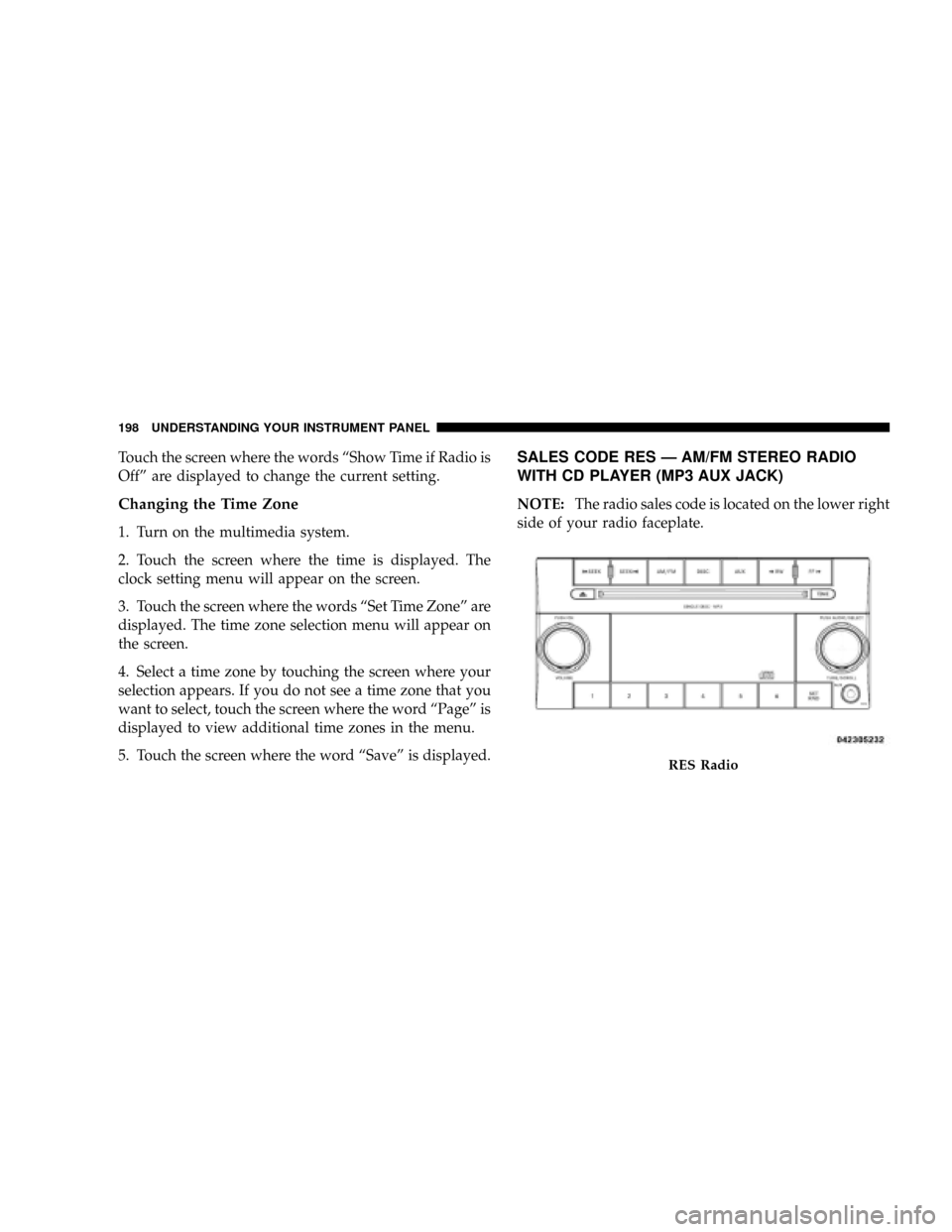
SALES CODE RES Ð AM/FM STEREO RADIO
WITH CD PLAYER (MP3 AUX JACK)
NOTE:The radio sales code is located on the lower right
side of your radio faceplate.
RES Radio
198 UNDERSTANDING YOUR INSTRUMENT PANEL
Page 209 of 449
Operation Instructions - Auxiliary Mode
The auxiliary (AUX) jack is an audio input jack, which
allows the user to plug in a portable device, such as an
MP3 player, or cassette player, and utilize the vehicle's
audio system to amplify the source and play through the
vehicle speakers.
Pressing the AUX button will change the mode to auxil-
iary device if the AUX jack is connected.
NOTE:The AUX device must be turned on and the
device's volume set to proper level. If the AUX audio is
not loud enough, turn the device's volume up. If the AUX
audio sounds distorted, turn the device's volume down.
TIME Button (Auxiliary Mode)
Press this button to change the display to time of day. The
time of day will display for five seconds (when ignition is
OFF).
SALES CODE RES/RSC Ð AM/FM STEREO
RADIO WITH CD PLAYER (MP3 AUX JACK) AND
SIRIUS RADIO
NOTE:The radio sales code is located on the lower right
side of your radio faceplate.
UNDERSTANDING YOUR INSTRUMENT PANEL 207
4
Page 215 of 449
Tune/Scroll control knob to adjust the minutes. Press
the Tune/Scroll control knob again to save changes.
AM/FM Button
Press the button to select either AM or FM mode.
SET/RND Button Ð To Set the Pushbutton
Memory
When you are receiving a station that you wish to
commit to pushbutton memory, press the SET/RND
button. The symbol SET 1 will now show in the display
window. Select the button (1 to 6) you wish to lock onto
this station and press and release that button. If a button
is not selected within five seconds after pressing the
SET/RND button, the station will continue to play but
will not be stored into pushbutton memory.
You may add a second station to each pushbutton by
repeating the above procedure with this exception: Press
the SET/RND button twice and SET 2 will show in the
display window. Each button can be set for SET 1 andSET 2 in both AM and FM. This allows a total of 12 AM
and 12 FM stations to be stored into pushbutton memory.
The stations stored in SET 2 memory can be selected by
pressing the pushbutton twice.
Every time a preset button is used, a corresponding
button number will display.Buttons1-6
These buttons tune the radio to the stations that you
commit to pushbutton memory (12 AM and 12 FM
stations).
DISC/AUX Button
Pressing the DISC/AUX button will allow you to switch
from AM/FM modes to DISC/AUX mode.
UNDERSTANDING YOUR INSTRUMENT PANEL 213
4
Page 221 of 449
playing the files contained in that folder (or the next
folder in sequence if the selection does not contain
playable files).
The folder list will time out after five seconds.
INFO Button (CD Mode for MP3 Play)
Pressing the INFO button repeatedly will scroll through
the following TAG information: Song Title, Artist, File
Name, and Folder Name (if available).
Press the INFO button once more to return to9elapsed
time9priority mode.
Press and hold the INFO button for three seconds or
more and the radio will display song titles for each file.
Press and hold the INFO button again for three seconds
to return to9elapsed time9display.
Operation Instructions - Auxiliary Mode
The auxiliary (AUX) jack is an audio input jack, which
allows the user to plug in a portable device such as an
MP3 player, or cassette player, and utilize the vehicle's
audio system to amplify the source and play through the
vehicle speakers.
Pressing the AUX button will change the mode to auxil-
iary device if the AUX jack is connected.
NOTE:The AUX device must be turned on and the
device's volume set to proper level. If the AUX audio is
not loud enough, turn the device's volume up. If the AUX
audio sounds distorted, turn the device's volume down.
TIME Button (Auxiliary Mode)
Press this button to change the display to time of day. The
time of day will display for five seconds (when ignition is
OFF).
UNDERSTANDING YOUR INSTRUMENT PANEL 219
4
Page 440 of 449
Parking Brake.......................... 267
Parking On Hill......................... 267
Passing Light........................... 128
Pets.................................. 70
Pets, Transporting........................ 70
Phone, Cellular.......................... 82
Phone, Hands-Free (UConnectt) .............. 82
Pickup Box............................ 159
Placard, Tire and Loading Information......... 276
Power
Distribution Center (Fuses)............... 381
Door Locks.........................20,29
Mirrors.............................. 81
Outlet (Auxiliary Electrical Outlet).......... 149
Steering............................. 266
Windows............................. 34
Power Steering Fluid..................... 398
Pregnant Women and Seat Belts.............. 45
Preparation for Jacking.................... 337Pretensioners
Seat Belts............................. 44
Programming Transmitters (Remote Keyless
Entry)................................. 25
Quad Cab............................. 120
Radial Ply Tires......................... 283
Radiator Cap (Coolant Pressure Cap).......366,368
Radio Operation........................ 228
Radio, Satellite.......................... 221
Rear Axle (Differential).................... 376
Rear Cargo Area Utility Rails............... 155
Rear Convenience Storage Crates............. 151
Rear Window.......................... 157
Rear Window Defroster................... 156
Rear Window Features.................... 156
Rearview Mirrors........................ 80
Reclining Front Seats..................... 116
438 INDEX