air condition DODGE DAKOTA 2011 3.G User Guide
[x] Cancel search | Manufacturer: DODGE, Model Year: 2011, Model line: DAKOTA, Model: DODGE DAKOTA 2011 3.GPages: 452, PDF Size: 4.92 MB
Page 240 of 452
NOTE:If you experience difficulty in playing a particu-
lar disc, it may be damaged (i.e., scratched, reflective
coating removed, a hair, moisture or dew on the disc)
oversized, or have protection encoding. Try a known
good disc before considering disc player service.
RADIO OPERATION AND MOBILE PHONES
Under certain conditions, the mobile phone being on in
your vehicle can cause erratic or noisy performance from
your radio. This condition may be lessened or eliminated
by relocating the mobile phone antenna. This condition is
not harmful to the radio. If your radio performance does
not satisfactorily “clear” by the repositioning of the
antenna, it is recommended that the radio volume be
turned down or off during mobile phone operation when
not using Uconnect™ (if equipped).
CLIMATE CONTROLS
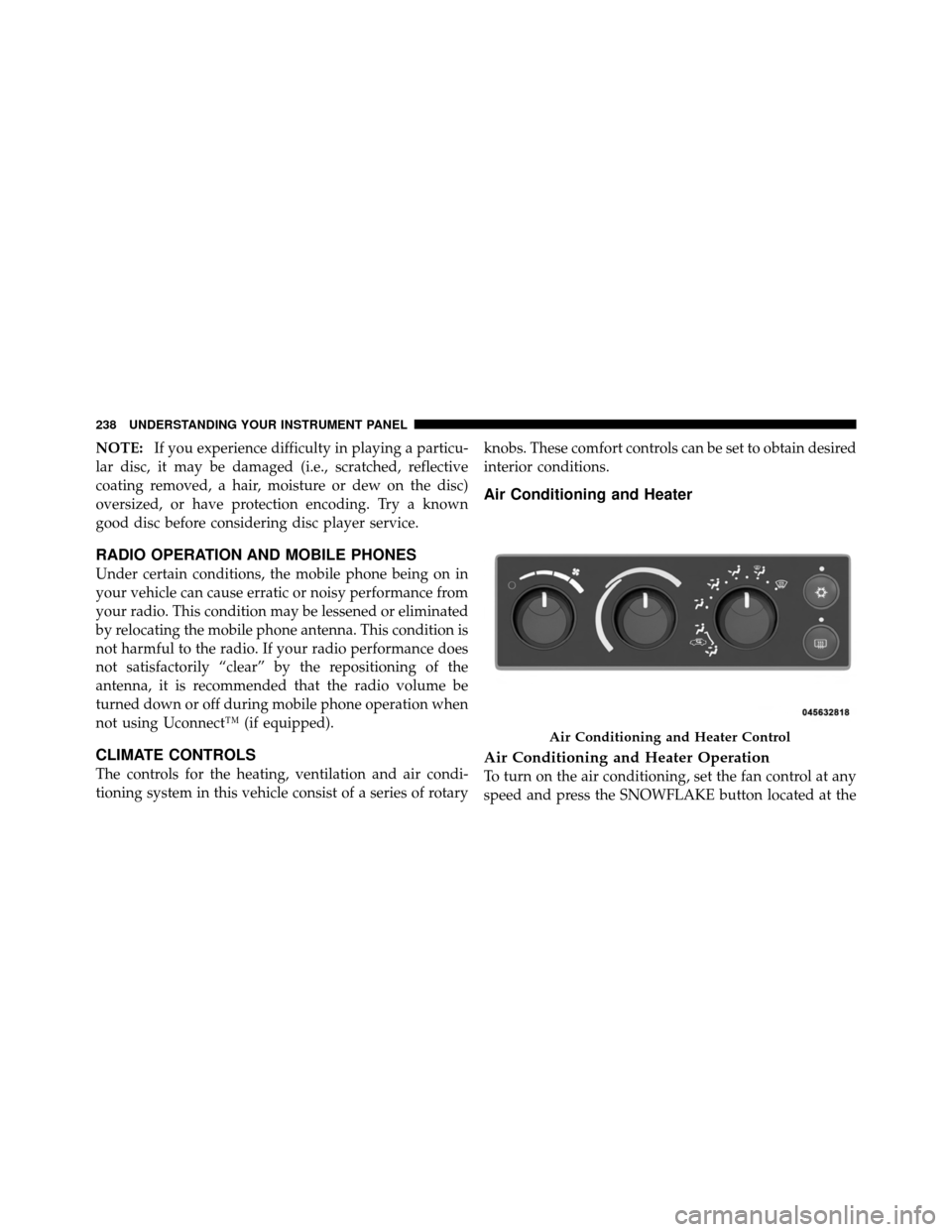
The controls for the heating, ventilation and air condi-
tioning system in this vehicle consist of a series of rotary knobs. These comfort controls can be set to obtain desired
interior conditions.
Air Conditioning and Heater
Air Conditioning and Heater Operation
To turn on the air conditioning, set the fan control at any
speed and press the SNOWFLAKE button located at the
Air Conditioning and Heater Control
238 UNDERSTANDING YOUR INSTRUMENT PANEL
Page 241 of 452
right of the control panel. Conditioned air will be di-
rected through the outlets selected by the mode control.
A light at the top of the SNOWFLAKE button shows that
the air conditioning is on. Press the button a second time
to turn the air conditioning off.
Slight changes in engine speed or power may be noticed
when the air conditioning compressor is on. This is a
normal occurrence as the compressor will cycle on and
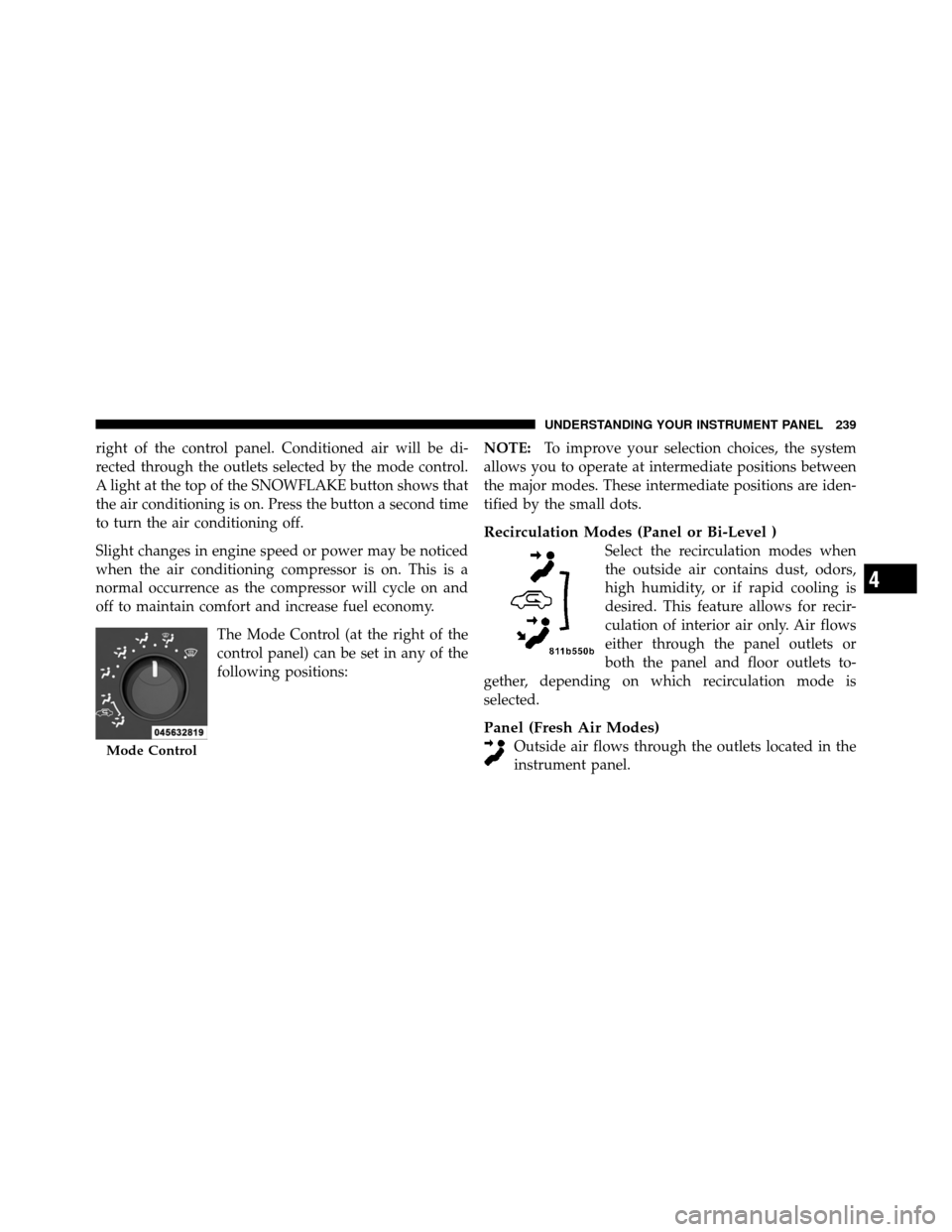
off to maintain comfort and increase fuel economy.The Mode Control (at the right of the
control panel) can be set in any of the
following positions: NOTE:
To improve your selection choices, the system
allows you to operate at intermediate positions between
the major modes. These intermediate positions are iden-
tified by the small dots.
Recirculation Modes (Panel or Bi-Level )
Select the recirculation modes when
the outside air contains dust, odors,
high humidity, or if rapid cooling is
desired. This feature allows for recir-
culation of interior air only. Air flows
either through the panel outlets or
both the panel and floor outlets to-
gether, depending on which recirculation mode is
selected.
Panel (Fresh Air Modes)
Outside air flows through the outlets located in the
instrument panel.Mode Control
4
UNDERSTANDING YOUR INSTRUMENT PANEL 239
Page 242 of 452
Bi-Level
Outside air flows through the outlets located in the
instrument panel and at the floor.
Floor
Outside air flows primarily through the floor out-
lets located under the instrument panel.
Mix
Outside air flows in equal proportions through the
floor and defroster outlets.
Defrost
Outside air is primarily directed to the windshield
through the defroster outlets located at the base of
the windshield, and the demister outlets located at the
edge of each side of the instrument panel. NOTE:
•The air conditioner compressor operates in both Mix
and Defrost or a blend of these modes, even if the A/C
button has not been pressed. This dehumidifies the air
to help dry the windshield.
•For information on operating the rear defrost, refer to
“Rear Window Features” in “Understanding The Fea-
tures Of Your Vehicle”.
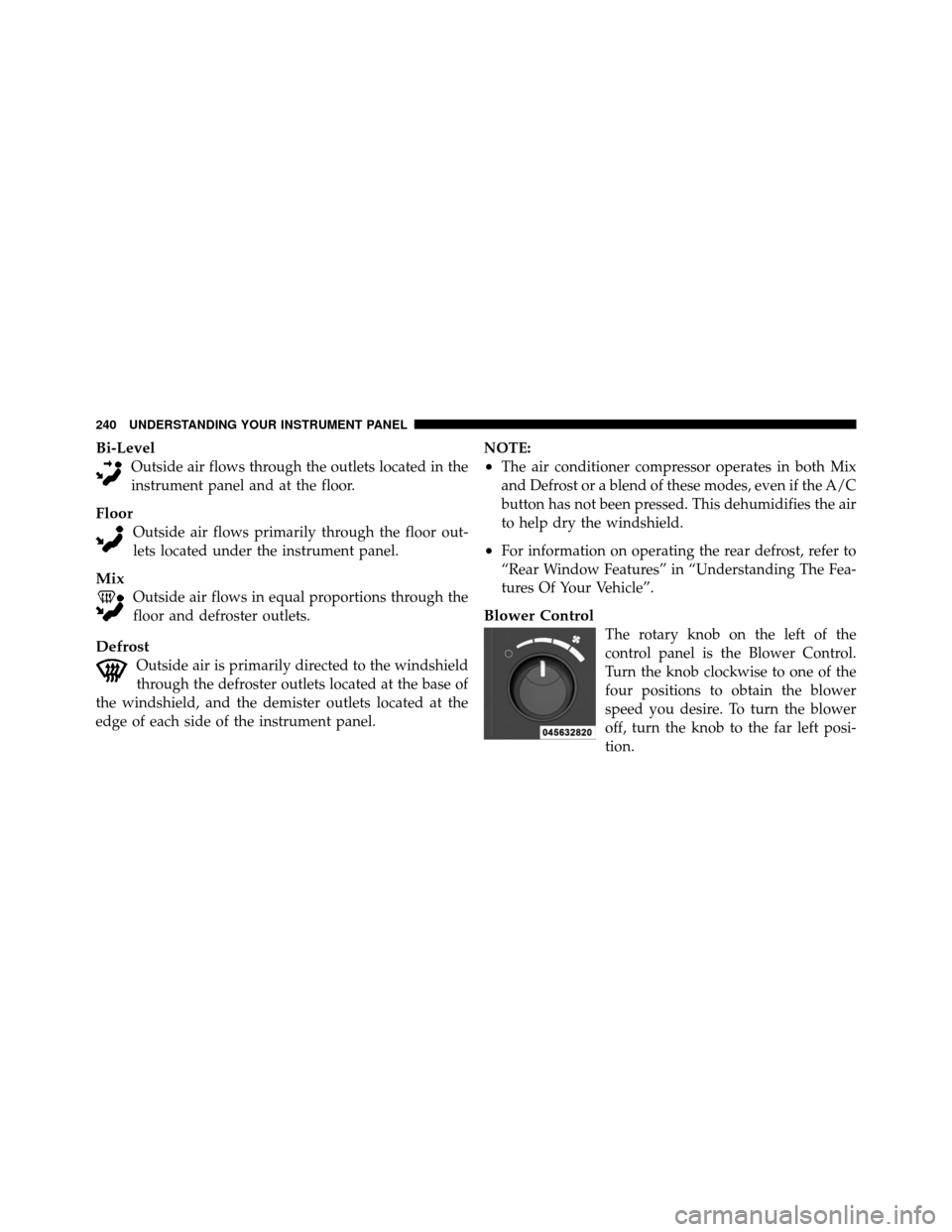
Blower Control
The rotary knob on the left of the
control panel is the Blower Control.
Turn the knob clockwise to one of the
four positions to obtain the blower
speed you desire. To turn the blower
off, turn the knob to the far left posi-
tion.
240 UNDERSTANDING YOUR INSTRUMENT PANEL
Page 243 of 452
NOTE:For vehicles equipped with Remote Start, the
climate controls will not function during Remote Start
operation if the blower control is left in the “O” (Off)
position.
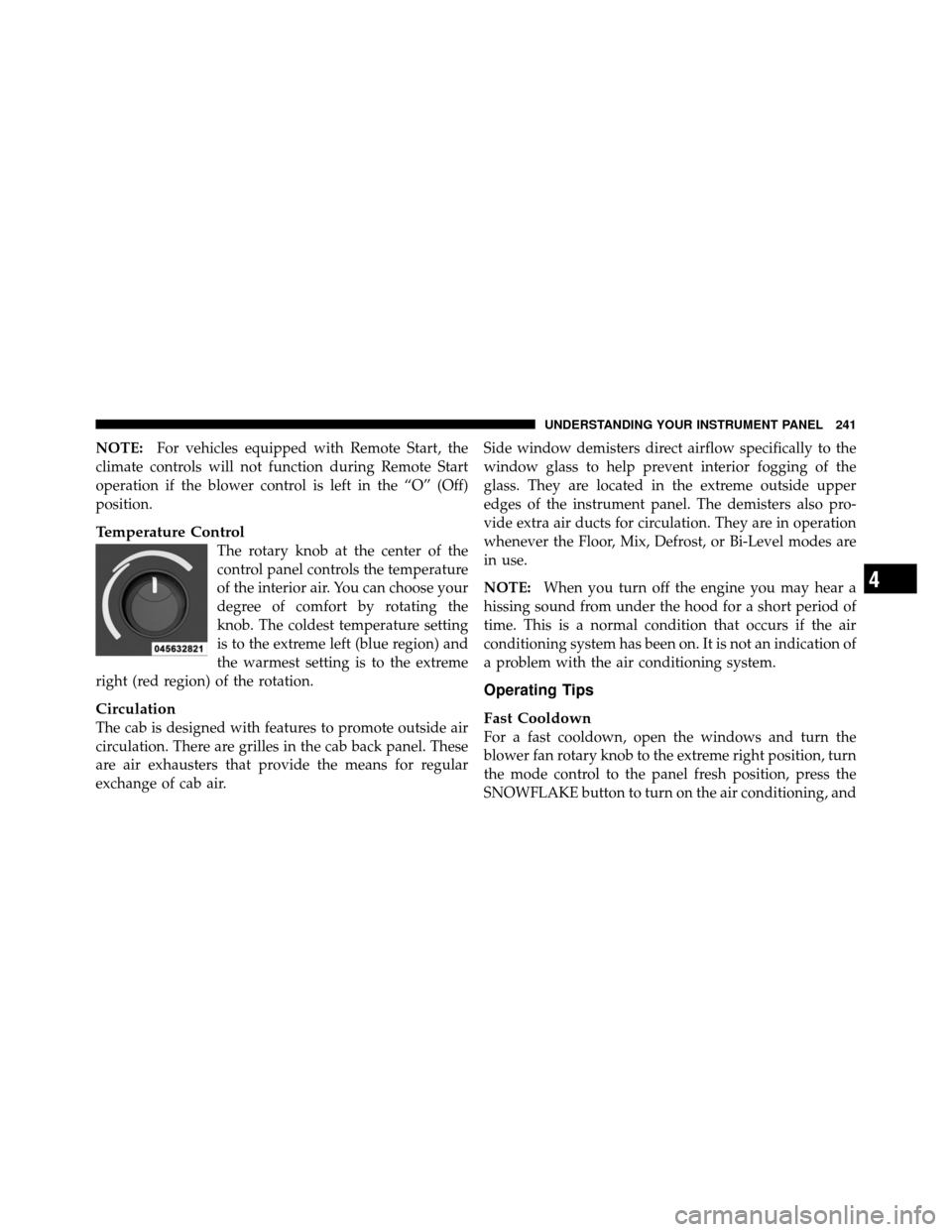
Temperature Control
The rotary knob at the center of the
control panel controls the temperature
of the interior air. You can choose your
degree of comfort by rotating the
knob. The coldest temperature setting
is to the extreme left (blue region) and
the warmest setting is to the extreme
right (red region) of the rotation.
Circulation
The cab is designed with features to promote outside air
circulation. There are grilles in the cab back panel. These
are air exhausters that provide the means for regular
exchange of cab air. Side window demisters direct airflow specifically to the
window glass to help prevent interior fogging of the
glass. They are located in the extreme outside upper
edges of the instrument panel. The demisters also pro-
vide extra air ducts for circulation. They are in operation
whenever the Floor, Mix, Defrost, or Bi-Level modes are
in use.
NOTE:
When you turn off the engine you may hear a
hissing sound from under the hood for a short period of
time. This is a normal condition that occurs if the air
conditioning system has been on. It is not an indication of
a problem with the air conditioning system.
Operating Tips
Fast Cooldown
For a fast cooldown, open the windows and turn the
blower fan rotary knob to the extreme right position, turn
the mode control to the panel fresh position, press the
SNOWFLAKE button to turn on the air conditioning, and
4
UNDERSTANDING YOUR INSTRUMENT PANEL 241
Page 244 of 452
drive with the windows open for the first few minutes.
Once the hot air has been expelled, close the windows
and turn the mode selector to the Recirculation Panel
Mode or Recirculation Mode Bi-level position. When a
comfortable condition has been reached, choose a mode
position and adjust the temperature control knob and
blower speed as necessary to maintain comfort. For high
humidity conditions it may be necessary to remain in the
Recirculation mode to maintain comfort.
Window Fogging
Windows will fog on the inside when the humidity inside
the vehicle is high. This often occurs in mild or cool
temperatures when it’s rainy or humid. In most cases
turning on the Air-conditioning (pressing the SNOW-
FLAKE button) will clear the fog. Adjust the temperature
control, air direction and blower speed to maintain
comfort.As the temperature gets colder it may be necessary to
direct air onto the windshield by using MIX Mode
position on the control. Adjust the temperature control
and blower speed to maintain comfort. High blower
speeds will reduce fogging. Interior fogging on the
windshield can be quickly removed by selecting the
defrost mode.
Regular cleaning of the inside of the windows with a
non-filming cleaning solution (vinegar and water works
very well) will help prevent contaminates (cigarette
smoke, perfumes, etc.) from sticking to the windows.
Contaminates on the inside of windows can increase the
rate of window fogging.
242 UNDERSTANDING YOUR INSTRUMENT PANEL
Page 245 of 452
Summer Operation
Air conditioned vehicles must be protected with a high
quality antifreeze coolant during summer, to provide
proper corrosion protection and to raise the boiling point
of the coolant for protection against overheating. A 50%
concentration of engine coolant to distilled water is
recommended. Refer to “Cooling System” under “Main-
tenance Procedures” in “Maintaining Your Vehicle”.
When using the air conditioner in extremely heavy
traffic, in hot weather, especially when towing a trailer,
additional engine cooling may be required. If this situa-
tion is encountered, operate the transmission in a lowergear and set the air conditioner to recirculation mode.
Operating the air conditioner in recirculation mode pro-
vides the maximum performance from your air condi-
tioning. When stopped in heavy traffic, it may be neces-
sary to shift into NEUTRAL and press the accelerator
slightly for fast idle operation.
Winter Operation
When operating the system during the winter months,
make sure the air intake, located directly in front of the
windshield, is free of ice, slush, snow, or other obstruc-
tions. This will help prevent snow going into the ducts.4
UNDERSTANDING YOUR INSTRUMENT PANEL 243
Page 288 of 452
Inflation pressures specified on the placard are always
“cold tire inflation pressure.” Cold tire inflation pressure
is defined as the tire pressure after the vehicle has not
been driven for at least three hours or driven less than
1 mile (1.6 km) after a three hour period. The cold tire
inflation pressure must not exceed the maximum infla-
tion pressure molded into the tire sidewall.
Check tire pressures more often if subject to a wide range
of outdoor temperatures as tire pressures vary with
temperature changes.
Tire pressures change by approximately 1 psi (7 kPa) per
12°F (7°C) of air temperature change. Keep this in mind
when checking tire pressure inside a garage, especially in
the Winter.Example: If garage temperature = 68°F (20°C) and the
outside temperature = 32°F (0°C) then the cold tire
inflation pressure should be increased by 3 psi (21 kPa),
which equals 1 psi (7 kPa) for every 12°F (7°C) for this
outside temperature condition.
Tire pressure may increase from 2 to 6 psi (13 to 40 kPa)
during operation. Do not reduce this normal pressure
build up or your tire pressure will be too low.
Tire Pressures For High Speed Operation
The manufacturer advocates driving at safe speeds
within posted speed limits. Where speed limits or condi-
tions are such that the vehicle can be driven at high
speeds, maintaining correct tire inflation pressure is very
important. Increased tire pressure and reduced vehicle
loading may be required for high-speed vehicle opera-
tion. Refer to original equipment or an authorized tire
dealer for recommended safe operating speeds, loading
and cold tire inflation pressures.
286 STARTING AND OPERATING
Page 292 of 452
WARNING!
Limited-use spares are for emergency use only. In-
stallation of this limited-use spare tire affects vehicle
handling. With this tire, do not drive more than the
speed listed on the limit-use spare wheel. Keep
inflated to the cold tire inflation pressure listed on
your Tire and Loading Information Placard located
on the driver ’s side door opening. Replace (or repair)
the original equipment tire at the first opportunity
and reinstall it on your vehicle. Failure to do so could
result in loss of vehicle control.
Tire Spinning
When stuck in mud, sand, snow, or ice conditions, do not
spin your vehicle’s wheels faster than 30 mph (48 km/h)
or for longer than 30 seconds continuously without
stopping when you are stuck.Refer to “Freeing A Stuck Vehicle” in “What To Do In
Emergencies” for further information.
WARNING!
Fast spinning tires can be dangerous. Forces gener-
ated by excessive wheel speeds may cause tire dam-
age or failure. A tire could explode and injure some-
one. Do not spin your vehicle’s wheels faster than
30 mph (48 km/h) or for more than 30 seconds
continuously when you are stuck, and do not let
anyone near a spinning wheel, no matter what the
speed.
Tread Wear Indicators
Tread wear indicators are in the original equipment tires
to help you in determining when your tires should be
replaced.
290 STARTING AND OPERATING
Page 302 of 452
The “Tire Pressure Monitoring Telltale Light” will flash on
and off for 75 seconds, and remain on solid when a system
fault is detected. The system fault will also sound a chime.
If the ignition key is cycled, this sequence will repeat,
providing the system fault still exists. The “Tire Pressure
Monitoring Telltale Light” will turn off when the fault
condition no longer exists. A system fault can occur by any
of the following scenarios: 1) Jamming due to electronic
devices or driving next to facilities emitting the same radio
frequencies as the TPM sensors; 2) Installing some form of
aftermarket window tinting that affects radio wave sig-
nals; 3) Lots of snow or ice around the wheels or wheel
housings; 4) Using tire chains on the vehicle; 5) Using
wheels/tires not equipped with TPM sensors.
NOTE: Your vehicle is equipped with a non-matching
full size spare wheel and tire assembly.
1. This spare tire does not have a tire pressure monitor-
ing sensor. Therefore, the TPMS will not monitor the tire
pressure in the spare tire.2. If you install the full size spare tire in place of a road
tire that has a pressure below the low-pressure warning
limit, upon the next ignition key cycle a chime will sound
and the “TPM Telltale Light” will still turn ON due to the
low tire.
3. However, after driving the vehicle for up to 20 min-
utes above 15 mph (24 km/h), the “TPM Telltale Light”
will flash on and off for 75 seconds and then remain on
solid.
4. For each subsequent ignition key cycle, a chime will
sound and the “TPM Telltale Light” will flash on and off
for 75 seconds and then remain on solid.
5. Once you repair or replace the original road tire, and
reinstall it on the vehicle in place of the full size spare tire,
the TPMS will update automatically and the “TPM
Telltale Light” will turn OFF, as long as no tire pressure is
below the low-pressure warning limit in any of the four
300 STARTING AND OPERATING
Page 306 of 452
be used at levels higher than those allowed in the United
States. MMT is prohibited in Federal and California
reformulated gasoline.
Materials Added To Fuel
All gasolines sold in the United States are required to
contain effective detergent additives. Use of additional
detergents or other additives is not needed under normal
conditions and would result in unnecessary cost. There-
fore, you should not have to add anything to the fuel.
Fuel System Cautions
CAUTION!
Follow these guidelines to maintain your vehicle’s
performance:(Continued)
CAUTION! (Continued)
•The use of leaded gas is prohibited by Federal law.
Using leaded gasoline can impair engine perfor-
mance, damage the emission control system.
•An out-of-tune engine, or certain fuel or ignition
malfunctions, can cause the catalytic converter to
overheat. If you notice a pungent burning odor or
some light smoke, your engine may be out of tune
or malfunctioning and may require immediate
service. Contact your authorized dealer for service
assistance.
•When pulling a heavy load or driving a fully
loaded vehicle when the humidity is low and the
temperature is high, use a premium unleaded fuel
to help prevent spark knock. If spark knock per-
sists, lighten the load, or engine piston damage
may result.(Continued)
304 STARTING AND OPERATING