ignition DODGE DURANGO 2006 2.G User Guide
[x] Cancel search | Manufacturer: DODGE, Model Year: 2006, Model line: DURANGO, Model: DODGE DURANGO 2006 2.GPages: 440, PDF Size: 6.63 MB
Page 23 of 440
Flash Lamps with Lock Programming
1. Press and hold the UNLOCK button on the key fob.
2. After holding the UNLOCK button for four seconds,
also press the LOCK button within 6 seconds. A single
chime will sound to indicate that this feature has
changed.
3. Release both buttons at the same time.
4. Test the flash lamps with LOCK feature while outside
of the vehicle, by pressing the LOCK button on the key
fob with the ignition in the OFF position, and the key
removed.
NOTE:Pressing the LOCK button on the key fob, while
you are in the vehicle, will activate the Security Alarm.
Opening a door with the Security Alarm activated will
cause the alarm to sound. Press the UNLOCK button to
deactivate the Security Alarm.5. If the desired programming was not achieved or to
reactivate this feature, repeat the above steps.
Using the Panic Alarm
To activate the Panic mode while the ignition is OFF press
and release the PANIC button on the transmitter once.
When the Panic mode is activated, the interior lights will
illuminate, the headlamps and parking lights will flash,
and the horn will sound.
To cancel the Panic mode press and release the PANIC
button on the transmitter a second time. Panic mode will
automatically cancel after 3 minutes or if the vehicle is
started or exceeds 15 mph (24 km/h). During the Panic
Mode, the door locks and remote keyless entry systems
will function normally. Panic mode will not disarm the
security system on vehicles so equipped.
THINGS TO KNOW BEFORE STARTING YOUR VEHICLE 23
2
Page 25 of 440
2. Fasten your seat belt (Fastening the seatbelt will cancel
any chiming that may confuse you during this program-
ming procedure).
3. Place the key into the ignition.
4. Turn the ignition to the ON position (Do not start the
engine).
5. Press and hold the UNLOCK button on the key fob.
6. After holding the UNLOCK button for four seconds,
also press the PANIC button within 6 seconds.
7. When a single chime is heard release both buttons. The
chime is an indication that you have successfully entered
program mode. All fobs that are to be programmed must
be done so within 60 seconds of when the chime was
heard.8. Using the fob to be programmed, press and release
both the LOCK and UNLOCK buttons, simultaneously.
9. A single chime will be heard.
10. Within four seconds of hearing the chime, press and
release the UNLOCK button on the fob.
11. A single chime will be heard.
12. Repeat steps 8 through 10 to program up to six
additional fobs.
13. Turn the ignition to the OFF position.
14. Your vehicle will remain in program mode up to 60
seconds from when the original chime was heard. After
60 seconds, all programmed fobs function normally.
NOTE:If you do not have a programmed transmitter,
contact your dealer for details.
THINGS TO KNOW BEFORE STARTING YOUR VEHICLE 25
2
Page 26 of 440
Battery Replacement
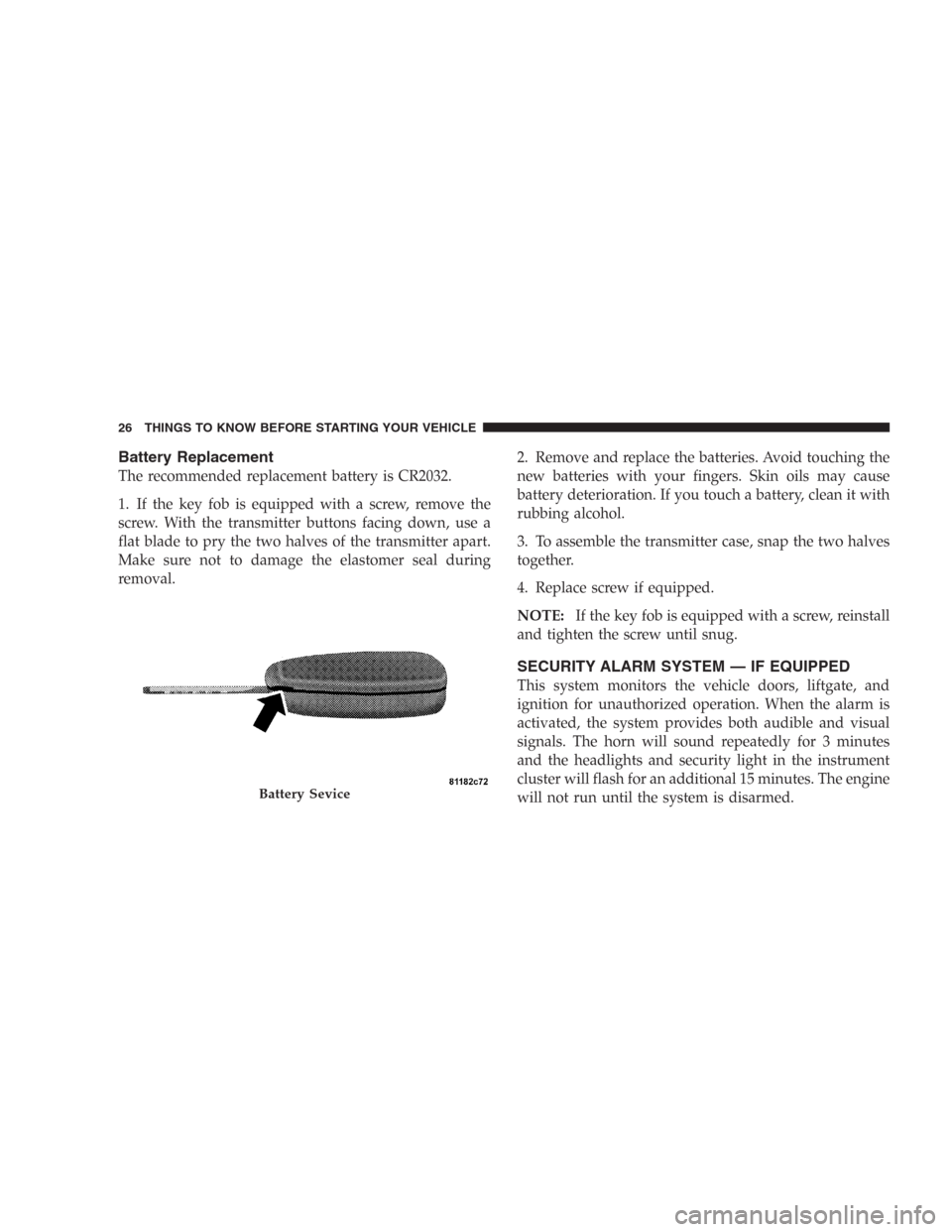
The recommended replacement battery is CR2032.
1. If the key fob is equipped with a screw, remove the
screw. With the transmitter buttons facing down, use a
flat blade to pry the two halves of the transmitter apart.
Make sure not to damage the elastomer seal during
removal.2. Remove and replace the batteries. Avoid touching the
new batteries with your fingers. Skin oils may cause
battery deterioration. If you touch a battery, clean it with
rubbing alcohol.
3. To assemble the transmitter case, snap the two halves
together.
4. Replace screw if equipped.
NOTE:If the key fob is equipped with a screw, reinstall
and tighten the screw until snug.
SECURITY ALARM SYSTEM — IF EQUIPPED
This system monitors the vehicle doors, liftgate, and
ignition for unauthorized operation. When the alarm is
activated, the system provides both audible and visual
signals. The horn will sound repeatedly for 3 minutes
and the headlights and security light in the instrument
cluster will flash for an additional 15 minutes. The engine
will not run until the system is disarmed.
Battery Sevice
26 THINGS TO KNOW BEFORE STARTING YOUR VEHICLE
Page 28 of 440
UNLOCK button or by inserting a programmed Sentry
Key into the ignition and turning the key to the ON
position.
REMOTE STARTING SYSTEM — IF EQUIPPED
Your Dodge Durango may be equipped with a remote
starting system, which will allow the vehicle to be started
up to 300 feet away from the vehicle using the remote
keyless entry key fob which is part of your ignition key.
In order to remote start your vehicle, the hood, liftgate,
and all the doors must be closed.
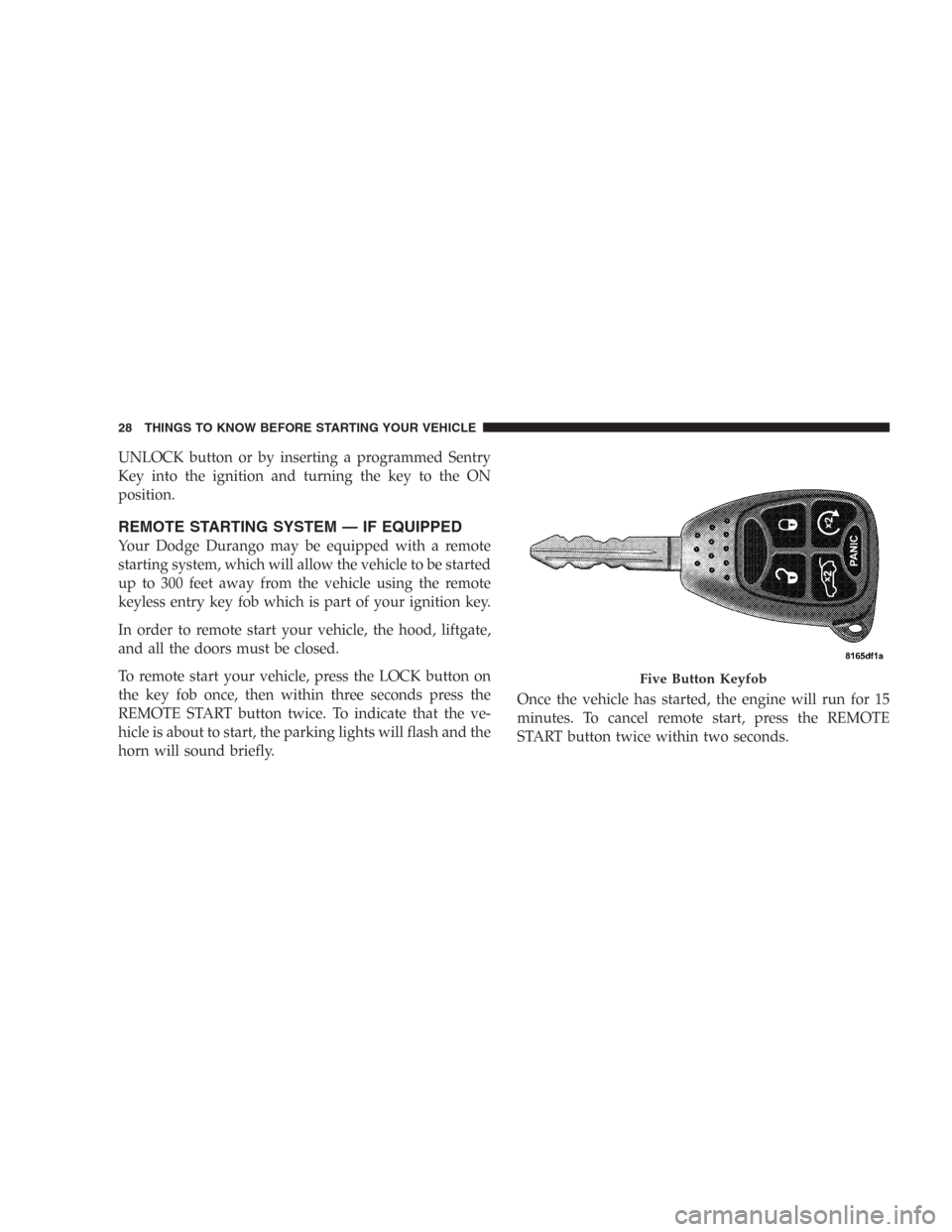
To remote start your vehicle, press the LOCK button on
the key fob once, then within three seconds press the
REMOTE START button twice. To indicate that the ve-
hicle is about to start, the parking lights will flash and the
horn will sound briefly.Once the vehicle has started, the engine will run for 15
minutes. To cancel remote start, press the REMOTE
START button twice within two seconds.
Five Button Keyfob
28 THINGS TO KNOW BEFORE STARTING YOUR VEHICLE
Page 29 of 440
To enter the vehicle while the engine is running during a
remote start, you must first unlock the vehicle using the
UNLOCK button on the key fob. After the vehicle is
unlocked, you have 60 seconds to enter the vehicle, insert
the key in the Ignition and move it to the RUN position,
otherwise the engine will cancel remote start and auto-
matically turn off.
Remote start will also cancel if any of the following occur:
•If the engine stalls or RPM exceeds 2500
•Any engine warning lamps come on
•The hood is opened
•The hazard switch is pressed
•The transmission is moved out of park.The vehicle can be started remotely up to a maximum of
two times. The vehicle is also allowed a maximum of one
failed start, where the remote start sequence was initiated
but cancelled before the engine begins to crank. After
either of these conditions, or if the Vehicle Theft Alarm is
alarming, or if the PANIC button was pressed, the vehicle
must be reset by inserting a valid key into the ignition
and moving it to the RUN position, then back to LOCK.
LIFTGATE
The liftgate can be unlocked using the remote keyless
entry or by activating the power door lock switches
located on the front doors.
THINGS TO KNOW BEFORE STARTING YOUR VEHICLE 29
2
Page 34 of 440
WINDOWS
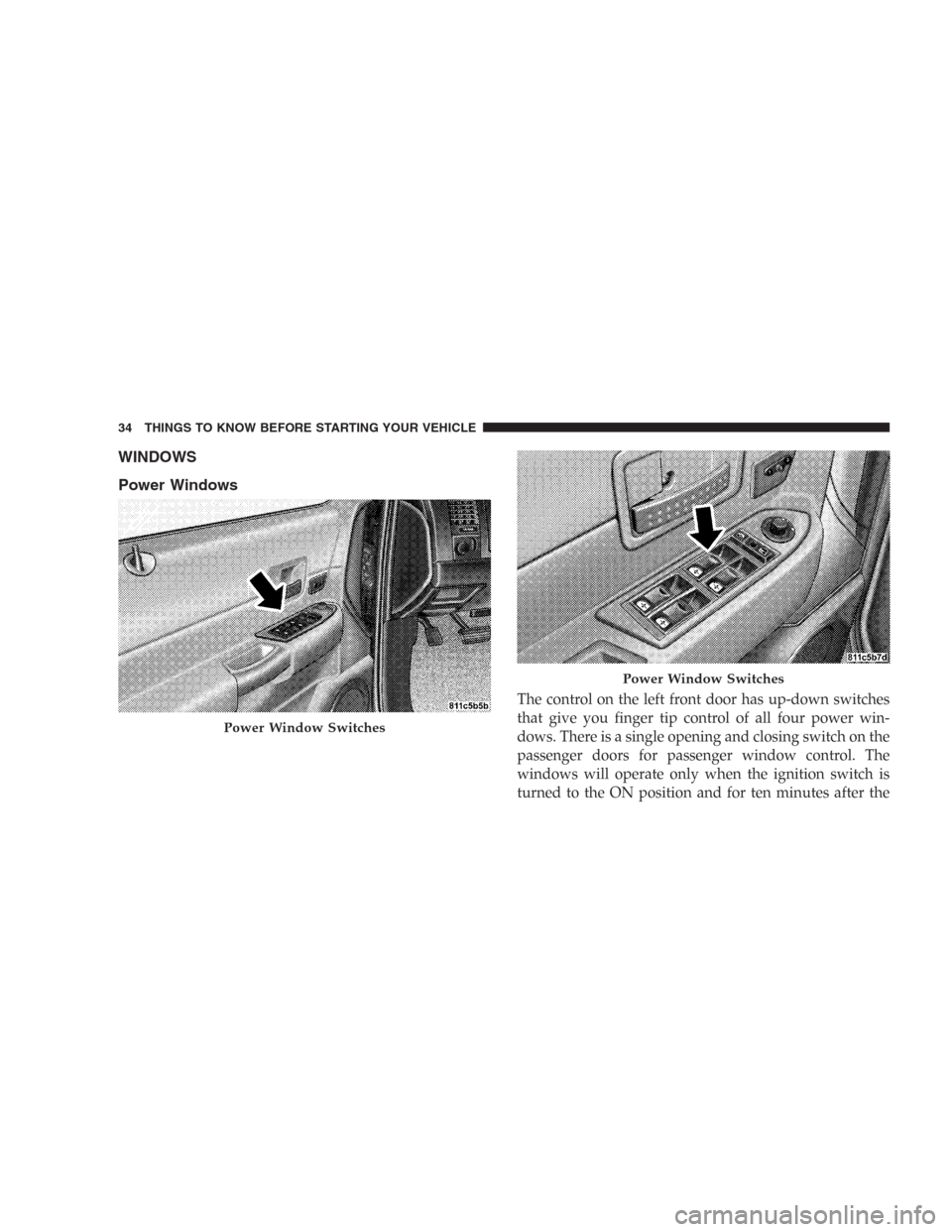
Power Windows
The control on the left front door has up-down switches
that give you finger tip control of all four power win-
dows. There is a single opening and closing switch on the
passenger doors for passenger window control. The
windows will operate only when the ignition switch is
turned to the ON position and for ten minutes after the
Power Window Switches
Power Window Switches
34 THINGS TO KNOW BEFORE STARTING YOUR VEHICLE
Page 35 of 440
ignition is turned OFF or the driver’s door is opened.
This feature can be turned off by your authorized dealer.
NOTE:The Power Accessory Delay feature will allow
the power windows to operate for ten minutes after the
ignition it turned OFF.
Auto Down
The driver’s window switch has an Auto Down feature.
Push the window switch past the first detent, release, and
the window will go down automatically. To cancel the
Auto Down movement, operate the switch in either the
up or down direction and release the switch.
Window Lockout Switch
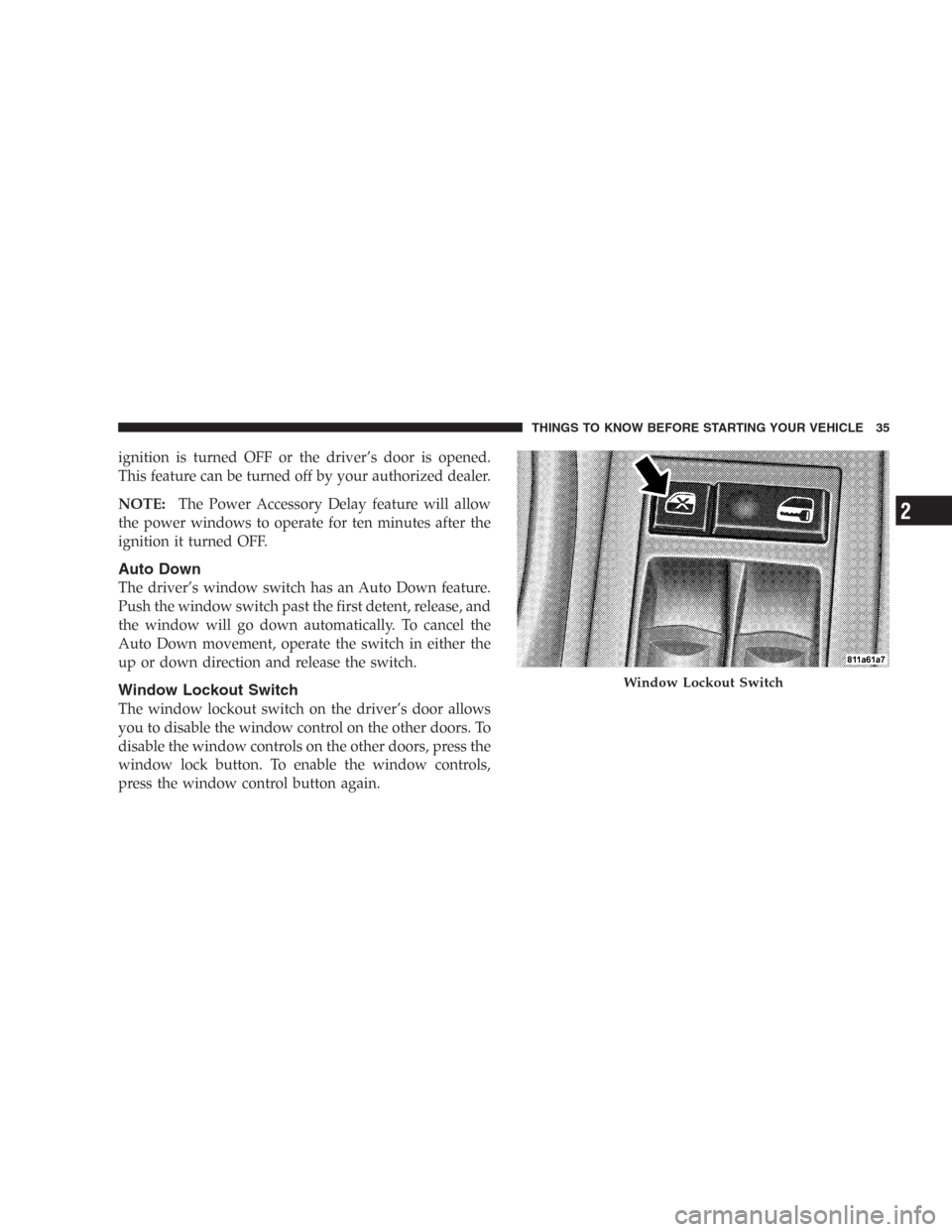
The window lockout switch on the driver’s door allows
you to disable the window control on the other doors. To
disable the window controls on the other doors, press the
window lock button. To enable the window controls,
press the window control button again.
Window Lockout Switch
THINGS TO KNOW BEFORE STARTING YOUR VEHICLE 35
2
Page 43 of 440
Rear 60/40 Seat Third Row Center Three Point
Belt — If Equipped
The center three point seat belt for the third row rear seat
may be disconnected to allow the 60% seat back to easily
fold down. The keyed-buckle latch plate (small latch
plate at the end of the belt) can be detached from the
keyed seat belt buckle (buckle without a red release
button) located on the left inboard side of the third row
bench seat. Insert the ignition key into the center white
slot on the keyed buckle. The small latchplate can be
removed when the key is pressed into the buckle. Allow
the retractor to take up the surplus webbing, and insert
the latch plates into the slots in the headliner for storage
while the 60% seat back is folded down.
WARNING!
•If the small (keyed buckle) latch plate and keyed
buckle are not properly connected when the seat
belt is used by an occupant, the seat belt will not
be able to provide the proper restraint and will
increase the risk of injury in a collision.
•When reattaching the small (keyed buckle) latch
plate and keyed buckle, ensure the seat belt
webbing is not twisted. If the webbing is twisted,
follow the preceeding procedure to detach the
small latch plate from the keyed buckle, untwist
the webbing, and reattach the small latch plate
and keyed buckle.
THINGS TO KNOW BEFORE STARTING YOUR VEHICLE 43
2
Page 46 of 440
Enhanced Driver Seat Belt Reminder System
(BeltAlert)
If the driver’s seat belt has not been buckled within 60
seconds of starting the vehicle and if the vehicle speed is
greater than 5 mph (8 km/h), the Enhanced Warning
System (BeltAlert) will alert the driver to buckle their seat
belt. The driver should also instruct all other occupants to
buckle their seat belts. Once the warning is triggered, the
Enhanced Warning System (BeltAlert) will continue to
chime and flash the Seat Belt Warning Light for 96
seconds or until the driver’s seat belt is buckled. The
Enhanced Warning System (BeltAlert) will be reactivated
if the driver’s seat belt is unbuckled for more than 10
seconds and the vehicle speed is greater than 5 mph (8
km/h).
Once the warning is triggered it can be paused if the
vehicle speed drops below 5 mph (8 km/h. The warning
will be restarted if the vehicle speed becomes greater
than 5 mph.The Enhanced Warning System (BeltAlert) can be en-
abled or disabled by your authorized dealer or by
following these steps:
NOTE:The following steps must occur within the first
60 seconds of the ignition switch being turned to the ON
or START position. DaimlerChrysler does not recom-
mend deactivating the Enhanced Warning System
(BeltAlert).
1. Turn the ignition switch to the OFF position and
buckle the driver’s seat belt.DO NOTstart the engine or
press the trip reset button.
2. Turn the ignition switch to the ON position and wait
for the seat belt Warning Light to turn off. If during this
time, the seat belt becomes unbuckled or the engine is
cranked or started, programming will be cancelled.
3. Unbuckle and then re-buckle the driver’s seat belt
three times within 10 seconds, ending with the seat belt
46 THINGS TO KNOW BEFORE STARTING YOUR VEHICLE
Page 47 of 440
buckled. A chime will sound immediately (once the
feature has toggled). If during this time the ignition
switch is turned out of the ON position or the timer
expires, programming mode will be cancelled.
4. Programming mode will be cancelled after the feature
has toggled with the seat belt still buckled or if the
ignition switch is turned to the lock position or 10
seconds after the feature has toggled.
The Enhanced Warning System (BeltAlert) can be reacti-
vated by repeating this procedure.
NOTE:Although the Enhanced Warning System
(BeltAlert) has been deactivated, the Seat Belt Warning
Light will continue to illuminate while the driver’s seat
belt remains unbuckled.Seat Belts and Pregnant Women
We recommend that pregnant women use seat belts
throughout their pregnancies. Keeping the mother safe is
the best way to keep the baby safe.
Pregnant women should wear the lap part of the belt
across the thighs and as snug against the hips as possible.
Keep the belt low so that it does not come across the
abdomen. That way the strong bones of the hips will take
the force if there is a collision.
Seat Belt Extender
If a seat belt is too short, even when fully extended, your
dealer can provide you with a seat belt extender. This
extender should be used only if the existing belt is not
long enough. When it is not required, remove the ex-
tender and store it.
THINGS TO KNOW BEFORE STARTING YOUR VEHICLE 47
2