lock DODGE DURANGO 2008 2.G Owner's Guide
[x] Cancel search | Manufacturer: DODGE, Model Year: 2008, Model line: DURANGO, Model: DODGE DURANGO 2008 2.GPages: 481, PDF Size: 7.75 MB
Page 66 of 481
²Check belt fit periodically. A child's squirming or
slouching can move the belt out of position.
²If the shoulder belt contacts the face or neck, move the
child closer to the center of the vehicle. Never allow a
child to put the shoulder belt under an arm.
WARNING!
²Improper installation can lead to failure of an
infant or child restraint. It could come loose in a
collision. The child could be badly injured or
killed. Follow the manufacturer's directions ex-
actly when installing an infant or child restraint.
²A rearward facing infant restraint should only be
used in a rear seat. A rearward facing infant
restraint in the front seat may be struck by a
deploying passenger airbag which may cause se-
vere or fatal to the infant.Here are some tips for getting the most out of your child
restraint:
²Before buying any restraint system, make sure that it
has a label certifying that it meets all applicable Safety
Standards. The manufacturer recommends that you
try a child restraint in the vehicle seats where you will
use it before you buy it.
²The restraint must be appropriate for your child's
weight and height. Check the label on the restraint for
weight and height limits.
²Carefully follow the instructions that come with the
restraint. If you install the restraint improperly, it may
not work when you need it.
²The second row outside seating positions and all third
row seats have cinching latch plates. The second row
center position has an automatic locking retractor.
These are designed to keep the lap portion tight
66 THINGS TO KNOW BEFORE STARTING YOUR VEHICLE
Page 67 of 481

around the child restraint so that it is not necessary to
use a locking clip. If the seat belt has a cinching latch
plate, pulling up on the shoulder portion of the
lap/shoulder belt will tighten the belt. The cinching
latch plate will keep the belt tight, however, any seat
belt system will loosen with time, so check the belt
occasionally and pull it tight if necessary. If the seat
belt has a automatic locking retractor, it will have a
distinctive label. Pull the belt from the retractor until
there is enough to allow you to pass through the child
restraint and slide the latch plate into the buckle. Then,
pull the belt until it is all extracted from the retractor.Allow the belt to return to the retractor, pulling on the
excess webbing to tighten the lap portion about the
child restraint. Refer to9Automatic Locking Mode9
earlier in this section.
²Buckle the child into the restraint exactly as the
manufacturer's instructions tell you.
²When your child restraint is not in use, secure it in the
vehicle with the seat belt or remove it from the vehicle.
Do not leave it loose in the vehicle. In a sudden stop or
collision, it could strike the occupants or seat backs
and cause serious personal injury.
THINGS TO KNOW BEFORE STARTING YOUR VEHICLE 67
2
Page 72 of 481

Installing Child Restraints Using the Vehicle Seat
Belt
The second and third row seats have either cinching latch
plates or automatic locking retractors which are designed
to keep the lap portion tight around the child restraint so
that it is not necessary to use a locking clip. If the seat belt
has a cinching latch plate, pulling up on the shoulder
portion of the lap/shoulder belt will tighten the belt. The
cinching latch plate will keep the belt tight, however, any
seat belt system will loosen with time, so check the belt
occasionally and pull it tight if necessary. If the seat belt
has a automatic locking retractor, it will have a distinctive
label. Pull the belt from the retractor until there is enough
to allow you to pass through the child restraint and slide
the latch plate into the buckle. Then, pull the belt until it
is all extracted from the retractor. Allow the belt to return
to the retractor, pulling on the excess webbing to tighten
the lap portion about the child restraint. Refer to9Auto-
matic Locking Mode9earlier in this section.
Child Restraints in Third Row Seating (If
Equipped)
For vehicles equipped with third row split bench (60/40)
seating, the tether strap anchorage is located on the seat
Second Row Seat Tether Anchors
72 THINGS TO KNOW BEFORE STARTING YOUR VEHICLE
Page 77 of 481

Safety Checks You Should Make Outside The
Vehicle
Tires
Examine tires for tread wear or uneven wear patterns.
Check for stones, nails, glass or other objects lodged in
the tread.
Inspect for tread cuts or sidewall cracks. Check wheel
nuts for tightness and tires for proper pressure.
Lights
Check the operation of all exterior lights. Check turn
signal and high beam indicator lights on the instrument
panel.
Door Latches
Check for positive closing, latching and locking.
Fluid Leaks
Check area under vehicle after overnight parking for fuel,
water, oil, or other fluid leaks. Also, if fuel fumes are
detected the cause should be located and corrected.
THINGS TO KNOW BEFORE STARTING YOUR VEHICLE 77
2
Page 114 of 481

General Information
This device complies with part 15 of the FCC rules and
RSS 210 of Industry Canada. Operation is subject to the
following conditions:
²This device may not cause harmful interference.
²This device must accept any interference received,
including interference that may cause undesired op-
eration.
SEATS
Front Seat Manual Seat Adjustment
The adjusting lever is at the front of the seat, near the
floor. Lift the lever and move the seat to the desired
position. Release the bar to lock the seat into position.Using body pressure, move forward and rearward on the
seat to be sure the seat adjusters have latched.
Manual Seat Adjuster
114 UNDERSTANDING THE FEATURES OF YOUR VEHICLE
Page 115 of 481
WARNING!
Adjusting a seat while the vehicle is moving is
dangerous. The sudden movement of the seat could
cause you to lose control. The seat belt might not be
properly adjusted and you could be injured. Adjust
any seat only while the vehicle is parked.
Front Seats Manual Seat Recliners
The bucket seats are equipped with recliners. The reclin-
ing mechanism is operated by a lever located on the right
side of the passenger's seat and the left side of the driver
seat. To recline, lean forward slightly before lifting thelever, then push back to the desired position and release
the lever. Lean forward and lift the lever to return the
seatback to its normal position. Using body pressure, lean
forward and rearward on the seat to be sure the seatback
is locked.
WARNING!
Do not ride with the seatback reclined so that the
shoulder belt is no longer resting against your chest.
In a collision you could slide under the seat belt and
be seriously or even fatally injured. Use the recliner
only when the vehicle is parked.
UNDERSTANDING THE FEATURES OF YOUR VEHICLE 115
3
Page 124 of 481
To Fold the 40% seatbacks fully raise the lever on the side
of the seat to release the seatback. The seatback can now
be folded into the down position for use as a cargo floor,
or the seat can now be tumbled forward to allow access
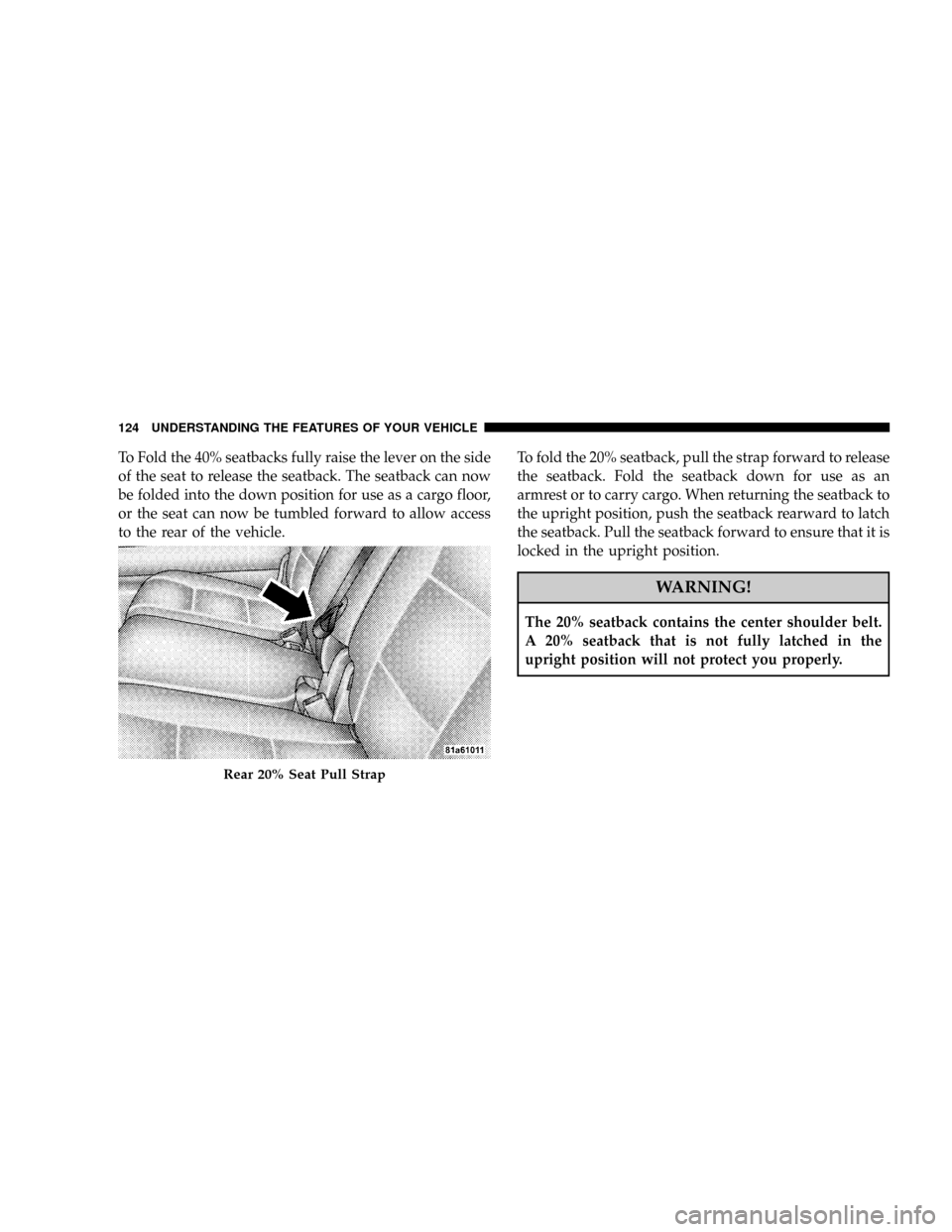
to the rear of the vehicle.To fold the 20% seatback, pull the strap forward to release
the seatback. Fold the seatback down for use as an
armrest or to carry cargo. When returning the seatback to
the upright position, push the seatback rearward to latch
the seatback. Pull the seatback forward to ensure that it is
locked in the upright position.
WARNING!
The 20% seatback contains the center shoulder belt.
A 20% seatback that is not fully latched in the
upright position will not protect you properly.
Rear 20% Seat Pull Strap
124 UNDERSTANDING THE FEATURES OF YOUR VEHICLE
Page 131 of 481

DRIVER MEMORY SYSTEM Ð IF EQUIPPED
Once programmed, the memory buttons 1 and 2 on the
driver's door panel can be used to recall the driver's seat
position, driver's outside mirror position, adjustablebrake and accelerator pedals position, Automatic Tem-
perature Control (ATC) temperature and radio station
preset settings. Your Remote Keyless Entry transmitters
can also be programmed to recall the same positions
when the UNLOCK button is pressed.
Your vehicle was delivered with two Remote Keyless
Entry transmitters. One or both transmitters can be
Third Row Seat Return Pull Strap
UNDERSTANDING THE FEATURES OF YOUR VEHICLE 131
3
Page 132 of 481

linked to either memory position. The memory system
can accommodate up to two transmitters, each transmit-
ter linked to either of the two memory positions.
Setting Memory Positions and Linking Remote
Keyless Entry Transmitter to Memory
NOTE:Each time the SET (S) button and a numbered
button (1 or 2) are pressed, you erase the memory settings
for that button and store new settings.
1. Adjust the driver's seat, recliner, and both side view
mirrors to the desired positions.
NOTE:Not all motors may be moved at one time.
Please refer to the 8-way power seat description.
2. Adjust the brake and accelerator pedals to the desired
positions.
3. Turn on the radio and set the radio station presets (up
to 10 AM and 10 FM stations can be set).4. Adjust the Automatic Temperature Control (ATC)
while the ATC is in Auto mode.
5. Press and release the SET (S) button located on the
driver's door.
6. Within 5 seconds, press and release memory button 1
or 2 on the driver's door. The next step must be per-
formed within 10 seconds if you desire to also use a
Remote Keyless Entry transmitter to recall memory po-
sitions.
7. Press and release the LOCK button on one of the
transmitters.
8. Insert the ignition key and turn the ignition switch to
the ON position.
9. Repeat the above steps to set the next memory posi-
tion using the other numbered memory button or to link
another Remote Keyless Entry transmitter to memory.
132 UNDERSTANDING THE FEATURES OF YOUR VEHICLE
Page 133 of 481

NOTE:A chime sound may be heard if Setting Memory
was inhibited for any reason.
Memory Position Recall
NOTE:
²The driver's seat belt must be unbuckled to recall
memory positions.
²The vehicle must be in Park to recall memory posi-
tions.
²Not all motors may be moved at one time. Please refer
to the 8-way power seat description.
To recall the memory settings for driver one, press
memory button number 1 on the driver's door or the
Unlock button on the Remote Keyless Entry transmitter
linked to memory position 1.To recall the memory setting for driver two, press
memory button number 2 on the driver's door or the
Unlock button on the Remote Keyless Entry transmitter
linked to memory position 2.
A recall can be cancelled by pressing any of the memory
buttons on the drivers door during a recall (S, 1, or 2), or
pressing any one of the power seat buttons, or pressing
the adjustable pedals button, or pressing either the LOCK
or UNLOCK button on the remote keyless entry trans-
mitter when not in the ignition switch. When a recall is
cancelled, the driver's seat, and the pedals stop moving.
A delay of one second will occur before another recall can
be selected.
NOTE:A chime sound may be heard if Setting Memory
was inhibited for any reason.
UNDERSTANDING THE FEATURES OF YOUR VEHICLE 133
3