battery DODGE DURANGO 2015 3.G User Guide
[x] Cancel search | Manufacturer: DODGE, Model Year: 2015, Model line: DURANGO, Model: DODGE DURANGO 2015 3.GPages: 689, PDF Size: 20.05 MB
Page 80 of 689
System Reset Procedure
In order to reset the Enhanced Accident Response System
functions after an event, the ignition switch must be
changed from ignition START or ON/RUN to ignition
OFF.
Air Bag Warning Light
The air bags must be ready to inflate for your
protection in a collision. The Occupant Re-
straint Controller (ORC) monitors the internal
circuits and interconnecting wiring associated
with air bag system electrical components.
The ORC monitors the readiness of the electronic parts of
the air bag system whenever the ignition is in the START
or ON/RUN position. If the ignition is in the OFF
position or in the ACC position, the air bag system is not
on and the air bags will not inflate.
The ORC contains a backup power supply system that
may deploy the air bags even if the battery loses power or
it becomes disconnected prior to deployment.
The ORC turns on the Air Bag Warning Light in the
instrument panel for approximately four to eight seconds
for a self-check when the ignition is first placed in the
ON/RUN position. After the self-check, the Air Bag
Warning Light will turn off. If the ORC detects a mal-
function in any part of the system, it turns on the Air Bag
Warning Light, either momentarily or continuously. A
single chime will sound to alert you if the light comes on
again after initial startup.
The ORC also includes diagnostics that will illuminate
the instrument panel Air Bag Warning Light if a malfunc-
tion is detected that could affect the air bag system. The
diagnostics also record the nature of the malfunction.
While the air bag system is designed to be maintenance
78 THINGS TO KNOW BEFORE STARTING YOUR VEHICLE
Page 117 of 689
▫Parking Lights And Panel Lights...........175
▫Fog Lights — If Equipped...............175
▫Interior Lights........................176
▫Lights-On Reminder...................177
▫Battery Saver.........................177
▫Front Map/Reading Lights — If Equipped . . .178
▫Courtesy Lights.......................179
▫Ambient Light — If Equipped............179
▫Multifunction Lever....................180
▫Turn Signals.........................180
▫Lane Change Assist...................181
▫Flash-To-Pass........................181
▫High/Low Beam Switch.................181
!WINDSHIELD WIPERS AND WASHERS......182
▫Windshield Wiper Operation.............183
▫Intermittent Wiper System...............183
▫Windshield Washer Operation.............184
▫Mist...............................185
▫Rain Sensing Wipers — If Equipped........186
!TILT/TELESCOPING STEERING COLUMN . . .187
!POWER TILT/TELESCOPING STEERING
COLUMN — IF EQUIPPED...............188
!HEATED STEERING WHEEL — IF EQUIPPED . .190
!ELECTRONIC SPEED CONTROL —
IF EQUIPPED.........................191
▫To Activate..........................192
▫To Set A Desired Speed.................193
3
UNDERSTANDING THE FEATURES OF YOUR VEHICLE 115
Page 129 of 689

•The vehicle’s electrical systems are not intact.
•The 9-1-1 Call system software and/or hardware are
damaged during a crash.
•The vehicle battery loses power or becomes discon-
nected during a vehicle crash.
•Wireless and/or Global Positioning Satellite signals
are unavailable or obstructed.
•Equipment malfunction at the 9-1-1 operator facility.
•Operator error by the 9-1-1 operator.
•Wireless network congestion.
•Weather.
•Buildings, structures, geographic terrain, or tunnels.
NOTE:Never place anything on or near the vehicle’s
wireless and GPS antennas. You could prevent wireless
and GPS signal reception, which can prevent your vehicle
from placing an emergency call. Wireless and GPS signal
reception is required for the 9-1-1 Call system to function
properly.
General Information
This device complies with Part 15 of the FCC Rules.
Operation is subject to the following two conditions: (1)
This device may not cause harmful interference, and (2)
this device must accept any interference received, includ-
ing interference that may cause undesired operation.
CAUTION!
To avoid damage to the mirror during cleaning, never
spray any cleaning solution directly onto the mirror.
Apply the solution onto a clean cloth and wipe the
mirror clean.
3
UNDERSTANDING THE FEATURES OF YOUR VEHICLE 127
Page 178 of 689
An indicator light located in the instrument cluster will
illuminate when the fog lights are on. The fog lights will
turn off when the switch is pushed a second time, when
the headlight switch is rotated to the off position, or the
high beam is selected.
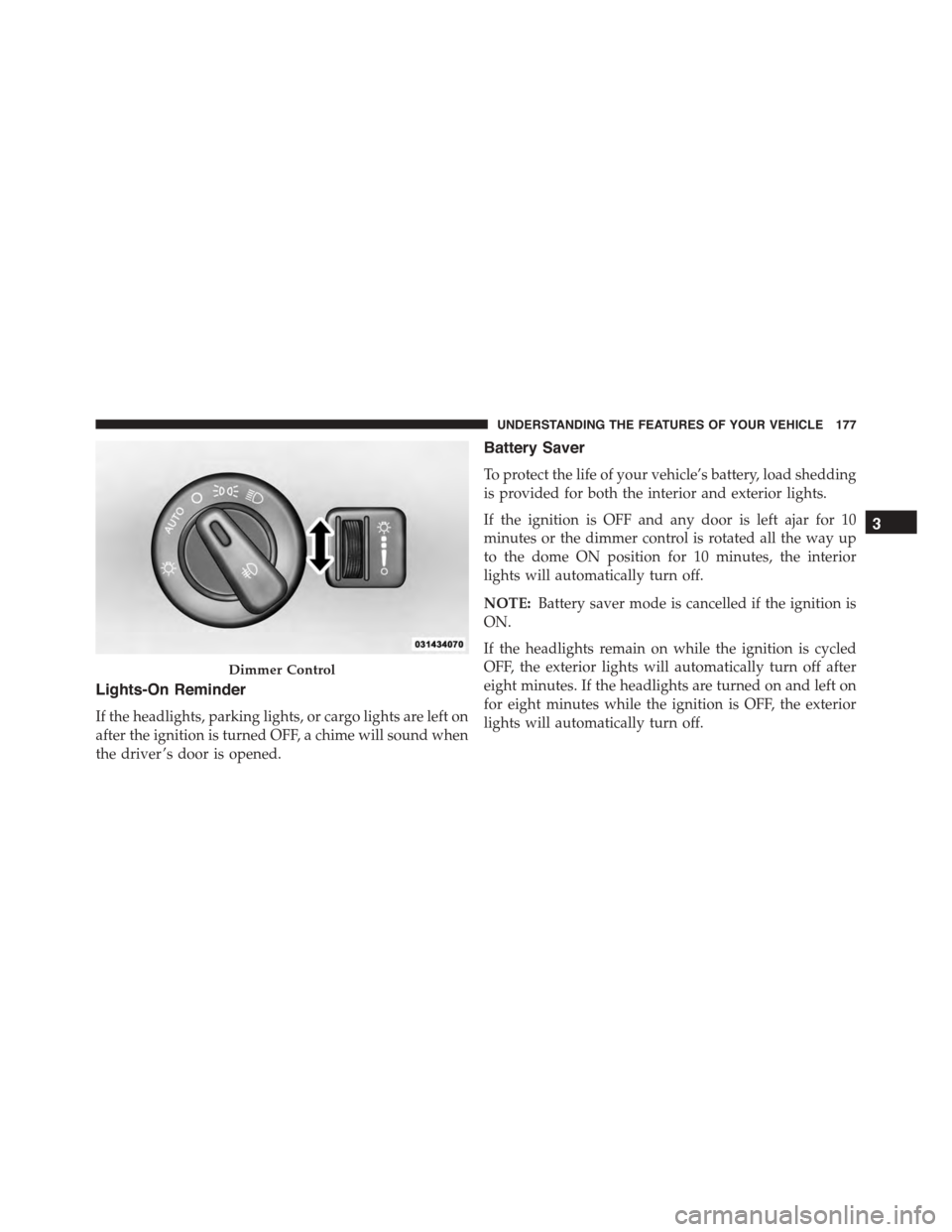
Interior Lights
Courtesy and dome lights are turned on when the front
doors are opened or when the dimmer control (rotating
wheel on the right side of the headlight switch) is rotated
to the its farthest upward position. If your vehicle is
equipped with Remote Keyless Entry (RKE) and the
UNLOCK button is pushed on the RKE transmitter, the
courtesy and dome lights will turn on. When a door is
open and the interior lights are on, rotating the dimmer
control all the way down, to the OFF detent, will cause all
the interior lights to go out. This is also known as the
“Party” mode because it allows the doors to stay open for
extended periods of time without discharging the vehi-
cle’s battery.
The brightness of the instrument panel lighting can be
regulated by rotating the dimmer control up (brighter) or
down (dimmer). When the headlights are on you can
supplement the brightness of the odometer, trip odom-
eter, radio and overhead console by rotating the control
to its farthest position up until you hear a click. This
feature is termed the “Parade” mode and is useful when
headlights are required during the day.
176 UNDERSTANDING THE FEATURES OF YOUR VEHICLE
Page 179 of 689
Lights-On Reminder
If the headlights, parking lights, or cargo lights are left on
after the ignition is turned OFF, a chime will sound when
the driver ’s door is opened.
Battery Saver
To protect the life of your vehicle’s battery, load shedding
is provided for both the interior and exterior lights.
If the ignition is OFF and any door is left ajar for 10
minutes or the dimmer control is rotated all the way up
to the dome ON position for 10 minutes, the interior
lights will automatically turn off.
NOTE:Battery saver mode is cancelled if the ignition is
ON.
If the headlights remain on while the ignition is cycled
OFF, the exterior lights will automatically turn off after
eight minutes. If the headlights are turned on and left on
for eight minutes while the ignition is OFF, the exterior
lights will automatically turn off.
Dimmer Control
3
UNDERSTANDING THE FEATURES OF YOUR VEHICLE 177
Page 244 of 689
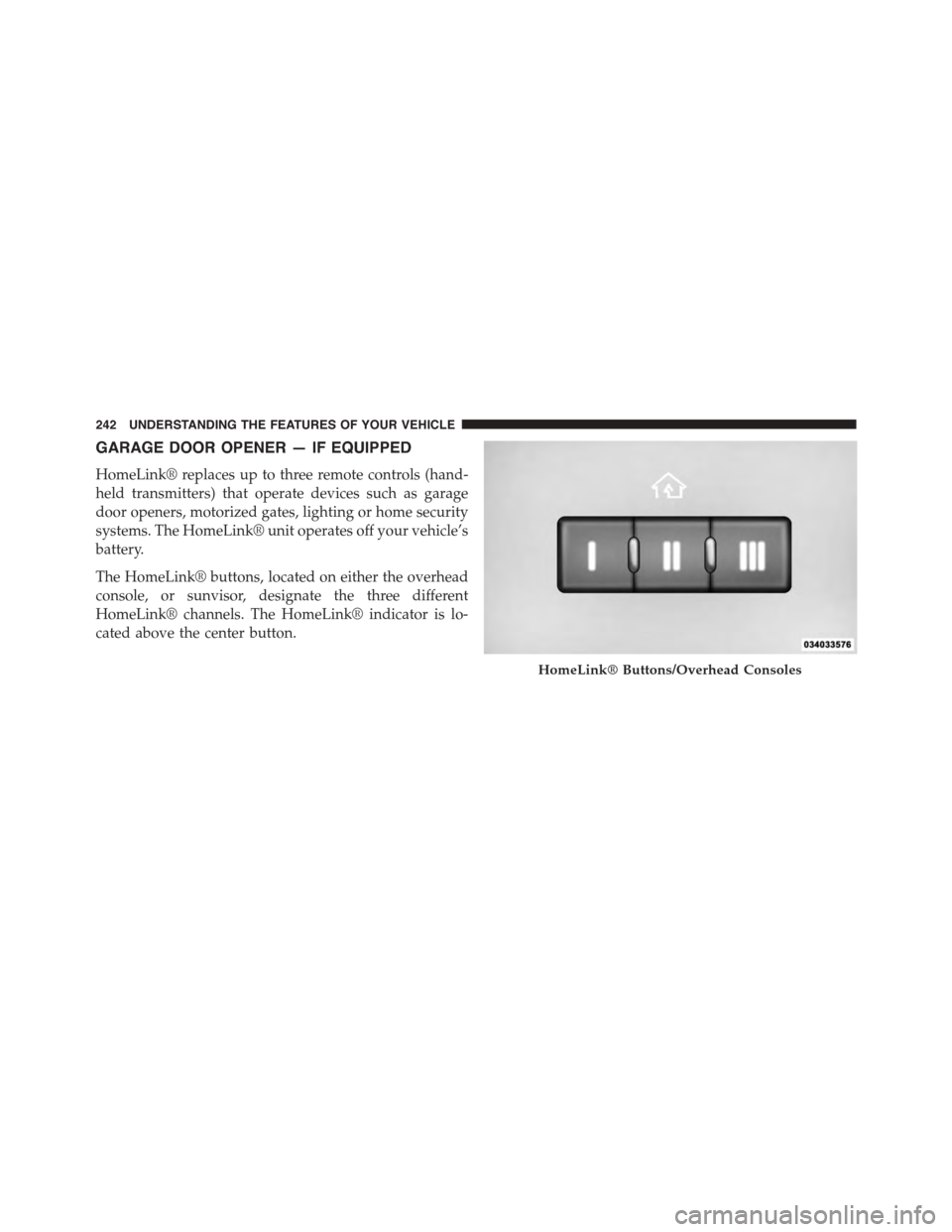
GARAGE DOOR OPENER — IF EQUIPPED
HomeLink® replaces up to three remote controls (hand-
held transmitters) that operate devices such as garage
door openers, motorized gates, lighting or home security
systems. The HomeLink® unit operates off your vehicle’s
battery.
The HomeLink® buttons, located on either the overhead
console, or sunvisor, designate the three different
HomeLink® channels. The HomeLink® indicator is lo-
cated above the center button.
HomeLink® Buttons/Overhead Consoles
242 UNDERSTANDING THE FEATURES OF YOUR VEHICLE
Page 245 of 689
NOTE:HomeLink® is disabled when the Vehicle Secu-
rity Alarm is active.
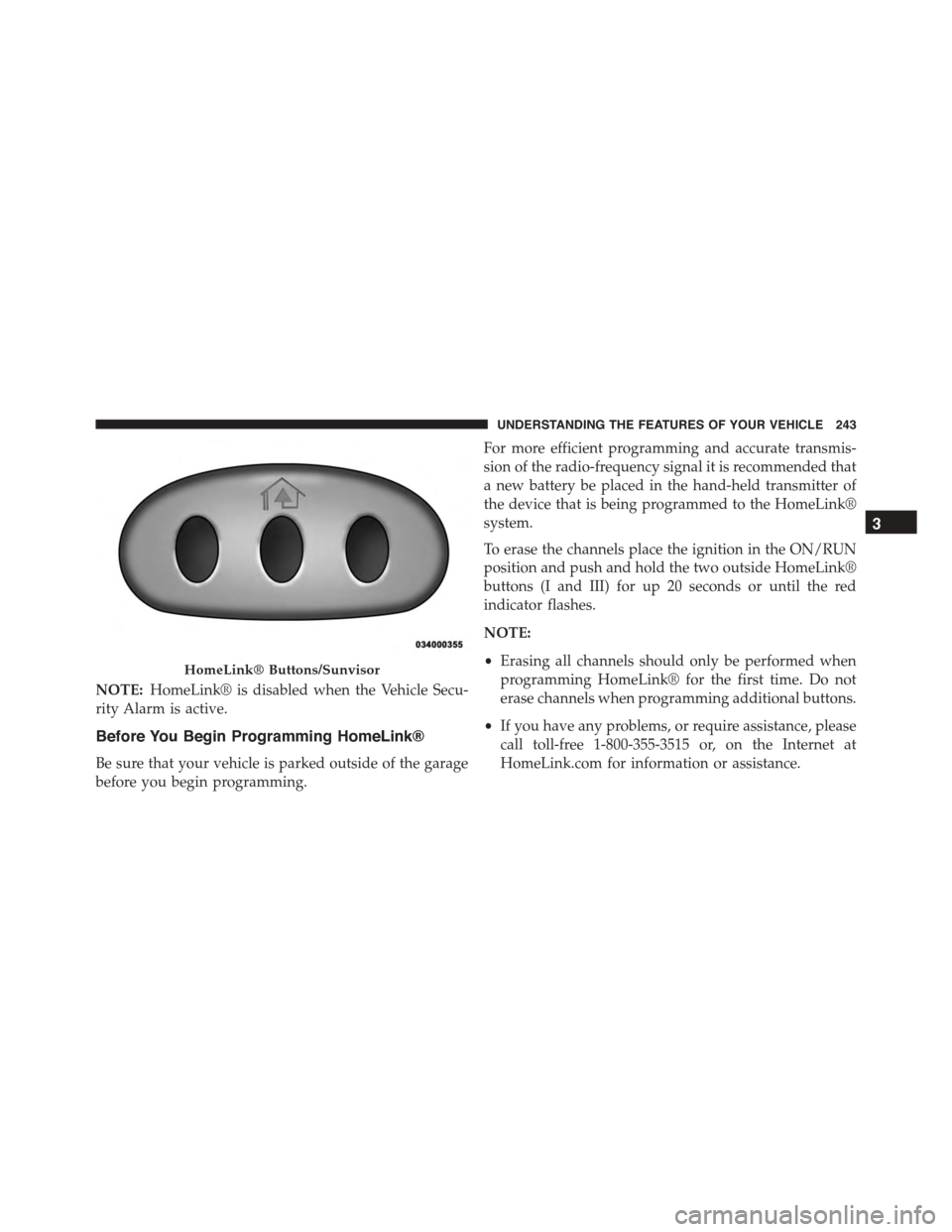
Before You Begin Programming HomeLink®
Be sure that your vehicle is parked outside of the garage
before you begin programming.
For more efficient programming and accurate transmis-
sion of the radio-frequency signal it is recommended that
a new battery be placed in the hand-held transmitter of
the device that is being programmed to the HomeLink®
system.
To erase the channels place the ignition in the ON/RUN
position and push and hold the two outside HomeLink®
buttons (I and III) for up 20 seconds or until the red
indicator flashes.
NOTE:
•Erasing all channels should only be performed when
programming HomeLink® for the first time. Do not
erase channels when programming additional buttons.
•If you have any problems, or require assistance, please
call toll-free 1-800-355-3515 or, on the Internet at
HomeLink.com for information or assistance.
HomeLink® Buttons/Sunvisor
3
UNDERSTANDING THE FEATURES OF YOUR VEHICLE 243
Page 251 of 689
Using HomeLink®
To operate, press and release the programmed
HomeLink® button. Activation will now occur for the
trained device (i.e., garage door opener, gate operator,
security system, entry door lock, home/office lighting,
etc.,). The handheld transmitter of the device may also be
used at any time.
Security
It is advised to erase all channels before you sell or turn
in your vehicle.
To do this, push and hold the two outside buttons for 20
seconds until the red indicator flashes. Note that all
channels will be erased. Individual channels cannot be
erased.
The HomeLink® Universal Transceiver is disabled when
the Vehicle Security Alarm is active.
Troubleshooting Tips
If you are having trouble programming HomeLink®,
here are some of the most common solutions:
•Replace the battery in the original transmitter.
•Press the LEARN button on the Garage Door Opener
to complete the training for a Rolling Code.
•Did you unplug the device for training, and remember
to plug it back in?
If you have any problems, or require assistance, please
call toll-free 1-800-355-3515 or, on the Internet at
www.HomeLink.com for information or assistance.
WARNING!
Vehicle exhaust contains carbon monoxide, a danger-
ous gas. Do not run your vehicle in the garage while
programming the transceiver. Exhaust gas can cause
serious injury or death.
3
UNDERSTANDING THE FEATURES OF YOUR VEHICLE 249
Page 256 of 689
Sunroof Maintenance
Use only a non-abrasive cleaner and a soft cloth to clean
the glass panel.
Ignition OFF Operation
The power sunroof switch will remain active for up to
approximately ten minutes after the ignition switch is
turned to the LOCK position. Opening either front door
will cancel this feature.
NOTE:Ignition Off time is programmable through the
Uconnect® System. Refer to “Uconnect® Settings/
Customer Programmable Features” in “Understanding
Your Instrument Panel” for further information.
ELECTRICAL POWER OUTLETS
Your vehicle is equipped with 12 Volt (13 Amp) power
outlets that can be used to power cellular phones, small
electronics and other low powered electrical accessories.
The power outlets are labeled with either a “key” or a
“battery” symbol to indicate how the outlet is powered.
Power outlets labeled with a “key” are powered when
the ignition switch is in the ON or ACC position, while
the outlets labeled with a “battery” are connected directly
to the battery and powered at all times.
NOTE:
•All accessories connected to the “battery” powered
outlets should be removed or turned off when the
vehicle is not in use to protect the battery against
discharge.
•To ensure proper operation a MOPAR® knob and
element must be used.
254 UNDERSTANDING THE FEATURES OF YOUR VEHICLE
Page 259 of 689
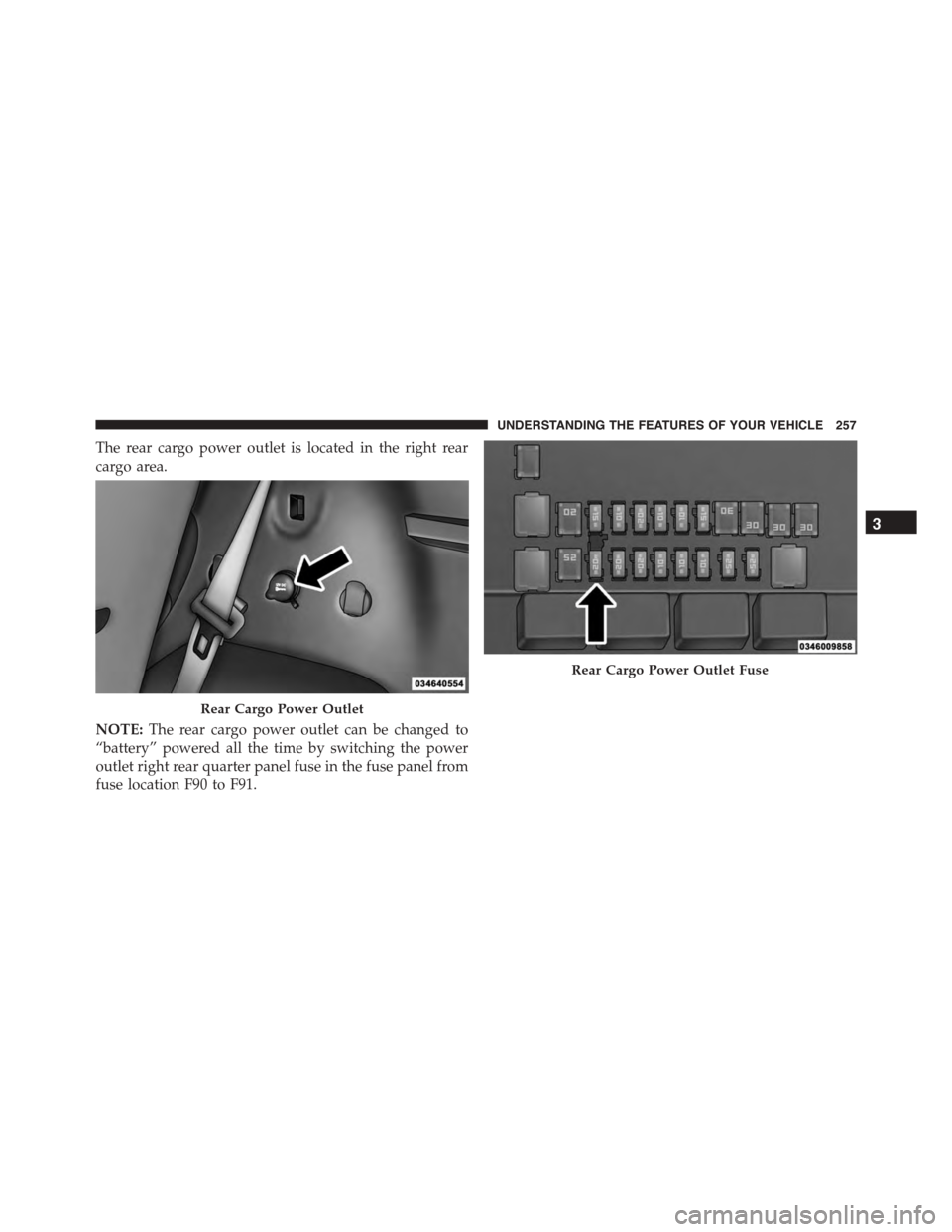
The rear cargo power outlet is located in the right rear
cargo area.
NOTE:The rear cargo power outlet can be changed to
“battery” powered all the time by switching the power
outlet right rear quarter panel fuse in the fuse panel from
fuse location F90 to F91.
Rear Cargo Power Outlet
Rear Cargo Power Outlet Fuse
3
UNDERSTANDING THE FEATURES OF YOUR VEHICLE 257