steering DODGE DURANGO 2015 3.G User Guide
[x] Cancel search | Manufacturer: DODGE, Model Year: 2015, Model line: DURANGO, Model: DODGE DURANGO 2015 3.GPages: 689, PDF Size: 20.05 MB
Page 117 of 689
▫Parking Lights And Panel Lights...........175
▫Fog Lights — If Equipped...............175
▫Interior Lights........................176
▫Lights-On Reminder...................177
▫Battery Saver.........................177
▫Front Map/Reading Lights — If Equipped . . .178
▫Courtesy Lights.......................179
▫Ambient Light — If Equipped............179
▫Multifunction Lever....................180
▫Turn Signals.........................180
▫Lane Change Assist...................181
▫Flash-To-Pass........................181
▫High/Low Beam Switch.................181
!WINDSHIELD WIPERS AND WASHERS......182
▫Windshield Wiper Operation.............183
▫Intermittent Wiper System...............183
▫Windshield Washer Operation.............184
▫Mist...............................185
▫Rain Sensing Wipers — If Equipped........186
!TILT/TELESCOPING STEERING COLUMN . . .187
!POWER TILT/TELESCOPING STEERING
COLUMN — IF EQUIPPED...............188
!HEATED STEERING WHEEL — IF EQUIPPED . .190
!ELECTRONIC SPEED CONTROL —
IF EQUIPPED.........................191
▫To Activate..........................192
▫To Set A Desired Speed.................193
3
UNDERSTANDING THE FEATURES OF YOUR VEHICLE 115
Page 167 of 689
Programming The Memory Feature
NOTE:To create a new memory profile, perform the
following:
Vehicles Equipped With Keyless Enter-N-Go™
1. Without pushing the brake pedal, push the ENGINE
START/STOP button and cycle the ignition to the
ON/RUN position (Do not start the engine).
2. Adjust all memory profile settings to desired prefer-
ences (i.e., seat, side mirror, adjustable pedals [if
equipped], power tilt and telescopic steering column
[if equipped], and radio station presets).
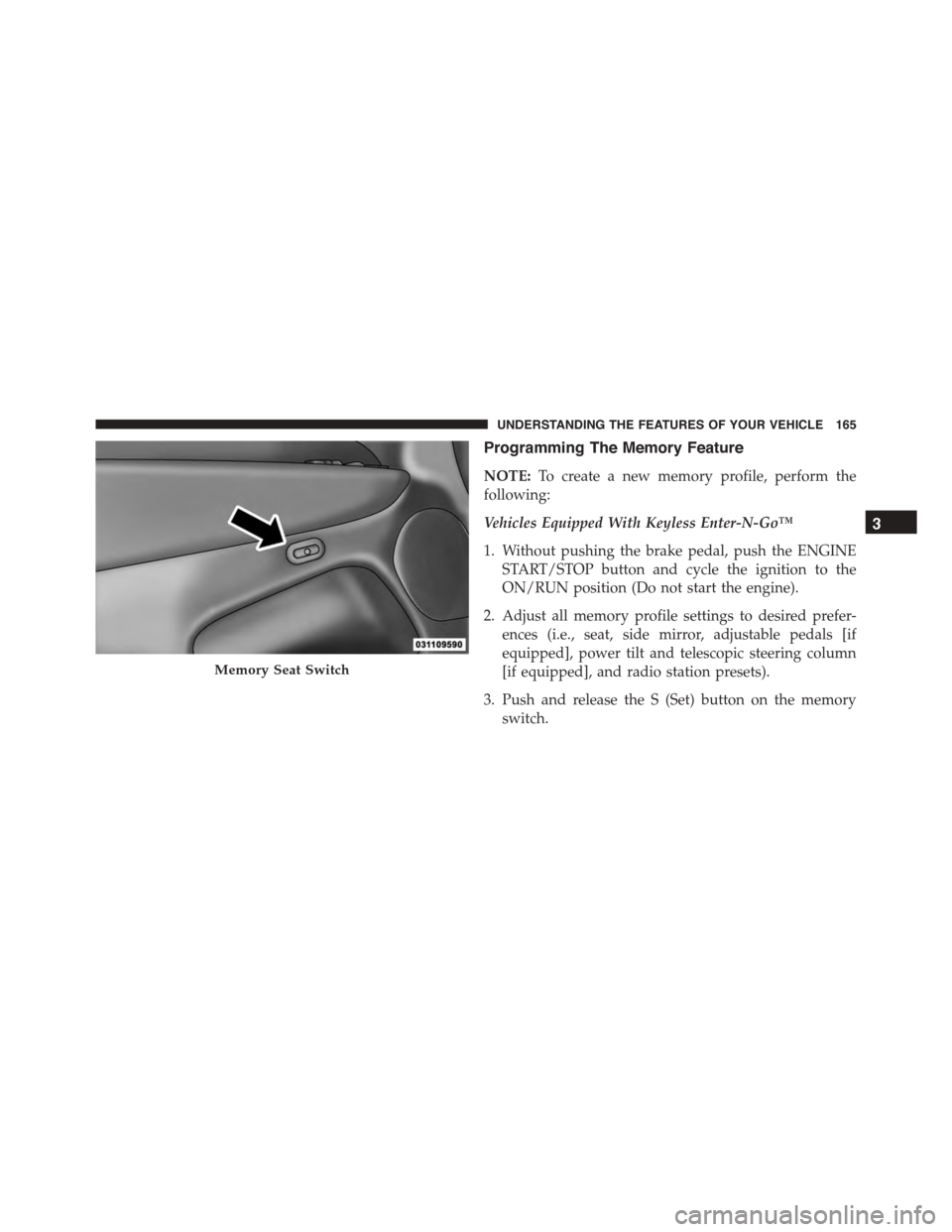
3. Push and release the S (Set) button on the memory
switch.
Memory Seat Switch
3
UNDERSTANDING THE FEATURES OF YOUR VEHICLE 165
Page 168 of 689
4. Within five seconds, push and release either of the
memory buttons (1) or (2). The Driver Information
Display (DID) will display which memory position
has been set.
Vehicles Not Equipped With Keyless Enter-N-Go™
1. Insert the ignition key fob, and turn the ignition switch
to the ON/RUN position.
2. Adjust all memory profile settings to desired prefer-
ences (i.e., seat, side mirror, adjustable pedals [if
equipped], power tilt and telescopic steering column
[if equipped], and radio station presets).
3. Push and release the S (Set) button on the memory
switch.
4. Within five seconds, push and release either of the
memory buttons (1) or (2). The Driver Information
Display (DID) will display which memory position
has been set.
NOTE:
•Memory profiles can be set without the vehicle in
PARK, but the vehicle must be in PARK to recall a
memory profile.
•The Recall Memory with the “Memory To FOB” fea-
ture can be enabled through the Uconnect® system
screen. Refer to “Customer- Programmable Features —
Uconnect® Access 8.4 Settings ” in “Understanding
Your Instrument Panel” for further information.
Linking And Unlinking The Remote Keyless Entry
Transmitter To Memory
Your RKE transmitters can be programmed to recall one
of two pre-programmed memory profiles by pushng the
UNLOCK button on the RKE transmitter.
166 UNDERSTANDING THE FEATURES OF YOUR VEHICLE
Page 173 of 689
CAUTION!
To prevent possible damage, do not slam the hood to
close it. Use a firm downward push at the front center
of the hood to ensure that both latches engage.
WARNING!
Be sure the hood is fully latched before driving your
vehicle. If the hood is not fully latched, it could open
when the vehicle is in motion and block your vision.
Failure to follow this warning could result in serious
injury or death.
LIGHTS
Headlight Switch
The headlight switch is located on the left side of the
instrument panel, next to the steering wheel. The head-
light switch controls the operation of the headlights,
parking lights, instrument panel lights, cargo lights and
fog lights (if equipped).
3
UNDERSTANDING THE FEATURES OF YOUR VEHICLE 171
Page 182 of 689
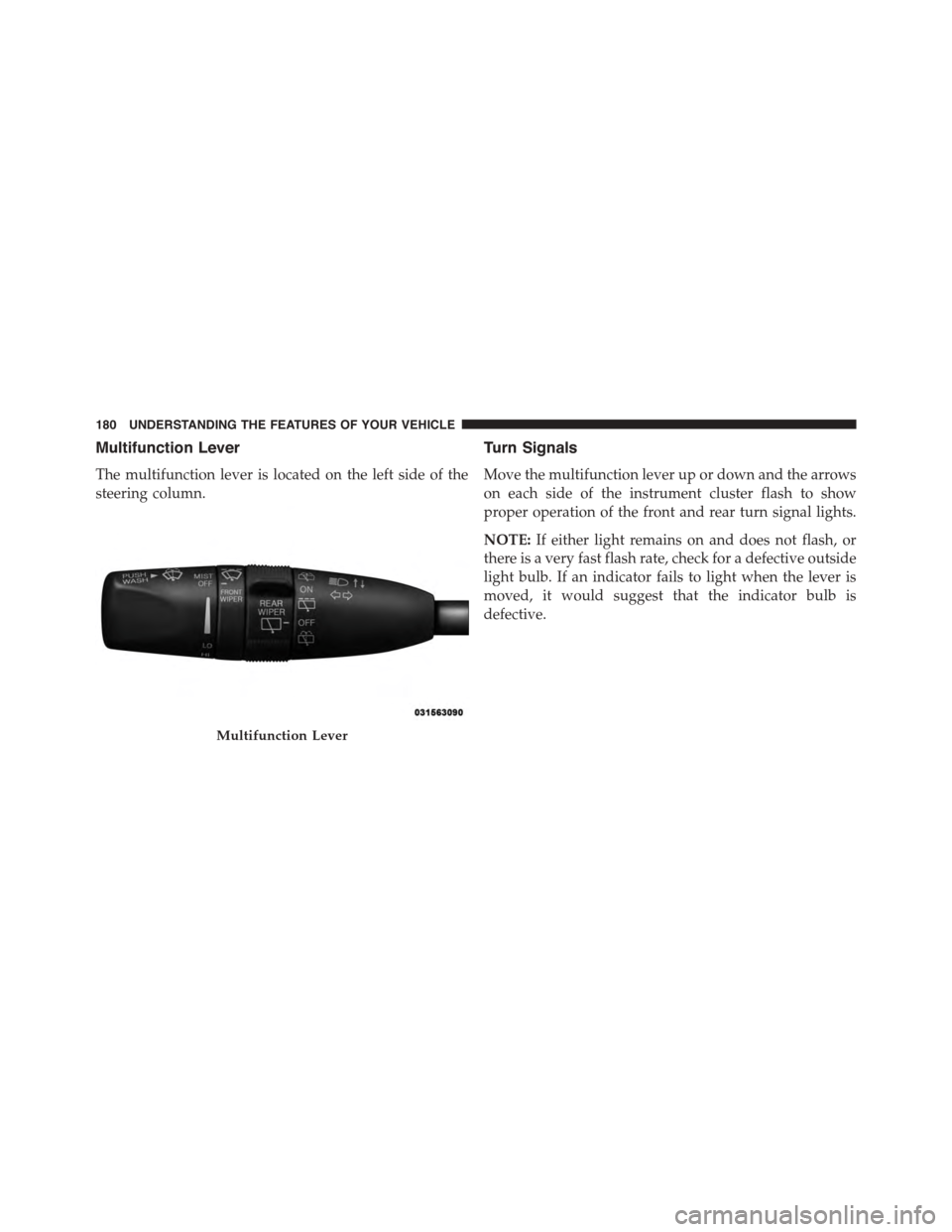
Multifunction Lever
The multifunction lever is located on the left side of the
steering column.
Turn Signals
Move the multifunction lever up or down and the arrows
on each side of the instrument cluster flash to show
proper operation of the front and rear turn signal lights.
NOTE:If either light remains on and does not flash, or
there is a very fast flash rate, check for a defective outside
light bulb. If an indicator fails to light when the lever is
moved, it would suggest that the indicator bulb is
defective.
Multifunction Lever
180 UNDERSTANDING THE FEATURES OF YOUR VEHICLE
Page 183 of 689
When the Daytime Running Lights are on and a turn
signal is activated, the Daytime Running Lamp will turn
off on the side of the vehicle in which the turn signal is
flashing. The Daytime Running Lamp will turn back on
when the turn signal is turned off.
Lane Change Assist
Tap the lever up or down once, without moving beyond
the detent, and the turn signal (right or left) will flash
three times then automatically turn off.
Flash-To-Pass
You can signal another vehicle with your headlights by
partially pulling the multifunction lever toward the steer-
ing wheel. This will cause the high beam headlights to
turn on until the lever is released.
High/Low Beam Switch
Push the multifunction lever toward the instrument
panel to switch the headlights to high beam. Pulling the
multifunction back toward the steering wheel will turn
the low beams back on, or shut the high beams off.
3
UNDERSTANDING THE FEATURES OF YOUR VEHICLE 181
Page 184 of 689
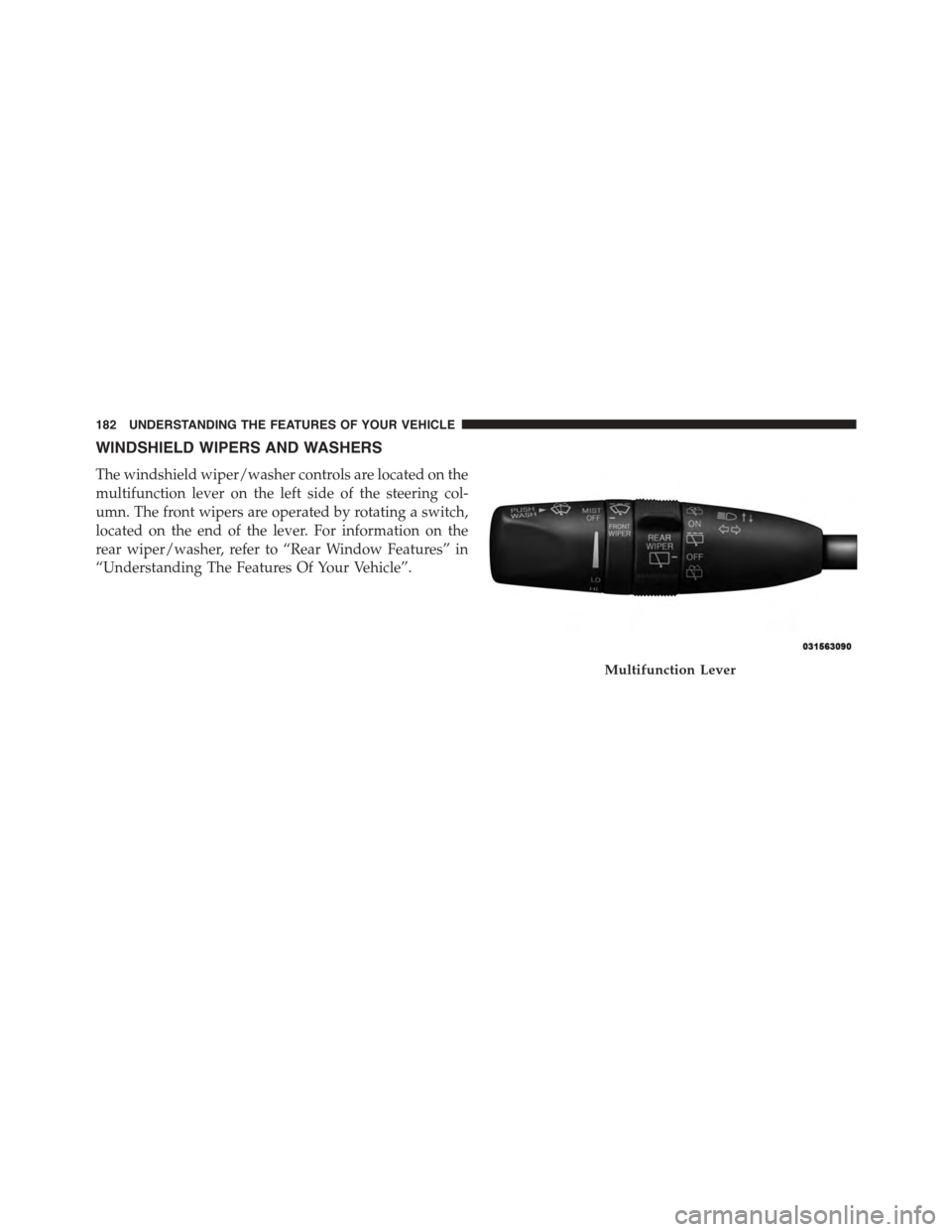
WINDSHIELD WIPERS AND WASHERS
The windshield wiper/washer controls are located on the
multifunction lever on the left side of the steering col-
umn. The front wipers are operated by rotating a switch,
located on the end of the lever. For information on the
rear wiper/washer, refer to “Rear Window Features” in
“Understanding The Features Of Your Vehicle”.
Multifunction Lever
182 UNDERSTANDING THE FEATURES OF YOUR VEHICLE
Page 186 of 689
NOTE:If the vehicle is moving less than 10 mph
(16 km/h), delay times will be doubled.
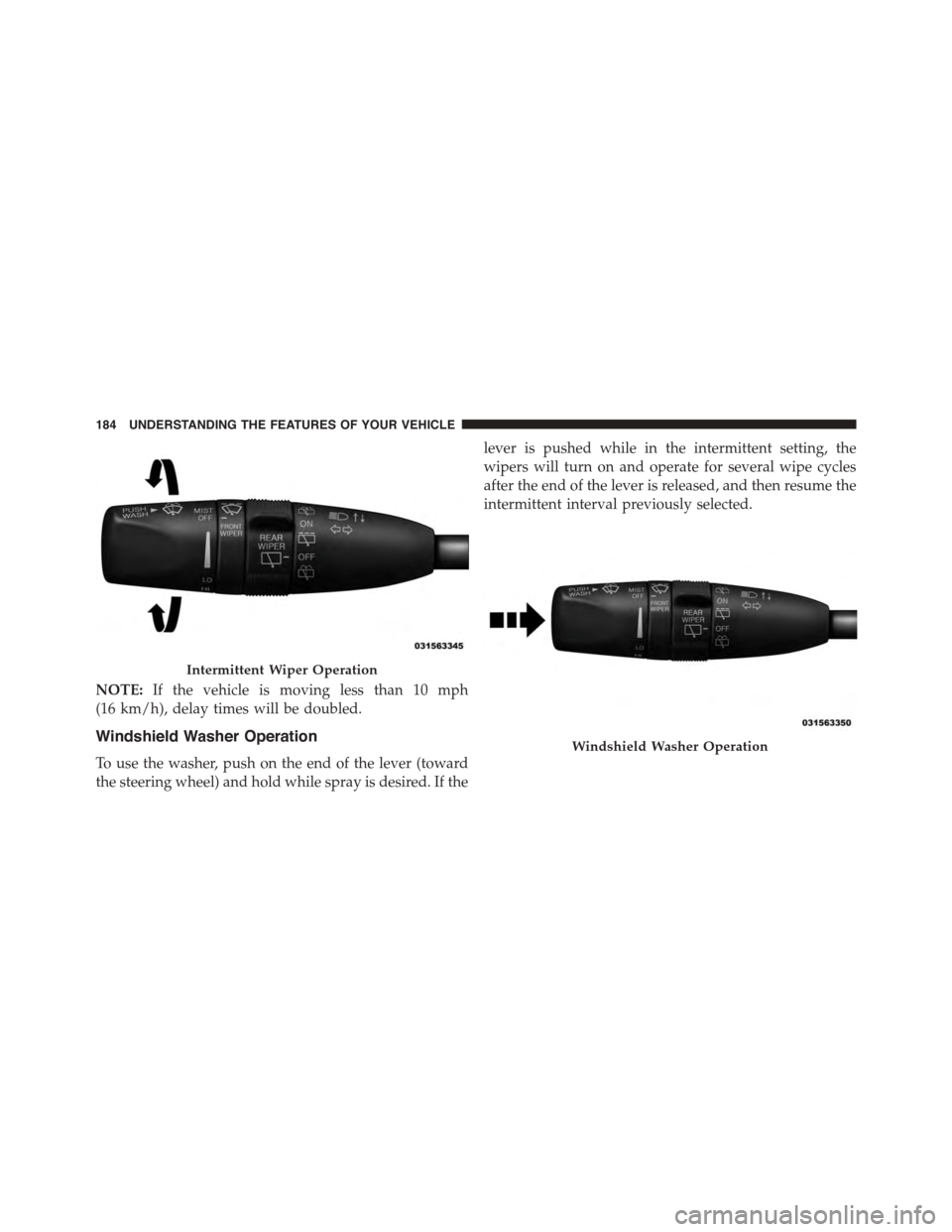
Windshield Washer Operation
To use the washer, push on the end of the lever (toward
the steering wheel) and hold while spray is desired. If the
lever is pushed while in the intermittent setting, the
wipers will turn on and operate for several wipe cycles
after the end of the lever is released, and then resume the
intermittent interval previously selected.
Intermittent Wiper Operation
Windshield Washer Operation
184 UNDERSTANDING THE FEATURES OF YOUR VEHICLE
Page 189 of 689
•Transmission In NEUTRAL Position— When the
ignition is ON, and the automatic transmission is in
the NEUTRAL position, the Rain Sensing system will
not operate until the wiper switch is moved, vehicle
speed is greater than 5 mph (8 km/h), or the shift
lever/gear selector is moved out of the NEUTRAL
position.
Remote Start Mode Inhibit— On vehicles equipped
with Remote Starting system, Rain Sensing wipers are
not operational when the vehicle is in the remote start
mode. Once the operator is in the vehicle and has placed
the ignition switch in the RUN position, rain sensing
wiper operation can resume, if it has been selected, and
no other inhibit conditions (mentioned previously) exist.
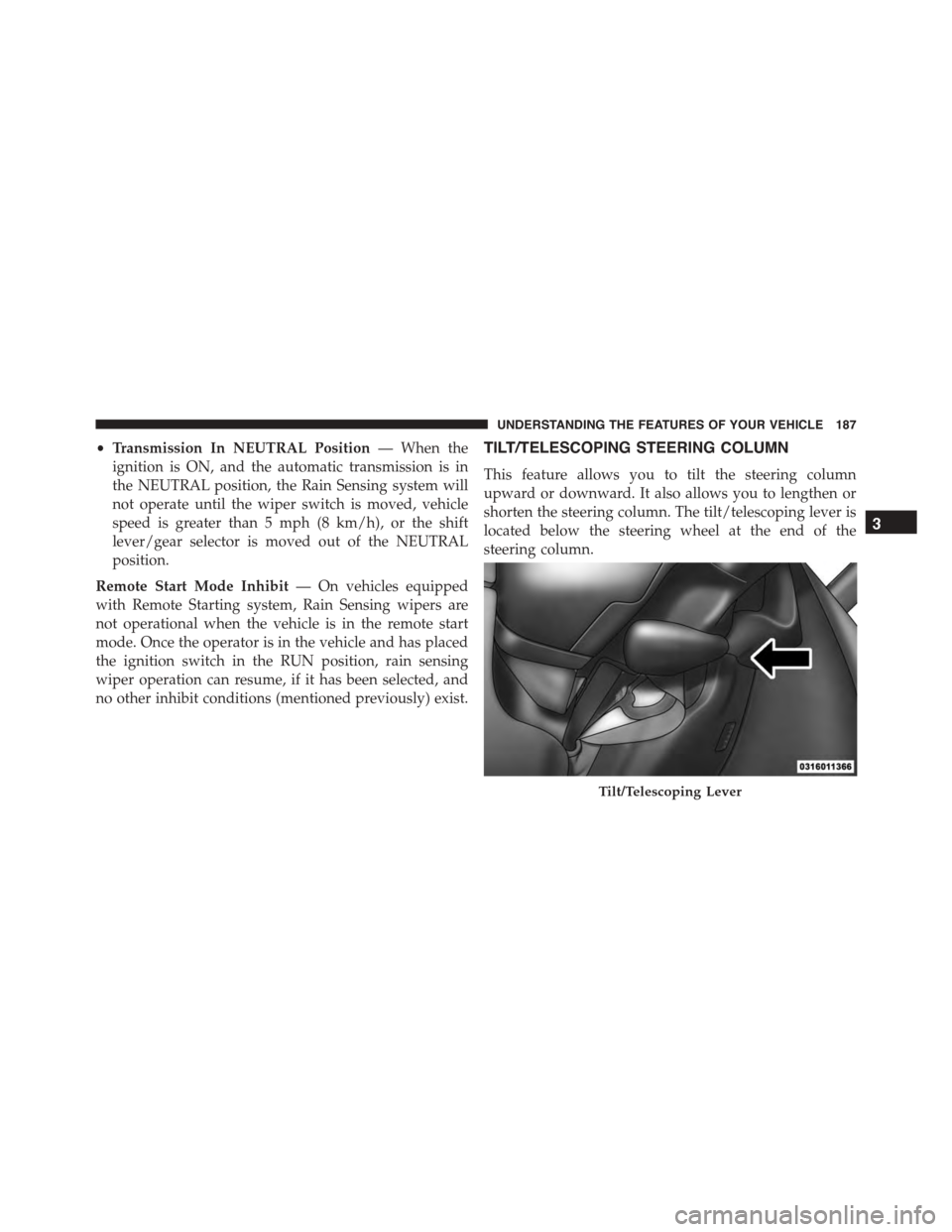
TILT/TELESCOPING STEERING COLUMN
This feature allows you to tilt the steering column
upward or downward. It also allows you to lengthen or
shorten the steering column. The tilt/telescoping lever is
located below the steering wheel at the end of the
steering column.
Tilt/Telescoping Lever
3
UNDERSTANDING THE FEATURES OF YOUR VEHICLE 187
Page 190 of 689
To unlock the steering column, push the lever downward
(toward the floor). To tilt the steering column, move the
steering wheel upward or downward as desired. To
lengthen or shorten the steering column, pull the steering
wheel outward or push it inward as desired. To lock the
steering column in position, push the lever upward until
fully engaged.
WARNING!
Do not adjust the steering column while driving.
Adjusting the steering column while driving or driv-
ing with the steering column unlocked, could cause
the driver to lose control of the vehicle. Failure to
follow this warning may result in serious injury or
death.
POWER TILT/TELESCOPING STEERING COLUMN
— IF EQUIPPED
This feature allows you to tilt the steering column
upward or downward. It also allows you to lengthen or
shorten the steering column. The power tilt/telescoping
steering column lever is located below the multifunction
lever on the steering column.
188 UNDERSTANDING THE FEATURES OF YOUR VEHICLE