steering wheel DODGE DURANGO 2015 3.G Owner's Manual
[x] Cancel search | Manufacturer: DODGE, Model Year: 2015, Model line: DURANGO, Model: DODGE DURANGO 2015 3.GPages: 689, PDF Size: 20.05 MB
Page 290 of 689
!Uconnect® RADIOS — IF EQUIPPED........354
!iPod®/USB/MP3 CONTROL — IF EQUIPPED . .354
▫Connecting The iPod® Or External USB
Device.............................354
▫Using This Feature.....................355
▫Second Row USB Charging Port...........356
!Uconnect® REAR SEAT ENTERTAINMENT (RSE)
SYSTEM — IF EQUIPPED................357
▫Getting Started.......................357
▫Dual Video Screen.....................359
▫Blu-ray™ Disc Player...................360
▫Play Video Games.....................362
▫Play A DVD/Blu-ray™ Disc Using The
Touchscreen Radio.....................363
▫Important Notes For Dual Video Screen
System.............................365
▫Blu-ray™ Disc Player Remote Control — If
Equipped...........................366
▫Replacing The Remote Control Batteries......367
▫Headphones Operation.................368
▫Controls............................369
▫Replacing The Headphone Batteries.........370
▫Unwired® Stereo Headphone Lifetime Limited
Warranty...........................370
!STEERING WHEEL AUDIO CONTROLS — IF
EQUIPPED...........................377
▫Radio Operation......................378
▫CD Player...........................378
288 UNDERSTANDING YOUR INSTRUMENT PANEL
Page 304 of 689
•Fuel Economy
•Trip
•Audio
•Stored Messages
•Screen Setup
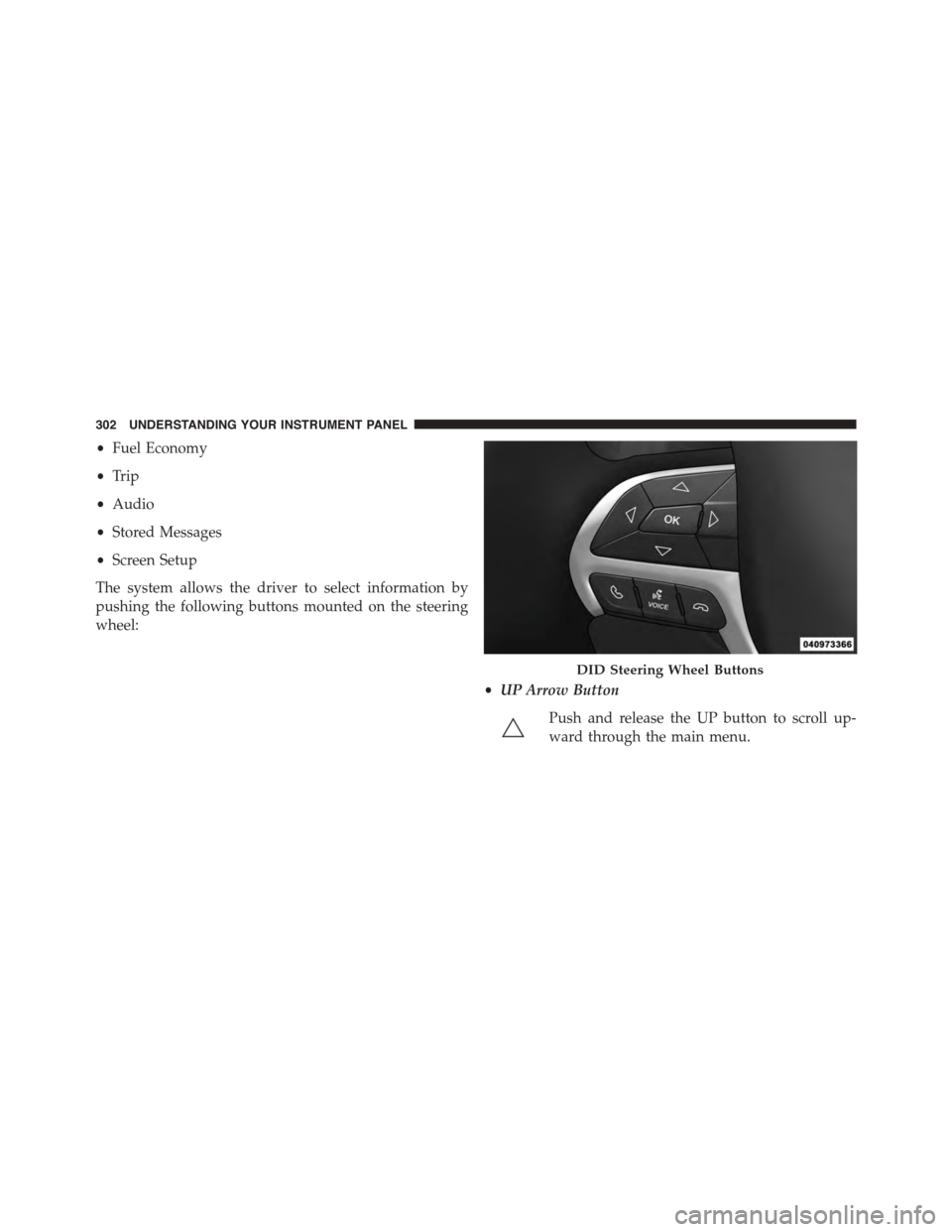
The system allows the driver to select information by
pushing the following buttons mounted on the steering
wheel:
•UP Arrow Button
Push and release the UP button to scroll up-
ward through the main menu.
DID Steering Wheel Buttons
302 UNDERSTANDING YOUR INSTRUMENT PANEL
Page 330 of 689
•Memory Linked to Fob — If Equipped
This feature provides automatic driver seat positioning to
enhance driver mobility when entering and exiting the
vehicle. To make your selection, press the “Memory
Linked to Fob” button on the touchscreen and select from
“On” or “Off.” Press the back arrow button on the
touchscreen to return to the previous menu.
NOTE:The seat will return to the memorized seat
location if “Memory Linked to Fob” is set to (ON) when
the Remote Keyless Entry (RKE) transmitter is used to
unlock the door. Refer to “Driver Memory Seat” in
“Understanding The Features Of Your Vehicle” for fur-
ther information.
•Power Lift Gate Alert — If Equipped
This feature plays an alert when the power lift gate is
raising or lowering. To make your selection, press the
“Power Lift Gate Alert” button on the touchscreen and
select from “On” or “Off.” Press the back arrow button on
the touchscreen to return to the previous menu.
Auto Comfort Systems — If Equipped
After pressing the “Auto-On Comfort & Remote Start”
button on the touchscreen the following settings will be
available:
•Auto-On Driver Heated/Ventilated Seat & Steering
Wheel With Vehicle Start — If Equipped
When this feature is selected the driver’s heated seat and
heated steering wheel will automatically turn ON when
temperatures are below 40° F (4.4° C). When tempera-
tures are above 80° F (26.7° C) the driver vented seat will
turn ON. To make your selection, press the “Auto Heated
Seats” button on the touchscreen, then select either “Off,”
“Remote Start” or “All Starts.” Press the back arrow
button on the touchscreen to return to the previous
menu.
328 UNDERSTANDING YOUR INSTRUMENT PANEL
Page 351 of 689
Auto-On Comfort — If Equipped
After pressing the “Auto-On Comfort” button on the
touchscreen the following settings will be available:
•Auto-On Driver Heated/Ventilated Seat & Steering
Wheel With Vehicle Start — If Equipped
When this feature is selected the driver’s heated seat will
automatically turn on when temperatures are below 40° F
(4.4° C). When temperatures are above 80° F (26.7° C) the
driver vented seat will turn on. To make your selection,
press the “Auto-On Driver Heated/Ventilated Seat &
Steering Wheel With Vehicle Start” button on the touch-
screen, then select either “Off,” “Remote Start” or “All
Starts” until a check-mark appears next to setting, show-
ing that setting has been selected. Press the back arrow/
Done button on the touchscreen to return to the previous
menu.
Engine Off Options
After pressing the Engine Off Options button on the
touchscreen the following settings will be available.
•Easy Exit Seat — If Equipped
This feature provides automatic driver seat positioning to
enhance driver mobility when entering and exiting the
vehicle. To make your selection, press the “Easy Exit
Seat” button on the touchscreen until a check-mark
appears next to setting, showing that setting has been
selected. Press the back arrow button on the touchscreen
to return to the previous menu.
•Engine Off Power Delay
When this feature is selected, the power window
switches, radio, Uconnect® phone system (if equipped),
DVD video system (if equipped), power sunroof (if
equipped), and power outlets will remain active for up to
10 minutes after the ignition is cycled to OFF. Opening
either front door will cancel this feature. To change the
4
UNDERSTANDING YOUR INSTRUMENT PANEL 349
Page 379 of 689
Product Agreement
This product incorporates copyright protection technol-
ogy that is protected by U.S. patents and other intellec-
tual property rights. Use of this copyright protection
technology must be authorized by Macrovision, and is
intended for home or other limited viewing uses other-
wise authorized by Macrovision. Reverse engineering or
disassembly is prohibited.
Dolby® Digital and MLP Lossless Manufactured
under license from Dolby Laboratories.#Dolby#,#MLP
Lossless#, and the double-D symbol are trademarks of
Dolby Laboratories. Confidential unpublished works.
Copyright 1992-1997 Dolby Laboratories. All right
reserved.
STEERING WHEEL AUDIO CONTROLS — IF
EQUIPPED
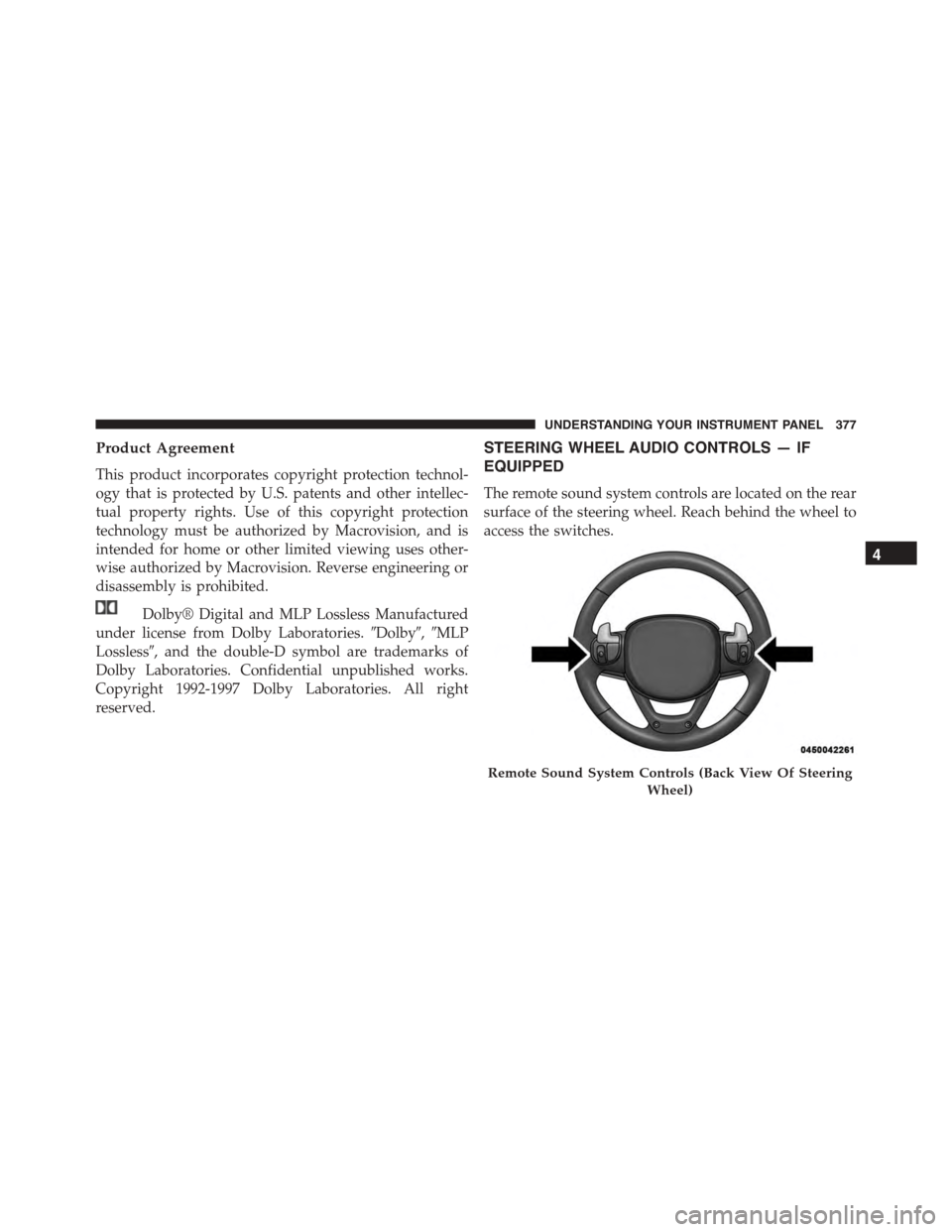
The remote sound system controls are located on the rear
surface of the steering wheel. Reach behind the wheel to
access the switches.
Remote Sound System Controls (Back View Of Steering
Wheel)
4
UNDERSTANDING YOUR INSTRUMENT PANEL 377
Page 402 of 689
If you see theicon on your touchscreen, you have
the Uconnect® 8.4AN system. If not, you have a
Uconnect® 8.4A system.
Get Started
All you need to control your Uconnect® system with
your voice are the buttons on your steering wheel.
1. VisitUconnectPhone.comto check mobile device and
feature compatibility and to find phone pairing in-
structions.
2. Reduce background noise. Wind and passenger con-
versations are examples of noise that may impact
recognition.
3. Speak clearly at a normal pace and volume while
facing straight ahead. The microphone is positioned
on the rearview mirror and aimed at the driver.
4. Each time you give a Voice Command, you must first
push either the VR or Phone button, wait untilafter
the beep, then say your Voice Command.
5. You can interrupt the help message or system prompts
by pushing the VR or Phone button and saying a Voice
Command from current category.
400 UNDERSTANDING YOUR INSTRUMENT PANEL
Page 410 of 689
TIP:Your mobile phone must have the full implementa-
tion of theMessage Access Profile (MAP)to take advan-
tage of this feature. For details about MAP, visit
UconnectPhone.com. Apple iPhone® iOS6 or later sup-
ports readingincomingtext messages only.
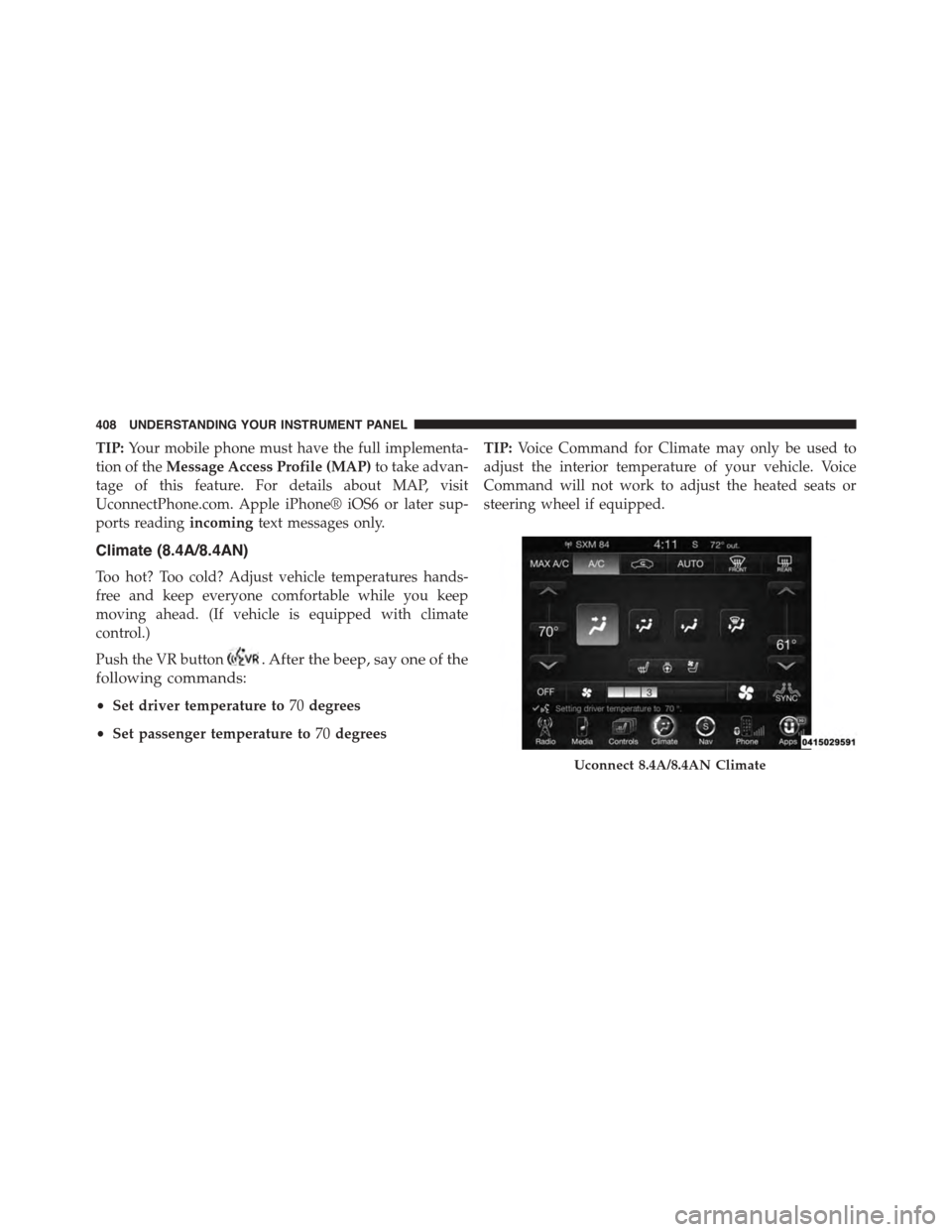
Climate (8.4A/8.4AN)
Too hot? Too cold? Adjust vehicle temperatures hands-
free and keep everyone comfortable while you keep
moving ahead. (If vehicle is equipped with climate
control.)
Push the VR button. After the beep, say one of the
following commands:
•Set driver temperature to70degrees
•Set passenger temperature to70degrees
TIP:Voice Command for Climate may only be used to
adjust the interior temperature of your vehicle. Voice
Command will not work to adjust the heated seats or
steering wheel if equipped.
Uconnect 8.4A/8.4AN Climate
408 UNDERSTANDING YOUR INSTRUMENT PANEL
Page 434 of 689
The electronically-controlled transmission provides a
precise shift schedule. The transmission electronics are
self-calibrating; therefore, the first few shifts on a new
vehicle may be somewhat abrupt. This is a normal
condition, and precision shifts will develop within a few
hundred miles (kilometers).
Only shift from DRIVE to PARK or REVERSE when the
accelerator pedal is released and the vehicle is stopped.
Be sure to keep your foot on the brake pedal when
shifting between these gears.
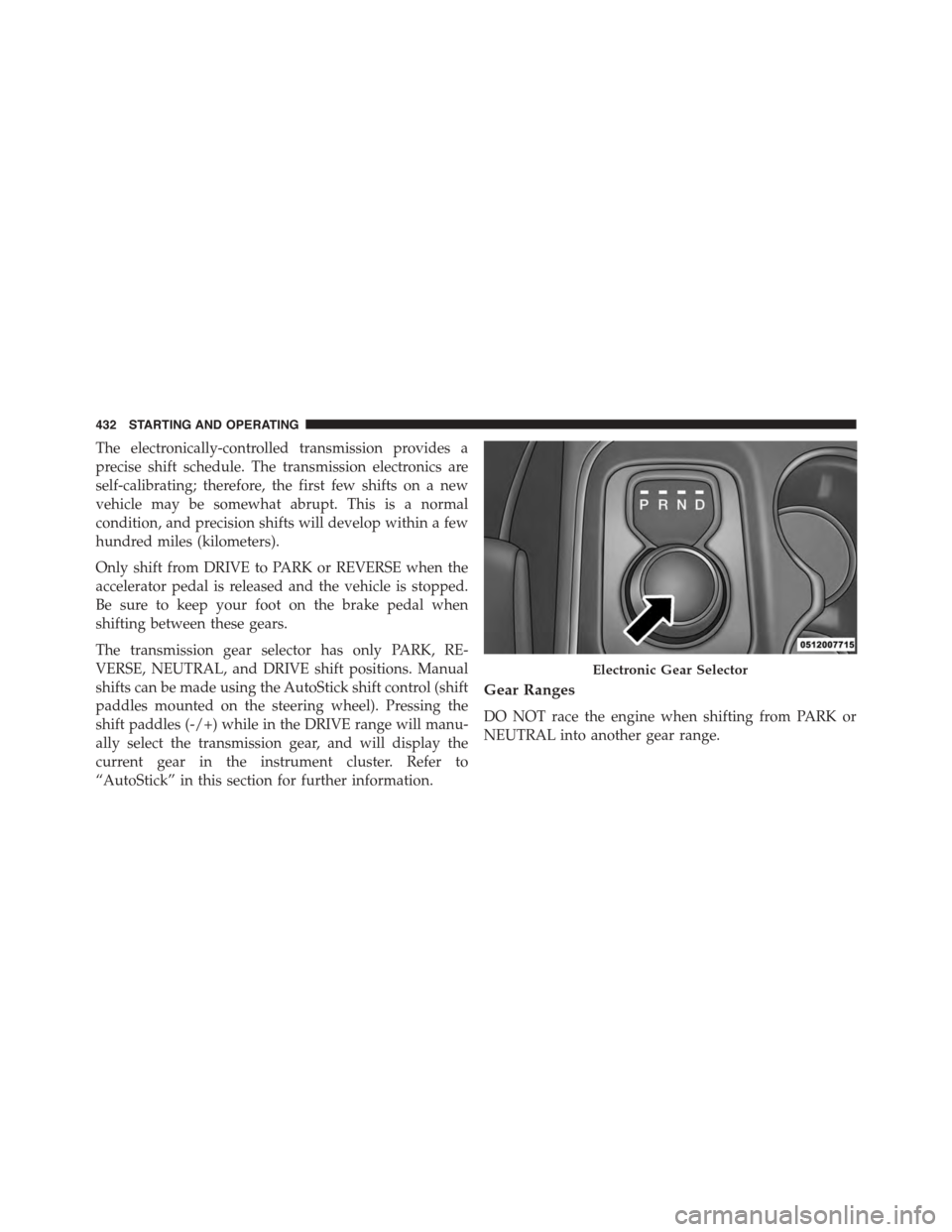
The transmission gear selector has only PARK, RE-
VERSE, NEUTRAL, and DRIVE shift positions. Manual
shifts can be made using the AutoStick shift control (shift
paddles mounted on the steering wheel). Pressing the
shift paddles (-/+) while in the DRIVE range will manu-
ally select the transmission gear, and will display the
current gear in the instrument cluster. Refer to
“AutoStick” in this section for further information.
Gear Ranges
DO NOT race the engine when shifting from PARK or
NEUTRAL into another gear range.
Electronic Gear Selector
432 STARTING AND OPERATING
Page 441 of 689
can also provide you with more control during passing,
city driving, cold slippery conditions, mountain driving,
trailer towing, and many other situations.
Operation
When the transmission is in DRIVE, it will operate
automatically, shifting between the eight available gears.
To engage AutoStick, simply tap one of the steering
wheel-mounted shift paddles (+/-). Tapping (-) to enter
AutoStick mode will downshift the transmission to the
next lower gear, while using (+) to enter AutoStick mode
will retain the current gear. When AutoStick is active, the
current transmission gear is displayed in the instrument
cluster.
In AutoStick mode, the transmission will shift up or
down when (+/-) is manually selected by the driver,
unless an engine lugging or overspeed condition would
result. It will remain in the selected gear until another
upshift or downshift is chosen, except as described
below.
•The transmission will automatically downshift as the
vehicle slows (to prevent engine lugging) and will
display the current gear.
•The transmission will automatically downshift to first
gear when coming to a stop. After a stop, the driver
should manually upshift (+) the transmission as the
vehicle is accelerated.
•You can start out, from a stop, in first or second gear.
Tapping (+) at a stop will allow starting in second gear.
Starting out in second gear can be helpful in snowy or
icy conditions.
•If a requested downshift would cause the engine to
over-speed, that shift will not occur.
5
STARTING AND OPERATING 439
Page 454 of 689
Traction Downhill
Shift the transmission into a low gear, and the transfer
case into LOW range. Let the vehicle go slowly down the
hill with all four wheels turning against engine compres-
sion drag. This will permit you to control the vehicle
speed and direction.
When descending mountains or hills, repeated braking
can cause brake fade with loss of braking control. Avoid
repeated heavy braking by downshifting the transmis-
sion whenever possible.
After Driving Off-Road
Off-road operation puts more stress on your vehicle than
does most on-road driving. After going off-road, it is
always a good idea to check for damage. That way you
can get any problems taken care of right away and have
your vehicle ready when you need it.
•Completely inspect the underbody of your vehicle.
Check tires, body structure, steering, suspension, and
exhaust system for damage.
•Inspect the radiator for mud and debris and clean as
required.
•Check threaded fasteners for looseness, particularly on
the chassis, drivetrain components, steering, and sus-
pension. Retighten them, if required, and torque to the
values specified in the Service Manual.
•Check for accumulations of plants or brush. These
things could be a fire hazard. They might hide damage
to fuel lines, brake hoses, axle pinion seals, and
propeller shafts.
•After extended operation in mud, sand, water, or
similar dirty conditions, have the radiator, fan, brake
rotors, wheels, brake linings, and axle yokes inspected
and cleaned as soon as possible.
452 STARTING AND OPERATING