wipers DODGE DURANGO 2015 3.G Owners Manual
[x] Cancel search | Manufacturer: DODGE, Model Year: 2015, Model line: DURANGO, Model: DODGE DURANGO 2015 3.GPages: 689, PDF Size: 20.05 MB
Page 116 of 689
▫Power Lumbar — If Equipped............144
▫Manual Front Passenger Seat Forward/Rearward
Adjustment.........................145
▫Manual Front Passenger Seatback Adjustment —
Recline............................146
▫Front Passenger Seat Fold-Flat Feature —
If Equipped..........................146
▫Heated Seats — If Equipped..............147
▫Front Ventilated Seats — If Equipped.......150
▫Head Restraints......................151
▫60/40 Split Rear Seat..................156
▫Rear Captain Chairs — If Equipped.........159
▫Folding Third Row....................163
!DRIVER MEMORY SEAT — IF EQUIPPED . . . .164
▫Programming The Memory Feature.........165
▫Linking And Unlinking The Remote Keyless Entry
Transmitter To Memory.................166
▫Memory Position Recall.................167
▫Easy Entry/Exit Seat...................168
!TO OPEN AND CLOSE THE HOOD.........170
!LIGHTS.............................171
▫Headlight Switch.....................171
▫Automatic Headlights — If Equipped.......173
▫Headlights On Automatically With Wipers . . .173
▫Automatic High Beam — If Equipped......173
▫Daytime Running Lights — If Equipped.....174
▫Headlight Delay......................175
11 4 U N D E R S TA N D I N G T H E F E AT U R E S O F Y O U R V E H I C L E
Page 117 of 689
▫Parking Lights And Panel Lights...........175
▫Fog Lights — If Equipped...............175
▫Interior Lights........................176
▫Lights-On Reminder...................177
▫Battery Saver.........................177
▫Front Map/Reading Lights — If Equipped . . .178
▫Courtesy Lights.......................179
▫Ambient Light — If Equipped............179
▫Multifunction Lever....................180
▫Turn Signals.........................180
▫Lane Change Assist...................181
▫Flash-To-Pass........................181
▫High/Low Beam Switch.................181
!WINDSHIELD WIPERS AND WASHERS......182
▫Windshield Wiper Operation.............183
▫Intermittent Wiper System...............183
▫Windshield Washer Operation.............184
▫Mist...............................185
▫Rain Sensing Wipers — If Equipped........186
!TILT/TELESCOPING STEERING COLUMN . . .187
!POWER TILT/TELESCOPING STEERING
COLUMN — IF EQUIPPED...............188
!HEATED STEERING WHEEL — IF EQUIPPED . .190
!ELECTRONIC SPEED CONTROL —
IF EQUIPPED.........................191
▫To Activate..........................192
▫To Set A Desired Speed.................193
3
UNDERSTANDING THE FEATURES OF YOUR VEHICLE 115
Page 175 of 689
Automatic Headlights — If Equipped
This system automatically turns the headlights on or off
according to ambient light levels. To turn the system on,
rotate the headlight switch counterclockwise to the
AUTO position. When the system is on, the headlight
time delay feature is also on. This means the headlights
will stay on for up to 90 seconds after you place the
ignition into the OFF position. To turn the automatic
system off, move the headlight switch out of the AUTO
position.
NOTE:The engine must be running before the headlights
will come on in the automatic mode.
Headlights On Automatically With Wipers
If your vehicle is equipped with Automatic Headlights, it
also has this customer-programmable feature. When
your headlights are in the automatic mode and the
engine is running, they will automatically turn on when
the wiper system is on. This feature is programmable
through the Uconnect® system. Refer to “Uconnect®
Settings/Customer Programmable Features” in “Under-
standing Your Instrument Panel” for further information.
NOTE:When your headlights come on during the day-
time, the vehicle will monitor outside brightness and
decide if the instrument panel needs to be dimmed or
not. Refer to “Lights” in this section for further informa-
tion.
Automatic High Beam — If Equipped
The Automatic High Beam Headlamp Control system
provides increased forward lighting at night by automat-
ing high beam control through the use of a digital camera
mounted on the inside rearview mirror. This camera
detects vehicle specific light and automatically switches
from high beams to low beams until the approaching
vehicle is out of view.
3
UNDERSTANDING THE FEATURES OF YOUR VEHICLE 173
Page 184 of 689
WINDSHIELD WIPERS AND WASHERS
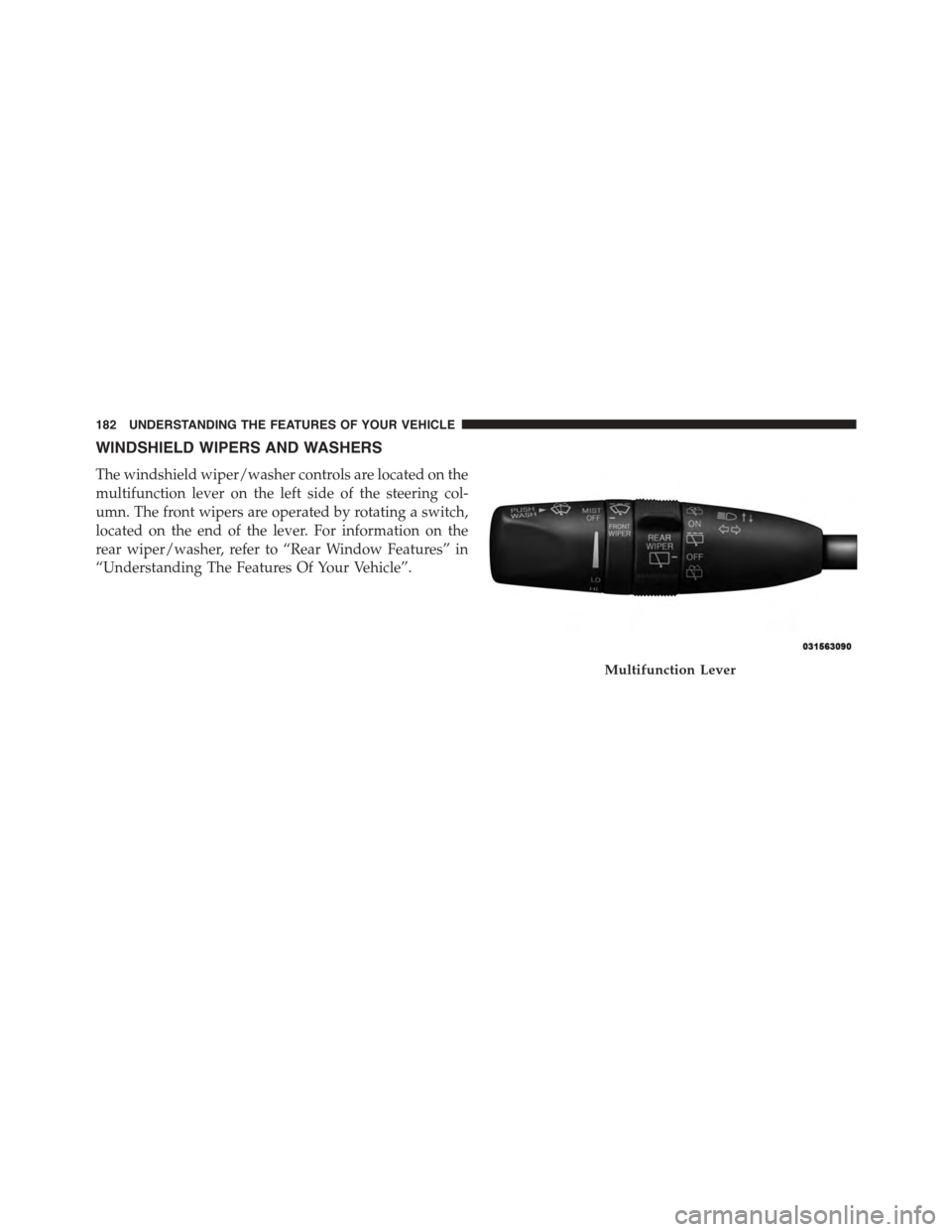
The windshield wiper/washer controls are located on the
multifunction lever on the left side of the steering col-
umn. The front wipers are operated by rotating a switch,
located on the end of the lever. For information on the
rear wiper/washer, refer to “Rear Window Features” in
“Understanding The Features Of Your Vehicle”.
Multifunction Lever
182 UNDERSTANDING THE FEATURES OF YOUR VEHICLE
Page 186 of 689
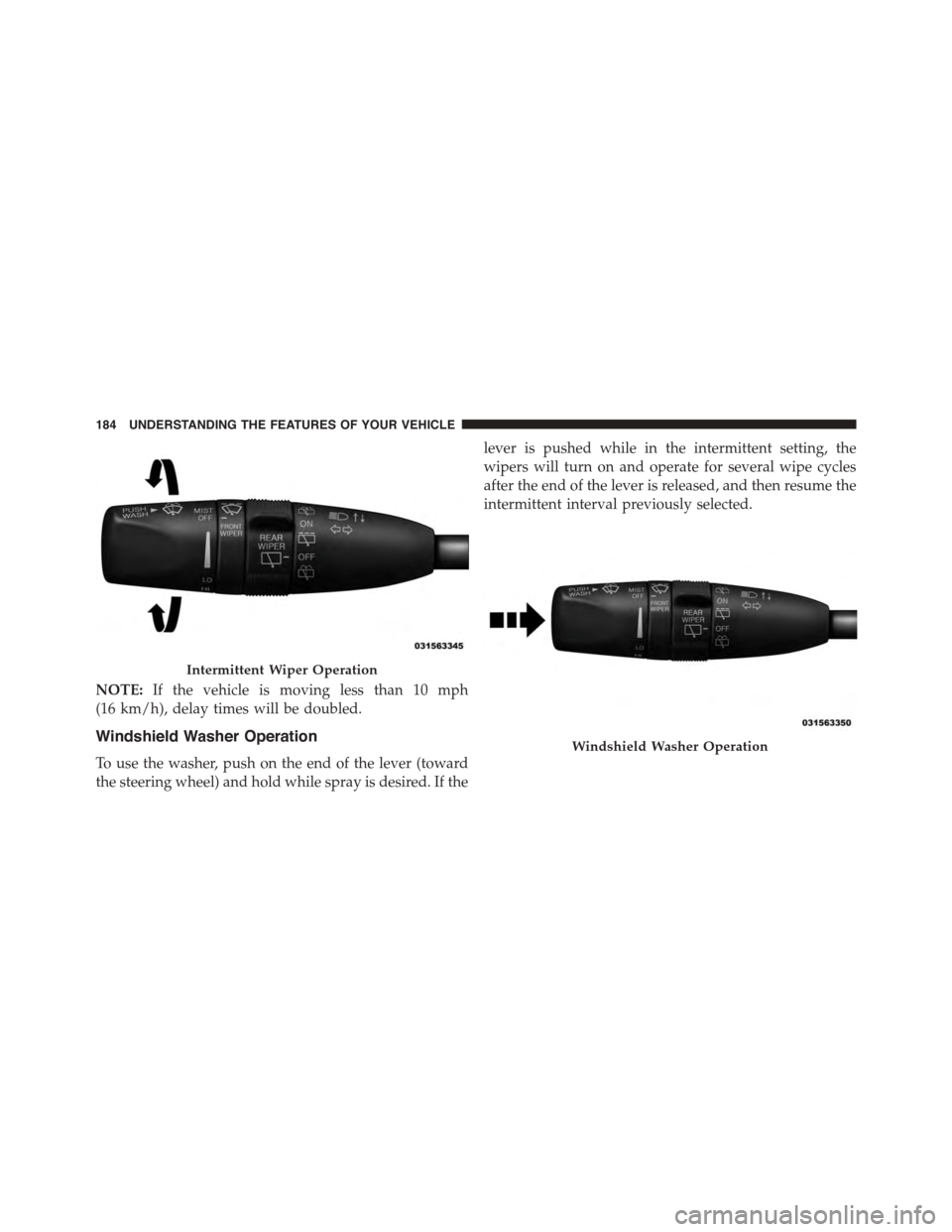
NOTE:If the vehicle is moving less than 10 mph
(16 km/h), delay times will be doubled.
Windshield Washer Operation
To use the washer, push on the end of the lever (toward
the steering wheel) and hold while spray is desired. If the
lever is pushed while in the intermittent setting, the
wipers will turn on and operate for several wipe cycles
after the end of the lever is released, and then resume the
intermittent interval previously selected.
Intermittent Wiper Operation
Windshield Washer Operation
184 UNDERSTANDING THE FEATURES OF YOUR VEHICLE
Page 187 of 689
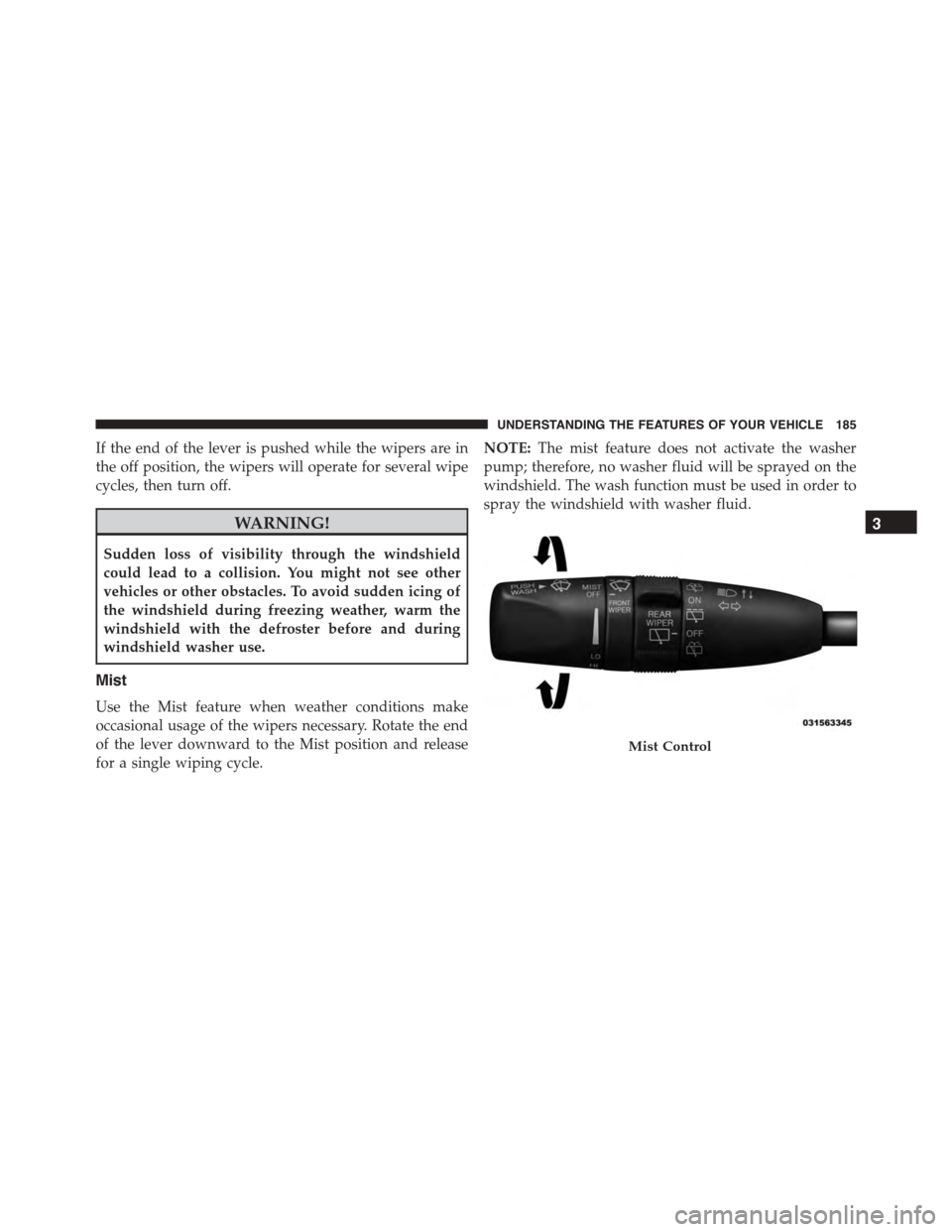
If the end of the lever is pushed while the wipers are in
the off position, the wipers will operate for several wipe
cycles, then turn off.
WARNING!
Sudden loss of visibility through the windshield
could lead to a collision. You might not see other
vehicles or other obstacles. To avoid sudden icing of
the windshield during freezing weather, warm the
windshield with the defroster before and during
windshield washer use.
Mist
Use the Mist feature when weather conditions make
occasional usage of the wipers necessary. Rotate the end
of the lever downward to the Mist position and release
for a single wiping cycle.
NOTE:The mist feature does not activate the washer
pump; therefore, no washer fluid will be sprayed on the
windshield. The wash function must be used in order to
spray the windshield with washer fluid.
Mist Control
3
UNDERSTANDING THE FEATURES OF YOUR VEHICLE 185
Page 188 of 689
Rain Sensing Wipers — If Equipped
This feature senses moisture on the windshield and
automatically activates the wipers for the driver. The
feature is especially useful for road splash or overspray
from the windshield washers of the vehicle ahead. Rotate
the end of the multifunction lever to one of four settings
to activate this feature.
The sensitivity of the system can be adjusted with the
multifunction lever. Wiper delay position one is the least
sensitive, and wiper delay position four is the most
sensitive. Setting three should be used for normal rain
conditions. Settings one and two can be used if the driver
desires less wiper sensitivity. Setting four can be used if
the driver desires more sensitivity. Place the wiper switch
in the OFF position when not using the system.
NOTE:
•The Rain Sensing feature will not operate when the
wiper switch is in the low or high-speed position.
•The Rain Sensing feature may not function properly
when ice, or dried salt water is present on the wind-
shield.
•Use of Rain-X® or products containing wax or silicone
may reduce Rain Sensing performance.
•The Rain Sensing feature can be turned on and off
using the Uconnect® System, refer to “Uconnect®
Settings” in “Understanding Your Instrument Panel”
for further information.
The Rain Sensing system has protection features for the
wiper blades and arms, and will not operate under the
following conditions:
•Low Ambient Temperature— When the ignition is
first turned ON, the Rain Sensing system will not
operate until the wiper switch is moved, vehicle speed
is greater than 0 mph (0 km/h), or the outside tem-
perature is greater than 32°F (0°C).
186 UNDERSTANDING THE FEATURES OF YOUR VEHICLE
Page 189 of 689
•Transmission In NEUTRAL Position— When the
ignition is ON, and the automatic transmission is in
the NEUTRAL position, the Rain Sensing system will
not operate until the wiper switch is moved, vehicle
speed is greater than 5 mph (8 km/h), or the shift
lever/gear selector is moved out of the NEUTRAL
position.
Remote Start Mode Inhibit— On vehicles equipped
with Remote Starting system, Rain Sensing wipers are
not operational when the vehicle is in the remote start
mode. Once the operator is in the vehicle and has placed
the ignition switch in the RUN position, rain sensing
wiper operation can resume, if it has been selected, and
no other inhibit conditions (mentioned previously) exist.
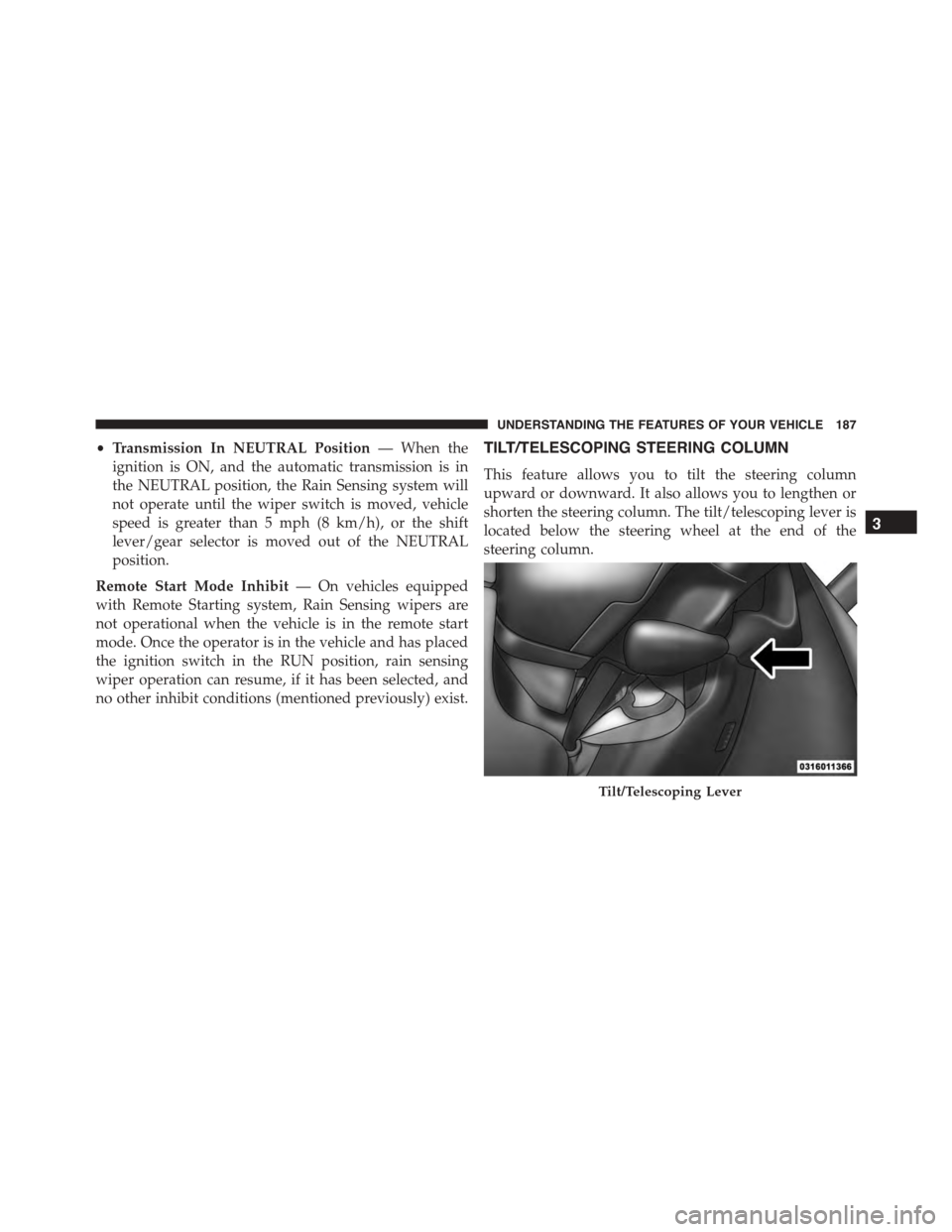
TILT/TELESCOPING STEERING COLUMN
This feature allows you to tilt the steering column
upward or downward. It also allows you to lengthen or
shorten the steering column. The tilt/telescoping lever is
located below the steering wheel at the end of the
steering column.
Tilt/Telescoping Lever
3
UNDERSTANDING THE FEATURES OF YOUR VEHICLE 187
Page 277 of 689
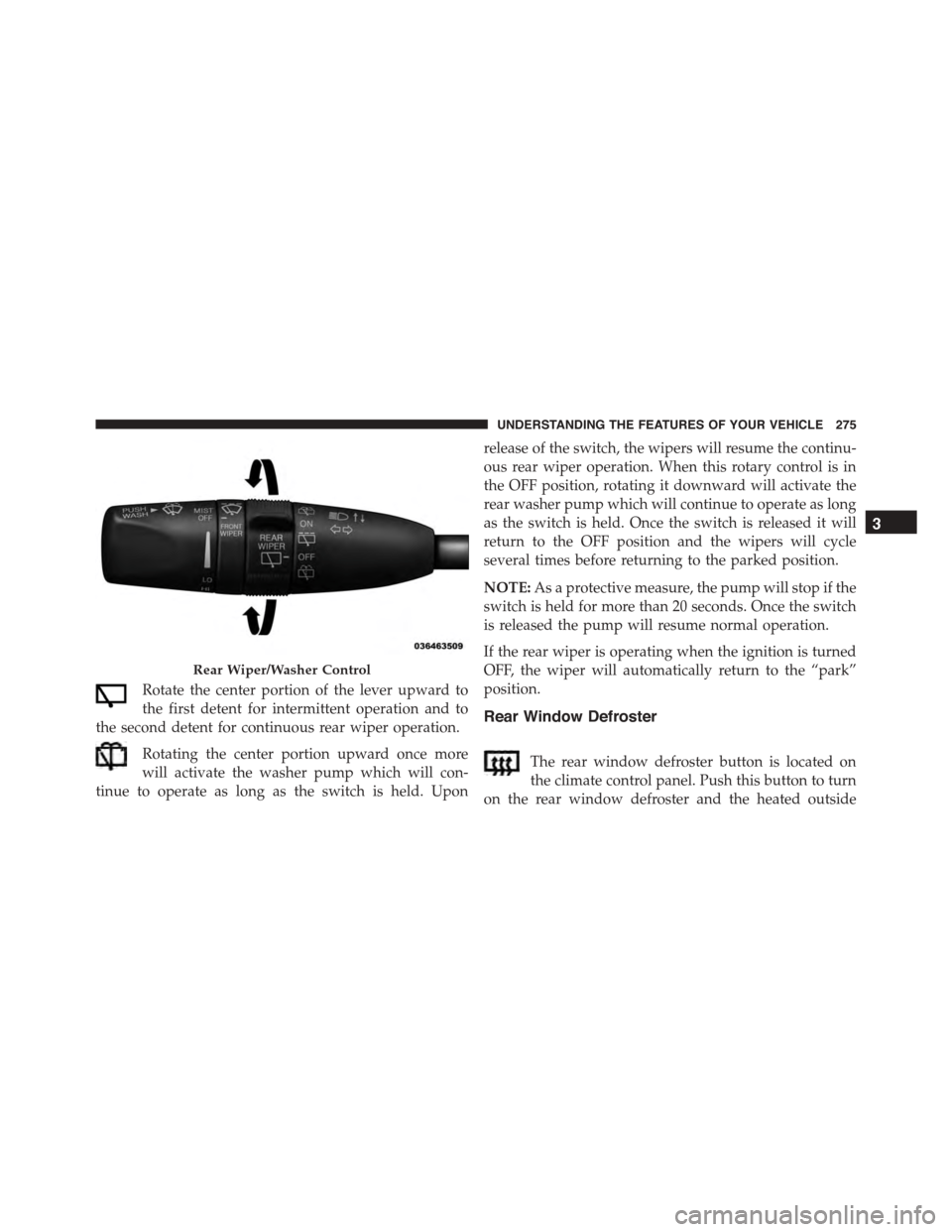
Rotate the center portion of the lever upward to
the first detent for intermittent operation and to
the second detent for continuous rear wiper operation.
Rotating the center portion upward once more
will activate the washer pump which will con-
tinue to operate as long as the switch is held. Upon
release of the switch, the wipers will resume the continu-
ous rear wiper operation. When this rotary control is in
the OFF position, rotating it downward will activate the
rear washer pump which will continue to operate as long
as the switch is held. Once the switch is released it will
return to the OFF position and the wipers will cycle
several times before returning to the parked position.
NOTE:As a protective measure, the pump will stop if the
switch is held for more than 20 seconds. Once the switch
is released the pump will resume normal operation.
If the rear wiper is operating when the ignition is turned
OFF, the wiper will automatically return to the “park”
position.
Rear Window Defroster
The rear window defroster button is located on
the climate control panel. Push this button to turn
on the rear window defroster and the heated outside
Rear Wiper/Washer Control
3
UNDERSTANDING THE FEATURES OF YOUR VEHICLE 275
Page 326 of 689
8 mph (12 km/h), the transmission is shifted into PARK
or the ignition is switched to the OFF position. To set the
ParkView® Backup Camera Delay push the MORE but-
ton on the faceplate, the “settings” button on the touch-
screen, then the “Safety & Driving Assistance” button on
the touchscreen. Press the “Parkview Backup camera
Delay” button on the touchscreen to turn the ParkView®
Delay ON or OFF.
•Rain Sensing Auto Wipers
When this feature is selected, the system will automati-
cally activate the windshield wipers if it senses moisture
on the windshield. To make your selection, press the
“Rain Sensing” button on the touchscreen and make your
selection. Press the back arrow button on the touchscreen
to return to the previous menu.
•Hill Start Assist — If Equipped
When this feature is selected, the Hill Start Assist (HSA)
system is active. Refer to “Electronic Brake Control
System” in “Starting And Operating” for system function
and operating information. To make your selection, press
the “Hill Start Assist” button on the touchscreen and
make your selection. Press the back arrow button on the
touchscreen to return to the previous menu.
Lights
After pressing the “Lights” button on the touchscreen the
following settings will be available.
•Headlights Off Delay
When this feature is selected, it allows the adjustment of
the amount of time the headlights remain on after the
engine is shut off. To change the Headlights Off Delay
setting, press the “Headlight Off Delay” button on the
touchscreen, and choose either 0 sec, 30 sec, 60 sec or 90
seconds. Press the back arrow button on the touchscreen
to return to the previous menu.
324 UNDERSTANDING YOUR INSTRUMENT PANEL