mirror DODGE DURANGO 2016 3.G User Guide
[x] Cancel search | Manufacturer: DODGE, Model Year: 2016, Model line: DURANGO, Model: DODGE DURANGO 2016 3.GPages: 739, PDF Size: 5.52 MB
Page 137 of 739
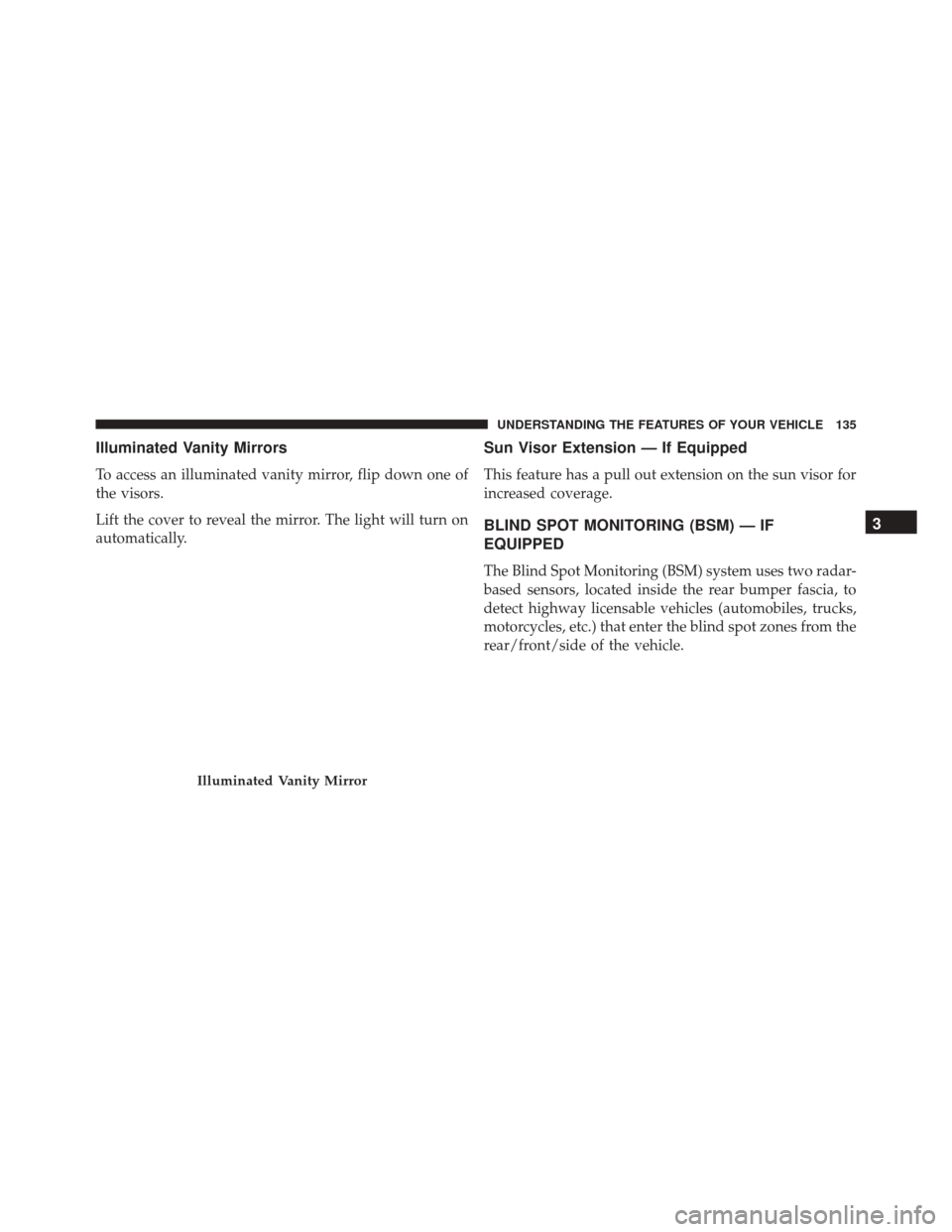
Illuminated Vanity Mirrors
To access an illuminated vanity mirror, flip down one of
the visors.
Lift the cover to reveal the mirror. The light will turn on
automatically.
Sun Visor Extension — If Equipped
This feature has a pull out extension on the sun visor for
increased coverage.
BLIND SPOT MONITORING (BSM) — IF
EQUIPPED
The Blind Spot Monitoring (BSM) system uses two radar-
based sensors, located inside the rear bumper fascia, to
detect highway licensable vehicles (automobiles, trucks,
motorcycles, etc.) that enter the blind spot zones from the
rear/front/side of the vehicle.
Illuminated Vanity Mirror
3
UNDERSTANDING THE FEATURES OF YOUR VEHICLE 135
Page 138 of 739
When the vehicle is started, the BSM warning light will
be momentarily illuminated in both outside rear view
mirrors to let the driver know that the system is opera-
tional. The BSM system sensors operate when the vehicle
is in any forward gear or REVERSE and enters stand by
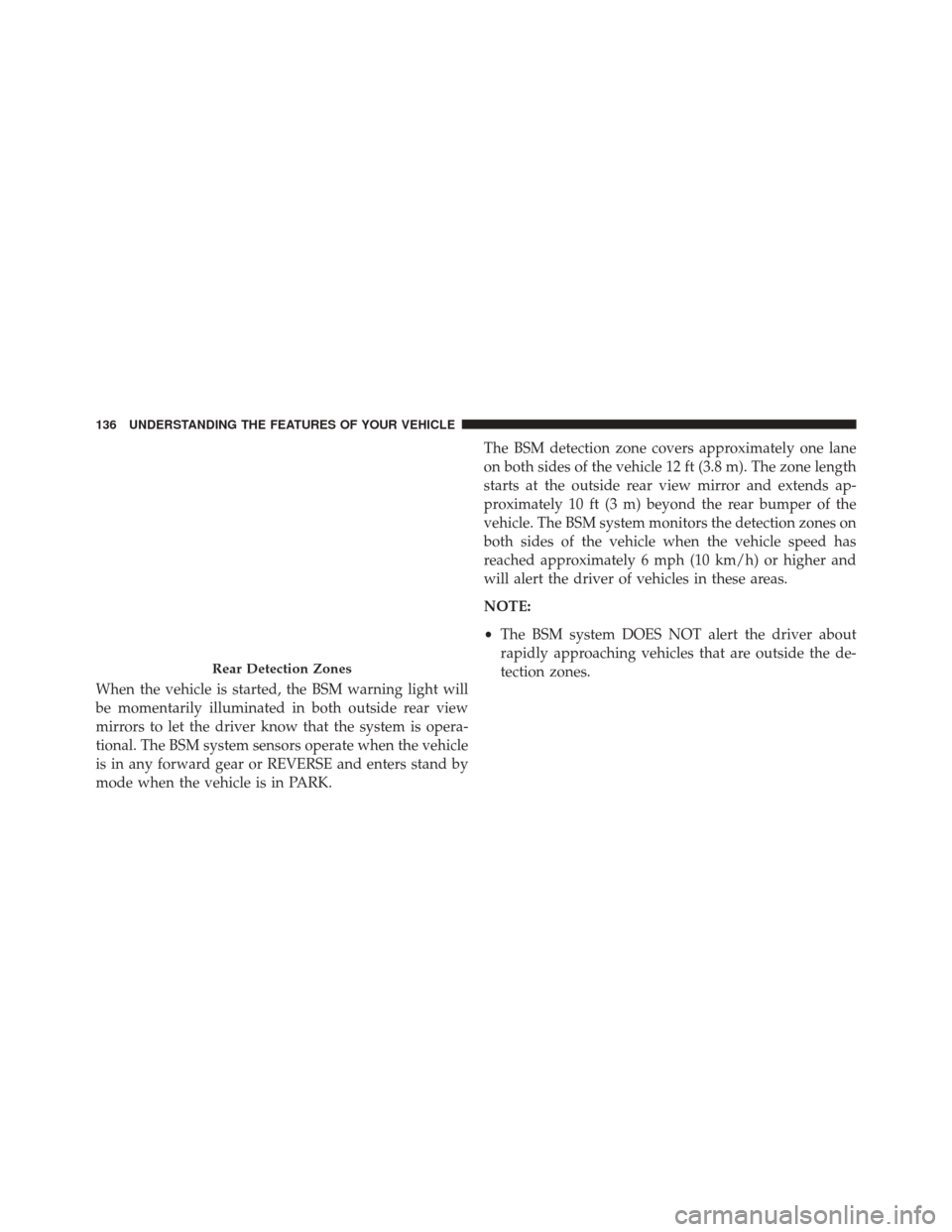
mode when the vehicle is in PARK.The BSM detection zone covers approximately one lane
on both sides of the vehicle 12 ft (3.8 m). The zone length
starts at the outside rear view mirror and extends ap-
proximately 10 ft (3 m) beyond the rear bumper of the
vehicle. The BSM system monitors the detection zones on
both sides of the vehicle when the vehicle speed has
reached approximately 6 mph (10 km/h) or higher and
will alert the driver of vehicles in these areas.
NOTE:
•
The BSM system DOES NOT alert the driver about
rapidly approaching vehicles that are outside the de-
tection zones.
Rear Detection Zones
136 UNDERSTANDING THE FEATURES OF YOUR VEHICLE
Page 139 of 739
•The BSM system detection zone DOES NOT change if
your vehicle is towing a trailer. Therefore, visually
verify the adjacent lane is clear for both your vehicle
and trailer before making a lane change. If the trailer or
other object (i.e., bicycle, sports equipment) extends
beyond the side of your vehicle, this may result in the
BSM warning light remaining illuminated or the alert
chime remaining on the entire time the vehicle is in a
forward gear. Refer to “Uconnect Settings” in “Under-
standing Your Instrument Panel” for more informa-
tion.
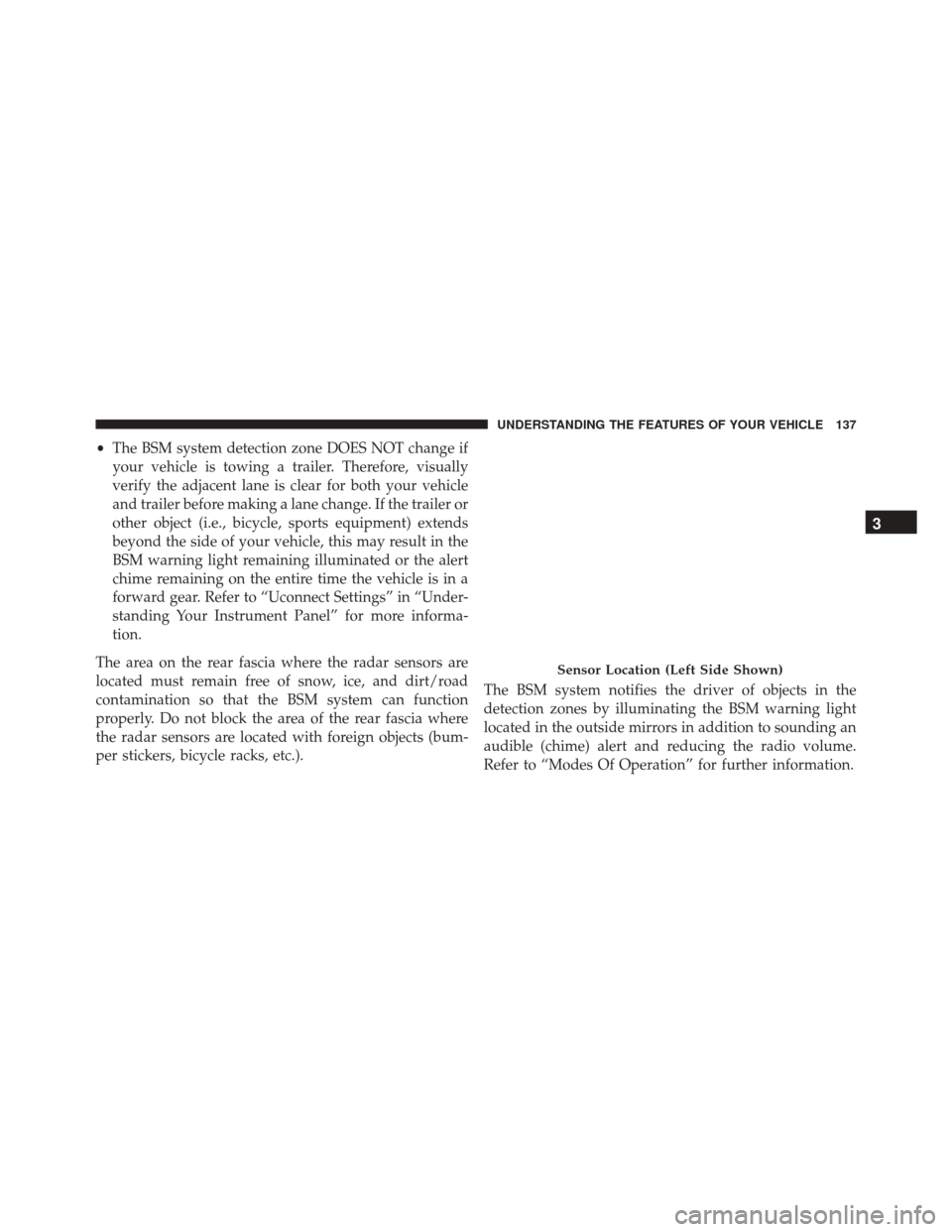
The area on the rear fascia where the radar sensors are
located must remain free of snow, ice, and dirt/road
contamination so that the BSM system can function
properly. Do not block the area of the rear fascia where
the radar sensors are located with foreign objects (bum-
per stickers, bicycle racks, etc.). The BSM system notifies the driver of objects in the
detection zones by illuminating the BSM warning light
located in the outside mirrors in addition to sounding an
audible (chime) alert and reducing the radio volume.
Refer to “Modes Of Operation” for further information.
Sensor Location (Left Side Shown)
3
UNDERSTANDING THE FEATURES OF YOUR VEHICLE 137
Page 143 of 739
WARNING!
The Blind Spot Monitoring system is only an aid to
help detect objects in the blind spot zones. The BSM
(Continued)
WARNING!(Continued)
system is not designed to detect pedestrians, bicy-
clists, or animals. Even if your vehicle is equipped
with the BSM system, always check your vehicles
mirrors, glance over your shoulder, and use your turn
signal before changing lanes. Failure to do so can
result in serious injury or death.
Rear Cross Path (RCP)
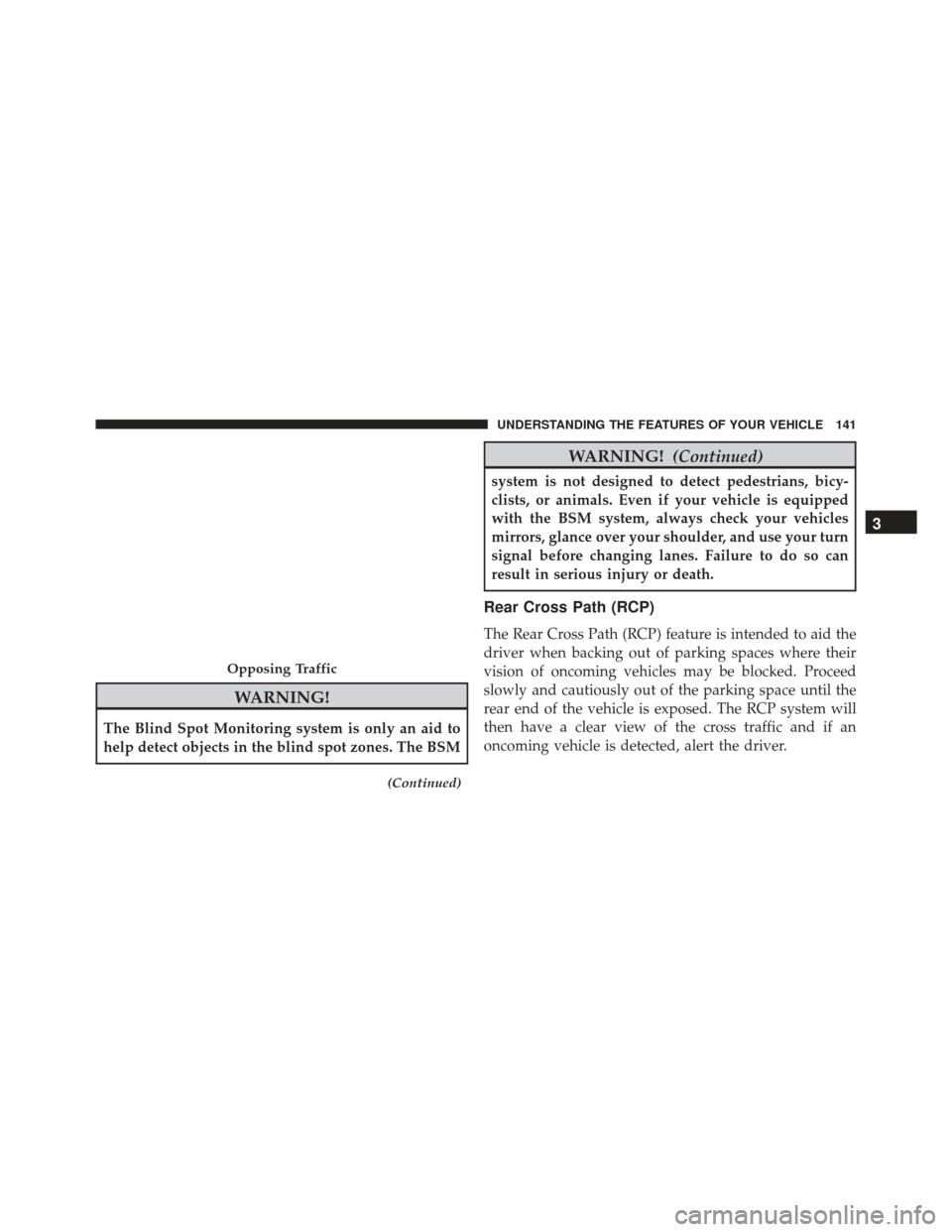
The Rear Cross Path (RCP) feature is intended to aid the
driver when backing out of parking spaces where their
vision of oncoming vehicles may be blocked. Proceed
slowly and cautiously out of the parking space until the
rear end of the vehicle is exposed. The RCP system will
then have a clear view of the cross traffic and if an
oncoming vehicle is detected, alert the driver.
Opposing Traffic
3
UNDERSTANDING THE FEATURES OF YOUR VEHICLE 141
Page 145 of 739
Modes Of Operation
Three selectable modes of operation are available in the
Uconnect System. Refer to “Uconnect Settings/Customer
Programmable Features” in “Understanding Your Instru-
ment Panel” for further information.
Blind Spot Alert Lights Only
When operating in Blind Spot Alert mode, the BSM
system will provide a visual alert in the appropriate side
view mirror based on a detected object. However, when
the system is operating in Rear Cross Path mode, the
system will respond with both visual and audible alerts
when a detected object is present. Whenever an audible
alert is requested, the radio volume is reduced.
Blind Spot Alert Lights/Chime
When operating in Blind Spot Alert Lights/Chime mode,
the BSM system will provide a visual alert in the appro-
priate side view mirror based on a detected object. If theturn signal is then activated, and it corresponds to an
alert present on that side of the vehicle, an audible chime
will also be sounded. Whenever a turn signal and de-
tected object are present on the same side at the same
time, both the visual and audio alerts will be issued. In
addition to the audible alert the radio (if on) volume will
be reduced.
NOTE:
•
Whenever an audible alert is requested by the BSM
system, the radio volume is reduced.
• If the hazard flashers are on, the system will request
the appropriate visual alert only.
When the system is in RCP, the system shall respond with
both visual and audible alerts when a detected object is
present. Whenever an audible alert is requested, the radio
volume is reduced. Turn/hazard signal status is ignored;
the RCP state always requests the chime.
3
UNDERSTANDING THE FEATURES OF YOUR VEHICLE 143
Page 170 of 739
NOTE:The second row seats must be in their full upright
position, or tumbled when folding the third row seats.
To raise the seat, pull the seat toward you using the strap
located on the back of the seat.
WARNING!
Be certain that the seatback is securely locked into
position. If the seatback is not securely locked into
position the seat will not provide the proper stability
for child seats and/or passengers. An improperly
latched seat could cause serious injury.
DRIVER MEMORY SEAT — IF EQUIPPED
This feature allows the driver to store up to two different
memory profiles for easy recall through a memory
switch. Each memory profile contains desired position
settings for the driver seat, side mirrors, and power tilt
and telescopic steering column (if equipped) and a set of
desired radio station presets. Your Remote Keyless Entry
(RKE) transmitter can also be programmed to recall the
same positions when the UNLOCK button is pressed.
Third Row Folded
168 UNDERSTANDING THE FEATURES OF YOUR VEHICLE
Page 172 of 739
Programming The Memory Feature
NOTE:To create a new memory profile, perform the
following:
1. Cycle the vehicles ignition to the ON/RUN position (Do not start the engine).
2. Adjust all memory profile settings to desired prefer- ences (i.e., seat, side mirror, power tilt and telescopic
steering column [if equipped], and radio station pre-
sets).
3. Push and release the S (Set) button on the memory switch.
4. Within five seconds, push and release either of the memory buttons (1) or (2). The Driver Information
Display (DID) will display which memory position
has been set. NOTE:
•
Memory profiles can be set without the vehicle in
PARK, but the vehicle must be in PARK to recall a
memory profile.
• To set a memory profile to your RKE transmitter, refer
to “Linking And Unlinking The Remote Keyless Entry
Transmitter To Memory” in this section.
Linking And Unlinking The Remote Keyless Entry
Transmitter To Memory
Your RKE transmitters can be programmed to recall one
of two pre-programmed memory profiles by pushing the
UNLOCK button on the RKE transmitter.
NOTE: Before programming your RKE transmitters you
must select the “Memory To FOB” feature through the
Uconnect system screen. Refer to “Uconnect Settings ” in
“Understanding Your Instrument Panel” for further in-
formation.
170 UNDERSTANDING THE FEATURES OF YOUR VEHICLE
Page 178 of 739
Automatic Headlights — If Equipped
This system automatically turns the headlights on or off
according to ambient light levels. To turn the system on,
rotate the headlight switch counterclockwise to the
AUTO position. When the system is on, the headlight
time delay feature is also on. This means the headlights
will stay on for up to 90 seconds after you place the
ignition into the OFF position. To turn the automatic
system off, move the headlight switch out of the AUTO
position.
NOTE:The engine must be running before the headlights
will come on in the automatic mode.
Headlights On Automatically With Wipers
If your vehicle is equipped with Automatic Headlights, it
also has this customer-programmable feature. When
your headlights are in the automatic mode and the
engine is running, they will automatically turn on when
the wiper system is on. This feature is programmable through the Uconnect system. Refer to “Uconnect
Settings/Customer Programmable Features” in “Under-
standing Your Instrument Panel” for further information.
NOTE:
When your headlights come on during the day-
time, the vehicle will monitor outside brightness and
decide if the instrument panel needs to be dimmed or
not. Refer to “Lights” in this section for further informa-
tion.
Automatic High Beam — If Equipped
The Automatic High Beam Headlamp Control system
provides increased forward lighting at night by automat-
ing high beam control through the use of a digital camera
mounted on the inside rearview mirror. This camera
detects vehicle specific light and automatically switches
from high beams to low beams until the approaching
vehicle is out of view.
176 UNDERSTANDING THE FEATURES OF YOUR VEHICLE
Page 179 of 739
NOTE:
•The Automatic High Beam Headlamp Control can be
turned on or off using the Uconnect System. Refer to
“Uconnect Settings” in “Understanding Your Instru-
ment Panel” for further information.
• Broken, muddy, or obstructed headlights and taillights
of vehicles in the field of view will cause headlights to
remain on longer (closer to the vehicle). Also, dirt, film,
and other obstructions on the windshield or camera
lens will cause the system to function improperly.
• To opt out of the Advanced Auto High-Beam Sensitiv-
ity Control (default) and enter Reduced High-Beam
Sensitivity Control (not recommended), toggle high-
beam lever 6 full on/off cycles within 10 seconds of
ignition ON. System will return to default setting upon
ignition off. If the windshield or Automatic High Beam Headlamp
Control mirror is replaced, the mirror must be re-aimed
to ensure proper performance. See your local authorized
dealer.
Daytime Running Lights — If Equipped
The Daytime Running Lights come on whenever the
engine is running, and the transmission is not in the
PARK position. The lights will remain on until the
ignition is switched to the OFF or ACC position or the
parking brake is engaged. The headlight switch must be
used for normal nighttime driving.
NOTE:
If allowed by law in the country in which the
vehicle was purchased the Daytime Running Lights can
be turned on and off using the Uconnect System, refer to
“Uconnect Settings” in “Understanding Your Instrument
Panel” for further information.
3
UNDERSTANDING THE FEATURES OF YOUR VEHICLE 177
Page 217 of 739
“Clean Front Windshield” Warning
The “ACC/FCW Limited Functionality Clean Front
Windshield” warning will display and also a chime will
indicate when conditions temporarily limit system per-
formance. This most often occurs at times of poor visibil-
ity, such as in snow or heavy rain and fog. The ACC
system may also become temporarily blinded due to
obstructions, such as mud, dirt, or ice on windshield and
fog on the inside of glass. In these cases, the DID will
display “ACC/FCW Limited Functionality Clean Front
Windshield” and the system will have degraded perfor-
mance.
The “ACC/FCW Limited Functionality Clean Front
Windshield” message can sometimes be displayed while
driving in adverse weather conditions. The ACC/FCW
system will recover after the vehicle has left these areas.Under rare conditions, when the camera is not tracking
any vehicles or objects in its path this warning may
temporarily occur.
If weather conditions are not a factor, the driver should
examine the windshield and the camera located on the
back side of the inside rear view mirror. They may
require cleaning or removal of an obstruction.
When the condition that created limited functionality is
no longer present, the system will return to full function-
ality.
NOTE:
If the “ACC/FCW Limited Functionality Clean
Front Windshield” message occurs frequently (e.g. more
than once on every trip) without any snow, rain, mud, or
other obstruction, have the windshield and forward
facing camera inspected at your authorized dealer.
3
UNDERSTANDING THE FEATURES OF YOUR VEHICLE 215