tow DODGE DURANGO 2019 User Guide
[x] Cancel search | Manufacturer: DODGE, Model Year: 2019, Model line: DURANGO, Model: DODGE DURANGO 2019Pages: 598, PDF Size: 4.32 MB
Page 92 of 598
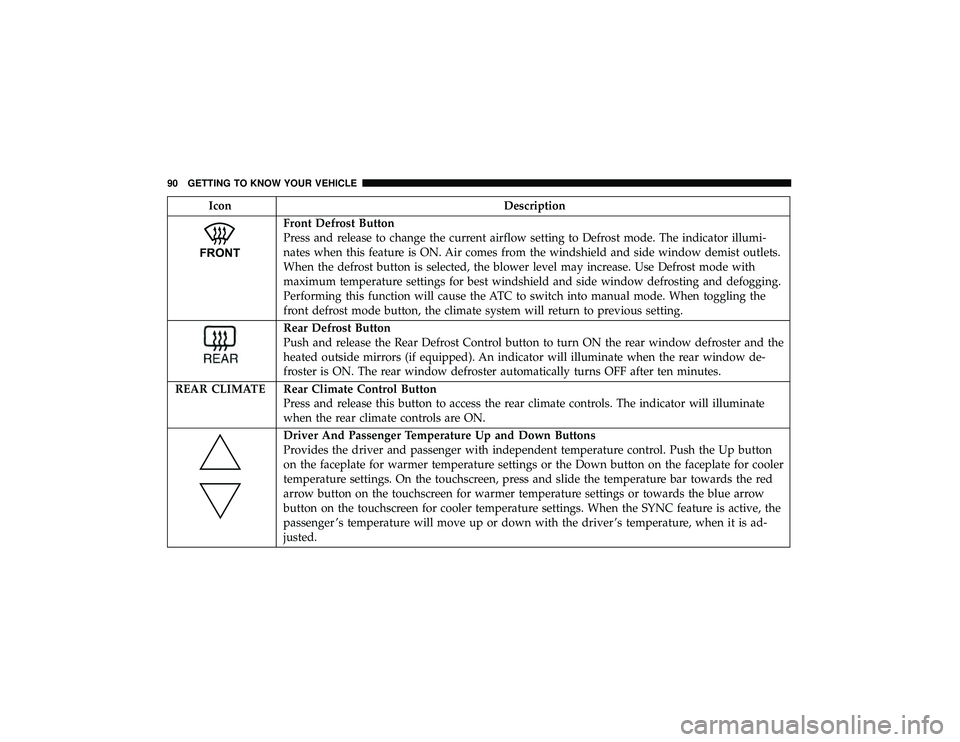
IconDescription
Front Defrost Button
Press and release to change the current airflow setting to Defrost mode. The indicator illumi-
nates when this feature is ON. Air comes from the windshield and side window demist outlets.
When the defrost button is selected, the blower level may increase. Use Defrost mode with
maximum temperature settings for best windshield and side window defrosting and defogging.
Performing this function will cause the ATC to switch into manual mode. When toggling the
front defrost mode button, the climate system will return to previous setting.
Rear Defrost Button
Push and release the Rear Defrost Control button to turn ON the rear window defroster and the
heated outside mirrors (if equipped). An indicator will illuminate when the rear window de-
froster is ON. The rear window defroster automatically turns OFF after ten minutes.
REAR CLIMATE Rear Climate Control Button Press and release this button to access the rear climate controls. The indicator will illuminate
when the rear climate controls are ON.
Driver And Passenger Temperature Up and Down Buttons
Provides the driver and passenger with independent temperature control. Push the Up button
on the faceplate for warmer temperature settings or the Down button on the faceplate for cooler
temperature settings. On the touchscreen, press and slide the temperature bar towards the red
arrow button on the touchscreen for warmer temperature settings or towards the blue arrow
button on the touchscreen for cooler temperature settings. When the SYNC feature is active, the
passenger ’s temperature will move up or down with the driver ’s temperature, when it is ad-
justed.
90 GETTING TO KNOW YOUR VEHICLE
Page 137 of 598
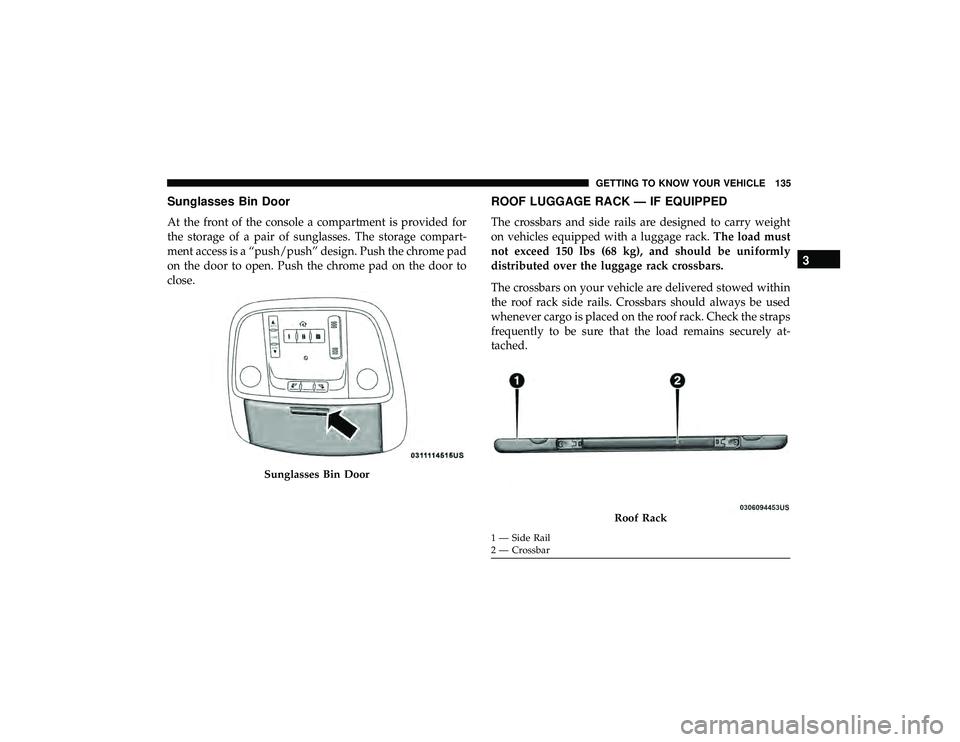
Sunglasses Bin Door
At the front of the console a compartment is provided for
the storage of a pair of sunglasses. The storage compart-
ment access is a “push/push” design. Push the chrome pad
on the door to open. Push the chrome pad on the door to
close.
ROOF LUGGAGE RACK — IF EQUIPPED
The crossbars and side rails are designed to carry weight
on vehicles equipped with a luggage rack.The load must
not exceed 150 lbs (68 kg), and should be uniformly
distributed over the luggage rack crossbars.
The crossbars on your vehicle are delivered stowed within
the roof rack side rails. Crossbars should always be used
whenever cargo is placed on the roof rack. Check the straps
frequently to be sure that the load remains securely at-
tached.
Sunglasses Bin Door
Roof Rack
1 — Side Rail
2 — Crossbar
3
GETTING TO KNOW YOUR VEHICLE 135
Page 138 of 598
The roof rack does not increase the total load carrying
capacity of the vehicle. Be sure the total load of cargo inside
the vehicle plus that on the external rack does not exceed
the maximum vehicle load capacity.
Deploying The Crossbars
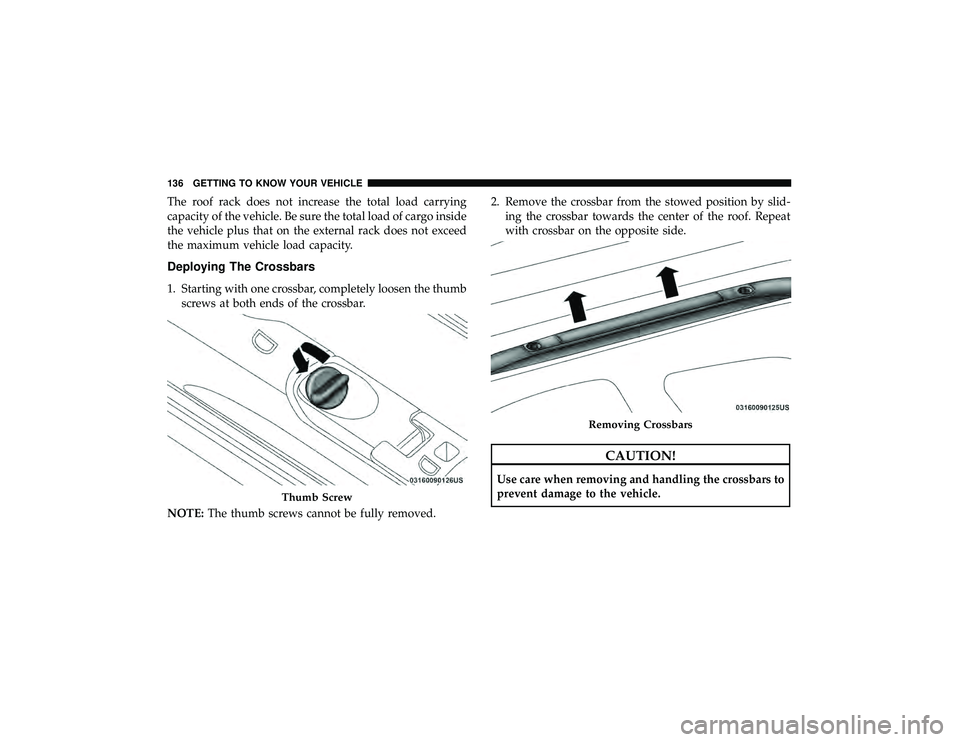
1. Starting with one crossbar, completely loosen the thumbscrews at both ends of the crossbar.
NOTE: The thumb screws cannot be fully removed. 2. Remove the crossbar from the stowed position by slid-
ing the crossbar towards the center of the roof. Repeat
with crossbar on the opposite side.
CAUTION!
Use care when removing and handling the crossbars to
prevent damage to the vehicle.
Thumb Screw
Removing Crossbars
136 GETTING TO KNOW YOUR VEHICLE
Page 140 of 598

5. Slide the cross bar into to the deploy position by movingit towards the matching letter in the side rail. Be sure the
crossbar is fully deployed with the crossbar pushed as
far into the slot as possible. Once the crossbar is in place,
tighten both thumb screws completely. 6. Deploy and tighten the second crossbar to complete the
deployment of the crossbars.
Installing Crossbars
Deployed Crossbars
138 GETTING TO KNOW YOUR VEHICLE
Page 141 of 598

Stowing The Crossbars
1. Starting with one crossbar, completely loosen the thumbscrews at both ends. Slide the crossbar away from the
matching letter to remove it from the deployed position.
Repeat with the other crossbar.
CAUTION!
Use care when removing and handling the crossbars to
prevent damage to the vehicle.
2. Starting with the one crossbar, bend up the pivot supports at each end.
Crossbar Pivot
3
GETTING TO KNOW YOUR VEHICLE 139
Page 142 of 598
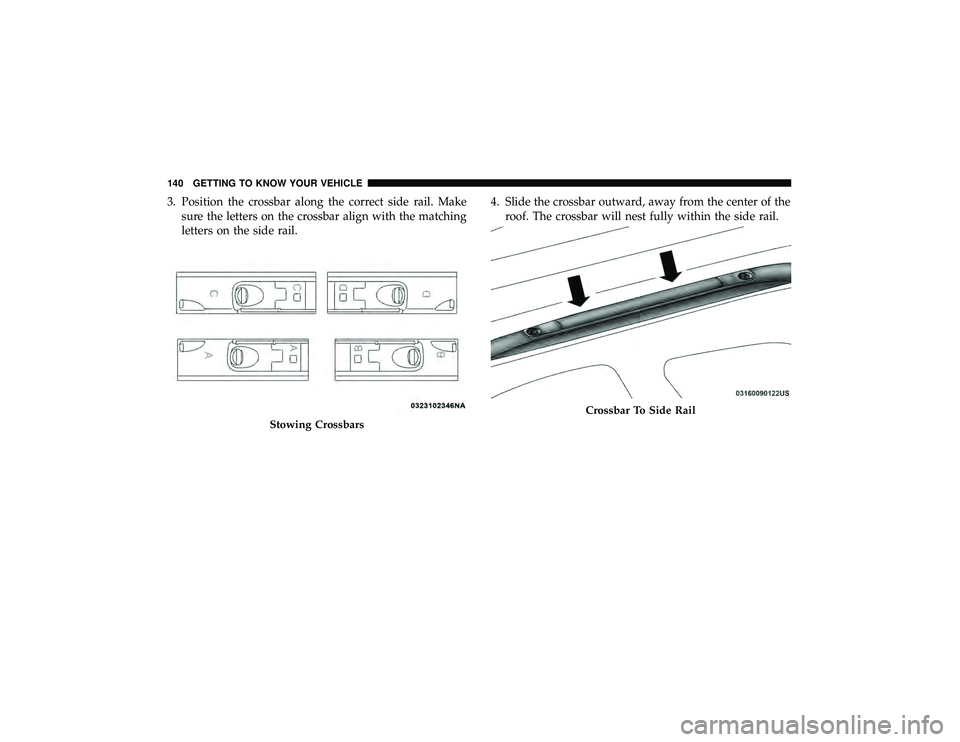
3. Position the crossbar along the correct side rail. Makesure the letters on the crossbar align with the matching
letters on the side rail. 4. Slide the crossbar outward, away from the center of the
roof. The crossbar will nest fully within the side rail.
Stowing Crossbars
Crossbar To Side Rail
140 GETTING TO KNOW YOUR VEHICLE
Page 143 of 598

5. Once the driver ’s side crossbar is in place, tighten thethumb screws completely.
6. Repeat the procedure to stow the second crossbar on the opposite side. NOTE:
•
To help control wind noise, stow the crossbars in the side
rails when they are not in use.
• If any metallic object is placed over the satellite radio
antenna (if equipped), you may experience interruption
of satellite radio reception.
Tightening Crossbar
Stowed Crossbars
3
GETTING TO KNOW YOUR VEHICLE 141
Page 147 of 598
Instrument Cluster Descriptions
1. Tachometer•Indicates the engine speed in revolutions per minute
(RPM x 1000).
2. Speedometer •Indicates vehicle speed.
3. Temperature Gauge •The temperature gauge shows engine coolant tem-
perature. Any reading within the normal range indi-
cates that the engine cooling system is operating
satisfactorily.
• The gauge pointer will likely indicate a higher tem-
perature when driving in hot weather, up mountain
grades, or when towing a trailer. It should not be
allowed to exceed the upper limits of the normal
operating range.
WARNING!
A hot engine cooling system is dangerous. You or
others could be badly burned by steam or boiling
coolant. You may want to call an authorized dealer for
service if your vehicle overheats. If you decide to look
under the hood yourself, see “Servicing And Mainte-
nace”. Follow the warnings under the Cooling System
Pressure Cap paragraph.
CAUTION!
Driving with a hot engine cooling system could dam-
age your vehicle. If the temperature gauge reads “H”
pull over and stop the vehicle. Idle the vehicle with the
air conditioner turned off until the pointer drops back
into the normal range. If the pointer remains on the
“H”, turn the engine off immediately and call an
authorized dealer for service.
4
GETTING TO KNOW YOUR INSTRUMENT PANEL 145
Page 149 of 598
The Main Menu items consists of the following:
•Speedometer Main Gauge
• Vehicle Info
• Driver Assist — If Equipped
• Fuel Economy
• Trip
• Trailer Tow — If Equipped
• Stop/Start — If Equipped
• Audio
• Stored Messages
• Screen Setup
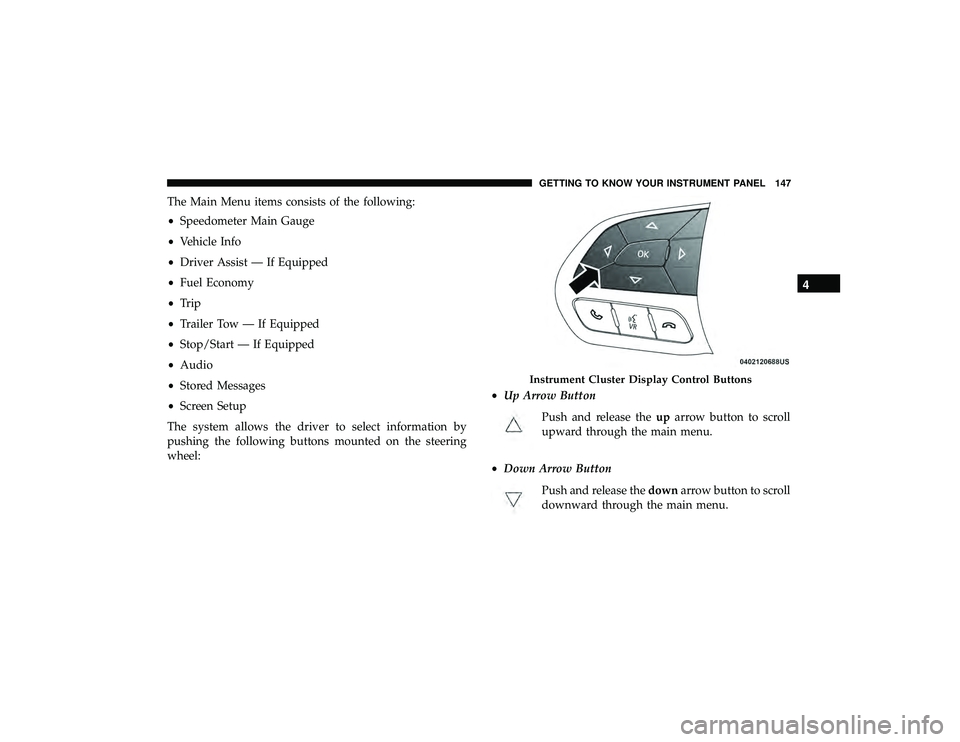
The system allows the driver to select information by
pushing the following buttons mounted on the steering
wheel: •
Up Arrow Button
Push and release the uparrow button to scroll
upward through the main menu.
• Down Arrow Button
Push and release the downarrow button to scroll
downward through the main menu.
Instrument Cluster Display Control Buttons
4
GETTING TO KNOW YOUR INSTRUMENT PANEL 147
Page 155 of 598
Oil Pressure
•Displays the actual oil pressure.
Oil Life
• Displays the current oil life of the vehicle.
Battery Voltage
• Displays the current voltage level of the battery.
Driver Assist — If Equipped
Push and release the upordown arrow button until the
Driver Assist display icon/title is highlighted in the instru-
ment cluster display. For further information, refer to
“Adaptive Cruise Control (ACC) — If Equipped” in “Start-
ing And Operating.”
Fuel Economy
Push and release the upordown arrow button until the
Fuel Economy Menu icon/title is highlighted. Push the left
or right arrow button to scroll the submenus, one with
current fuel economy display and one without it.
• Range
• Current MPG, L/100 km, or km/L
• Average MPG, L/100 km, or km/L •
Press the OKbutton to reset the average fuel economy
NOTE: The Range feature is not able to be reset through
the instrument cluster display controls.
Trip
Push and release the upordown arrow button until the
Trip icon/title is highlighted in the instrument cluster
display, then push and release the leftorright arrow
button to select Trip A or Trip B.
The Trip A and Trip B information will display the follow-
ing:
• Distance
• Average Fuel Economy
• Elapsed Time
Hold the OKbutton to reset all the information.
Trailer Tow
Push and release the upordown arrow button until the
Trailer Tow Menu icon/title is highlighted in the instru-
ment cluster display. Push and release the leftorright
arrow button to select Trailer Trip or Trailer Brake.
4
GETTING TO KNOW YOUR INSTRUMENT PANEL 153