start stop button DODGE DURANGO 2019 Owner's Manual
[x] Cancel search | Manufacturer: DODGE, Model Year: 2019, Model line: DURANGO, Model: DODGE DURANGO 2019Pages: 598, PDF Size: 4.32 MB
Page 365 of 598
CAUTION!
It is necessary to follow these steps to be certain that
the transfer case is fully in NEUTRAL (N) before
recreational towing to prevent damage to internal
parts.
1. Bring the vehicle to a complete stop on level ground, with the engine running.
2. Press and hold the brake pedal.
3. Shift the transmission into NEUTRAL.
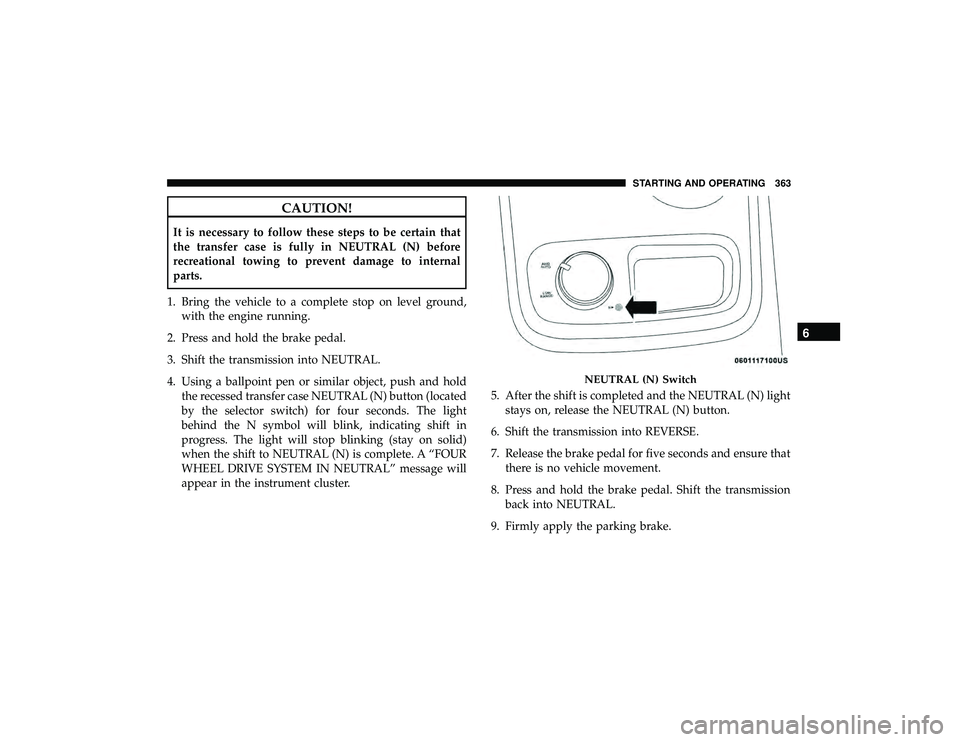
4. Using a ballpoint pen or similar object, push and hold the recessed transfer case NEUTRAL (N) button (located
by the selector switch) for four seconds. The light
behind the N symbol will blink, indicating shift in
progress. The light will stop blinking (stay on solid)
when the shift to NEUTRAL (N) is complete. A “FOUR
WHEEL DRIVE SYSTEM IN NEUTRAL” message will
appear in the instrument cluster. 5. After the shift is completed and the NEUTRAL (N) light
stays on, release the NEUTRAL (N) button.
6. Shift the transmission into REVERSE.
7. Release the brake pedal for five seconds and ensure that there is no vehicle movement.
8. Press and hold the brake pedal. Shift the transmission back into NEUTRAL.
9. Firmly apply the parking brake.
NEUTRAL (N) Switch
6
STARTING AND OPERATING 363
Page 366 of 598
10. With the transmission and transfer case in NEUTRAL,push and hold the ENGINE START/STOP button until
the engine turns off.
11. Place the transmission gear selector in PARK. Release the brake pedal.
12. Push the ENGINE STOP/START button twice (without pressing the brake pedal) to turn the ignition to the
OFF mode.
CAUTION!
Damage to the transmission may occur if the transmis-
sion is shifted into PARK with the transfer case in
NEUTRAL (N) and the engine running. With the
transfer case in NEUTRAL (N) ensure that the engine
is OFF before shifting the transmission into PARK.
13. Attach the vehicle to the tow vehicle using a suitable tow bar.
14. Release the parking brake. NOTE:
•
Steps 1 through 3 are requirements that must be met
before pushing the NEUTRAL (N) button, and must
continue to be met until the shift has been completed. If
any of these requirements are not met before pushing
the NEUTRAL (N) button or are no longer met during
the shift, the NEUTRAL (N) indicator light will flash
continuously until all requirements are met or until the
NEUTRAL (N) button is released.
• The ignition must be in the ON/RUN mode for a shift to
take place and for the position indicator lights to be
operable. If the ignition is not in the ON/RUN mode, the
shift will not take place and no position indicator lights
will be on or flashing.
• A flashing NEUTRAL (N) position indicator light indi-
cates that shift requirements have not been met.
Shifting Out Of NEUTRAL (N)
Use the following procedure to prepare your vehicle for
normal usage.
1. Bring the vehicle to a complete stop, leaving it con-
nected to the tow vehicle.
2. Firmly apply the parking brake.
364 STARTING AND OPERATING
Page 507 of 598
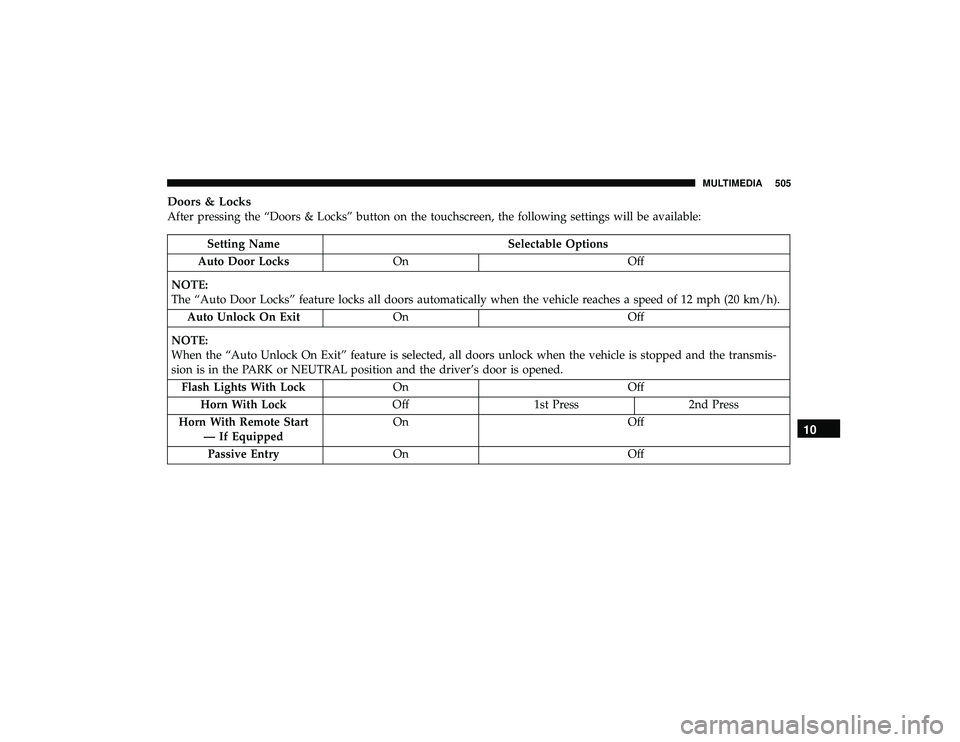
Doors & Locks
After pressing the “Doors & Locks” button on the touchscreen, the following settings will be available:
Setting NameSelectable Options
Auto Door Locks On Off
NOTE:
The “Auto Door Locks” feature locks all doors automatically when the vehicle reaches a speed of 12 mph (20 km/h). Auto Unlock On Exit On Off
NOTE:
When the “Auto Unlock On Exit” feature is selected, all doors unlock when the vehicle is stopped and the transmis-
sion is in the PARK or NEUTRAL position and the driver’s door is opened. Flash Lights With Lock On Off
Horn With Lock Off1st Press 2nd Press
Horn With Remote Start — If Equipped On
Off
Passive Entry On Off
10
MULTIMEDIA 505
Page 525 of 598
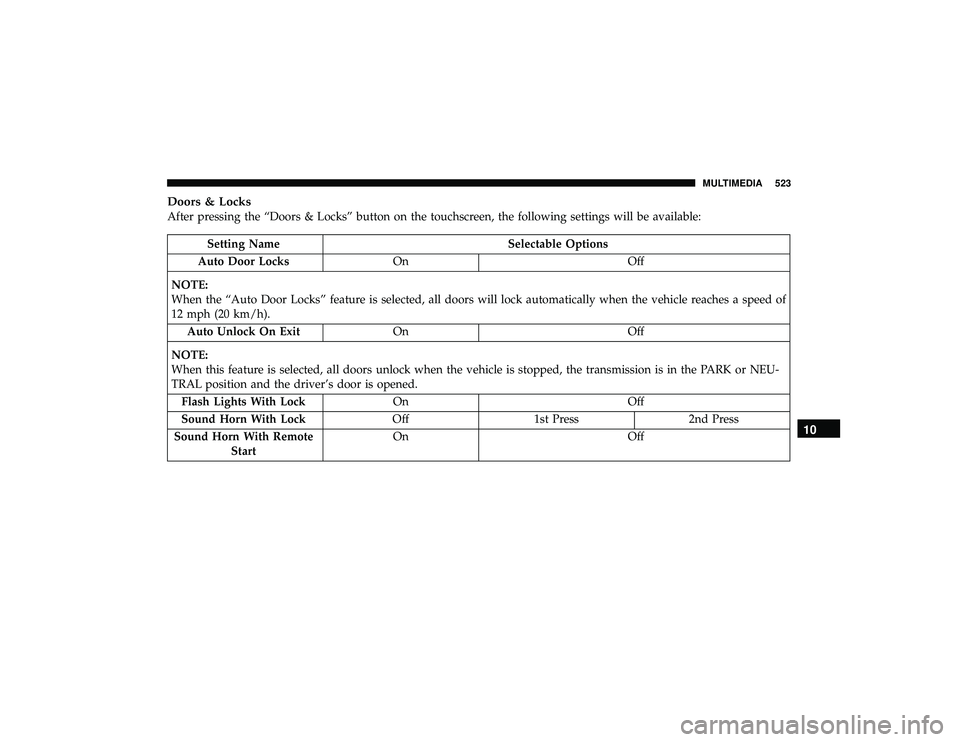
Doors & Locks
After pressing the “Doors & Locks” button on the touchscreen, the following settings will be available:
Setting NameSelectable Options
Auto Door Locks On Off
NOTE:
When the “Auto Door Locks” feature is selected, all doors will lock automatically when the vehicle reaches a speed of
12 mph (20 km/h). Auto Unlock On Exit On Off
NOTE:
When this feature is selected, all doors unlock when the vehicle is stopped, the transmission is in the PARK or NEU-
TRAL position and the driver’s door is opened. Flash Lights With Lock On Off
Sound Horn With Lock Off1st Press 2nd Press
Sound Horn With Remote Start On
Off
10
MULTIMEDIA 523
Page 540 of 598
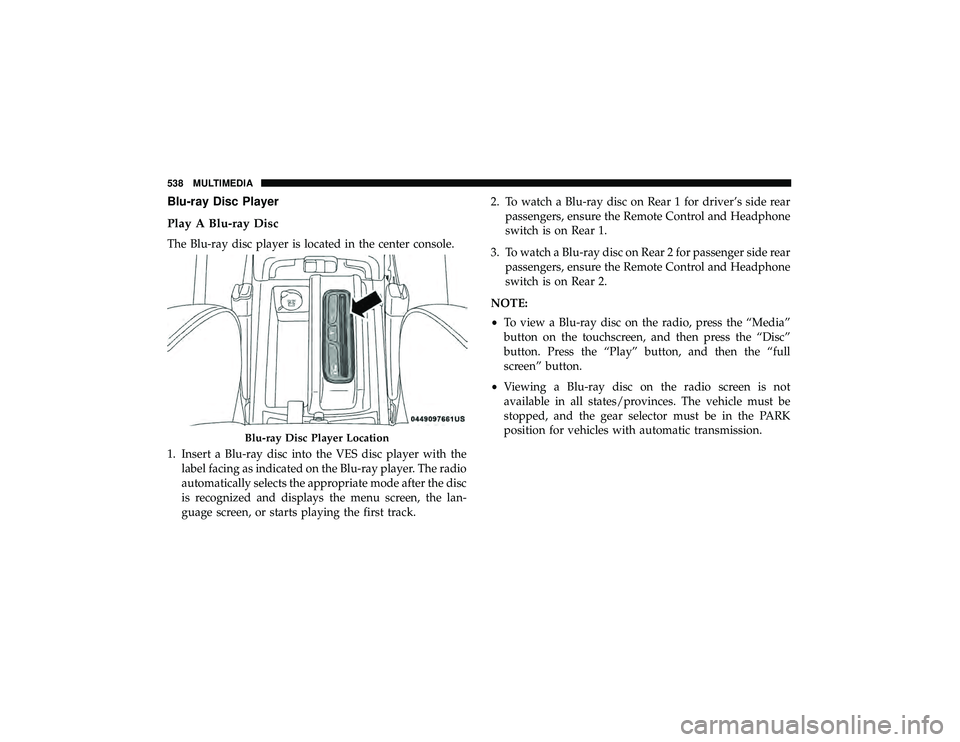
Blu-ray Disc Player
Play A Blu-ray Disc
The Blu-ray disc player is located in the center console.
1. Insert a Blu-ray disc into the VES disc player with thelabel facing as indicated on the Blu-ray player. The radio
automatically selects the appropriate mode after the disc
is recognized and displays the menu screen, the lan-
guage screen, or starts playing the first track. 2. To watch a Blu-ray disc on Rear 1 for driver’s side rear
passengers, ensure the Remote Control and Headphone
switch is on Rear 1.
3. To watch a Blu-ray disc on Rear 2 for passenger side rear passengers, ensure the Remote Control and Headphone
switch is on Rear 2.
NOTE:
• To view a Blu-ray disc on the radio, press the “Media”
button on the touchscreen, and then press the “Disc”
button. Press the “Play” button, and then the “full
screen” button.
• Viewing a Blu-ray disc on the radio screen is not
available in all states/provinces. The vehicle must be
stopped, and the gear selector must be in the PARK
position for vehicles with automatic transmission.
Blu-ray Disc Player Location
538 MULTIMEDIA