tires DODGE DURANGO 2020 User Guide
[x] Cancel search | Manufacturer: DODGE, Model Year: 2020, Model line: DURANGO, Model: DODGE DURANGO 2020Pages: 464, PDF Size: 22.14 MB
Page 141 of 464

SAFETY139
(Continued)
This is defined as the tire pressure after the
vehicle has not been driven for at least three
hours, or driven less than 1 mile (1.6 km) after
a three-hour period. Refer to “Tires” in
“Servicing And Maintenance” for information on
how to properly inflate the vehicle’s tires. The
tire pressure will also increase as the vehicle is
driven — this is normal and there should be no
adjustment for this increased pressure.
The TPMS will warn the driver of a low tire
pressure if the tire pressure falls below the low
pressure warning threshold for any reason,
including low temperature effects, or natural
pressure loss through the tire.
The TPMS will continue to warn the driver of low
tire pressure as long as the condition exists,
and will not turn off until the tire pressure is at
or above recommended cold tire pressure.
Once the low tire pressure warning has been
illuminated, the tire pressure must be increased
to the recommended cold tire pressure in order
for the TPMS Warning Light to be turned off. NOTE:
When filling warm tires, the tire pressure may
need to be increased up to an additional 4 psi
(28 kPa) above the recommended cold placard
pressure in order to turn the TPMS Warning
Light off.
The system will automatically update and the
TPMS Warning Light will extinguish once the
updated tire pressures have been received. The
vehicle may need to be driven for up to
20 minutes above 15 mph (24 km/h) to receive
this information.
For example, your vehicle has a recommended
cold (parked for more than three hours) tire
pressure of 33 psi (227 kPa). If the ambient
temperature is 68°F (20°C) and the measured
tire pressure is 28 psi (193 kPa), a temperature
drop to 20°F (-7°C) will decrease the tire
pressure to approximately 24 psi (165 kPa).
This tire pressure is sufficiently low enough to
turn on the TPMS Warning Light. Driving the
vehicle may cause the tire pressure to rise to
approximately 28 psi (193 kPa), but the TPMS
Warning Light will still be on. In this situation,
the TPMS Warning Light will turn off only after
the tires have been inflated to the vehicle’s
recommended cold tire pressure value.CAUTION!
The TPMS has been optimized for the orig
-
inal equipment tires and wheels. TPMS
pressures and warnings have been estab -
lished for the tire size equipped on your
vehicle. Undesirable system operation or
sensor damage may result when using
replacement equipment that is not of the
same size, type, and/or style. The TPM
sensor is not designed for use on after -
market wheels and may contribute to a
poor overall system performance or sensor
damage. Customers are encouraged to use
OEM wheels to assure proper TPM feature
operation.
Using aftermarket tire sealants may cause
the Tire Pressure Monitoring System
(TPMS) sensor to become inoperable. After
using an aftermarket tire sealant it is
recommended that you take your vehicle to
an authorized dealership to have your
sensor function checked.
4
20_WD_OM_EN_USC_t.book Page 139
Page 142 of 464
140SAFETY
NOTE:
The TPMS is not intended to replace normal
tire care and maintenance, or to provide
warning of a tire failure or condition.
The TPMS should not be used as a tire pres -
sure gauge while adjusting your tire pressure.
Driving on a significantly under-inflated tire
causes the tire to overheat and can lead to
tire failure. Under-inflation also reduces fuel
efficiency and tire tread life, and may affect
the vehicle’s handling and stopping ability.
The TPMS is not a substitute for proper tire
maintenance, and it is the driver’s responsi -
bility to maintain correct tire pressure using
an accurate tire gauge, even if under-infla -
tion has not reached the level to trigger illu -
mination of the TPMS Warning Light.
Seasonal temperature changes will affect
tire pressure, and the TPMS will monitor the
actual tire pressure in the tire.
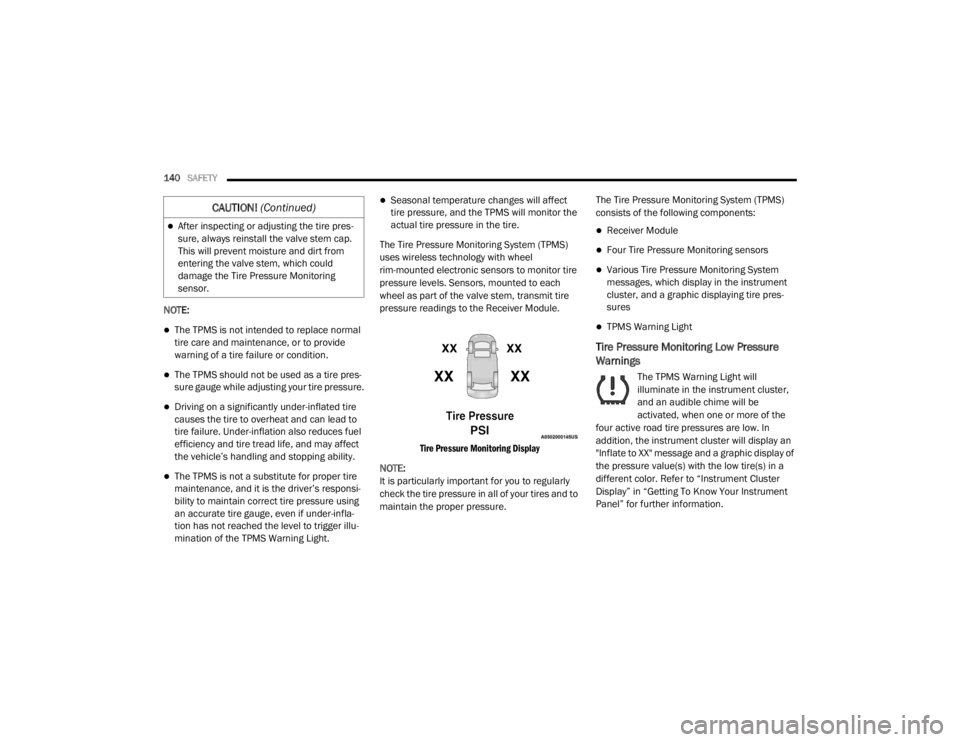
The Tire Pressure Monitoring System (TPMS)
uses wireless technology with wheel
rim-mounted electronic sensors to monitor tire
pressure levels. Sensors, mounted to each
wheel as part of the valve stem, transmit tire
pressure readings to the Receiver Module.
Tire Pressure Monitoring Display
NOTE:
It is particularly important for you to regularly
check the tire pressure in all of your tires and to
maintain the proper pressure. The Tire Pressure Monitoring System (TPMS)
consists of the following components:
Receiver Module
Four Tire Pressure Monitoring sensors
Various Tire Pressure Monitoring System
messages, which display in the instrument
cluster, and a graphic displaying tire pres
-
sures
TPMS Warning Light
Tire Pressure Monitoring Low Pressure
Warnings
The TPMS Warning Light will
illuminate in the instrument cluster,
and an audible chime will be
activated, when one or more of the
four active road tire pressures are low. In
addition, the instrument cluster will display an
"Inflate to XX" message and a graphic display of
the pressure value(s) with the low tire(s) in a
different color. Refer to “Instrument Cluster
Display” in “Getting To Know Your Instrument
Panel” for further information.
After inspecting or adjusting the tire pres -
sure, always reinstall the valve stem cap.
This will prevent moisture and dirt from
entering the valve stem, which could
damage the Tire Pressure Monitoring
sensor.
CAUTION! (Continued)
20_WD_OM_EN_USC_t.book Page 140
Page 143 of 464
SAFETY141
NOTE:
Your system can be set to display pressure units
in PSI, BAR or kPa.
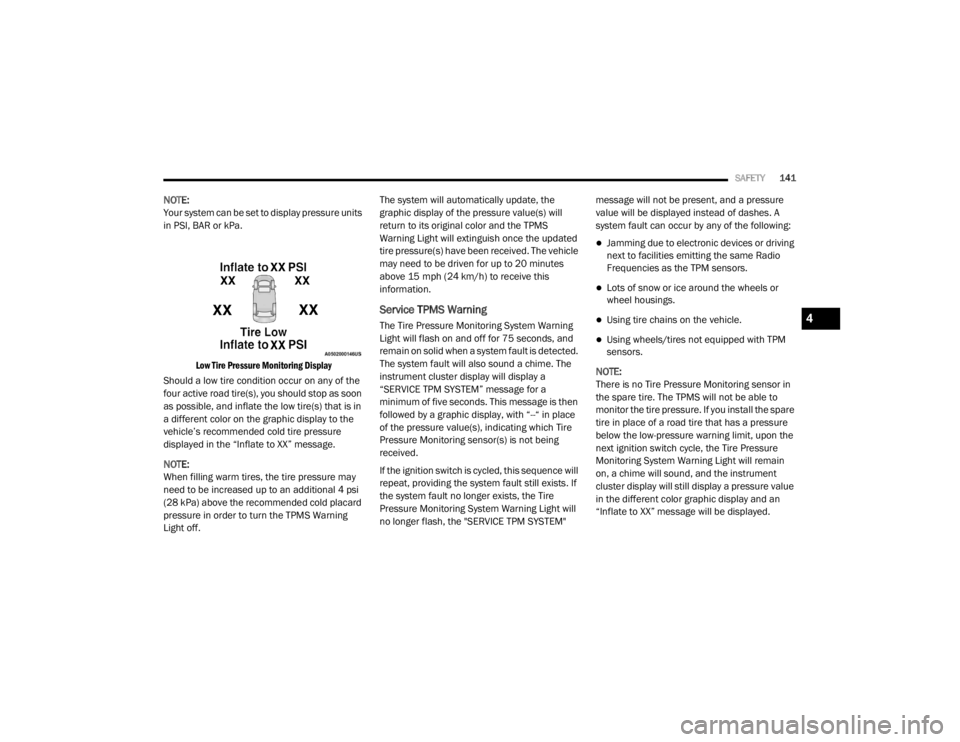
Low Tire Pressure Monitoring Display
Should a low tire condition occur on any of the
four active road tire(s), you should stop as soon
as possible, and inflate the low tire(s) that is in
a different color on the graphic display to the
vehicle’s recommended cold tire pressure
displayed in the “Inflate to XX” message.
NOTE:
When filling warm tires, the tire pressure may
need to be increased up to an additional 4 psi
(28 kPa) above the recommended cold placard
pressure in order to turn the TPMS Warning
Light off. The system will automatically update, the
graphic display of the pressure value(s) will
return to its original color and the TPMS
Warning Light will extinguish once the updated
tire pressure(s) have been received. The vehicle
may need to be driven for up to 20 minutes
above 15 mph (24 km/h) to receive this
information.
Service TPMS Warning
The Tire Pressure Monitoring System Warning
Light will flash on and off for 75 seconds, and
remain on solid when a system fault is detected.
The system fault will also sound a chime. The
instrument cluster display will display a
“SERVICE TPM SYSTEM” message for a
minimum of five seconds. This message is then
followed by a graphic display, with “--“ in place
of the pressure value(s), indicating which Tire
Pressure Monitoring sensor(s) is not being
received.
If the ignition switch is cycled, this sequence will
repeat, providing the system fault still exists. If
the system fault no longer exists, the Tire
Pressure Monitoring System Warning Light will
no longer flash, the "SERVICE TPM SYSTEM"
message will not be present, and a pressure
value will be displayed instead of dashes. A
system fault can occur by any of the following:
Jamming due to electronic devices or driving
next to facilities emitting the same Radio
Frequencies as the TPM sensors.
Lots of snow or ice around the wheels or
wheel housings.
Using tire chains on the vehicle.
Using wheels/tires not equipped with TPM
sensors.
NOTE:
There is no Tire Pressure Monitoring sensor in
the spare tire. The TPMS will not be able to
monitor the tire pressure. If you install the spare
tire in place of a road tire that has a pressure
below the low-pressure warning limit, upon the
next ignition switch cycle, the Tire Pressure
Monitoring System Warning Light will remain
on, a chime will sound, and the instrument
cluster display will still display a pressure value
in the different color graphic display and an
“Inflate to XX” message will be displayed.
4
20_WD_OM_EN_USC_t.book Page 141
Page 144 of 464

142SAFETY
After driving the vehicle for up to 20 minutes
above 15 mph (24 km/h), the Tire Pressure
Monitoring System Warning Light will flash on
and off for 75 seconds and then remain on
solid. In addition, the instrument cluster display
will display a “SERVICE TPM SYSTEM" message
for five seconds and then display dashes (--) in
place of the pressure value. For each subse -
quent ignition switch cycle, a chime will sound,
the Tire Pressure Monitoring System Warning
Light will flash on and off for 75 seconds and
then remain on solid, and the instrument
cluster display will display a "SERVICE TPM
SYSTEM" message for five seconds and then
display dashes (--) in place of the pressure
value. Once you repair or replace the original
road tire, and reinstall it on the vehicle in place
of the spare tire, the TPMS will update automat -
ically.
In addition, the Tire Pressure Monitoring System
Warning Light will turn off and the graphic in the
instrument cluster display will display a new
pressure value instead of dashes (--), as long as
no tire pressure is below the low-pressure
warning limit in any of the four active road tires.
The vehicle may need to be driven for up to
20 minutes above 15 mph (24 km/h) in order
for the TPMS to receive this information.TPMS Deactivation — If Equipped
The Tire Pressure Monitoring System (TPMS)
can be deactivated if replacing all four wheel
and tire assemblies (road tires) with wheel and
tire assemblies that do not have TPMS sensors,
such as when installing winter wheel and tire
assemblies on your vehicle.
To deactivate the TPMS, first, replace all four
wheel and tire assemblies (road tires) with tires
not equipped with Tire Pressure Monitoring
(TPM) sensors. Then, drive the vehicle for
20 minutes above 15 mph (24 km/h). The
TPMS will chime, the TPMS Warning Light will
flash on and off for 75 seconds and then remain
on. The instrument cluster will display the
“SERVICE TPM SYSTEM” message and then
display dashes (--) in place of the pressure
values.
Beginning with the next ignition cycle, the TPMS
will no longer chime or display the “SERVICE
TPM SYSTEM” message in the instrument
cluster but dashes (--) will remain in place of the
pressure values. To reactivate the TPMS, replace all four wheel
and tire assemblies (road tires) with tires
equipped with TPM sensors. Then, drive the
vehicle for up to 20 minutes above 15 mph
(24 km/h). The TPMS will chime, the TPMS
Warning Light will flash on and off for
75 seconds and then turn off. The instrument
cluster will display the “SERVICE TPM SYSTEM”
message and then display pressure values in
place of the dashes. On the next ignition cycle
the "SERVICE TPM SYSTEM" message will no
longer be displayed as long as no system fault
exists.
General Information
The following regulatory statement applies to all
Radio Frequency (RF) devices equipped in this
vehicle:
This device complies with Part 15 of the FCC
Rules and with Innovation, Science and
Economic Development Canada license-exempt
RSS standard(s).
20_WD_OM_EN_USC_t.book Page 142
Page 185 of 464

SAFETY183
PERIODIC SAFETY CHECKS YOU SHOULD
M
AKE OUTSIDE THE VEHICLE
Tires
Examine tires for excessive tread wear and
uneven wear patterns. Check for stones, nails,
glass, or other objects lodged in the tread or
sidewall. Inspect the tread for cuts and cracks.
Inspect sidewalls for cuts, cracks, and bulges.
Check the wheel nuts for tightness. Check the
tires (including spare) for proper cold inflation
pressure.
Lights
Have someone observe the operation of brake
lights and exterior lights while you work the
controls. Check turn signal and high beam
indicator lights on the instrument panel.
Door Latches
Check for proper closing, latching, and locking.
Fluid Leaks
Check area under the vehicle after overnight
parking for fuel, coolant, oil, or other fluid leaks.
Also, if gasoline fumes are detected or if fuel, or
brake fluid leaks are suspected, the cause
should be located and corrected immediately.
WARNING!
To prevent SERIOUS INJURY or DEATH when
using “Track-Use” parts and equipment:
NEVER use any “Track-Use” equipment on
public roads. FCA US LLC does not autho -
rize the use of “Track-Use” equipment on
public roads.
The intended use of “Track-Use” parts is for
race vehicles on race tracks. To help
ensure the safety of the race driver, engi -
neers should supervise the installation of
“Track-Use” parts.
FCA US LLC does not authorize the installa -
tion or use of any part noted as “Track-Use”
on any new vehicle prior to its first retail
sale.
WARNING!
To prevent SERIOUS INJURY or DEATH:
ALWAYS remove any “Track-Use” equip -
ment before driving on public roads.
ALWAYS properly use your three-point seat
belts when driving on public roads.
In a collision, you and your passengers can
suffer much greater injuries if you are not
properly buckled up. You can strike the inte -
rior of your vehicle or other passengers, or
you can be thrown out of the vehicle.
4
20_WD_OM_EN_USC_t.book Page 183
Page 202 of 464

200STARTING AND OPERATING
The LOW RANGE position is designed for loose,
slippery road surfaces only. Driving in the LOW
RANGE position on dry hard surfaced roads may
cause increased tire wear and damage to the
driveline components.
Transfer Case Position Indicator Messages
The Transfer Case Position Indicator messages
(AWD AUTO and LOW RANGE) are located in the
instrument cluster and indicate the current and
desired transfer case selection. Refer to
“Instrument Cluster Display” in “Getting To
Know Your Instrument Panel” for further
information. When you select a different
transfer case position, the position indicator
lights will do the following:
If All Shift Conditions Are Met:
1. The current position indicator light will turn
off.
2. The selected position indicator light will flash until the transfer case completes the
shift.
3. When the shift is complete, the indicator light for the selected position will stop
flashing and remain on. If shift conditions are not met, one or more of
the following events may occur:
1. The indicator light for the current position
will remain on.
2. The newly selected position indicator light will continue to flash.
3. The transfer case will not shift.
NOTE:
Before retrying a selection, make certain that all
the necessary requirements for selecting a new
transfer case position have been met. To retry
the selection, turn the control knob back to the
current position, wait five seconds, and retry
selection. To find the shift requirements, refer
to the "Shifting Procedure" for your transfer
case, located in this section.
The “SERV AWD” Warning Light monitors the
electronic shift all-wheel drive system. If this
light remains on after engine start up or
illuminates during driving, it means that the
all-wheel drive system is not functioning
properly and that service is required. NOTE:
Do not attempt to make a shift while only the
front or rear wheels are spinning. This could
cause damage to driveline components.
When operating your vehicle in LOW RANGE, the
engine speed is approximately three times that
of the AWD AUTO position at a given road speed.
Take care not to overspeed the engine and do
not exceed 25 mph (40 km/h).
Proper operation of all-wheel drive vehicles
depends on tires of equal size, type and
circumference on each wheel. Any difference in
tire size can cause damage to the transfer case.
Because all-wheel drive provides improved
traction, there is a tendency to exceed safe
turning and stopping speeds. Do not go faster
than road conditions permit.
WARNING!
Always engage the parking brake when
powering down the vehicle if the “SERV AWD
Warning Light” is illuminated. Not engaging
the parking brake may allow the vehicle to roll
which may cause personal injury.
20_WD_OM_EN_USC_t.book Page 200
Page 242 of 464
240STARTING AND OPERATING
EMERGENCY FUEL FILLER DOOR
R
ELEASE
If you are unable to open the fuel filler door, use
the fuel filler door emergency release.
1. Open the liftgate.
2. Push the inboard edge of the left storage
bin to the center, this will pop up the
outboard edge.
3. Grab popped up outboard edge with other hand to disengage snaps.
4. Remove the storage bin.
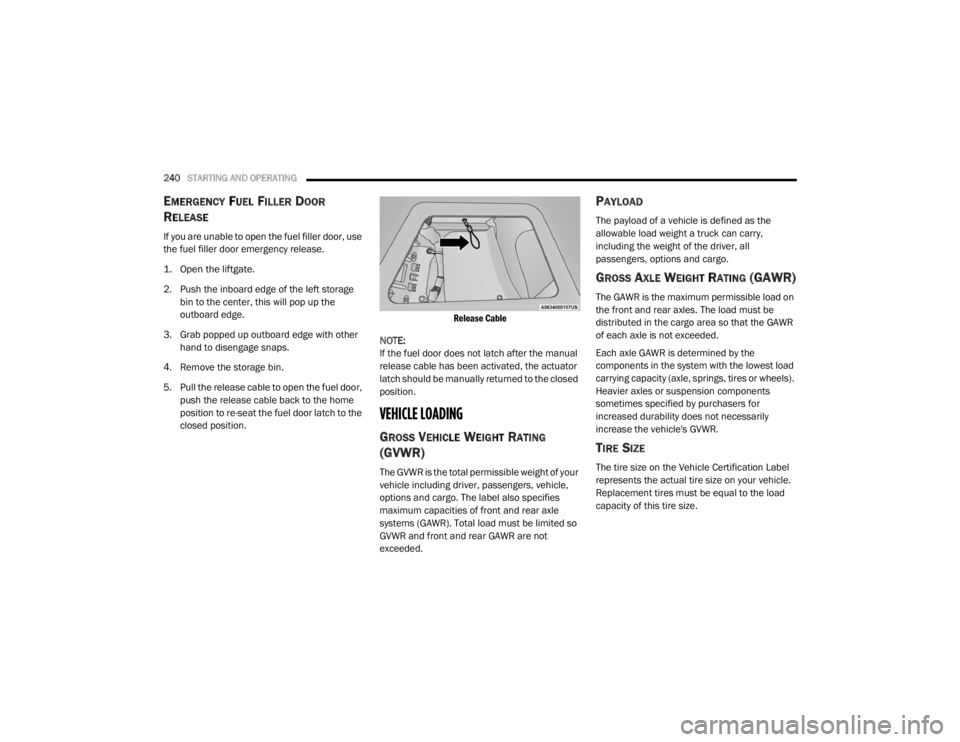
5. Pull the release cable to open the fuel door, push the release cable back to the home
position to re-seat the fuel door latch to the
closed position.
Release Cable
NOTE:
If the fuel door does not latch after the manual
release cable has been activated, the actuator
latch should be manually returned to the closed
position.
VEHICLE LOADING
GROSS VEHICLE WEIGHT RATING
(GVWR)
The GVWR is the total permissible weight of your
vehicle including driver, passengers, vehicle,
options and cargo. The label also specifies
maximum capacities of front and rear axle
systems (GAWR). Total load must be limited so
GVWR and front and rear GAWR are not
exceeded.
PAYLOAD
The payload of a vehicle is defined as the
allowable load weight a truck can carry,
including the weight of the driver, all
passengers, options and cargo.
GROSS AXLE WEIGHT RATING (GAWR)
The GAWR is the maximum permissible load on
the front and rear axles. The load must be
distributed in the cargo area so that the GAWR
of each axle is not exceeded.
Each axle GAWR is determined by the
components in the system with the lowest load
carrying capacity (axle, springs, tires or wheels).
Heavier axles or suspension components
sometimes specified by purchasers for
increased durability does not necessarily
increase the vehicle's GVWR.
TIRE SIZE
The tire size on the Vehicle Certification Label
represents the actual tire size on your vehicle.
Replacement tires must be equal to the load
capacity of this tire size.
20_WD_OM_EN_USC_t.book Page 240
Page 247 of 464

STARTING AND OPERATING245
NOTE:
The trailer tongue weight must be considered as part of the combined weight of occupants and cargo, and should never exceed the weight referenced
on the Tire and Loading Information placard. Refer to “Tires” in “Servicing And Maintenance” for further information. The addition of passengers and
cargo may require reducing trailer tongue load and Gross Trailer Weight (GTW). Redistributing cargo (to the trailer) may be necessary to avoid
exceeding Rear Gross Axle Weight Rating (GAWR) of 3,900 lbs (1,769 kg).
Vehicles not factory equipped with trailer tow package are limited to 3,500 lbs (350 lbs tongue weight).
TRAILER TOWING WEIGHTS (MAXIMUM TRAILER WEIGHT RATINGS) — SRT
5.7LRWD13,100 lbs
(5,942 kg) 60 sq ft
(5.57 sq m) 7,400 lbs
(3,357 kg) 740 lbs (336 kg)
5.7L AWD13,100 lbs
(5,942 kg) 60 sq ft
(5.57 sq m) 7,200 lbs
(3,266 kg) 720 lbs (327 kg)
Refer to local laws for maximum trailer towing speeds.
Engine ModelGCWR (Gross
Combined Wt. Rating) Frontal Area Max. GTW
(Gross Trailer Wt.) Max. Trailer Tongue Wt.
(See Note)
Engine/Transmission GCWR (Gross
Combined Wt. Rating) Frontal Area
Max. GTW (Gross
Trailer Wt.) Max. Trailer Tongue Wt.
(See Note)
6.4L Automatic 14,600 lbs (6,622 kg) 55 sq ft (5.11 sq m) 8,700 lbs (3,901 kg) 870 lbs (395 kg)
Refer to local laws for maximum trailer towing speeds.
5
20_WD_OM_EN_USC_t.book Page 245
Page 248 of 464
246STARTING AND OPERATING
NOTE:
The trailer tongue weight must be considered
as part of the combined weight of occupants
and cargo, and should never exceed the
weight referenced on the Tire and Loading
Information placard. Refer to “Tires” in
“Servicing And Maintenance” for further
information.
The manufacturer does not recommend
using the run flat feature while driving a
vehicle loaded at full capacity or towing a
trailer.
TRAILER HITCH RECEIVER COVER
R
EMOVAL — IF EQUIPPED
Your vehicle may be equipped with a trailer
hitch receiver cover, this must be removed to
access the trailer hitch receiver (if equipped).
This cover is located at the bottom center of the
rear fascia.
1. Turn the two locking retainers located at
the bottom of the hitch receiver cover a
quarter turn counterclockwise and pull
bottom of the hitch receiver cover outward
(towards you).
Hitch Receiver Cover
2. Pull the bottom of the cover outward (towards you) then downwards to disengage
the tabs located at the top of the hitch
receiver cover to remove.
Hitch Receiver Cover
To reinstall the cover after towing repeat the
procedure in reverse order.
NOTE:
Be sure to engage all tabs of the hitch receiver
cover in the bumper fascia prior to installation.
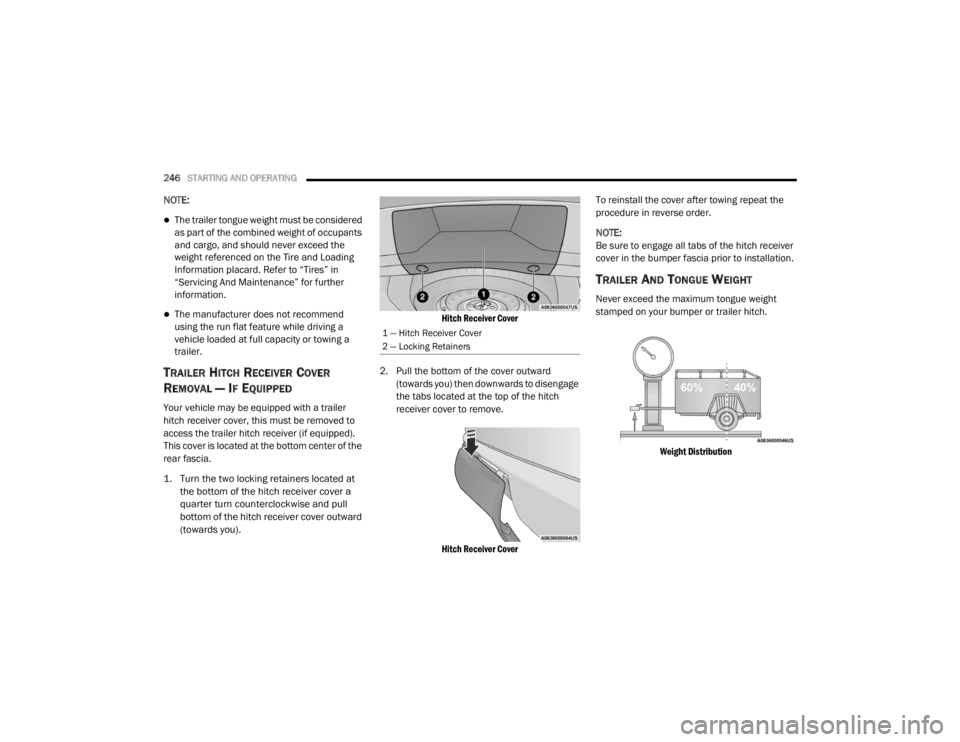
TRAILER AND TONGUE WEIGHT
Never exceed the maximum tongue weight
stamped on your bumper or trailer hitch.
Weight Distribution
1 — Hitch Receiver Cover
2 — Locking Retainers
20_WD_OM_EN_USC_t.book Page 246
Page 249 of 464

STARTING AND OPERATING247
(Continued)
Consider the following items when computing
the weight on the rear axle of the vehicle:
The tongue weight of the trailer.
The weight of any other type of cargo or
equipment put in or on your vehicle.
The weight of the driver and all passengers.
NOTE:
Remember that everything put into or on the
trailer adds to the load on your vehicle. Also,
additional factory-installed options or
dealer-installed options must be considered as
part of the total load on your vehicle. Refer to the “Tire And Loading Information”
placard for the maximum combined weight of
occupants and cargo for your vehicle.
TOWING REQUIREMENTS
To promote proper break-in of the new vehicle
drivetrain components, the following guidelines
are recommended.
Perform the maintenance listed in the
“Scheduled Servicing”. Refer to “Scheduled
Servicing” in “Servicing And Maintenance” for
the proper maintenance intervals. When towing
a trailer, never exceed the GAWR or GCWR
ratings.
CAUTION!
Always load a trailer with 60% of the weight in
the front of the trailer. This places 10% of the
GTW on the tow hitch of your vehicle. Loads
balanced over the wheels or heavier in the
rear can cause the trailer to sway severely
side to side which will cause loss of control of
the vehicle and trailer. Failure to load trailers
heavier in front is the cause of many trailer
collisions.
CAUTION!
Do not tow a trailer at all during the first
500 miles (805 km) the new vehicle is
driven. The engine, axle or other parts could
be damaged.
Then, during the first 500 miles (805 km) that a trailer is towed, do not drive over
50 mph (80 km/h) and do not make starts
at full throttle. This helps the engine and
other parts of the vehicle wear in at the
heavier loads.
WARNING!
Make certain that the load is secured in the
trailer and will not shift during travel. When
trailering cargo that is not fully secured,
dynamic load shifts can occur that may be
difficult for the driver to control. You could
lose control of your vehicle and have a colli -
sion.
When hauling cargo or towing a trailer, do
not overload your vehicle or trailer. Over -
loading can cause a loss of control, poor
performance or damage to brakes, axle,
engine, transmission, steering, suspension,
chassis structure or tires.
Safety chains must always be used
between your vehicle and trailer. Always
connect the chains to the hook retainers of
the vehicle hitch. Cross the chains under
the trailer tongue and allow enough slack
for turning corners.
5
20_WD_OM_EN_USC_t.book Page 247