climate control DODGE DURANGO 2020 Owner's Manual
[x] Cancel search | Manufacturer: DODGE, Model Year: 2020, Model line: DURANGO, Model: DODGE DURANGO 2020Pages: 464, PDF Size: 22.14 MB
Page 274 of 464

272IN CASE OF EMERGENCY
F2820 Amp Blue –Trailer Tow Backup Lights — If Equipped
F29 20 Amp Blue –Trailer Tow Parking Lights — If Equipped
F30 30 Amp Pink –Trailer Tow (Receptacle) / Trailer Tow (Separate E-Brake) /
Trailer Tow (BUX) — If Equipped
F32 30 Amp Pink –Drive Train Control Module
F34 30 Amp Pink –Slip Differential Control — If Equipped
F35 30 Amp Pink –Sunroof - If Equipped
F36 30 Amp Pink –Rear Defroster/ Electronic BackLight (EBL)
F37 25 Amp Clear –Rear Blower Motor — If Equipped
F38 30 Amp Pink –Power Inverter 115 Volt AC — If Equipped
F39 30 Amp Pink –Power Liftgate — If Equipped
F40 –10 Amp Red Daytime Running Lights/Headlamp Leveling
F42 –20 Amp Yellow Horn
F44 –10 Amp Red Diagnostic Port
F45 –5 Amp Tan Cyber Security Gateway
F49 –10 Amp Red Integrated Central Stack/Climate Control
F50 –20 Amp Yellow Air Suspension Control Module/Slip Differential - If
Equipped
F51 –15 Amp Blue KIN/RF HUB/Steering Column Lock — If Equipped
F53 –20 Amp Yellow Trailer Tow – Left Turn/Stop Lights — If Equipped
F56 –15 Amp Blue PCM
CavityCartridge Fuse Micro Fuse Description
20_WD_OM_EN_USC_t.book Page 272
Page 277 of 464
IN CASE OF EMERGENCY275
(Continued)
(Continued)
JACKING AND TIRE CHANGING
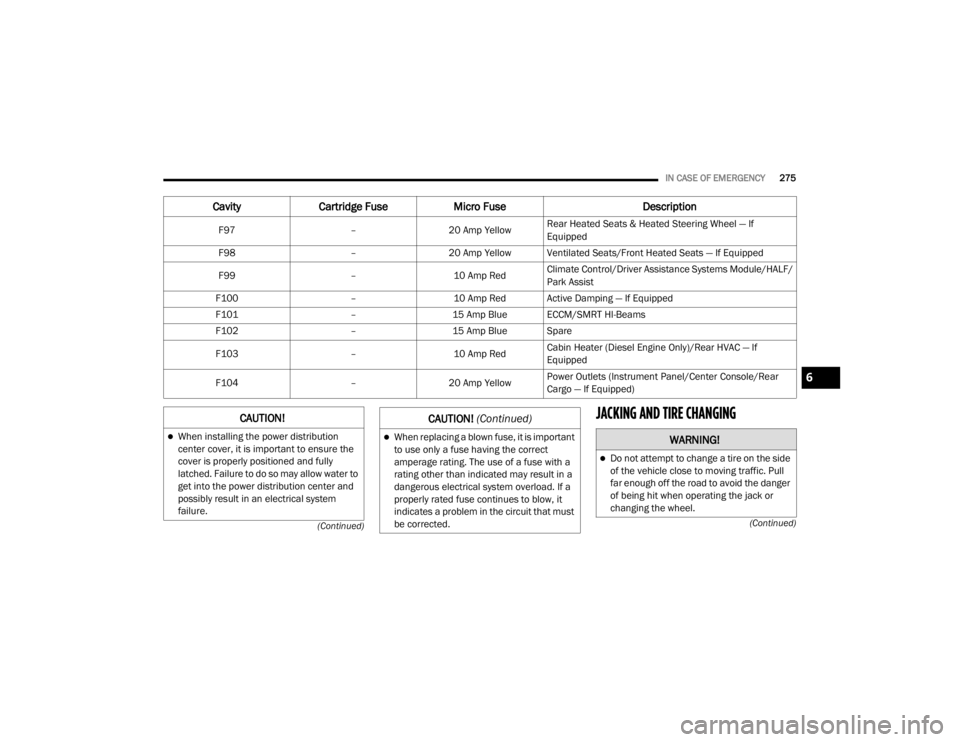
F97 –20 Amp Yellow Rear Heated Seats & Heated Steering Wheel — If
Equipped
F98 –20 Amp Yellow Ventilated Seats/Front Heated Seats — If Equipped
F99 –10 Amp RedClimate Control/Driver Assistance Systems Module/HALF/
Park Assist
F100 –10 Amp Red Active Damping — If Equipped
F101 –15 Amp Blue ECCM/SMRT HI-Beams
F102 –15 Amp Blue Spare
F103 –10 Amp RedCabin Heater (Diesel Engine Only)/Rear HVAC — If
Equipped
F104 –20 Amp Yellow Power Outlets (Instrument Panel/Center Console/Rear
Cargo — If Equipped)
Cavity
Cartridge Fuse Micro Fuse Description
CAUTION!
When installing the power distribution
center cover, it is important to ensure the
cover is properly positioned and fully
latched. Failure to do so may allow water to
get into the power distribution center and
possibly result in an electrical system
failure.When replacing a blown fuse, it is important
to use only a fuse having the correct
amperage rating. The use of a fuse with a
rating other than indicated may result in a
dangerous electrical system overload. If a
properly rated fuse continues to blow, it
indicates a problem in the circuit that must
be corrected.
CAUTION! (Continued)
WARNING!
Do not attempt to change a tire on the side
of the vehicle close to moving traffic. Pull
far enough off the road to avoid the danger
of being hit when operating the jack or
changing the wheel.
6
20_WD_OM_EN_USC_t.book Page 275
Page 347 of 464
SERVICING AND MAINTENANCE345
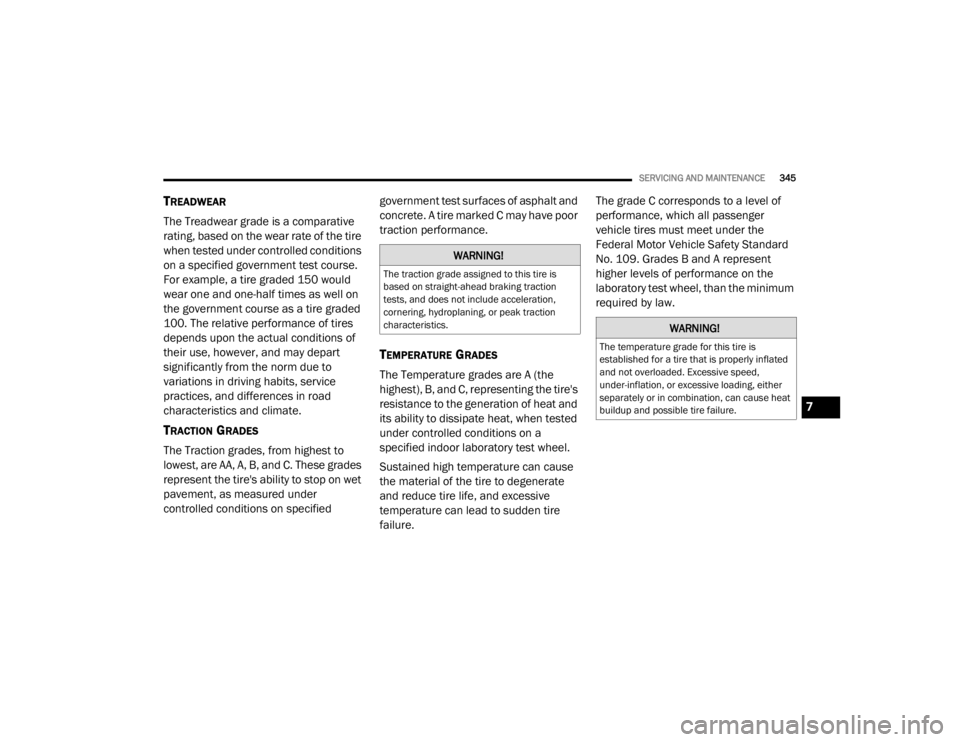
TREADWEAR
The Treadwear grade is a comparative
rating, based on the wear rate of the tire
when tested under controlled conditions
on a specified government test course.
For example, a tire graded 150 would
wear one and one-half times as well on
the government course as a tire graded
100. The relative performance of tires
depends upon the actual conditions of
their use, however, and may depart
significantly from the norm due to
variations in driving habits, service
practices, and differences in road
characteristics and climate.
TRACTION GRADES
The Traction grades, from highest to
lowest, are AA, A, B, and C. These grades
represent the tire's ability to stop on wet
pavement, as measured under
controlled conditions on specified government test surfaces of asphalt and
concrete. A tire marked C may have poor
traction performance.
TEMPERATURE GRADES
The Temperature grades are A (the
highest), B, and C, representing the tire's
resistance to the generation of heat and
its ability to dissipate heat, when tested
under controlled conditions on a
specified indoor laboratory test wheel.
Sustained high temperature can cause
the material of the tire to degenerate
and reduce tire life, and excessive
temperature can lead to sudden tire
failure. The grade C corresponds to a level of
performance, which all passenger
vehicle tires must meet under the
Federal Motor Vehicle Safety Standard
No. 109. Grades B and A represent
higher levels of performance on the
laboratory test wheel, than the minimum
required by law.
WARNING!
The traction grade assigned to this tire is
based on straight-ahead braking traction
tests, and does not include acceleration,
cornering, hydroplaning, or peak traction
characteristics.
WARNING!
The temperature grade for this tire is
established for a tire that is properly inflated
and not overloaded. Excessive speed,
under-inflation, or excessive loading, either
separately or in combination, can cause heat
buildup and possible tire failure.
7
20_WD_OM_EN_USC_t.book Page 345
Page 397 of 464
MULTIMEDIA395
Care And Maintenance
Touchscreen
Do not press the touchscreen with any hard
or sharp objects (pen, USB stick, jewelry,
etc.), which could scratch the touchscreen
surface!
Do not spray any liquid or caustic chemicals
directly on the screen! Use a clean and dry
microfiber lens cleaning cloth in order to
clean the touchscreen.
If necessary, use a lint-free cloth dampened
with a cleaning solution, such as isopropyl
alcohol or an isopropyl alcohol and water
solution ratio of 50:50. Be sure to follow the
solvent manufacturer's precautions and
directions.
UCONNECT 4 WITH 7-INCH DISPLAY
INTRODUCTION
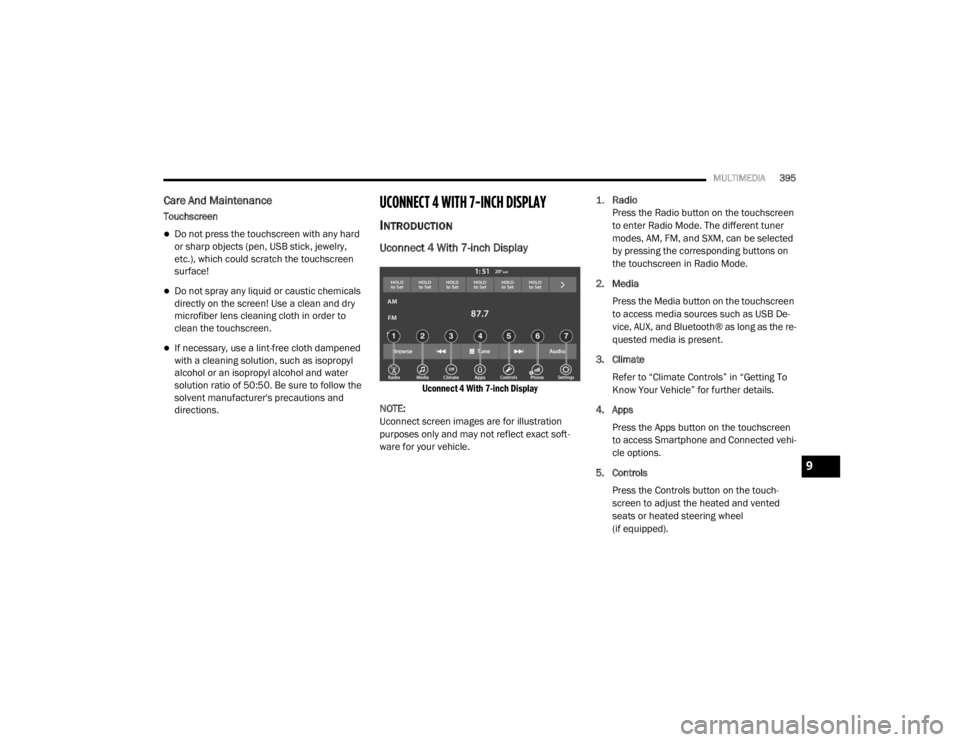
Uconnect 4 With 7-inch Display
Uconnect 4 With 7-inch Display
NOTE:
Uconnect screen images are for illustration
purposes only and may not reflect exact soft -
ware for your vehicle.
1.
Radio
Press the Radio button on the touchscreen
to enter Radio Mode. The different tuner
modes, AM, FM, and SXM, can be selected
by pressing the corresponding buttons on
the touchscreen in Radio Mode.
2. Media Press the Media button on the touchscreen
to access media sources such as USB De -
vice, AUX, and Bluetooth® as long as the re -
quested media is present.
3. Climate Refer to “Climate Controls” in “Getting To
Know Your Vehicle” for further details.
4. Apps Press the Apps button on the touchscreen
to access Smartphone and Connected vehi -
cle options.
5. Controls Press the Controls button on the touch -
screen to adjust the heated and vented
seats or heated steering wheel
(if equipped).
9
20_WD_OM_EN_USC_t.book Page 395
Page 440 of 464
438MULTIMEDIA
UCONNECT VOICE RECOGNITION QUICK TIPS
INTRODUCING UCONNECT
Start using Uconnect Voice Recognition (VR)
with these helpful quick tips. It provides the key
Voice Commands and tips you need to know to
control your Uconnect system.
NOTE:
If you see the NAV icon on the bottom bar, or in
the Apps menus, of your touchscreen, you have
the Uconnect 4C NAV system. If not, you have a
Uconnect 4C system.
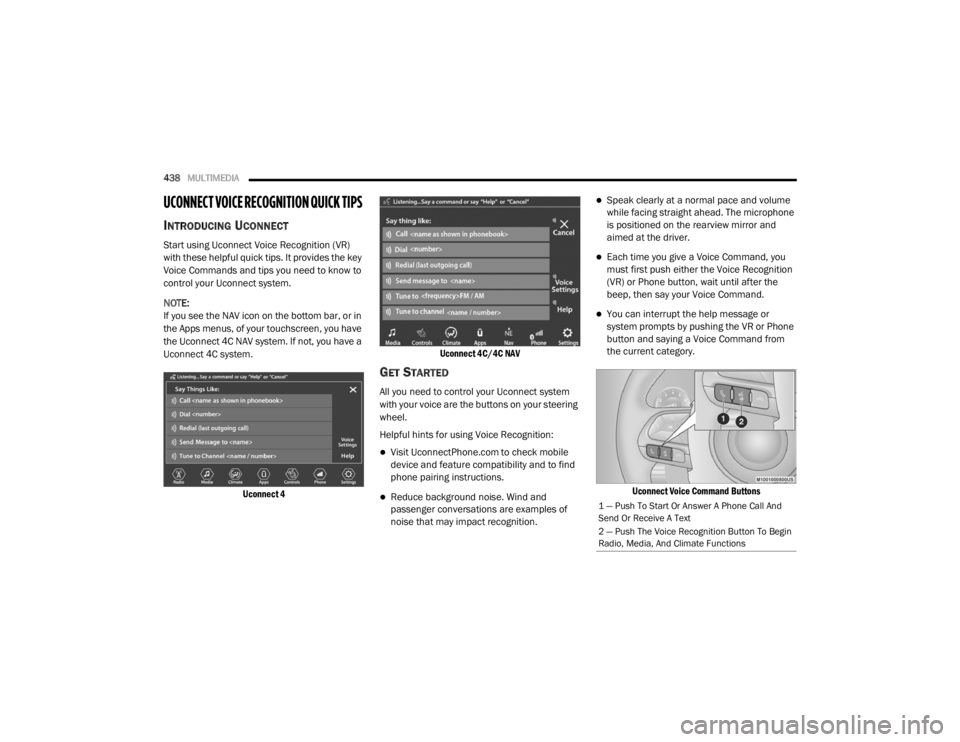
Uconnect 4 Uconnect 4C/4C NAV
GET STARTED
All you need to control your Uconnect system
with your voice are the buttons on your steering
wheel.
Helpful hints for using Voice Recognition:
Visit UconnectPhone.com to check mobile
device and feature compatibility and to find
phone pairing instructions.
Reduce background noise. Wind and
passenger conversations are examples of
noise that may impact recognition.
Speak clearly at a normal pace and volume
while facing straight ahead. The microphone
is positioned on the rearview mirror and
aimed at the driver.
Each time you give a Voice Command, you
must first push either the Voice Recognition
(VR) or Phone button, wait until after the
beep, then say your Voice Command.
You can interrupt the help message or
system prompts by pushing the VR or Phone
button and saying a Voice Command from
the current category.
Uconnect Voice Command Buttons
1 — Push To Start Or Answer A Phone Call And
Send Or Receive A Text
2 — Push The Voice Recognition Button To Begin
Radio, Media, And Climate Functions
20_WD_OM_EN_USC_t.book Page 438
Page 442 of 464

440MULTIMEDIA
TIP:
When providing a Voice Command, push the
Phone button and say “ Call”, then
pronounce the name exactly as it appears in
your phone book. When a contact has multiple
phone numbers, you can say “ Call John Smith
work.”
VOICE TEXT REPLY — IF EQUIPPED
Uconnect announces incoming text messages.
Push the VR button or Phone button (if
enabled) and say “ Listen.” (Must have
compatible mobile phone paired to Uconnect
system.)
1. Once an incoming text message is read to
you, push the VR button
or Phone button
(if enabled). After the beep, say: “ Reply
”.
2. Listen to the Uconnect prompts. After the beep, repeat one of the pre-defined
messages and follow the system prompts. NOTE:
Only use the numbering listed, otherwise the
system does not transpose the message. TIP:
Your mobile phone must have the full imple
-
mentation of the Message Access Profile (MAP)
to take advantage of this feature. For details
about MAP, visit UconnectPhone.com.
Apple® iPhone® iOS 6 or later supports reading
incoming text messages only. For further
information on how to enable this feature on
your Apple® iPhone®, refer to your mobile
phone’s User Manual.
TIP:
Voice Text Reply is not compatible with
iPhone®, but if your vehicle is equipped with
Siri® Eyes Free, you can use your voice to send
a text message.
CLIMATE
Adjust vehicle temperatures hands-free and
keep everyone comfortable while you keep
moving ahead. (If vehicle is equipped with
climate control.)
PRE-DEFINED VOICE TEXT REPLY RESPONSES
Yes. Stuck in
traffic. See you later.
No. Start without
me. I’ll be late.
Okay. Where are
you? I will be 5
25, 30, 45,
60> minutes late.
Call me.
Are you there
yet?
I’ll call you later. I need
directions. See you in 5
minutes.
I’m on my
way. Can’t talk
right now.
I’m lost. Thanks.
20_WD_OM_EN_USC_t.book Page 440
Page 451 of 464

449
B
Battery
................................................. 111, 307Charging System Light............................... 111Keyless Key Fob Replacement.................... 15Battery Saver Feature...................................... 53Belts, Seat..................................................... 181Blind Spot Monitoring.................................... 131Bluetooth Connect Or Disconnect Link Betweenthe Uconnect Phone And Mobile
Phone
................................................... 422Connecting To A Particular Mobile Phone Or Audio Device After Pairing..... 417Bluetooth Mode............................................. 406Body Mechanism Lubrication........................ 316B-Pillar Location............................................. 332Brake Assist System...................................... 123Brake Control System, Electronic.................. 123Brake Fluid................................. 325, 358, 360Brake System...................................... 325, 350Anti-Lock (ABS).......................................... 350Fluid Check..................................... 325, 360Master Cylinder......................................... 325Parking...................................................... 190Warning Light............................................ 110Brake/Transmission Interlock....................... 192Bulb Replacement............................... 266, 268Bulbs, Light.................................................... 183
C
Camera, Rear................................................ 237Capacities, Fluid.................................. 355, 356Caps, FillerOil (Engine)............................. 304, 309, 310Radiator (Coolant Pressure)..................... 323Car Washes................................................... 347Carbon Monoxide Warning................... 180, 354Cargo Area Cover............................................. 77Cargo Compartment........................................ 77Light............................................................ 77Luggage Carrier........................................... 90Cargo Light....................................................... 77Cargo Tie-Downs.............................................. 78Cellular Phone.............................................. 436Center High Mounted Stop Light................... 269Chains, Tire.......................................... 343, 344Changing A Flat Tire...................................... 327Chart, Tire Sizing........................................... 329Check Engine Light
(Malfunction Indicator Light)......................... 121Checking Your Vehicle For Safety................. 180Checks, Safety.............................................. 180Child Restraint.............................................. 163Child RestraintsBooster Seats........................................... 166Child Seat Installation.............................. 177
How To Stow An unused ALR Seat Belt..... 174Infant And Child Restraints....................... 164Locating The LATCH Anchorages.............. 171Lower Anchors And Tethers For Children................................................ 167Older Children And Child Restraints.......... 165Seating Positions...................................... 166Child Safety Locks............................................29Clean Air Gasoline......................................... 352CleaningWheels...................................................... 342Climate Control................................................58Automatic....................................................58Cold Weather Operation................................ 188Compact Spare Tire...................................... 341Contract, Service........................................... 445Cooling Pressure Cap (Radiator Cap)............ 323Cooling System............................................. 321Adding Coolant (Antifreeze)...................... 322Coolant Level................................... 323, 324Cooling Capacity.............................. 355, 356Disposal Of Used Coolant......................... 323Drain, Flush, And Refill............................. 321Inspection............................... 321, 323, 324Points To Remember................................ 324Pressure Cap............................................ 323
11
20_WD_OM_EN_USC_t.book Page 449