transmission DODGE DURANGO 2020 Repair Manual
[x] Cancel search | Manufacturer: DODGE, Model Year: 2020, Model line: DURANGO, Model: DODGE DURANGO 2020Pages: 464, PDF Size: 22.14 MB
Page 295 of 464
IN CASE OF EMERGENCY293
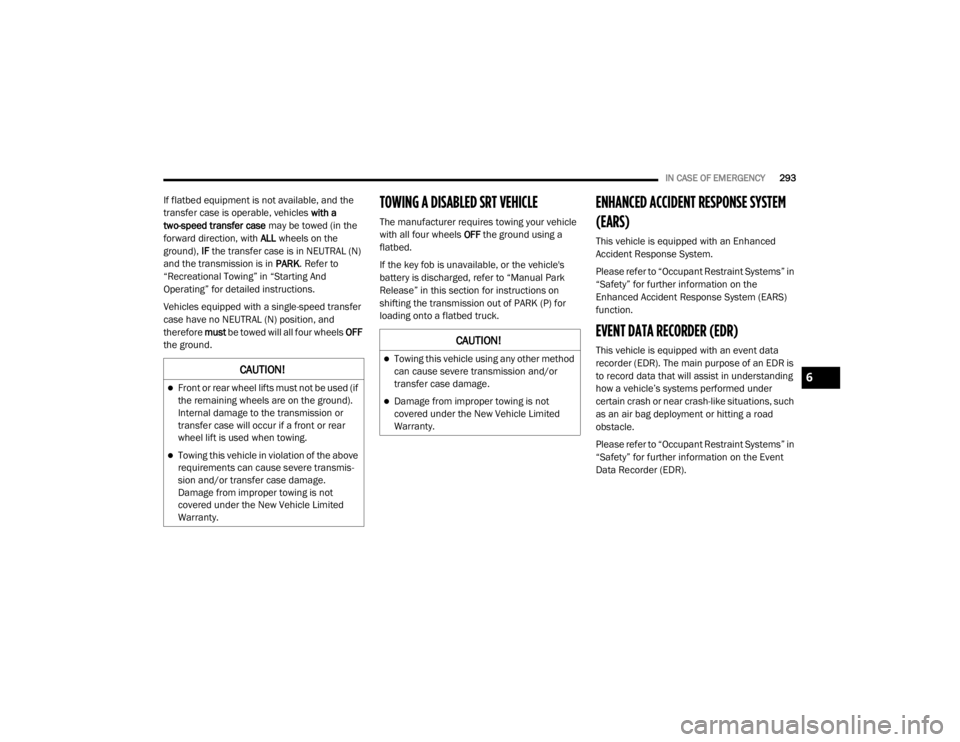
If flatbed equipment is not available, and the
transfer case is operable, vehicles with a
two-speed transfer case may be towed (in the
forward direction, with ALL wheels on the
ground), IF the transfer case is in NEUTRAL (N)
and the transmission is in PARK. Refer to
“Recreational Towing” in “Starting And
Operating” for detailed instructions.
Vehicles equipped with a single-speed transfer
case have no NEUTRAL (N) position, and
therefore must be towed will all four wheels OFF
the ground.TOWING A DISABLED SRT VEHICLE
The manufacturer requires towing your vehicle
with all four wheels OFF the ground using a
flatbed.
If the key fob is unavailable, or the vehicle's
battery is discharged, refer to “Manual Park
Release” in this section for instructions on
shifting the transmission out of PARK (P) for
loading onto a flatbed truck.
ENHANCED ACCIDENT RESPONSE SYSTEM
(EARS)
This vehicle is equipped with an Enhanced
Accident Response System.
Please refer to “Occupant Restraint Systems” in
“Safety” for further information on the
Enhanced Accident Response System (EARS)
function.
EVENT DATA RECORDER (EDR)
This vehicle is equipped with an event data
recorder (EDR). The main purpose of an EDR is
to record data that will assist in understanding
how a vehicle’s systems performed under
certain crash or near crash-like situations, such
as an air bag deployment or hitting a road
obstacle.
Please refer to “Occupant Restraint Systems” in
“Safety” for further information on the Event
Data Recorder (EDR).
CAUTION!
Front or rear wheel lifts must not be used (if
the remaining wheels are on the ground).
Internal damage to the transmission or
transfer case will occur if a front or rear
wheel lift is used when towing.
Towing this vehicle in violation of the above
requirements can cause severe transmis -
sion and/or transfer case damage.
Damage from improper towing is not
covered under the New Vehicle Limited
Warranty.
CAUTION!
Towing this vehicle using any other method
can cause severe transmission and/or
transfer case damage.
Damage from improper towing is not
covered under the New Vehicle Limited
Warranty.
6
20_WD_OM_EN_USC_t.book Page 293
Page 328 of 464
326SERVICING AND MAINTENANCE
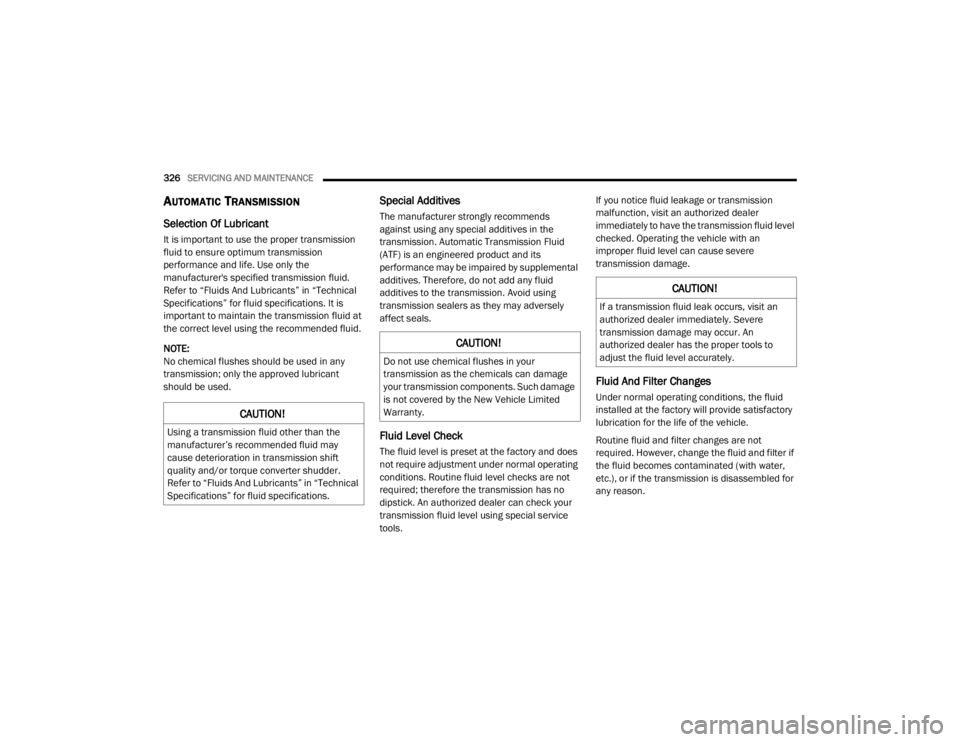
AUTOMATIC TRANSMISSION
Selection Of Lubricant
It is important to use the proper transmission
fluid to ensure optimum transmission
performance and life. Use only the
manufacturer's specified transmission fluid.
Refer to “Fluids And Lubricants” in “Technical
Specifications” for fluid specifications. It is
important to maintain the transmission fluid at
the correct level using the recommended fluid.
NOTE:
No chemical flushes should be used in any
transmission; only the approved lubricant
should be used.
Special Additives
The manufacturer strongly recommends
against using any special additives in the
transmission. Automatic Transmission Fluid
(ATF) is an engineered product and its
performance may be impaired by supplemental
additives. Therefore, do not add any fluid
additives to the transmission. Avoid using
transmission sealers as they may adversely
affect seals.
Fluid Level Check
The fluid level is preset at the factory and does
not require adjustment under normal operating
conditions. Routine fluid level checks are not
required; therefore the transmission has no
dipstick. An authorized dealer can check your
transmission fluid level using special service
tools. If you notice fluid leakage or transmission
malfunction, visit an authorized dealer
immediately to have the transmission fluid level
checked. Operating the vehicle with an
improper fluid level can cause severe
transmission damage.
Fluid And Filter Changes
Under normal operating conditions, the fluid
installed at the factory will provide satisfactory
lubrication for the life of the vehicle.
Routine fluid and filter changes are not
required. However, change the fluid and filter if
the fluid becomes contaminated (with water,
etc.), or if the transmission is disassembled for
any reason.
CAUTION!
Using a transmission fluid other than the
manufacturer’s recommended fluid may
cause deterioration in transmission shift
quality and/or torque converter shudder.
Refer to “Fluids And Lubricants” in “Technical
Specifications” for fluid specifications.
CAUTION!
Do not use chemical flushes in your
transmission as the chemicals can damage
your transmission components. Such damage
is not covered by the New Vehicle Limited
Warranty.
CAUTION!
If a transmission fluid leak occurs, visit an
authorized dealer immediately. Severe
transmission damage may occur. An
authorized dealer has the proper tools to
adjust the fluid level accurately.
20_WD_OM_EN_USC_t.book Page 326
Page 360 of 464
358TECHNICAL SPECIFICATIONS
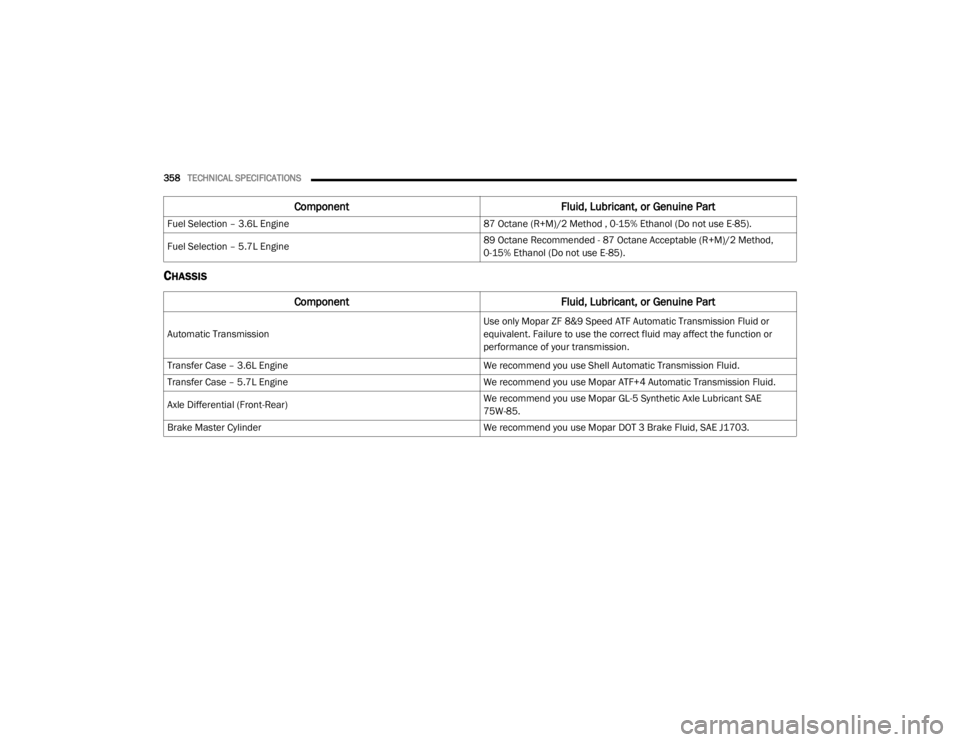
CHASSIS
Fuel Selection – 3.6L Engine 87 Octane (R+M)/2 Method , 0-15% Ethanol (Do not use E-85).
Fuel Selection – 5.7L Engine 89 Octane Recommended - 87 Octane Acceptable (R+M)/2 Method,
0-15% Ethanol (Do not use E-85).
Component
Fluid, Lubricant, or Genuine Part
Automatic Transmission
Use only Mopar ZF 8&9 Speed ATF Automatic Transmission Fluid or
equivalent. Failure to use the correct fluid may affect the function or
performance of your transmission.
Transfer Case – 3.6L Engine We recommend you use Shell Automatic Transmission Fluid.
Transfer Case – 5.7L Engine We recommend you use Mopar ATF+4 Automatic Transmission Fluid.
Axle Differential (Front-Rear) We recommend you use Mopar GL-5 Synthetic Axle Lubricant SAE
75W-85.
Brake Master Cylinder We recommend you use Mopar DOT 3 Brake Fluid, SAE J1703.
ComponentFluid, Lubricant, or Genuine Part
20_WD_OM_EN_USC_t.book Page 358
Page 362 of 464
360TECHNICAL SPECIFICATIONS
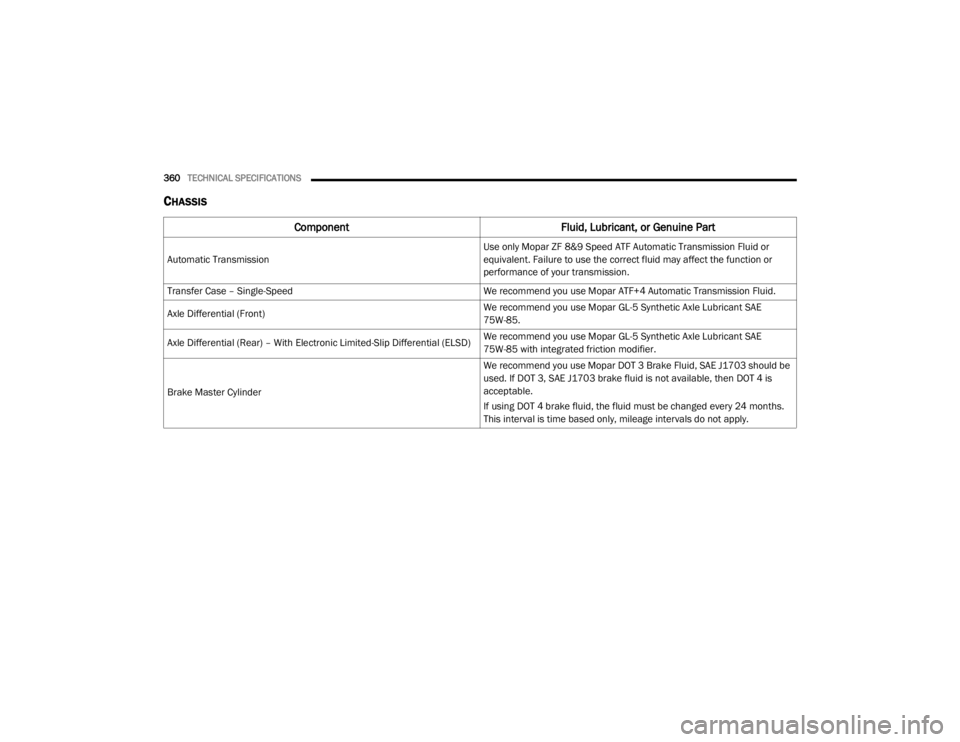
CHASSIS
Component Fluid, Lubricant, or Genuine Part
Automatic Transmission
Use only Mopar ZF 8&9 Speed ATF Automatic Transmission Fluid or
equivalent. Failure to use the correct fluid may affect the function or
performance of your transmission.
Transfer Case – Single-Speed We recommend you use Mopar ATF+4 Automatic Transmission Fluid.
Axle Differential (Front) We recommend you use Mopar GL-5 Synthetic Axle Lubricant SAE
75W-85.
Axle Differential (Rear) – With Electronic Limited-Slip Differential (ELSD) We recommend you use Mopar GL-5 Synthetic Axle Lubricant SAE
75W-85 with integrated friction modifier.
Brake Master Cylinder We recommend you use Mopar DOT 3 Brake Fluid, SAE J1703 should be
used. If DOT 3, SAE J1703 brake fluid is not available, then DOT 4 is
acceptable.
If using DOT 4 brake fluid, the fluid must be changed every 24 months.
This interval is time based only, mileage intervals do not apply.
20_WD_OM_EN_USC_t.book Page 360
Page 368 of 464

366MULTIMEDIA
Safety/Driving Assistance
After pressing the Safety/Driving Assistance button on the touchscreen, the following settings will be available: Set Date
MonthDayYear
NOTE:
Within the “Set Date” setting, press the corresponding Arrow buttons on the touchscreen to adjust to the correct date.
Setting Name Selectable Options
Setting NameSelectable Options
ParkView Backup Camera DelayOn Off
NOTE:
The “ParkView Backup Camera Delay” setting determines whether or not the screen will display the rear view image with dynamic grid lines for up to
10 seconds after the vehicle is shifted out of REVERSE. This delay is canceled if the vehicle’s speed exceeds 8 mph (13 km/h), the transmission is
shifted into PARK, or the ignition is switched to the OFF position. ParkView Backup Camera Active Guide Lines On
Off
NOTE:
The “ParkView Backup Camera Active Guide Lines” feature overlays the Rear Backup Camera image with active, or dynamic, grid lines to help illustrate
the width of the vehicle and its projected backup path, based on the steering wheel position when the option is checked. A dashed center line overlay
indicates the center of the vehicle to assist with parking or aligning to a hitch/receiver.
20_WD_OM_EN_USC_t.book Page 366
Page 369 of 464
MULTIMEDIA367
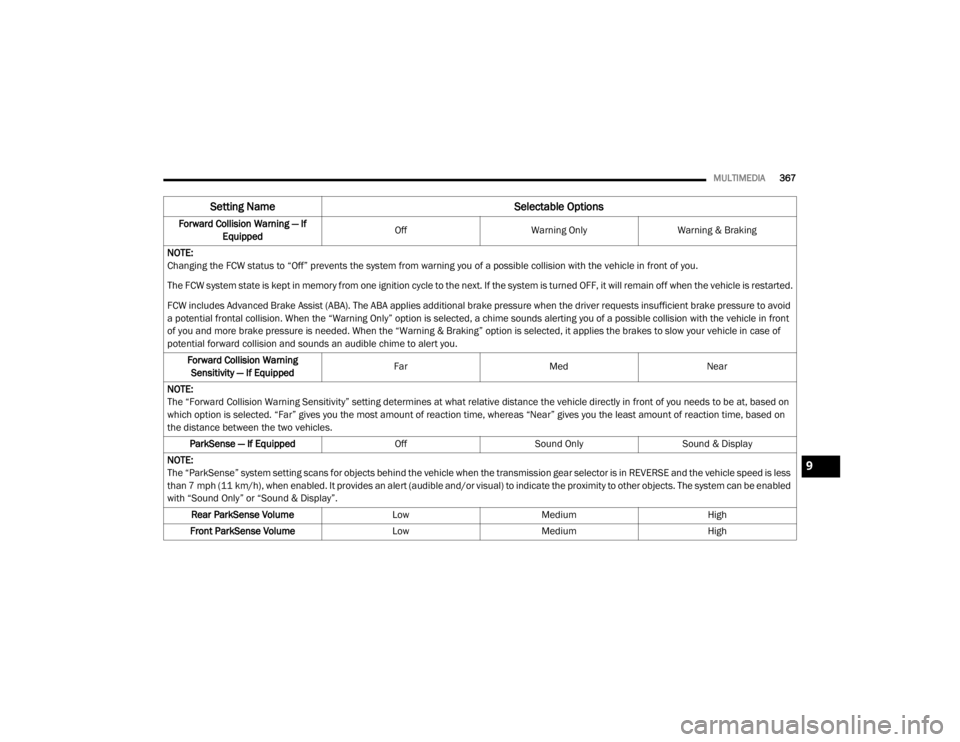
Forward Collision Warning — If
Equipped Off
Warning Only Warning & Braking
NOTE:
Changing the FCW status to “Off” prevents the system from warning you of a possible collision with the vehicle in front of you.
The FCW system state is kept in memory from one ignition cycle to the next. If the system is turned OFF, it will remain off when the vehicle is restarted.
FCW includes Advanced Brake Assist (ABA). The ABA applies additional brake pressure when the driver requests insufficient brake pressure to avoid
a potential frontal collision. When the “Warning Only” option is selected, a chime sounds alerting you of a possible collision with the vehicle in front
of you and more brake pressure is needed. When the “Warning & Braking” option is selected, it applies the brakes to slow your vehicle in case of
potential forward collision and sounds an audible chime to alert you. Forward Collision Warning Sensitivity — If Equipped Far
Med Near
NOTE:
The “Forward Collision Warning Sensitivity” setting determines at what relative distance the vehicle directly in front of you needs to be at, based on
which option is selected. “Far” gives you the most amount of reaction time, whereas “Near” gives you the least amount of reaction time, based on
the distance between the two vehicles. ParkSense — If Equipped OffSound Only Sound & Display
NOTE:
The “ParkSense” system setting scans for objects behind the vehicle when the transmission gear selector is in REVERSE and the vehicle speed is less
than 7 mph (11 km/h), when enabled. It provides an alert (audible and/or visual) to indicate the proximity to other objects. The system can be enabled
with “Sound Only” or “Sound & Display”. Rear ParkSense Volume LowMedium High
Front ParkSense Volume LowMedium High
Setting Name Selectable Options
9
20_WD_OM_EN_USC_t.book Page 367
Page 372 of 464

370MULTIMEDIA
Doors & Locks
After pressing the Doors & Locks button on the touchscreen, the following settings will be available:Auto High Beam — If Equipped
OnOff
NOTE:
When the “Auto High Beam” is selected, the high beam headlights will activate/deactivate automatically under certain conditions. Daytime Running Lights — If Equipped OnOff
NOTE:
When the “Daytime Running Lights” feature is selected, the daytime running lights can be turned On or Off. The feature is only available if allowed by
law in the country of the vehicle purchase. Flash Lights With Lock OnOff
Setting Name Selectable Options
Setting NameSelectable Options
Auto Unlock On ExitOn Off
NOTE:
When the “Auto Unlock On Exit” feature is selected, all doors unlock when the vehicle is stopped and the transmission is in the PARK or NEUTRAL
position and the driver's door is opened. Flash Lights With Lock On Off
Horn With Lock Off1st Press 2nd Press
20_WD_OM_EN_USC_t.book Page 370
Page 382 of 464

380MULTIMEDIA
Clock
After pressing the Clock button on the touchscreen, the following settings will be available:
Camera
After pressing the Camera button on the touchscreen, the following settings will be available:
Setting Name Selectable Options
Sync Time With GPS OnOff
Set Time Hours +-
NOTE:
The “Set Time Hours” feature allows you to adjust the hours. The Sync Time With GPS button on the touchscreen must be unchecked. Set Time Minutes +-
NOTE:
The “Set Time Minutes” feature allows you to adjust the minutes. The Sync Time With GPS button on the touchscreen must be unchecked.
Time Format 12 hrs
24 hrs
AM PM
Show Time in Status Bar — If Equipped OnOff
Setting Name Selectable Options
ParkView Backup Camera Delay OnOff
NOTE:
The “ParkView Backup Camera Delay” setting determines whether or not the screen will display the rear view image with dynamic grid lines for up to
10 seconds after the vehicle is shifted out of REVERSE. This delay will be canceled if the vehicle’s speed exceeds 8 mph (13 km/h), the transmission
is shifted into PARK, or the ignition is switched to the OFF position.
20_WD_OM_EN_USC_t.book Page 380
Page 384 of 464

382MULTIMEDIA
Forward Collision Warning
Sensitivity — If Equipped Near
Med Far
NOTE:
The “Forward Collision Warning Sensitivity” setting determines at what relative distance the vehicle directly in front of you needs to be at before the
system warns you of a possible collision based on the option selected. “Far” gives you the most amount of reaction time, whereas “Near” gives you
the least amount of reaction time, based on the distance between the two vehicles. The default setting is “Med”. LaneSense Warning — If Equipped EarlyMedium Late
NOTE:
The “LaneSense Warning” setting determines at what distance the LaneSense system warns you, through steering wheel feedback, of a possible lane
departure. LaneSense Strength — If Equipped LowMedium High
ParkSense — If Equipped Sound Only Sound & Display
NOTE:
The “ParkSense” system setting scans for objects in front or behind the vehicle. Front ParkSense scans for objects when the transmission gear
selector is in DRIVE, and Rear Parksense scans for objects when the transmission gear selector is in REVERSE and the vehicle speed is less than
7 mph (11 km/h), when enabled. It provides an alert (audible and/or visual) to indicate the proximity to other objects. The system can be enabled
with “Sound Only” or “Sound & Display”. Front ParkSense Volume LowMedium High
Rear ParkSense Volume LowMedium High
Setting Name Selectable Options
20_WD_OM_EN_USC_t.book Page 382
Page 387 of 464
MULTIMEDIA385
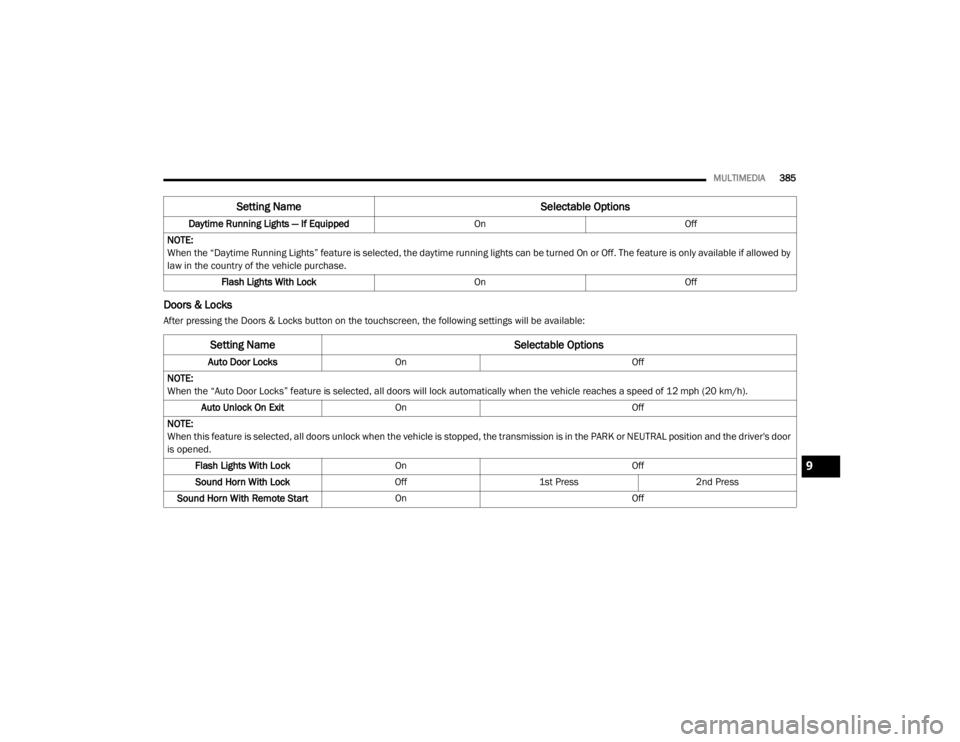
Doors & Locks
After pressing the Doors & Locks button on the touchscreen, the following settings will be available:Daytime Running Lights — If Equipped
OnOff
NOTE:
When the “Daytime Running Lights” feature is selected, the daytime running lights can be turned On or Off. The feature is only available if allowed by
law in the country of the vehicle purchase. Flash Lights With Lock OnOff
Setting Name Selectable Options
Setting NameSelectable Options
Auto Door LocksOn Off
NOTE:
When the “Auto Door Locks” feature is selected, all doors will lock automatically when the vehicle reaches a speed of 12 mph (20 km/h). Auto Unlock On Exit On Off
NOTE:
When this feature is selected, all doors unlock when the vehicle is stopped, the transmission is in the PARK or NEUTRAL position and the driver's door
is opened. Flash Lights With Lock On Off
Sound Horn With Lock Off1st Press 2nd Press
Sound Horn With Remote Start On Off
9
20_WD_OM_EN_USC_t.book Page 385