center console DODGE DURANGO 2021 Owners Manual
[x] Cancel search | Manufacturer: DODGE, Model Year: 2021, Model line: DURANGO, Model: DODGE DURANGO 2021Pages: 340, PDF Size: 20.38 MB
Page 40 of 340
38GETTING TO KNOW YOUR VEHICLE
Front Heated Seats — If Equipped
The front heated seats control buttons are located
on the center stack below the radio screen, or
within the Uconnect system.
Push the heated seat switch once to turn the
HI setting on.
Push the heated seat switch a second time
to turn the MED setting on.
Push the heated seat switch a third time to
turn the LO setting on.
Push the heated seat switch a fourth time to
turn the heating elements off.
NOTE:
Once a heat setting is selected, heat will be felt
within two to five minutes.
The engine must be running for the heated
seats to operate.
The level of heat selected will stay on until the
operator changes it.
For information on use with the Remote Start
system, see Ú page 20.
Rear Heated Seats — If Equipped
The two second row outboard seats may be
equipped with heated seats. There are two heated
seat switches that allow the rear passengers to
operate the seats independently. The heated seat
switches for each heater are located on the rear of
the center console.
You can choose from HI, LO, or off heat settings.
Amber indicator lights in each switch indicate the
level of heat in use. Two indicator lights will
illuminate for HI, one for LO and none for off.
Push the switch once to turn the HI setting
on.
Push the switch a second time to turn the LO
setting on.
Push the switch a third time to turn the
heating elements off.
The level of heat selected will stay on until the
operator changes it.
NOTE:The engine must be running for the heated seats to
operate.
FRONT VENTILATED SEATS —
I
F EQUIPPED
The ventilated seats control buttons are located on
the center stack below the radio screen, or within
the Uconnect system. The fans operate at three
speeds: HI, MED, and LO.
Press the ventilated seat switch once to
choose HI.
Press the ventilated seat switch a second
time to choose MED.
Press the ventilated seat switch a third time
to choose LO.
Press the ventilated seat switch a fourth
time to turn the ventilation off.
NOTE:The engine must be running for the ventilated
seats to operate.
For information on use with the Remote Start
system, see Ú page 20.
21_WD_OM_EN_USC_t.book Page 38
Page 47 of 340
GETTING TO KNOW YOUR VEHICLE45
UNIVERSAL GARAGE DOOR OPENER
(HOMELINK®)
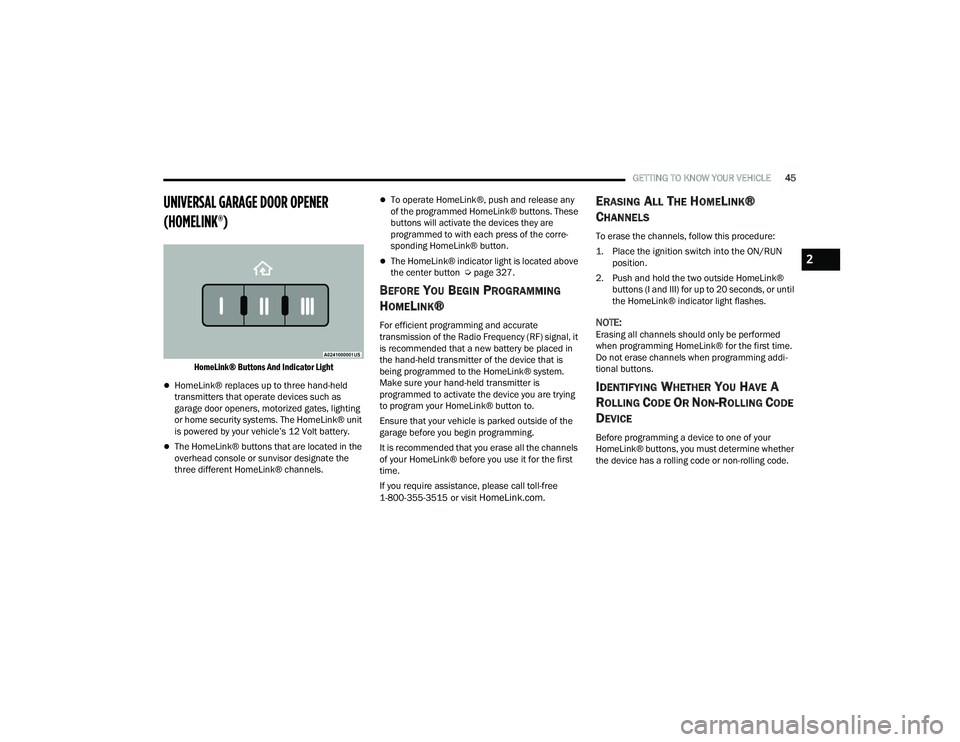
HomeLink® Buttons And Indicator Light
HomeLink® replaces up to three hand-held
transmitters that operate devices such as
garage door openers, motorized gates, lighting
or home security systems. The HomeLink® unit
is powered by your vehicle’s 12 Volt battery.
The HomeLink® buttons that are located in the
overhead console or sunvisor designate the
three different HomeLink® channels.
To operate HomeLink®, push and release any
of the programmed HomeLink® buttons. These
buttons will activate the devices they are
programmed to with each press of the corre -
sponding HomeLink® button.
The HomeLink® indicator light is located above
the center button Ú page 327.
BEFORE YOU BEGIN PROGRAMMING
H
OMELINK®
For efficient programming and accurate
transmission of the Radio Frequency (RF) signal, it
is recommended that a new battery be placed in
the hand-held transmitter of the device that is
being programmed to the HomeLink® system.
Make sure your hand-held transmitter is
programmed to activate the device you are trying
to program your HomeLink® button to.
Ensure that your vehicle is parked outside of the
garage before you begin programming.
It is recommended that you erase all the channels
of your HomeLink® before you use it for the first
time.
If you require assistance, please call toll-free
1-800-355-3515 or visit
HomeLink.com.
ERASING ALL THE HOMELINK®
C
HANNELS
To erase the channels, follow this procedure:
1. Place the ignition switch into the ON/RUN
position.
2. Push and hold the two outside HomeLink® buttons (I and III) for up to 20 seconds, or until
the HomeLink® indicator light flashes.
NOTE:Erasing all channels should only be performed
when programming HomeLink® for the first time.
Do not erase channels when programming addi -
tional buttons.
IDENTIFYING WHETHER YOU HAVE A
R
OLLING CODE OR NON-ROLLING CODE
D
EVICE
Before programming a device to one of your
HomeLink® buttons, you must determine whether
the device has a rolling code or non-rolling code.
2
21_WD_OM_EN_USC_t.book Page 45
Page 55 of 340
GETTING TO KNOW YOUR VEHICLE53
Ambient Light — If Equipped
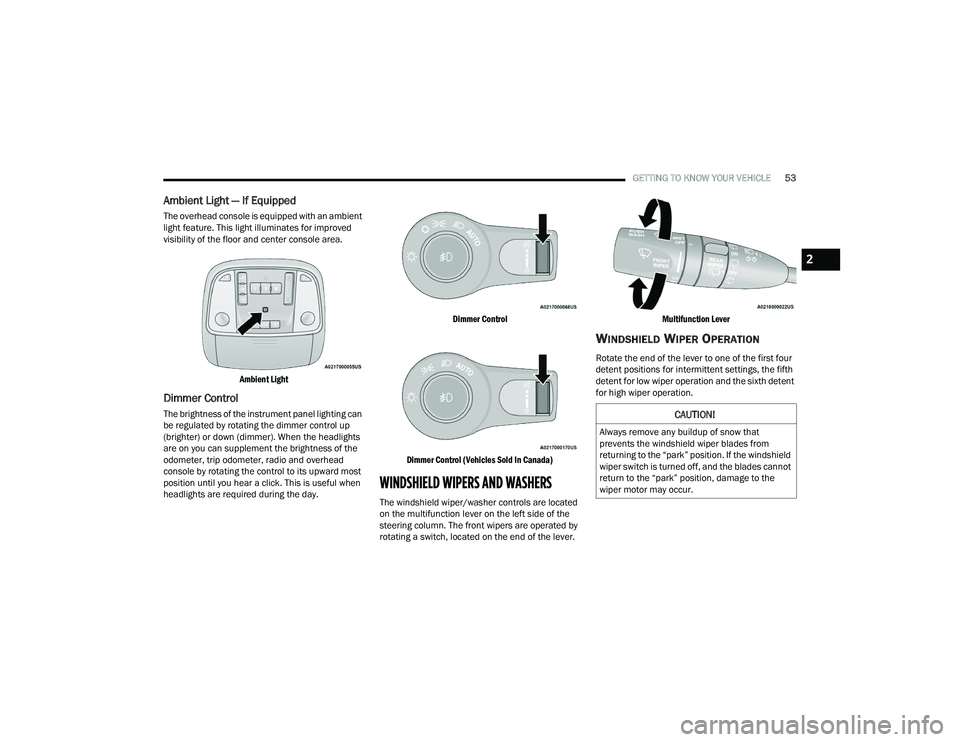
The overhead console is equipped with an ambient
light feature. This light illuminates for improved
visibility of the floor and center console area.
Ambient Light
Dimmer Control
The brightness of the instrument panel lighting can
be regulated by rotating the dimmer control up
(brighter) or down (dimmer). When the headlights
are on you can supplement the brightness of the
odometer, trip odometer, radio and overhead
console by rotating the control to its upward most
position until you hear a click. This is useful when
headlights are required during the day.
Dimmer Control
Dimmer Control (Vehicles Sold In Canada)
WINDSHIELD WIPERS AND WASHERS
The windshield wiper/washer controls are located
on the multifunction lever on the left side of the
steering column. The front wipers are operated by
rotating a switch, located on the end of the lever.
Multifunction Lever
WINDSHIELD WIPER OPERATION
Rotate the end of the lever to one of the first four
detent positions for intermittent settings, the fifth
detent for low wiper operation and the sixth detent
for high wiper operation.
CAUTION!
Always remove any buildup of snow that
prevents the windshield wiper blades from
returning to the “park” position. If the windshield
wiper switch is turned off, and the blades cannot
return to the “park” position, damage to the
wiper motor may occur.
2
21_WD_OM_EN_USC_t.book Page 53
Page 66 of 340
64GETTING TO KNOW YOUR VEHICLE
Operating Tips ChartINTERIOR STORAGE AND EQUIPMENT
STORAGE
Glove Compartment
The glove compartment is located on the
passenger side of the instrument panel.
Glove Compartment
To open the glove compartment, pull the release
handle.
Front Center Console
The front center console contains both an upper
and a lower storage area.
To open the upper storage compartment, pull
upward on the small latch located on the lid.
Storage Compartment Latches
Lift upward on the larger of the latches to access
the lower storage compartment.WEATHER CONTROL SETTINGS
Hot Weather And
Vehicle Interior Is Very Hot Set the mode control to
(Panel Mode),
(A/C) on, and blower
on high. Roll down the windows for a minute
to flush out the hot air. Adjust the controls as needed to achieve comfort.
Warm Weather Turn (A/C) on and
set the mode control to
(Panel Mode).
Cool Sunny Operate in (Bi-Level
Mode).
Cool & Humid Conditions Set the mode control to
(Floor Mode) and
turn (A/C) on to
keep windows clear.
Cold Weather Set the mode control to
(Floor Mode). If
windshield fogging
starts to occur, move
the control to (Mix Mode).
21_WD_OM_EN_USC_t.book Page 64
Page 67 of 340
GETTING TO KNOW YOUR VEHICLE65
Sunglasses Bin Door
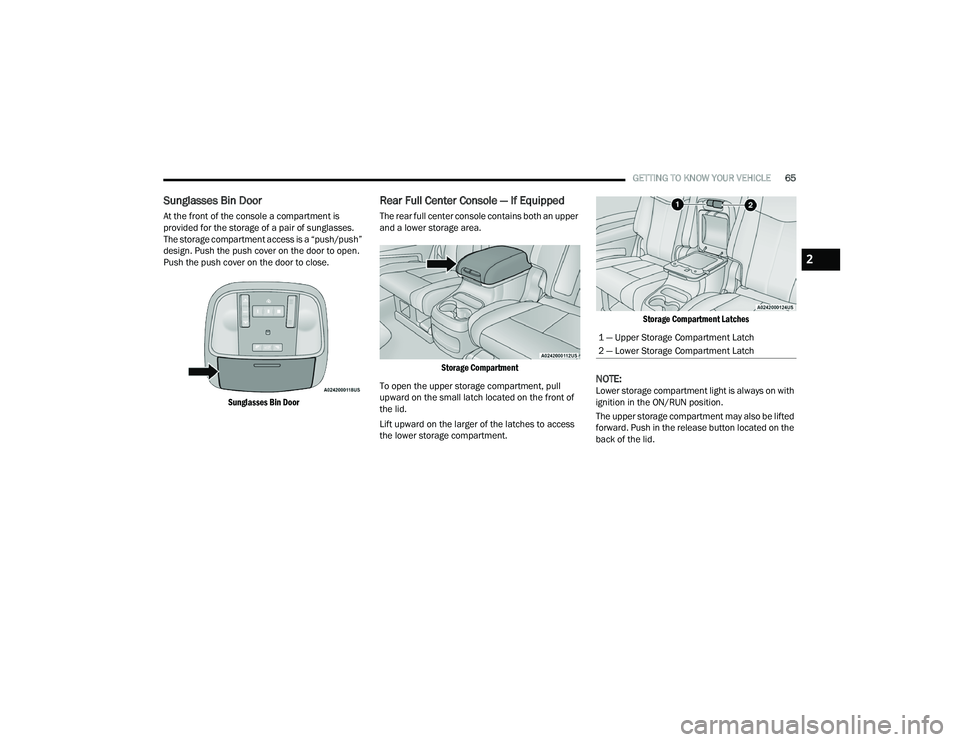
At the front of the console a compartment is
provided for the storage of a pair of sunglasses.
The storage compartment access is a “push/push”
design. Push the push cover on the door to open.
Push the push cover on the door to close.
Sunglasses Bin Door
Rear Full Center Console — If Equipped
The rear full center console contains both an upper
and a lower storage area.
Storage Compartment
To open the upper storage compartment, pull
upward on the small latch located on the front of
the lid.
Lift upward on the larger of the latches to access
the lower storage compartment.
Storage Compartment Latches
NOTE:Lower storage compartment light is always on with
ignition in the ON/RUN position.
The upper storage compartment may also be lifted
forward. Push in the release button located on the
back of the lid.
1 — Upper Storage Compartment Latch
2 — Lower Storage Compartment Latch
2
21_WD_OM_EN_USC_t.book Page 65
Page 69 of 340
GETTING TO KNOW YOUR VEHICLE67
Rear Mini Center Console — If Equipped
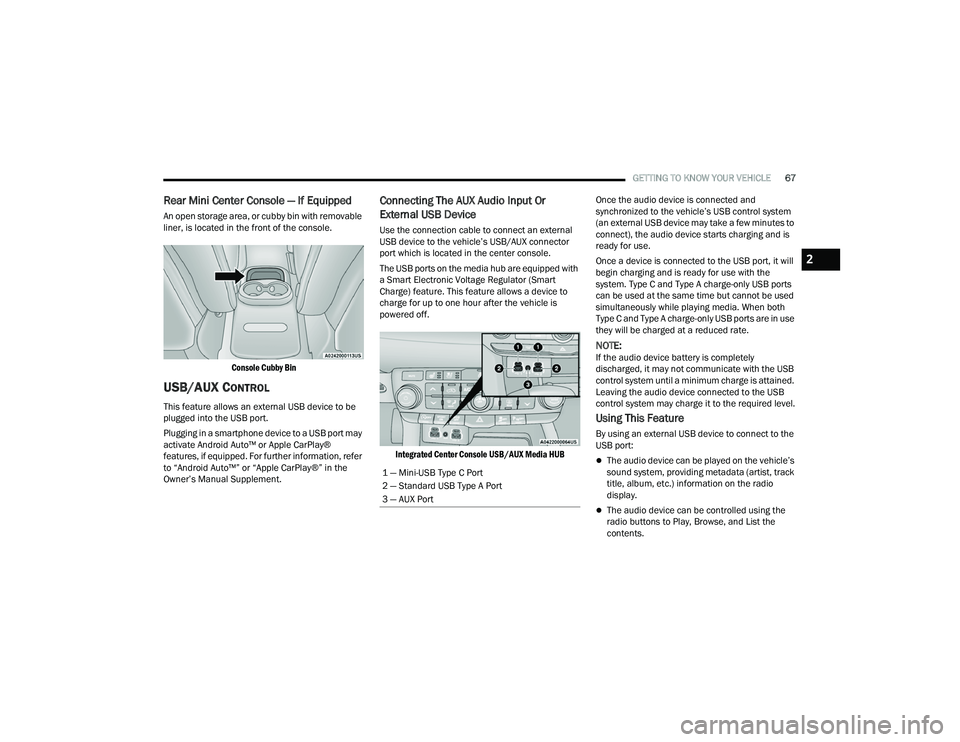
An open storage area, or cubby bin with removable
liner, is located in the front of the console.
Console Cubby Bin
USB/AUX CONTROL
This feature allows an external USB device to be
plugged into the USB port.
Plugging in a smartphone device to a USB port may
activate Android Auto™ or Apple CarPlay®
features, if equipped. For further information, refer
to “Android Auto™” or “Apple CarPlay®” in the
Owner’s Manual Supplement.
Connecting The AUX Audio Input Or
External USB Device
Use the connection cable to connect an external
USB device to the vehicle’s USB/AUX connector
port which is located in the center console.
The USB ports on the media hub are equipped with
a Smart Electronic Voltage Regulator (Smart
Charge) feature. This feature allows a device to
charge for up to one hour after the vehicle is
powered off.
Integrated Center Console USB/AUX Media HUB
Once the audio device is connected and
synchronized to the vehicle’s USB control system
(an external USB device may take a few minutes to
connect), the audio device starts charging and is
ready for use.
Once a device is connected to the USB port, it will
begin charging and is ready for use with the
system. Type C and Type A charge-only USB ports
can be used at the same time but cannot be used
simultaneously while playing media. When both
Type C and Type A charge-only USB ports are in use
they will be charged at a reduced rate.
NOTE:If the audio device battery is completely
discharged, it may not communicate with the USB
control system until a minimum charge is attained.
Leaving the audio device connected to the USB
control system may charge it to the required level.
Using This Feature
By using an external USB device to connect to the
USB port:
The audio device can be played on the vehicle’s
sound system, providing metadata (artist, track
title, album, etc.) information on the radio
display.
The audio device can be controlled using the
radio buttons to Play, Browse, and List the
contents.
1 — Mini-USB Type C Port
2 — Standard USB Type A Port
3 — AUX Port
2
21_WD_OM_EN_USC_t.book Page 67
Page 70 of 340
68GETTING TO KNOW YOUR VEHICLE
The audio device battery charges when plugged
into the USB/AUX connector (if supported by the
specific audio device).
NOTE:For further information, refer to the Uconnect
Owner’s Manual Supplement.
Second Row USB Charging Port
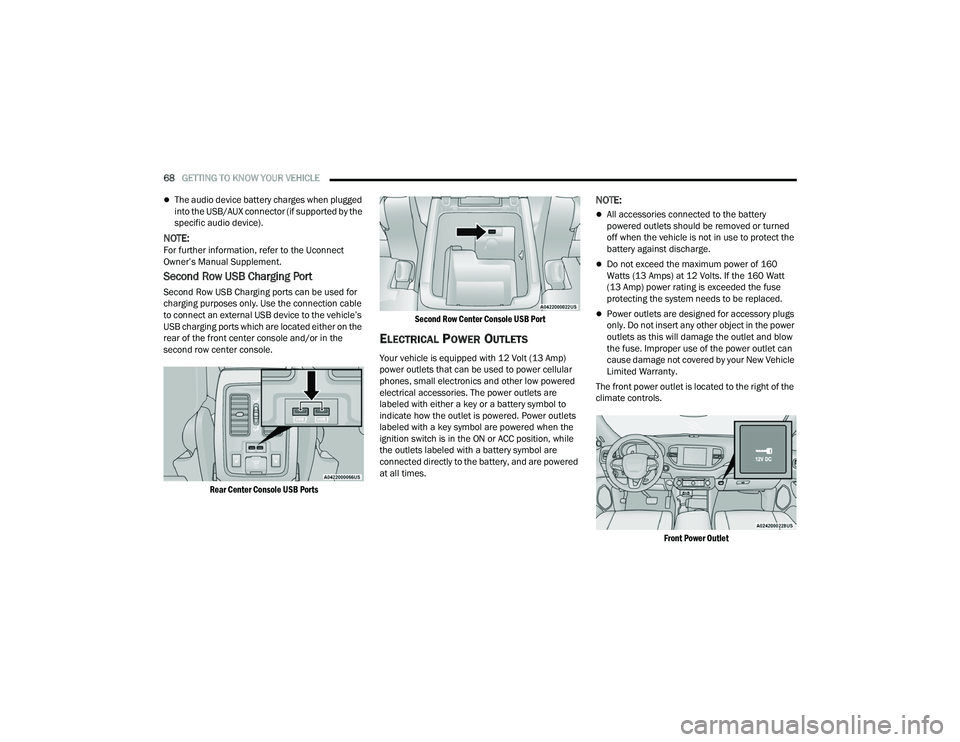
Second Row USB Charging ports can be used for
charging purposes only. Use the connection cable
to connect an external USB device to the vehicle’s
USB charging ports which are located either on the
rear of the front center console and/or in the
second row center console.
Rear Center Console USB Ports Second Row Center Console USB Port
ELECTRICAL POWER OUTLETS
Your vehicle is equipped with 12 Volt (13 Amp)
power outlets that can be used to power cellular
phones, small electronics and other low powered
electrical accessories. The power outlets are
labeled with either a key or a battery symbol to
indicate how the outlet is powered. Power outlets
labeled with a key symbol are powered when the
ignition switch is in the ON or ACC position, while
the outlets labeled with a battery symbol are
connected directly to the battery, and are powered
at all times.
NOTE:
All accessories connected to the battery
powered outlets should be removed or turned
off when the vehicle is not in use to protect the
battery against discharge.
Do not exceed the maximum power of 160
Watts (13 Amps) at 12 Volts. If the 160 Watt
(13 Amp) power rating is exceeded the fuse
protecting the system needs to be replaced.
Power outlets are designed for accessory plugs
only. Do not insert any other object in the power
outlets as this will damage the outlet and blow
the fuse. Improper use of the power outlet can
cause damage not covered by your New Vehicle
Limited Warranty.
The front power outlet is located to the right of the
climate controls.
Front Power Outlet
21_WD_OM_EN_USC_t.book Page 68
Page 71 of 340
GETTING TO KNOW YOUR VEHICLE69
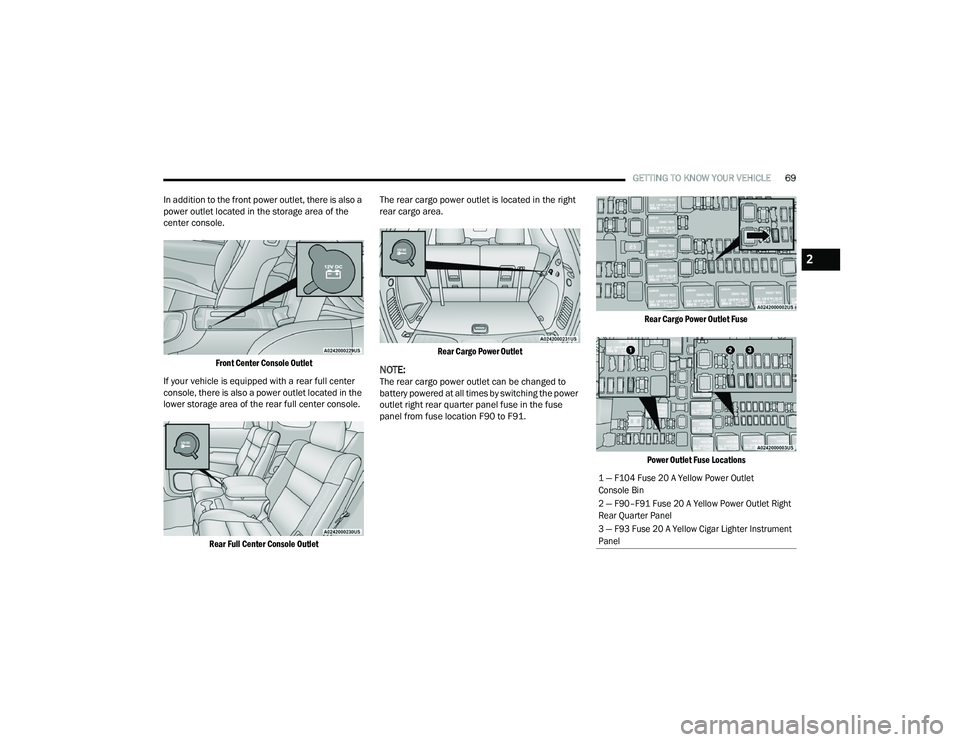
In addition to the front power outlet, there is also a
power outlet located in the storage area of the
center console.
Front Center Console Outlet
If your vehicle is equipped with a rear full center
console, there is also a power outlet located in the
lower storage area of the rear full center console.
Rear Full Center Console Outlet
The rear cargo power outlet is located in the right
rear cargo area.
Rear Cargo Power Outlet
NOTE:The rear cargo power outlet can be changed to
battery powered at all times by switching the power
outlet right rear quarter panel fuse in the fuse
panel from fuse location F90 to F91.
Rear Cargo Power Outlet Fuse
Power Outlet Fuse Locations
1 — F104 Fuse 20 A Yellow Power Outlet
Console Bin
2 — F90–F91 Fuse 20 A Yellow Power Outlet Right
Rear Quarter Panel
3 — F93 Fuse 20 A Yellow Cigar Lighter Instrument
Panel
2
21_WD_OM_EN_USC_t.book Page 69
Page 72 of 340
70GETTING TO KNOW YOUR VEHICLE
(Continued)
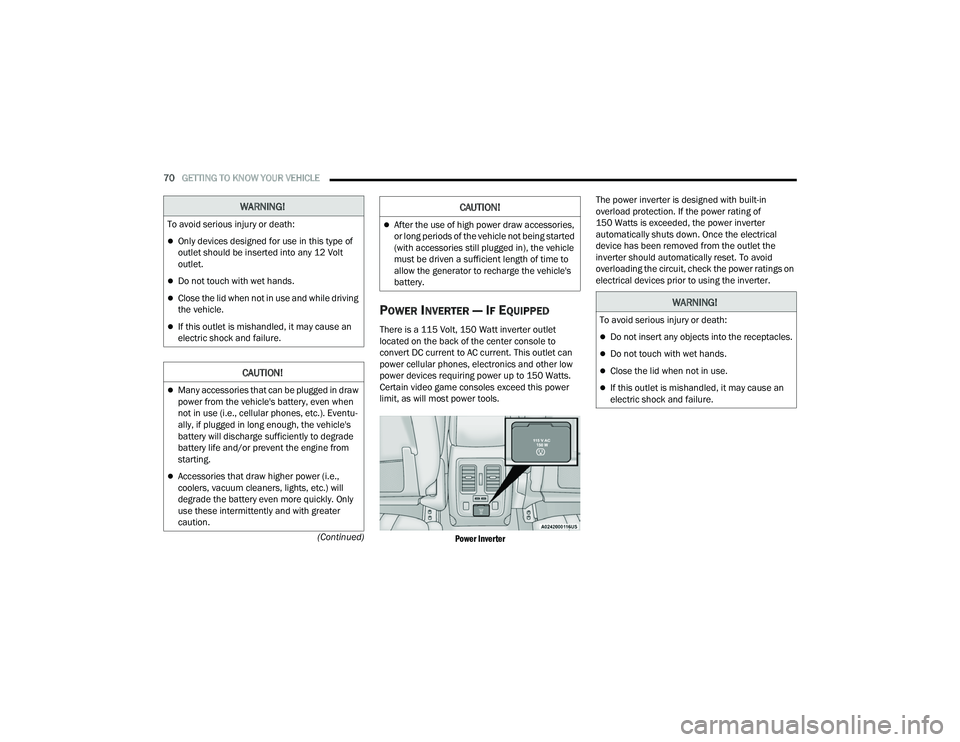
POWER INVERTER — IF EQUIPPED
There is a 115 Volt, 150 Watt inverter outlet
located on the back of the center console to
convert DC current to AC current. This outlet can
power cellular phones, electronics and other low
power devices requiring power up to 150 Watts.
Certain video game consoles exceed this power
limit, as will most power tools.
Power Inverter
The power inverter is designed with built-in
overload protection. If the power rating of
150 Watts is exceeded, the power inverter
automatically shuts down. Once the electrical
device has been removed from the outlet the
inverter should automatically reset. To avoid
overloading the circuit, check the power ratings on
electrical devices prior to using the inverter.
WARNING!
To avoid serious injury or death:
Only devices designed for use in this type of
outlet should be inserted into any 12 Volt
outlet.
Do not touch with wet hands.
Close the lid when not in use and while driving
the vehicle.
If this outlet is mishandled, it may cause an
electric shock and failure.
CAUTION!
Many accessories that can be plugged in draw
power from the vehicle's battery, even when
not in use (i.e., cellular phones, etc.). Eventu
-
ally, if plugged in long enough, the vehicle's
battery will discharge sufficiently to degrade
battery life and/or prevent the engine from
starting.
Accessories that draw higher power (i.e.,
coolers, vacuum cleaners, lights, etc.) will
degrade the battery even more quickly. Only
use these intermittently and with greater
caution.
After the use of high power draw accessories,
or long periods of the vehicle not being started
(with accessories still plugged in), the vehicle
must be driven a sufficient length of time to
allow the generator to recharge the vehicle's
battery.
CAUTION!
WARNING!
To avoid serious injury or death:
Do not insert any objects into the receptacles.
Do not touch with wet hands.
Close the lid when not in use.
If this outlet is mishandled, it may cause an
electric shock and failure.
21_WD_OM_EN_USC_t.book Page 70
Page 114 of 340
112STARTING AND OPERATING
If a requested downshift would cause the
engine to over-speed, that shift will not occur.
The system will ignore attempts to upshift at too
low of a vehicle speed.
Holding the (-) paddle pressed, or holding the
gear selector in the (-) position, will downshift
the transmission to the lowest gear possible at
the current speed.
Transmission shifting will be more noticeable
when AutoStick is enabled.
The system may revert to automatic shift mode
if a fault or overheat condition is detected.
To disengage AutoStick mode, return the gear
selector to the DRIVE (D) position, or press and
hold the (+) shift paddle until "D" is indicated in the
instrument cluster. You can shift in or out of
AutoStick mode at any time without taking your
foot off the accelerator pedal.
SPORT MODE — IF EQUIPPED
Your vehicle is equipped with a SPORT Mode
feature. The engine, transmission, and steering
systems are all set to their SPORT settings. SPORT
Mode will provide improved throttle response and
modified transmission shift points for an enhanced
driving experience, as well as greater amount of
steering feel. This mode may be activated and
deactivated by pushing the SPORT button on the
instrument panel switch bank.
ALL-WHEEL DRIVE OPERATION
SINGLE-SPEED OPERATING
I
NSTRUCTIONS/PRECAUTIONS —
I
F EQUIPPED
This system contains a single-speed (HI range only)
transfer case, which provides convenient full-time
All-Wheel Drive (AWD). No driver interaction is
required. The Brake Traction Control (BTC) System,
which combines standard ABS and Traction
Control, provides resistance to any wheel that is
slipping to allow additional torque transfer to
wheels with traction.
NOTE:This system is not appropriate for conditions where
AWD Low is recommended Ú page 157.
ELECTRONICALLY SHIFTED TRANSFER
C
ASE — IF EQUIPPED
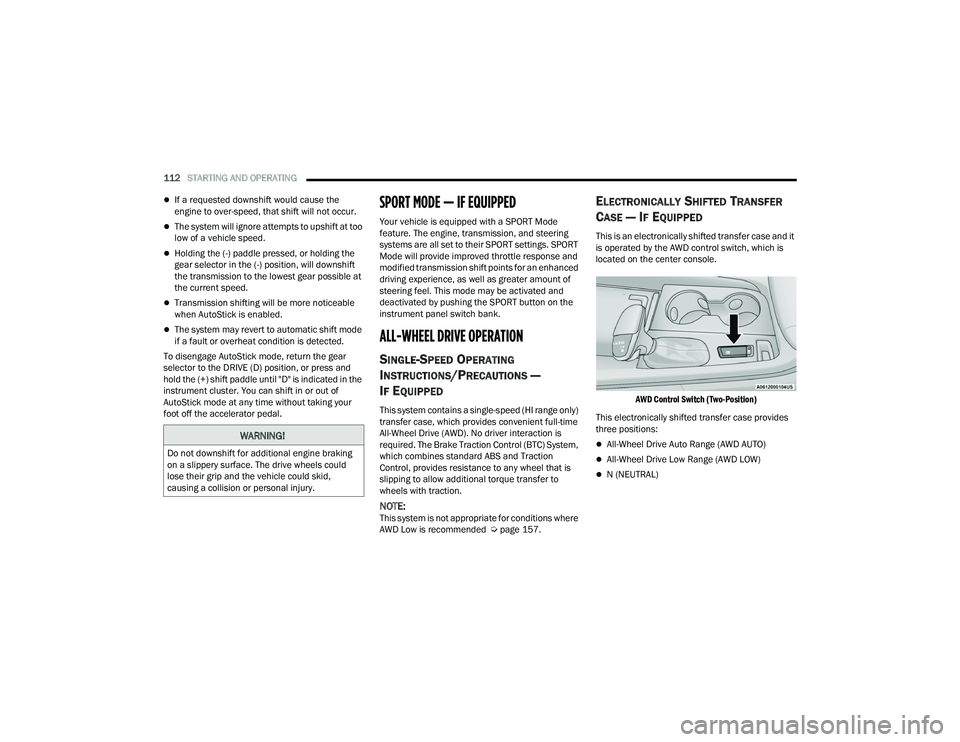
This is an electronically shifted transfer case and it
is operated by the AWD control switch, which is
located on the center console.
AWD Control Switch (Two-Position)
This electronically shifted transfer case provides
three positions:
All-Wheel Drive Auto Range (AWD AUTO)
All-Wheel Drive Low Range (AWD LOW)
N (NEUTRAL)
WARNING!
Do not downshift for additional engine braking
on a slippery surface. The drive wheels could
lose their grip and the vehicle could skid,
causing a collision or personal injury.
21_WD_OM_EN_USC_t.book Page 112