light DODGE GRAND CARAVAN 2005 Owner's Guide
[x] Cancel search | Manufacturer: DODGE, Model Year: 2005, Model line: GRAND CARAVAN, Model: DODGE GRAND CARAVAN 2005Pages: 480, PDF Size: 15.54 MB
Page 95 of 480
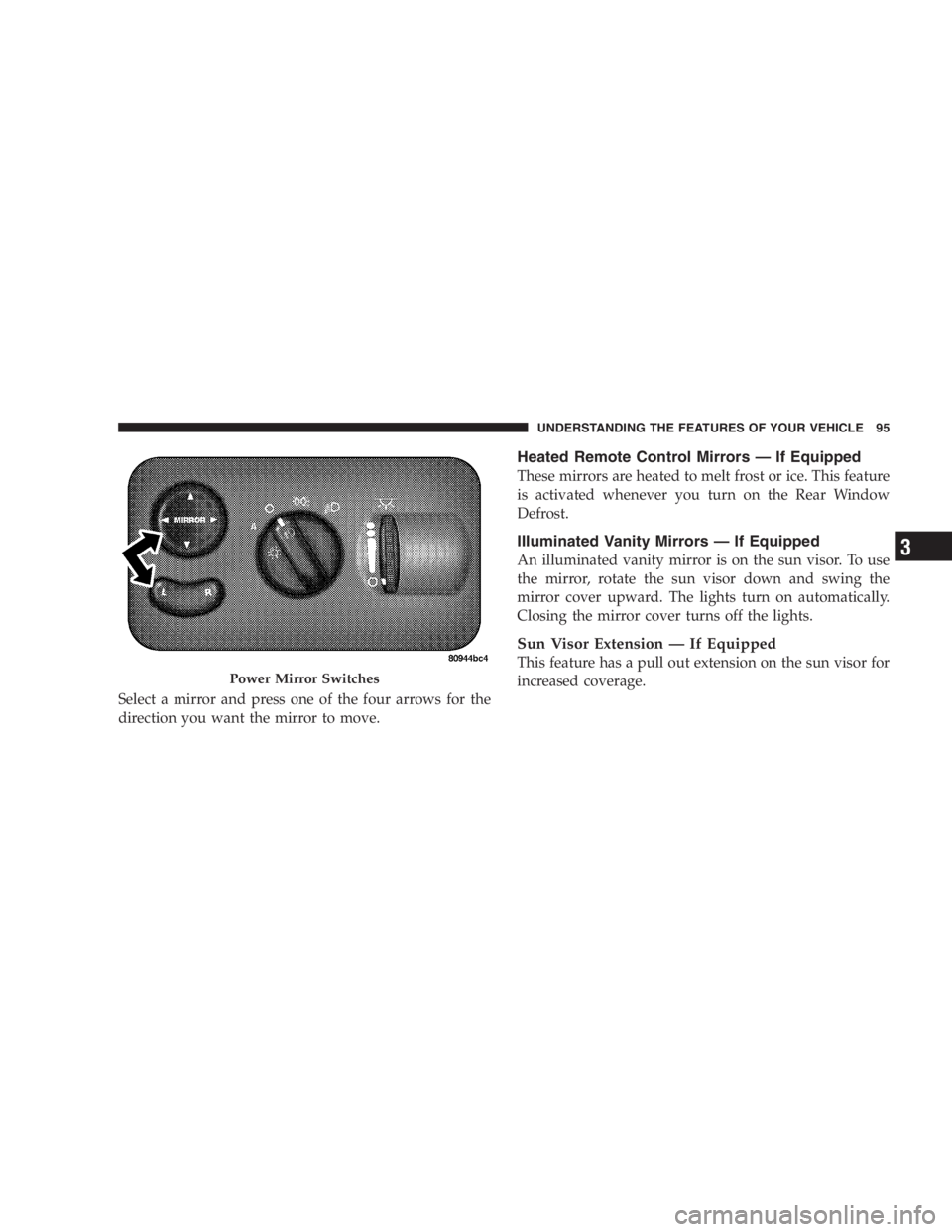
Select a mirror and press one of the four arrows for the
direction you want the mirror to move. Heated Remote Control Mirrors — If Equipped
These mirrors are heated to melt frost or ice. This feature
is activated whenever you turn on the Rear Window
Defrost.
Illuminated Vanity Mirrors — If Equipped
An illuminated vanity mirror is on the sun visor. To use
the mirror, rotate the sun visor down and swing the
mirror cover upward. The lights turn on automatically.
Closing the mirror cover turns off the lights.
Sun Visor Extension — If Equipped
This feature has a pull out extension on the sun visor for
increased coverage.Power Mirror Switches UNDERSTANDING THE FEATURES OF YOUR VEHICLE 95
3
Page 110 of 480
Heated Seats — If Equipped
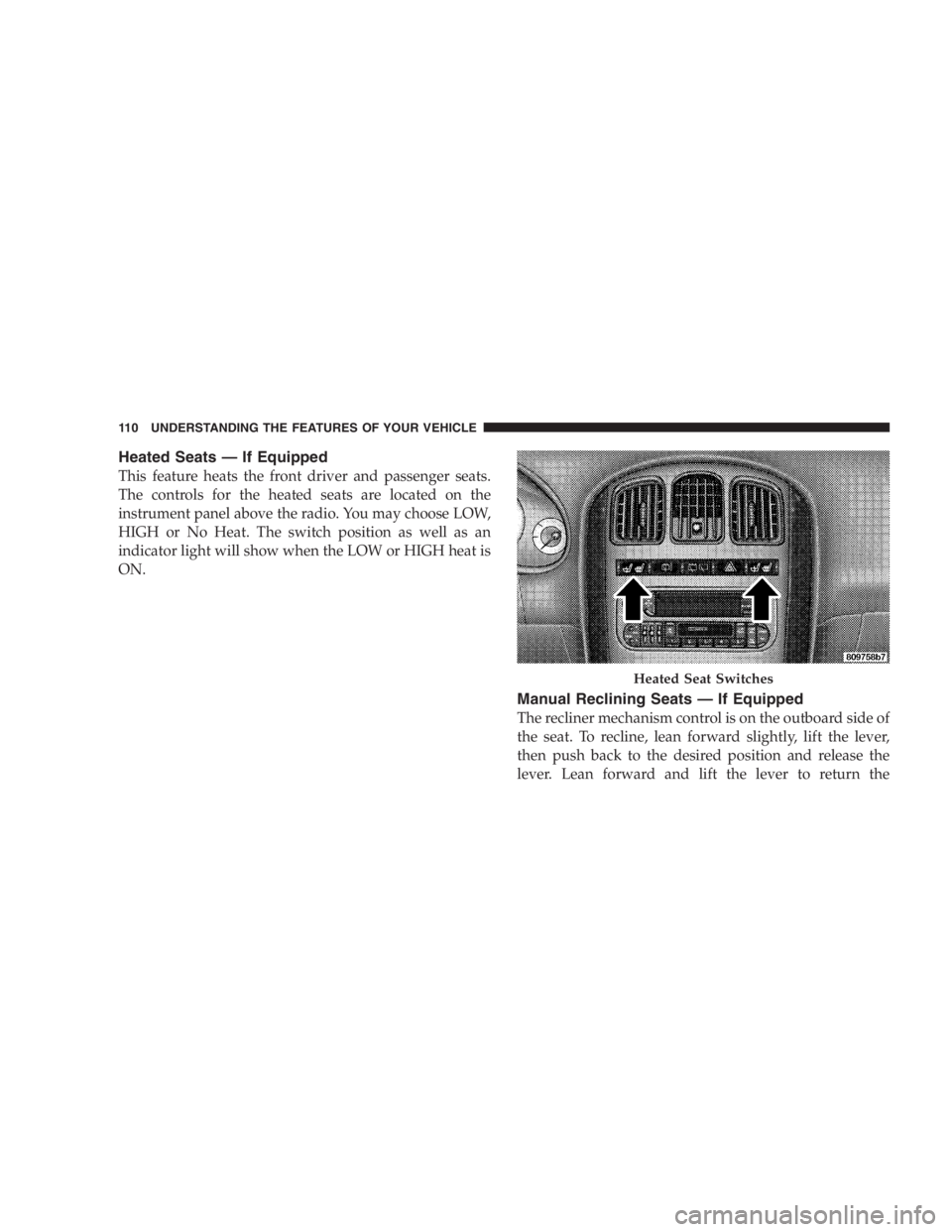
This feature heats the front driver and passenger seats.
The controls for the heated seats are located on the
instrument panel above the radio. You may choose LOW,
HIGH or No Heat. The switch position as well as an
indicator light will show when the LOW or HIGH heat is
ON.
Manual Reclining Seats — If Equipped
The recliner mechanism control is on the outboard side of
the seat. To recline, lean forward slightly, lift the lever,
then push back to the desired position and release the
lever. Lean forward and lift the lever to return the Heated Seat Switches110 UNDERSTANDING THE FEATURES OF YOUR VEHICLE
Page 134 of 480
LIGHTS
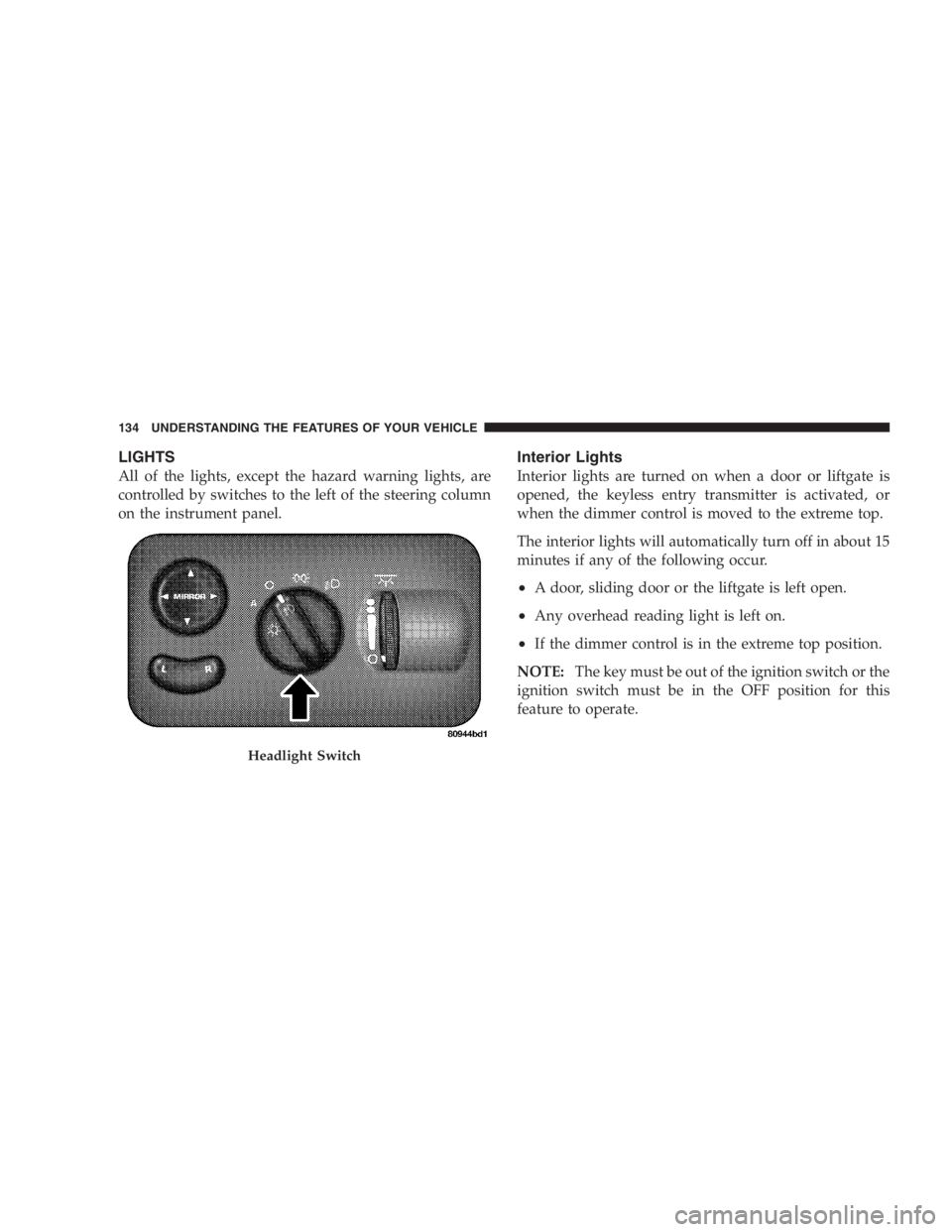
All of the lights, except the hazard warning lights, are
controlled by switches to the left of the steering column
on the instrument panel. Interior Lights
Interior lights are turned on when a door or liftgate is
opened, the keyless entry transmitter is activated, or
when the dimmer control is moved to the extreme top.
The interior lights will automatically turn off in about 15
minutes if any of the following occur.
• A door, sliding door or the liftgate is left open.
• Any overhead reading light is left on.
• If the dimmer control is in the extreme top position.
NOTE: The key must be out of the ignition switch or the
ignition switch must be in the OFF position for this
feature to operate.Headlight Switch134 UNDERSTANDING THE FEATURES OF YOUR VEHICLE
Page 135 of 480
Park Lights
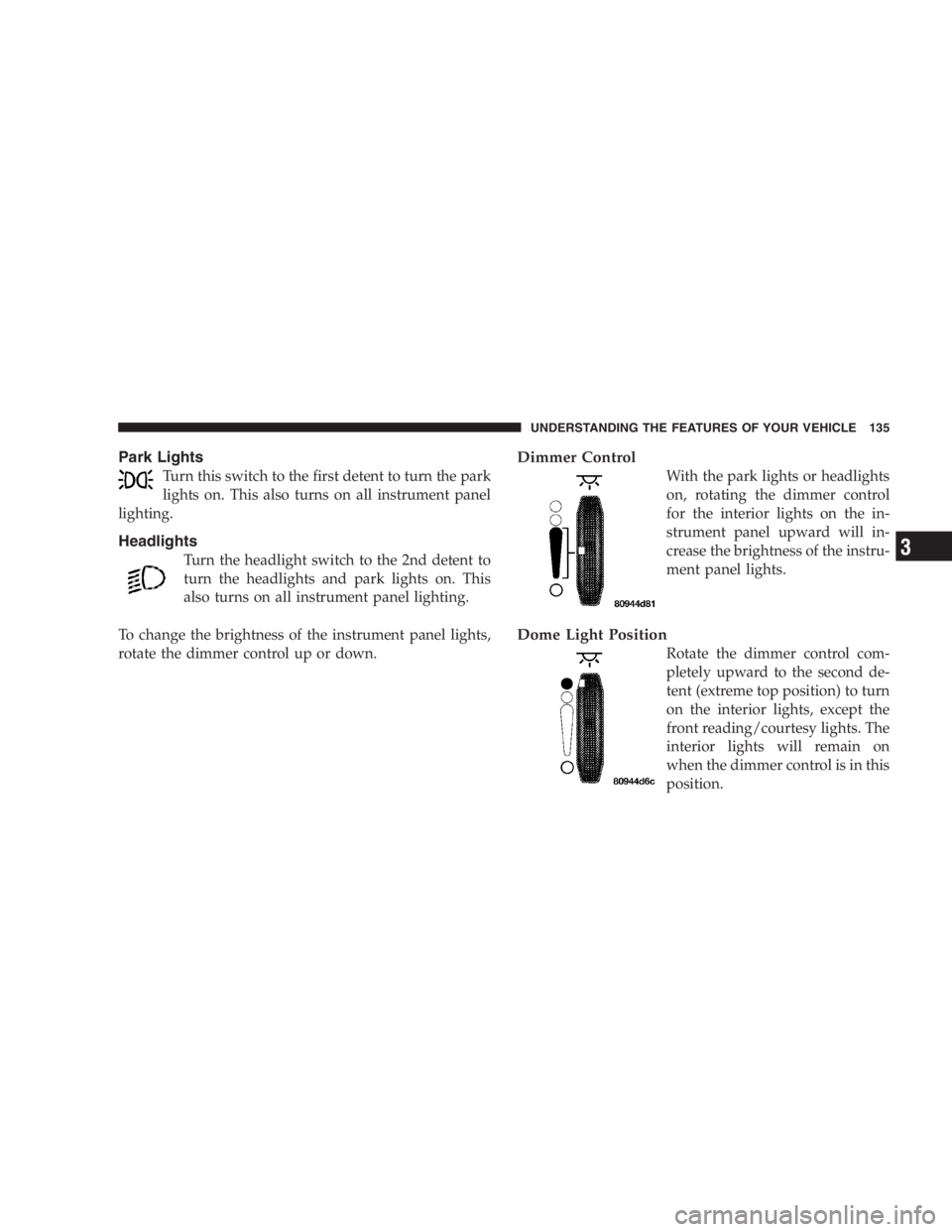
Turn this switch to the first detent to turn the park
lights on. This also turns on all instrument panel
lighting.
Headlights
Turn the headlight switch to the 2nd detent to
turn the headlights and park lights on. This
also turns on all instrument panel lighting.
To change the brightness of the instrument panel lights,
rotate the dimmer control up or down. Dimmer Control
With the park lights or headlights
on, rotating the dimmer control
for the interior lights on the in-
strument panel upward will in-
crease the brightness of the instru-
ment panel lights.
Dome Light Position
Rotate the dimmer control com-
pletely upward to the second de-
tent (extreme top position) to turn
on the interior lights, except the
front reading/courtesy lights. The
interior lights will remain on
when the dimmer control is in this
position.UNDERSTANDING THE FEATURES OF YOUR VEHICLE 135
3
Page 136 of 480
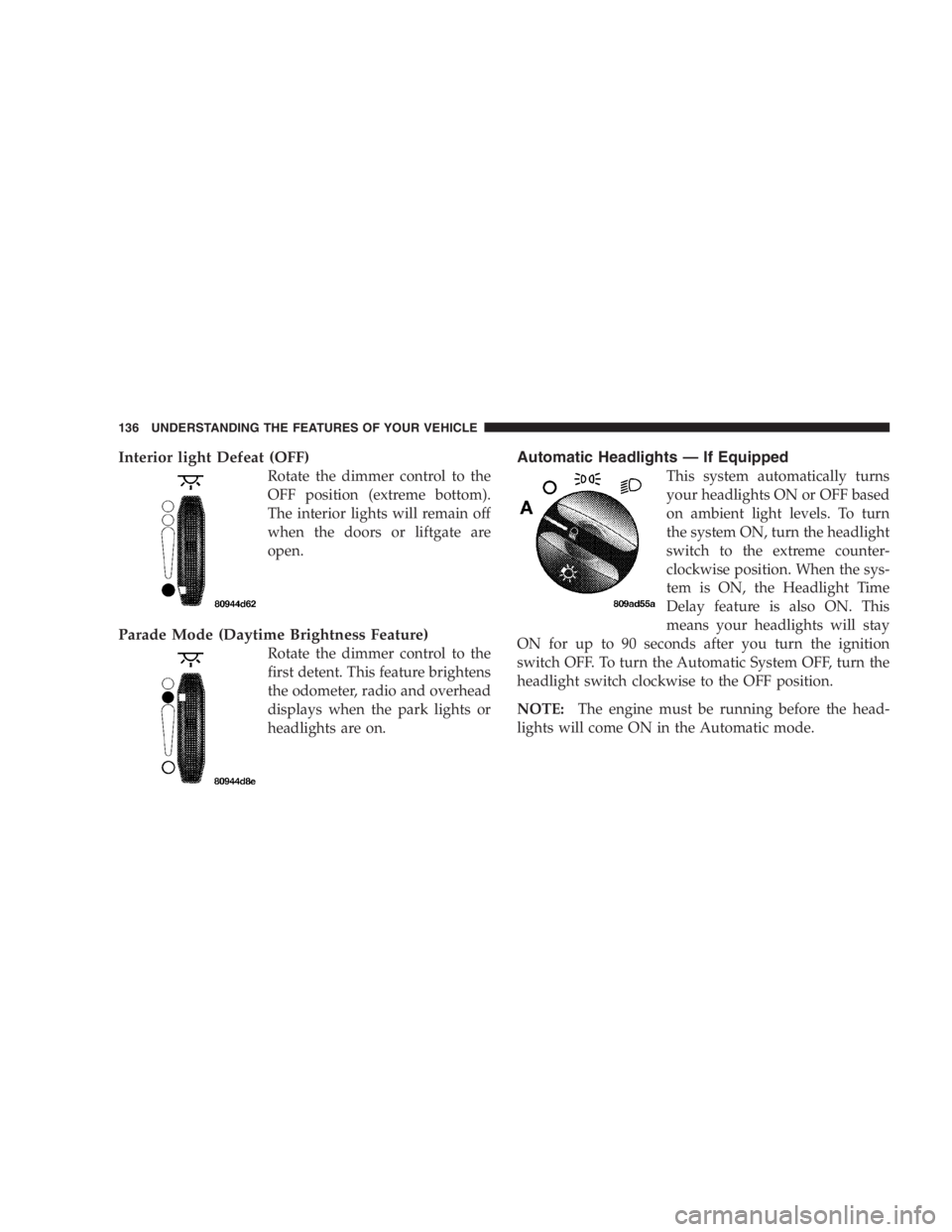
Interior light Defeat (OFF)
Rotate the dimmer control to the
OFF position (extreme bottom).
The interior lights will remain off
when the doors or liftgate are
open.
Parade Mode (Daytime Brightness Feature)
Rotate the dimmer control to the
first detent. This feature brightens
the odometer, radio and overhead
displays when the park lights or
headlights are on. Automatic Headlights — If Equipped
This system automatically turns
your headlights ON or OFF based
on ambient light levels. To turn
the system ON, turn the headlight
switch to the extreme counter-
clockwise position. When the sys-
tem is ON, the Headlight Time
Delay feature is also ON. This
means your headlights will stay
ON for up to 90 seconds after you turn the ignition
switch OFF. To turn the Automatic System OFF, turn the
headlight switch clockwise to the OFF position.
NOTE: The engine must be running before the head-
lights will come ON in the Automatic mode.136 UNDERSTANDING THE FEATURES OF YOUR VEHICLE
Page 137 of 480
Daytime Running Lights (Canada/Fleet Vehicles
Only)
The Daytime Running Lights will come on whenever the
vehicle is running, the headlights are off, and the parking
brake is off. The headlight switch must be used for
normal night time driving.
Lights-on Reminder
If the headlights or the park lights are left on, or if the
dimmer control is in the extreme top position after the
ignition switch is turned off, a chime will sound when the
driver ’ s door is opened. Battery Protection
This feature provides battery protection to avoid wearing
down the battery if the headlights, park lights, or front
fog lights are left on for extended periods of time when
the ignition switch is in the LOCK position. After 3
minutes of the ignition switch being in the LOCK posi-
tion and the headlight switch in any position other than
OFF or AUTO, the lights will turn off automatically until
the next cycle of the ignition switch or headlight switch.
The battery protection feature will be disabled if the
ignition switch is turned to any other position other than
LOCK during the 3 minute delay. UNDERSTANDING THE FEATURES OF YOUR VEHICLE 137
3
Page 138 of 480
Headlamp Delay — If Equipped
This feature provides the safety of headlight illumination
for up to 90 seconds, when leaving your vehicle in an
unlighted area.
To activate the delay feature, turn off the ignition switch
while the headlights are still on. Then turn off the
headlights within 45 seconds. The 90 second delay inter-
val begins when headlight switch is turned off. If the
headlights or park lights are turned back on or the
ignition switch is turned on, the delay will be cancelled.
The driver can choose, when exiting the vehicle, to have
the headlamps remain on for 30, 60, or 90 seconds, or not
remain on. refer to Electronic Vehicle Information Center
(EVIC) “ Customer Programmable Features ” for more
information.
If the headlights are turned off before the ignition, they
will turn off in the normal manner. NOTE: The headlights must be turned off within 45
seconds of turning the ignition off to activate this feature.
Front Fog Lights — If Equipped
To activate the front fog lights, turn on the park
lights or the low beam headlights and pull out on
the headlight switch control knob. An indicator in
the headlight switch shows that the front fog lights are
on. Pressing the headlight switch control knob in will
turn the front fog lights off.
MULTIFUNCTION LEVER
Turn Signals
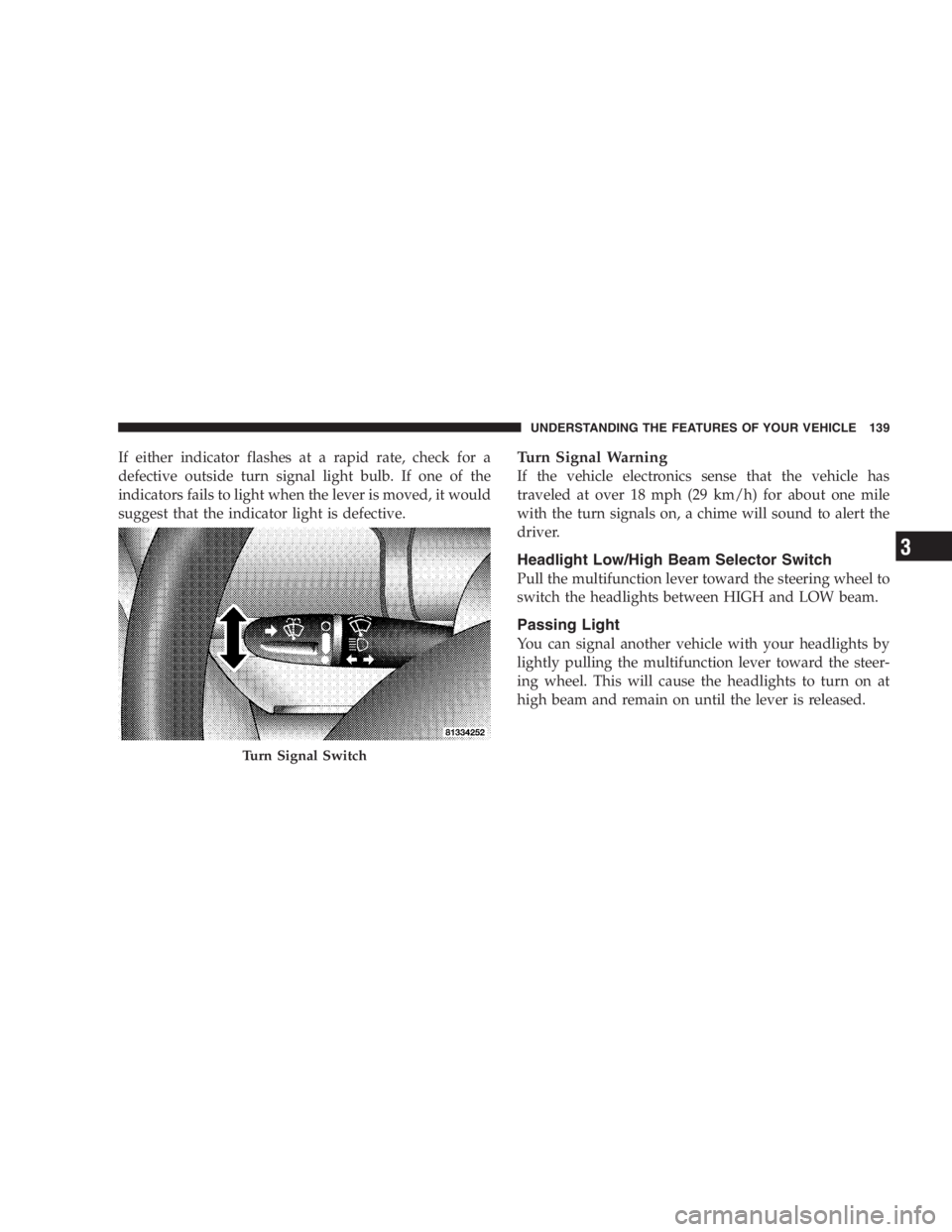
Move the Multifunction Lever up or down and the
arrows on each side of the base instrument cluster or
Information Center flash to indicate proper operation of
the front and rear turn signal lights. You can signal a lane
change by moving the lever partially up or down.138 UNDERSTANDING THE FEATURES OF YOUR VEHICLE
Page 139 of 480
If either indicator flashes at a rapid rate, check for a
defective outside turn signal light bulb. If one of the
indicators fails to light when the lever is moved, it would
suggest that the indicator light is defective. Turn Signal Warning
If the vehicle electronics sense that the vehicle has
traveled at over 18 mph (29 km/h) for about one mile
with the turn signals on, a chime will sound to alert the
driver.
Headlight Low/High Beam Selector Switch
Pull the multifunction lever toward the steering wheel to
switch the headlights between HIGH and LOW beam.
Passing Light
You can signal another vehicle with your headlights by
lightly pulling the multifunction lever toward the steer-
ing wheel. This will cause the headlights to turn on at
high beam and remain on until the lever is released.
Turn Signal Switch UNDERSTANDING THE FEATURES OF YOUR VEHICLE 139
3
Page 143 of 480
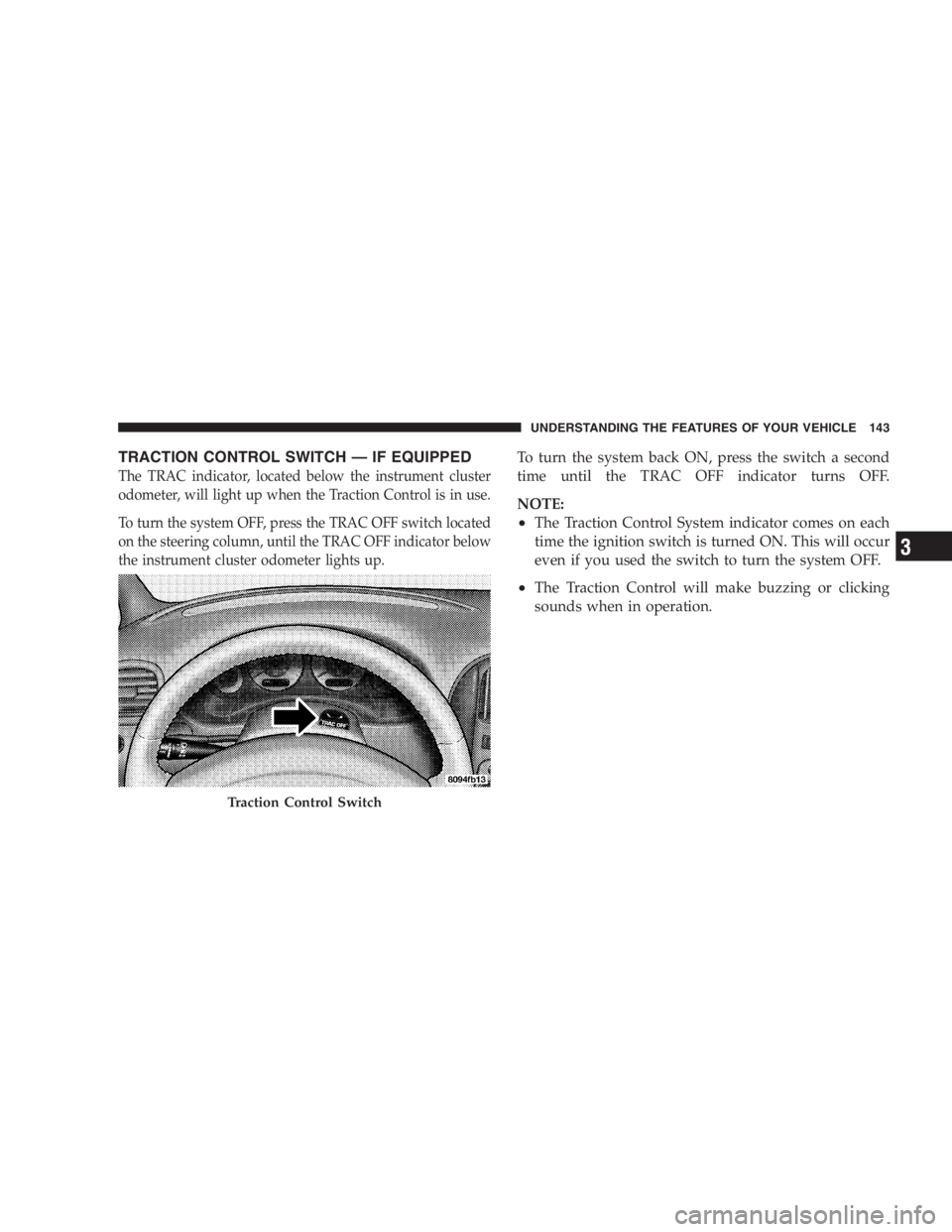
TRACTION CONTROL SWITCH — IF EQUIPPED
The TRAC indicator, located below the instrument cluster
odometer, will light up when the Traction Control is in use.
To turn the system OFF, press the TRAC OFF switch located
on the steering column, until the TRAC OFF indicator below
the instrument cluster odometer lights up. To turn the system back ON, press the switch a second
time until the TRAC OFF indicator turns OFF.
NOTE:
• The Traction Control System indicator comes on each
time the ignition switch is turned ON. This will occur
even if you used the switch to turn the system OFF.
• The Traction Control will make buzzing or clicking
sounds when in operation.
Traction Control Switch UNDERSTANDING THE FEATURES OF YOUR VEHICLE 143
3
Page 149 of 480
To Vary the Speed Setting:
When the speed control is set, speed can be increased by
pressing and holding the “ RESUME/ACCEL ” button.
When the button is released, a new set speed will be
established.
Tapping the “ RESUME/ACCEL ” button once will result
in a 2 mph (3 km/h) speed increase. Each time the button
is tapped, speed increases so that tapping the button
three times will increase speed by 6 mph (10 km/h), etc.
To decrease speed while speed control is set, press and
hold the “ COAST ” button. Release the button when the
desired speed is reached, and the new speed will be set.
Tapping the “ COAST ” button once will result i na1mph
(2 km/h) speed decrease. Each time the button is tapped,
speed decreases. To Accelerate For Passing:
Depress the accelerator as you would normally. When the
pedal is released, the vehicle will return to the set speed.
NOTE: The speed control system maintains speed up
and down hills. A slight speed change on moderate hills
is normal.
Your vehicle will experience a downshift to 3rd gear
while climbing uphill or descending downhill. This
downshift to 3rd gear is necessary to maintain vehicle set
speed.
On steep hills a greater speed loss or gain may occur so
it may be preferable to drive without speed control. UNDERSTANDING THE FEATURES OF YOUR VEHICLE 149
3