light DODGE GRAND CARAVAN 2005 Repair Manual
[x] Cancel search | Manufacturer: DODGE, Model Year: 2005, Model line: GRAND CARAVAN, Model: DODGE GRAND CARAVAN 2005Pages: 480, PDF Size: 15.54 MB
Page 201 of 480
CAUTION!Driving with a hot engine cooling system could
damage your vehicle. If temperature gauge reads (H),
pull over and stop the vehicle. Idle the vehicle with
the air conditioner turned off until the pointer drops
back into the normal range. If the pointer remains on
the “ H ” , and you hear continuous chimes, turn the
engine off immediately, and call for service. WARNING!A hot engine cooling system is dangerous. You or
others could be badly burned by steam or boiling
coolant. You may want to call a service center if your
vehicle overheats. If you decide to look under the
hood yourself, see Section 7 of this manual. Follow
the warnings under the Cooling System Pressure
Cap paragraph.
17. Washer Fluid Light
This light turns on when the washer fluid level
falls below approximately 1/4 filled. The light will
remain on until fluid is added.
18. Transmission Range Indicator
This display indicator shows the automatic transaxle gear
selection. UNDERSTANDING YOUR INSTRUMENT PANEL 201
4
Page 202 of 480
NOTE: You must apply the brakes before shifting from
Park.
19. Oil Pressure Warning Light
This light shows low engine oil pressure. The light
should turn on momentarily when the engine is
started. If the light turns on while driving, stop the
vehicle and shut off the engine as soon as possible. A
chime will sound for 4 minutes when this light turns on.
Do not operate the vehicle until the cause is corrected.
This light does not show how much oil is in the engine.
The engine oil level must be checked under the hood.
20. High Beam Light
This light shows that the headlights are on high
beam. Pull the turn signal lever towards the
steering wheel to switch the headlights from high or low
beam. 21. Malfunction Indicator Light
This light is part of an onboard diagnostic system
called OBD that monitors engine and automatic
transmission control systems. The light will illu-
minate when the key is in the ON position before engine
start. If the bulb does not come when turning the key
from OFF to ON, have the condition checked promptly.
Certain conditions such as a loose or missing gas cap,
poor fuel quality, etc. may illuminate the light after
engine start. The vehicle should be serviced if the light
stays on through several of your typical driving cycles. In
most situations the vehicle will drive normally and will
not require towing.
The Malfunction Indicator Light flashes to alert to serious
conditions that could lead to immediate loss of power or
severe catalytic converter damage. The vehicle should be
serviced as soon as possible if this occurs.202 UNDERSTANDING YOUR INSTRUMENT PANEL
Page 205 of 480
RADIO GENERAL INFORMATION
Radio Broadcast Signals
Your new radio will provide excellent reception under
most operating conditions. Like any system, however, car
radios have performance limitations, due to mobile op-
eration and natural phenomena, which might lead you to
believe your sound system is malfunctioning. To help
you understand and save you concern about these “ ap-
parent ” malfunctions, you must understand a point or
two about the transmission and reception of radio sig-
nals.
Two Types of Signals
There are two basic types of radio signals... AM or
Amplitude Modulation, in which the transmitted sound
causes the amplitude, or height, of the radio waves to
vary... and FM or Frequency Modulation, in which the
frequency of the wave is varied to carry the sound. Electrical Disturbances
Radio waves may pick up electrical disturbances during
transmission. They mainly affect the wave amplitude,
and thus remain a part of the AM reception. They
interfere very little with the frequency variations that
carry the FM signal.
AM Reception
AM sound is based on wave amplitude, so AM reception
can be disrupted by such things as lightning, power lines
and neon signs.
FM Reception
Because FM transmission is based on frequency varia-
tions, interference that consists of amplitude variations
can be filtered out, leaving the reception relatively clear,
which is the major feature of FM radio.
NOTE: On vehicles so equipped the radio, steering
wheel radio controls and 6 disc CD/DVD changer will UNDERSTANDING YOUR INSTRUMENT PANEL 205
4
Page 211 of 480
Press the SEEK button up or down to move the track
number to skip forward or backward 1 to 6 selections.
Press the SEEK button once to move 1 selection, twice to
move 2 selections, etc.
Fast Forward (FF)
Press the FF button up momentarily to advance the tape
in the direction that it is playing. The tape will advance
until the button is pressed again or the end of the tape is
reached. At the end of the tape, the tape will play in the
opposite direction.
Rewind (RW)
Press the RW button momentarily to reverse the tape
direction. The tape will reverse until the button is pressed
again or until the end of the tape is reached. At the end of
the tape, the tape will play in the opposite direction. Tape Eject
Press the EJT Tape button and the cassette will disengage
and eject from the radio.
Scan Button
Press this button to play 10 seconds of each selection.
Press the scan button a second time to cancel the feature.
Changing Tape Direction
If you wish to change the direction of tape travel (side
being played), press the PTY button. The lighted arrow in
the display window will show the new direction.
Metal Tape Selection
If a standard metal tape is inserted into the player, the
player will automatically select the correct equalization
and the 70 symbol will appear in the display window. UNDERSTANDING YOUR INSTRUMENT PANEL 211
4
Page 212 of 480
Pinch Roller Release
If ignition power or the radio ON/OFF switch are turned
off, the pinch roller will automatically retract to protect
the tape from any damage. When power is restored to the
tape player, the pinch roller will automatically reengage
and the tape will resume play.
Noise Reduction
The Dolby Noise Reduction System* is on whenever the
tape player is on, but may be switched off.
To turn off the Dolby Noise reduction System: Press the
Dolby button (button 2) after you insert the tape. The NR
light in the display will go off when the Dolby System is
off. The Dolby System is automatically reactivated each
time a tape is inserted.
* ” Dolby ” noise reduction manufactured under license
from Dolby Laboratories Licensing Corporation. Dolby
and the double-D symbol are trademarks of Dolby Labo-
ratories Licensing Corporation. Operating Instructions — CD Player
NOTE: The ignition switch must be in the ON or ACC
position and the volume control ON before the CD player
will operate.
CAUTION!This CD player will accept 4 3
⁄ 4
inch (12 cm) discs
only. The use of other sized discs may damage the
CD player mechanism.
Inserting The Compact Disc
The CD player contained within the radio is not a
multi-disc changer, and will only accept one CD. Gently
insert one CD into the CD player with the CD label facing
up. The CD will automatically be pulled into the CD
Player.212 UNDERSTANDING YOUR INSTRUMENT PANEL
Page 222 of 480
Rewind — RW
Press the RW button down momentarily to reverse the
tape direction. The tape will rewind until the button is
pressed again or until the beginning of the tape is
reached. At the beginning of the tape, the tape will play
in the opposite direction.
EJT Tape
Press the EJT TAPE button and the cassette will disen-
gage and eject from the radio.
Metal Tape Selection (70µs)
If a standard 70 µ (metal) tape is inserted into the player,
the player will automatically select the correct equaliza-
tion.
Pinch Roller Release
If ignition power or the radio ON/OFF switch are turned
off, the pinch roller will automatically retract to protect the tape from any damage. When power is restored to the
tape player, the pinch roller will automatically reengage
and the tape will resume play.
Dolby Noise Reduction
The Dolby Noise Reduction System* is on when-
ever the tape player is on, but may be switched
on/off.
To turn the Dolby Noise Reduction System on/off: Press
the Dolby NR button (button 2) after you insert the tape.
The NR light in the display will go off when the Dolby
System is off.
* ” Dolby ” noise reduction manufactured under license
from Dolby Laboratories Licensing Corporation. Dolby
and the double-D symbol are trademarks of Dolby Labo-
ratories Licensing Corporation.222 UNDERSTANDING YOUR INSTRUMENT PANEL
Page 240 of 480
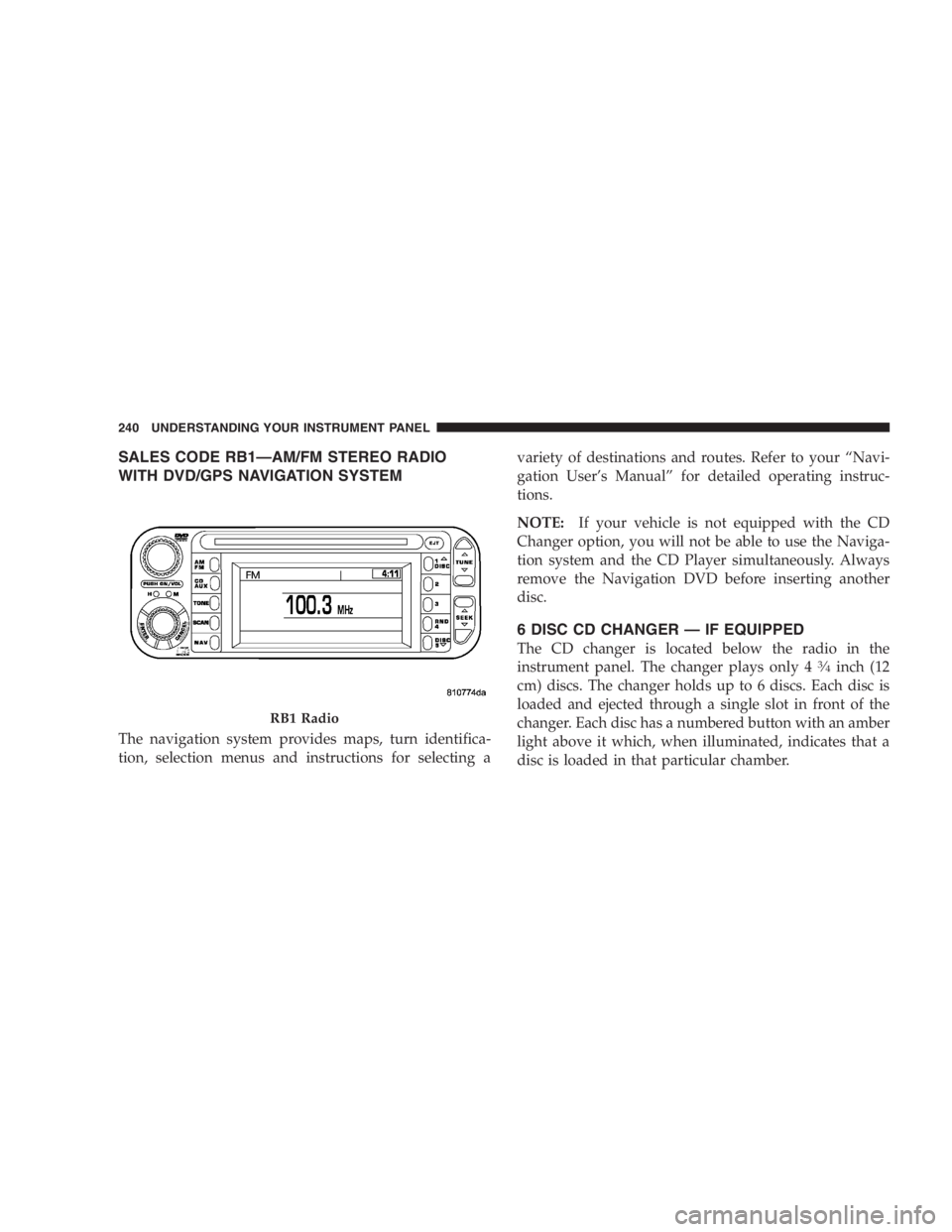
SALES CODE RB1 — AM/FM STEREO RADIO
WITH DVD/GPS NAVIGATION SYSTEM
The navigation system provides maps, turn identifica-
tion, selection menus and instructions for selecting a variety of destinations and routes. Refer to your “ Navi-
gation User ’ s Manual ” for detailed operating instruc-
tions.
NOTE: If your vehicle is not equipped with the CD
Changer option, you will not be able to use the Naviga-
tion system and the CD Player simultaneously. Always
remove the Navigation DVD before inserting another
disc.
6 DISC CD CHANGER — IF EQUIPPED
The CD changer is located below the radio in the
instrument panel. The changer plays only 4 3
4
inch (12
cm) discs. The changer holds up to 6 discs. Each disc is
loaded and ejected through a single slot in front of the
changer. Each disc has a numbered button with an amber
light above it which, when illuminated, indicates that a
disc is loaded in that particular chamber.RB1 Radio240 UNDERSTANDING YOUR INSTRUMENT PANEL
Page 241 of 480
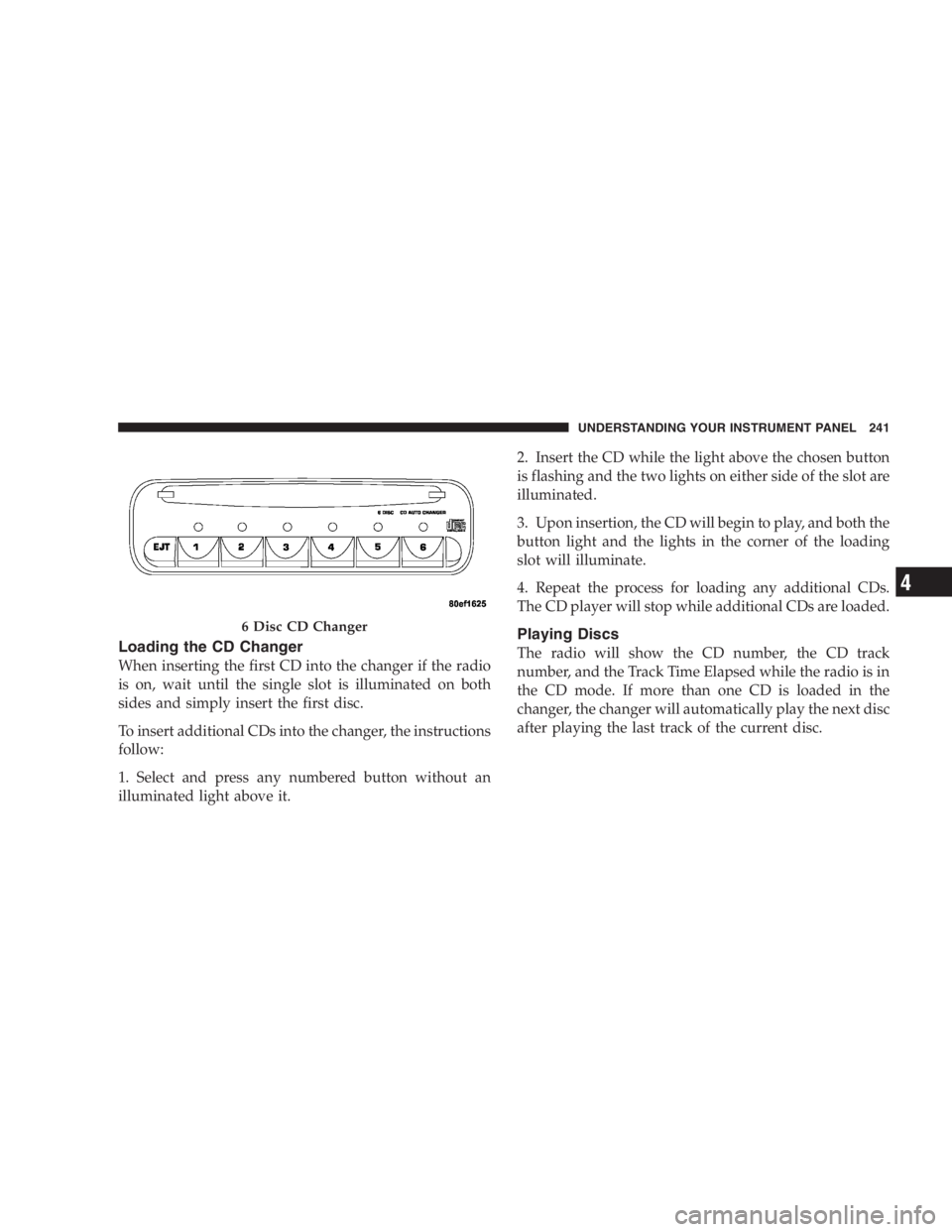
Loading the CD Changer
When inserting the first CD into the changer if the radio
is on, wait until the single slot is illuminated on both
sides and simply insert the first disc.
To insert additional CDs into the changer, the instructions
follow:
1. Select and press any numbered button without an
illuminated light above it. 2. Insert the CD while the light above the chosen button
is flashing and the two lights on either side of the slot are
illuminated.
3. Upon insertion, the CD will begin to play, and both the
button light and the lights in the corner of the loading
slot will illuminate.
4. Repeat the process for loading any additional CDs.
The CD player will stop while additional CDs are loaded.
Playing Discs
The radio will show the CD number, the CD track
number, and the Track Time Elapsed while the radio is in
the CD mode. If more than one CD is loaded in the
changer, the changer will automatically play the next disc
after playing the last track of the current disc.6 Disc CD Changer UNDERSTANDING YOUR INSTRUMENT PANEL 241
4
Page 245 of 480
To insert disc(s) into the changer, follow the instructions
shown:
1. On vehicles equipped with the premium version,
select and press any numbered button without an illumi-
nated light above it.
2. Gently insert the disc with the label facing up while
the light below the loading slot is illuminated. On
vehicles equipped with the premium version the light
above the chosen button will also be flashing, indicating
which numbered position the disc will be loaded into.
The disc will automatically be pulled into the CD/DVD
changer.
3. Upon insertion, the disc will begin to play, and the
light below the loading slot will turn off. On vehicles
equipped with the premium version the light above the
chosen button will remain illuminated. 4. Repeat the process for loading any additional CD/
DVDs into the premium version multi-disc changer. The
CD/DVD changer will stop while additional CD/DVDs
are loaded.
If the radio volume control is ON, the unit will switch
from radio to CD/DVD mode. If the DVD supports the
autoplay feature, play will begin automatically in ap-
proximately 10 seconds, after the DVD disc menu is
displayed. If the DVD does not play automatically, press
the ENTER button on the remote control or on the side of
the video screen to select play from the menu options.
The radio display will show the chapter number and
index time in hours and minutes of the DVD, or the track
number, minutes and second of the CD. UNDERSTANDING YOUR INSTRUMENT PANEL 245
4
Page 246 of 480
NOTE:
• You may eject a disc with the radio OFF.
• If you insert a disc with the ignition ON and the radio
OFF, the DVD will automatically be pulled into the
DVD changer and the display will show the time of
day.
• It is recommended to label home made burned discs
with a permanent marker instead of adhesive labels.
These types of labels may become loose and cause the
disc to be stuck in the DVD player. This may cause
permanent damage to the DVD mechanism.
EJECT (EJT) Button
If there is a disc in the changer, press the EJT button and
the disc will eject. If you do not remove the disc within 10
seconds, it will be reloaded and the display will show
PAUSE. The radio mode will continue to operate. To eject additional discs from the premium version
multi-disc changer, first select the numbered button
where the disc is located and then press the EJT button.
The disc can be ejected with the radio OFF.
Operating Instructions — Remote Control
NOTE: Aim the remote control at the DVD changer
located on the center of the instrument panel and press
the desired button. Direct sunlight or objects blocking the
line of sight may affect the function of the remote control.246 UNDERSTANDING YOUR INSTRUMENT PANEL