service DODGE GRAND CARAVAN 2008 5.G User Guide
[x] Cancel search | Manufacturer: DODGE, Model Year: 2008, Model line: GRAND CARAVAN, Model: DODGE GRAND CARAVAN 2008 5.GPages: 531, PDF Size: 7.72 MB
Page 119 of 531
²After the9Ready9prompt and the following beep, say
9Emergency9and the UConnecttsystem will instruct
the paired cellular phone to call the emergency num-
ber. This feature is supported in the U.S., Canada, and
Mexico.
NOTE:The emergency number dialed is based on the
country where the vehicle is purchased (911 for the U.S.
and Canada and 060 for Mexico). The number dialed may
not be applicable with the available cellular service and
area.
The UConnecttsystem does slightly lower your chances
of successfully making a phone call as to that for the cell
phone directly.
Your phone must be turned on and paired to the
UConnecttsystem to allow use of this vehicle feature in
emergency situations, when the cell phone has network
coverage and stays paired to the UConnecttsystem.Towing Assistance
If you need towing assistance:
²Press the PHONE button to begin.
²After the9Ready9prompt and the following beep, say
9Towing Assistance.9
NOTE:The Towing Assistance number dialed is based
on the country where the vehicle is purchased (1-800-528-
2069 for the U.S., 1-877-213-4525 for Canada, 55-14-3454
for Mexico City and 1-800-712-3040 for outside Mexico
City in Mexico).
Please refer to the 24-Hour ªTowing Assistanceº cover-
age details in the Warranty Information Booklet and on
the 24±Hour Towing Assistance Card.
Paging
To learn how to page, refer to9Working with Automated
Systems.9Paging works properly except for pagers of
UNDERSTANDING THE FEATURES OF YOUR VEHICLE 117
3
Page 120 of 531
certain companies, which time out a little too soon to
work properly with the UConnecttsystem.
Voice Mail Calling
To learn how to access your voice mail, refer to9Working
with Automated Systems.9
Working with Automated Systems
This method is used in instances where one generally has
to press numbers on the cellular phone keypad while
navigating through an automated telephone system.
You can use your UConnecttsystem to access a voice
mail system or an automated service, such as a paging
service or automated customer service line. Some ser-
vices require immediate response selection. In some
instances, that may be too quick for use of the UConnectt
system.
When calling a number with your UConnecttsystem
that normally requires you to enter in a touch-tonesequence on your cellular phone keypad, you can press
the ªVoice Recognitionº button and say the sequence you
wish to enter, followed by the word9Send.9For example,
if required to enter your PIN followed with a pound, (3 7
4 6 #), you can press the ªVoice Recognitionº button and
say,93746#Send.9Saying a number, or sequence of
numbers, followed by9Send,9is also to be used for
navigating through an automated customer service cen-
ter menu structure, and to leave a number on a pager.
You can also send stored UConnecttphonebook entries
as tones for fast and easy access to voice mail and pager
entries. To use this feature, dial the number you wish to
call and then press the ªVoice Recognitionº button and
say, ªSend.º The system will prompt you to enter the
name or number and say the name of the phonebook
entry you wish to send. The UConnecttsystem will then
send the corresponding phone number associated with
the phonebook entry, as tones over the phone.
118 UNDERSTANDING THE FEATURES OF YOUR VEHICLE
Page 178 of 531
NOTE:
²Ensure that the rear bumper is free of dirt and debris
to keep the system operating properly.
²Jackhammers, large trucks, and other vibrations could
affect the performance of the system.
Enabling and Disassembling The Rear Park Assist
System
There are times when you may want to disable the Rear
Park Assist System, such as when towing a trailer.
NOTE:The manufacturer suggests disabling the Rear
Park Assist System when towing a trailer. Refer to the
following procedures.
Vehicles Equipped With the Electronic Vehicle
Information Center (EVIC)
You can turn the Rear Park Assist System on or off
through the EVIC. For details, refer to ªPersonal Settings(Customer Programmable Features)º under ªElectronic
Vehicle Information Center (EVIC)º in Section 4 of this
manual.
Vehicles Equipped With the Compass Mini-Trip
Computer (CMTC)
You can turn the Rear Park Assist System ON or OFF
through the CMTC by pressing the left reset button in the
instrument cluster. Turn the ignition switch to the ON
position, then press and hold the rest button for approxi-
mately two seconds.
Service The Rear Park Assist System
If the Rear Park Assist System malfunctions, the instru-
ment cluster will actuate a single chime, once per ignition
cycle, and it will display the(SERVICE PARK ASSIST
SYSTEM(message. Refer to ªCompass Mini Trip Com-
puter (CMTC) or ªElectronic Vehicle Information Center
(EVIC)º Ð as equipped, in Section 4 of this manual.
176 UNDERSTANDING THE FEATURES OF YOUR VEHICLE
Page 179 of 531
If(SERVICE PARK ASSIST SYSTEM(appears in the
Electronic Vehicle Information Center (EVIC), after mak-
ing sure the rear bumper is clean, please see your
authorized dealer.
Should this wrench symbol display with the
letterPnext to it, your Park Sense System
needs servicing. Contact your authorized
dealer.
Cleaning The Rear Park Assist System
Clean the Rear Park Assist Sensors with water, car wash
soap and a soft cloth. Do not use rough or hard cloths. Do
not scratch or poke the sensors, otherwise, you could
damage the sensors.
ADJUSTABLE PEDALS Ð IF EQUIPPED
This feature allows both the brake and accelerator pedals to
move toward or away from the driver to provide improved
position with the steering wheel. The adjustable pedal
system is designed to allow a greater range of driver comfort
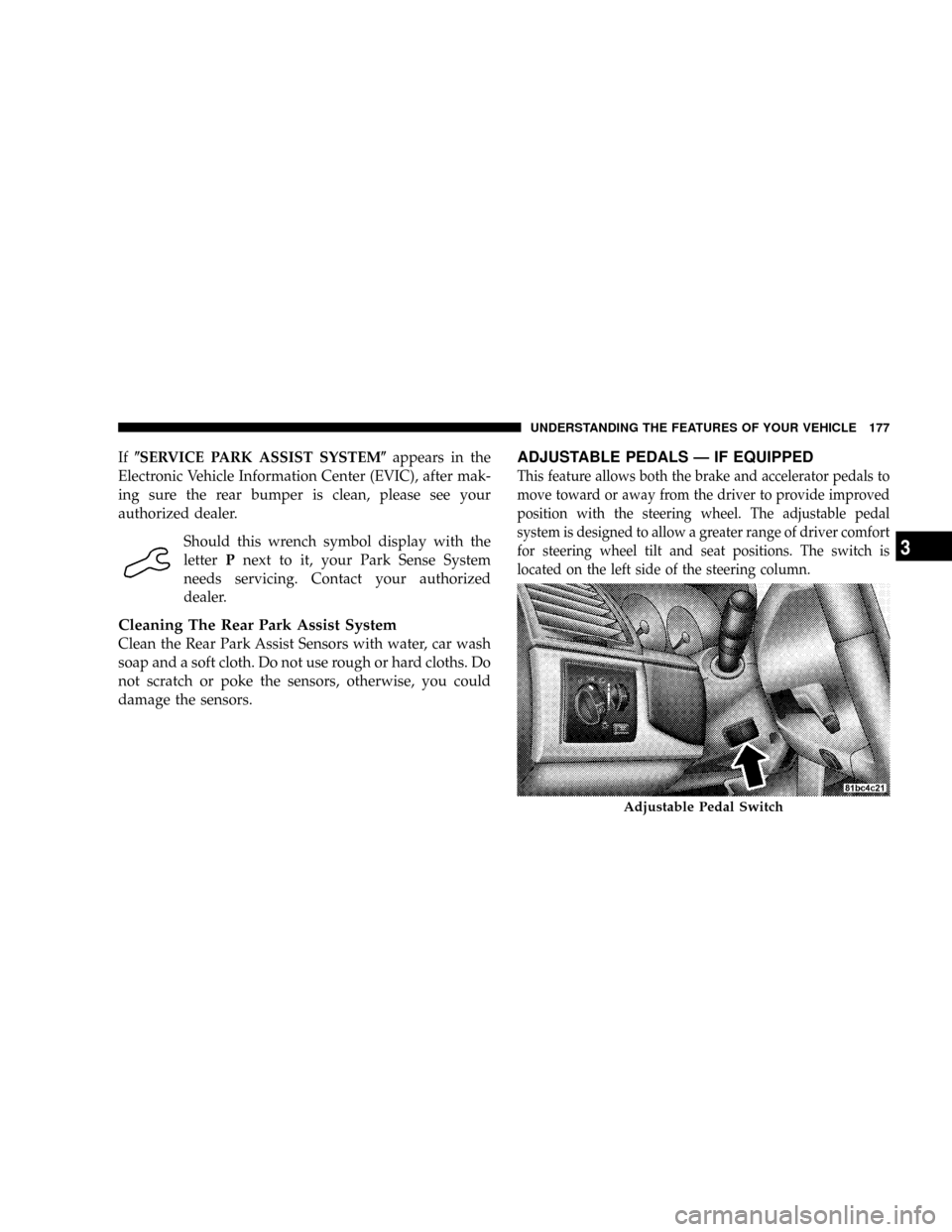
for steering wheel tilt and seat positions. The switch is
located on the left side of the steering column.
Adjustable Pedal Switch
UNDERSTANDING THE FEATURES OF YOUR VEHICLE 177
3
Page 228 of 531
INSTRUMENT CLUSTER DESCRIPTIONS
1. Fuel Gauge
The pointer shows the level of fuel in the fuel tank when
the ignition switch is in the ON position.
2. Fuel Door Reminder
The arrow in this symbol is a reminder that the
Fuel Filler Door is located on the left side of the
vehicle.
3. Temperature Gauge
The temperature gauge shows engine coolant tempera-
ture. Any reading within the normal range indicates that
the engine cooling system is operating satisfactorily.The gauge pointer will likely indicate a higher tempera-
ture when driving in hot weather, up mountain grades,
or when towing a trailer. It should not be allowed to
exceed the upper limits of the normal operating range.
CAUTION!
Driving with a hot engine cooling system could
damage your vehicle. If temperature gauge reads
ªHª, pull over and stop the vehicle. Idle the vehicle
with the air conditioner turned off until the pointer
drops back into the normal range. If the pointer
remains on the ªHº, and you hear continuous chimes,
turn the engine off immediately, and call an autho-
rized dealer for service.
226 UNDERSTANDING YOUR INSTRUMENT PANEL
Page 229 of 531
WARNING!
A hot engine cooling system is dangerous. You or
others could be badly burned by steam or boiling
coolant. You may want to call an authorized dealer if
your vehicle overheats. If you decide to look under
the hood yourself, see Section 7 of this manual.
Follow the warnings under the Cooling System Pres-
sure Cap paragraph.
4. Speedometer
Indicates vehicle speed.
5. Turn Signal Indicators
The arrow will flash with the exterior turn signal
when the turn signal lever is operated.
If the vehicle electronics sense that the vehicle has
traveled about one mile with the turn signals on, acontinuous chime will sound to alert you to turn the
signals off. If either indicator flashes at a rapid rate, check
for a defective outside light bulb.
6. High Beam Light
This light shows that the headlights are on high
beam. Pull the turn signal lever towards the
steering wheel to switch the headlights from high or low
beam.
7. Anti-Lock Brake System Light
This light monitors the Anti-Lock Brake Sys-
tem. The light will turn on when the ignition
switch is turned to the ON position and may
stay on for as long as four seconds.
If the ABS light remains on or turns on while driving, it
indicates that the Anti-Lock portion of the brake system
is not functioning and that service is required. However,
the conventional brake system will continue to operate
normally if the BRAKE warning light is not on.
UNDERSTANDING YOUR INSTRUMENT PANEL 227
4
Page 230 of 531
If the ABS light is on, the brake system should be serviced
as soon as possible to restore the benefits of Anti-Lock
brakes. If the ABS light does not turn on when the
Ignition switch is turned to the ON position, have the
light inspected by an authorized dealer.
8. Brake System Warning Light
This light monitors various brake functions,
including brake fluid level and parking brake
application. If the brake light turns on, it may
indicate that the parking brake is applied, that
the brake fluid level is low, or that there is a problem with
the anti-lock brake system (if equipped).
The dual brake system provides a reserve braking capac-
ity in the event of a failure to a portion of the hydraulic
system. Failure of either half of the dual brake system is
indicated by the Brake Warning Light which will turn on
when the brake fluid level in the master cylinder has
dropped below a specified level.The light will remain on until the cause is corrected.
NOTE:The light may flash momentarily during sharp
cornering maneuvers which change fluid level condi-
tions. The vehicle should have service performed, and
the brake fluid level checked.
If brake failure is indicated, immediate repair is neces-
sary.
WARNING!
Driving a vehicle with the brake light on is danger-
ous. Part of the brake system may have failed. It will
take longer to stop the vehicle. You could have an
accident. Have the vehicle checked immediately.
Vehicles equipped with the Anti-Lock Brake System
(ABS), are also equipped with Electronic Brake Force
Distribution (EBD). In the event of an EBD failure, the
228 UNDERSTANDING YOUR INSTRUMENT PANEL
Page 232 of 531
replacement, be sure to keep a record of the reading
before and after the service so that the correct mileage can
be determined.
The trip odometer shows individual trip mileage. To
switch from odometer to trip odometer, press the Trip
Odometer button.
To reset a trip odometer, display the desired trip odom-
eter to be reset then push and hold the button until the
display resets (approximately two seconds).
12. PRNDL/Odometer Display Area
When the appropriate conditions exist, the following
odometer messages will display:
CHAngE OIL............... OilChange Required
CRUISE.....................Cruise Control On
door.............................Door Ajar
ESPOFF............................ ESPOffgATE..........................Lift Gate Ajar
gASCAP.......................Fuel Cap Fault
hood*............................Hood Ajar
noFUSE..........................Fuse Fault
LoCOOL........................ LowCoolant
LoWASH.................... LowWasher Fluid
NOTE:If your vehicle is equipped with an hood switch,
in the case of hood ajar, a warning message will be
displayed in either the PRNDL/Odometer display as
ªhoodº or ªHood Ajarº in the EVIC display.
NOTE:Some of the above warnings will be displayed in
the Compass Mini-Trip Computer / Electronic Vehicle
Information Center Display Area under the Speedometer.
CHAngE OIL
Your vehicle is equipped with an engine oil change
indicator system. The ªChange Oilº message will flash in
the instrument cluster odometer for approximately 12
230 UNDERSTANDING YOUR INSTRUMENT PANEL
Page 234 of 531
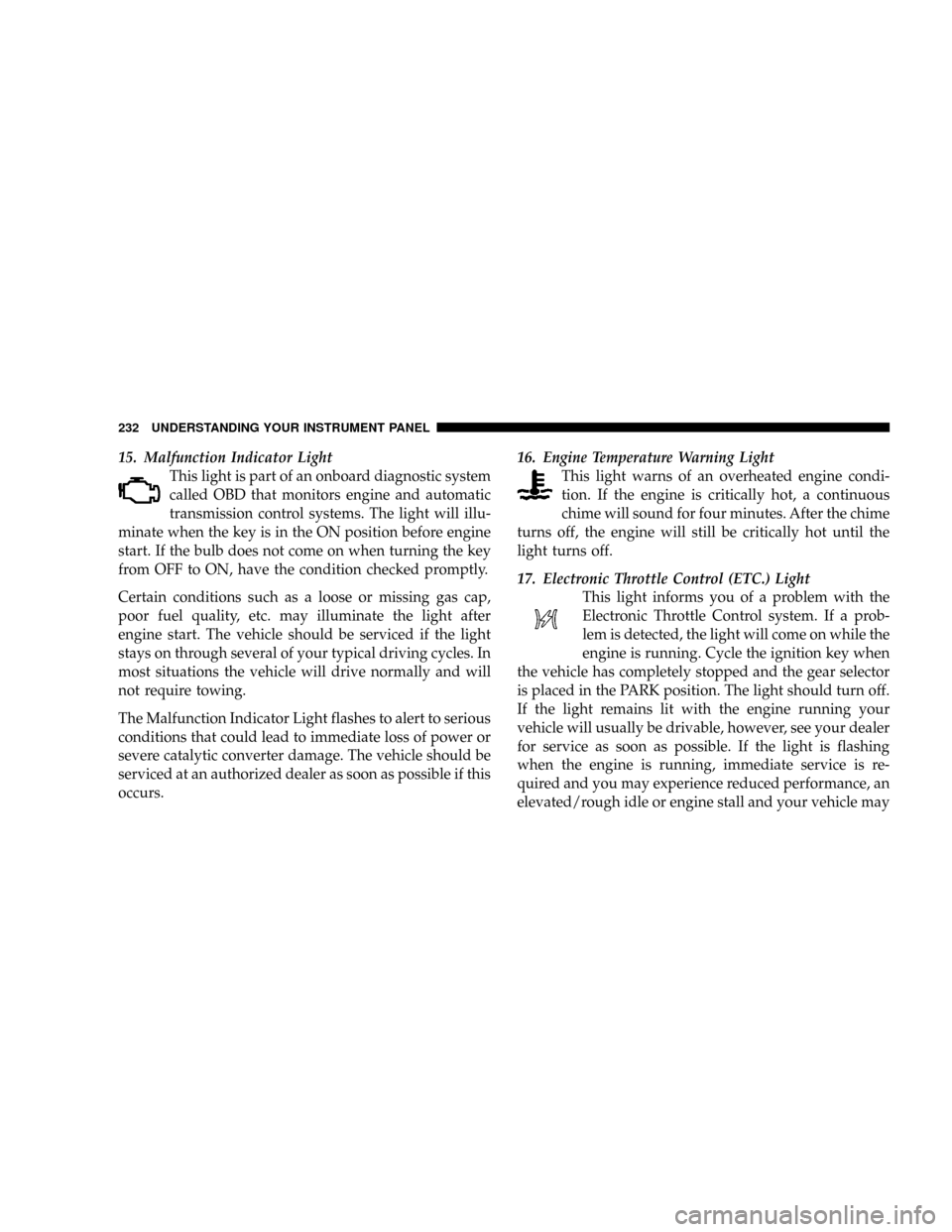
15. Malfunction Indicator Light
This light is part of an onboard diagnostic system
called OBD that monitors engine and automatic
transmission control systems. The light will illu-
minate when the key is in the ON position before engine
start. If the bulb does not come on when turning the key
from OFF to ON, have the condition checked promptly.
Certain conditions such as a loose or missing gas cap,
poor fuel quality, etc. may illuminate the light after
engine start. The vehicle should be serviced if the light
stays on through several of your typical driving cycles. In
most situations the vehicle will drive normally and will
not require towing.
The Malfunction Indicator Light flashes to alert to serious
conditions that could lead to immediate loss of power or
severe catalytic converter damage. The vehicle should be
serviced at an authorized dealer as soon as possible if this
occurs.16. Engine Temperature Warning Light
This light warns of an overheated engine condi-
tion. If the engine is critically hot, a continuous
chime will sound for four minutes. After the chime
turns off, the engine will still be critically hot until the
light turns off.
17. Electronic Throttle Control (ETC.) Light
This light informs you of a problem with the
Electronic Throttle Control system. If a prob-
lem is detected, the light will come on while the
engine is running. Cycle the ignition key when
the vehicle has completely stopped and the gear selector
is placed in the PARK position. The light should turn off.
If the light remains lit with the engine running your
vehicle will usually be drivable, however, see your dealer
for service as soon as possible. If the light is flashing
when the engine is running, immediate service is re-
quired and you may experience reduced performance, an
elevated/rough idle or engine stall and your vehicle may
232 UNDERSTANDING YOUR INSTRUMENT PANEL
Page 236 of 531
during starting, stays on, or turns on while driving, have
the system inspected by an authorized dealer as soon as
possible.
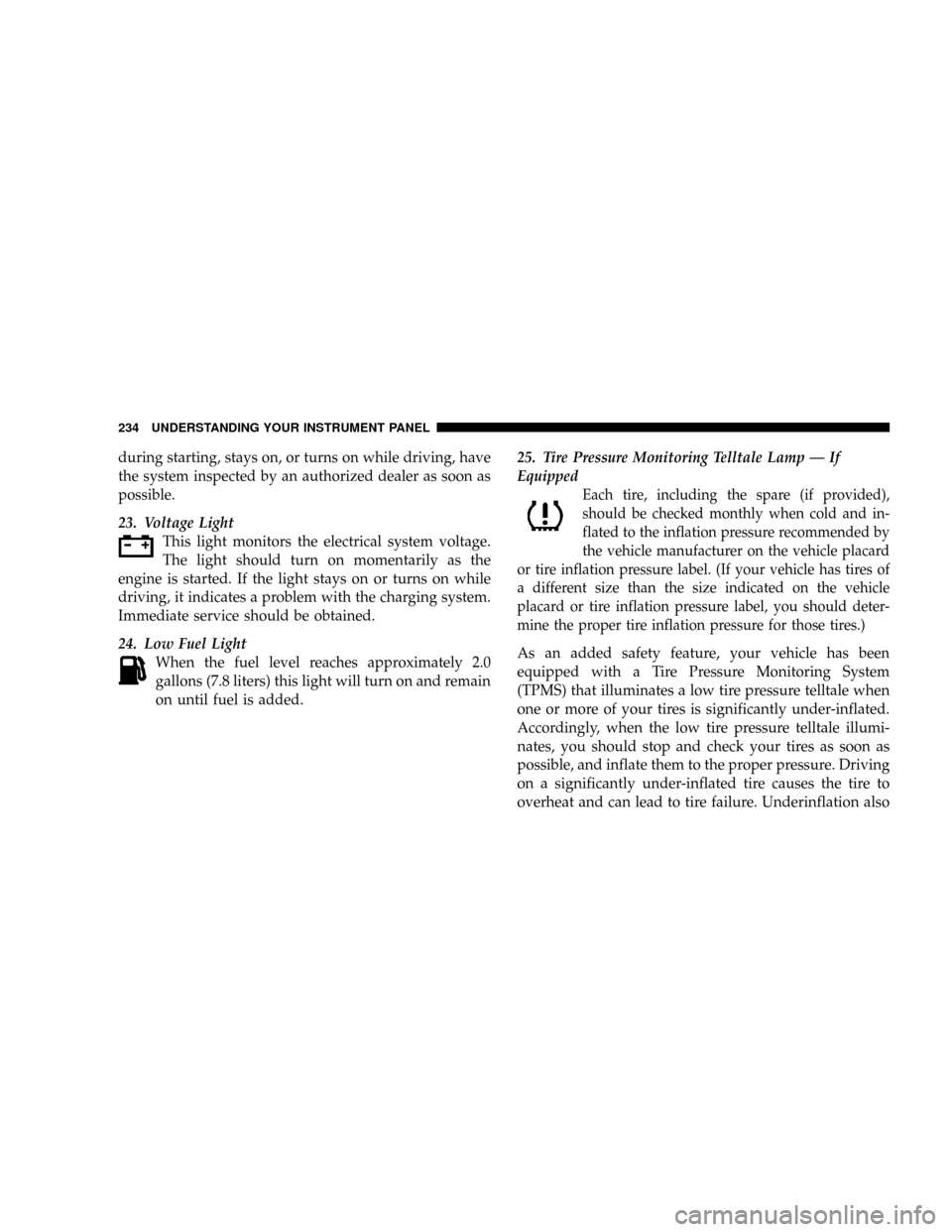
23. Voltage Light
This light monitors the electrical system voltage.
The light should turn on momentarily as the
engine is started. If the light stays on or turns on while
driving, it indicates a problem with the charging system.
Immediate service should be obtained.
24. Low Fuel Light
When the fuel level reaches approximately 2.0
gallons (7.8 liters) this light will turn on and remain
on until fuel is added.25. Tire Pressure Monitoring Telltale Lamp Ð If
Equipped
Each tire, including the spare (if provided),
should be checked monthly when cold and in-
flated to the inflation pressure recommended by
the vehicle manufacturer on the vehicle placard
or tire inflation pressure label. (If your vehicle has tires of
a different size than the size indicated on the vehicle
placard or tire inflation pressure label, you should deter-
mine the proper tire inflation pressure for those tires.)
As an added safety feature, your vehicle has been
equipped with a Tire Pressure Monitoring System
(TPMS) that illuminates a low tire pressure telltale when
one or more of your tires is significantly under-inflated.
Accordingly, when the low tire pressure telltale illumi-
nates, you should stop and check your tires as soon as
possible, and inflate them to the proper pressure. Driving
on a significantly under-inflated tire causes the tire to
overheat and can lead to tire failure. Underinflation also
234 UNDERSTANDING YOUR INSTRUMENT PANEL