lock DODGE GRAND CARAVAN 2008 5.G Workshop Manual
[x] Cancel search | Manufacturer: DODGE, Model Year: 2008, Model line: GRAND CARAVAN, Model: DODGE GRAND CARAVAN 2008 5.GPages: 531, PDF Size: 7.72 MB
Page 151 of 531
To swivel the seat: Pull the lower handle on the outboard
side of the seat and push the side of the seatback to begin
rotation. Once the seat begins to rotate, the handle may
be released. The seat locks in position once reaching the
forward or rearward positions only.
Seatbacks fold forward on an angle, not flat. This allows
the seats to swivel when the seatbacks are folded.WARNING!
Failure to comply with the following conditions
could result in serious injury or even death.
²NEVER place any child seat or infant carrier in the
Swivel 'n Go seat while it is in the rearward facing
position.
²The swivel seat should be locked in the forward
position when using any child seat or infant
carriers, with the vehicle in motion.
²Occupants riding in Swivel 'n Go seating, must be
wearing their seat belt and the seat must be locked
in either the forward or rearward position.
²Make sure the Swivel 'n Go seat is in a locked
position with the handle down. Test the seat after
it is locked to see that it doesn't swivel.
UNDERSTANDING THE FEATURES OF YOUR VEHICLE 149
3
Page 154 of 531
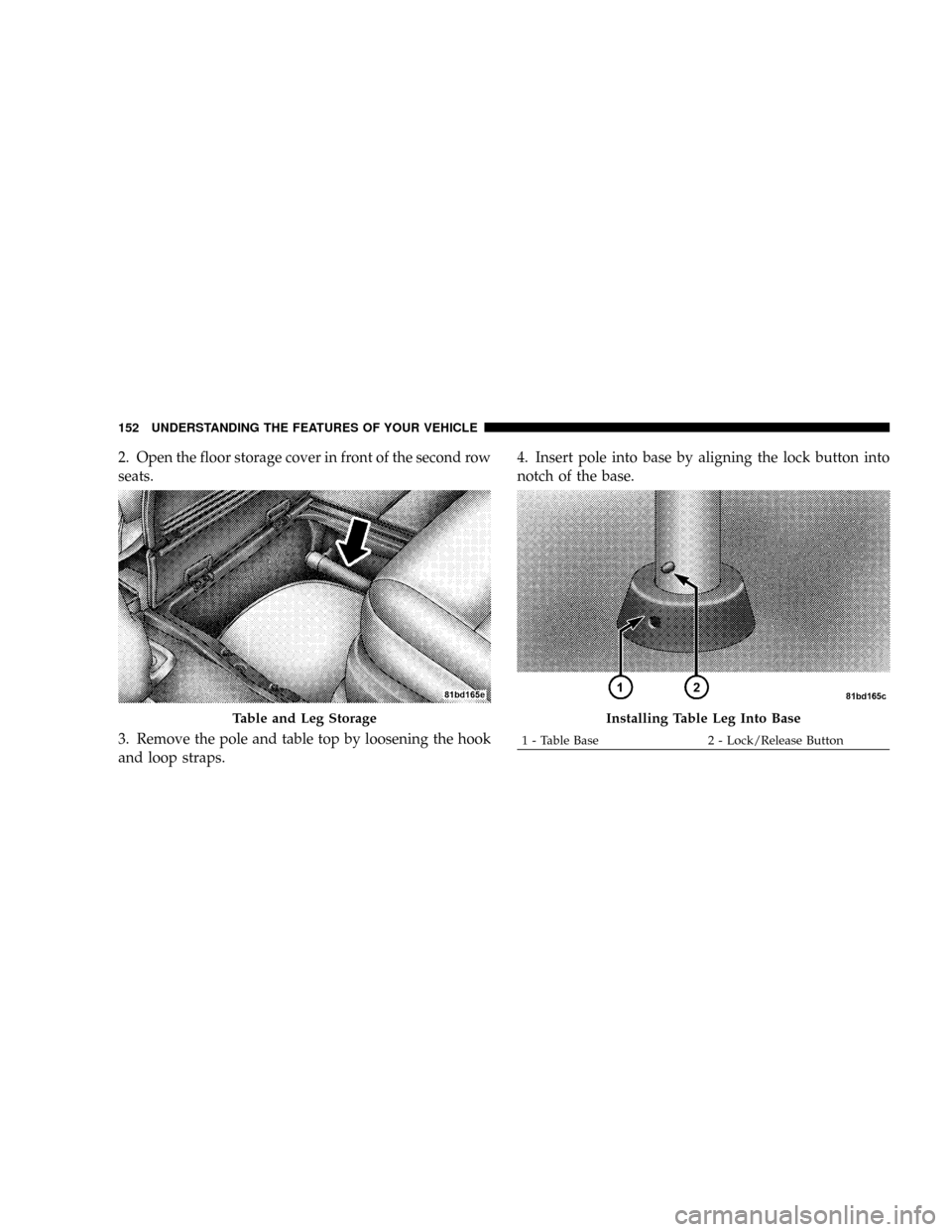
2. Open the floor storage cover in front of the second row
seats.
3. Remove the pole and table top by loosening the hook
and loop straps.4. Insert pole into base by aligning the lock button into
notch of the base.
Table and Leg StorageInstalling Table Leg Into Base
1 - Table Base 2 - Lock/Release Button 152 UNDERSTANDING THE FEATURES OF YOUR VEHICLE
Page 155 of 531
5. Twist the pole in a clockwise rotation until it stops.
Note: You will hear an audible ªclickº when the lock
button engages the base.
6. Place the table top over the installed pole aligning
with the mating feature of the underside of the table top.
Apply pressure on the table top and press downward.
Note: You will hear an audible ªclickº when the table
latch engages the pole.WARNING!
Failure to comply with the following conditions
could result in serious injury or even death.
²DO NOT install the table while vehicle is in
motion
²NEVER drive the vehicle with only the pole in-
stalled
²DO NOT place heavy or sharp objects on table.
²DO NOT place liquid drinks on the table, use
available cup holders.
²Second Row seats must be locked in the rearward
facing position before installing the table.
UNDERSTANDING THE FEATURES OF YOUR VEHICLE 153
3
Page 156 of 531
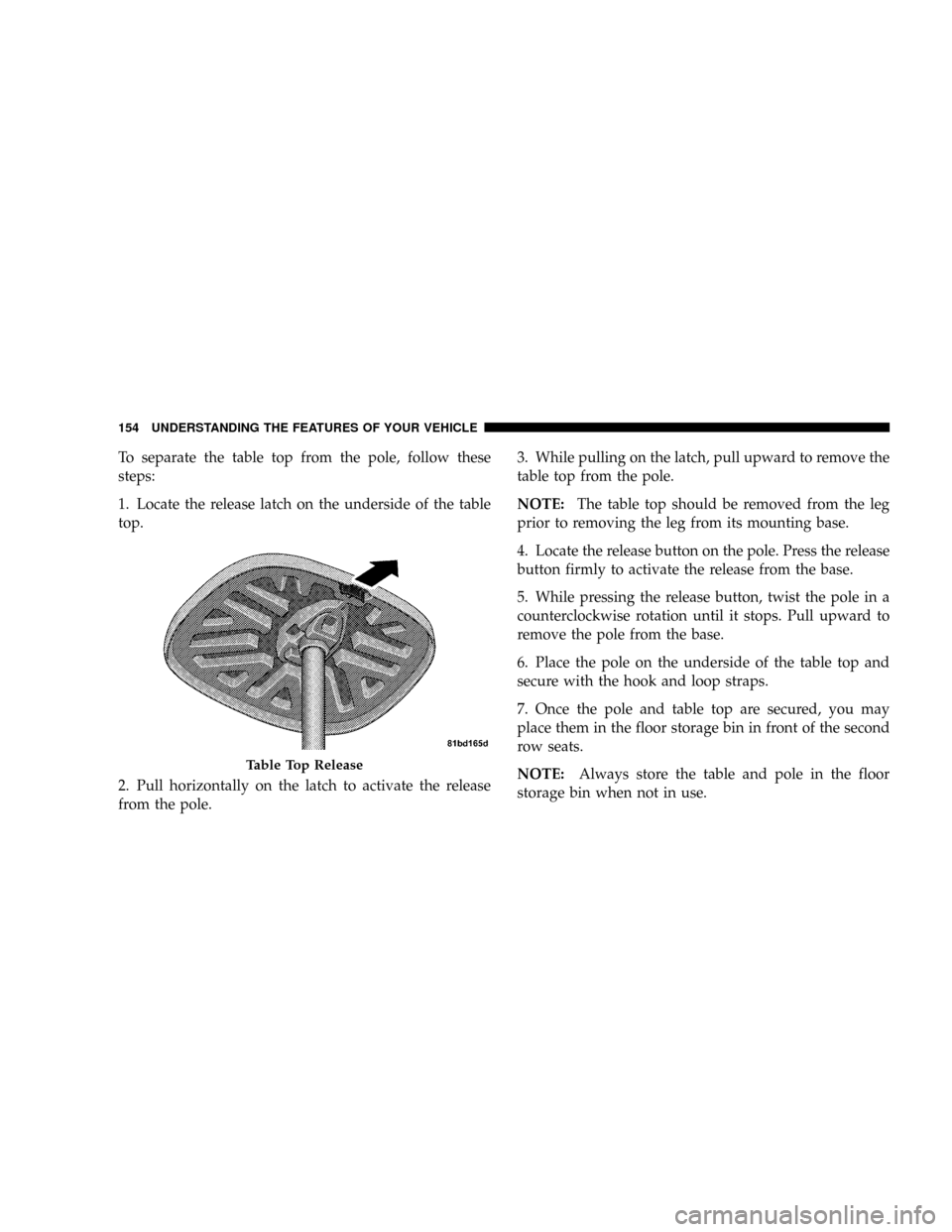
To separate the table top from the pole, follow these
steps:
1. Locate the release latch on the underside of the table
top.
2. Pull horizontally on the latch to activate the release
from the pole.3. While pulling on the latch, pull upward to remove the
table top from the pole.
NOTE:The table top should be removed from the leg
prior to removing the leg from its mounting base.
4. Locate the release button on the pole. Press the release
button firmly to activate the release from the base.
5. While pressing the release button, twist the pole in a
counterclockwise rotation until it stops. Pull upward to
remove the pole from the base.
6. Place the pole on the underside of the table top and
secure with the hook and loop straps.
7. Once the pole and table top are secured, you may
place them in the floor storage bin in front of the second
row seats.
NOTE:Always store the table and pole in the floor
storage bin when not in use.
Table Top Release
154 UNDERSTANDING THE FEATURES OF YOUR VEHICLE
Page 157 of 531
Plastic Grocery Bag Retainer Hooks
Retainer hooks which will hold plastic grocery bag
handles are built into the seatbacks of all rear seats and
some front seats. The floor supports the partial weight of
the bagged goods.
DRIVER MEMORY SEAT Ð IF EQUIPPED
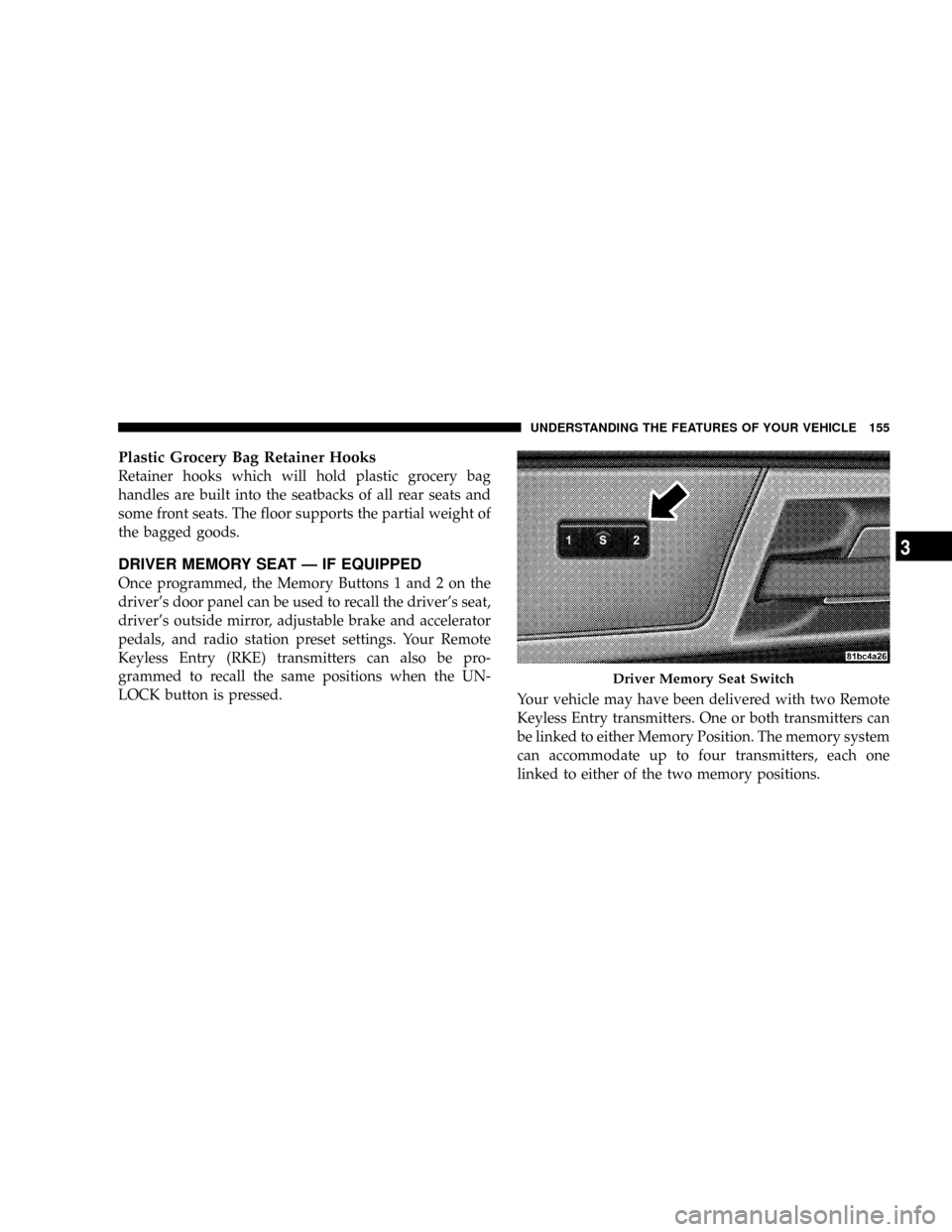
Once programmed, the Memory Buttons 1 and 2 on the
driver's door panel can be used to recall the driver's seat,
driver's outside mirror, adjustable brake and accelerator
pedals, and radio station preset settings. Your Remote
Keyless Entry (RKE) transmitters can also be pro-
grammed to recall the same positions when the UN-
LOCK button is pressed.
Your vehicle may have been delivered with two Remote
Keyless Entry transmitters. One or both transmitters can
be linked to either Memory Position. The memory system
can accommodate up to four transmitters, each one
linked to either of the two memory positions.
Driver Memory Seat Switch
UNDERSTANDING THE FEATURES OF YOUR VEHICLE 155
3
Page 158 of 531
Setting Memory Positions And Linking RKE
Transmitter To Memory
NOTE:Each time the SET(S) button and a numbered
button (1 or 2) are pressed, you erase the memory settings
for that button and store a new one.
1. Insert the ignition key and turn the ignition switch to
the ON position.
2. Press the driver door Memory Buttons number 1 if
you are setting the memory for driver 1, or button
number 2 if you are setting the memory for driver 2. The
system will recall any stored settings. Wait for the system
to complete the memory recall before continuing to step
3.
3. Adjust the driver's seat, recliner, and driver's side-
view mirror to the desired positions.
4. Adjust the brake and accelerator pedals to the desired
positions.5. Turn on the radio and set the radio station presets (up
to 10 AM and 10 FM stations can be set).
6. Turn the ignition switch to the OFF position and
remove the key.
7. Press and release the SET(S) button located on the
driver's door. A chime will sound signaling that you are
in the memory set mode.
8. Within five seconds, press and release Memory Button
1 or 2 on the driver's door. A chime will sound signaling
to you that the driver memory has been set. The next step
must be performed within five seconds if you desire to
also use a Remote Keyless Entry transmitter to recall
memory positions.
9. Press and release the LOCK button on one of the
transmitters. A chime will sound signaling to you that the
transmitter has been successfully linked to memory.
156 UNDERSTANDING THE FEATURES OF YOUR VEHICLE
Page 159 of 531
10. Insert the ignition key and turn the ignition switch to
the ON position.
11. Select9Remote Linked to Memory9in the Electronic
Vehicle Information Center (EVIC) and enter9Ye s9or
select9No9from the EVIC and enter9Ye s9. Refer to the
Customer Programmable features in the Electronic Ve-
hicle Information Center (EVIC) section for more infor-
mation.
12. Repeat the above steps to set the next Memory
Position using the other numbered Memory Button or to
link another Remote Keyless Entry transmitter to
memory.
Memory Position Recall
NOTE:The vehicle must be in PARK to recall memory
positions. If a recall is attempted when the vehicle is not
in PARK, a message will be displayed in the Electronic
Vehicle Information Center (EVIC).To recall the memory settings for driver one, press
Memory Button 1 on the driver's door or the UNLOCK
button on the Remote Keyless Entry transmitter linked to
Memory Position 1.
To recall the memory setting for driver two, press
Memory Button 2 on the driver's door or the UNLOCK
button on the Remote Keyless Entry transmitter linked to
Memory Position 2.
A recall can be cancelled by pressing any of the memory
buttons on the driver's door during a recall (S, 1, or 2).
When a recall is cancelled, the driver's seat, driver's
mirror, and the pedals stop moving. A delay of one
second will occur before another recall can be selected.To Disable A RKE Transmitter Linked to Memory
1. Turn the ignition switch to the OFF position and
remove the key.
UNDERSTANDING THE FEATURES OF YOUR VEHICLE 157
3
Page 160 of 531
2. Press and release Memory Button 1. The system will
recall any memory settings stored in position 1. Wait for
the system to complete the memory recall before continu-
ing to step 3.
3. Press and release the memory SET(S) button located
on the driver's door. A chime will sound signaling that
you are in the memory set mode.
4. Within five seconds, press and release Memory Button
1 on the driver's door. A chime will sound signaling to
you that the driver memory has been set.
5. Within five seconds, press and release the UNLOCK
button on the Remote Keyless Entry transmitter. A chime
will sound signaling to you that the transmitter link has
been successfully disabled.
To disable another transmitter linked to either Memory
Position, repeat steps 1 to 5 for each transmitter.NOTE:Once programmed, all transmitters linked to
memory can be easily enabled or disabled at one time.
Refer to the Remote Linked to Memory9Customer Pro-
grammable Features9in the Electronic Vehicle Informa-
tion Center (EVIC) for more information.
TO OPEN AND CLOSE THE HOOD
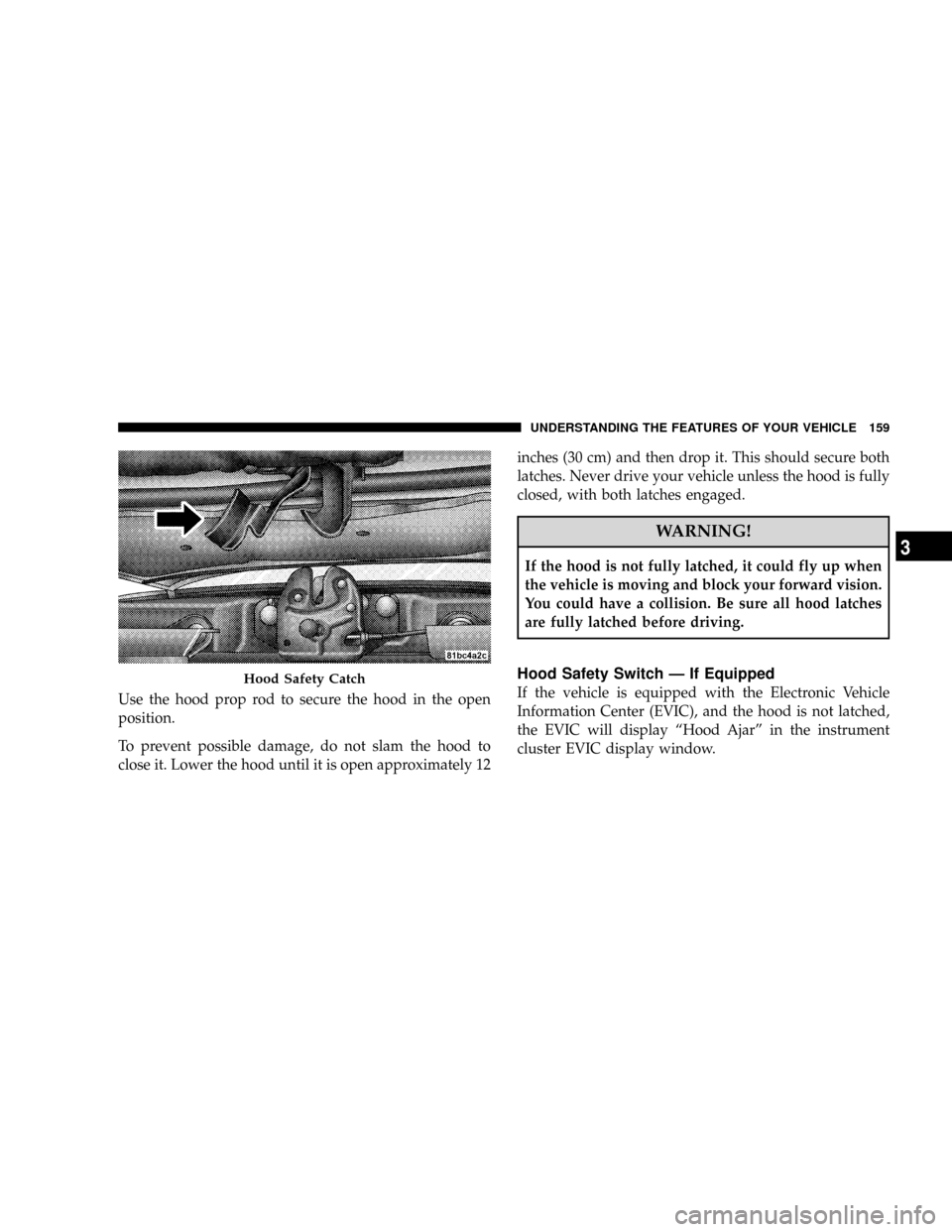
To open the hood, two latches must be released.
1. Pull the hood release lever located on the instrument
panel, below the steering column.
2. Move to the front of the vehicle and look inside the
center of the hood opening. Locate, then push the safety
catch lever to the right while raising the hood at the same
time.
158 UNDERSTANDING THE FEATURES OF YOUR VEHICLE
Page 161 of 531
Use the hood prop rod to secure the hood in the open
position.
To prevent possible damage, do not slam the hood to
close it. Lower the hood until it is open approximately 12inches (30 cm) and then drop it. This should secure both
latches. Never drive your vehicle unless the hood is fully
closed, with both latches engaged.
WARNING!
If the hood is not fully latched, it could fly up when
the vehicle is moving and block your forward vision.
You could have a collision. Be sure all hood latches
are fully latched before driving.
Hood Safety Switch Ð If Equipped
If the vehicle is equipped with the Electronic Vehicle
Information Center (EVIC), and the hood is not latched,
the EVIC will display ªHood Ajarº in the instrument
cluster EVIC display window.Hood Safety Catch
UNDERSTANDING THE FEATURES OF YOUR VEHICLE 159
3
Page 165 of 531
Daytime Running Lights (Canada/Fleet Vehicles
Only)
The headlights on your vehicle will illuminate when the
engine is started and the transmission is in any gear
except PARK. This provides a constant lights on condi-
tion until the ignition is turned OFF. The lights illuminate
at less than 50% of normal intensity. If the parking brake
is applied the Daytime Running Lights (DRL) will turn
off. Also, if a turn signal is activated, the DRL lamp on the
same side of the vehicle will turn off for the duration of
the turn signal activation. Once the turn signal is no
longer active, the DRL lamp will illuminate.
Headlights
Turn the headlight switch knob to the 2nd
detent to turn the headlights and park lights
on. This also turns on all instrument panel
lighting.To change the brightness of the instrument panel lights,
rotate the dimmer control up or down.
Automatic Headlights Ð If Equipped
This system automatically turns your headlights on or off
based on ambient light levels. To turn the system on, turn
the headlight switch to the extreme counterclockwise
position aligning the indicator with theªAºon the
headlight switch. When the system is on, the Headlight
Time Delay feature is also on. This means your headlights
will stay on for up to 90 seconds after you turn the
ignition switch OFF. To turn the Automatic System off,
turn the headlight switch clockwise to theªOºoff
position.
UNDERSTANDING THE FEATURES OF YOUR VEHICLE 163
3