sensor DODGE GRAND CARAVAN 2009 5.G Owner's Manual
[x] Cancel search | Manufacturer: DODGE, Model Year: 2009, Model line: GRAND CARAVAN, Model: DODGE GRAND CARAVAN 2009 5.GPages: 535, PDF Size: 18.61 MB
Page 260 of 535
Electronic Vehicle Information Center (EVIC)
DisplaysWhen the appropriate conditions exist, the EVIC displays
the following messages:
Door(s) Ajar (with a single chime, if vehicle is in
motion)
Liftgate Ajar (chime will sound when vehicle starts
moving)
Hood Ajar (if equipped with hood switch)
Check TPM System (refer to “Tire Pressure Monitoring
System” in Section 5 of this manual)
Turn Signal On
RKE Battery Low
LOW WASHER FLUID
Oil Change Required
Left Front Turn Signal Light Out
Left Rear Turn Signal Light Out
Right Front Turn Signal Light Out
Right Rear Turn Signal Light Out
Park Assist Disabled
Service Park Assist System
Personal Settings Not Available — Vehicle Not In Park
Blind Spot System Off — This message is displayed
when the ignition is turned to ON to indicate the Blind
Spot System has been turned off.
Blind Spot System Not Available — This message is
displayed to indicate the Blind Spot Monitor (BSM)
system is temporarily unavailable due to sensor block-
age, electronic interference, or other
9temporary9con-
ditions. When this message is displayed both outside
258 UNDERSTANDING YOUR INSTRUMENT PANEL
Page 264 of 535
3. Press the STEP button until “Calibrate Compass” is
displayed in the EVIC.
4. Press and release the RESET button to start the cali-
bration. The “CAL” indicator will be displayed in the
EVIC.
5. Complete one or more 360–degree turns (in an area
free from large metal or metallic objects) until the “CAL”
indicator turns off. The compass will now function
normally.
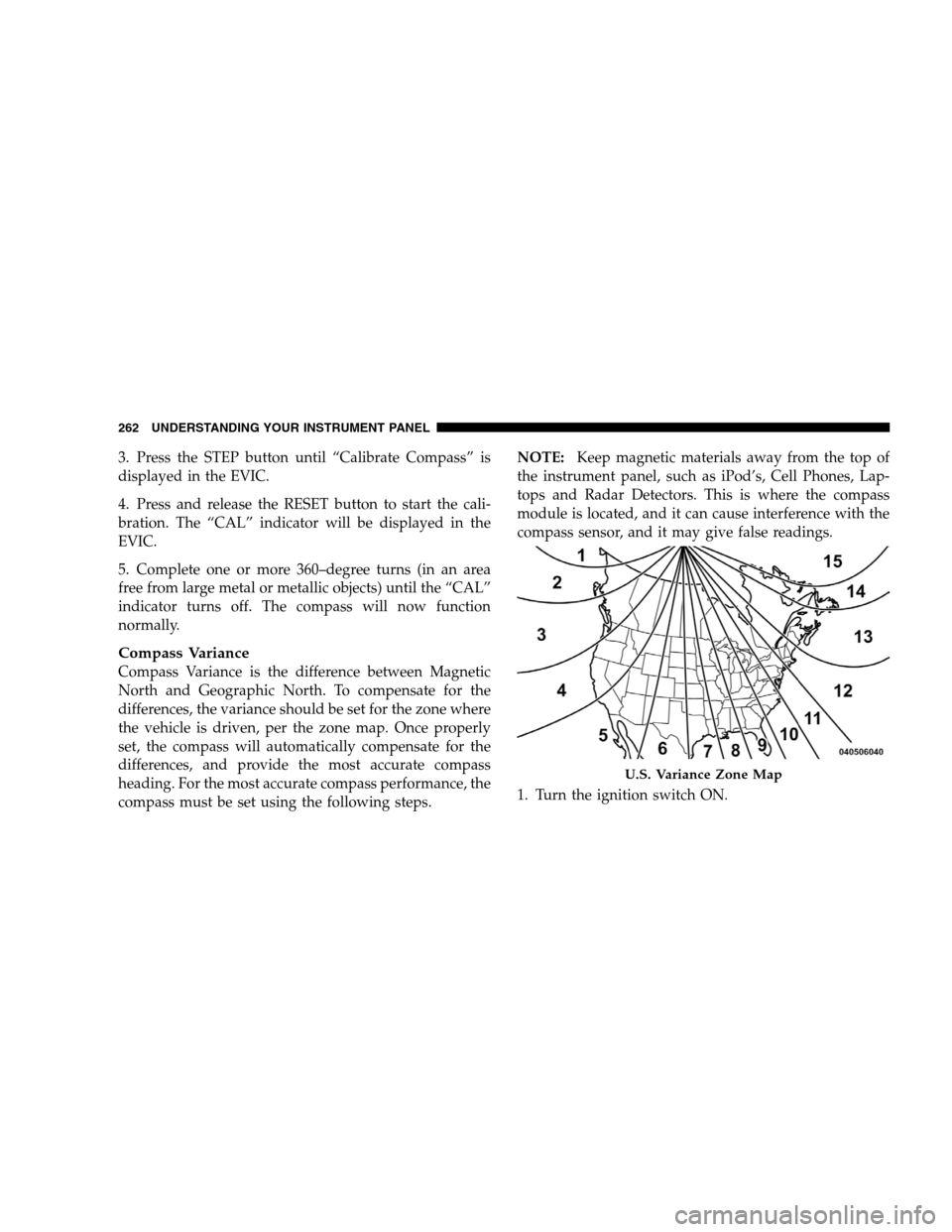
Compass Variance
Compass Variance is the difference between Magnetic
North and Geographic North. To compensate for the
differences, the variance should be set for the zone where
the vehicle is driven, per the zone map. Once properly
set, the compass will automatically compensate for the
differences, and provide the most accurate compass
heading. For the most accurate compass performance, the
compass must be set using the following steps.NOTE:
Keep magnetic materials away from the top of
the instrument panel, such as iPod’s, Cell Phones, Lap-
tops and Radar Detectors. This is where the compass
module is located, and it can cause interference with the
compass sensor, and it may give false readings.
1. Turn the ignition switch ON. U.S. Variance Zone Map
262 UNDERST
ANDING YOUR INSTRUMENT PANEL
Page 268 of 535
unlocked with the RKE transmitter. To make your selec-
tion, press and release the RESET button until “OFF,”
“30 sec.,” “60 sec.,” or “90 sec.” appears.
Blind Spot Alert
There are 3 selections when operating Blind Spot Alert.
By pressing and releasing the RESET button once, the
Blind Spot Alert feature can be activated in “Blind Spot
Alert Lights” mode. When this mode is selected the Blind
Spot Monitor (BSM) system is activated and will only
show a visual alert in the outside mirrors. By pressing
and releasing the RESET button a second time “Blind
Spot Alert Lights/CHM” mode is activated. In this mode
the Blind Spot Monitor (BSM) will show a visual alert in
the outside mirrors as well as an audible alert when the
turn signal is on. When “Blind Spot Alert Off” is selected
the Blind Spot Monitor (BSM) system is deactivated.
NOTE:If your vehicle has experienced any damage in
the area where the sensor is located, even if the fascia is not damaged, the sensor may have become misaligned.
Take your vehicle to an authorized dealer to verify sensor
alignment. Having a sensor that is misaligned will result
in the BSM not operating to specification.Park ASST. System
When enable is selected, the Rear Park Assist System is
activated. When disable is selected the system is deacti-
vated and the instrument cluster will display the
9PARK
ASSIST DISABLED9 message. To make your selection,
press and release the RESET button until ENABLE or
DISABLE appears.
Display Units of Measure In
The EVIC, odometer, and navigation system (if
equipped) can be changed between English and Metric
units of measure. To make your selection, press and
release the RESET button until ENGLISH or METRIC
appears.
266 UNDERSTANDING YOUR INSTRUMENT PANEL
Page 352 of 535
ESP uses sensors in the vehicle to determine the vehicle
path intended by the driver and compares it to the actual
path of the vehicle. When the actual path does not match
the intended path, ESP applies the brake of the appropri-
ate wheel to assist in counteracting the oversteer or
understeer condition.
Oversteer - when the vehicle is turning more than
appropriate for the steering wheel position.
Understeer - when the vehicle is turning less than
appropriate for the steering wheel position.
ESP On
This mode is the normal operating mode for ESP on
two-wheel drive vehicles. Whenever the vehicle is
started, the ESP system will be in this mode. This mode
should be used for most driving situations. ESP should
only be turned off for specific reasons as noted below. ESP Partial Off
This mode is entered by momentarily pressing the “ESP
OFF” switch (located in the center switch bank, next to
the hazard flasher switch).
When in the “Partial Off” mode, the TCS
portion of ESP, except for the “limited slip”
feature described in the TCS section, has been
disabled and the “ESP/TCS Indicator Light”
will be illuminated. When in the “Partial Off” mode, ESP
will operate without engine torque management. This
mode is intended to be used if the vehicle is in deep
snow, sand or gravel conditions and more wheel spin
than ESP would normally allow is required to gain
traction. To turn ESP on again, momentarily press the
“ESP OFF” switch. This will restore the normal “ESP On”
mode of operation. 350 STARTING AND OPERATING
Page 373 of 535
The TPMS will continue to warn the driver of low tire
pressure as long as the condition exists, and will not turn
off until the tire pressure is at or above recommended
cold tire placard pressure. Once the low tire pressure
warning has been illuminated, the tire pressure must be
increased to the recommended cold tire placard pressure
in order for the “TPMS Warning Lamp” to be turned off.
The system will automatically update and the “TPMS
Warning Lamp” will extinguish once the updated tire
pressures have been received. The vehicle may need to be
driven for up to 20 minutes above 15 mph (25 km/h) to
receive this information.
For example, your vehicle may have a recommended
cold (parked for more than three hours) tire pressure of
35 psi (241 kPa). If the ambient temperature is 68°F (20°C)
and the measured tire pressure is 30 psi (207 kPa), a
temperature drop to 20°F (-7°C) will decrease the tire
pressure to approximately 26 psi (179 kPa). This tire
pressure is sufficiently low enough to turn on the “TPMSWarning Light.” Driving the vehicle may cause the tire
pressure to rise to approximately 30 psi (207 kPa), but the
“TPMS Warning Light” will still be on. In this situation,
the “TPMS Warning Light” will turn off only after the
tires have been inflated to the vehicle’s recommended
cold tire pressure value. CAUTION!
The TPMS has been optimized for the original
equipment tires and wheels. TPMS pressures have
been established for the tire size equipped on your
vehicle. Undesirable system operation or sensor
damage may result when using replacement
equipment that is not of the same size, type, and/or
style. Aftermarket wheels can cause sensor dam-
age. Do not use aftermarket sealants or balance
beads if your vehicle is equipped with a TPMS, as
damage to the sensors may result. (Continued)
STARTING AND OPERATING 371 5
Page 374 of 535
CAUTION! (Continued)
After inspecting or adjusting the tire pressure
always reinstall the valve stem cap. This will
prevent moisture and dirt from entering the valve
stem, which could damage the TPMS sensor.
NOTE:
The TPMS is not intended to replace normal tire care
and maintenance, or to provide warning of a tire
failure or condition.
The TPMS should not be used as a tire pressure gauge
while adjusting your tire pressure.
Driving on a significantly under-inflated tire causes
the tire to overheat and can lead to tire failure.
Under-inflation also reduces fuel efficiency and tire
tread life, and may affect the vehicle’s handling and
stopping ability.
The TPMS is not a substitute for proper tire mainte-
nance, and it is the driver’s responsibility to maintain
correct tire pressure, using an accurate tire pressure
gage, even if under-inflation has not reached the level
to trigger illumination of the “TPMS Warning Lamp.”
Seasonal temperature changes will affect tire pressure,
and the TPMS will monitor the actual tire pressure in
the tire.
Base System
The TPMS uses wireless technology with wheel rim
mounted electronic sensors to monitor tire pressure lev-
els. Sensors, mounted to each wheel as part of the valve
stem, transmit tire pressure readings to the Receiver
Module.
NOTE: It is particularly important for you to check the
tire pressure in all of your tires regularly and to maintain
the proper pressure.
372 STARTING AND OPERATING
Page 375 of 535
The Basic TPMS consists of the following components:
Receiver Module
Four Tire Pressure Monitoring Sensors
TPMS Telltale Warning Light
Tire Pressure Monitoring Low Tire Pressure
Warnings
The “TPMS Telltale Warning Light” will illu-
minate in the instrument cluster, and an au-
dible chime will be activated when one or more
of the four active road tire pressures are low.
Should this occur, you should stop as soon as possible,
check the inflation pressure of each tire on your vehicle,
and inflate each tire to the vehicle’s recommended cold
tire pressure value (located on the placard on the
driver’s-side B-Pillar). The system will automatically
update and the “TPMS Warning Lamp” will extinguish
once the updated tire pressures have been received. NOTE:
The vehicle may need to be driven for up to
20 minutes above 15 mph (25 km/h) to receive this
information.
The “TPMS Warning Lamp” will flash on and off for
75 seconds, and remain on solid when a system fault is
detected. The system fault will also sound a chime. If the
ignition key is cycled, this sequence will repeat, provid-
ing the system fault still exists. The “TPMS Warning
Lamp” will turn off when the fault condition no longer
exists. A system fault can occur with any of the following
scenarios:
1. Jamming due to electronic devices or driving next to
facilities emitting the same radio frequencies as the TPMS
sensors.
2. Installing some form of aftermarket window tinting
that affects radio wave signals. STARTING AND OPERATING 373
5
Page 376 of 535
3. Accumulation of excessive snow and/or ice around
the wheels or wheel housings.
4. Using tire chains on the vehicle.
5. Using wheels/tires not equipped with TPMS sensors.
Vehicles with Compact Spare
1. The compact spare tire (if equipped) does not have a
TPMS sensor. Therefore the TPMS will not monitor the
pressure in the compact spare tire.
2. If you install the compact spare tire in place of a road
tire that has a pressure below the low-pressure warning
limit, upon the next ignition key cycle, a chime will
sound and the “TPMS Telltale Warning Light” will turn
on.
3. After driving for up to 20 minutes above 15 mph
(25 km/h), the “TPMS Telltale Warning Light” will flash
on and off for 75 seconds and then remain on solid.4. For each subsequent ignition key cycle, a chime will
sound and the “TPMS Telltale Warning Light” will re-
main on solid.
5. Once you repair or replace the original road tire and
reinstall it on the vehicle in place of the compact spare
tire, the TPMS will automatically update, and the “TPMS
Telltale Warning Light” will turn off as long as no tire
pressure is below the low-pressure warning limit in any
of the four active road tires. The vehicle may need to be
driven for up to 20 minutes above 15 mph (25 km/h) for
the TPMS to receive this information.
Premium System — If Equipped
The TPMS uses wireless technology with wheel rim-
mounted electronic sensors to monitor tire pressure lev-
els. Sensors mounted to each wheel as part of the valve
stem transmit tire pressure readings to the Receiver
Module.
374 STARTING AND OPERATING
Page 377 of 535
NOTE:It is particularly important to regularly check
and maintain proper tire pressure in all the tires.
The Premium TPMS consists of the following compo-
nents:
Receiver Module
Four TPMS Sensors
Three Trigger Modules (mounted in three of the four
wheel wells)
Various TPMS messages, which display in the Elec-
tronic Vehicle Information Center (EVIC), and graph-
ics displaying tire pressures
Yellow TPMS Telltale Warning Light
TPMS Low Pressure Warnings
The “TPMS Telltale Warning Light” will illuminate in the
instrument cluster, and an audible chime will be acti-
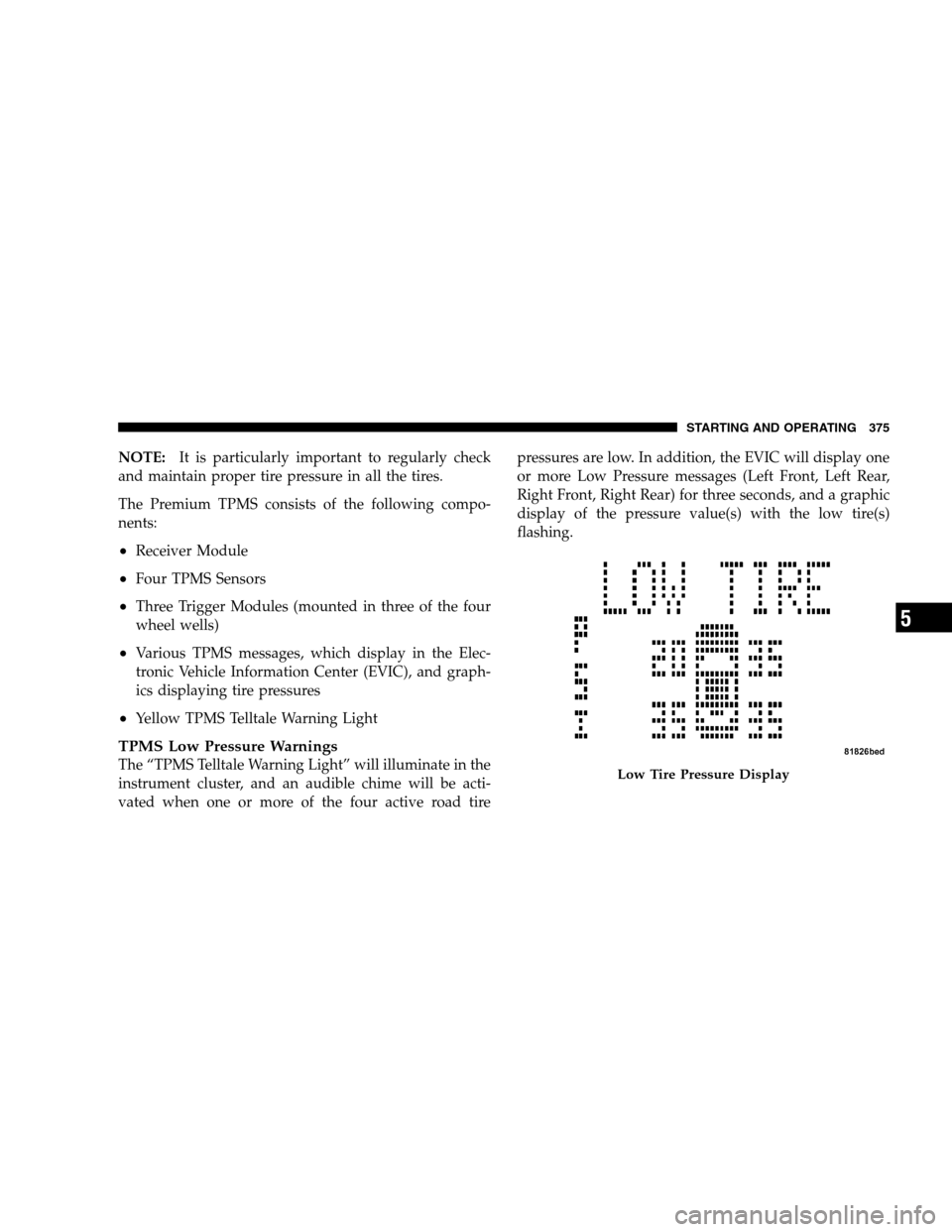
vated when one or more of the four active road tire pressures are low. In addition, the EVIC will display one
or more Low Pressure messages (Left Front, Left Rear,
Right Front, Right Rear) for three seconds, and a graphic
display of the pressure value(s) with the low tire(s)
flashing. Low Tire Pressure Display
STARTING AND OPERATING 375 5
Page 378 of 535
Should a low tire condition occur on any of the four
active road tire(s), you should stop as soon as possible,
and inflate the low tire(s) that is flashing on the graphic
display to the vehicle’s recommended cold tire pressure
value. The system will automatically update, the graphic
display of the pressure value(s) will stop flashing, and
the “TPMS Telltale Warning Light” will extinguish once
the updated tire pressure(s) have been received. The
vehicle may need to be driven for up to 20 minutes above
15 mph (25 km/h) to receive this information.
Check TPMS Message
The “TPMS Telltale Warning Light” will flash on and off
for 75 seconds, and remain on solid when a system fault
is detected. The system fault will also sound a chime. The
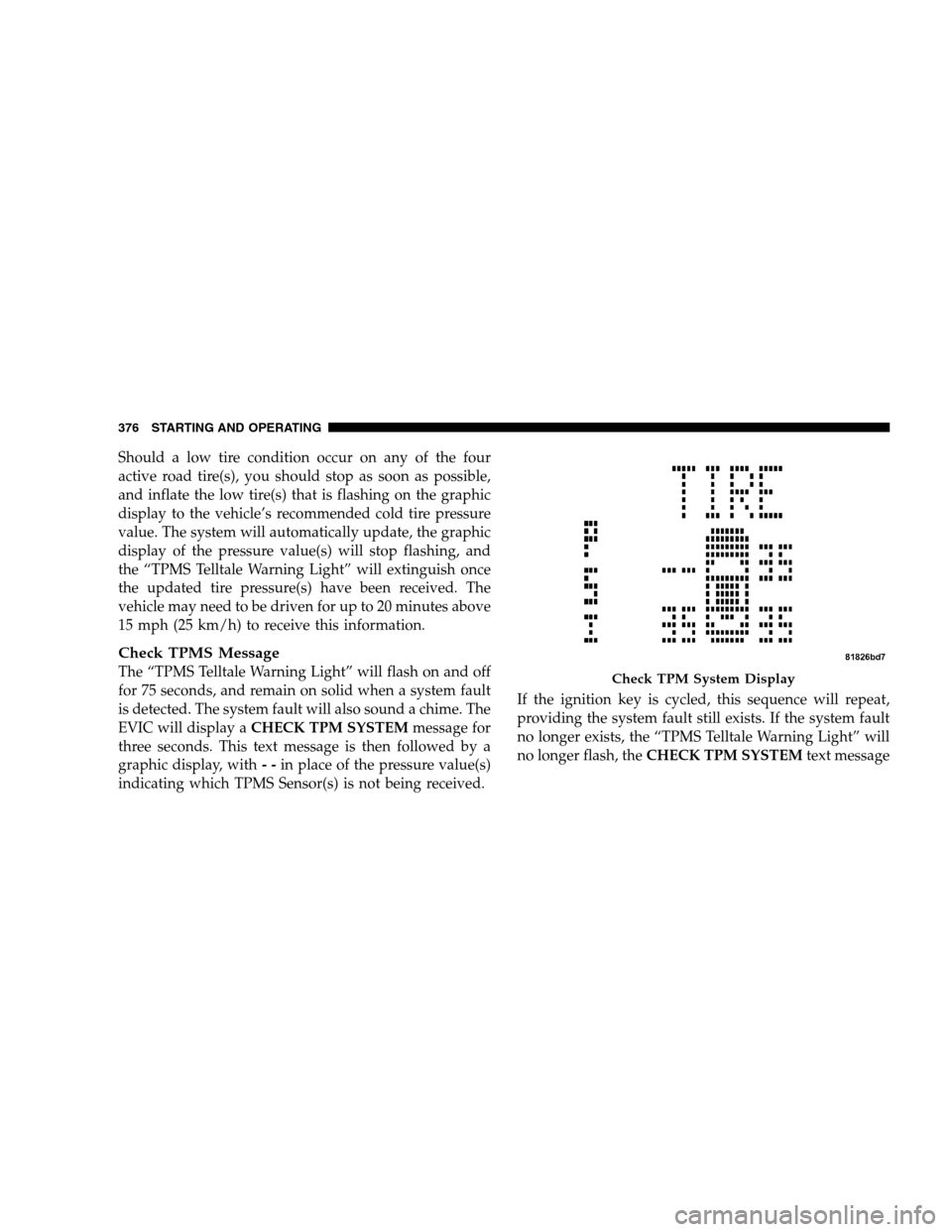
EVIC will display aCHECK TPM SYSTEM message for
three seconds. This text message is then followed by a
graphic display, with - -in place of the pressure value(s)
indicating which TPMS Sensor(s) is not being received. If the ignition key is cycled, this sequence will repeat,
providing the system fault still exists. If the system fault
no longer exists, the “TPMS Telltale Warning Light” will
no longer flash, the
CHECK TPM SYSTEM text message Check TPM System Display
376 ST
ARTING AND OPERATING