light DODGE GRAND CARAVAN 2009 5.G Repair Manual
[x] Cancel search | Manufacturer: DODGE, Model Year: 2009, Model line: GRAND CARAVAN, Model: DODGE GRAND CARAVAN 2009 5.GPages: 535, PDF Size: 18.61 MB
Page 223 of 535
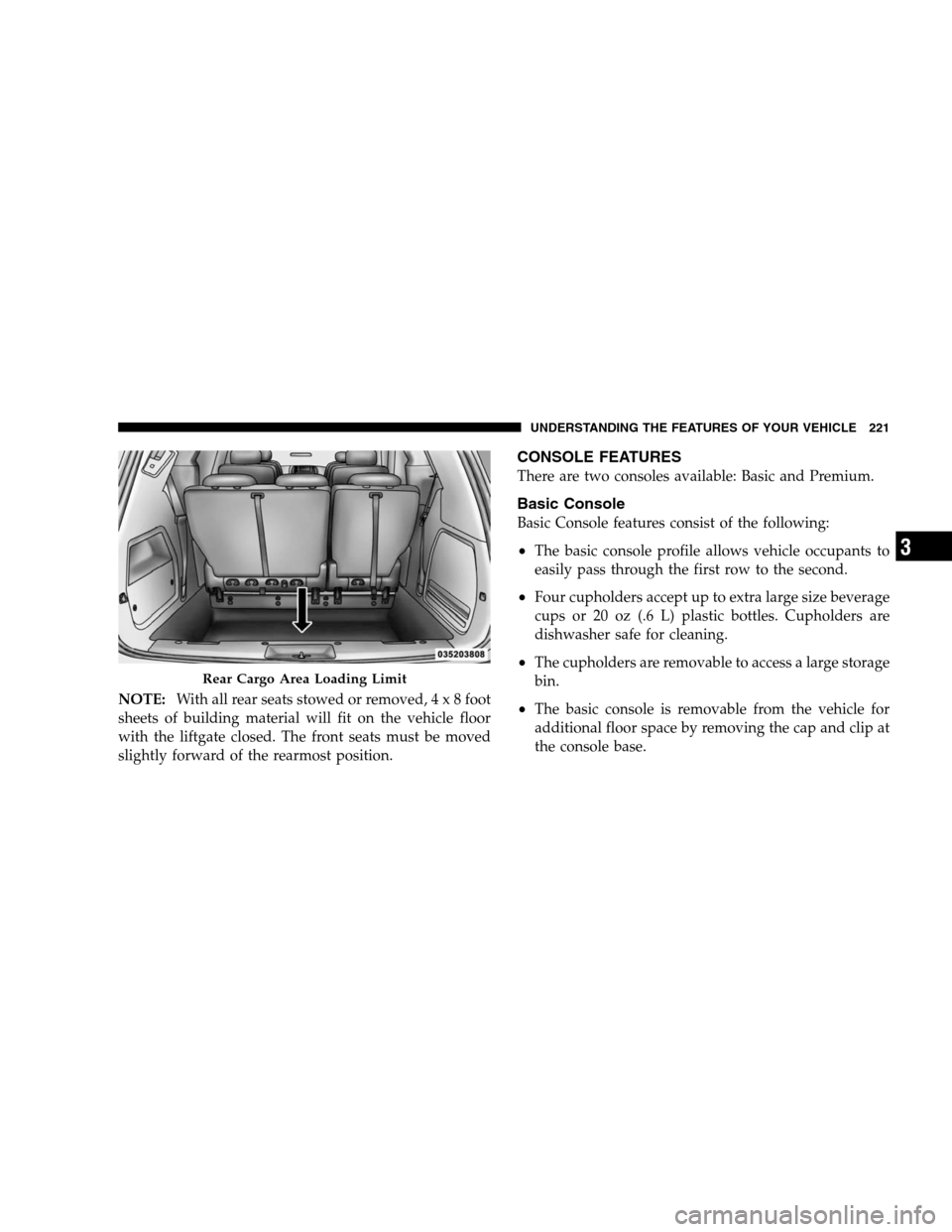
NOTE:With all rear seats stowed or removed, 4 x 8 foot
sheets of building material will fit on the vehicle floor
with the liftgate closed. The front seats must be moved
slightly forward of the rearmost position.
CONSOLE FEATURES
There are two consoles available: Basic and Premium.
Basic Console
Basic Console features consist of the following:
The basic console profile allows vehicle occupants to
easily pass through the first row to the second.
Four cupholders accept up to extra large size beverage
cups or 20 oz (.6 L) plastic bottles. Cupholders are
dishwasher safe for cleaning.
The cupholders are removable to access a large storage
bin.
The basic console is removable from the vehicle for
additional floor space by removing the cap and clip at
the console base. Rear Cargo Area Loading Limit
UNDERSTANDING
THE FEATURES OF YOUR VEHICLE 221 3
Page 224 of 535
To Remove The Basic Floor Console1. Remove the front anchor cup plug and clip.
2. Slide the console base forward while lifting slightly to
clear the rear load floor hook.
3. Remove the console.
To Reinstall The Basic Floor Console
1. Position the console at a slight angle (front slightly
higher than the rear).
2. Slide the console rearward into the floor bracket/
hook.
3. Align the console until the front anchor cup plug hole
is centered on the winch hole.
4. Reinstall the clip first and then while pushing down-
ward on the console with slight pressure, reinstall the
cover plug.
5. Pull up on the console to be sure it is firmly latched. WARNING!
In an accident, serious injury could result if the
removable floor console is not properly installed.
Always be sure the removable floor console is fully
latched.
Premium Console — If Equipped
The three-compartment console with sliding storage bin,
sliding upper tray with storage and large console storage
bin offers multiple configurations.
Four cupholders with dishwasher safe liners for clean-
ing. The cupholders can accept plastic bottles, large
cups or mugs with handles.
Top tray storage
222 UNDERSTANDING THE FEATURES OF YOUR VEHICLE
Page 228 of 535
To Remove The Premium Floor Console1. Pull up on the bottom release handle in the front of the
console.
2. Lift the rear of the console up several inches/
centimeters.
3. Pull rearward to disengage from floor and remove
console.
To reinstall the console:
1. Position the console at a slight angle (rear slightly
higher than the front).
2. Slide the console forward into the floor bracket.
3. Rotate the rear of the console down until it is resting
on the floor bracket.
4. Push down on the rear of the console until it is seated
in the rear floor bracket.
5. Pull up on the console to be sure it is firmly latched. WARNING!
In an accident, serious injury could result if the
removable floor console is not properly installed.
Always be sure the removable floor console is fully
latched.
REAR WINDOW FEATURES
Rear Window Defroster
The rear window defroster button is located on the
climate control (Mode) knob. Press this button to
turn on the rear window defroster and the heated outside
mirrors (if equipped). An indicator in the button will
illuminate when the rear window defroster is on. The
rear window defroster automatically turns off after ap-
proximately 10 minutes. For an additional five minutes of
operation, press the button a second time. 226 UNDERSTANDING THE FEATURES OF YOUR VEHICLE
Page 239 of 535
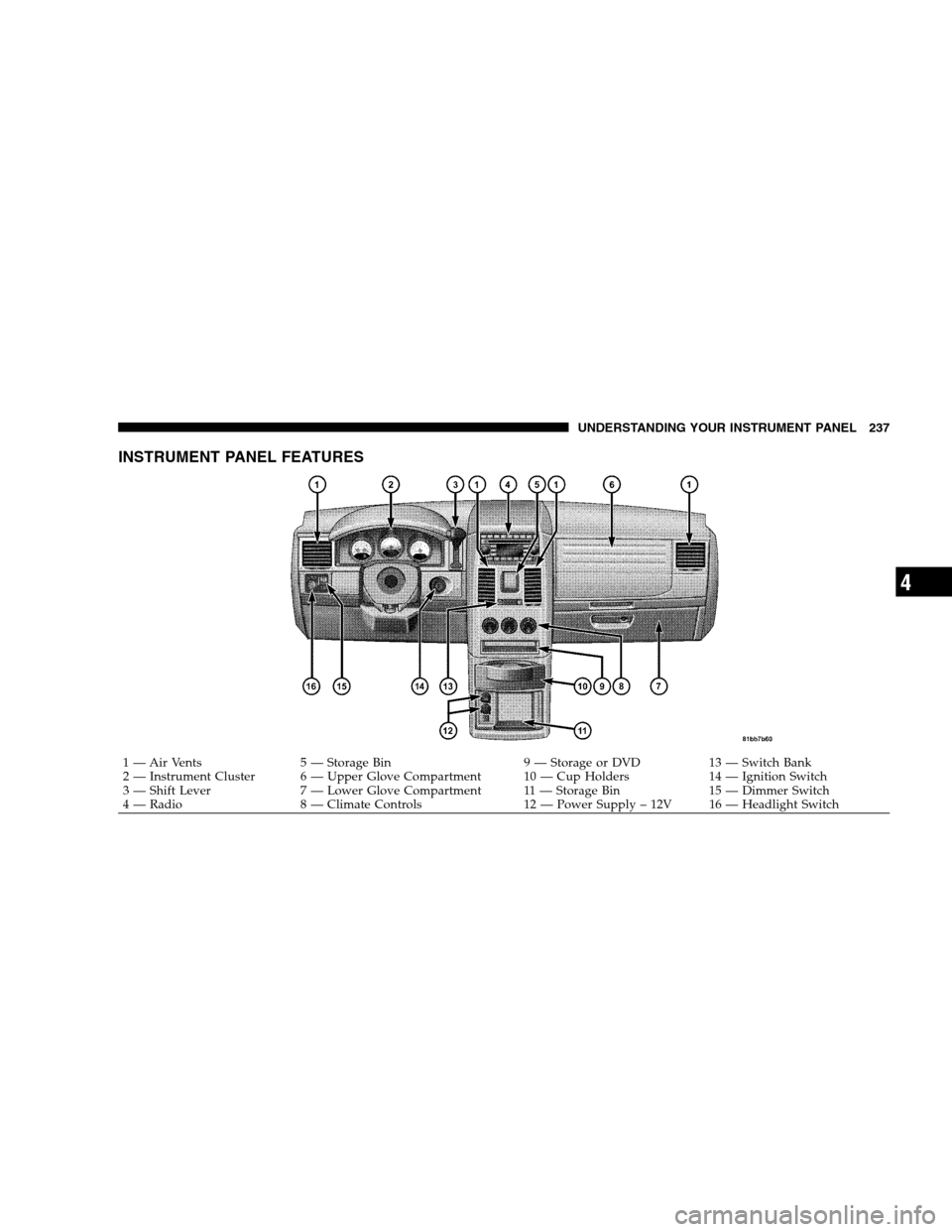
INSTRUMENT PANEL FEATURES
1 — Air Vents
5 — Storage Bin 9 — Storage or DVD13 — Switch Bank
2 — Instrument Cluster 6 — Upper Glove Compartment 10 — Cup Holders 14 — Ignition Switch
3 — Shift Lever 7 — Lower Glove Compartment 11 — Storage Bin 15 — Dimmer Switch
4 — Radio 8 — Climate Controls 12 — Power Supply – 12V 16 — Headlight SwitchUNDERSTANDING YOUR INSTRUMENT PANEL 237 4
Page 243 of 535
WARNING!A hot engine cooling system is dangerous. You or
others could be badly burned by steam or boiling
coolant. You may want to call an authorized dealer if
your vehicle overheats. If you decide to look under
the hood yourself, see Section 7 of this manual.
Follow the warnings under the Cooling System Pres-
sure Cap paragraph.
4. Speedometer
Indicates vehicle speed.
5. Turn Signal Indicators The arrow will flash with the exterior turn signal
when the turn signal lever is operated.
If the vehicle electronics sense that the vehicle has
traveled about 1 mile (1.6 km) with the turn signals on, a continuous chime will sound to alert you to turn the
signals off. If either indicator flashes at a rapid rate, check
for a defective outside light bulb.
6. High Beam Indicator
This indicator shows that the high beam head-
lights are on. Push the multifunction lever forward
to switch the headlights to high beam and pull toward
yourself (normal position) to return to low beam.
7. Anti-Lock Brake (ABS) Light This light monitors the Anti-Lock Brake System
(ABS). The light will turn on when the ignition
switch is turned to the ON position and may
stay on for as long as four seconds.
If the ABS light remains on or turns on while driving, it
indicates that the Anti-Lock portion of the brake system
is not functioning and that service is required. However,
the conventional brake system will continue to operate
normally if the BRAKE warning light is not on. UNDERSTANDING YOUR INSTRUMENT PANEL 241
4
Page 244 of 535
If the ABS light is on, the brake system should be serviced
as soon as possible to restore the benefits of Anti-Lock
brakes. If the ABS light does not turn on when the
Ignition switch is turned to the ON position, have the
light inspected by an authorized dealer.
8. Brake Warning LightThis light monitors various brake functions,
including brake fluid level and parking brake
application. If the brake light turns on, it may
indicate that the parking brake is applied, that
the brake fluid level is low, or that there is a problem with
the anti-lock brake system reservoir.
If the light remains on when the parking brake has been
disengaged, and the fluid level is at the full mark on the
master cylinder reservoir, it indicates a possible brake
hydraulic system malfunction or that a problem with the
Brake Booster has been detected by the Anti-Lock Brake System (ABS) / Electronic Stability Program (ESP) sys-
tem. In this case, the light will remain on until the
condition has been corrected. If the problem is related to
the brake booster, the ABS pump will run when applying
the brake and a brake pedal pulsation may be felt during
each stop.
The dual brake system provides a reserve braking capac-
ity in the event of a failure to a portion of the hydraulic
system. A leak in either half of the dual brake system is
indicated by the Brake Warning Light which will turn on
when the brake fluid level in the master cylinder has
dropped below a specified level.
The light will remain on until the cause is corrected.
NOTE:
The light may flash momentarily during sharp
cornering maneuvers which change fluid level condi-
tions. The vehicle should have service performed, and
the brake fluid level checked. 242 UNDERSTANDING YOUR INSTRUMENT PANEL
Page 245 of 535
If brake failure is indicated, immediate repair is neces-
sary.WARNING!
Driving a vehicle with the red brake light on is
dangerous. Part of the brake system may have failed.
It will take longer to stop the vehicle. You could have
an accident. Have the vehicle checked immediately.
Vehicles equipped with the Anti-Lock Brake System
(ABS), are also equipped with Electronic Brake Force
Distribution (EBD). In the event of an EBD failure, the
Brake Warning Light will turn on along with the ABS
Light. Immediate repair to the ABS system is required.
Operation of the Brake Warning Light can be checked by
turning the ignition switch from the OFF position to the
ON position. The light should illuminate for approxi-
mately two seconds. The light should then turn off unless the parking brake is applied or a brake fault is detected.
If the light does not illuminate, have the light inspected
by an authorized dealer.
The light also will turn on when the parking brake is
applied with the ignition switch in the ON position.
NOTE:
This light shows only that the parking brake is
applied. It does not show the degree of brake application.
9. Tachometer — Premium Instrument Cluster Only
The white area of the scale shows the permissible engine
revolutions-per-minute (RPM x 1000) for each gear range.
Before reaching the red area, ease up on the accelerator to
prevent engine damage.
10. Shift Lever Indicator
This display indicator shows the automatic transmission
shift lever selection.
NOTE: You must apply the brakes before shifting from
PARK.
UNDERSTANDING YOUR INSTRUMENT PANEL 243 4
Page 247 of 535
NOTE:
If your vehicle is equipped with a hood switch, in the
case of hood ajar, a warning message will be displayed
in either the PRNDL/Odometer display as “hood” or
“Hood Ajar” in the EVIC display.
Some of the above warnings will be displayed in the
Compass Mini-Trip Computer / Electronic Vehicle
Information Center Display Area located in the instru-
ment cluster.
Refer to ”Compass Mini-Trip Computer (CMTC)
Display— If Equipped” / ”Electronic Vehicle Informa-
tion Center (EVIC) Display — If Equipped” later in
this section for more information.
LoW tirE
When the appropriate condition exists, the odometer
display will toggle between LoW and tirE for three
cycles. HOTOIL
When this message is displayed there is a transaxle
over-temperature condition. When this condition occurs,
the “HOTOIL” message will be displayed in the odom-
eter along with a chime.
If this message appears, stop the vehicle and run the
engine at idle or faster, with the transmission in NEU-
TRAL, until the light goes off.
NOTE:
When this message is displayed, bring the
vehicle to a stop and idle the engine until the message
clears.
CHAngE OIL
Your vehicle is equipped with an engine oil change
indicator system. The “Change Oil” message will flash in
the instrument cluster odometer for approximately
12 seconds after a single chime has sounded to indicate
the next scheduled oil change interval. The engine oil
change indicator system is duty cycle-based, which
UNDERSTANDING YOUR INSTRUMENT PANEL 245 4
Page 248 of 535
means the engine oil change interval may fluctuate
dependent upon your personal driving style.
Unless reset, this message will continue to display each
time you turn the ignition switch to the ON/RUN
position. To turn off the message temporarily, press and
release the Trip Odometer button on the instrument
cluster. To reset the oil change indicator system (after
performing the scheduled maintenance), refer to the
following procedure:
1. Turn the ignition switch to the ON position (Do not
start the engine).
2. Fully depress the accelerator pedal slowly three times
within 10 seconds.
3. Turn the ignition switch to the OFF/LOCK position.
NOTE:If the indicator message illuminates when you
start the vehicle, the oil change indicator system did not
reset. If necessary repeat this procedure. 13. Odometer Display Reset Button
To reset a message display (gATE, gASCAP, noFUSE,
CHAngE OIL, LoCOOL, LoWASH), push and hold the
button until the display resets (approximately two sec-
onds).
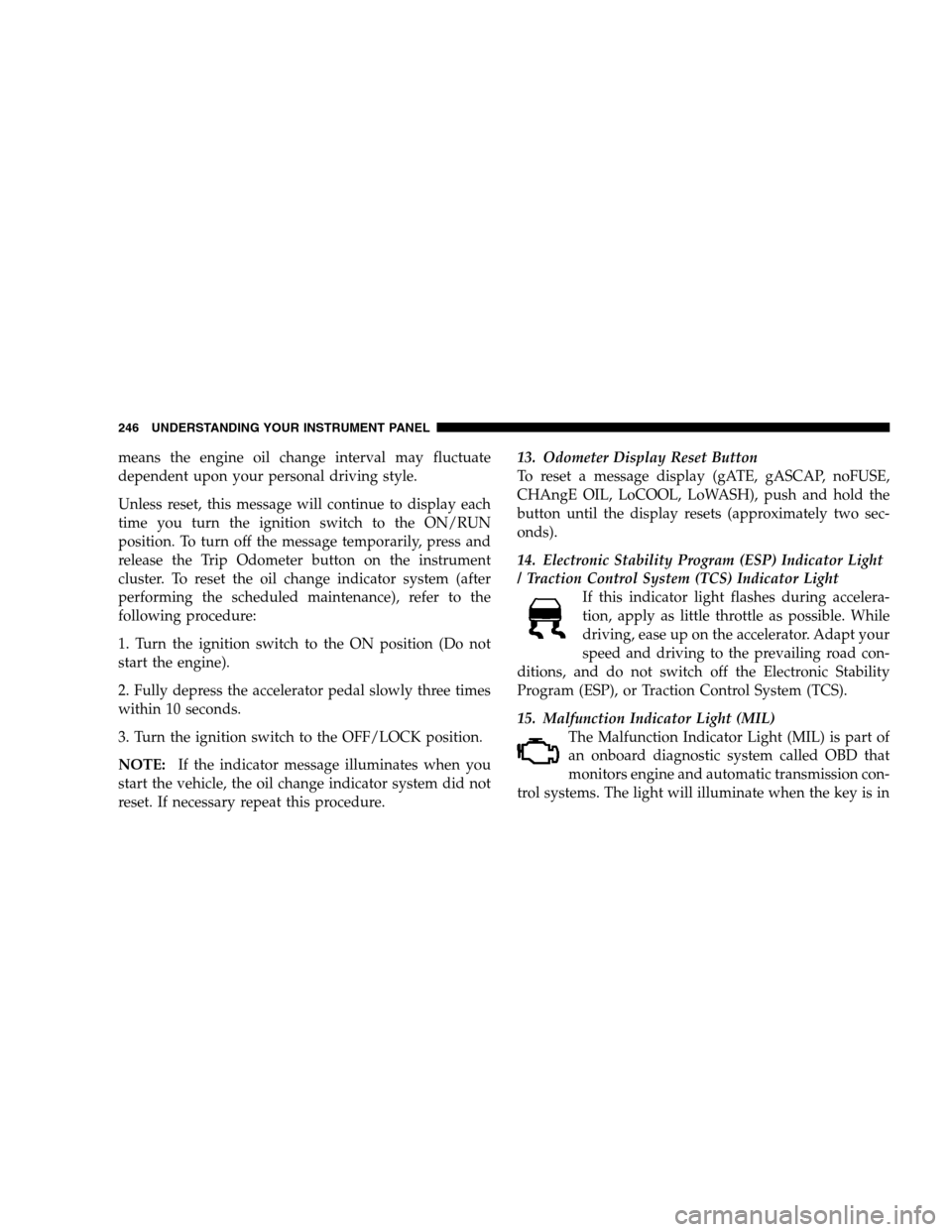
14. Electronic Stability Program (ESP) Indicator Light
/ Traction Control System (TCS) Indicator Light
If this indicator light flashes during accelera-
tion, apply as little throttle as possible. While
driving, ease up on the accelerator. Adapt your
speed and driving to the prevailing road con-
ditions, and do not switch off the Electronic Stability
Program (ESP), or Traction Control System (TCS).
15. Malfunction Indicator Light (MIL) The Malfunction Indicator Light (MIL) is part of
an onboard diagnostic system called OBD that
monitors engine and automatic transmission con-
trol systems. The light will illuminate when the key is in 246 UNDERSTANDING YOUR INSTRUMENT PANEL
Page 249 of 535
the ON position before engine start. If the bulb does not
come on when turning the key from OFF to ON, have the
condition checked promptly.
Certain conditions such as a loose or missing gas cap,
poor fuel quality, etc., may illuminate the MIL after
engine start. The vehicle should be serviced if the light
stays on through several of your typical driving cycles. In
most situations, the vehicle will drive normally and will
not require towing.
The MIL flashes to alert to serious conditions that could
lead to immediate loss of power or severe catalytic
converter damage. The vehicle should be serviced at an
authorized dealer as soon as possible if this occurs.
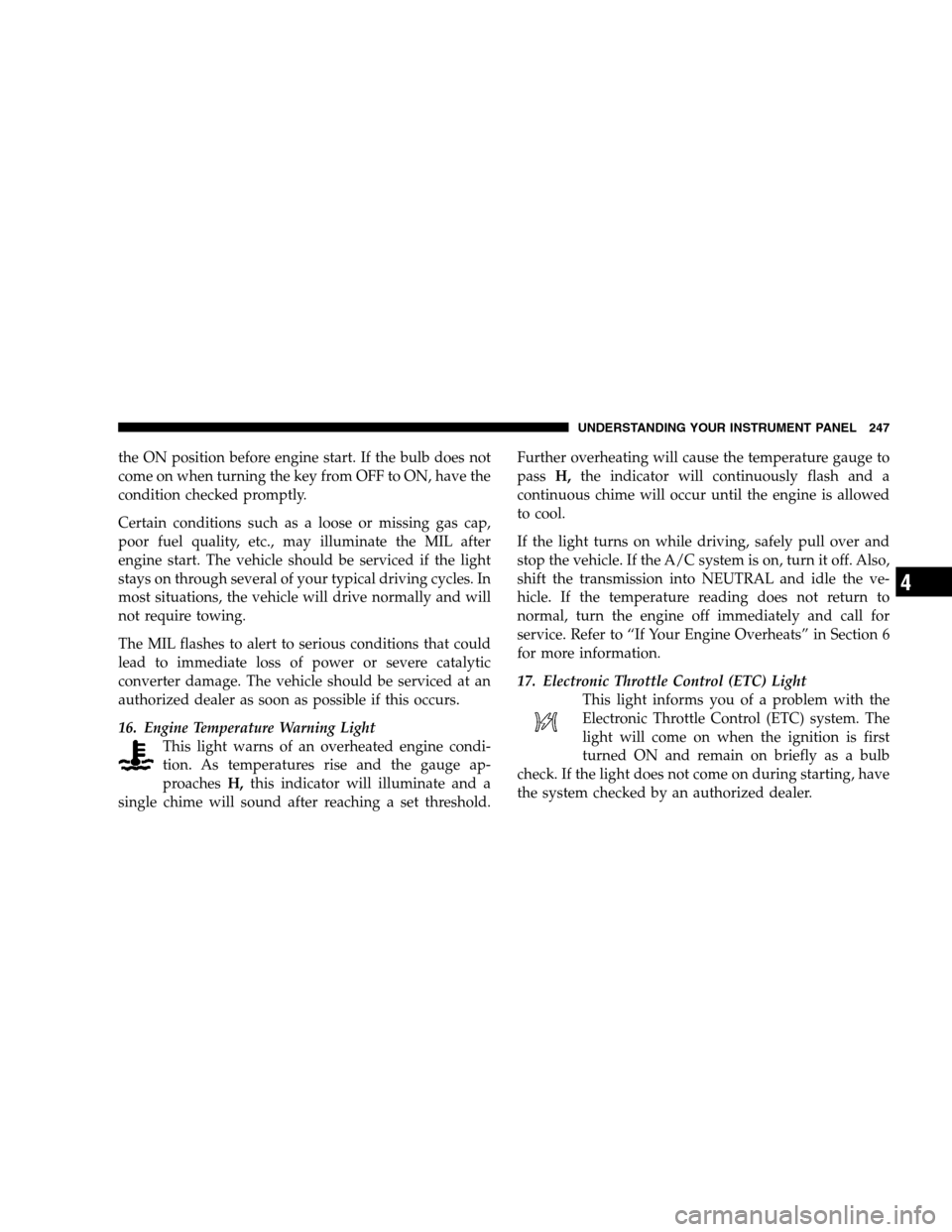
16. Engine Temperature Warning LightThis light warns of an overheated engine condi-
tion. As temperatures rise and the gauge ap-
proaches H,this indicator will illuminate and a
single chime will sound after reaching a set threshold. Further overheating will cause the temperature gauge to
pass
H,the indicator will continuously flash and a
continuous chime will occur until the engine is allowed
to cool.
If the light turns on while driving, safely pull over and
stop the vehicle. If the A/C system is on, turn it off. Also,
shift the transmission into NEUTRAL and idle the ve-
hicle. If the temperature reading does not return to
normal, turn the engine off immediately and call for
service. Refer to “If Your Engine Overheats” in Section 6
for more information.
17. Electronic Throttle Control (ETC) Light This light informs you of a problem with the
Electronic Throttle Control (ETC) system. The
light will come on when the ignition is first
turned ON and remain on briefly as a bulb
check. If the light does not come on during starting, have
the system checked by an authorized dealer. UNDERSTANDING YOUR INSTRUMENT PANEL 247
4