tow DODGE GRAND CARAVAN 2013 5.G User Guide
[x] Cancel search | Manufacturer: DODGE, Model Year: 2013, Model line: GRAND CARAVAN, Model: DODGE GRAND CARAVAN 2013 5.GPages: 683, PDF Size: 5.5 MB
Page 144 of 683
Rear Cross Path
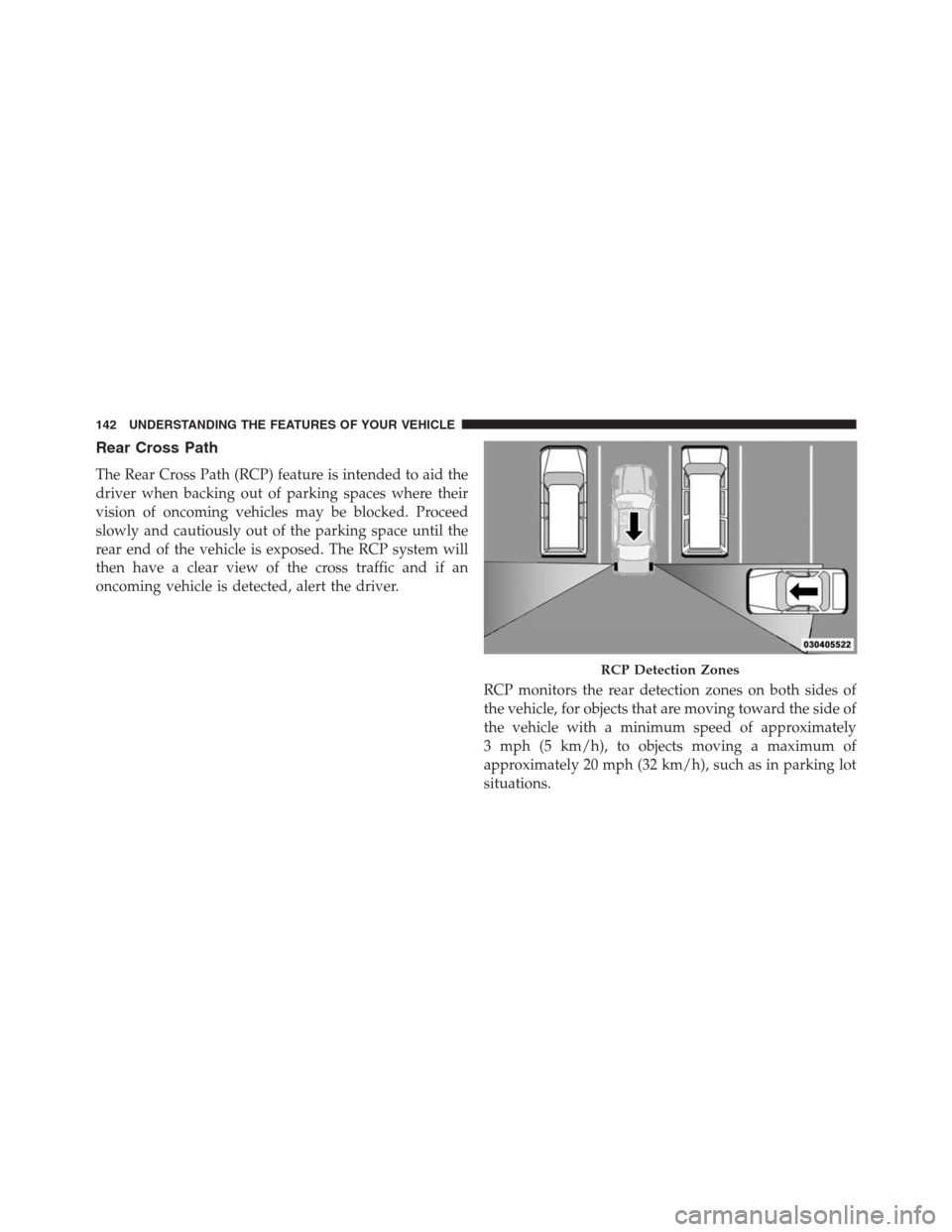
The Rear Cross Path (RCP) feature is intended to aid the
driver when backing out of parking spaces where their
vision of oncoming vehicles may be blocked. Proceed
slowly and cautiously out of the parking space until the
rear end of the vehicle is exposed. The RCP system will
then have a clear view of the cross traffic and if an
oncoming vehicle is detected, alert the driver.
RCP monitors the rear detection zones on both sides of
the vehicle, for objects that are moving toward the side of
the vehicle with a minimum speed of approximately
3 mph (5 km/h), to objects moving a maximum of
approximately 20 mph (32 km/h), such as in parking lot
situations.
RCP Detection Zones
142 UNDERSTANDING THE FEATURES OF YOUR VEHICLE
Page 148 of 683
wires or a docking station, so Uconnect® Phone works no
matter where you stow your mobile phone (be it your purse,
pocket, or briefcase), as long as your phone is turned on and
has been paired to the vehicle’s Uconnect® Phone. The
Uconnect® Phone allows up to seven mobile phones to be
linked to the system. Only one linked (or paired) mobile
phone can be used with the system at a time. The system is
available in English, Spanish, or French languages.
WARNING!
Any voice commanded system should be used only
in safe driving conditions following all applicable
laws, including laws regarding phone use. Your at-
tention should be focused on safely operating the
vehicle. Failure to do so may result in a collision
causing serious injury or death.Uconnect® Phone Button
The radio or steering wheel controls (if
equipped) will contain the two control buttons
(Uconnect® Phone
button and Voice Com-
mand
button) that will enable you to
access the system. When you press the button you will
hear the word Uconnect® followed by a BEEP. The beep
is your signal to give a command.
Voice Command Button
Actual button location may vary with the ra-
dio. The individual buttons are described in the
“Operation” section.
146 UNDERSTANDING THE FEATURES OF YOUR VEHICLE
Page 178 of 683
Voice Commands
Primary Alternate (s)
list phones
mobile
mute
mute off
new entry
no
other
pair a phone
phone pairing pairing
phonebook phone book
previous
record againVoice Commands
Primary Alternate (s)
redial
return to main menu return or main menu
select phone select
send
set up phone settings or phone
set up
towing assistance
transfer call
Uconnect® Tutorial
voice training
work
yes
176 UNDERSTANDING THE FEATURES OF YOUR VEHICLE
Page 198 of 683
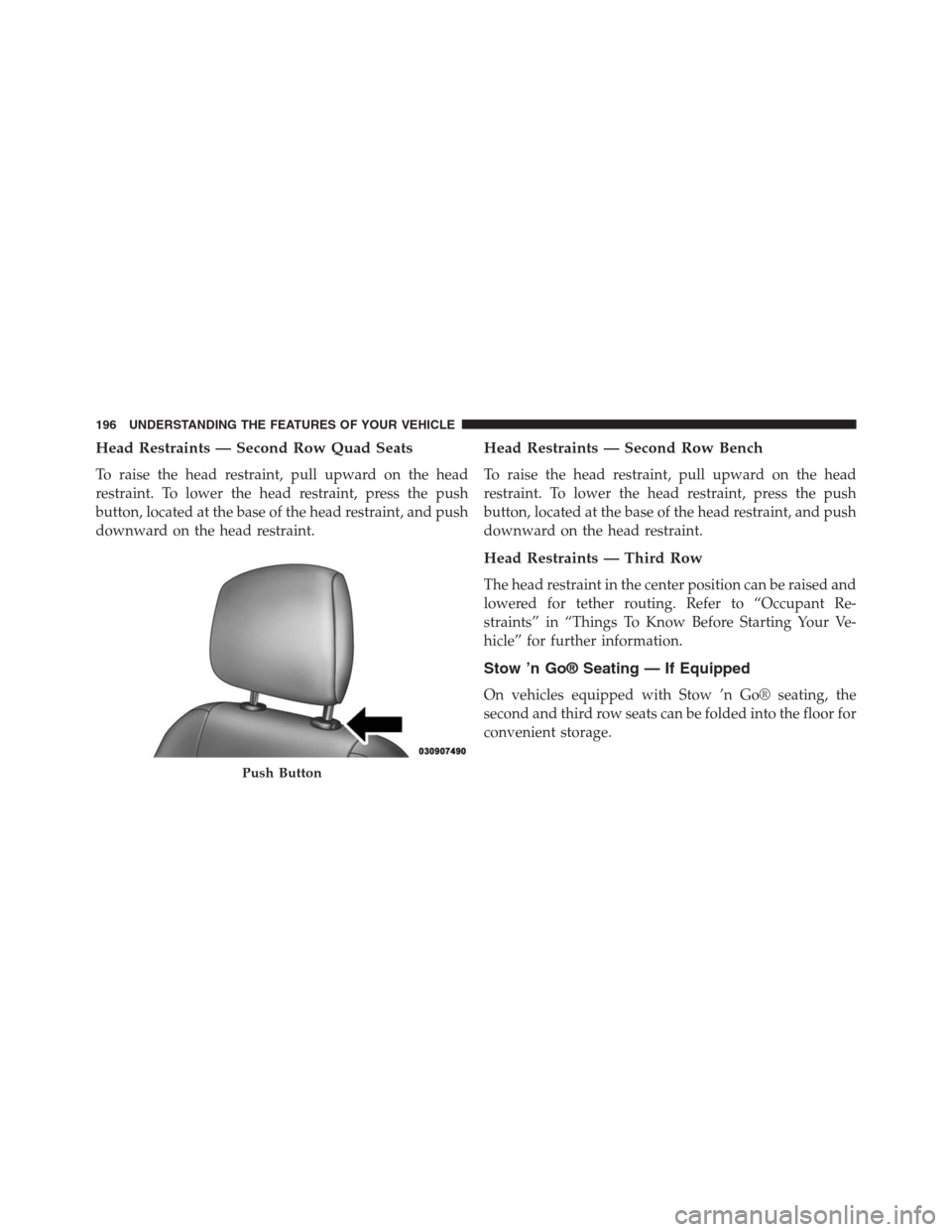
Head Restraints — Second Row Quad Seats
To raise the head restraint, pull upward on the head
restraint. To lower the head restraint, press the push
button, located at the base of the head restraint, and push
downward on the head restraint.
Head Restraints — Second Row Bench
To raise the head restraint, pull upward on the head
restraint. To lower the head restraint, press the push
button, located at the base of the head restraint, and push
downward on the head restraint.
Head Restraints — Third Row
The head restraint in the center position can be raised and
lowered for tether routing. Refer to “Occupant Re-
straints” in “Things To Know Before Starting Your Ve-
hicle” for further information.
Stow ’n Go® Seating — If Equipped
On vehicles equipped with Stow ’n Go® seating, the
second and third row seats can be folded into the floor for
convenient storage.
Push Button
196 UNDERSTANDING THE FEATURES OF YOUR VEHICLE
Page 199 of 683
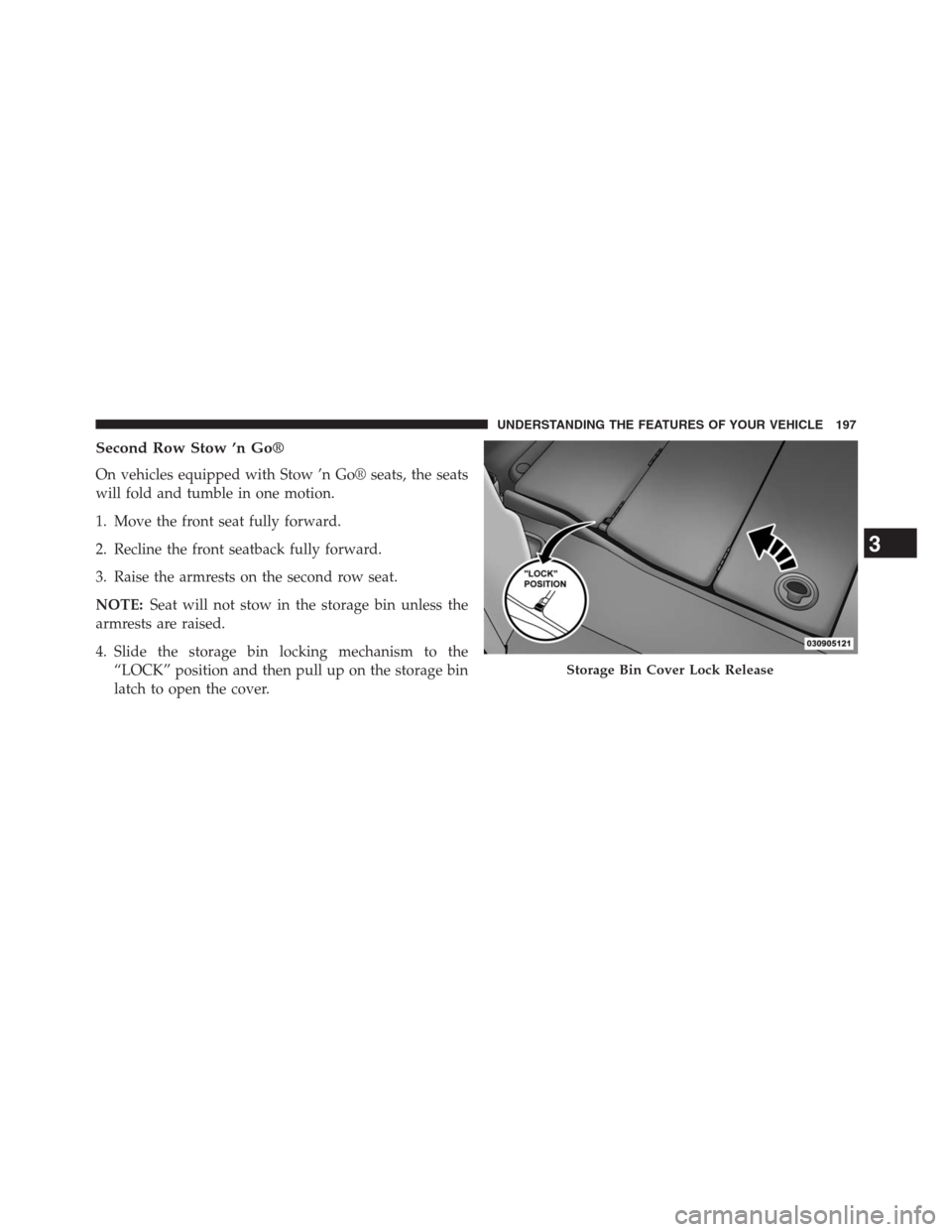
Second Row Stow ’n Go®
On vehicles equipped with Stow ’n Go® seats, the seats
will fold and tumble in one motion.
1. Move the front seat fully forward.
2. Recline the front seatback fully forward.
3. Raise the armrests on the second row seat.
NOTE:Seat will not stow in the storage bin unless the
armrests are raised.
4. Slide the storage bin locking mechanism to the
“LOCK” position and then pull up on the storage bin
latch to open the cover.
Storage Bin Cover Lock Release
3
UNDERSTANDING THE FEATURES OF YOUR VEHICLE 197
Page 203 of 683
To Unstow Second Row Seats
1. Pull up on the storage bin latch to open the cover.
2. Pull up on the strap to lift the seat out of the storage
bin and push the seat rearward to latch the seat
anchors.
3. Lift the seatback to the full upright position.
4. Return the head restraint to its upright position, close
the storage bin cover and slide the storage bin locking
mechanism to the “Unlocked” position.
Stow ’n Go® Seat — Folded And Latched Position
To tumble or stow the seat from the folded and latched
position: return the seatback and head restraint to the
upright position. Then pull up on the seatback reclinerlever on the outboard side of the seat to fold head rest
and seatback and tumble seat forward.
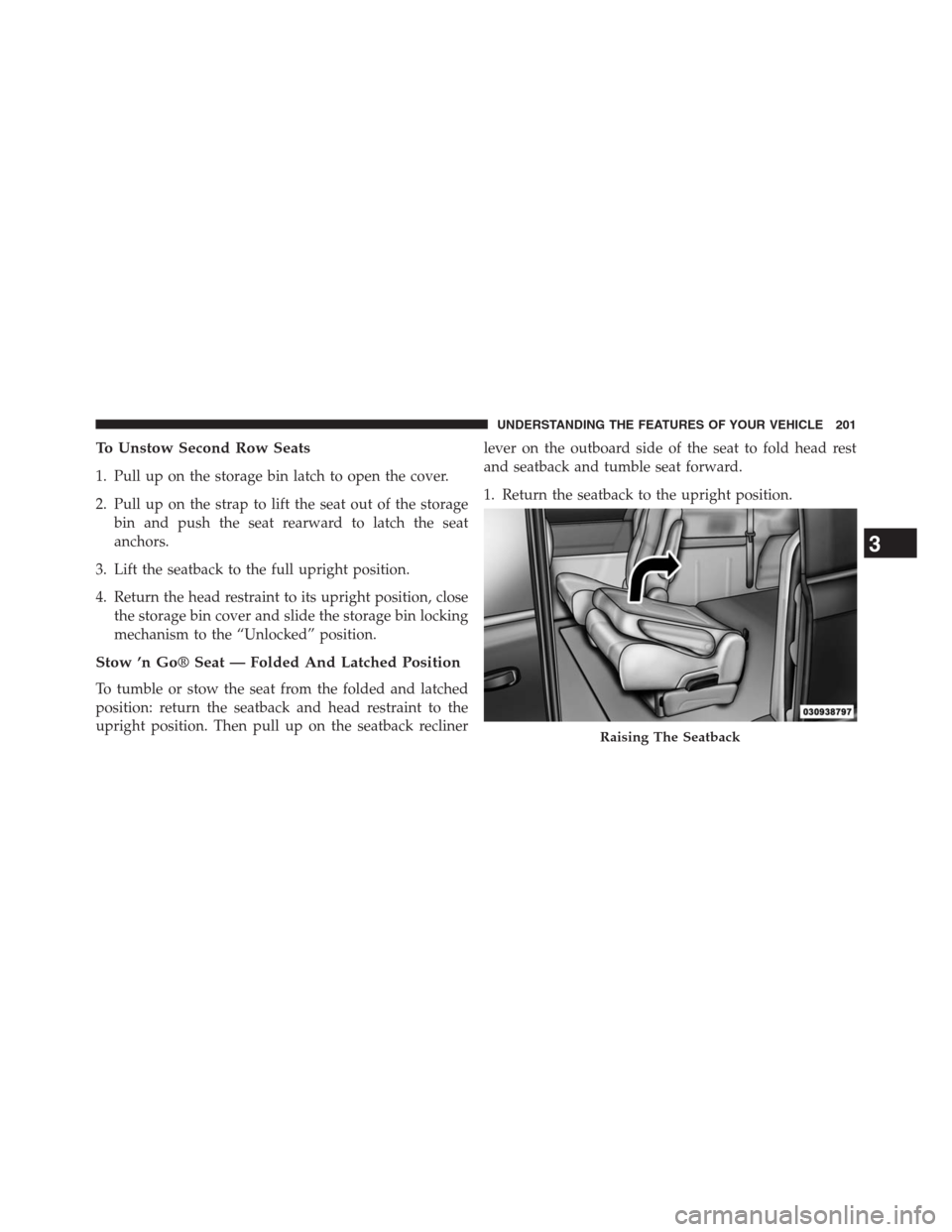
1. Return the seatback to the upright position.
Raising The Seatback
3
UNDERSTANDING THE FEATURES OF YOUR VEHICLE 201
Page 204 of 683
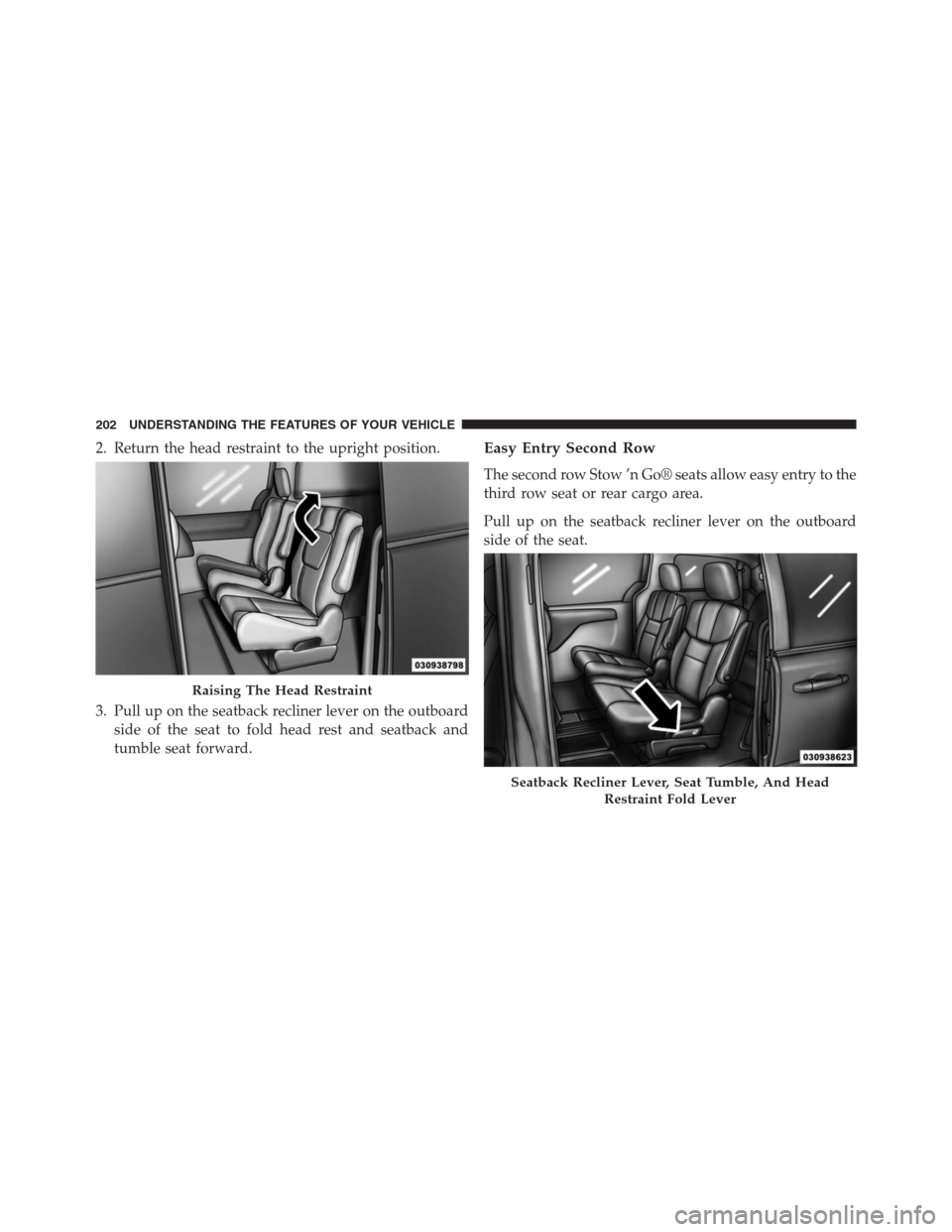
2. Return the head restraint to the upright position.
3. Pull up on the seatback recliner lever on the outboard
side of the seat to fold head rest and seatback and
tumble seat forward.Easy Entry Second Row
The second row Stow ’n Go® seats allow easy entry to the
third row seat or rear cargo area.
Pull up on the seatback recliner lever on the outboard
side of the seat.
Raising The Head Restraint
Seatback Recliner Lever, Seat Tumble, And Head
Restraint Fold Lever
202 UNDERSTANDING THE FEATURES OF YOUR VEHICLE
Page 209 of 683
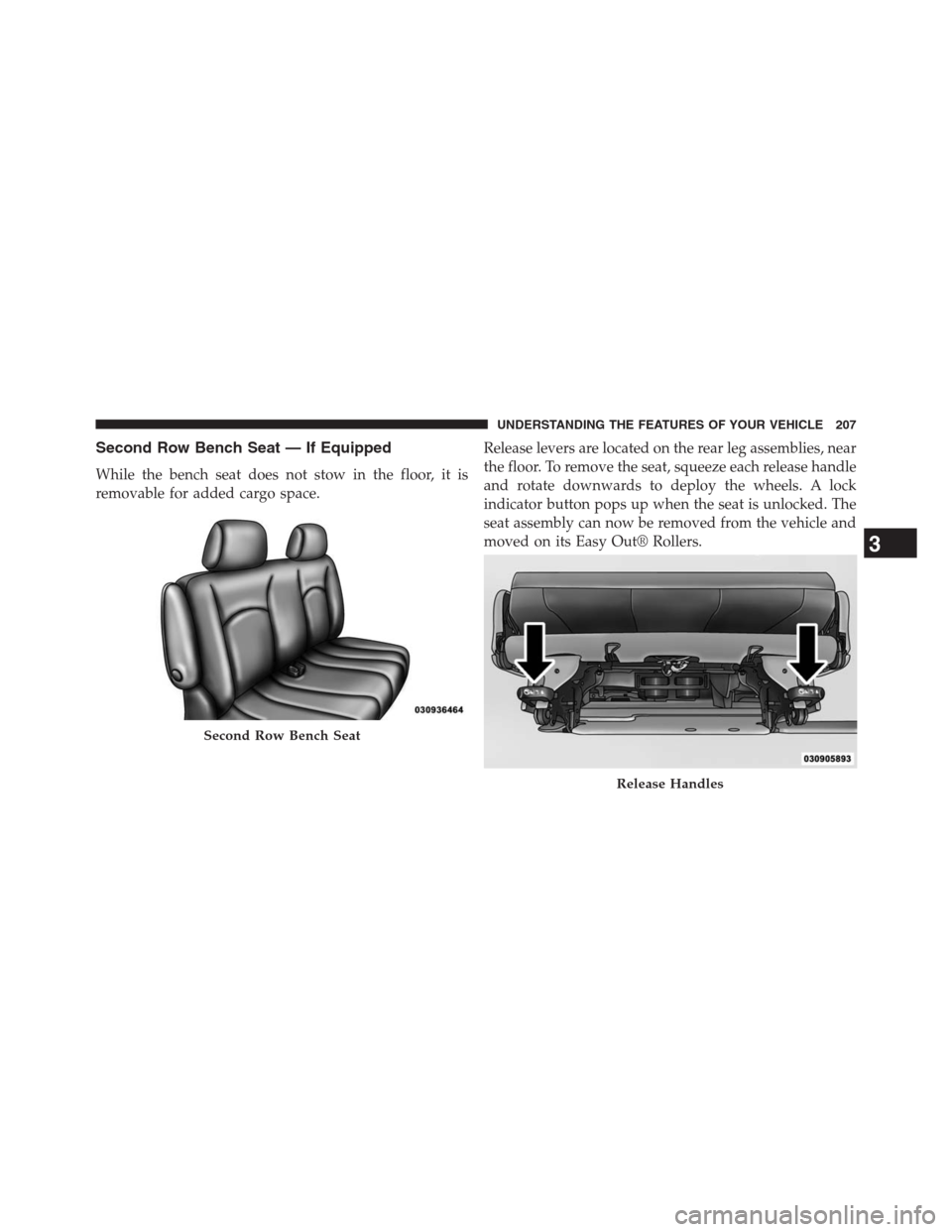
Second Row Bench Seat — If Equipped
While the bench seat does not stow in the floor, it is
removable for added cargo space.Release levers are located on the rear leg assemblies, near
the floor. To remove the seat, squeeze each release handle
and rotate downwards to deploy the wheels. A lock
indicator button pops up when the seat is unlocked. The
seat assembly can now be removed from the vehicle and
moved on its Easy Out® Rollers.
Second Row Bench Seat
Release Handles
3
UNDERSTANDING THE FEATURES OF YOUR VEHICLE 207
Page 212 of 683
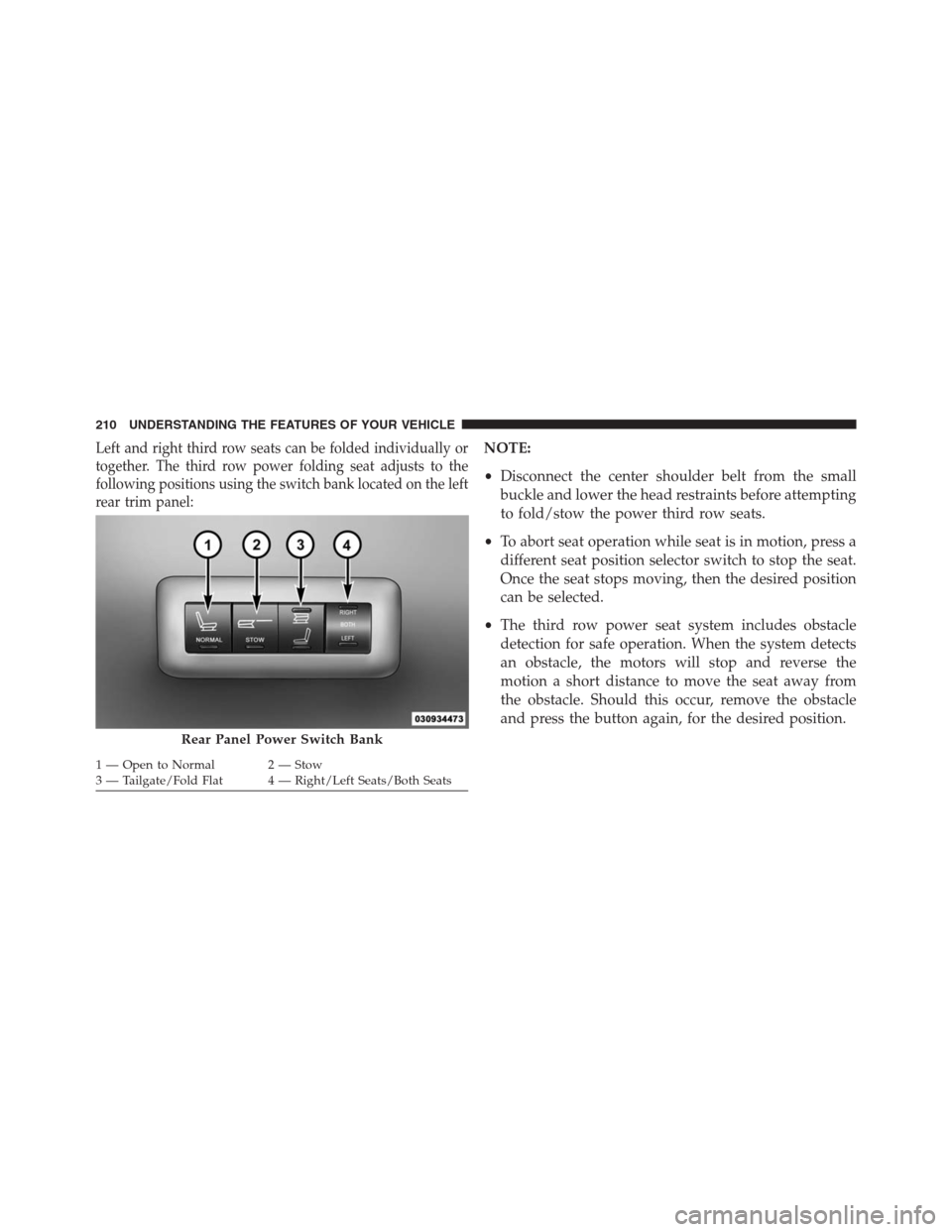
Left and right third row seats can be folded individually or
together. The third row power folding seat adjusts to the
following positions using the switch bank located on the left
rear trim panel:NOTE:
•Disconnect the center shoulder belt from the small
buckle and lower the head restraints before attempting
to fold/stow the power third row seats.
•To abort seat operation while seat is in motion, press a
different seat position selector switch to stop the seat.
Once the seat stops moving, then the desired position
can be selected.
•The third row power seat system includes obstacle
detection for safe operation. When the system detects
an obstacle, the motors will stop and reverse the
motion a short distance to move the seat away from
the obstacle. Should this occur, remove the obstacle
and press the button again, for the desired position.
Rear Panel Power Switch Bank
1 — Open to Normal 2 — Stow
3 — Tailgate/Fold Flat 4 — Right/Left Seats/Both Seats 210 UNDERSTANDING THE FEATURES OF YOUR VEHICLE
Page 215 of 683
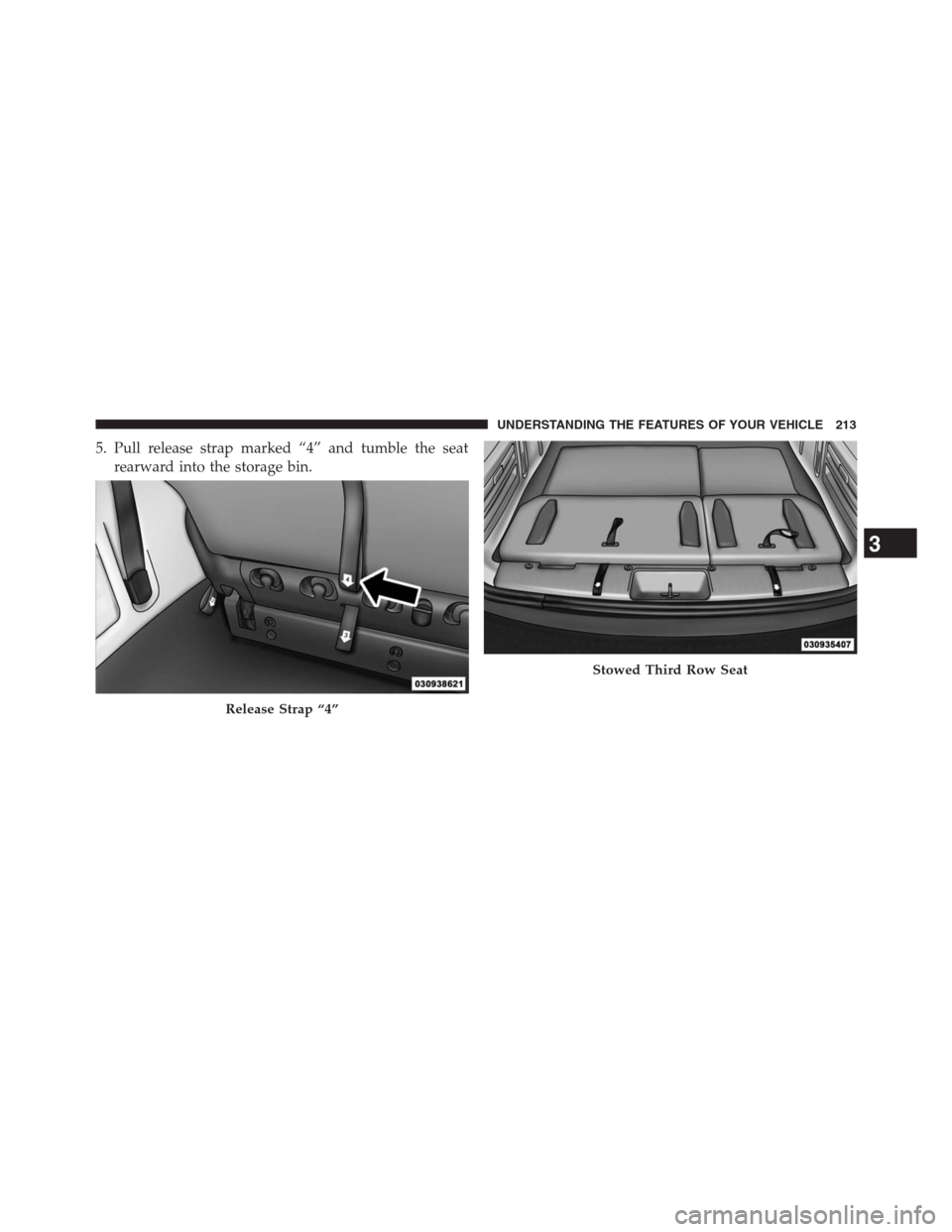
5. Pull release strap marked “4” and tumble the seat
rearward into the storage bin.
Release Strap “4”
Stowed Third Row Seat
3
UNDERSTANDING THE FEATURES OF YOUR VEHICLE 213