lights DODGE GRAND CARAVAN 2015 5.G User Guide
[x] Cancel search | Manufacturer: DODGE, Model Year: 2015, Model line: GRAND CARAVAN, Model: DODGE GRAND CARAVAN 2015 5.GPages: 703, PDF Size: 19.83 MB
Page 49 of 703
door switch is pushed. To close the door, wait until it
is fully open and then push the switch again.
•If the power sliding door encounters multiple obstruc-
tions within the same cycle, the system will automati-
cally stop, the power sliding door motor will make a
clicking sound until the door has no further move-
ment. This clicking sound can be stopped by pulling
the inside or outside handle. If this condition occurs,
no damage is done to the power sliding door motor.
The power sliding door must be opened or closed
manually.
WARNING!
You, or others, could be injured if caught in the path
of the sliding door. Make sure the door path is clear
before closing the door.
Power Sliding Side Door Open Flash
The left and right exterior hazard lights will flash for 12
seconds when either sliding door is opened. This will
alert other drivers in the area that passenger(s) could be
entering or exiting the vehicle.
The Sliding Side Door Open Flash can be enabled or
disabled by performing the following procedure:
1. Place the Key Fob in the ignition switch.
2. Cycle the ignition switch from ON/RUN to OFF five
times ending in the ON/RUN position(do not start
the engine).
3. Within 10 seconds of the final cycle, push the HAZ-
ARD switch ON.
4. A single chime will sound to signify that you have
successfully completed the programming.
2
THINGS TO KNOW BEFORE STARTING YOUR VEHICLE 47
Page 56 of 703
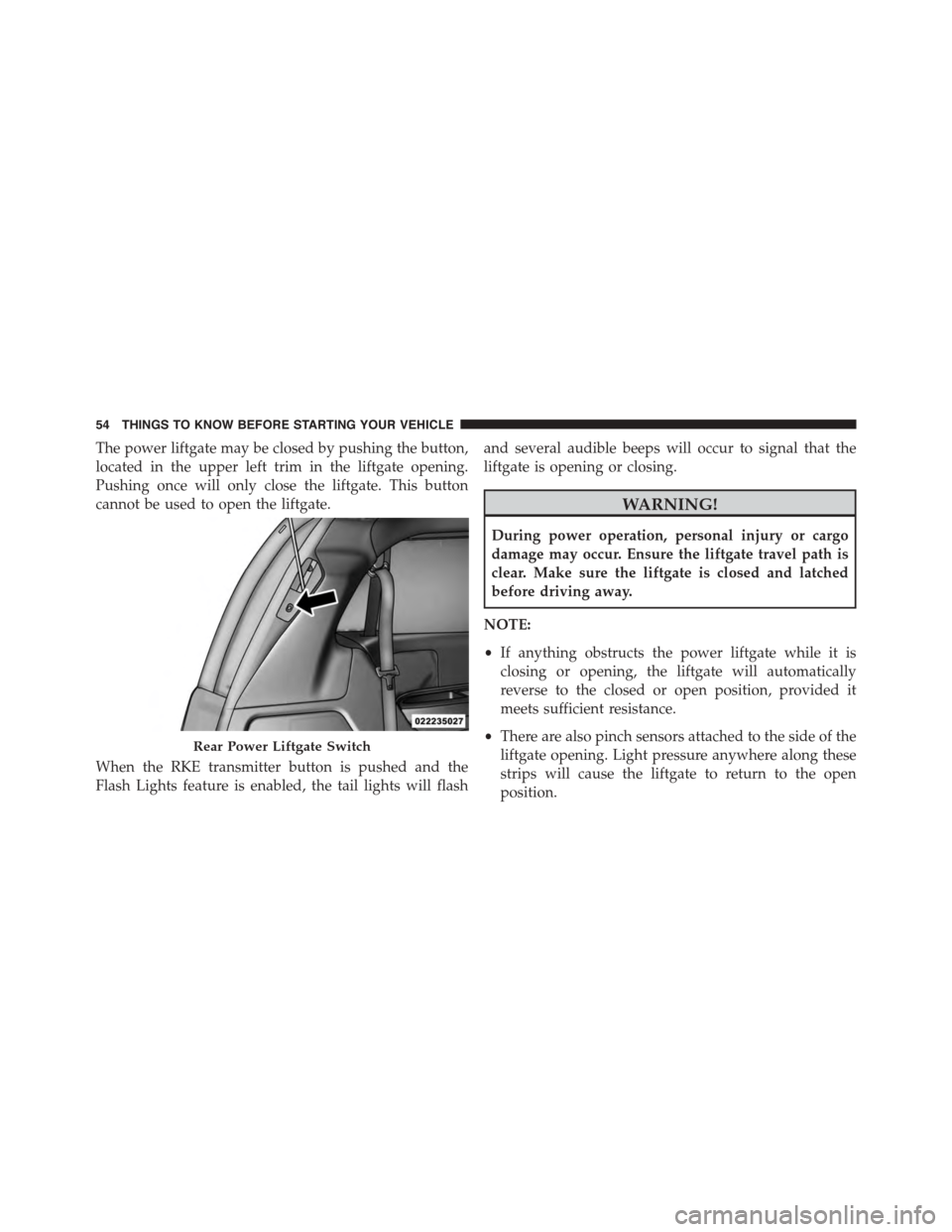
The power liftgate may be closed by pushing the button,
located in the upper left trim in the liftgate opening.
Pushing once will only close the liftgate. This button
cannot be used to open the liftgate.
When the RKE transmitter button is pushed and the
Flash Lights feature is enabled, the tail lights will flash
and several audible beeps will occur to signal that the
liftgate is opening or closing.
WARNING!
During power operation, personal injury or cargo
damage may occur. Ensure the liftgate travel path is
clear. Make sure the liftgate is closed and latched
before driving away.
NOTE:
•If anything obstructs the power liftgate while it is
closing or opening, the liftgate will automatically
reverse to the closed or open position, provided it
meets sufficient resistance.
•There are also pinch sensors attached to the side of the
liftgate opening. Light pressure anywhere along these
strips will cause the liftgate to return to the open
position.
Rear Power Liftgate Switch
54 THINGS TO KNOW BEFORE STARTING YOUR VEHICLE
Page 86 of 703
On the other hand, depending on the type and location of
impact, Advanced Front Air Bags may deploy in crashes
with little vehicle front-end damage but that produce a
severe initial deceleration.
Because air bag sensors measure vehicle deceleration
over time, vehicle speed and damage by themselves are
not good indicators of whether or not an air bag should
have deployed.
Seat belts are necessary for your protection in all colli-
sions, and also are needed to help keep you in position,
away from an inflating air bag.
When the ORC detects a collision requiring the Ad-
vanced Front Air Bags, it signals the inflator units. A large
quantity of non-toxic gas is generated to inflate the
Advanced Front Air Bags.
The steering wheel hub trim cover and the upper right
side of the instrument panel separate and fold out of the
way as the air bags inflate to their full size. The Advanced
Front Air Bags fully inflate in less time than it takes to
blink your eyes. The air bags then quickly deflate while
helping to restrain the driver and front passenger.
Knee Impact Bolsters
The Knee Impact Bolsters help protect the knees of the
driver and front passenger, and position the front occu-
pants for improved interaction with the Advanced Front
Air Bags.
WARNING!
•Do not drill, cut, or tamper with the knee impact
bolsters in any way.
•Do not mount any accessories to the knee impact
bolsters such as alarm lights, stereos, citizen band
radios, etc.
84 THINGS TO KNOW BEFORE STARTING YOUR VEHICLE
Page 93 of 703
Do not drive your vehicle after the air bags have de-
ployed. If you are involved in another collision, the air
bags will not be in place to protect you.
WARNING!
Deployed air bags and seat belt pretensioners cannot
protect you in another collision. Have the air bags,
seat belt pretensioners, and the seat belt retractor
assemblies replaced by an authorized dealer imme-
diately. Also, have the Occupant Restraint Controller
System serviced as well.
NOTE:
•Air bag covers may not be obvious in the interior trim,
but they will open during air bag deployment.
•After any collision, the vehicle should be taken to an
authorized dealer immediately.
Enhanced Accident Response System
In the event of an impact, if the communication network
remains intact, and the power remains intact, depending
on the nature of the event, the ORC will determine
whether to have the Enhanced Accident Response Sys-
tem perform the following functions:
•Cut off fuel to the engine.
•Flash hazard lights as long as the battery has power or
until the ignition switch is turned to the “OFF” posi-
tion.
•Turn on the interior lights, which remain on as long as
the battery has power or until the ignition switch is
turned to the “OFF” position.
•Unlock the doors automatically.
2
THINGS TO KNOW BEFORE STARTING YOUR VEHICLE 91
Page 127 of 703
Periodic Safety Checks You Should Make Outside
The Vehicle
Tires
Examine tires for excessive tread wear and uneven wear
patterns. Check for stones, nails, glass, or other objects
lodged in the tread or sidewall. Inspect the tread for cuts
and cracks. Inspect sidewalls for cuts, cracks and bulges.
Check the wheel nuts for tightness. Check the tires
(including spare) for proper cold inflation pressure.
Lights
Have someone observe the operation of brake lights and
exterior lights while you work the controls. Check turn
signal and high beam indicator lights on the instrument
panel.
Door Latches
Check for positive closing, latching, and locking.
Fluid Leaks
Check area under vehicle after overnight parking for fuel,
engine coolant, oil, or other fluid leaks. Also, if gasoline
fumes are detected or if fuel, power steering fluid (if
equipped), or brake fluid leaks are suspected, the cause
should be located and corrected immediately.
2
THINGS TO KNOW BEFORE STARTING YOUR VEHICLE 125
Page 131 of 703
▫Memory Position Recall.................218
▫Easy Entry/Exit Seat (Available With Memory
Seat Only)...........................218
!TO OPEN AND CLOSE THE HOOD.........220
!LIGHTS.............................222
▫Headlight Switch......................222
▫Automatic Headlights — If Equipped.......223
▫Headlights On With Wipers — If Equipped . . .223
▫Headlight Delay — If Equipped...........223
▫Lights-On Reminder...................224
▫Daytime Running Lights — If Equipped.....224
▫Front Fog Lights — If Equipped...........225
▫Dimmer Controls.....................225
▫Multifunction Lever...................227
▫Turn Signals.........................228
▫Lane Change Assist...................228
▫High/Low Beam Switch................228
▫Flash-To-Pass........................229
▫Battery Protection.....................229
!WINDSHIELD WIPER AND WASHERS......229
▫Intermittent Wiper System...............230
▫Windshield Wiper Operation.............230
▫Windshield Washers....................231
▫Mist Feature.........................231
▫Rear Wiper And Washer.................231
▫Rain Sensing Wipers — If Equipped........231
3
UNDERSTANDING THE FEATURES OF YOUR VEHICLE 129
Page 132 of 703
!TILT/TELESCOPING STEERING COLUMN . . .233
!HEATED STEERING WHEEL — IF EQUIPPED . .234
!ELECTRONIC SPEED CONTROL — IF
EQUIPPED...........................236
▫To Activate..........................237
▫To Set A Desired Speed.................237
▫To Deactivate........................238
▫To Resume Speed.....................238
▫To Vary The Speed Setting...............238
▫To Accelerate For Passing................239
!PARKSENSE® REAR PARK ASSIST — IF
EQUIPPED...........................240
▫ParkSense® Sensors....................240
▫ParkSense® Warning Display.............241
▫ParkSense® Display....................242
▫Enabling/Disabling ParkSense®...........245
▫Service The ParkSense® Rear Park Assist
System.............................246
▫Cleaning The ParkSense® System..........246
▫ParkSense® System Usage Precautions.......247
!PARKVIEW® REAR BACK UP CAMERA — IF
EQUIPPED...........................249
!OVERHEAD CONSOLES.................252
▫Front Overhead Console.................252
▫Courtesy/Interior Lighting..............253
▫Sunglass Storage (Non-Sunroof Only).......253
▫Rear Courtesy/Reading Lights — If Equipped . .255
▫Rear Overhead Consoles — If Equipped.....255
130 UNDERSTANDING THE FEATURES OF YOUR VEHICLE
Page 140 of 703
Resetting The Power Folding Outside Mirrors
You may need to reset the power folding mirrors if the
following occurs:
•The mirrors are accidentally blocked while folding.
•The mirrors are accidentally manually folded/
unfolded.
•The mirrors come out of the unfolded position.
•The mirrors shake and vibrate at normal driving
speeds.
To reset the power folding mirrors: Fold and unfold them
by pressing the button. (This may require multiple button
pushes). This resets them to their normal position.
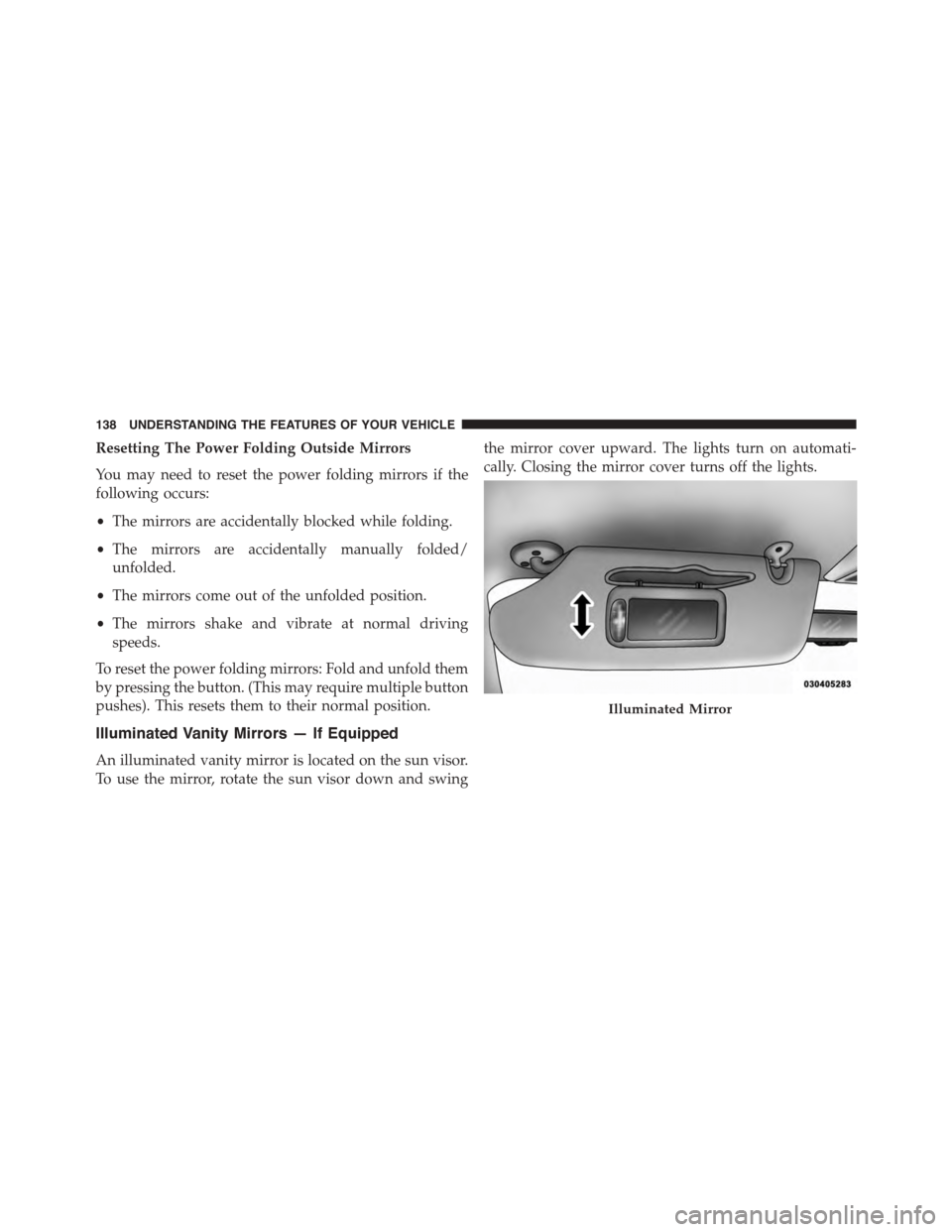
Illuminated Vanity Mirrors — If Equipped
An illuminated vanity mirror is located on the sun visor.
To use the mirror, rotate the sun visor down and swing
the mirror cover upward. The lights turn on automati-
cally. Closing the mirror cover turns off the lights.
Illuminated Mirror
138 UNDERSTANDING THE FEATURES OF YOUR VEHICLE
Page 148 of 703
Modes Of Operation
Modes Of Operation With EVIC
Three selectable modes of operation are available in the
Electronic Vehicle Information Center (EVIC). Refer to
“Electronic Vehicle Information Center (EVIC)/Personal
Settings (Customer-Programmable Features)” in “Under-
standing Your Instrument Panel” for further information.
Blind Spot Alert Lights Only
When operating in Blind Spot Alert mode, the BSM
system will provide a visual alert in the appropriate side
view mirror based on a detected object. However, when
the system is operating in RCP, the system will respond
with both visual and audible alerts when a detected
object is present. Whenever an audible alert is requested,
the radio volume is reduced.
Blind Spot Alert Lights/Chime
When operating in Blind Spot Alert Lights/Chime mode,
the BSM system will provide a visual alert in the appro-
priate side view mirror based on a detected object. If the
turn signal is then activated, and it corresponds to an
alert present on that side of the vehicle, an audible chime
will also be sounded. Whenever a turn signal and de-
tected object are present on the same side at the same
time, both the visual and audio alerts will be issued. In
addition to the audible alert the radio (if on) volume will
be reduced.
NOTE:
•Whenever an audible alert is requested by the BSM
system, the radio volume is reduced.
•If the hazard flashers are on, the system will request
the appropriate visual alert only.
146 UNDERSTANDING THE FEATURES OF YOUR VEHICLE
Page 191 of 703
WARNING!
•Persons who are unable to feel pain to the skin
because of advanced age, chronic illness, diabetes,
spinal cord injury, medication, alcohol use, exhaus-
tion or other physical condition must exercise care
when using the seat heater. It may cause burns
even at low temperatures, especially if used for
long periods of time.
•Do not place anything on the seat or seatback that
insulates against heat, such as a blanket or cushion.
This may cause the seat heater to overheat. Sitting
in a seat that has been overheated could cause
serious burns due to the increased surface tempera-
ture of the seat.
Vehicles Equipped With Remote Start
On models that are equipped with remote start, the
driver ’s heated seat can be programmed through the
Electronic Vehicle Information Center (EVIC) to come on
during a remote start. Refer to “Electronic Vehicle Infor-
mation Center (EVIC)” in “Understanding Your Instru-
ment Panel” for further information.
Front Heated Seats
There are two heated seat switches that allow the driver
and passenger to operate the seats independently. The
controls for each heater are located on the switch bank
below the climate controls.
You can choose from HIGH, LOW or OFF heat settings.
Amber indicator lights in each switch indicate the level of
heat in use. Two indicator lights will illuminate for
HIGH, one for LOW and none for OFF.
Press the switch once to select HIGH-level
heating. Press the switch a second time to select
LOW-level heating. Press the switch a third
time to shut the heating elements OFF.
3
UNDERSTANDING THE FEATURES OF YOUR VEHICLE 189