tow DODGE GRAND CARAVAN 2015 5.G User Guide
[x] Cancel search | Manufacturer: DODGE, Model Year: 2015, Model line: GRAND CARAVAN, Model: DODGE GRAND CARAVAN 2015 5.GPages: 703, PDF Size: 19.83 MB
Page 116 of 703
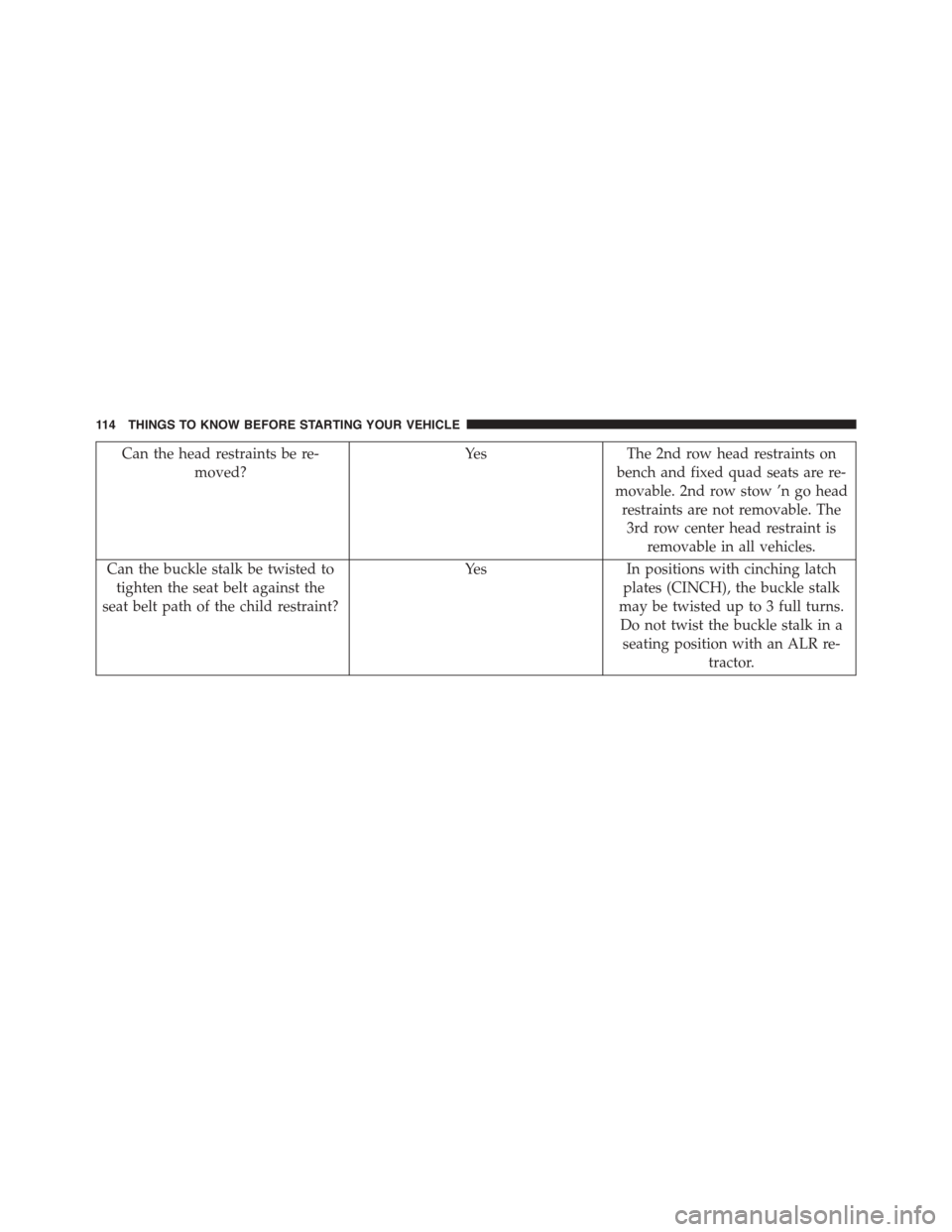
Can the head restraints be re-
moved?
Yes The 2nd row head restraints on
bench and fixed quad seats are re-
movable. 2nd row stow ’n go head
restraints are not removable. The
3rd row center head restraint is
removable in all vehicles.
Can the buckle stalk be twisted to
tighten the seat belt against the
seat belt path of the child restraint?
YesIn positions with cinching latch
plates (CINCH), the buckle stalk
may be twisted up to 3 full turns.
Do not twist the buckle stalk in a
seating position with an ALR re-
tractor.
11 4 T H I N G S TO K N O W B E F O R E S TA R T I N G Y O U R V E H I C L E
Page 130 of 703
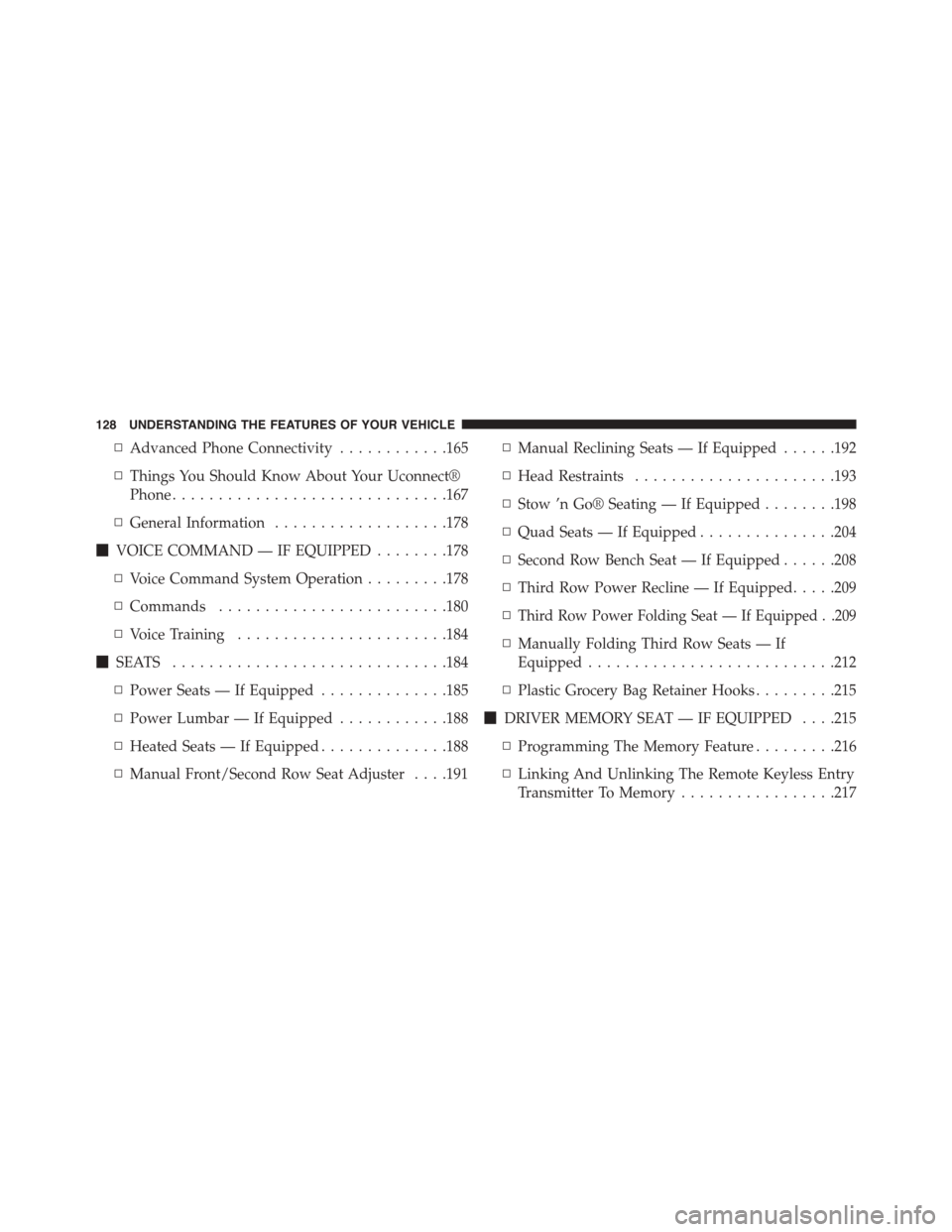
▫Advanced Phone Connectivity............165
▫Things You Should Know About Your Uconnect®
Phone..............................167
▫General Information...................178
!VOICE COMMAND — IF EQUIPPED........178
▫Voice Command System Operation.........178
▫Commands.........................180
▫Voice Training.......................184
!SEATS . . . . . . . . . . . . . . . . . . . . . . . . . . . . ..184
▫Power Seats — If Equipped..............185
▫Power Lumbar — If Equipped............188
▫Heated Seats — If Equipped..............188
▫Manual Front/Second Row Seat Adjuster . . . .191
▫Manual Reclining Seats — If Equipped......192
▫Head Restraints......................193
▫Stow ’n Go® Seating — If Equipped........198
▫Quad Seats — If Equipped...............204
▫Second Row Bench Seat — If Equipped......208
▫Third Row Power Recline — If Equipped.....209
▫Third Row Power Folding Seat — If Equipped . .209
▫Manually Folding Third Row Seats — If
Equipped...........................212
▫Plastic Grocery Bag Retainer Hooks.........215
!DRIVER MEMORY SEAT — IF EQUIPPED . . . .215
▫Programming The Memory Feature.........216
▫Linking And Unlinking The Remote Keyless Entry
Transmitter To Memory.................217
128 UNDERSTANDING THE FEATURES OF YOUR VEHICLE
Page 135 of 703
MIRRORS
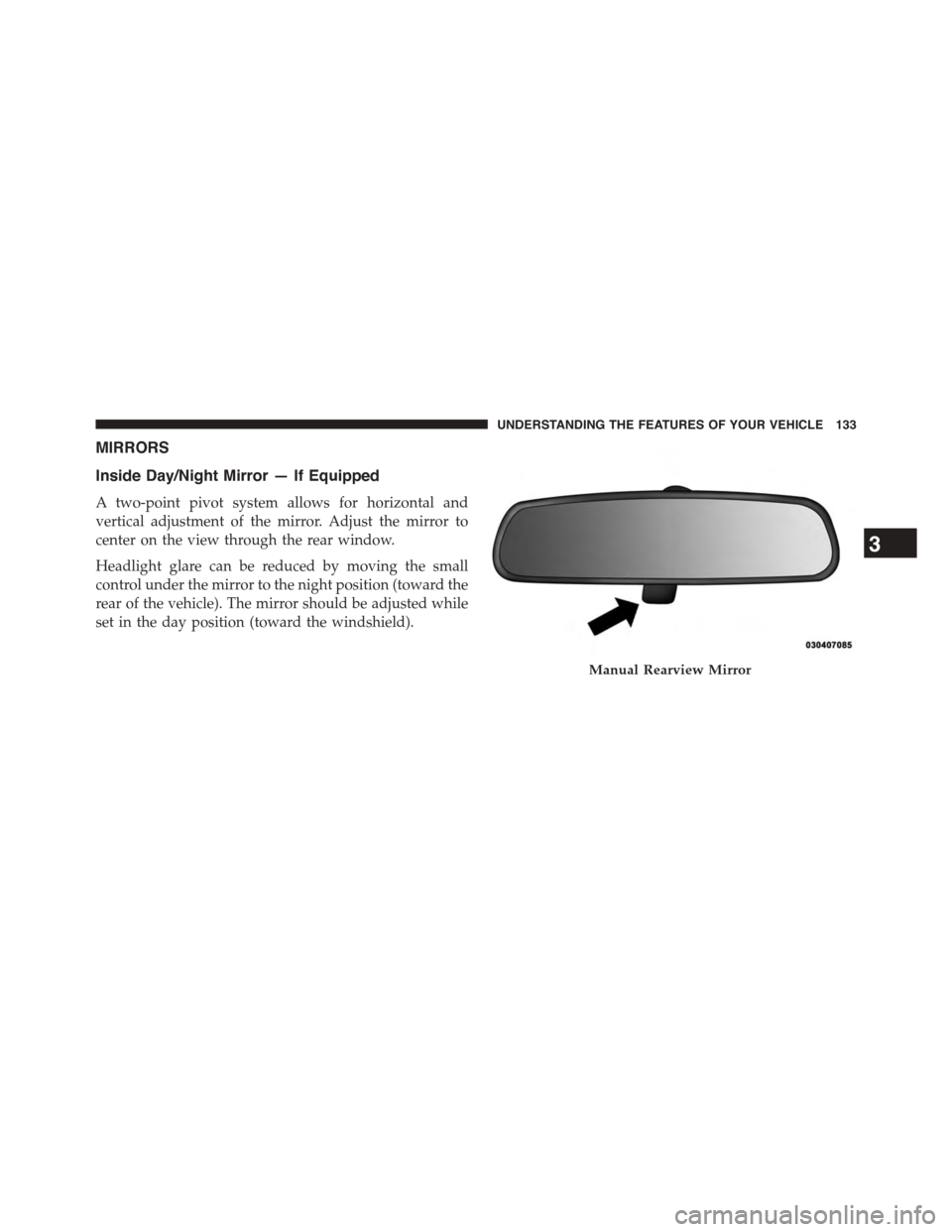
Inside Day/Night Mirror — If Equipped
A two-point pivot system allows for horizontal and
vertical adjustment of the mirror. Adjust the mirror to
center on the view through the rear window.
Headlight glare can be reduced by moving the small
control under the mirror to the night position (toward the
rear of the vehicle). The mirror should be adjusted while
set in the day position (toward the windshield).
Manual Rearview Mirror
3
UNDERSTANDING THE FEATURES OF YOUR VEHICLE 133
Page 142 of 703
Automatic Transmission Vehicles
The BSM system sensors operate when the vehicle is in
any forward gear or REVERSE and enters stand-by mode
when the vehicle is in PARK.
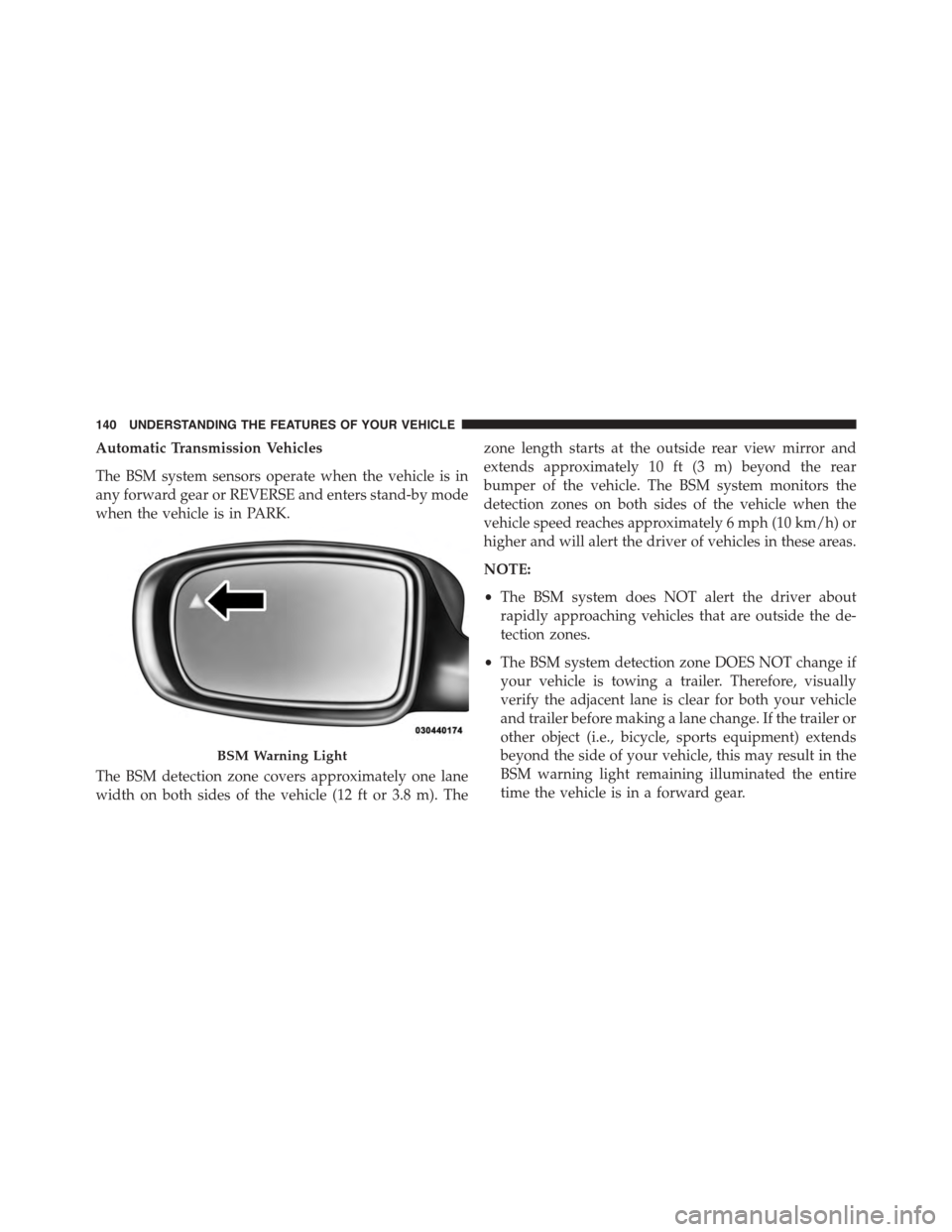
The BSM detection zone covers approximately one lane
width on both sides of the vehicle (12 ft or 3.8 m). The
zone length starts at the outside rear view mirror and
extends approximately 10 ft (3 m) beyond the rear
bumper of the vehicle. The BSM system monitors the
detection zones on both sides of the vehicle when the
vehicle speed reaches approximately 6 mph (10 km/h) or
higher and will alert the driver of vehicles in these areas.
NOTE:
•The BSM system does NOT alert the driver about
rapidly approaching vehicles that are outside the de-
tection zones.
•The BSM system detection zone DOES NOT change if
your vehicle is towing a trailer. Therefore, visually
verify the adjacent lane is clear for both your vehicle
and trailer before making a lane change. If the trailer or
other object (i.e., bicycle, sports equipment) extends
beyond the side of your vehicle, this may result in the
BSM warning light remaining illuminated the entire
time the vehicle is in a forward gear.
BSM Warning Light
140 UNDERSTANDING THE FEATURES OF YOUR VEHICLE
Page 147 of 703
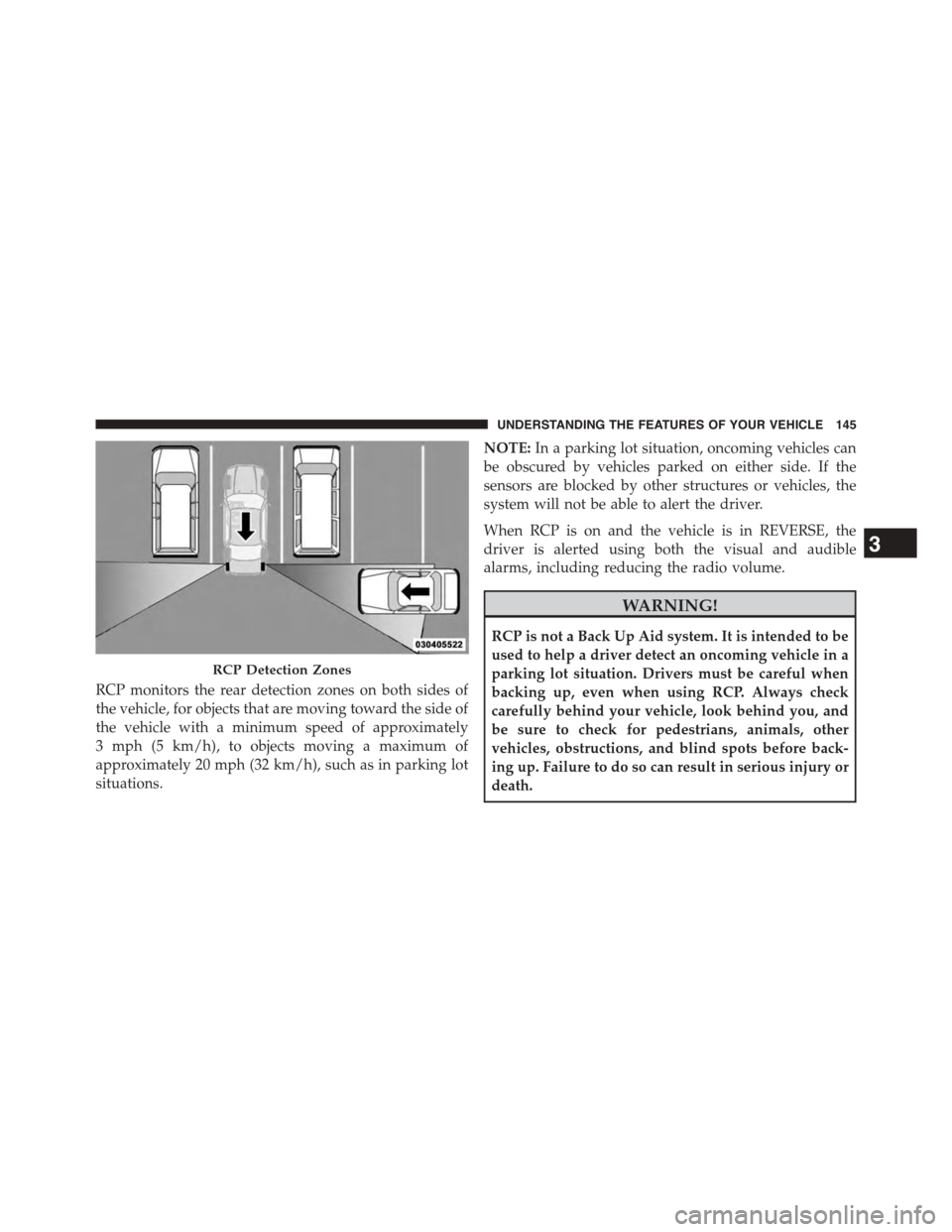
RCP monitors the rear detection zones on both sides of
the vehicle, for objects that are moving toward the side of
the vehicle with a minimum speed of approximately
3 mph (5 km/h), to objects moving a maximum of
approximately 20 mph (32 km/h), such as in parking lot
situations.
NOTE:In a parking lot situation, oncoming vehicles can
be obscured by vehicles parked on either side. If the
sensors are blocked by other structures or vehicles, the
system will not be able to alert the driver.
When RCP is on and the vehicle is in REVERSE, the
driver is alerted using both the visual and audible
alarms, including reducing the radio volume.
WARNING!
RCP is not a Back Up Aid system. It is intended to be
used to help a driver detect an oncoming vehicle in a
parking lot situation. Drivers must be careful when
backing up, even when using RCP. Always check
carefully behind your vehicle, look behind you, and
be sure to check for pedestrians, animals, other
vehicles, obstructions, and blind spots before back-
ing up. Failure to do so can result in serious injury or
death.
RCP Detection Zones
3
UNDERSTANDING THE FEATURES OF YOUR VEHICLE 145
Page 150 of 703
NOTE:The Uconnect® Phone requires a mobile phone
equipped with the Bluetooth® “Hands-Free Profile,”
Version 0.96 or higher. See the Uconnect® website for
supported phones.
For Uconnect® Customer Support:
•U.S. residents - visitUconnectPhone.com or call
1-877-855-8400.
•Canadian residents - visitUconnectPhone.com or
call, 1-800-465-2001 (English) or 1-800-387-9983
(French).
Uconnect® Phone allows you to transfer calls between
the system and your mobile phone as you enter or exit
your vehicle and enables you to mute the system’s
microphone for private conversation.
The Uconnect® Phone is driven through your
Bluetooth® “Hands-Free Profile” mobile phone.
Uconnect® features Bluetooth® technology - the global
standard that enables different electronic devices to con-
nect to each other without wires or a docking station, so
Uconnect® Phone works no matter where you stow your
mobile phone (be it your purse, pocket, or briefcase), as
long as your phone is turned on and has been paired to
the vehicle’s Uconnect® Phone. The Uconnect® Phone
allows up to seven mobile phones to be linked to the
system. Only one linked (or paired) mobile phone can be
used with the system at a time. The system is available in
English, Spanish, or French languages.
WARNING!
Any voice commanded system should be used only
in safe driving conditions following all applicable
laws, including laws regarding phone use. Your at-
tention should be focused on safely operating the
vehicle. Failure to do so may result in a collision
causing serious injury or death.
148 UNDERSTANDING THE FEATURES OF YOUR VEHICLE
Page 164 of 703
•The Uconnect® Phone does slightly lower your
chances of successfully making a phone call as to that
for the mobile phone directly.
WARNING!
To use your Uconnect® Phone System in an emer-
gency, your mobile phone must be:
•turned on,
•paired to the Uconnect® System,
•and have network coverage.
Roadside Assistance/Towing Assistance
If you need roadside assistance:
•Push thebutton to begin.
•After the “Ready” prompt and the following beep, say
“Towing Assistance.”
NOTE:You should program the desired Towing Assis-
tance phone number using the Voice Command system.
To do this, push thebutton and say “Setup,” fol-
lowed by “Towing Assistance.” When prompted say
1-800-521-2779 for U.S./Canada, say 55-14-3454 for
Mexico City and 1-800-712-3040 for outside Mexico
City in Mexico.
Paging
To learn how to page, refer to “Working with Automated
Systems”. Paging works properly except for pagers of
certain companies, which time out a little too soon to
work properly with the Uconnect® Phone.
Voice Mail Calling
To learn how to access your voice mail, refer to “Working
with Automated Systems.”
162 UNDERSTANDING THE FEATURES OF YOUR VEHICLE
Page 179 of 703
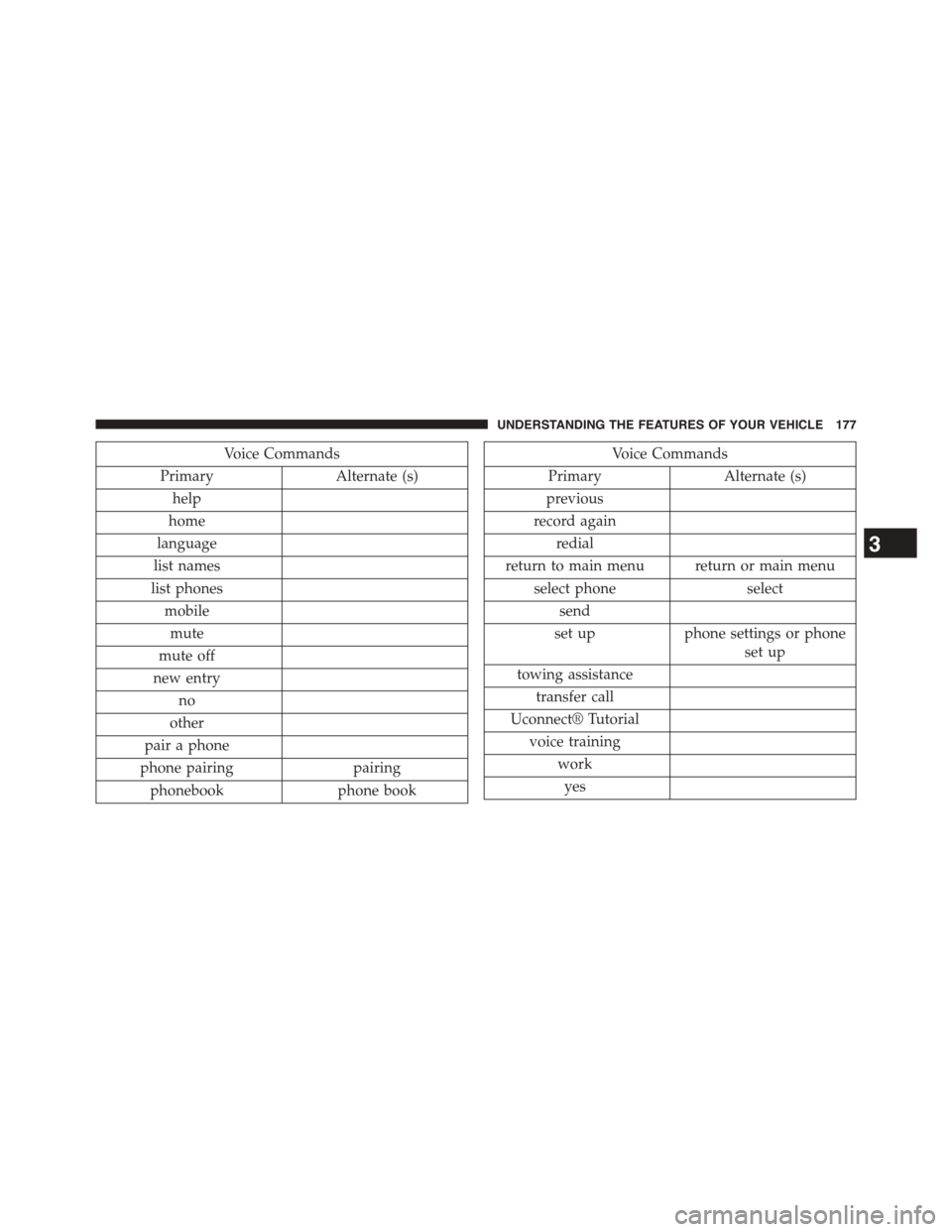
Voice Commands
PrimaryAlternate (s)
help
home
language
list names
list phones
mobile
mute
mute off
new entry
no
other
pair a phone
phone pairingpairing
phonebookphone book
Voice Commands
PrimaryAlternate (s)
previous
record again
redial
return to main menu return or main menu
select phoneselect
send
set upphone settings or phone
set up
towing assistance
transfer call
Uconnect® Tutorial
voice training
work
yes
3
UNDERSTANDING THE FEATURES OF YOUR VEHICLE 177
Page 200 of 703
Head Restraints — Third Row
The head restraint in the center position can be raised and
lowered for tether routing. Refer to “Occupant Re-
straints” in “Things To Know Before Starting Your Ve-
hicle” for further information.
Stow ’n Go® Seating — If Equipped
On vehicles equipped with Stow ’n Go® seating, the
second and third row seats can be folded into the floor for
convenient storage.
Second Row Stow ’n Go®
On vehicles equipped with Stow ’n Go® seats, the seats
will fold and tumble in one motion.
1. Move the front seat fully forward.
2. Recline the front seatback fully forward.
3. Raise the armrests on the second row seat.
NOTE:Seat will not stow in the storage bin unless the
armrests are raised.
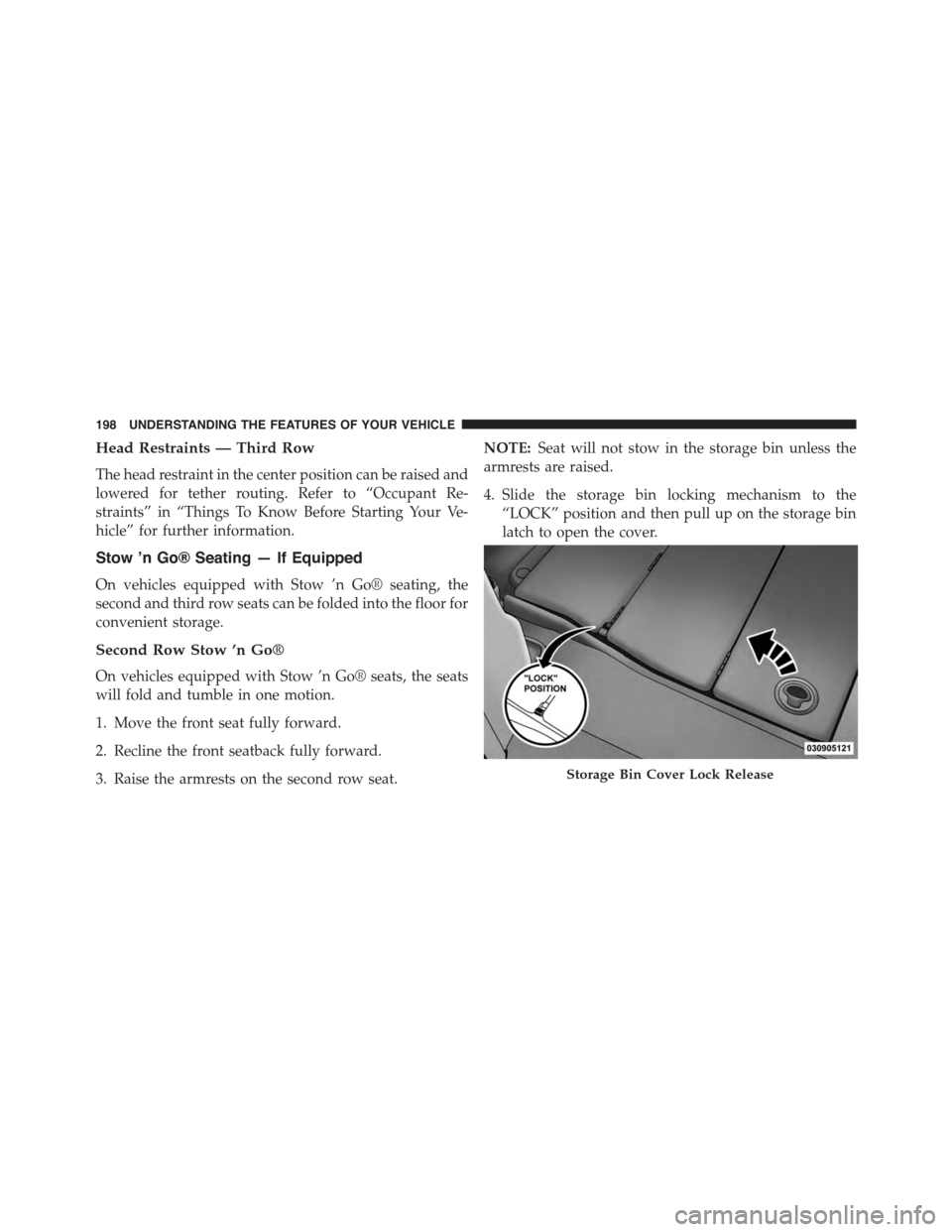
4. Slide the storage bin locking mechanism to the
“LOCK” position and then pull up on the storage bin
latch to open the cover.
Storage Bin Cover Lock Release
198 UNDERSTANDING THE FEATURES OF YOUR VEHICLE
Page 203 of 703
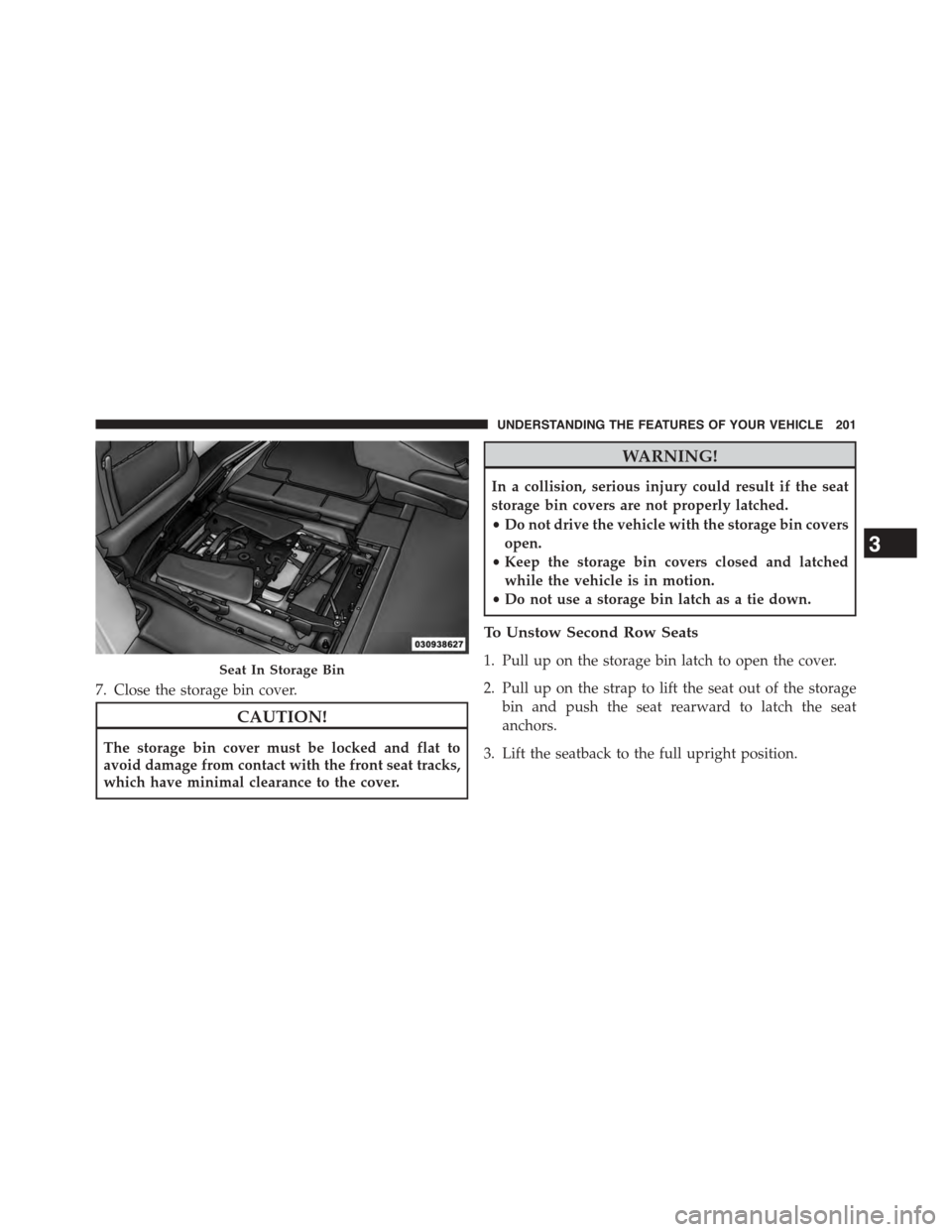
7. Close the storage bin cover.
CAUTION!
The storage bin cover must be locked and flat to
avoid damage from contact with the front seat tracks,
which have minimal clearance to the cover.
WARNING!
In a collision, serious injury could result if the seat
storage bin covers are not properly latched.
•Do not drive the vehicle with the storage bin covers
open.
•Keep the storage bin covers closed and latched
while the vehicle is in motion.
•Do not use a storage bin latch as a tie down.
To Unstow Second Row Seats
1. Pull up on the storage bin latch to open the cover.
2. Pull up on the strap to lift the seat out of the storage
bin and push the seat rearward to latch the seat
anchors.
3. Lift the seatback to the full upright position.
Seat In Storage Bin
3
UNDERSTANDING THE FEATURES OF YOUR VEHICLE 201