display DODGE GRAND CARAVAN 2015 5.G Manual PDF
[x] Cancel search | Manufacturer: DODGE, Model Year: 2015, Model line: GRAND CARAVAN, Model: DODGE GRAND CARAVAN 2015 5.GPages: 703, PDF Size: 19.83 MB
Page 392 of 703
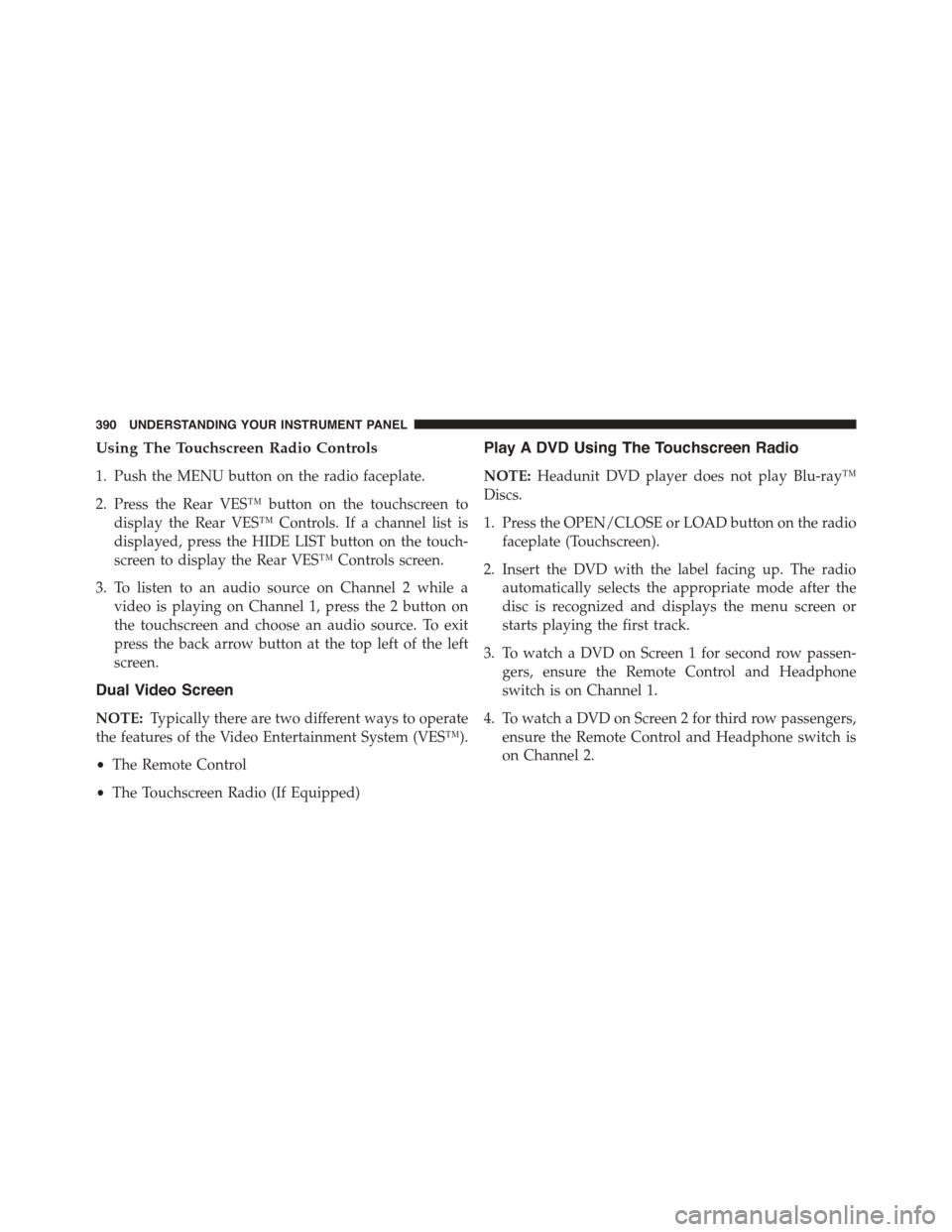
Using The Touchscreen Radio Controls
1. Push the MENU button on the radio faceplate.
2. Press the Rear VES™ button on the touchscreen to
display the Rear VES™ Controls. If a channel list is
displayed, press the HIDE LIST button on the touch-
screen to display the Rear VES™ Controls screen.
3. To listen to an audio source on Channel 2 while a
video is playing on Channel 1, press the 2 button on
the touchscreen and choose an audio source. To exit
press the back arrow button at the top left of the left
screen.
Dual Video Screen
NOTE:Typically there are two different ways to operate
the features of the Video Entertainment System (VES™).
•The Remote Control
•The Touchscreen Radio (If Equipped)
Play A DVD Using The Touchscreen Radio
NOTE:Headunit DVD player does not play Blu-ray™
Discs.
1. Press the OPEN/CLOSE or LOAD button on the radio
faceplate (Touchscreen).
2. Insert the DVD with the label facing up. The radio
automatically selects the appropriate mode after the
disc is recognized and displays the menu screen or
starts playing the first track.
3. To watch a DVD on Screen 1 for second row passen-
gers, ensure the Remote Control and Headphone
switch is on Channel 1.
4. To watch a DVD on Screen 2 for third row passengers,
ensure the Remote Control and Headphone switch is
on Channel 2.
390 UNDERSTANDING YOUR INSTRUMENT PANEL
Page 394 of 703
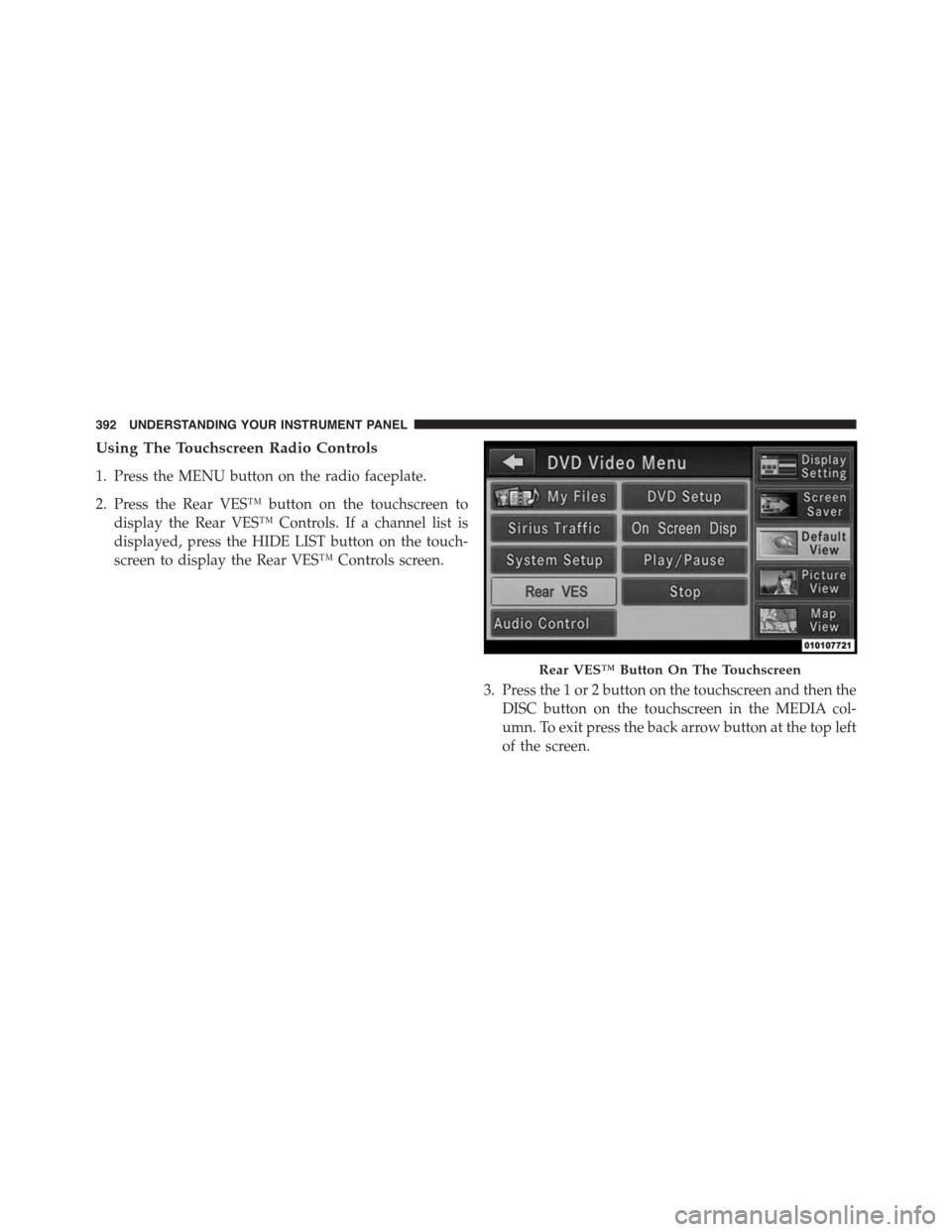
Using The Touchscreen Radio Controls
1. Press the MENU button on the radio faceplate.
2. Press the Rear VES™ button on the touchscreen to
display the Rear VES™ Controls. If a channel list is
displayed, press the HIDE LIST button on the touch-
screen to display the Rear VES™ Controls screen.
3. Press the 1 or 2 button on the touchscreen and then the
DISC button on the touchscreen in the MEDIA col-
umn. To exit press the back arrow button at the top left
of the screen.
Rear VES™ Button On The Touchscreen
392 UNDERSTANDING YOUR INSTRUMENT PANEL
Page 397 of 703
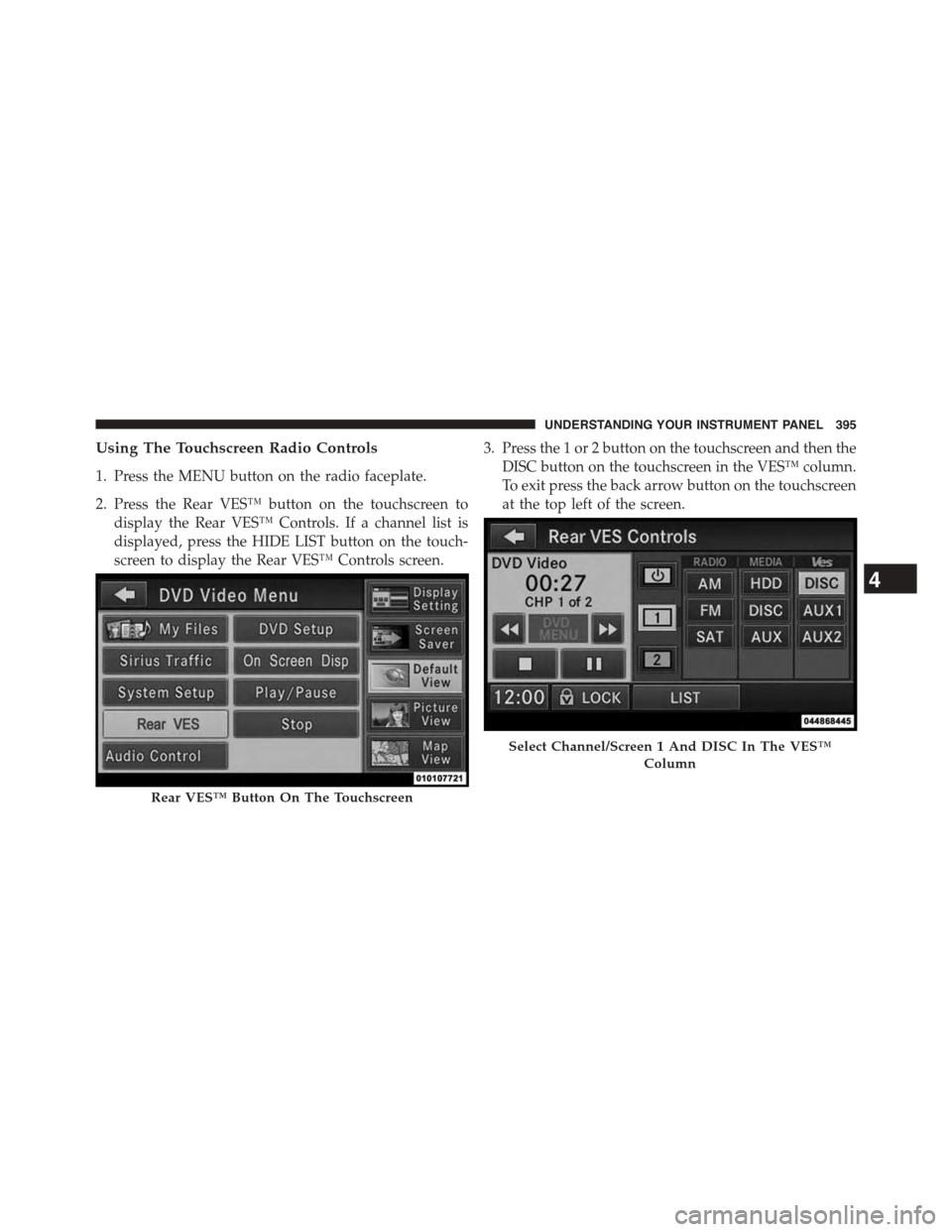
Using The Touchscreen Radio Controls
1. Press the MENU button on the radio faceplate.
2. Press the Rear VES™ button on the touchscreen to
display the Rear VES™ Controls. If a channel list is
displayed, press the HIDE LIST button on the touch-
screen to display the Rear VES™ Controls screen.
3. Press the 1 or 2 button on the touchscreen and then the
DISC button on the touchscreen in the VES™ column.
To exit press the back arrow button on the touchscreen
at the top left of the screen.
Rear VES™ Button On The Touchscreen
Select Channel/Screen 1 And DISC In The VES™
Column
4
UNDERSTANDING YOUR INSTRUMENT PANEL 395
Page 399 of 703
NOTE:
•Channel/Screen 1 select mode information is shown
on the left side of the screen.
•Channel/Screen 2 select mode information is shown
on the right side of the screen.
•The VES™ will retain the last setting when turned off.
Using The Touchscreen Radio Controls
1. Press the MENU button on the radio faceplate.
2. Press the Rear VES™ button on the touchscreen to
display the Rear VES™ Controls. If a channel list is
displayed, press the HIDE LIST button on the touch-
screen to display the Rear VES™ Controls screen.
3. Press the 1 or 2 button on the touchscreen and then the
VES™ Disc button on the touchscreen in the VES™
column. To exit press the back arrow button at the top
left of the screen.
NOTE:
•To view a Blu-ray™ Disc on the radio, press the
RADIO/MEDIA button on the radio faceplate, then
press the VES™ Disc tab button on the touchscreen
and then the VIEW VIDEO button on the touchscreen.
•Viewing a Blu-ray™ Disc on the Touchscreen radio
screen is not available in all states/provinces. If avail-
able, the vehicle must be stopped and the shift lever
must be in the PARK position for vehicles with an
automatic transmission. In vehicles with a manual
transmission the parking brake must be engaged.
Listen To An Audio Source While A Video Is
Playing
Ensure the Remote Control and Headphone switch are on
the same channel. If watching a video on Screen 1
4
UNDERSTANDING YOUR INSTRUMENT PANEL 397
Page 400 of 703
(second row), then Channel 2 could be used for audio. If
watching a video on Screen 2 (third row), then Channel 1
could be used for audio.
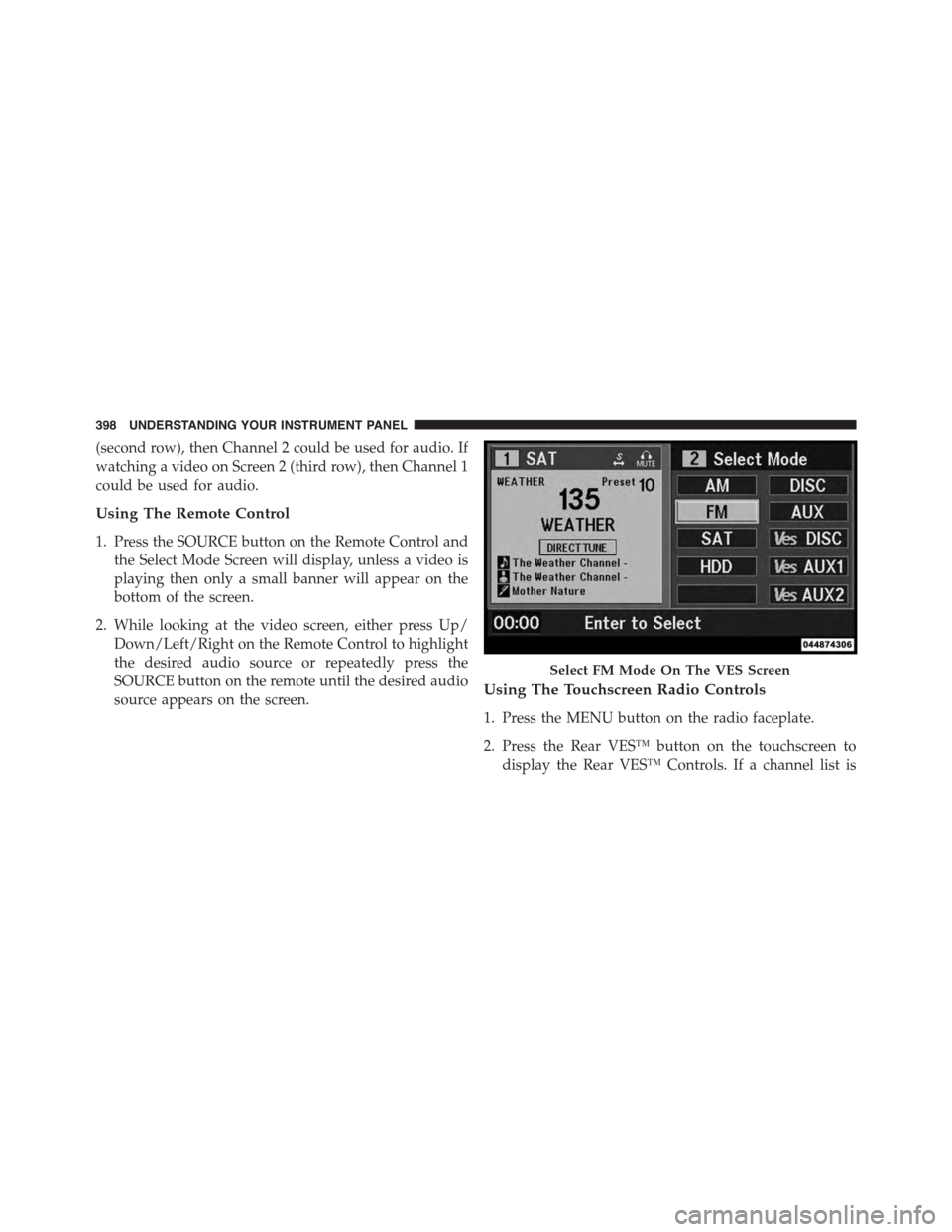
Using The Remote Control
1. Press the SOURCE button on the Remote Control and
the Select Mode Screen will display, unless a video is
playing then only a small banner will appear on the
bottom of the screen.
2. While looking at the video screen, either press Up/
Down/Left/Right on the Remote Control to highlight
the desired audio source or repeatedly press the
SOURCE button on the remote until the desired audio
source appears on the screen.Using The Touchscreen Radio Controls
1. Press the MENU button on the radio faceplate.
2. Press the Rear VES™ button on the touchscreen to
display the Rear VES™ Controls. If a channel list is
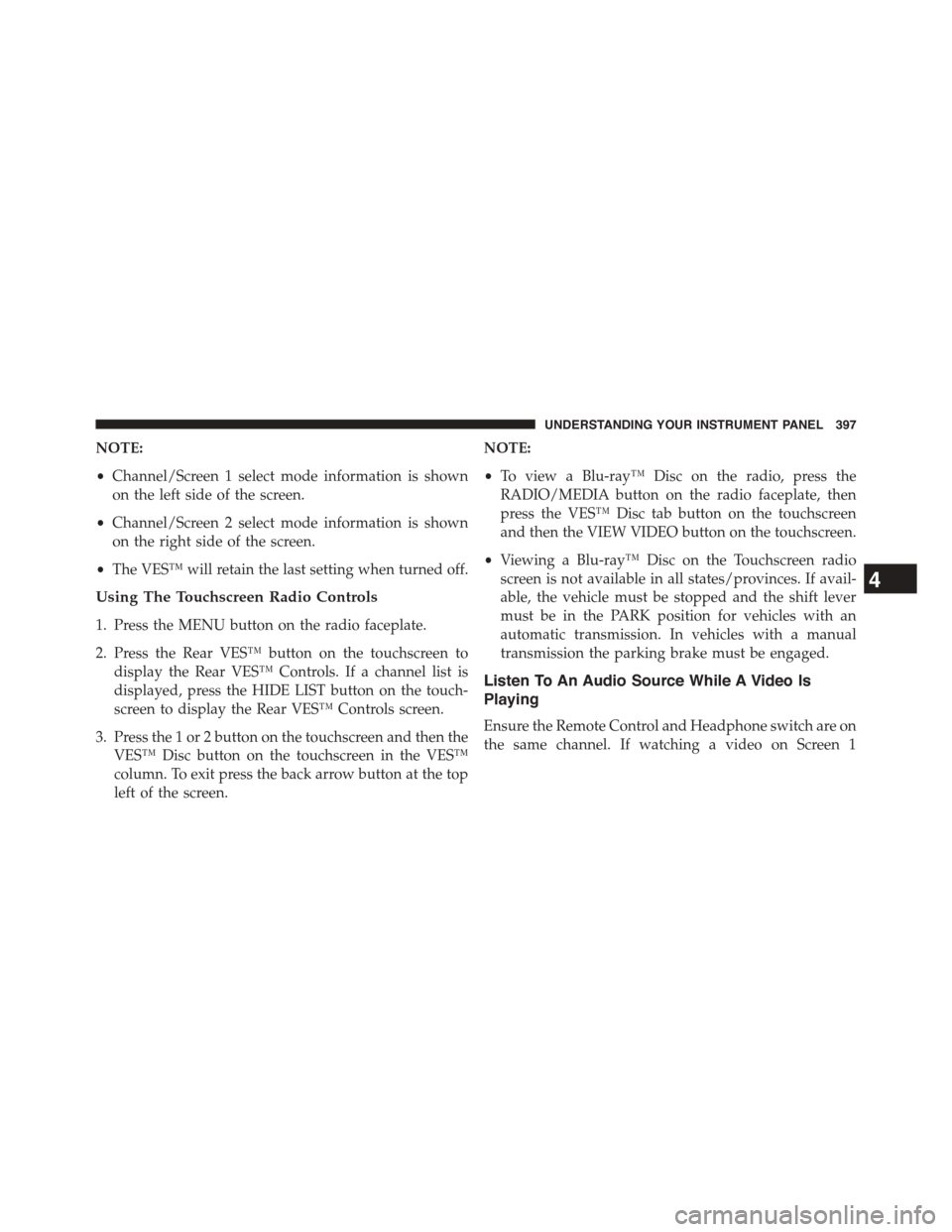
Select FM Mode On The VES Screen
398 UNDERSTANDING YOUR INSTRUMENT PANEL
Page 401 of 703
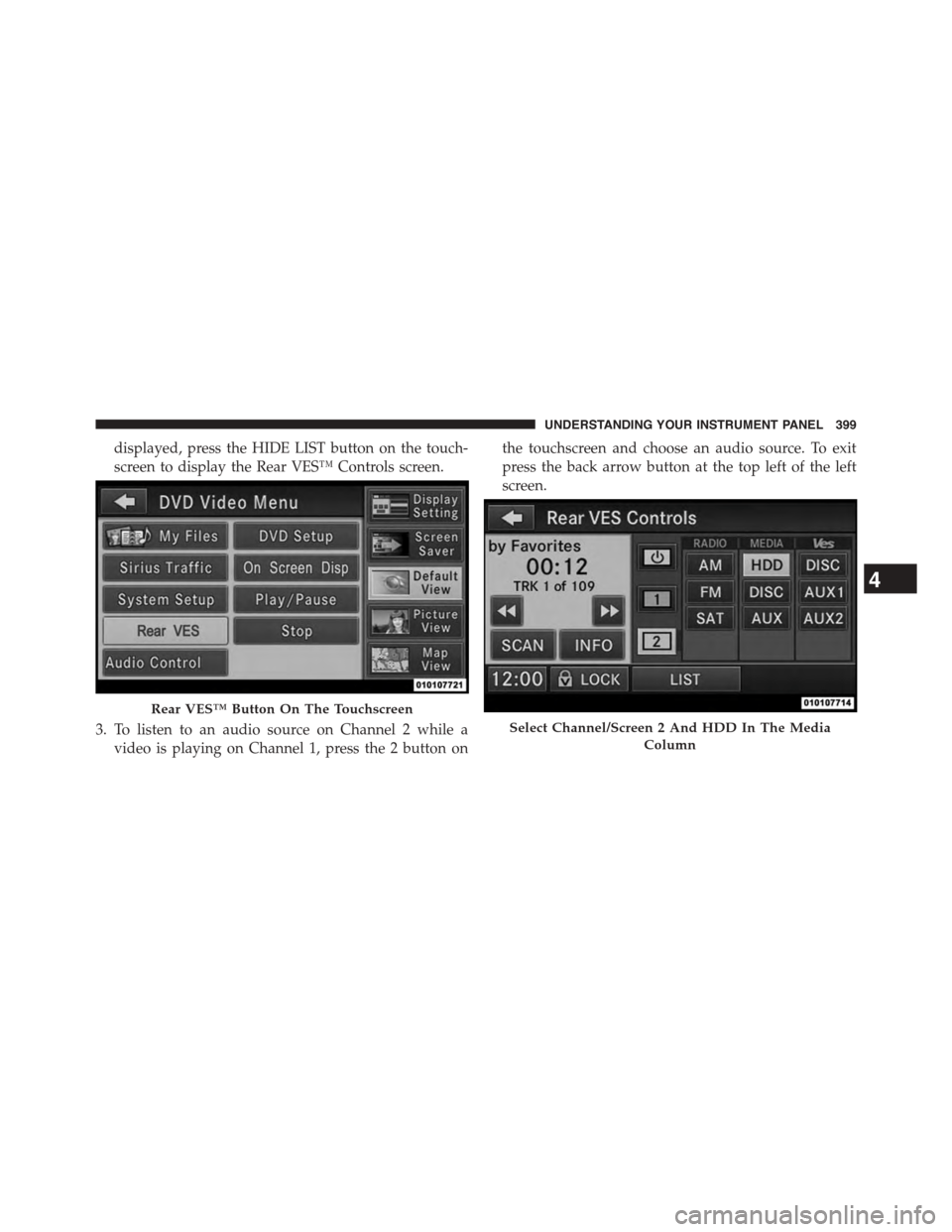
displayed, press the HIDE LIST button on the touch-
screen to display the Rear VES™ Controls screen.
3. To listen to an audio source on Channel 2 while a
video is playing on Channel 1, press the 2 button on
the touchscreen and choose an audio source. To exit
press the back arrow button at the top left of the left
screen.
Rear VES™ Button On The Touchscreen
Select Channel/Screen 2 And HDD In The Media
Column
4
UNDERSTANDING YOUR INSTRUMENT PANEL 399
Page 402 of 703
Important Notes For Dual Video Screen System
•VES™ is able to transmit two channels of stereo audio
and video simultaneously.
•The Blu-ray™ Disc Player can play CDs, DVDs and
Blu-ray™ Discs.
•The DVD Player can play CDs and DVDs.
•In split screen mode the left side equates to Channel 1
and the right side equates to Channel 2.
•Selecting a video source on Channel 1, the video
source will display on the second row screen or Screen
1 and can be heard on Channel 1.
•Selecting a video source on Channel 2, the video
source will display on the third row screen or Screen 2
and can be heard on Channel 2.
•The 2nd row screen and 3rd row screen of the Video
Entertainment System can play two separate discs by
utilizing the touchscreen radio DVD player and Blu-
ray™ Disc Player.
•Audio can be heard through the headphones even
when the screen(s) are closed.
400 UNDERSTANDING YOUR INSTRUMENT PANEL
Page 411 of 703
Controls
The headphone power indicator and controls are located
on the right ear cup.
NOTE:The rear video system must be turned on before
sound can be heard from the headphones. To conserve
battery life, the headphones will automatically turn off
approximately three minutes after the rear video system
is turned off.
Changing The Audio Mode For Headphones
1. Ensure the Remote Control channel/screen selector
switch is in the same position as the headphone
selector switch.
NOTE:
•When both switches are on Channel 1, the Remote is
controlling Channel 1 and the headphones are tuned
to the audio of the VES™ Channel 1.
•When both switches are on Channel 2, the Remote is
controlling Channel 2 and the headphones are tuned
to the audio of the VES™ Channel 2.
2. Press the SOURCE button on the remote control.
3. If the video screen is displaying a video source (such
as a DVD Video), pressing DISPLAY shows the status
on a popup banner at the bottom of the screen.
Pressing the SOURCE button will advance to the next
mode. When the mode is in an audio only source (such
as FM), the Mode Selection menu appears on screen.
4
UNDERSTANDING YOUR INSTRUMENT PANEL 409
Page 414 of 703
visible on the radio’s display for that channel, and the
shared icon will be visible on the VES™ screen. When in
shared mode, the same audio source is heard in the
shared headphone channel 1 or channel 2.
If the radio functions (FM, AM, or SAT) are in the shared
mode with the VES™, only the radio is able to control the
radio functions. In this case, VES™ can share the radio
mode, but not change stations until the radio mode is
changed to a mode that is different from the VES™
selected radio mode. When shared, the radio has priority
over the VES™ or all radio modes (FM, AM, and SAT).
The VES™ has the ability to switch tuner (AM/FM),
SEEK, SCAN, TUNE, and recall presets in radio modes as
long as it is not in shared mode.
When in shared disc mode both the radio and the VES™
have control of the video functions. The VES™ has the
ability to control the following video modes:
1. CD: Ability to Fast Forward, Rewind, Scan, and Track
Up/Down.
2. CD Changer (in radio): Ability to Disk Up/Down and
program all listed CD controls (Fast Forward, Rewind,
Scan, and Track Up/Down).
The VES™ can even control radio modes or video modes
while the radio is turned off. The VES™ can access the
radio modes or disc modes by navigating to those modes
on the VES™ and activating a radio mode or disc mode.
412 UNDERSTANDING YOUR INSTRUMENT PANEL
Page 415 of 703
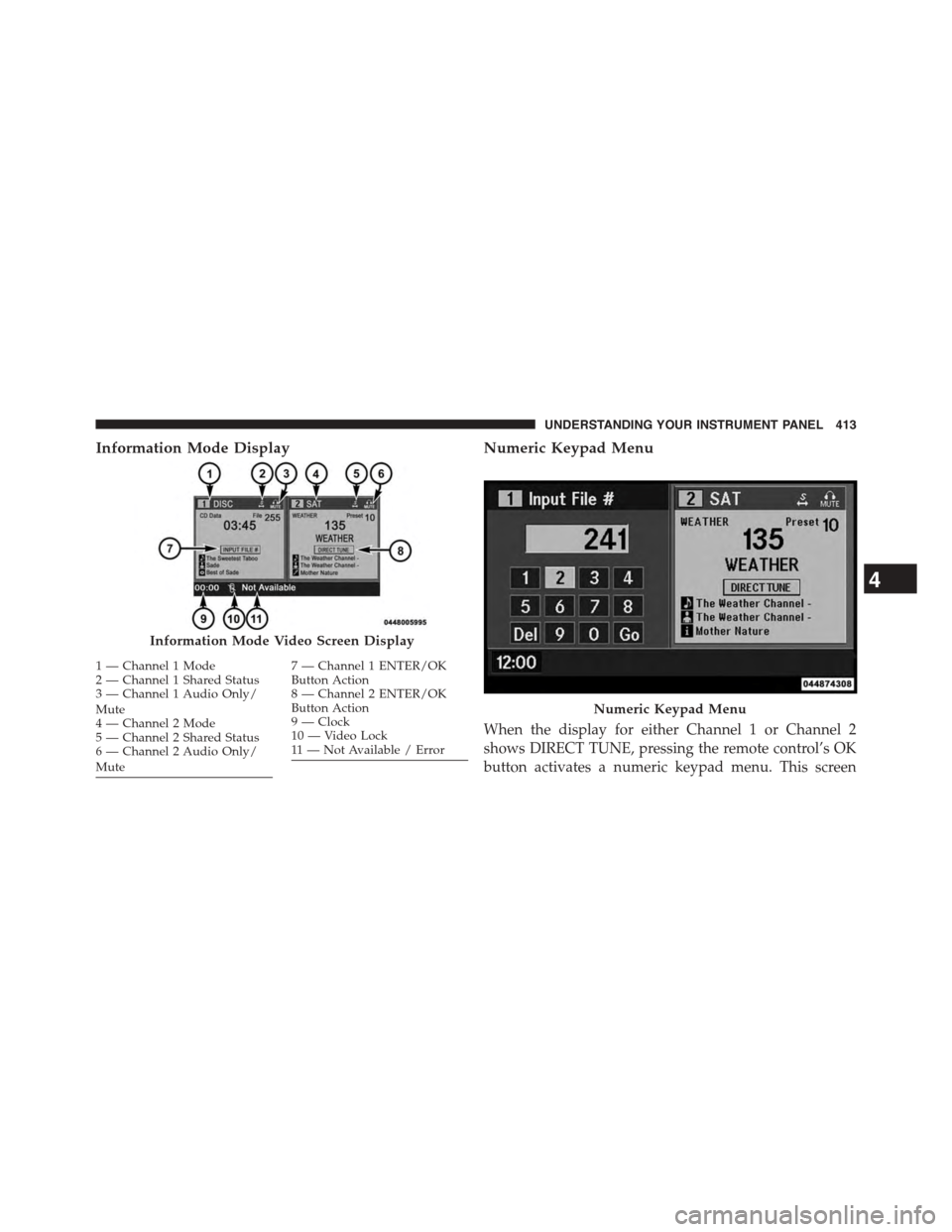
Information Mode DisplayNumeric Keypad Menu
When the display for either Channel 1 or Channel 2
shows DIRECT TUNE, pressing the remote control’s OK
button activates a numeric keypad menu. This screen
Information Mode Video Screen Display
1—Channel1Mode2—Channel1SharedStatus3—Channel1AudioOnly/Mute4—Channel2Mode5—Channel2SharedStatus6—Channel2AudioOnly/Mute
7—Channel1ENTER/OKButton Action8—Channel2ENTER/OKButton Action9—Clock10 — Video Lock11 — Not Available / Error
Numeric Keypad Menu
4
UNDERSTANDING YOUR INSTRUMENT PANEL 413