ignition DODGE GRAND CARAVAN 2019 Owner's Manual
[x] Cancel search | Manufacturer: DODGE, Model Year: 2019, Model line: GRAND CARAVAN, Model: DODGE GRAND CARAVAN 2019Pages: 490, PDF Size: 3.84 MB
Page 119 of 490
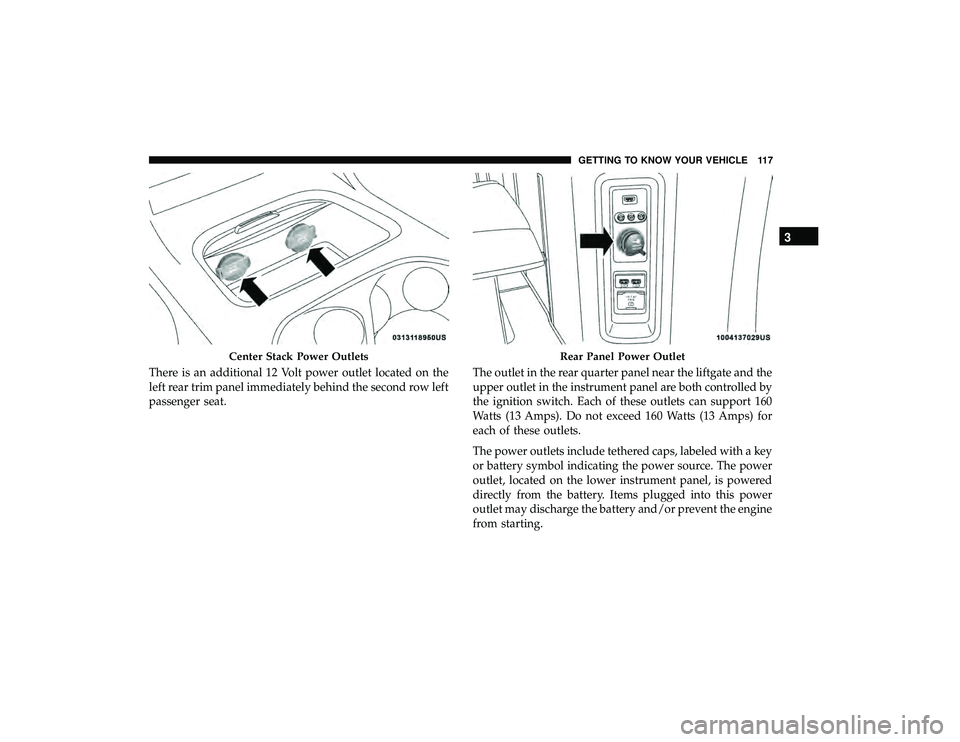
There is an additional 12 Volt power outlet located on the
left rear trim panel immediately behind the second row left
passenger seat.The outlet in the rear quarter panel near the liftgate and the
upper outlet in the instrument panel are both controlled by
the ignition switch. Each of these outlets can support 160
Watts (13 Amps). Do not exceed 160 Watts (13 Amps) for
each of these outlets.
The power outlets include tethered caps, labeled with a key
or battery symbol indicating the power source. The power
outlet, located on the lower instrument panel, is powered
directly from the battery. Items plugged into this power
outlet may discharge the battery and/or prevent the engine
from starting.
Center Stack Power OutletsRear Panel Power Outlet
3
GETTING TO KNOW YOUR VEHICLE 117
Page 134 of 490
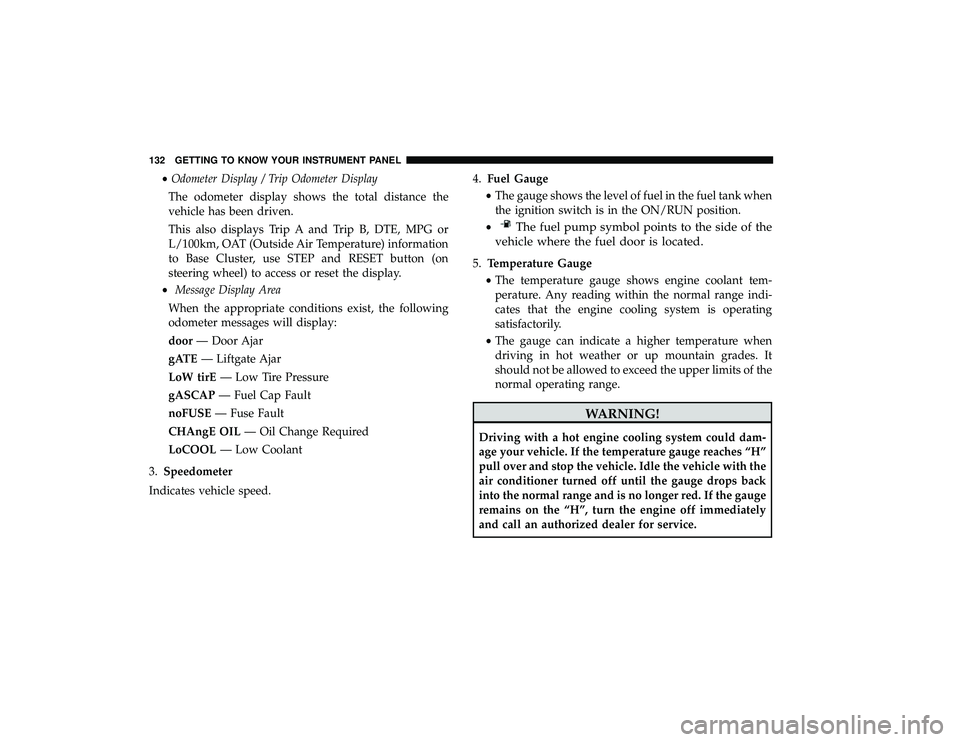
•Odometer Display / Trip Odometer Display
The odometer display shows the total distance the
vehicle has been driven.
This also displays Trip A and Trip B, DTE, MPG or
L/100km, OAT (Outside Air Temperature) information
to Base Cluster, use STEP and RESET button (on
steering wheel) to access or reset the display.
• Message Display Area
When the appropriate conditions exist, the following
odometer messages will display:
door — Door Ajar
gATE — Liftgate Ajar
LoW tirE — Low Tire Pressure
gASCAP — Fuel Cap Fault
noFUSE — Fuse Fault
CHAngE OIL — Oil Change Required
LoCOOL — Low Coolant
3. Speedometer
Indicates vehicle speed. 4.
Fuel Gauge
• The gauge shows the level of fuel in the fuel tank when
the ignition switch is in the ON/RUN position.
•
The fuel pump symbol points to the side of the
vehicle where the fuel door is located.
5. Temperature Gauge
• The temperature gauge shows engine coolant tem-
perature. Any reading within the normal range indi-
cates that the engine cooling system is operating
satisfactorily.
• The gauge can indicate a higher temperature when
driving in hot weather or up mountain grades. It
should not be allowed to exceed the upper limits of the
normal operating range.
WARNING!
Driving with a hot engine cooling system could dam-
age your vehicle. If the temperature gauge reaches “H”
pull over and stop the vehicle. Idle the vehicle with the
air conditioner turned off until the gauge drops back
into the normal range and is no longer red. If the gauge
remains on the “H”, turn the engine off immediately
and call an authorized dealer for service.
132 GETTING TO KNOW YOUR INSTRUMENT PANEL
Page 135 of 490
WARNING!
A hot engine cooling system is dangerous. You or
others could be badly burned by steam or boiling
coolant. You may want to call an authorized dealer for
service if your vehicle overheats. If you decide to look
under the hood yourself, see “Servicing And Mainte-
nance”.
NOTE: The hard telltales will illuminate for a bulb check
when the ignition is first cycled.
INSTRUMENT CLUSTER DISPLAY
Your vehicle is equipped with an instrument cluster dis-
play, which offers useful information to the driver. With the
ignition in the STOP/OFF position (and the key removed,
for vehicles with mechanical key), opening/closing of a
door will activate the display for viewing, and display the
total miles or kilometers in the odometer. Your instrument
cluster display is designed to display important informa-
tion about your vehicle’s systems and features. Using a
driver interactive display located on the instrument panel,
your instrument cluster display can show you how sys-
tems are working and give you warnings when they are not. The steering wheel mounted controls allow you to
scroll through and enter the main menus and sub-menus.
You can access the specific information you want and make
selections and adjustments.
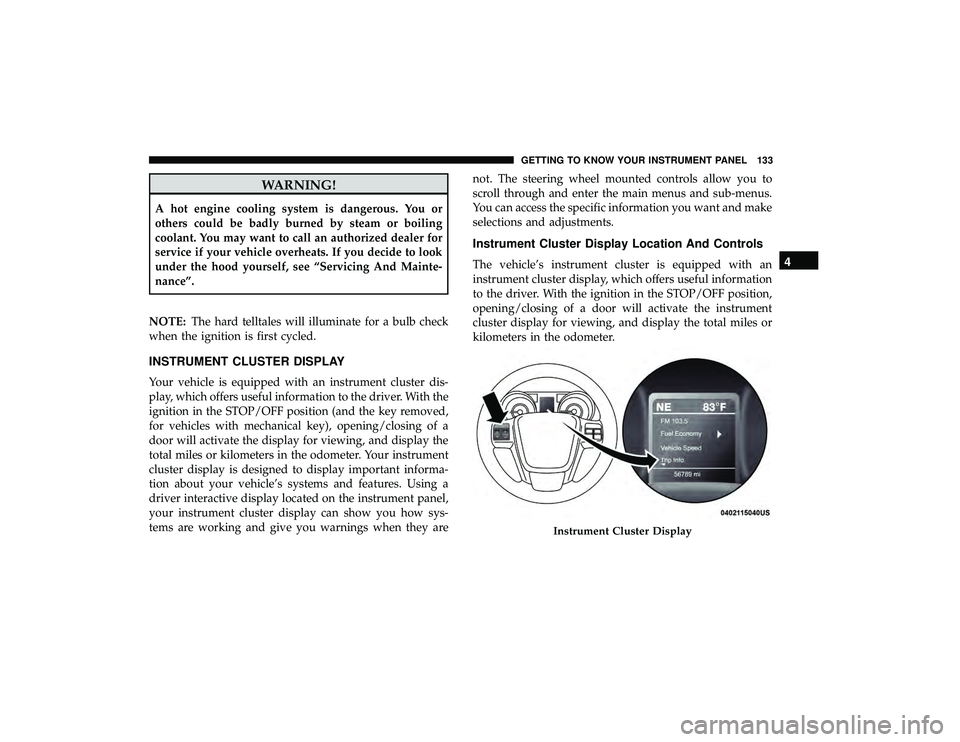
Instrument Cluster Display Location And Controls
The vehicle’s instrument cluster is equipped with an
instrument cluster display, which offers useful information
to the driver. With the ignition in the STOP/OFF position,
opening/closing of a door will activate the instrument
cluster display for viewing, and display the total miles or
kilometers in the odometer.
Instrument Cluster Display
4
GETTING TO KNOW YOUR INSTRUMENT PANEL 133
Page 137 of 490
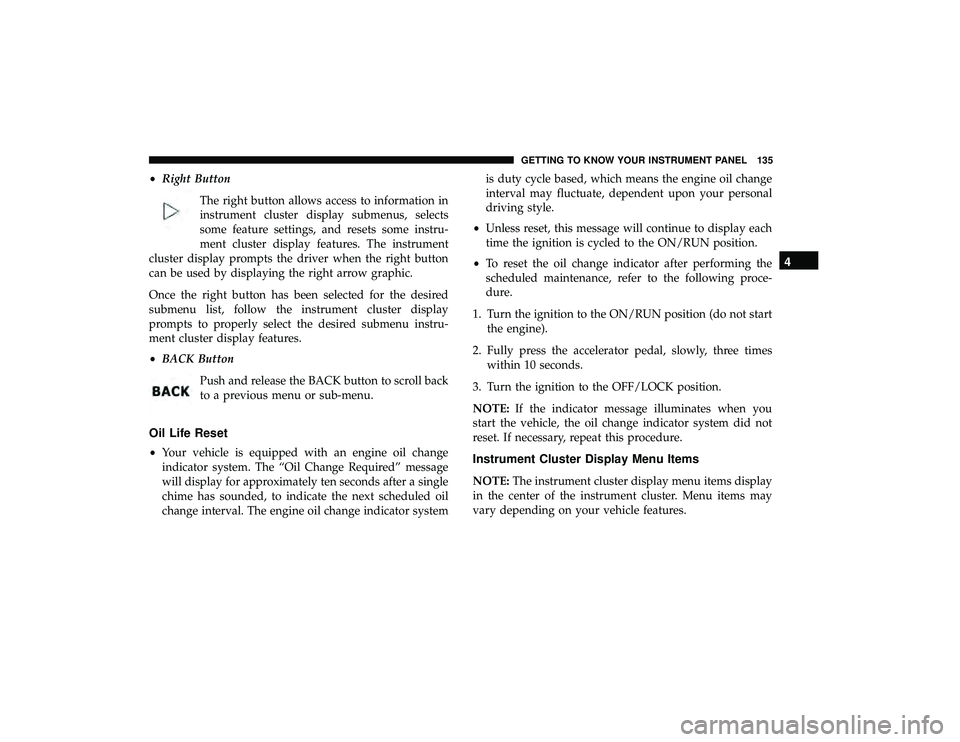
•Right Button
The right button allows access to information in
instrument cluster display submenus, selects
some feature settings, and resets some instru-
ment cluster display features. The instrument
cluster display prompts the driver when the right button
can be used by displaying the right arrow graphic.
Once the right button has been selected for the desired
submenu list, follow the instrument cluster display
prompts to properly select the desired submenu instru-
ment cluster display features.
• BACK Button
Push and release the BACK button to scroll back
to a previous menu or sub-menu.
Oil Life Reset
•Your vehicle is equipped with an engine oil change
indicator system. The “Oil Change Required” message
will display for approximately ten seconds after a single
chime has sounded, to indicate the next scheduled oil
change interval. The engine oil change indicator system is duty cycle based, which means the engine oil change
interval may fluctuate, dependent upon your personal
driving style.
• Unless reset, this message will continue to display each
time the ignition is cycled to the ON/RUN position.
• To reset the oil change indicator after performing the
scheduled maintenance, refer to the following proce-
dure.
1. Turn the ignition to the ON/RUN position (do not start the engine).
2. Fully press the accelerator pedal, slowly, three times within 10 seconds.
3. Turn the ignition to the OFF/LOCK position.
NOTE: If the indicator message illuminates when you
start the vehicle, the oil change indicator system did not
reset. If necessary, repeat this procedure.Instrument Cluster Display Menu Items
NOTE: The instrument cluster display menu items display
in the center of the instrument cluster. Menu items may
vary depending on your vehicle features.
4
GETTING TO KNOW YOUR INSTRUMENT PANEL 135
Page 140 of 490
Automatic Compass Calibration
This compass is self-calibrating, which eliminates the need
to set the compass manually. When the vehicle is new, the
compass may appear erratic, and the instrument cluster
display will display “CAL” until the compass is calibrated.
You may also calibrate the compass by completing one or
more 360–degree turns (in an area free from large metal or
metallic objects) until the “CAL” message displayed in the
instrument cluster display turns off. The compass will now
function normally.
NOTE:A good calibration requires a level surface and an
environment free from large metallic objects such as build-
ings, bridges, underground cables, railroad tracks, etc.
Manual Compass Calibration
If the compass appears erratic and the CAL indicator does
not appear in the instrument cluster display, you must put
the compass into the Calibration Mode manually, as fol-
lows:
1. Turn ON the ignition switch.
2. Push and release the upordown arrow button until the
System Setup (Customer-Programmable Features) menu
is reached, then push and release the rightarrow button. 3. Push and release the
downbutton until “Calibrate
Compass” is displayed in the instrument cluster display
then push and release the rightbutton.
4. Push and release the rightbutton to start the calibration.
The “CAL” indicator will be displayed in the instrument
cluster display.
5. Complete one or more 360–degree turns (in an area free from large metal or metallic objects) until the “CAL”
indicator turns off. The compass will now function
normally.
Compass Variance
Compass Variance is the difference between Magnetic
North and Geographic North. To compensate for the
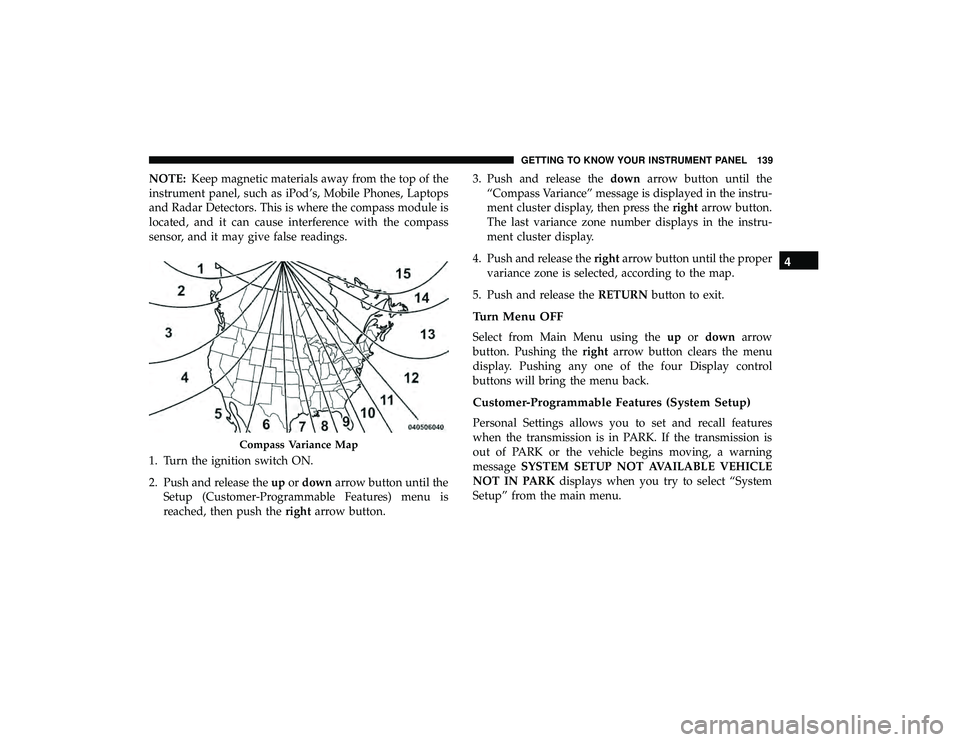
differences the variance should be set for the zone where
the vehicle is driven, per the zone map. Once properly set,
the compass will automatically compensate for the differ-
ences, and provide the most accurate compass heading. For
the most accurate compass performance, the compass must
be set using the following steps.
138 GETTING TO KNOW YOUR INSTRUMENT PANEL
Page 141 of 490
NOTE:Keep magnetic materials away from the top of the
instrument panel, such as iPod’s, Mobile Phones, Laptops
and Radar Detectors. This is where the compass module is
located, and it can cause interference with the compass
sensor, and it may give false readings.
1. Turn the ignition switch ON.
2. Push and release the upordown arrow button until the
Setup (Customer-Programmable Features) menu is
reached, then push the rightarrow button. 3. Push and release the
downarrow button until the
“Compass Variance” message is displayed in the instru-
ment cluster display, then press the rightarrow button.
The last variance zone number displays in the instru-
ment cluster display.
4. Push and release the rightarrow button until the proper
variance zone is selected, according to the map.
5. Push and release the RETURNbutton to exit.
Turn Menu OFF
Select from Main Menu using the upordown arrow
button. Pushing the rightarrow button clears the menu
display. Pushing any one of the four Display control
buttons will bring the menu back.
Customer-Programmable Features (System Setup)
Personal Settings allows you to set and recall features
when the transmission is in PARK. If the transmission is
out of PARK or the vehicle begins moving, a warning
message SYSTEM SETUP NOT AVAILABLE VEHICLE
NOT IN PARK displays when you try to select “System
Setup” from the main menu.
Compass Variance Map
4
GETTING TO KNOW YOUR INSTRUMENT PANEL 139
Page 144 of 490
Headlamps With Wipers (Available With Auto
Headlights Only)
When ON is selected, and the headlight switch is in the
AUTO position, the headlights will turn on approximately
10 seconds after the wipers are turned on. The headlights
will also turn off when the wipers are turned off if they
were turned on by this feature. To make your selection,
push and release therightarrow button until a check-mark
appears next to the setting, showing that the setting has
been selected.
NOTE: Turning the headlights on during the daytime
causes the instrument panel lights to dim. To increase the
brightness, refer to “Interior Lights” in “Getting To Know
Your Vehicle.”
Intermittent Wiper Options — If Equipped
When ON is selected, the system will automatically acti-
vate the windshield wipers if it senses moisture on the
windshield. To make your selection, push and release the
right arrow button until a check-mark appears next to the
feature showing the system has been activated or the
check-mark is removed showing the system has been
deactivated. When the system is deactivated, the system
reverts to the standard intermittent wiper operation. Key-Off Power Delay
When this feature is selected, the power window switches,
radio, Uconnect phone (if equipped), DVD video system (if
equipped), power sunroof (if equipped), and power outlets
will remain active for up to 10 minutes after the ignition
switch is turned OFF. Opening either front vehicle door
will cancel this feature. To make your selection, scroll up or
down until the preferred setting is highlighted, then push
and release the
rightarrow button until a check-mark
appears next to the setting, showing that the setting has
been selected.
Illuminated Approach
When this feature is selected, the headlights will activate
and remain on for up to 90 seconds when the doors are
unlocked with the key fob. To make your selection, scroll
up or down until the preferred setting is highlighted, then
push and release the rightarrow button until a check-mark
appears next to the setting, showing that the setting has
been selected.
Hill Start Assist (HSA) — If Equipped
When on is selected, the HSA system is active. Refer to
“Electronic Brake Control System” in “Safety” for system
142 GETTING TO KNOW YOUR INSTRUMENT PANEL
Page 146 of 490
Calibrate Compass
Push therightarrow button to calibrate the compass.
TRIP COMPUTER
Push and release the up or down arrow button until “Trip
Info” is highlighted in the instrument cluster display and
push the right button. Push and release the up or down
arrow button to highlight one of the following functions.
Trip A
•Shows the total distance traveled for Trip A since the last
reset.
• Shows the elapsed time traveled for Trip A since the last
reset.
Trip B
• Shows the total distance traveled for Trip B since the last
reset.
• Shows the elapsed time traveled for Trip B since the last
reset. Elapsed Time
Shows the total elapsed time of travel since the last reset
when the ignition switch is in the ACC position. Elapsed
time will increment when the ignition switch is in the ON
or START position.
To Reset A Trip Function
Reset will only occur while a resettable function is selected
(highlighted). Push and hold the right arrow button to
clear the resettable function being displayed.
WARNING LIGHTS AND MESSAGES
The warning/indicator lights will illuminate in the instru-
ment panel together with a dedicated message and/or
acoustic signal when applicable. These indications are
indicative and precautionary and as such must not be
considered as exhaustive and/or alternative to the infor-
mation contained in the Owner ’s Manual, which you are
advised to read carefully in all cases. Always refer to the
information in this chapter in the event of a failure indica-
tion. All active telltales will display first if applicable. The
system check menu may appear different based upon
equipment options and current vehicle status. Some tell-
tales are optional and may not appear.
144 GETTING TO KNOW YOUR INSTRUMENT PANEL
Page 147 of 490
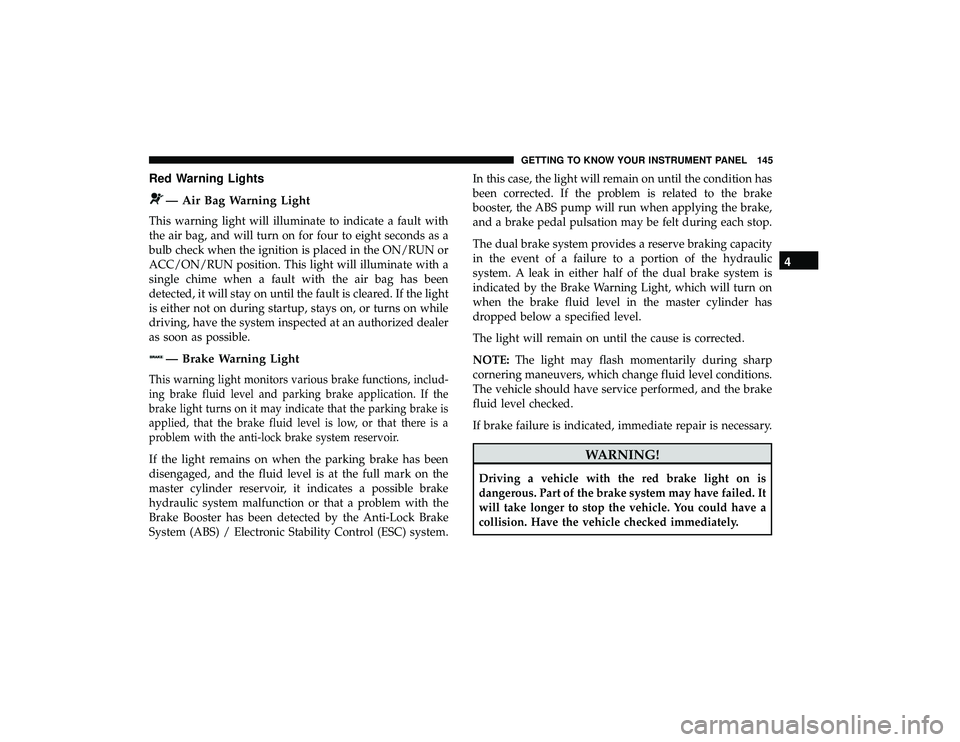
Red Warning Lights
— Air Bag Warning Light
This warning light will illuminate to indicate a fault with
the air bag, and will turn on for four to eight seconds as a
bulb check when the ignition is placed in the ON/RUN or
ACC/ON/RUN position. This light will illuminate with a
single chime when a fault with the air bag has been
detected, it will stay on until the fault is cleared. If the light
is either not on during startup, stays on, or turns on while
driving, have the system inspected at an authorized dealer
as soon as possible.
— Brake Warning Light
This warning light monitors various brake functions, includ-
ing brake fluid level and parking brake application. If the
brake light turns on it may indicate that the parking brake is
applied, that the brake fluid level is low, or that there is a
problem with the anti-lock brake system reservoir.
If the light remains on when the parking brake has been
disengaged, and the fluid level is at the full mark on the
master cylinder reservoir, it indicates a possible brake
hydraulic system malfunction or that a problem with the
Brake Booster has been detected by the Anti-Lock Brake
System (ABS) / Electronic Stability Control (ESC) system.In this case, the light will remain on until the condition has
been corrected. If the problem is related to the brake
booster, the ABS pump will run when applying the brake,
and a brake pedal pulsation may be felt during each stop.
The dual brake system provides a reserve braking capacity
in the event of a failure to a portion of the hydraulic
system. A leak in either half of the dual brake system is
indicated by the Brake Warning Light, which will turn on
when the brake fluid level in the master cylinder has
dropped below a specified level.
The light will remain on until the cause is corrected.
NOTE:
The light may flash momentarily during sharp
cornering maneuvers, which change fluid level conditions.
The vehicle should have service performed, and the brake
fluid level checked.
If brake failure is indicated, immediate repair is necessary.WARNING!
Driving a vehicle with the red brake light on is
dangerous. Part of the brake system may have failed. It
will take longer to stop the vehicle. You could have a
collision. Have the vehicle checked immediately.
4
GETTING TO KNOW YOUR INSTRUMENT PANEL 145
Page 148 of 490
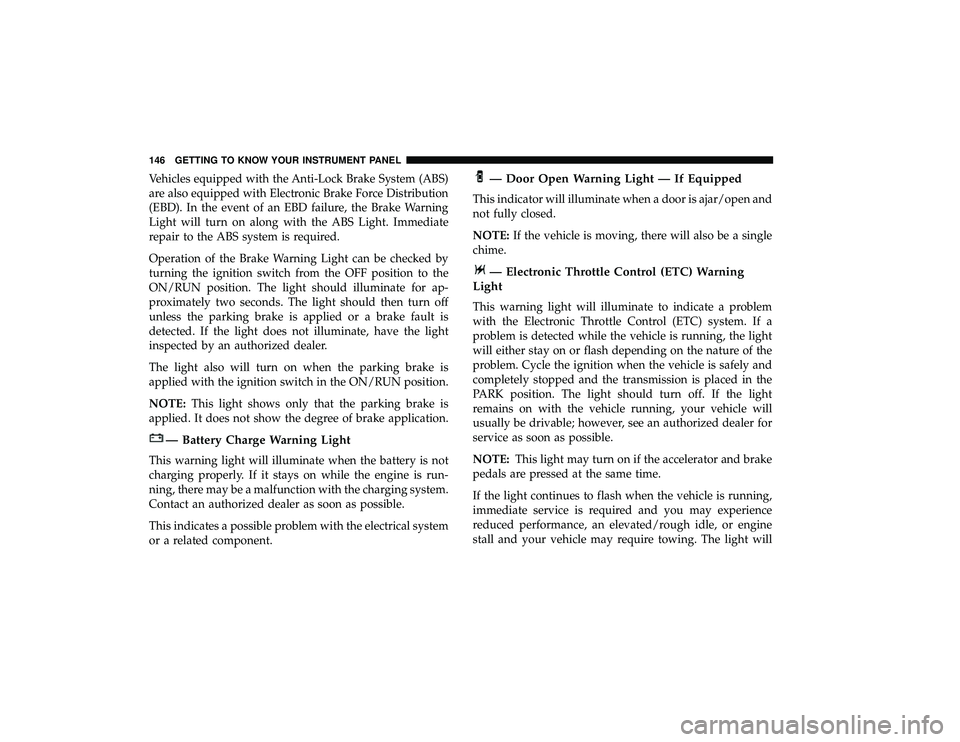
Vehicles equipped with the Anti-Lock Brake System (ABS)
are also equipped with Electronic Brake Force Distribution
(EBD). In the event of an EBD failure, the Brake Warning
Light will turn on along with the ABS Light. Immediate
repair to the ABS system is required.
Operation of the Brake Warning Light can be checked by
turning the ignition switch from the OFF position to the
ON/RUN position. The light should illuminate for ap-
proximately two seconds. The light should then turn off
unless the parking brake is applied or a brake fault is
detected. If the light does not illuminate, have the light
inspected by an authorized dealer.
The light also will turn on when the parking brake is
applied with the ignition switch in the ON/RUN position.
NOTE:This light shows only that the parking brake is
applied. It does not show the degree of brake application.
— Battery Charge Warning Light
This warning light will illuminate when the battery is not
charging properly. If it stays on while the engine is run-
ning, there may be a malfunction with the charging system.
Contact an authorized dealer as soon as possible.
This indicates a possible problem with the electrical system
or a related component.
— Door Open Warning Light — If Equipped
This indicator will illuminate when a door is ajar/open and
not fully closed.
NOTE: If the vehicle is moving, there will also be a single
chime.
— Electronic Throttle Control (ETC) Warning
Light
This warning light will illuminate to indicate a problem
with the Electronic Throttle Control (ETC) system. If a
problem is detected while the vehicle is running, the light
will either stay on or flash depending on the nature of the
problem. Cycle the ignition when the vehicle is safely and
completely stopped and the transmission is placed in the
PARK position. The light should turn off. If the light
remains on with the vehicle running, your vehicle will
usually be drivable; however, see an authorized dealer for
service as soon as possible.
NOTE: This light may turn on if the accelerator and brake
pedals are pressed at the same time.
If the light continues to flash when the vehicle is running,
immediate service is required and you may experience
reduced performance, an elevated/rough idle, or engine
stall and your vehicle may require towing. The light will
146 GETTING TO KNOW YOUR INSTRUMENT PANEL