Radio DODGE GRAND CARAVAN 2019 Workshop Manual
[x] Cancel search | Manufacturer: DODGE, Model Year: 2019, Model line: GRAND CARAVAN, Model: DODGE GRAND CARAVAN 2019Pages: 490, PDF Size: 3.84 MB
Page 447 of 490
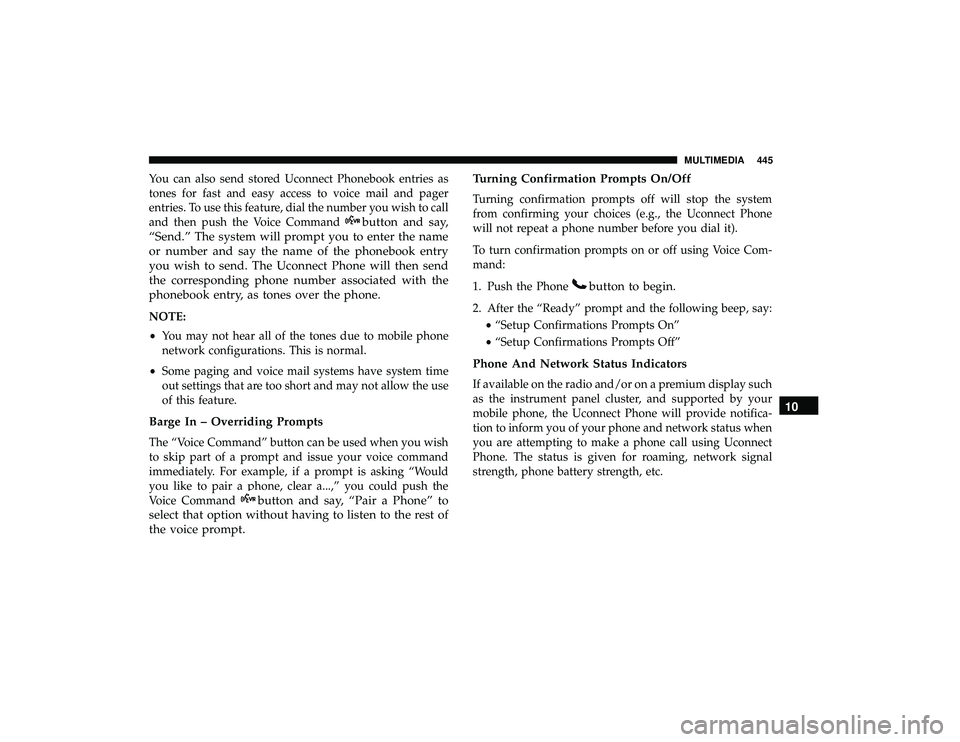
You can also send stored Uconnect Phonebook entries as
tones for fast and easy access to voice mail and pager
entries. To use this feature, dial the number you wish to call
and then push the Voice Command
button and say,
“Send.” The system will prompt you to enter the name
or number and say the name of the phonebook entry
you wish to send. The Uconnect Phone will then send
the corresponding phone number associated with the
phonebook entry, as tones over the phone.
NOTE:
• You may not hear all of the tones due to mobile phone
network configurations. This is normal.
• Some paging and voice mail systems have system time
out settings that are too short and may not allow the use
of this feature.
Barge In – Overriding Prompts
The “Voice Command” button can be used when you wish
to skip part of a prompt and issue your voice command
immediately. For example, if a prompt is asking “Would
you like to pair a phone, clear a...,” you could push the
Voice Command
button and say, “Pair a Phone” to
select that option without having to listen to the rest of
the voice prompt. Turning Confirmation Prompts On/Off
Turning confirmation prompts off will stop the system
from confirming your choices (e.g., the Uconnect Phone
will not repeat a phone number before you dial it).
To turn confirmation prompts on or off using Voice Com-
mand:
1. Push the Phone
button to begin.
2. After the “Ready” prompt and the following beep, say:
•“Setup Confirmations Prompts On”
• “Setup Confirmations Prompts Off”
Phone And Network Status Indicators
If available on the radio and/or on a premium display such
as the instrument panel cluster, and supported by your
mobile phone, the Uconnect Phone will provide notifica-
tion to inform you of your phone and network status when
you are attempting to make a phone call using Uconnect
Phone. The status is given for roaming, network signal
strength, phone battery strength, etc.
10
MULTIMEDIA 445
Page 450 of 490
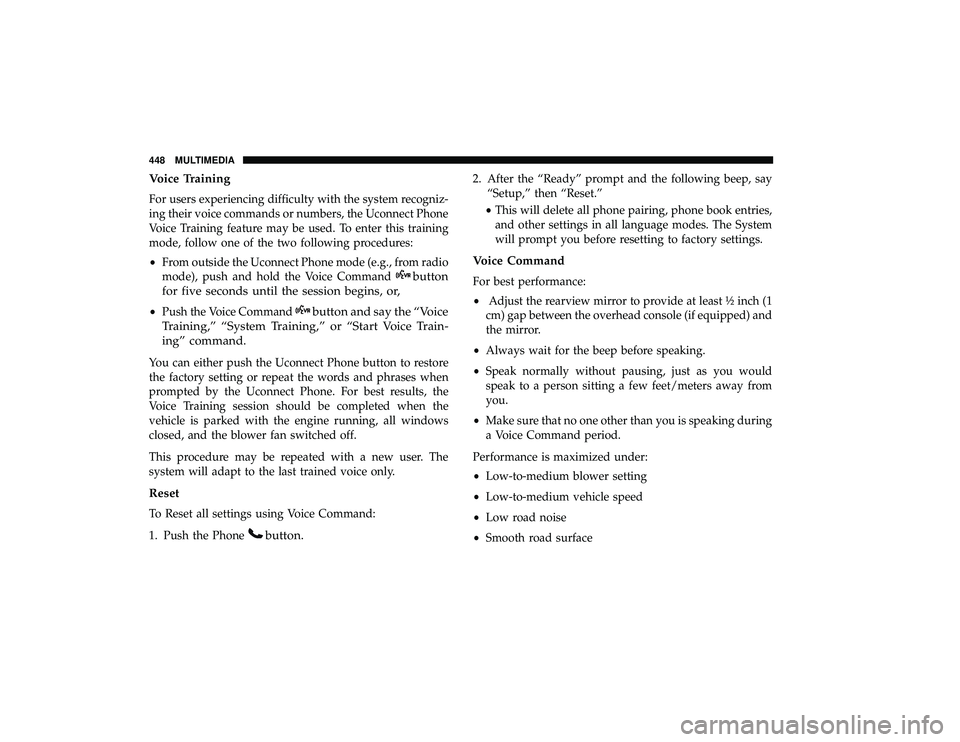
Voice Training
For users experiencing difficulty with the system recogniz-
ing their voice commands or numbers, the Uconnect Phone
Voice Training feature may be used. To enter this training
mode, follow one of the two following procedures:
•From outside the Uconnect Phone mode (e.g., from radio
mode), push and hold the Voice Command
button
for five seconds until the session begins, or,
• Push the Voice Commandbutton and say the “Voice
Training,” “System Training,” or “Start Voice Train-
ing” command.
You can either push the Uconnect Phone button to restore
the factory setting or repeat the words and phrases when
prompted by the Uconnect Phone. For best results, the
Voice Training session should be completed when the
vehicle is parked with the engine running, all windows
closed, and the blower fan switched off.
This procedure may be repeated with a new user. The
system will adapt to the last trained voice only.
Reset
To Reset all settings using Voice Command:
1. Push the Phone
button.
2. After the “Ready” prompt and the following beep, say “Setup,” then “Reset.”
• This will delete all phone pairing, phone book entries,
and other settings in all language modes. The System
will prompt you before resetting to factory settings.
Voice Command
For best performance:
• Adjust the rearview mirror to provide at least ½ inch (1
cm) gap between the overhead console (if equipped) and
the mirror.
• Always wait for the beep before speaking.
• Speak normally without pausing, just as you would
speak to a person sitting a few feet/meters away from
you.
• Make sure that no one other than you is speaking during
a Voice Command period.
Performance is maximized under:
• Low-to-medium blower setting
• Low-to-medium vehicle speed
• Low road noise
• Smooth road surface
448 MULTIMEDIA
Page 458 of 490
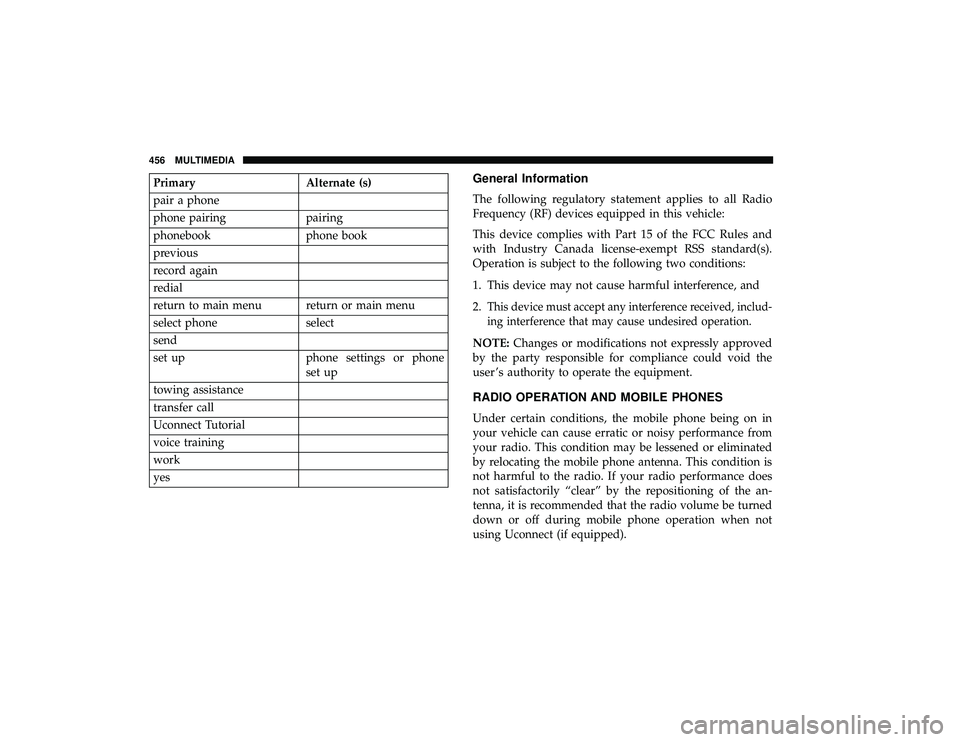
PrimaryAlternate (s)
pair a phone
phone pairing pairing
phonebook phone book
previous
record again
redial
return to main menu return or main menu
select phone select
send
set up phone settings or phone
set up
towing assistance
transfer call
Uconnect Tutorial
voice training
work
yesGeneral Information
The following regulatory statement applies to all Radio
Frequency (RF) devices equipped in this vehicle:
This device complies with Part 15 of the FCC Rules and
with Industry Canada license-exempt RSS standard(s).
Operation is subject to the following two conditions:
1. This device may not cause harmful interference, and
2.
This device must accept any interference received, includ-
ing interference that may cause undesired operation.
NOTE: Changes or modifications not expressly approved
by the party responsible for compliance could void the
user ’s authority to operate the equipment.
RADIO OPERATION AND MOBILE PHONES
Under certain conditions, the mobile phone being on in
your vehicle can cause erratic or noisy performance from
your radio. This condition may be lessened or eliminated
by relocating the mobile phone antenna. This condition is
not harmful to the radio. If your radio performance does
not satisfactorily “clear” by the repositioning of the an-
tenna, it is recommended that the radio volume be turned
down or off during mobile phone operation when not
using Uconnect (if equipped).
456 MULTIMEDIA
Page 459 of 490
Regulatory And Safety Information
USA/CANADA
Exposure to Radio Frequency Radiation
The radiated output power of the internal wireless radio is
far below the FCC and IC radio frequency exposure limits.
Nevertheless, the wireless radio will be used in such a
manner that the radio is 8 in (20 cm) or further from the
human body.
The internal wireless radio operates within guidelines
found in radio frequency safety standards and recommen-
dations, which reflect the consensus of the scientific com-
munity.
The radio manufacturer believes the internal wireless radio
is safe for use by consumers. The level of energy emitted is
far less than the electromagnetic energy emitted by wire-
less devices such as mobile phones. However, the use of
wireless radios may be restricted in some situations or
environments, such as aboard airplanes. If you are unsure
of restrictions, you are encouraged to ask for authorization
before turning on the wireless radio.The following regulatory statement applies to all Radio
Frequency (RF) devices equipped in this vehicle:
This device complies with Part 15 of the FCC Rules and
with Industry Canada license-exempt RSS standard(s).
Operation is subject to the following two conditions:
1. This device may not cause harmful interference, and
2. This device must accept any interference received, in-
cluding interference that may cause undesired opera-
tion.
NOTE: Changes or modifications not expressly approved
by the party responsible for compliance could void the
user ’s authority to operate the equipment.
10
MULTIMEDIA 457
Page 460 of 490
NOTE:
•This equipment has been tested and found to comply
with the limits for a Class B digital device, pursuant to
Part 15 of the FCC Rules. These limits are designed to
provide reasonable protection against harmful interfer-
ence in a residential installation. This equipment gener-
ates, uses and can radiate radio frequency energy and, if
not installed and used in accordance with the instruc-
tions, may cause harmful interference to radio commu-
nications. However, there is no guarantee that interfer-
ence will not occur in a particular installation.
• If this equipment does cause harmful interference to
radio or television reception, which can be determined
by turning the equipment off and on, the user is encour-
aged to try to correct the interference by one or more of
the following measures:
1. Increase the separation between the equipment and receiver.
2. Consult an authorized dealer or an experienced radio technician for help.VOICE COMMAND — IF EQUIPPED
Voice Command System Operation
The Uconnect Voice Command system allows
you to control your AM, FM radio, disk player,
USB mass storage class device, iPod family of
devices, Bluetooth Streaming Audio Device, sat-
ellite radio, and a memo recorder.
NOTE: Take care to speak into the Voice Interface System
as calmly and normally as possible. The ability of the Voice
Interface System to recognize user voice commands may be
negatively affected by rapid speaking or a raised voice
level.
WARNING!
Any voice commanded system should be used only in
safe driving conditions following all applicable laws.
Your attention should be focused on safely operating
the vehicle. Failure to do so may result in a collision
causing serious injury or death.
When you push the Voice Command
button, you will
hear a beep. The beep is your signal to give a command.
458 MULTIMEDIA
Page 461 of 490
NOTE:If you do not say a command within a few seconds,
the system will present you with a list of options.
If you would like to interrupt the system while it lists
options, push the Voice Command
button, listen for
the beep, and say your command.
Pushing the Voice Commandbutton while the system
is speaking is known as “barging in.” The system will be
interrupted, and after the beep, you can add or change
commands. This will become helpful once you start to
learn the options.
NOTE: At any time, you can say the words “Cancel,”
“Help” or “Main Menu.”
These commands are universal and can be used from any
menu. All other commands can be used depending upon
the active application.
When using this system, you should speak clearly and at a
normal speaking volume.
The system will best recognize your speech if the windows
are closed, and the heater/air conditioning blower is set to
low.
At any point, if the system does not recognize one of your
commands, you will be prompted to repeat it. To hear the first available Menu, push the Voice Command
button and say “Help” or “Main Menu.”
Commands
The Voice Command system understands two types of
commands, Universal commands and Local commands.
Universal commands are available at all times. Local
commands are available if the supported radio mode is
active.
Changing The Volume
1. Start a dialogue by pushing the Voice Commandbut-
ton.
2. Say a command (e.g., “Help”).
3. Use the ON/OFF VOLUME rotary knob to adjust the volume to a comfortable level while the Voice Com-
mand system is speaking. Please note the volume set-
ting for Voice Command is different than the audio
system.
Main Menu
Start a dialogue by pushing the Voice Commandbut-
ton. You may say “Main Menu” to switch to the main
menu. 10
MULTIMEDIA 459
Page 462 of 490
In this mode, you can say the following commands:
•“Radio AM” (to switch to the radio AM mode)
• “Radio FM” (to switch to radio FM mode)
• “Sat” (to switch to Satellite radio mode)
• “Disc” (to switch to the disc mode)
• “USB” (to switch to USB mode)
• “Bluetooth Streaming” (to switch to Bluetooth Stream-
ing mode)
• “Memo” (to switch to the memo recorder)
• “System Setup” (to switch to system setup)
Radio AM
To switch to the AM band, say “AM” or “Radio AM.” In
this mode, you may say the following commands:
•“Frequency #” (to change the frequency)
• “Next Station” (to select the next station)
• “Previous Station” (to select the previous station)
• “Radio Menu” (to switch to the radio menu)
• “Main Menu” (to switch to the main menu)
Radio FM
To switch to the FM band, say “FM” or “Radio FM.” In this
mode, you may say the following commands:
•“Frequency #” (to change the frequency)
• “Next Station” (to select the next station)
• “Previous Station” (to select the previous station)
• “Menu Radio” (to switch to the radio menu)
• “Main Menu” (to switch to the main menu)
Satellite Radio
To switch to satellite radio mode, say “Sat” or “Satellite
Radio.” In this mode, you may say the following commands:
•“Channel Number” (to change the channel by its spoken
number)
• “Next Channel” (to select the next channel)
• “Previous Channel” (to select the previous channel)
• “List Channel” (to hear a list of available channels)
• “Select Name” (to say the name of a channel)
• “Menu Radio” (to switch to the radio menu)
• “Main Menu” (to switch to the main menu)
460 MULTIMEDIA
Page 483 of 490
Onboard Diagnostic System...................153
Operating Precautions ...................... .153
Operator Manual Owner’s Manual .......................5,470
Outside Rearview Mirrors ...................56, 58
Overhead Console ......................... .108
Overhead Travel Information Center .............108
Overheating, Engine ....................... .327
Owner ’s Manual (Operator Manual) ...............5
Paint Care ............................... .381
Parking Brake ............................ .243
ParkSense System, Rear ..................... .258
Personal Settings .......................... .139
Pets ................................... .233
Phone, Hands-Free (Uconnect) .................432
Placard, Tire And Loading Information ...........363
Power Brakes ............................... .388
Door Locks ..............................28
Inverter ...............................119
Mirrors ................................59
Outlet (Auxiliary Electrical Outlet) ............115
Seats ..................................45
Steering .............................. .254Vent Windows
...........................89
Power Seats Down .................................46
Forward ................................46
Rearward ...............................46
Up....................................46
Pregnant Women And Seat Belts ................192
Preparation For Jacking ..................... .303
Pretensioners Seat Belts ............................. .192
Programmable Electronic Features ...............139
Radial Ply Tires ........................... .369
Radiator Cap (Coolant Pressure Cap) .............353
Radio Frequency General Information ................. .20, 23, 24
Radio Operation ....................... .404, 456
Radio Remote Controls ..................... .405
Rear Air Conditioning ........................72
Rear
Camera ............................. .265
Rear Cross Path ........................... .172
Rear ParkSense System ..................... .258
Reclining Rear Seats .........................34
Recreational Towing ........................ .281
Reformulated Gasoline ...................... .391
12
INDEX 481
Page 489 of 490
INSTALLATION OF RADIO TRANSMITTING
EQUIPMENT
Special design considerations are incorporated into this
vehicle’s electronic system to provide immunity to radio
frequency signals. Mobile two-way radios and telephone
equipment must be installed properly by trained person-
nel. The following must be observed during installation.
The positive power connection should be made directly
to the battery and fused as close to the battery as possible.
The negative power connection should be made to body
sheet metal adjacent to the negative battery connection.
This connection should not be fused.
Antennas for two-way radios should be mounted on the
roof or the rear area of the vehicle. Care should be used
in mounting antennas with magnet bases. Magnets may
affect the accuracy or operation of the compass on
vehicles so equipped.
The antenna cable should be as short as practical and
routed away from the vehicle wiring when possible. Use
only fully shielded coaxial cable.
Carefully match the antenna and cable to the radio to
ensure a low Standing Wave Ratio (SWR).Mobile radio equipment with output power greater than
normal may require special precautions.
All installations should be checked for possible interfer-
ence between the communications equipment and the
vehicle’s electronic systems.
WARNING:
Operating, servicing and maintaining a
passenger vehicle or off-road highway
motor vehicle can expose you to chemicals
including engine exhaust, carbon monoxide,
phthalates, and lead, which are known to
the State of California to cause cancer and
birth defects or other reproductive harm.
To minimize exposure, avoid breathing
exhaust, do not idle the engine except as
necessary, service your vehicle in a
well-ventilated area and wear gloves or
wash your hands frequently when servicing
your vehicle. For more information go to
www.P65Warnings.ca.gov/passenger-vehicle.
VEHICLES SOLD IN CANADA
With respect to any Vehicles Sold in Canada, the name
FCA US LLC shall be deemed to be deleted and the name
FCA Canada Inc. used in substitution therefore.
DRIVING AND ALCOHOL
Drunken driving is one of the most frequent causes of
accidents.
Your driving ability can be seriously impaired with blood
alcohol levels far below the legal minimum. If you are
drinking, don’t drive. Ride with a designated non-
drinking driver, call a cab, a friend, or use public trans-
portation.
WARNING!
Driving after drinking can lead to an accident.
Your perceptions are less sharp, your reflexes are
slower, and your judgment is impaired when you
have been drinking. Never drink and then drive.
This manual illustrates and describes the operation of
features and equipment that are either standard or op-
tional on this vehicle. This manual may also include a
description of features and equipment that are no longer
available or were not ordered on this vehicle. Please
disregard any features and equipment described in this
manual that are not on this vehicle.
FCA US LLC reserves the right to make changes in design
and specifications, and/or make additions to or improve-
ments to its products without imposing any obligation
upon itself to install them on products previously manu-
factured.
Copyright © 2018 FCA US LLC