radio DODGE GRAND CARAVAN 2020 Owner's Manual
[x] Cancel search | Manufacturer: DODGE, Model Year: 2020, Model line: GRAND CARAVAN, Model: DODGE GRAND CARAVAN 2020Pages: 380, PDF Size: 14.92 MB
Page 136 of 380
134SAFETY
On the other hand, depending on the type and
location of impact, front air bags may deploy in
crashes with little vehicle front-end damage but
that produce a severe initial deceleration.
Because air bag sensors measure vehicle
deceleration over time, vehicle speed and
damage by themselves are not good indicators
of whether or not an air bag should have
deployed.
Seat belts are necessary for your protection in
all collisions, and also are needed to help keep
you in position, away from an inflating air bag.
When the ORC detects a collision requiring the
front air bags, it signals the inflator units. A large
quantity of non-toxic gas is generated to inflate
the front air bags.
The steering wheel hub trim cover and the
upper passenger side of the instrument panel
separate and fold out of the way as the air bags
inflate to their full size. The front air bags fully
inflate in less time than it takes to blink your
eyes. The front air bags then quickly deflate
while helping to restrain the driver and front
passenger.Knee Impact Bolsters
The Knee Impact Bolsters help protect the
knees of the driver and front passenger, and
position the front occupants for improved
interaction with the front air bags.
Supplemental Driver Knee Air Bag
This vehicle is equipped with a Supplemental
Driver Knee Air Bag mounted in the instrument
panel below the steering column. The Supple -
mental Driver Knee Air Bag provides enhanced
protection during a frontal impact by working
together with the seat belts, pretensioners, and
front air bags.
Supplemental Side Air Bags
Supplemental Seat-Mounted Side Air Bags
(SABs)
This vehicle is equipped with Supplemental
Seat-Mounted Side Air Bags (SABs).
Supplemental Seat-Mounted Side Air Bags
(SABs) are located in the outboard side of the
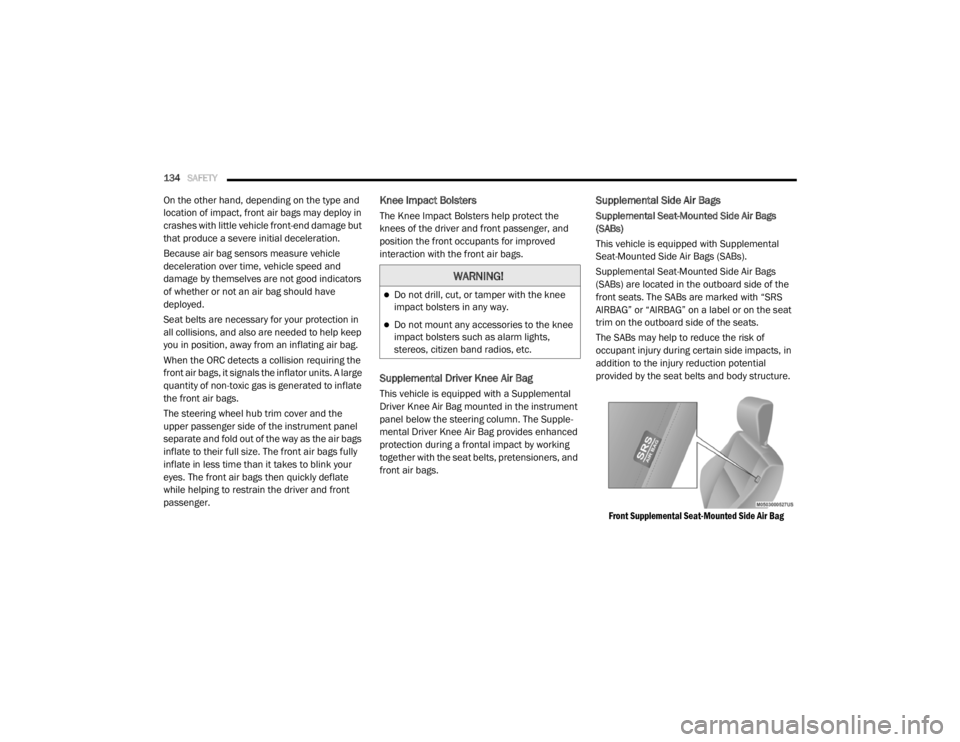
front seats. The SABs are marked with “SRS
AIRBAG” or “AIRBAG” on a label or on the seat
trim on the outboard side of the seats.
The SABs may help to reduce the risk of
occupant injury during certain side impacts, in
addition to the injury reduction potential
provided by the seat belts and body structure.
Front Supplemental Seat-Mounted Side Air Bag
WARNING!
Do not drill, cut, or tamper with the knee
impact bolsters in any way.
Do not mount any accessories to the knee
impact bolsters such as alarm lights,
stereos, citizen band radios, etc.
20_RT_OM_EN_USC_t.book Page 134
Page 179 of 380
STARTING AND OPERATING177
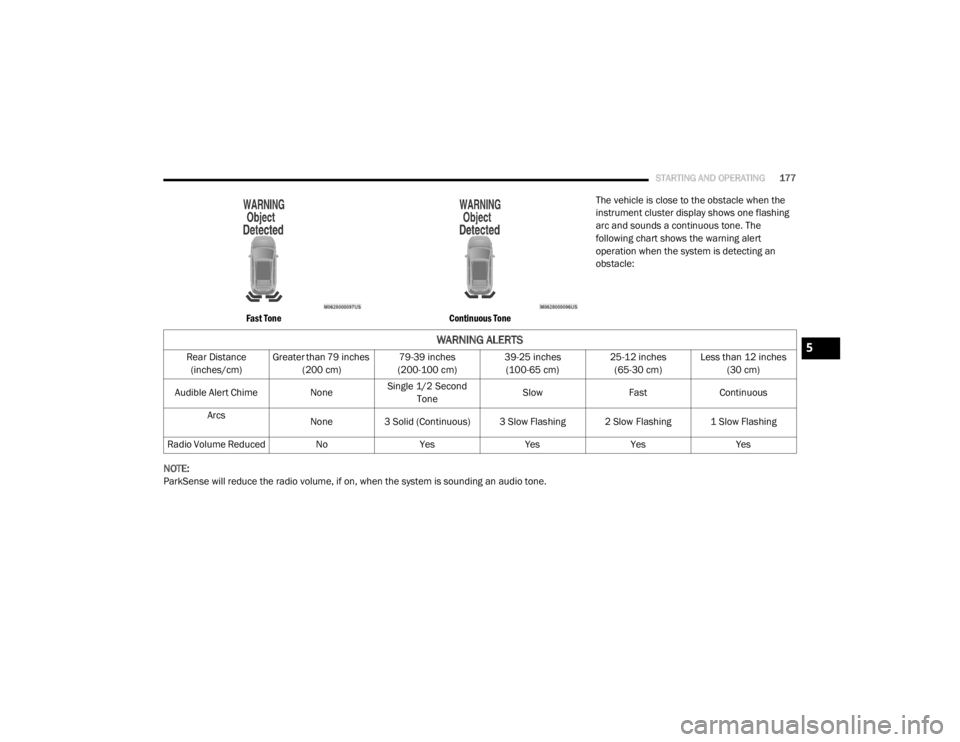
Fast Tone Continuous Tone
The vehicle is close to the obstacle when the
instrument cluster display shows one flashing
arc and sounds a continuous tone. The
following chart shows the warning alert
operation when the system is detecting an
obstacle:
NOTE:
ParkSense will reduce the radio volume, if on, when the system is sounding an audio tone.
WARNING ALERTS
Rear Distance (inches/cm) Greater than 79 inches
(200 cm) 79-39 inches
(200-100 cm) 39-25 inches
(100-65 cm) 25-12 inches
(65-30 cm) Less than 12 inches
(30 cm)
Audible Alert Chime NoneSingle 1/2 Second
Tone Slow
FastContinuous
Arcs None
3 Solid (Continuous) 3 Slow Flashing 2 Slow Flashing 1 Slow Flashing
Radio Volume Reduced No YesYesYesYes5
20_RT_OM_EN_USC_t.book Page 177
Page 180 of 380

178STARTING AND OPERATING
Enabling/Disabling ParkSense
ParkSense can be enabled and disabled
through the Customer-Programmable Features
section of the instrument cluster display. The
available choices are: Off, Sound Only, or Sound
and Display.
When ParkSense is disabled, the instrument
cluster will display the “PARK ASSIST SYSTEM
OFF” message for approximately five seconds.
When the gear selector is moved to REVERSE
and the system is disabled, the instrument
cluster display will display the “PARK ASSIST
SYSTEM OFF” message for as long as the
vehicle is in REVERSE.
Refer to “Instrument Cluster Display” in
“Getting To Know Your Instrument Panel” for
further information.
Service The ParkSense Rear Park Assist
System
During vehicle start up, when the ParkSense
Rear Park Assist System has detected a faulted
condition, the instrument cluster will actuate a
single chime, once per ignition cycle, and it will
display the “SERVICE PARK ASSIST SYSTEM”
message. When the gear selector is moved to
REVERSE and the system has detected a faulted condition, the instrument cluster display
will display the “SERVICE PARK ASSIST
SYSTEM” message for as long as the vehicle is
in REVERSE. Under this condition, ParkSense
will not operate.
Refer to “Instrument Cluster Display” in
“Getting To Know Your Instrument Panel” for
further information.
If “SERVICE PARK ASSIST SYSTEM” appears in
the instrument cluster display after making sure
the rear fascia/bumper is free from snow, ice,
mud, dirt and debris, see an authorized dealer.
Cleaning The ParkSense System
Clean the ParkSense sensors with water, car
wash soap and a soft cloth. Do not use rough or
hard cloths. Do not scratch or poke the sensors.
Otherwise, you could damage the sensors.
ParkSense System Usage Precautions
NOTE:
Ensure that the rear bumper is free of snow,
ice, mud, dirt and debris to keep the Park
-
Sense system operating properly.
Jackhammers, large trucks, and other vibra -
tions could affect the performance of Park -
Sense.
When you turn ParkSense off, the instrument
cluster will display “PARKSENSE OFF.”
Furthermore, once you turn ParkSense off, it
remains off until you turn it on again, even if
you cycle the ignition.
When you move the gear selector to the
REVERSE position and ParkSense is turned
off, the instrument cluster display will display
“PARKSENSE OFF” message for as long as
the vehicle is in REVERSE.
ParkSense, when on, will reduce the volume
of the radio when it is sounding a tone.
Clean the ParkSense sensors regularly,
taking care not to scratch or damage them.
The sensors must not be covered with ice,
snow, slush, mud, dirt or debris. Failure to do
so can result in the system not working prop -
erly. The ParkSense system might not detect
an obstacle behind the fascia/bumper, or it
could provide a false indication that an
obstacle is behind the fascia/bumper.
20_RT_OM_EN_USC_t.book Page 178
Page 202 of 380

200IN CASE OF EMERGENCY
J2120 Amp Blue –Front/Rear Washer
J22 25 Amp Clear –Sunroof Module
M1 –15 Amp Blue Rear Center Brake Lamp/Brake Switch
M2 –20 Amp Yellow Front Fog Lamps
M3 –20 Amp Yellow Vacuum Pump Motor
M5 –25 Amp Clear Inverter
M6 –20 Amp Yellow Power Outlet #1 (ACC), Rain Sensor, Cigar Lighter
(Instrument Panel or with Console Rear)
M7 –20 Amp Yellow Power Outlet #2 (BATT/ACC SELECT) – Center Seat or with
Console Rear
M8 –20 Amp Yellow Front Heated Seat — If Equipped
M9 –20 Amp Yellow Rear Heated Seat — If Equipped
M10 –15 Amp BlueIgnition Off Draw — Video System, Satellite Radio, DVD,
Hands-Free Module, Universal Garage Door Opener, Vanity
Lamp, Streaming Video Module — If Equipped
M11 –10 Amp Red Climate Control System
M12 –30 Amp Green Amplifier/Radio
M13 –20 Amp Yellow Instrument Cluster, SIREN, Clock Module, Multifunction
Control Switch – If Equipped
M14 –20 Amp Yellow Trailer Tow — If Equipped
M15 –20 Amp Yellow Rear View Mirror, Instrument Cluster, Multifunction Control
Switch, Tire Pressure Monitor
Cavity
Cartridge Fuse Mini-Fuse Description
20_RT_OM_EN_USC_t.book Page 200
Page 221 of 380
IN CASE OF EMERGENCY219
(Continued)
JUMP STARTING
If your vehicle has a discharged battery it can be
jump started using a set of jumper cables and a
battery in another vehicle or by using a portable
battery booster pack. Jump starting can be
dangerous if done improperly so please follow
the procedures in this section carefully.
NOTE:
When using a portable battery booster pack
follow the manufacturer’s operating
instructions and precautions.
Preparations For Jump Start
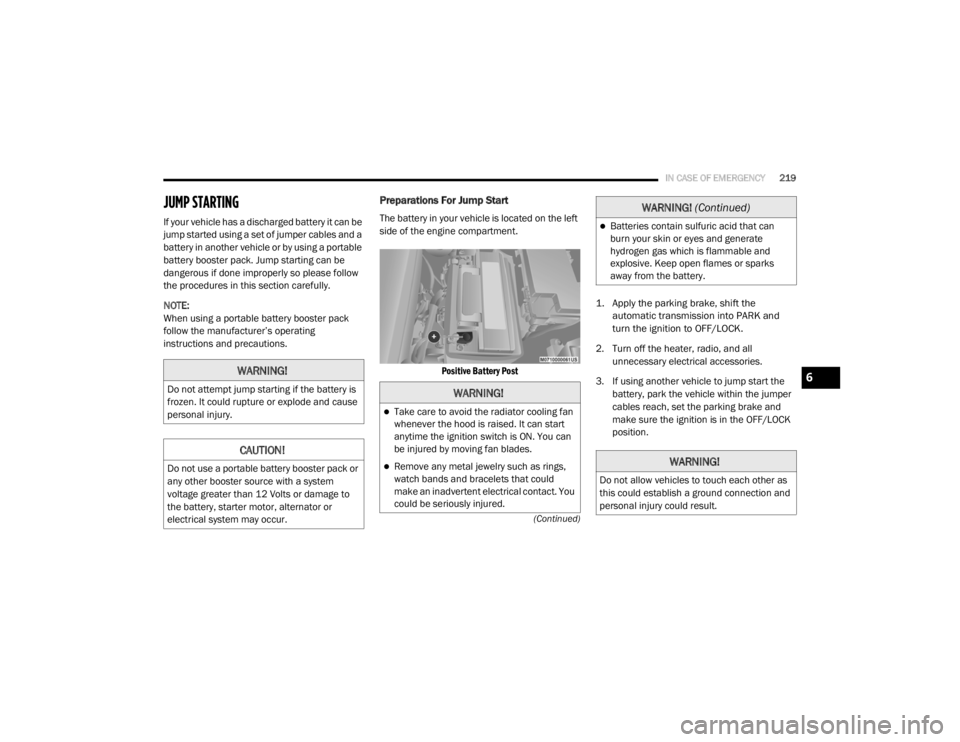
The battery in your vehicle is located on the left
side of the engine compartment.
Positive Battery Post
1. Apply the parking brake, shift the
automatic transmission into PARK and
turn the ignition to OFF/LOCK.
2. Turn off the heater, radio, and all unnecessary electrical accessories.
3. If using another vehicle to jump start the battery, park the vehicle within the jumper
cables reach, set the parking brake and
make sure the ignition is in the OFF/LOCK
position.
WARNING!
Do not attempt jump starting if the battery is
frozen. It could rupture or explode and cause
personal injury.
CAUTION!
Do not use a portable battery booster pack or
any other booster source with a system
voltage greater than 12 Volts or damage to
the battery, starter motor, alternator or
electrical system may occur.
WARNING!
Take care to avoid the radiator cooling fan
whenever the hood is raised. It can start
anytime the ignition switch is ON. You can
be injured by moving fan blades.
Remove any metal jewelry such as rings,
watch bands and bracelets that could
make an inadvertent electrical contact. You
could be seriously injured.
Batteries contain sulfuric acid that can
burn your skin or eyes and generate
hydrogen gas which is flammable and
explosive. Keep open flames or sparks
away from the battery.
WARNING!
Do not allow vehicles to touch each other as
this could establish a ground connection and
personal injury could result.
WARNING! (Continued)
6
20_RT_OM_EN_USC_t.book Page 219
Page 267 of 380

SERVICING AND MAINTENANCE265
Cleaning Plastic Instrument Cluster Lenses
The lenses in front of the instruments in this
vehicle are molded in clear plastic. When
cleaning the lenses, care must be taken to
avoid scratching the plastic.
1. Clean with a wet soft cloth. A mild soap
solution may be used, but do not use high
alcohol content or abrasive cleaners. If
soap is used, wipe clean with a clean damp
cloth.
2. Dry with a soft cloth.
Glass Surfaces
All glass surfaces should be cleaned on a
regular basis with Mopar Glass Cleaner, or any
commercial household-type glass cleaner.
Never use an abrasive type cleaner. Use caution
when cleaning the inside rear window equipped
with electric defrosters or windows equipped
with radio antennas. Do not use scrapers or
other sharp instruments that may scratch the
elements.
When cleaning the rear view mirror, spray
cleaner on the towel or cloth that you are using.
Do not spray cleaner directly on the mirror.
Cleaning The Instrument Panel Cupholders
Removal
Pull the flexible liner from the cupholder drawer
starting at one edge to ease removal.
Cleaning
The liner is top shelf dishwasher safe, or you
may follow the cleaning procedure below.
Soak the liner in a mixture of medium hot tap
water and one teaspoon of mild liquid dish
soap. Let soak for approximately 30 minutes.
After 30 minutes, pull the liner from the water
and dip it back into the water about six times.
This will loosen any remaining debris. Rinse the
liner thoroughly under warm running water.
Shake the excess water from the liner and dry
the outer surfaces with a clean soft cloth.
Installation
Place the liner into the cupholder drawer and
push the liner into place so that the retention
tabs seat into the corresponding openings in
the drawer.
7
20_RT_OM_EN_USC_t.book Page 265
Page 278 of 380

276MULTIMEDIA
SAFETY AND GENERAL INFORMATION
Safety Guidelines
Ensure that all persons read this manual
carefully before using the system. It contains
instructions on how to use the system in a safe
and effective manner.
Do NOT attach any object to the touchscreen.
Doing so can result in damage to the
touchscreen.
Please read and follow these safety
precautions. Failure to do so may result in injury
or property damage.
Glance at the screen only when safe to do so.
If prolonged viewing of the screen is required,
park in a safe location and set the parking
brake.
Stop use immediately if a problem occurs.
Failure to do so may cause injury or damage
to the product. Return it to an authorized
dealer for repair.
Ensure the volume level of the system is set
to a level that still allows you to hear outside
traffic and emergency vehicles.
Safe Usage Of The Uconnect System
Read all instructions in this manual carefully
before using your system to ensure proper
usage.
The Uconnect system is a sophisticated elec -
tronic device. Do not let young children use
the system.
Permanent hearing loss may occur if you play
your music or the system at loud volumes.
Exercise caution when setting the volume on
the system.
Keep drinks, rain and other sources of mois -
ture away from the system. Besides damage
to the system, moisture can cause electric
shocks as with any electronic device. NOTE:
Many features of this system are speed
dependent. For your own safety, it is not
possible to use some of the touchscreen
features while the vehicle is in motion.
Exposure To Radio Frequency Radiation
The internal wireless radio operates within
guidelines found in radio frequency safety
standards and recommendations, which reflect
the consensus of the scientific community. The
radio manufacturer believes the internal
wireless radio is safe for use by consumers. The
level of energy emitted is far less than the
electromagnetic energy emitted by wireless
devices such as mobile phones. However, the
use of wireless radios may be restricted in some
situations or environments, such as aboard
airplanes. If you are unsure of restrictions, you
are encouraged to ask for authorization before
turning on the wireless radio.
WARNING!
ALWAYS drive safely with your hands on the
steering wheel. You have full responsibility
and assume all risks related to the use of the
Uconnect features and applications in this
vehicle. Only use Uconnect when it is safe to
do so. Failure to do so may result in an
accident involving serious injury or death.
20_RT_OM_EN_USC_t.book Page 276
Page 279 of 380
MULTIMEDIA277
Care And Maintenance
Touchscreen
Do not press the touchscreen with any hard
or sharp objects (pen, USB stick, jewelry,
etc.), which could scratch the touchscreen
surface!
Do not spray any liquid or caustic chemicals
directly on the screen! Use a clean and dry
microfiber lens cleaning cloth in order to
clean the touchscreen.
If necessary, use a lint-free cloth dampened
with a cleaning solution, such as isopropyl
alcohol or an isopropyl alcohol and water
solution ratio of 50:50. Be sure to follow the
solvent manufacturer's precautions and
directions.
RADIO 430/430 NAV
General Handling
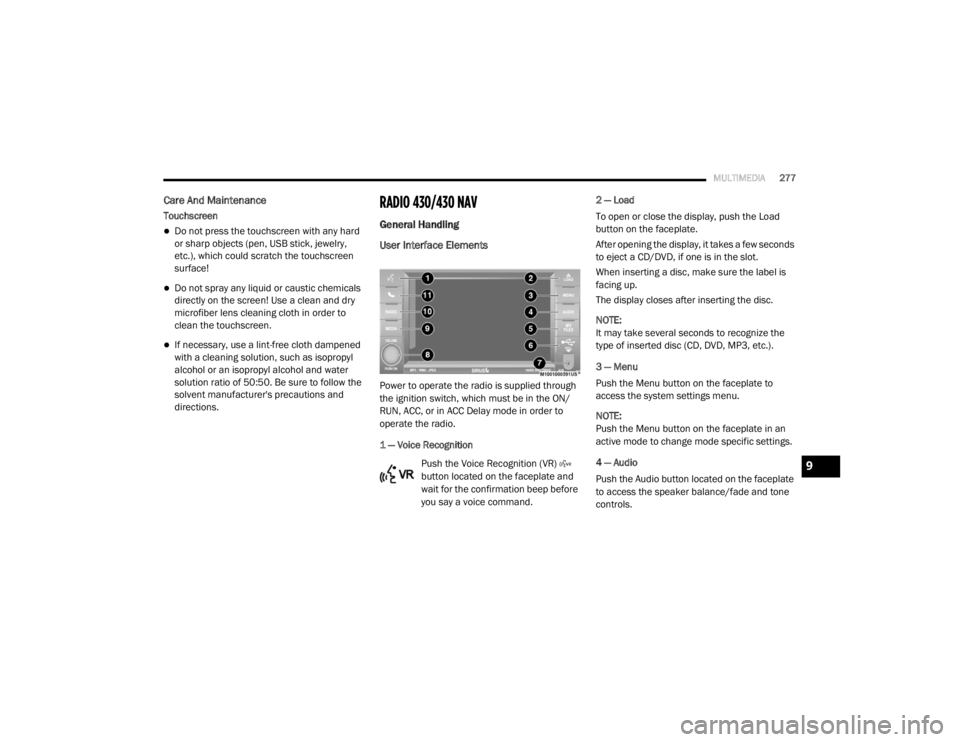
User Interface Elements
Power to operate the radio is supplied through
the ignition switch, which must be in the ON/
RUN, ACC, or in ACC Delay mode in order to
operate the radio.
1 — Voice Recognition
Push the Voice Recognition (VR)
button located on the faceplate and
wait for the confirmation beep before
you say a voice command. 2 — Load
To open or close the display, push the Load
button on the faceplate.
After opening the display, it takes a few seconds
to eject a CD/DVD, if one is in the slot.
When inserting a disc, make sure the label is
facing up.
The display closes after inserting the disc.
NOTE:
It may take several seconds to recognize the
type of inserted disc (CD, DVD, MP3, etc.).
3 — Menu
Push the Menu button on the faceplate to
access the system settings menu.
NOTE:
Push the Menu button on the faceplate in an
active mode to change mode specific settings.
4 — Audio
Push the Audio button located on the faceplate
to access the speaker balance/fade and tone
controls.
9
20_RT_OM_EN_USC_t.book Page 277
Page 280 of 380
278MULTIMEDIA
5 — My Files
Push the My Files button on the faceplate to
manage your music and picture files on the
internal storage drive.
6 — USB Connector
Connect a supported device into the USB
Connector to play music and to copy music and
picture files to the internal hard disk drive.
NOTE:
Refer to “USB Connector” in the “Remote
Devices” section of this chapter for further
information.
7 — AUX Input (Audio Jack)
Connect an external audio device into the AUX
Input (e.g., MP3 player, video game) to play the
device audio through the car audio system.
8 — On/Off Volume
It is also possible to set the unit in standby
mode while driving by pushing the On/Off
Volume rotary knob. NOTE:
If the ignition is switched OFF with the radio in
standby mode, the radio memorizes the
standby state when the ignition is switched to
ON/RUN again. Push the On/Off Volume rotary
knob to switch the radio On. The radio software
is always working when the ignition is switched
to ON/RUN, even if the radio is in standby
mode. It is still possible to eject the CD and to
display the time if the unit is switched Off.
9 — Media
Push the Media button located on the faceplate
to change to a Media mode or to toggle between
Media modes:
HDD (Hard Disk Drive)
CD/DVD
AUX
NOTE:
If you are viewing the NAV screen (Radio
430 Nav only), pushing the Media button will
return you to the Media mode screen. 10 — Radio
Push the Radio button located on the faceplate
to change to a Radio mode or to toggle between
Radio modes:
AM
FM
SAT (If Equipped)
NOTE:
If you are viewing the NAV screen (Radio
430 Nav only), pushing the Radio button will
return you to the Radio mode screen.
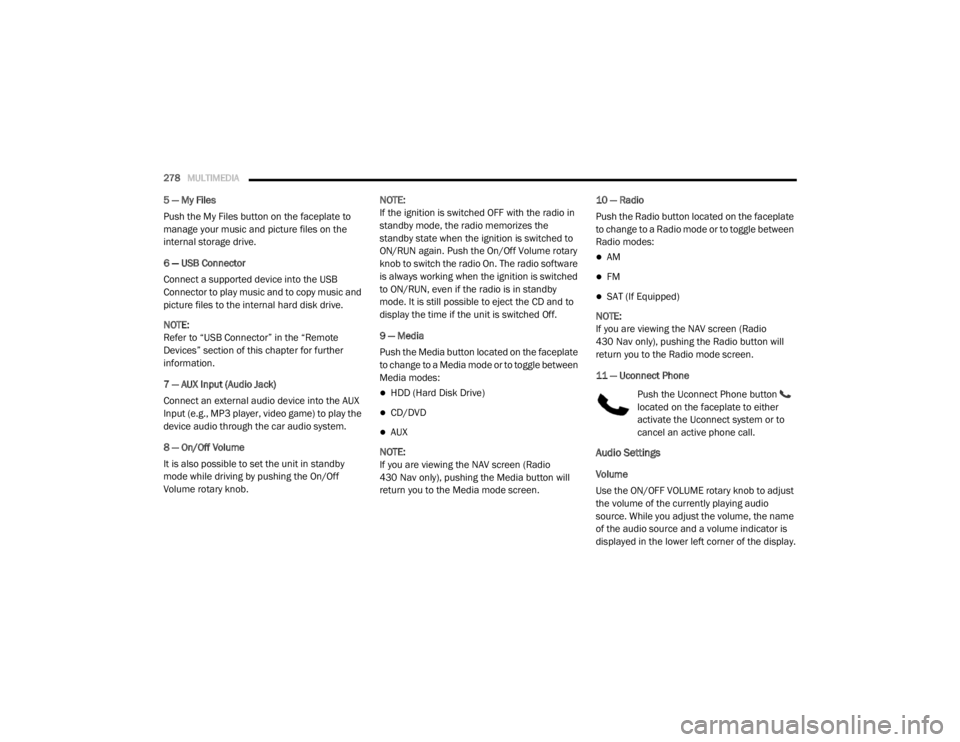
11 — Uconnect Phone Push the Uconnect Phone button
located on the faceplate to either
activate the Uconnect system or to
cancel an active phone call.
Audio Settings
Volume
Use the ON/OFF VOLUME rotary knob to adjust
the volume of the currently playing audio
source. While you adjust the volume, the name
of the audio source and a volume indicator is
displayed in the lower left corner of the display.
20_RT_OM_EN_USC_t.book Page 278
Page 281 of 380
MULTIMEDIA279
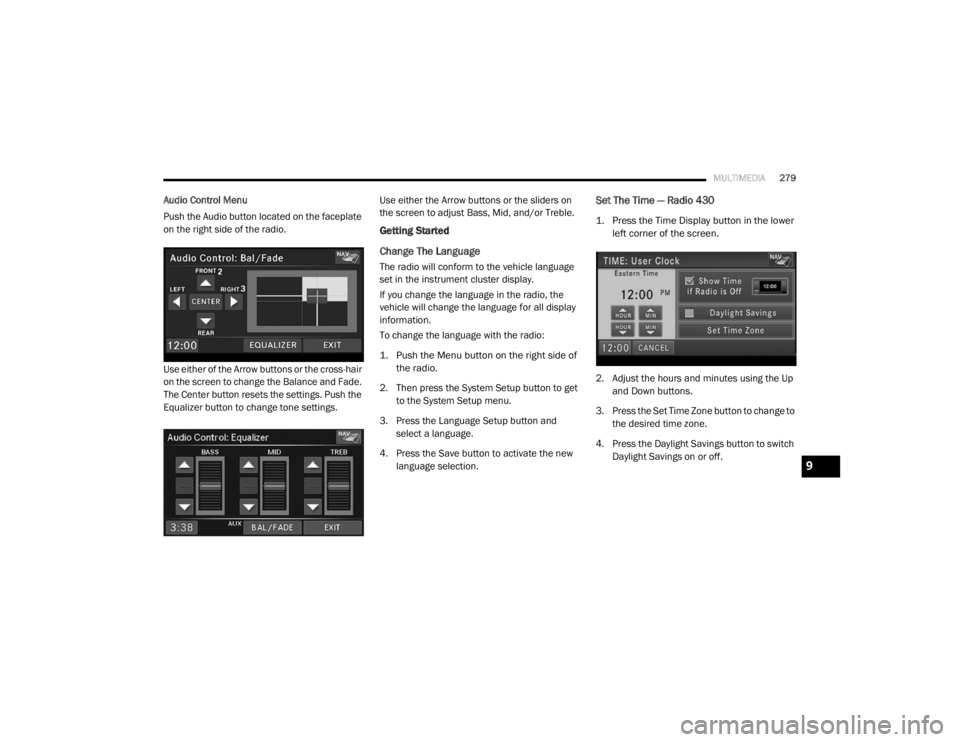
Audio Control Menu
Push the Audio button located on the faceplate
on the right side of the radio.
Use either of the Arrow buttons or the cross-hair
on the screen to change the Balance and Fade.
The Center button resets the settings. Push the
Equalizer button to change tone settings. Use either the Arrow buttons or the sliders on
the screen to adjust Bass, Mid, and/or Treble.
Getting Started
Change The Language
The radio will conform to the vehicle language
set in the instrument cluster display.
If you change the language in the radio, the
vehicle will change the language for all display
information.
To change the language with the radio:
1. Push the Menu button on the right side of
the radio.
2. Then press the System Setup button to get to the System Setup menu.
3. Press the Language Setup button and select a language.
4. Press the Save button to activate the new language selection.
Set The Time — Radio 430
1. Press the Time Display button in the lower left corner of the screen.
2. Adjust the hours and minutes using the Up and Down buttons.
3. Press the Set Time Zone button to change to the desired time zone.
4. Press the Daylight Savings button to switch Daylight Savings on or off.
9
20_RT_OM_EN_USC_t.book Page 279