steering DODGE JOURNEY 2009 1.G User Guide
[x] Cancel search | Manufacturer: DODGE, Model Year: 2009, Model line: JOURNEY, Model: DODGE JOURNEY 2009 1.GPages: 523
Page 155 of 523
Parade Mode (Daytime Brightness Feature)
Rotate the Dimmer Control to the first detent to brighten
the odometer and radio display when the parking lights
or headlights are on during daylight conditions.
Interior Light ON
Rotate the Dimmer Control completely upward to the
second detent to turn ON the interior lights.
NOTE:The Battery Saver feature will not activate until
the ignition switch is in the LOCK position. Refer to
“Battery Saver Feature” for additional information.
Interior Light Defeat OFF
Rotate the Dimmer Control completely downward to the
(O) OFF position. The interior lights will remain off when
the doors are open.
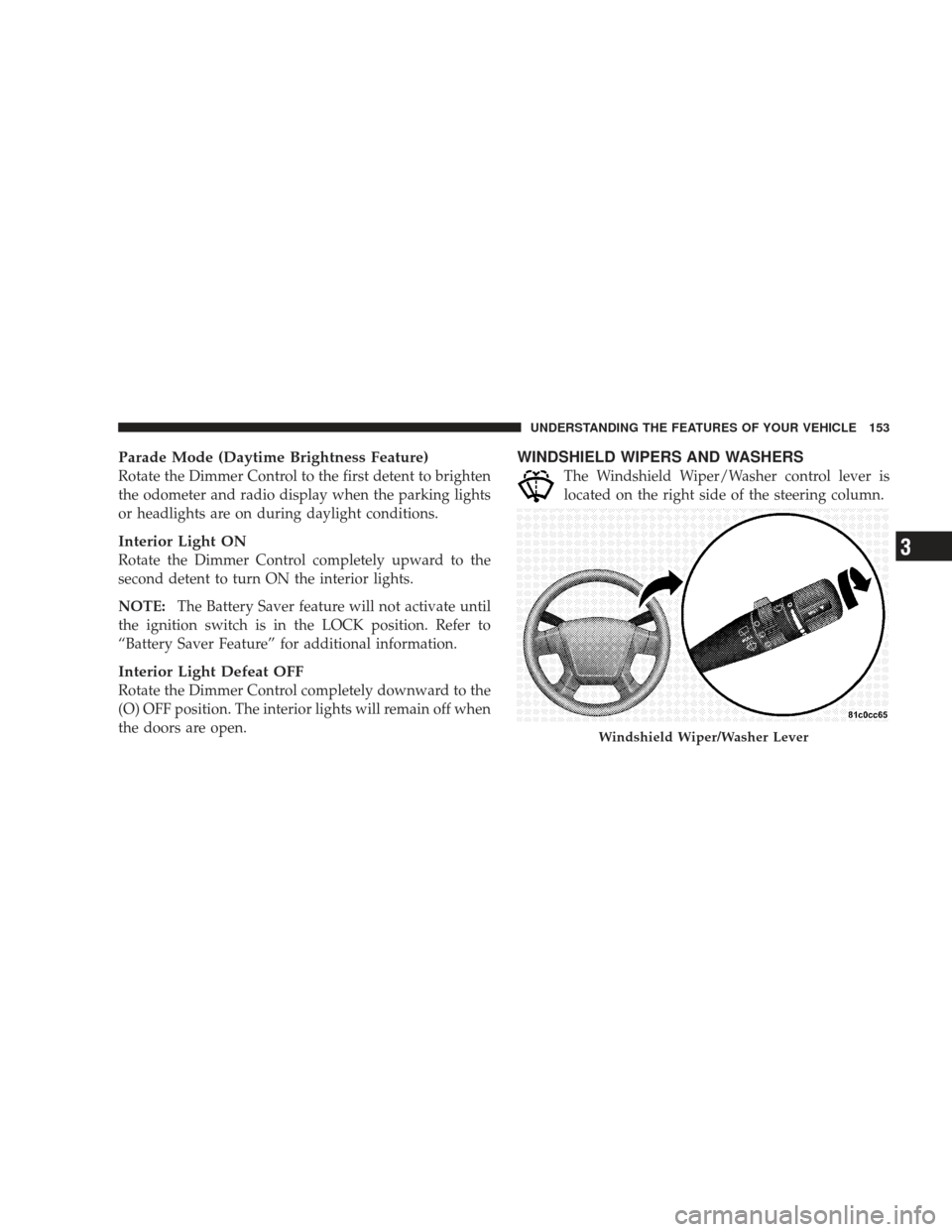
WINDSHIELD WIPERS AND WASHERS
The Windshield Wiper/Washer control lever is
located on the right side of the steering column.
Windshield Wiper/Washer Lever
UNDERSTANDING THE FEATURES OF YOUR VEHICLE 153
3
Page 158 of 523
Headlights with Wipers (Available with Auto
Headlights Only)
When this feature is active, the headlights will turn on
approximately 10 seconds after the wipers are turned ON
if the multifunction lever (on the left side of the steering
column) is placed in the (A) AUTO position. In addition,
the headlights will turn off when the wipers are turned
OFF if they were turned ON by this feature.
The Headlights with Wipers feature can be turned on or
off through the Electronic Vehicle Information Center
(EVIC) (if equipped). Refer to ”Headlights With Wipers,”
under “Personal Settings (Customer Programmable Fea-
tures),” under “Electronic Vehicle Information Center” in
Section 4.
Windshield Washers
To use the washer, pull the Windshield Wiper/Washer
control lever toward you and hold it for as long as
washer spray is desired.
If you activate the washer while the wiper control is in
the delay range, the wipers will operate in low speed for
two wipe cycles after releasing the lever and then resume
the intermittent interval previously selected.
If you activate the washer while the wiper control is in
the OFF position, the wipers will operate for two wipe
cycles and then turn OFF.
156 UNDERSTANDING THE FEATURES OF YOUR VEHICLE
Page 159 of 523
WARNING!
Sudden loss of visibility through the windshield
could lead to an accident. You might not see other
vehicles or other obstacles. To avoid sudden icing of
the windshield during freezing weather, warm the
windshield with the defroster before and during
windshield washer use.
Adding Washer Fluid
NOTE:Refer to the “Engine Compartment” diagram in
Section 7 for the location of the washer fluid reservoir.
The fluid reservoir for the windshield washers is located
in the engine compartment. Be sure to check the fluid
level in the reservoir at regular intervals. Fill the reservoir with windshield washer solvent (not radiator antifreeze)
and operate the system for a few seconds to flush out the
residual water.
WARNING!
Commercially available windshield washer solvents
are flammable. They could ignite and burn you. Care
must be exercised when filling or working around
the washer solution.
TILT/TELESCOPING STEERING COLUMN — IF
EQUIPPED
This feature allows you to tilt the steering column
upward or downward. It also allows you to lengthen or
shorten the steering column. The tilt/telescoping control
handle is located below the steering wheel at the end of
the steering column.
UNDERSTANDING THE FEATURES OF YOUR VEHICLE 157
3
Page 160 of 523
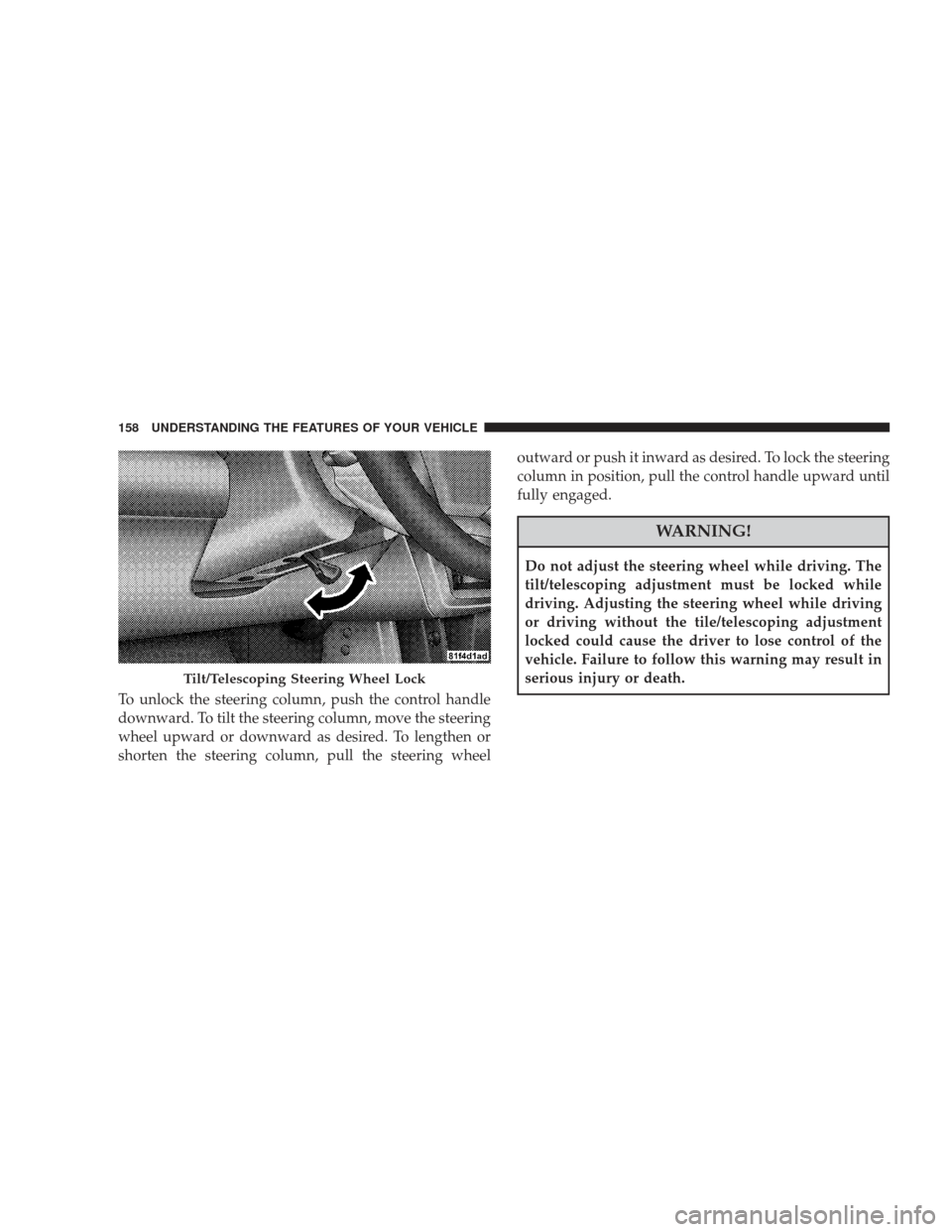
To unlock the steering column, push the control handle
downward. To tilt the steering column, move the steering
wheel upward or downward as desired. To lengthen or
shorten the steering column, pull the steering wheeloutward or push it inward as desired. To lock the steering
column in position, pull the control handle upward until
fully engaged.
WARNING!
Do not adjust the steering wheel while driving. The
tilt/telescoping adjustment must be locked while
driving. Adjusting the steering wheel while driving
or driving without the tile/telescoping adjustment
locked could cause the driver to lose control of the
vehicle. Failure to follow this warning may result in
serious injury or death.
Tilt/Telescoping Steering Wheel Lock
158 UNDERSTANDING THE FEATURES OF YOUR VEHICLE
Page 161 of 523
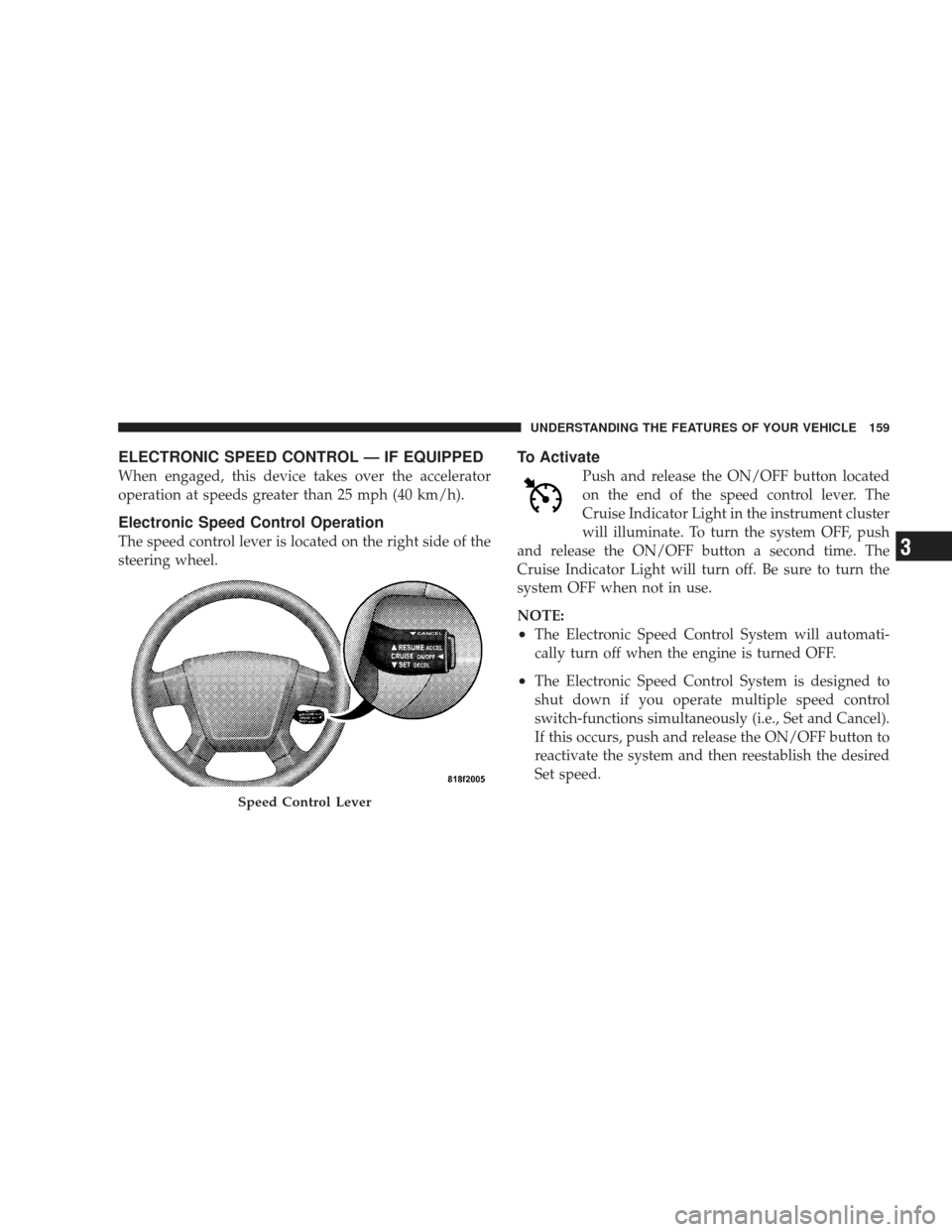
ELECTRONIC SPEED CONTROL — IF EQUIPPED
When engaged, this device takes over the accelerator
operation at speeds greater than 25 mph (40 km/h).
Electronic Speed Control Operation
The speed control lever is located on the right side of the
steering wheel.
To Activate
Push and release the ON/OFF button located
on the end of the speed control lever. The
Cruise Indicator Light in the instrument cluster
will illuminate. To turn the system OFF, push
and release the ON/OFF button a second time. The
Cruise Indicator Light will turn off. Be sure to turn the
system OFF when not in use.
NOTE:
•The Electronic Speed Control System will automati-
cally turn off when the engine is turned OFF.
•The Electronic Speed Control System is designed to
shut down if you operate multiple speed control
switch-functions simultaneously (i.e., Set and Cancel).
If this occurs, push and release the ON/OFF button to
reactivate the system and then reestablish the desired
Set speed.
Speed Control Lever
UNDERSTANDING THE FEATURES OF YOUR VEHICLE 159
3
Page 195 of 523
REAR WINDOW FEATURES
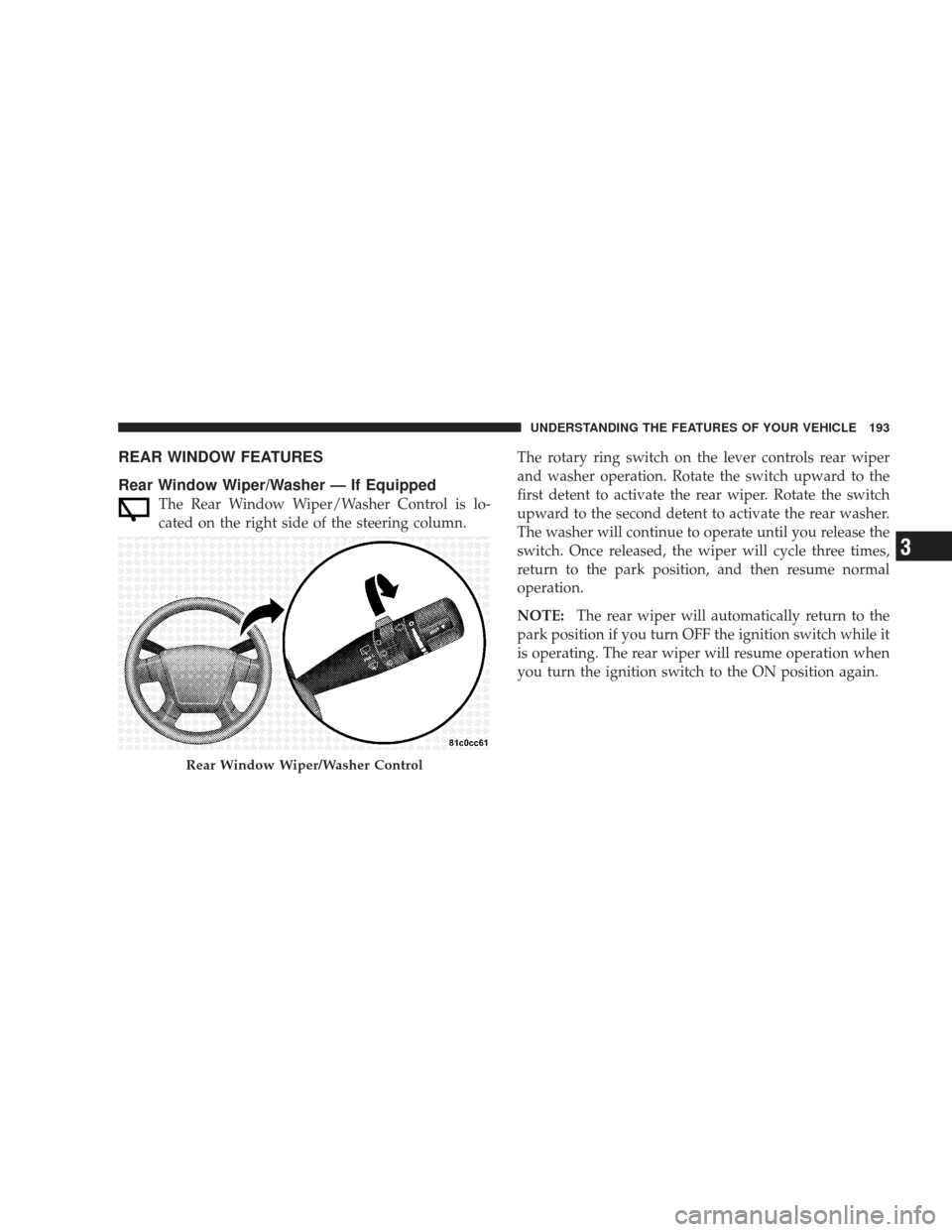
Rear Window Wiper/Washer — If Equipped
The Rear Window Wiper/Washer Control is lo-
cated on the right side of the steering column.The rotary ring switch on the lever controls rear wiper
and washer operation. Rotate the switch upward to the
first detent to activate the rear wiper. Rotate the switch
upward to the second detent to activate the rear washer.
The washer will continue to operate until you release the
switch. Once released, the wiper will cycle three times,
return to the park position, and then resume normal
operation.
NOTE:
The rear wiper will automatically return to the
park position if you turn OFF the ignition switch while it
is operating. The rear wiper will resume operation when
you turn the ignition switch to the ON position again.
Rear Window Wiper/Washer Control
UNDERSTANDING THE FEATURES OF YOUR VEHICLE 193
3
Page 209 of 523
WARNING!
A hot engine cooling system is dangerous. You or
others could be badly burned by steam or boiling
coolant. You may want to call a service center if your
vehicle overheats. If you decide to look under the
hood yourself, refer to Section 7 and follow the
warnings under the Cooling System Pressure Cap
paragraph.
5. Front Fog Light Indicator Light — If Equipped This light shows when the fog lights are ON. (See
page 148 for more information.)
6. Low Fuel Warning Light This indicator lights when the fuel level drops to
approximately one-eighth tank. (See page 372 for
more information.) 7. Turn Signal Indicator Light
The left or right arrow will flash in unison with the
corresponding front and rear turn signal lights when
the turn signal switch is operated. (See page 149 for more
information.)
NOTE: A chime will sound if the vehicle is driven more
than 1 mi (1.6 km) with either turn signal on.
NOTE: Check for an inoperative outside light bulb if
either indicator flashes at a rapid rate.
8. High Beam Indicator Light This light shows that the headlights are on high
beam. Pull the multifunction lever on the left side
of the steering column toward you to switch to low beam.
(See page 150 for more information.)
9. Speedometer
Shows the vehicle speed.
UNDERSTANDING YOUR INSTRUMENT PANEL 207
4
Page 223 of 523
seconds). Finally, drive the vehicle in one or more com-
plete circles, at speeds under 5 mph (8 km/h), in an area
free from power lines and large metallic objects, until the
“CAL” indicator turns off. The compass will now func-
tion normally.
ELECTRONIC VEHICLE INFORMATION CENTER
(EVIC) — IF EQUIPPED
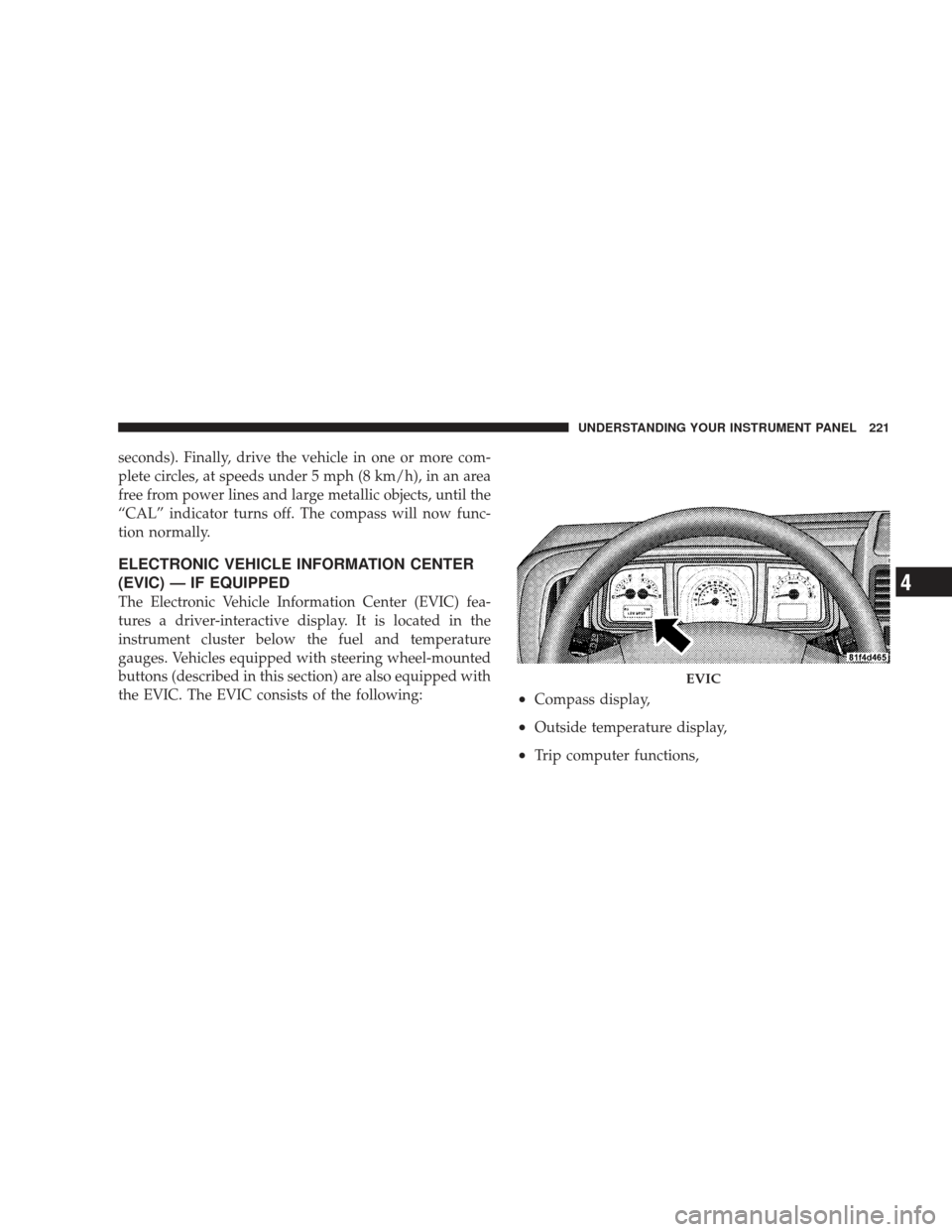
The Electronic Vehicle Information Center (EVIC) fea-
tures a driver-interactive display. It is located in the
instrument cluster below the fuel and temperature
gauges. Vehicles equipped with steering wheel-mounted
buttons (described in this section) are also equipped with
the EVIC. The EVIC consists of the following:
•Compass display,
•Outside temperature display,
•Trip computer functions,
EVIC
UNDERSTANDING YOUR INSTRUMENT PANEL 221
4
Page 224 of 523
•System status, including vehicle information warning
message displays, and Tire Pressure Monitor System
(TPMS) displays (if equipped), and,
•Personal Settings (customer programmable features).
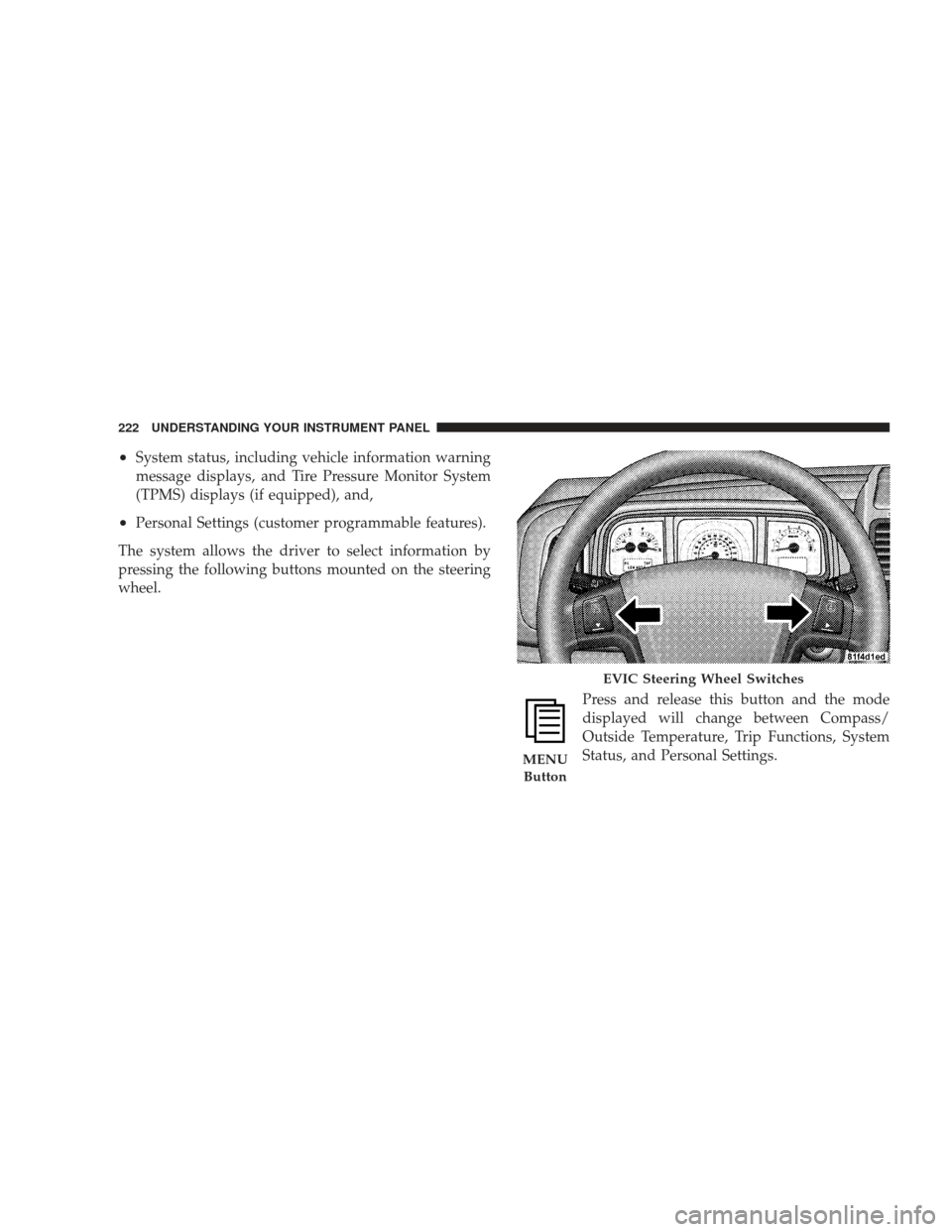
The system allows the driver to select information by
pressing the following buttons mounted on the steering
wheel.
Press and release this button and the mode
displayed will change between Compass/
Outside Temperature, Trip Functions, System
Status, and Personal Settings.
EVIC Steering Wheel Switches
MENUButton
222 UNDERSTANDING YOUR INSTRUMENT PANEL
Page 236 of 523
FM Reception
Because FM transmission is based on frequency varia-
tions, interference that consists of amplitude variations
can be filtered out, leaving the reception relatively clear,
which is the major feature of FM radio.
NOTE:
•For vehicles not equipped with the Electronic Vehicle
Information Center (EVIC), the radio and steering
wheel radio controls (if equipped) will remain active
for 45 seconds after the ignition switch is turned to the
LOCK position. Opening either front door will cancel
this feature.
•For vehicles equipped with the EVIC, the radio and
steering wheel radio controls (if equipped) will remain
active for up to 10 minutes after the ignition switch is
turned to the LOCK position. Opening either front
door will cancel this feature. The time is program-
mable. For details, refer to “Key-Off Power Delay,”under “Personal Settings (Customer Programmable
Features)” under “Electronic Vehicle Information Cen-
ter (EVIC)” in Section 4.
SALES CODE REN — MULTIMEDIA SYSTEM — IF
EQUIPPED
NOTE:
The sales code is located on the lower right side
of the unit’s faceplate.
The REN Multimedia system contains a radio, CD/DVD
player, USB port, a 30-gigabyte hard drive (HDD), and a
“JukeBox” (virtual CD changer). Sirius Satellite Radio is
optional. The 6.5 in (16.5 cm) touch screen allows for easy
menu selection.
A 30-gigabyte HDD allows uploads of music and photos
from CDs or through the USB port. The Gracenote
database finds the artist, track, and title for the music.
234 UNDERSTANDING YOUR INSTRUMENT PANEL