light DODGE JOURNEY 2009 1.G Owner's Guide
[x] Cancel search | Manufacturer: DODGE, Model Year: 2009, Model line: JOURNEY, Model: DODGE JOURNEY 2009 1.GPages: 523
Page 127 of 523
WARNING!
Adjusting a seat while the vehicle is moving is
dangerous. The sudden movement of the seat could
cause you to lose control. The seat belt might not be
adjusted properly and you could be injured. Adjust
any seat only while the vehicle is parked.
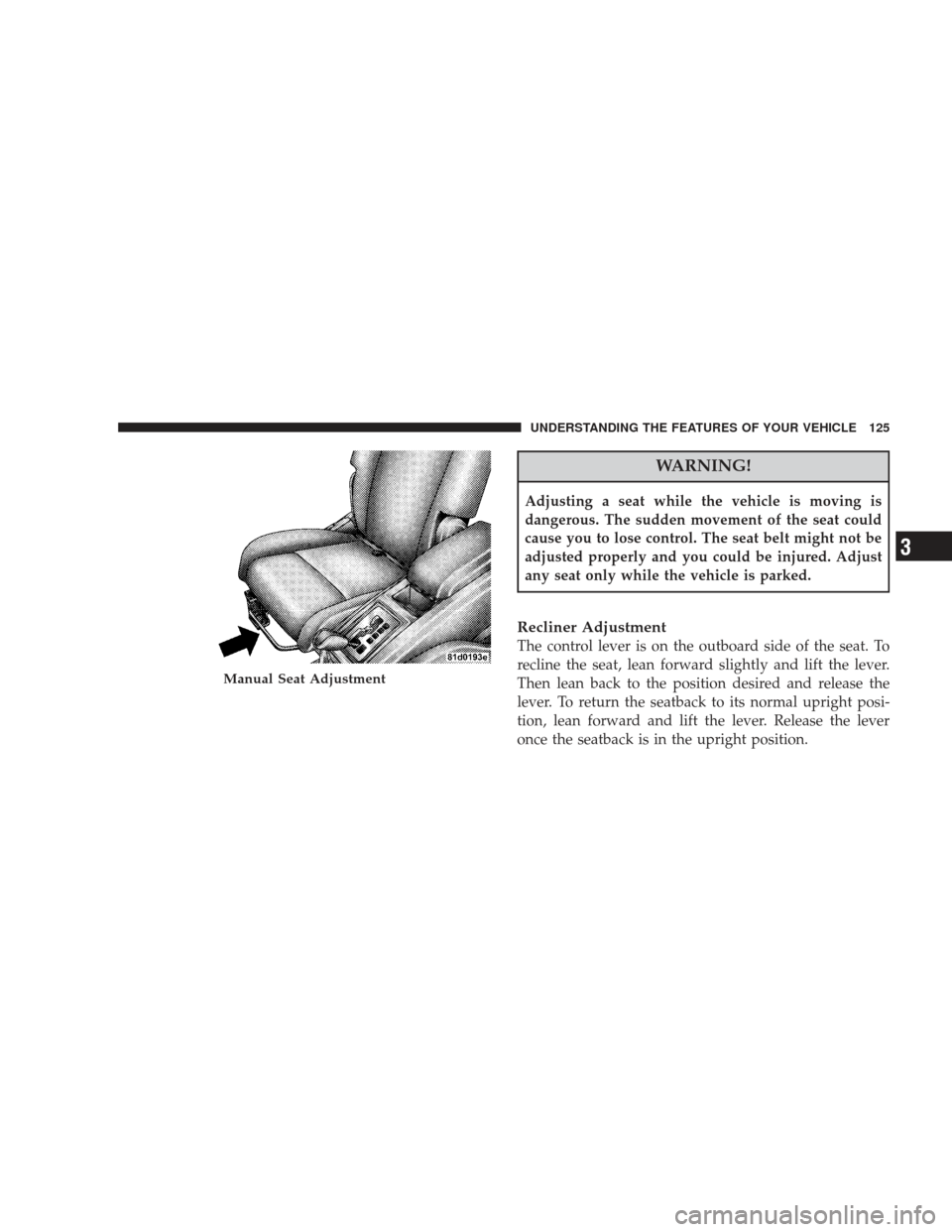
Recliner Adjustment
The control lever is on the outboard side of the seat. To
recline the seat, lean forward slightly and lift the lever.
Then lean back to the position desired and release the
lever. To return the seatback to its normal upright posi-
tion, lean forward and lift the lever. Release the lever
once the seatback is in the upright position.
Manual Seat Adjustment
UNDERSTANDING THE FEATURES OF YOUR VEHICLE 125
3
Page 134 of 523
Third Row Passenger Seats — Seven Passenger
Models
These head restraints are non-adjustable and non-
removable. However, you can fold them forward when
they are not in use by passengers. Refer to “50/50 Split
Third-Row Passenger Seats with Fold-Flat Feature” for
operating instructions.
WARNING!
Do not allow a passenger to sit in a third row seat
without having the head restraint unfolded and
locked in place. Failure to follow this warning may
result in personal injury to the passenger in the event
of an accident.
Heated Seats — If Equipped
Heated seats provide comfort and warmth on cold days
and can help soothe sore muscles and backs. The heaters
provide the same heat level for both cushion and back.
The driver’s seat and front passenger’s seat are heated.
The controls for each heater are located in the switch
bank in the center of the instrument panel. After turning
ON the ignition, you can choose from High, Low, or Off
heat settings. Amber indicator lights in each switch
indicate the level of heat in use. Two indicator lights will
illuminate for high, one for low, and none for off.
132 UNDERSTANDING THE FEATURES OF YOUR VEHICLE
Page 135 of 523
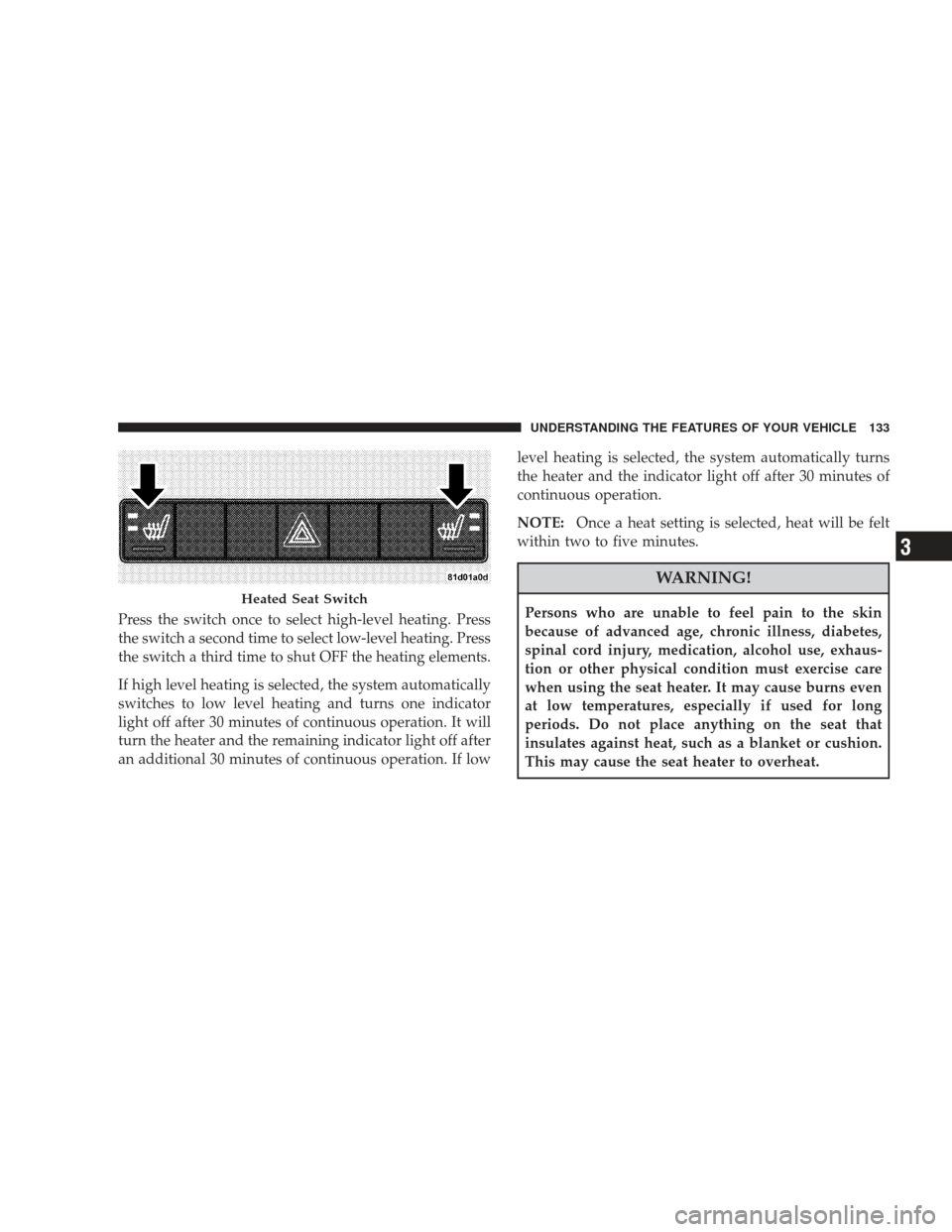
Press the switch once to select high-level heating. Press
the switch a second time to select low-level heating. Press
the switch a third time to shut OFF the heating elements.
If high level heating is selected, the system automatically
switches to low level heating and turns one indicator
light off after 30 minutes of continuous operation. It will
turn the heater and the remaining indicator light off after
an additional 30 minutes of continuous operation. If lowlevel heating is selected, the system automatically turns
the heater and the indicator light off after 30 minutes of
continuous operation.
NOTE:
Once a heat setting is selected, heat will be felt
within two to five minutes.
WARNING!
Persons who are unable to feel pain to the skin
because of advanced age, chronic illness, diabetes,
spinal cord injury, medication, alcohol use, exhaus-
tion or other physical condition must exercise care
when using the seat heater. It may cause burns even
at low temperatures, especially if used for long
periods. Do not place anything on the seat that
insulates against heat, such as a blanket or cushion.
This may cause the seat heater to overheat.Heated Seat Switch
UNDERSTANDING THE FEATURES OF YOUR VEHICLE 133
3
Page 137 of 523
To Fold the Seat
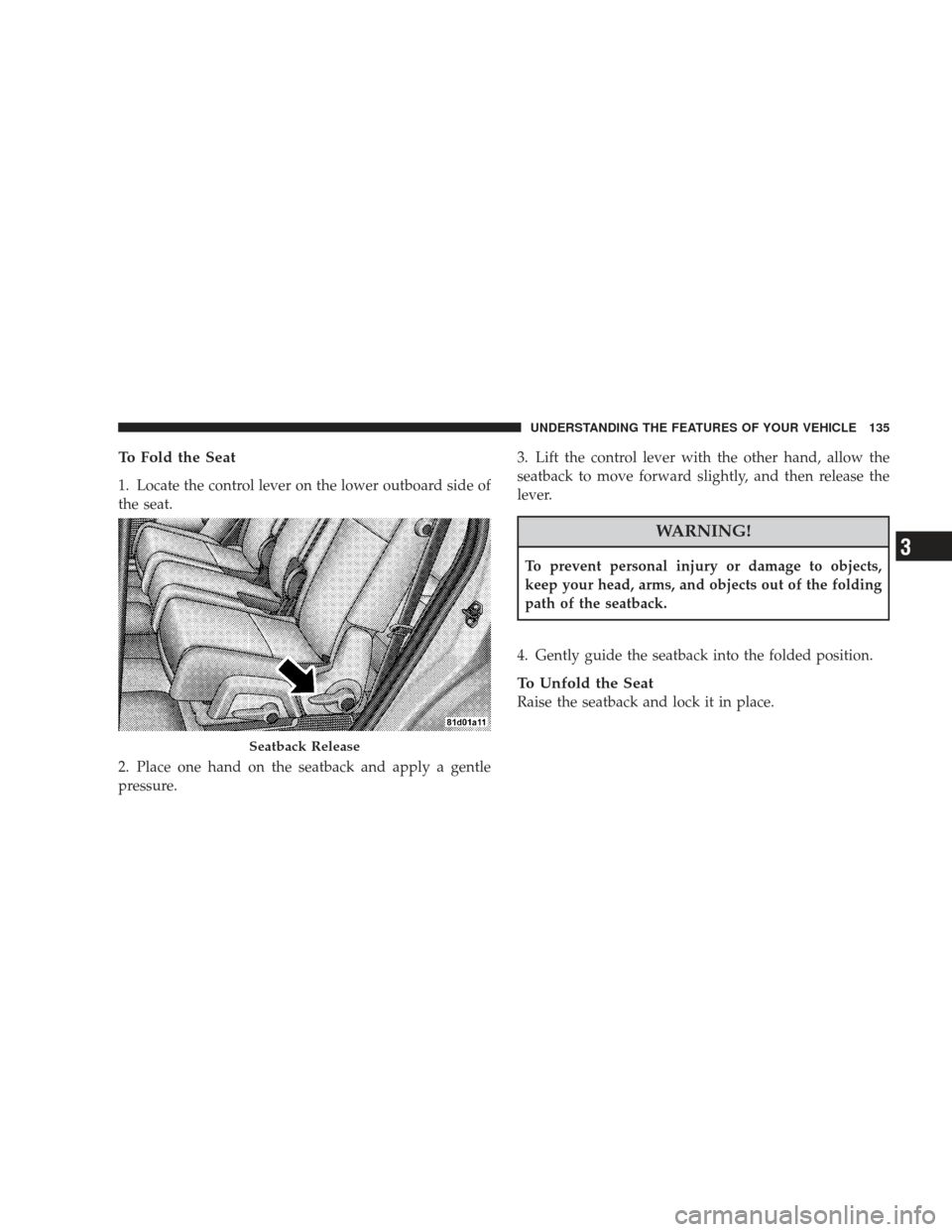
1. Locate the control lever on the lower outboard side of
the seat.
2. Place one hand on the seatback and apply a gentle
pressure.3. Lift the control lever with the other hand, allow the
seatback to move forward slightly, and then release the
lever.
WARNING!
To prevent personal injury or damage to objects,
keep your head, arms, and objects out of the folding
path of the seatback.
4. Gently guide the seatback into the folded position.
To Unfold the Seat
Raise the seatback and lock it in place.
Seatback Release
UNDERSTANDING THE FEATURES OF YOUR VEHICLE 135
3
Page 144 of 523
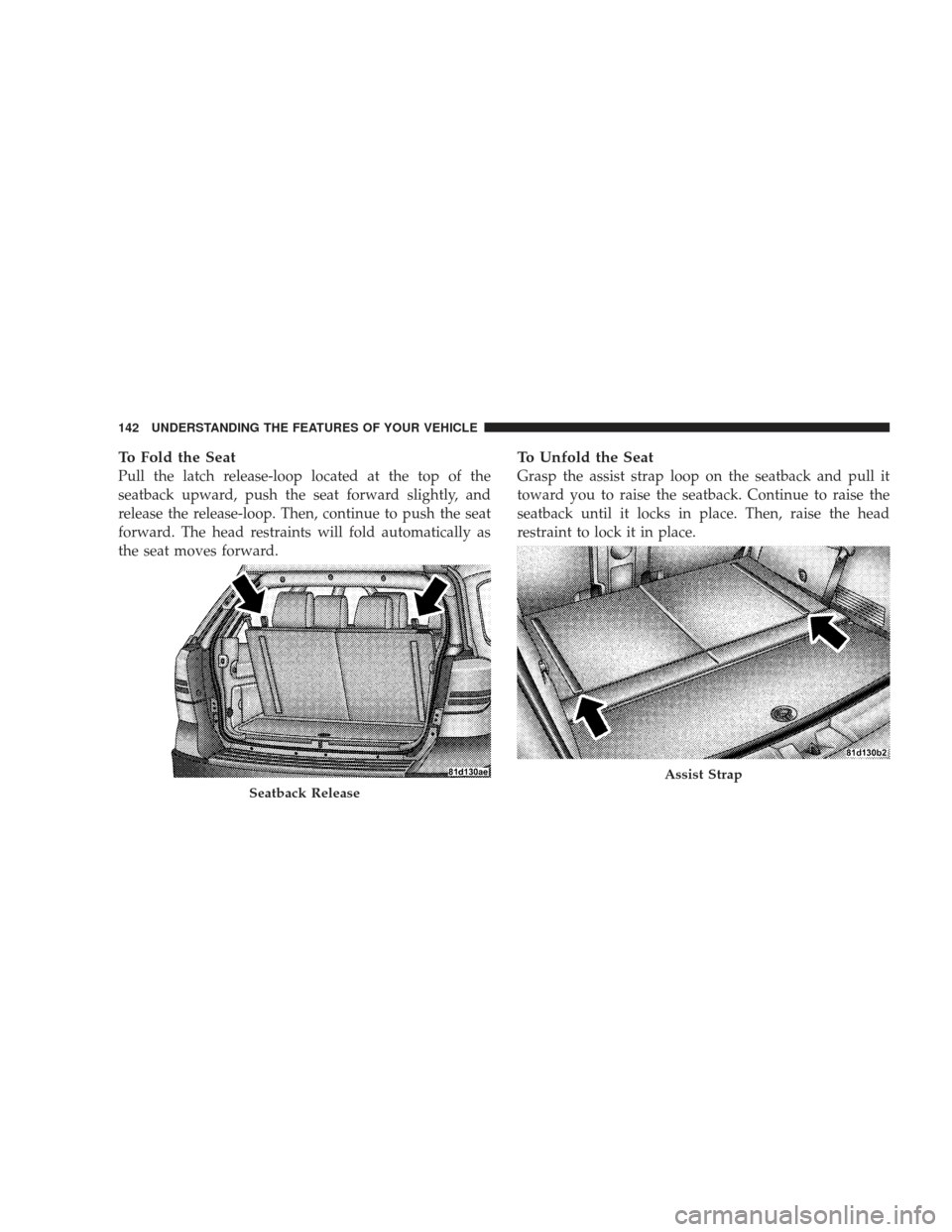
To Fold the Seat
Pull the latch release-loop located at the top of the
seatback upward, push the seat forward slightly, and
release the release-loop. Then, continue to push the seat
forward. The head restraints will fold automatically as
the seat moves forward.
To Unfold the Seat
Grasp the assist strap loop on the seatback and pull it
toward you to raise the seatback. Continue to raise the
seatback until it locks in place. Then, raise the head
restraint to lock it in place.
Seatback Release
Assist Strap
142 UNDERSTANDING THE FEATURES OF YOUR VEHICLE
Page 148 of 523
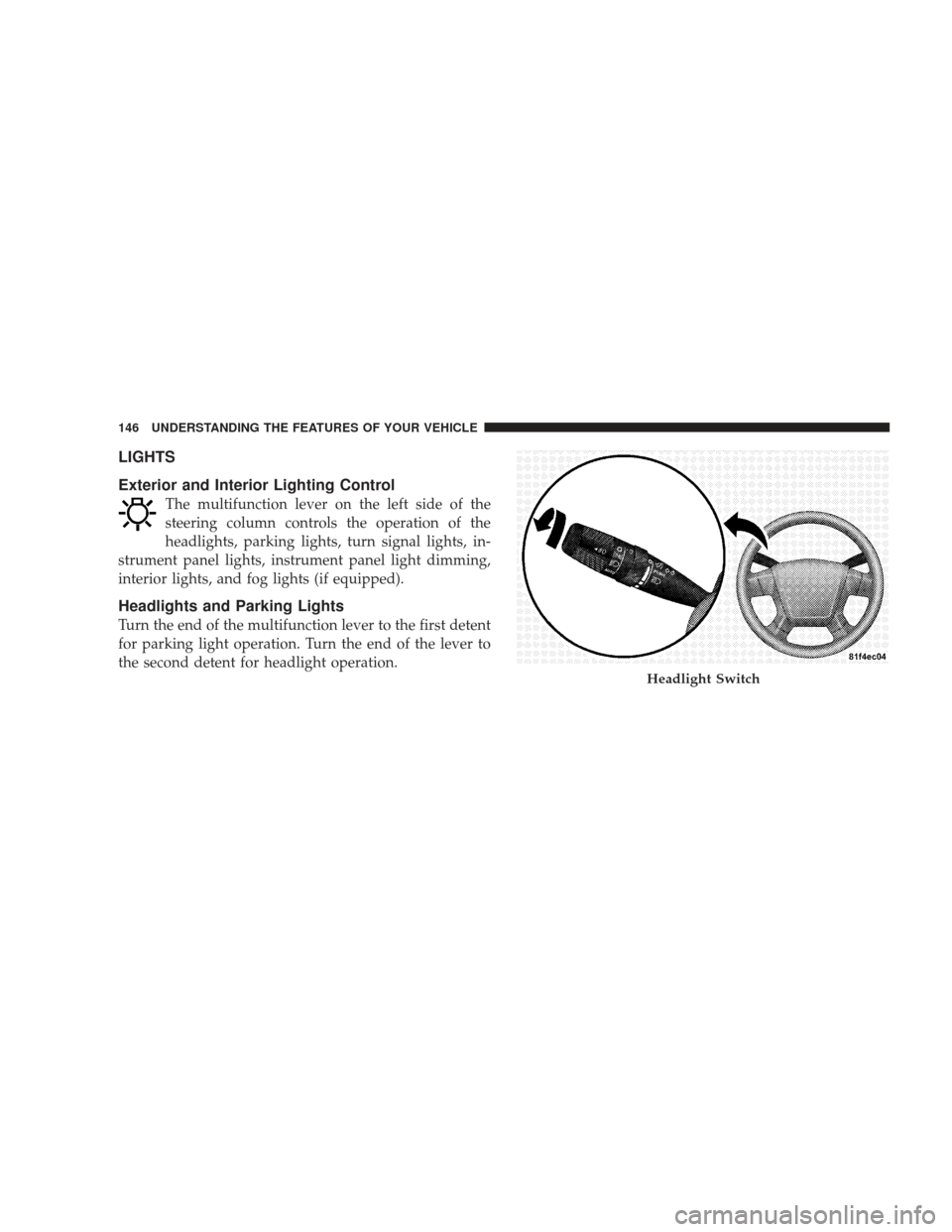
LIGHTS
Exterior and Interior Lighting Control
The multifunction lever on the left side of the
steering column controls the operation of the
headlights, parking lights, turn signal lights, in-
strument panel lights, instrument panel light dimming,
interior lights, and fog lights (if equipped).
Headlights and Parking Lights
Turn the end of the multifunction lever to the first detent
for parking light operation. Turn the end of the lever to
the second detent for headlight operation.
Headlight Switch
146 UNDERSTANDING THE FEATURES OF YOUR VEHICLE
Page 149 of 523
Automatic Headlights — If Equipped
This system automatically turns the headlights on or off
according to ambient light levels. To turn the system ON,
turn the end of the multifunction lever to the AUTO
position (third detent). When the system is on, the
headlight time delay feature is also on. This means the
headlights will stay on for up to 90 seconds after you turn
the ignition switch to the LOCK position. To turn the
Automatic System OFF, turn the end of the multifunction
lever out of the AUTO position.
NOTE:The engine must be running before the head-
lights will turn on in the automatic mode.
Headlights with Wipers (Available with Auto
Headlights Only)
When this feature is active, the headlights will turn on
approximately 10 seconds after the wipers are turned ON
if the multifunction lever is placed in the AUTO position. In addition, the headlights will turn off when the wipers
are turned OFF if they were turned ON by this feature.
The Headlights with Wipers feature can be turned on or
off through the Electronic Vehicle Information Center
(EVIC) (if equipped). Refer to ”Headlights With Wipers,”
under “Personal Settings (Customer Programmable Fea-
tures)” under “Electronic Vehicle Information Center” in
Section 4.
Headlight Time Delay — If Equipped
This feature is particularly useful when exiting your
vehicle in an unlit area. It provides the safety of headlight
illumination for up to 90 seconds after turning the
ignition switch to the LOCK position.
To activate the delay, turn the ignition switch to the
LOCK position while the headlights are still on. Then,
turn OFF the headlights within 45 seconds. The delay
interval begins when you turn OFF the headlights. Only
the headlights will illuminate during this time.
UNDERSTANDING THE FEATURES OF YOUR VEHICLE 147
3
Page 150 of 523
If you turn the headlights, or parking lights, or ignition
switch ON again, the system will cancel the delay.
If you turn the headlights OFF before the ignition, they
will turn off in the normal manner.
The headlight delay time is programmable on vehicles
equipped with the EVIC. Refer to “Headlight Off Delay,”
under “Personal Settings (Customer Programmable Fea-
tures),” under “Electronic Vehicle Information Center
(EVIC)” in Section 4.
Daytime Running Lights (DRL) — If Equipped
The high beam headlights will turn on as Daytime
Running Lights (DRL) and operate at DRL (lower) inten-
sity, whenever the ignition is ON, the engine is running,
the HEADLIGHT switch is off, the parking brake is off,
the turn signal is off, and the shift lever is in any position
except PARK.NOTE:
The Daytime Running Lights will turn off
automatically when the turn signal is in operation and
turn on again when the turn signal is not operating.
Lights-On Reminder
If the headlights or parking lights are on after the ignition
is turned to the LOCK position, a chime will sound to
alert the driver when the driver’s door is opened.
Fog Lights — If Equipped
To activate the front fog lights, turn ON the
parking lights or the low beam headlights and pull
out on the end of the multifunction lever.
148 UNDERSTANDING THE FEATURES OF YOUR VEHICLE
Page 151 of 523
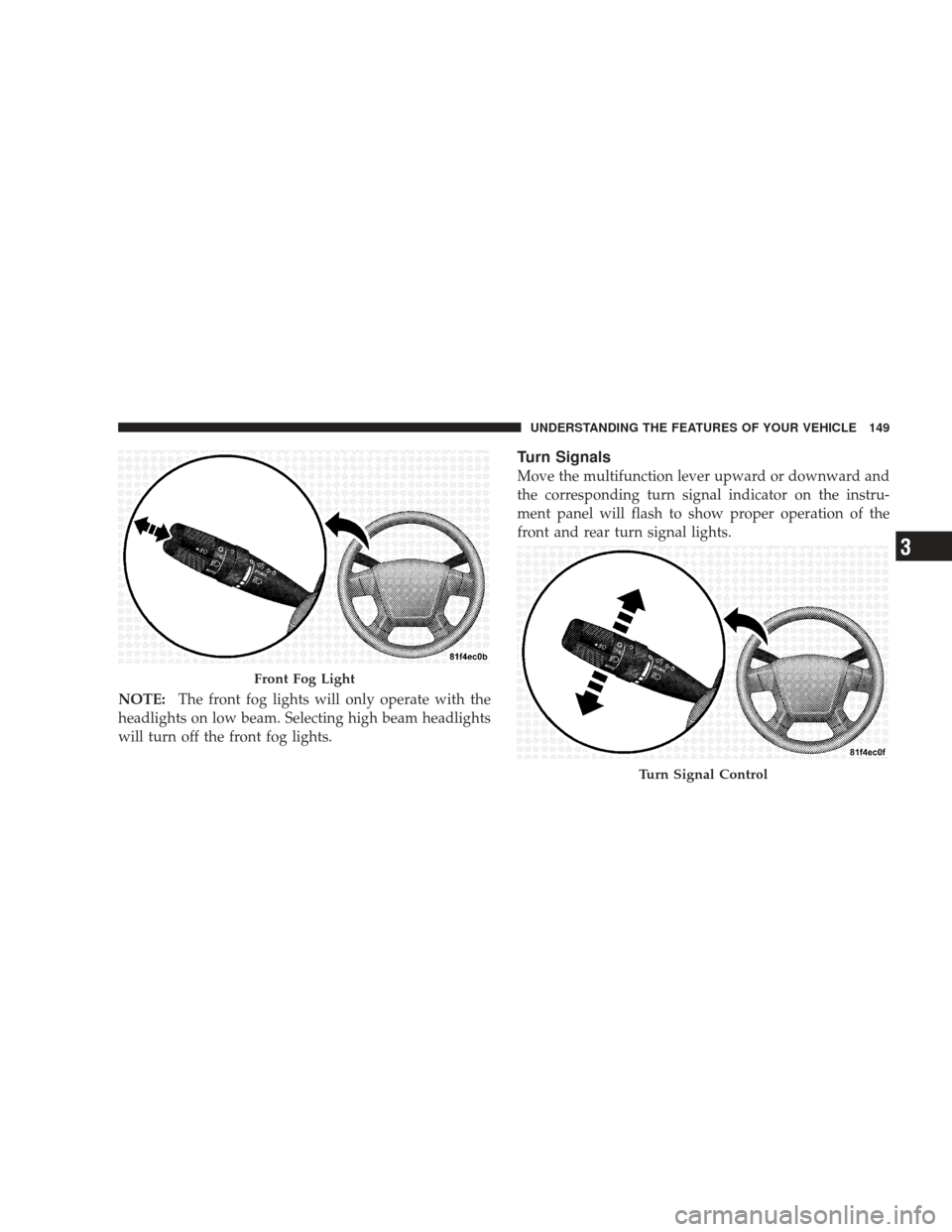
NOTE:The front fog lights will only operate with the
headlights on low beam. Selecting high beam headlights
will turn off the front fog lights.
Turn Signals
Move the multifunction lever upward or downward and
the corresponding turn signal indicator on the instru-
ment panel will flash to show proper operation of the
front and rear turn signal lights.
Front Fog Light
Turn Signal Control
UNDERSTANDING THE FEATURES OF YOUR VEHICLE 149
3
Page 152 of 523
You can signal a lane change by moving the lever upward
or downward partially without moving beyond the de-
tent.
NOTE:If either turn signal indicator has a very fast
flash rate, check for an inoperative outside light bulb. If
an indicator fails to light when the lever is moved, see
your authorized dealer for service.
Highbeam/Lowbeam Select Switch
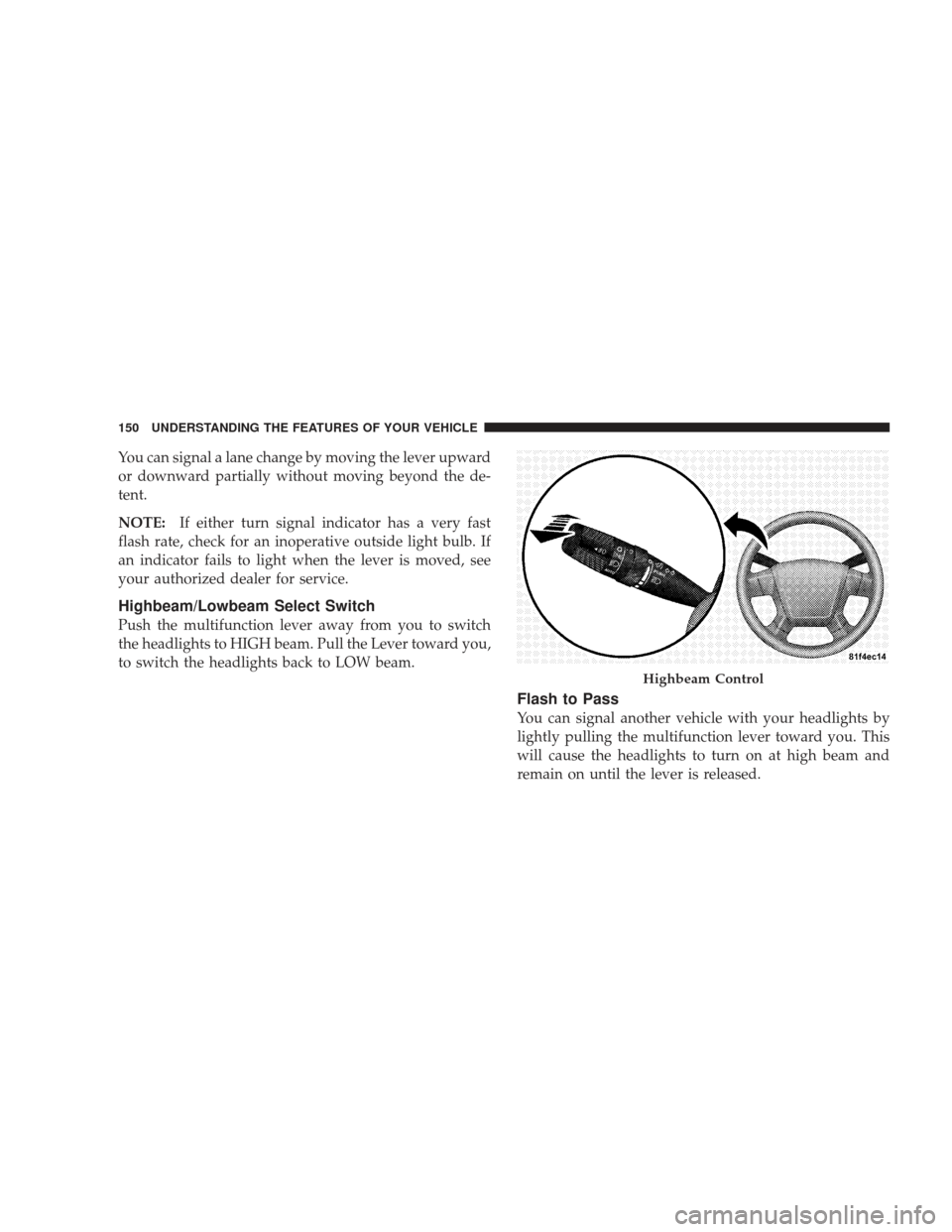
Push the multifunction lever away from you to switch
the headlights to HIGH beam. Pull the Lever toward you,
to switch the headlights back to LOW beam.
Flash to Pass
You can signal another vehicle with your headlights by
lightly pulling the multifunction lever toward you. This
will cause the headlights to turn on at high beam and
remain on until the lever is released.
Highbeam Control
150 UNDERSTANDING THE FEATURES OF YOUR VEHICLE