light DODGE JOURNEY 2009 1.G Repair Manual
[x] Cancel search | Manufacturer: DODGE, Model Year: 2009, Model line: JOURNEY, Model: DODGE JOURNEY 2009 1.GPages: 523
Page 216 of 523
When the malfunction indicator is illuminated, the sys-
tem may not be able to detect or signal low tire pressure
as intended. TPMS malfunctions may occur for a variety
of reasons, including the installation of replacement or
alternate tires or wheels on the vehicle that prevent the
TPMS from functioning properly. Always check the
TPMS malfunction telltale light after replacing one or
more tires or wheels on your vehicle to ensure that the
replacement or alternate tires and wheels allow the TPMS
to continue to function properly. (See page 355 for more
information.)CAUTION!
The TPMS has been optimized for the original
equipment tires and wheels. TPMS pressures and
warning have been established for the tire size
equipped on your vehicle. Undesirable system opera-
tion or sensor damage may result when using re-
placement equipment that is not of the same size,
type, and/or style. Aftermarket wheels can cause
sensor damage. Do not use aftermarket tire sealants
or balance beads if your vehicle is equipped with a
TPMS, as damage to the sensors may result. (Refer to
“Tire Inflation Pressures” under “Tires — General
Information” and to “Tire Pressure Monitor System
(TPMS)” in Section 5 for more information).
214 UNDERSTANDING YOUR INSTRUMENT PANEL
Page 217 of 523
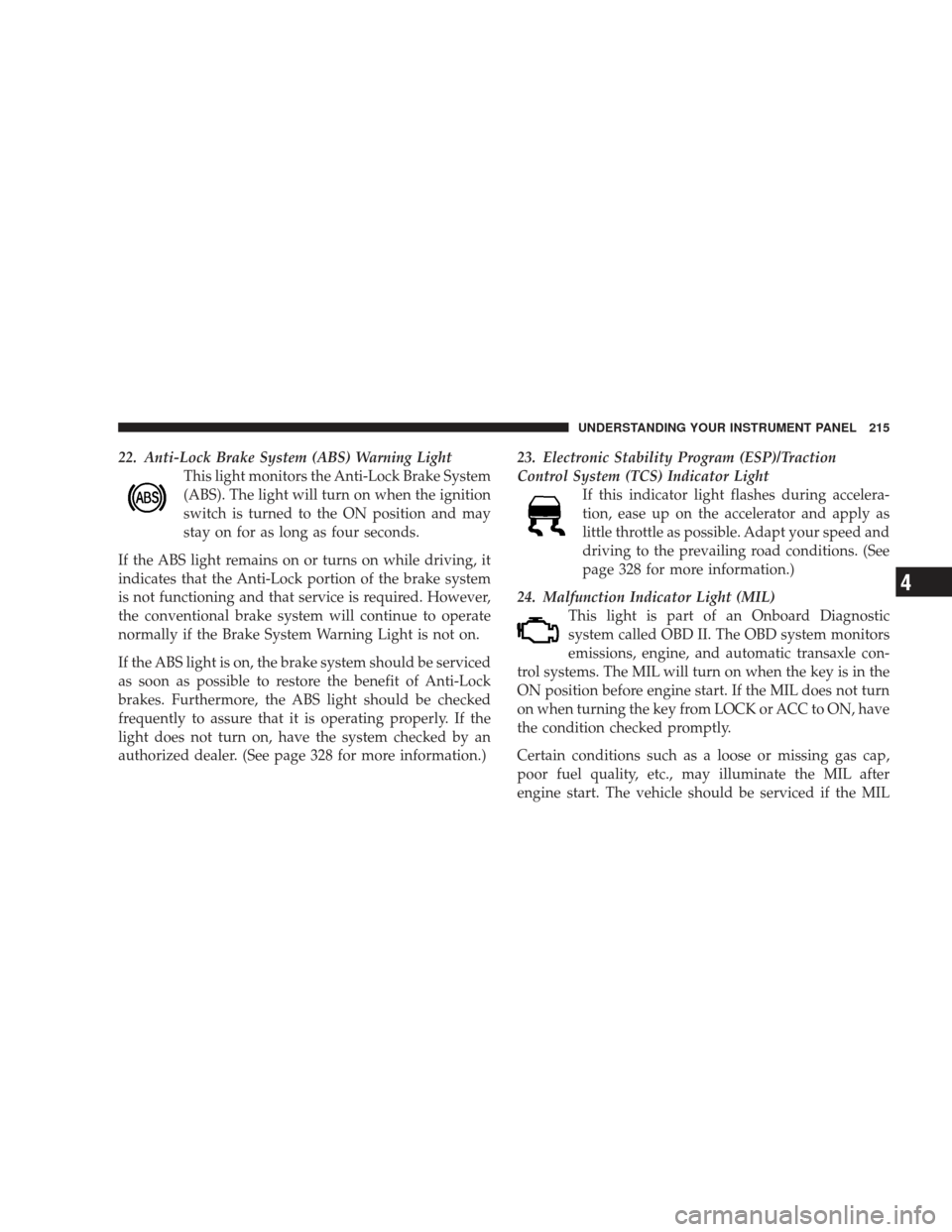
22. Anti-Lock Brake System (ABS) Warning LightThis light monitors the Anti-Lock Brake System
(ABS). The light will turn on when the ignition
switch is turned to the ON position and may
stay on for as long as four seconds.
If the ABS light remains on or turns on while driving, it
indicates that the Anti-Lock portion of the brake system
is not functioning and that service is required. However,
the conventional brake system will continue to operate
normally if the Brake System Warning Light is not on.
If the ABS light is on, the brake system should be serviced
as soon as possible to restore the benefit of Anti-Lock
brakes. Furthermore, the ABS light should be checked
frequently to assure that it is operating properly. If the
light does not turn on, have the system checked by an
authorized dealer. (See page 328 for more information.) 23. Electronic Stability Program (ESP)/Traction
Control System (TCS) Indicator Light
If this indicator light flashes during accelera-
tion, ease up on the accelerator and apply as
little throttle as possible. Adapt your speed and
driving to the prevailing road conditions. (See
page 328 for more information.)
24. Malfunction Indicator Light (MIL) This light is part of an Onboard Diagnostic
system called OBD II. The OBD system monitors
emissions, engine, and automatic transaxle con-
trol systems. The MIL will turn on when the key is in the
ON position before engine start. If the MIL does not turn
on when turning the key from LOCK or ACC to ON, have
the condition checked promptly.
Certain conditions such as a loose or missing gas cap,
poor fuel quality, etc., may illuminate the MIL after
engine start. The vehicle should be serviced if the MIL
UNDERSTANDING YOUR INSTRUMENT PANEL 215
4
Page 218 of 523
stays on through several of your typical driving cycles. In
most situations, the vehicle will drive normally and will
not require towing.
If the MIL flashes when the engine is running, serious
conditions may exist that could lead to immediate loss of
power or severe catalytic converter damage. (See page
421 for more information.)
CAUTION!
Prolonged driving with the MIL on could cause
further damage to the emissions control system. It
could also affect fuel economy and driveability. The
vehicle must be serviced before any emissions tests
can be performed.
If the MIL is flashing while the engine is running,
severe catalytic converter damage and power loss
will soon occur. Immediate service is required.25. Electronic Stability Program (ESP)/Brake Assist
System (BAS) Malfunction Indicator Light – If
Equipped
The yellow ESP/BAS Malfunction Indicator
Light will turn on when the ignition switch is
turned to the ON position. The light should go
out with the engine running. The system will
turn the light on continuously while the engine is run-
ning if it detects a malfunction in either the ESP or the
BAS or both. If this light remains on after the several
ignition cycles, and the vehicle has been driven several
miles (kilometers) at speeds greater than 30 mph (48
km/h), see your authorized dealer as soon as possible to
have the problem diagnosed and corrected. (See page 328
for more information.)
216 UNDERSTANDING YOUR INSTRUMENT PANEL
Page 219 of 523
26. Brake System Warning LightThis light monitors various brake functions,
including brake fluid level and parking brake
application. If the light turns on, it may indi-
cate that the parking brake is applied, that the
brake fluid level is low, or that there is a problem with the
ABS.
The dual brake system provides a reserve braking capac-
ity to a portion of the hydraulic system in the event of a
failure. Failure of either half of the dual brake system is
indicated by the Brake System Warning Light, which will
turn on when the brake fluid level in the master cylinder
drops below a specified level.
The light will remain on until the cause is corrected.
NOTE: The light may flash momentarily during sharp
cornering maneuvers due to a change in fluid level. If so,
the vehicle should have service performed and the brake
fluid level checked. Immediate repair is necessary if brake failure is indicated.
WARNING!
Driving a vehicle with the Brake System Warning
Light on is dangerous. A significant decrease in
braking performance or vehicle stability during
braking may occur. It will take you longer to stop the
vehicle or will make your vehicle harder to control.
You could have an accident. Have the vehicle checked
immediately.
Vehicles equipped with ABS are also equipped with
Electronic Brake Force Distribution (EBD). Both the Brake
Warning Light and the ABS Light will turn on in the
event of an EBD failure. Immediate repair of the ABS is
required in the event of an EBD failure.
UNDERSTANDING YOUR INSTRUMENT PANEL 217
4
Page 220 of 523
The operation of the Brake Warning Light can be checked
by turning the ignition switch from the LOCK position to
the ON position. The light should turn on for approxi-
mately two seconds and then turn off. The light will
remain on if the parking brake is applied or if a brake
fault is detected. If the parking brake is not applied and
the light remains on, or if the light does not turn on, have
the light inspected by an authorized dealer.
NOTE:The light will turn on when the ignition switch
is in the ON position and the parking brake is applied.
This light shows only that the parking brake is applied. It
does not show the degree of brake application. (See page
326 for more information.)
27. Airbag Warning Light This light will turn on for four to six seconds as
a bulb check when the ignition switch is first
turned ON. If the light is either not on during
starting, or stays on, or turns on while driving, then have the system inspected at your authorized dealer
as soon as possible. (See page 63 for more information.)
28. Compass/Temperature Display Button (Mid Line
Clusters Only)
Operates the Compass/Temperature display in the
Vacuum Fluorescent Display.
29. Vacuum Fluorescent Display (Mid Line And
Premium Clusters Only)
On vehicles equipped with a Premium Cluster, this
display shows the Electronic Vehicle Information Center
(EVIC) messages when the appropriate conditions exist.
(See page 221 for more information.)
On vehicles equipped with a Mid Line Cluster, this
display shows the compass heading (N, S, E, W, NE, NW,
SE, and SW) and the outside temperature. The
COMPASS/TEMPERATURE DISPLAY button operates
218 UNDERSTANDING YOUR INSTRUMENT PANEL
Page 225 of 523
![DODGE JOURNEY 2009 1.G Repair Manual Press this button to reset Trip Functions and
change Personal Settings.
Press this button to scroll through Trip Func-
tions (Average Fuel Economy, Distance To
Empty [DTE], Elapsed Time, Units In), Sy](/img/12/5639/w960_5639-224.png "DODGE JOURNEY 2009 1.G Repair Manual Press this button to reset Trip Functions and
change Personal Settings.
Press this button to scroll through Trip Func-
tions (Average Fuel Economy, Distance To
Empty [DTE], Elapsed Time, Units In), Sy")
Press this button to reset Trip Functions and
change Personal Settings.
Press this button to scroll through Trip Func-
tions (Average Fuel Economy, Distance To
Empty [DTE], Elapsed Time, Units In), System
Status Messages, and Personal Settings (Cus-
tomer Programmable Features).Press this button to display the
Compass/Outside Temperature.Electronic Vehicle Information Center (EVIC)
Displays
When the appropriate conditions exist, the EVIC displays
the following messages:
•Turn Signal On (with a continuous warning chime if
the vehicle is driven more than 1 mi [1.6 km] with
either turn signal on)
•Left Front Turn Signal Light Out (with a single chime)
•Left Rear Turn Signal Light Out (with a single chime)
•Right Front Turn Signal Light Out (with a single
chime)
•Right Rear Turn Signal Light Out (with a single chime)
•RKE Battery Low (with a single chime)
•Personal Settings Not Available – Vehicle Not in PARK
RESETButton
SCROLL Button
COMPASS/TEMPERA-
TURE Button
UNDERSTANDING YOUR INSTRUMENT PANEL 223
4
Page 227 of 523
•Coolant Low
•Key in Ignition
•Lights On
Oil Change Required
Your vehicle is equipped with an engine oil change
indicator system. The “Oil Change Required” message
will display in the EVIC for approximately 5 seconds
after a single chime has sounded to indicate the next
scheduled oil change interval. The engine oil change
indicator system is duty cycle based, which means the
engine oil change interval may fluctuate dependent upon
your personal driving style.
Unless reset, this message will continue to display each
time you turn the ignition switch to the ON position. To
turn off the message temporarily, press and release theMENU button. To reset the oil change indicator system
(after performing the scheduled maintenance) perform
the following procedure:
1. Turn the ignition switch to the ON position (Do not
start the engine).
2. Fully depress the accelerator pedal slowly three times
within 10 seconds.
3. Turn the ignition switch to the LOCK position.
NOTE:
If the indicator message illuminates when you
start the vehicle, the oil change indicator system did not
reset. If necessary, repeat this procedure.
UNDERSTANDING YOUR INSTRUMENT PANEL 225
4
Page 233 of 523
“RKE UNLOCK”
WhenDriver Door 1st Press is selected, only the driver’s
door will unlock on the first press of the Remote Keyless
Entry (RKE) UNLOCK button. When Driver Door 1st
Press is selected, you must press the RKE UNLOCK
button twice to unlock the passenger doors and liftgate.
When All Doors 1st Press is selected, all doors and the
liftgate will unlock on the first press of the RKE UN-
LOCK button. To make your selection, press and release
the RESET button until “Driver Door 1st Press” or “All
Doors 1st Press” appears.
“SOUND HORN WITH LOCK”
When ON is selected, a short horn sound will occur when
the RKE LOCK button is pressed. This feature may be
selected with or without the flash lights with lock feature.
To make your selection, press and release the RESET
button until “ON” or “OFF” appears.
“FLASH LAMP WITH LOCK”
When ON is selected, the front and rear turn signals will
flash when the doors are locked or unlocked with the
RKE transmitter. This feature may be selected with or
without the sound horn on lock feature selected. To make
your selection, press and release the RESET button until
“ON” or “OFF” appears.
“HEADLAMP OFF DELAY”
When this feature is selected, the driver can choose to
have the headlights remain on for 0, 30, 60, or 90 seconds
after turning the ignition to the LOCK position. To make
your selection, press and release the RESET button until
“0,” “30,” “60,” or “90” appears.
“HEADLAMPS WITH WIPERS” (Available with
Auto Headlights Only)
When ON is selected, and the multifunction lever is
placed in the AUTO position, the headlights will turn on
approximately 10 seconds after the wipers are turned
UNDERSTANDING YOUR INSTRUMENT PANEL 231
4
Page 234 of 523
ON. The headlights will also turn off when the wipers are
turned OFF if they were turned ON by this feature. To
make your selection, press and release the RESET button
until “ON” or “OFF” appears.
“KEY-OFF POWER DELAY”
When this feature is selected, the power window
switches, radio, hands-free system (if equipped), DVD
video system (if equipped), power sunroof (if equipped),
and ignition powered outlets will remain active for up to
10 minutes after the ignition switch is turned OFF.
Opening a vehicle door will cancel this feature. To make
your selection, press and release the RESET button until
“Off,” “45 sec.,” “5 min.,” or “10 min.” appears.
“ILLUMIN APPROACH”
When this feature is selected, the headlights will activate
and remain on for up to 90 seconds when the doors areunlocked with the RKE transmitter. To make your selec-
tion, press and hold the RESET button until “Off,” “30
sec,” “60 sec,” or “90 sec” appears.
“DISPLAY UNITS IN”
The EVIC, odometer, and navigation system (if
equipped) can be changed between English and Metric
units of measure. To make your selection, press and
release the RESET button until “U.S.” or “METRIC”
appears.
“NAV TURN BY TURN” — If Equipped
When ON is selected, the Turn-by-Turn directions will
appear in the display as the vehicle approaches a desig-
nated turn within a programmed route. To make your
selection, press and release the RESET button until “ON”
or “OFF” appears.
COMPASS VARIANCE
Refer to “Compass Variance” under “Compass Display.”
232 UNDERSTANDING YOUR INSTRUMENT PANEL
Page 235 of 523
CALIBRATE COMPASS
Refer to “Manual Compass Calibration” under “Com-
pass Display.”
RADIO GENERAL INFORMATION
Radio Broadcast Signals
The radio will provide excellent reception under most
operating conditions. Like any system, however, car
radios have performance limitations, due to mobile op-
eration and natural phenomena, which might lead you to
believe your sound system is malfunctioning. To help
you understand and save you concern about these “ap-
parent” malfunctions, you must understand a point or
two about the transmission and reception of radio sig-
nals.
Two Types of Signals
There are two basic types of radio signals: AM (Ampli-
tude Modulation), in which the transmitted sound causes
the amplitude, or height, of the radio waves to vary; and
FM (Frequency Modulation), in which the frequency of
the wave is varied to carry the sound.
Electrical Disturbance
Radio waves may pick up electrical disturbances during
transmission. They mainly affect the wave amplitude,
and thus remain a part of the AM reception. They
interfere very little with the frequency variations that
carry the FM signal.
AM Reception
AM sound is based on wave amplitude, so AM reception
can be disrupted by such things as lightning, power lines
and neon signs.
UNDERSTANDING YOUR INSTRUMENT PANEL 233
4