lock DODGE JOURNEY 2011 1.G Repair Manual
[x] Cancel search | Manufacturer: DODGE, Model Year: 2011, Model line: JOURNEY, Model: DODGE JOURNEY 2011 1.GPages: 557
Page 244 of 557
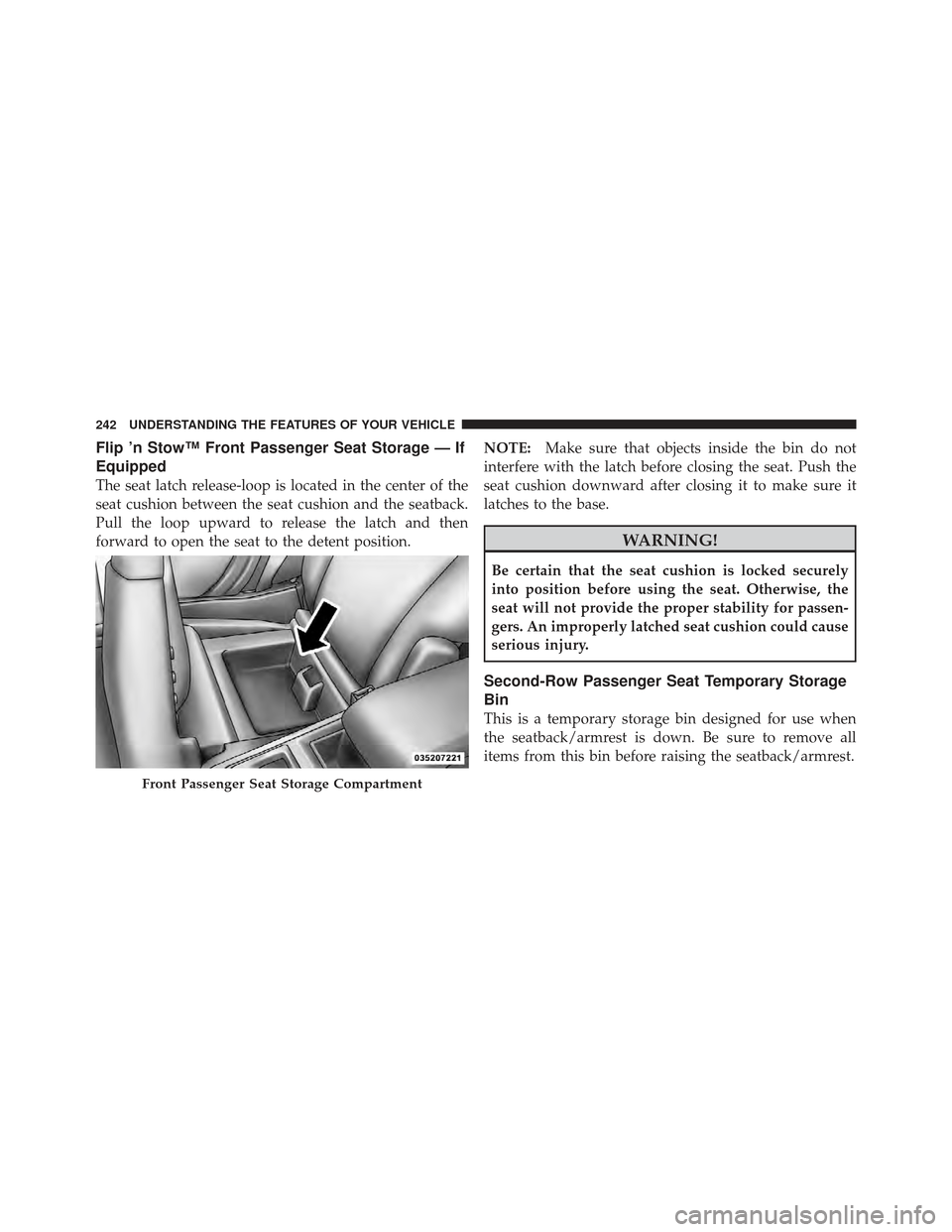
Flip ’n Stow™ Front Passenger Seat Storage — If
Equipped
The seat latch release-loop is located in the center of the
seat cushion between the seat cushion and the seatback.
Pull the loop upward to release the latch and then
forward to open the seat to the detent position.NOTE:
Make sure that objects inside the bin do not
interfere with the latch before closing the seat. Push the
seat cushion downward after closing it to make sure it
latches to the base.
WARNING!
Be certain that the seat cushion is locked securely
into position before using the seat. Otherwise, the
seat will not provide the proper stability for passen-
gers. An improperly latched seat cushion could cause
serious injury.
Second-Row Passenger Seat Temporary Storage
Bin
This is a temporary storage bin designed for use when
the seatback/armrest is down. Be sure to remove all
items from this bin before raising the seatback/armrest.
Front Passenger Seat Storage Compartment
242 UNDERSTANDING THE FEATURES OF YOUR VEHICLE
Page 253 of 557
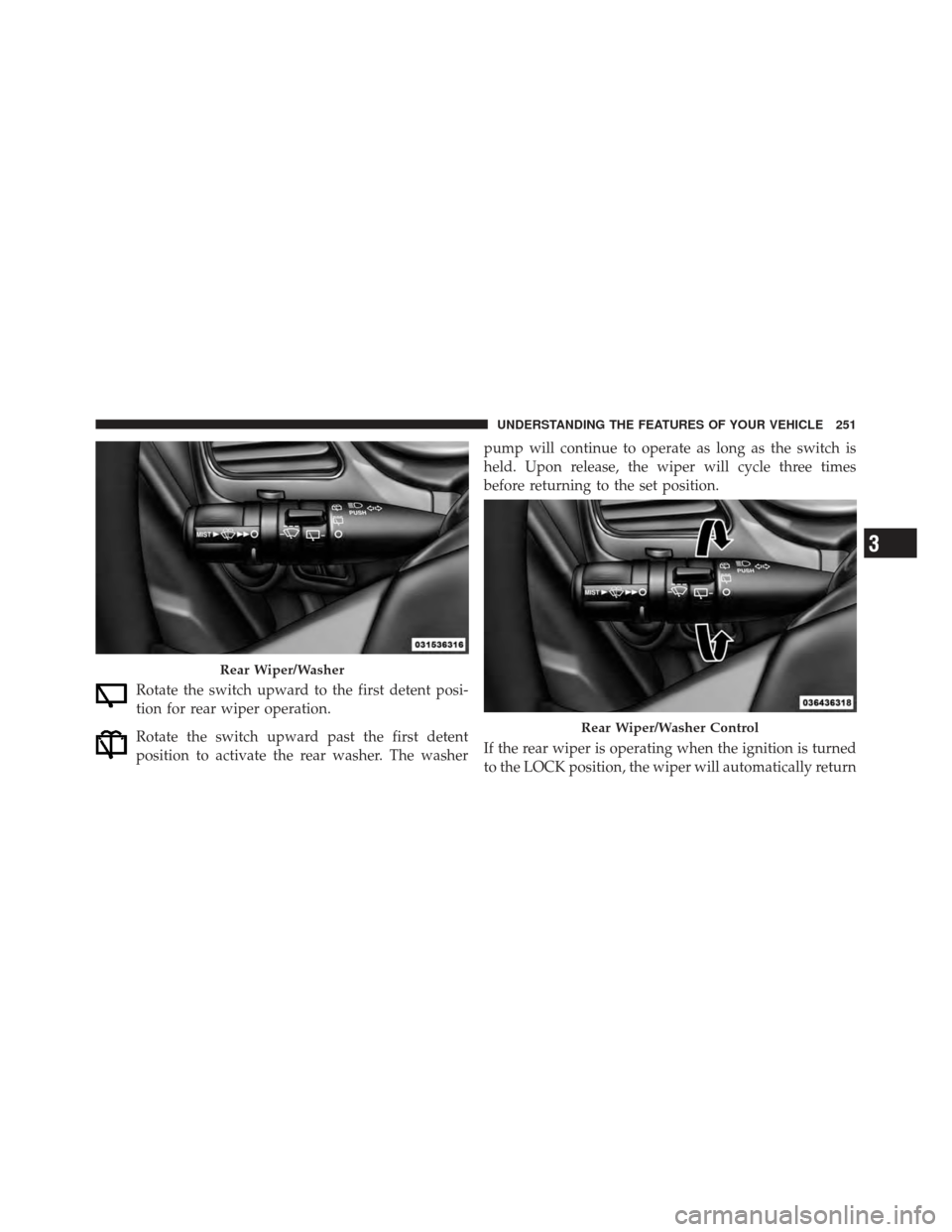
Rotate the switch upward to the first detent posi-
tion for rear wiper operation.
Rotate the switch upward past the first detent
position to activate the rear washer. The washerpump will continue to operate as long as the switch is
held. Upon release, the wiper will cycle three times
before returning to the set position.
If the rear wiper is operating when the ignition is turned
to the LOCK position, the wiper will automatically return
Rear Wiper/Washer
Rear Wiper/Washer Control
3
UNDERSTANDING THE FEATURES OF YOUR VEHICLE 251
Page 266 of 557
11. Seat Belt Reminder LightWhen the ignition switch is first turned to ON/
RUN, this light will turn on for four to eight
seconds as a bulb check. During the bulb check, if
the driver or front passenger’s seat belt is unbuckled, a
chime will sound. After the bulb check or when driving,
if the driver’s seat belt remains unbuckled, the Seat Belt
Reminder Light will illuminate and the chime will sound.
Refer to “Occupant Restraints” in “Things To Know
Before Starting Your Vehicle” for further information.
12. Brake Warning Light This light monitors various brake functions,
including brake fluid level and parking brake
application. If the brake light turns on it may
indicate that the parking brake is applied, that
the brake fluid level is low, or that there is a problem with
the anti-lock brake system reservoir. If the light remains on when the parking brake has been
disengaged, and the fluid level is at the full mark on the
master cylinder reservoir, it indicates a possible brake
hydraulic system malfunction or that a problem with the
Brake Booster has been detected by the Anti-Lock Brake
System (ABS) / Electronic Stability Control (ESC) system.
In this case, the light will remain on until the condition
has been corrected. If the problem is related to the brake
booster, the ABS pump will run when applying the brake
and a brake pedal pulsation may be felt during each stop.
The dual brake system provides a reserve braking capac-
ity in the event of a failure to a portion of the hydraulic
system. A leak in either half of the dual brake system is
indicated by the Brake Warning Light, which will turn on
when the brake fluid level in the master cylinder has
dropped below a specified level.
The light will remain on until the cause is corrected.
264 UNDERSTANDING YOUR INSTRUMENT PANEL
Page 267 of 557
NOTE:The light may flash momentarily during sharp
cornering maneuvers, which change fluid level condi-
tions. The vehicle should have service performed, and
the brake fluid level checked.
If brake failure is indicated, immediate repair is neces-
sary.
WARNING!
Driving a vehicle with the red brake light on is
dangerous. Part of the brake system may have failed.
It will take longer to stop the vehicle. You could have
a collision. Have the vehicle checked immediately.
Vehicles equipped with the Anti-Lock Brake System
(ABS), are also equipped with Electronic Brake Force
Distribution (EBD). In the event of an EBD failure, the
Brake Warning Light will turn on along with the ABS
Light. Immediate repair to the ABS system is required. Operation of the Brake Warning Light can be checked by
turning the ignition switch from the OFF position to the
ON/RUN position. The light should illuminate for ap-
proximately two seconds. The light should then turn off
unless the parking brake is applied or a brake fault is
detected. If the light does not illuminate, have the light
inspected by an authorized dealer.
The light also will turn on when the parking brake is
applied with the ignition switch in the ON/RUN posi-
tion.
NOTE:
This light shows only that the parking brake is
applied. It does not show the degree of brake application.
13. Anti-Lock Brake (ABS) Light This light monitors the Anti-Lock Brake System
(ABS). The light will turn on when the ignition
switch is turned to the ON/RUN position and
may stay on for as long as four seconds.
4
UNDERSTANDING YOUR INSTRUMENT PANEL 265
Page 268 of 557
If the ABS light remains on or turns on while driving, it
indicates that the Anti-Lock portion of the brake system
is not functioning and that service is required. However,
the conventional brake system will continue to operate
normally if the BRAKE warning light is not on.
If the ABS light is on, the brake system should be serviced
as soon as possible to restore the benefits of Anti-Lock
brakes. If the ABS light does not turn on when the
ignition switch is turned to the ON/RUN position, have
the light inspected by an authorized dealer.
14. Speedometer
Indicates vehicle speed.
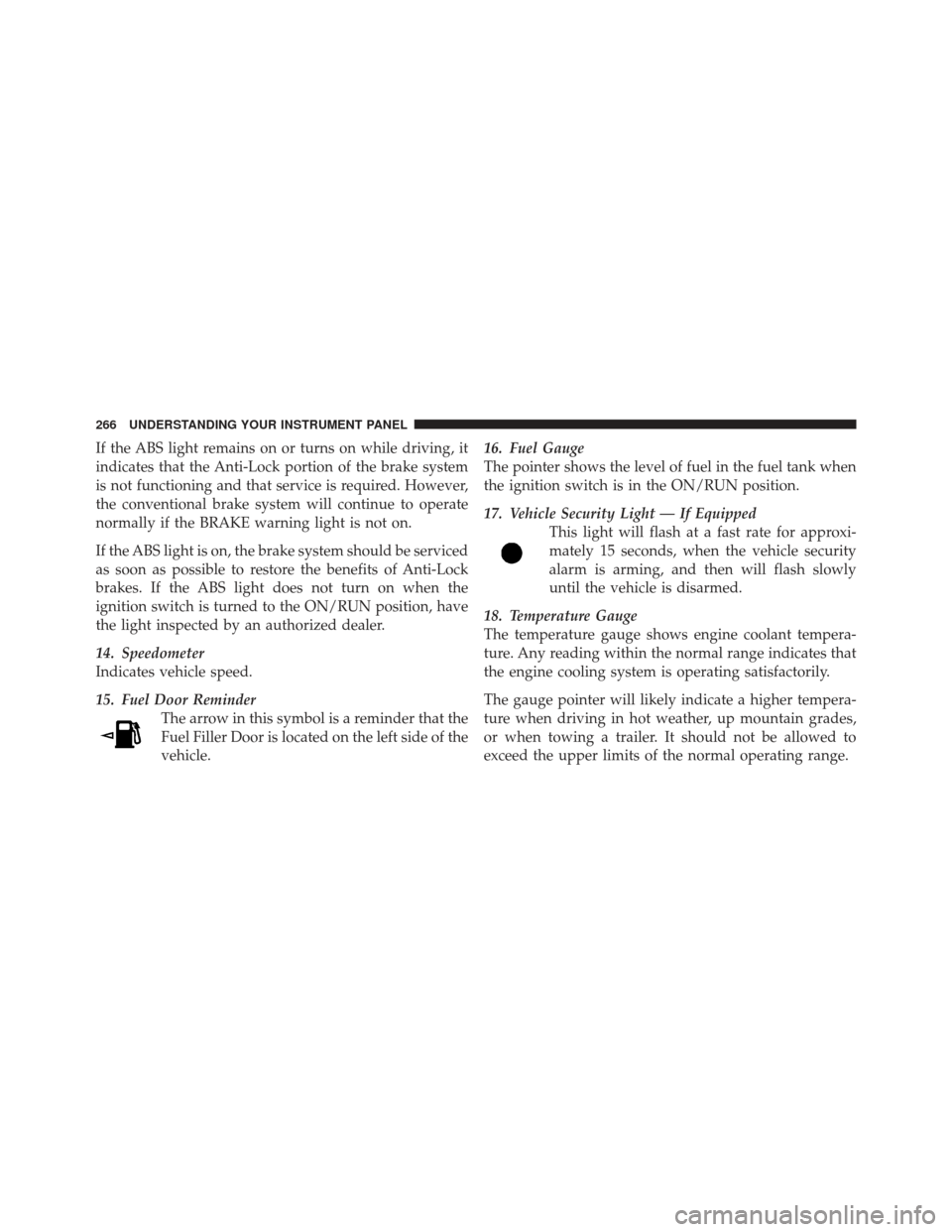
15. Fuel Door ReminderThe arrow in this symbol is a reminder that the
Fuel Filler Door is located on the left side of the
vehicle. 16. Fuel Gauge
The pointer shows the level of fuel in the fuel tank when
the ignition switch is in the ON/RUN position.
17. Vehicle Security Light — If Equipped
This light will flash at a fast rate for approxi-
mately 15 seconds, when the vehicle security
alarm is arming, and then will flash slowly
until the vehicle is disarmed.
18. Temperature Gauge
The temperature gauge shows engine coolant tempera-
ture. Any reading within the normal range indicates that
the engine cooling system is operating satisfactorily.
The gauge pointer will likely indicate a higher tempera-
ture when driving in hot weather, up mountain grades,
or when towing a trailer. It should not be allowed to
exceed the upper limits of the normal operating range.
266 UNDERSTANDING YOUR INSTRUMENT PANEL
Page 278 of 557
turn off the message temporarily, press and release the
MENU button. To reset the oil change indicator system
(after performing the scheduled maintenance), perform
the following procedure:
1. Without pressing the brake pedal, push the ENGINE
START/STOP button and cycle the ignition to the ON/
RUN position (Do not start the engine.)
2. Fully depress the accelerator pedal, slowly, three times
within 10 seconds.
3. Without pressing the brake pedal, push the ENGINE
START/STOP button once to return the ignition to the
OFF/LOCK position.
NOTE:If the indicator message illuminates when you
start the vehicle, the oil change indicator system did not
reset. If necessary, repeat this procedure.Fuel Economy
Press and release the UP or DOWN button until “Fuel
Economy” displays highlighted in the EVIC and press
the SELECT button. The following Fuel Economy func-
tions will display in the EVIC:
•Average Fuel Economy/Fuel Saver Mode
•Distance To Empty (DTE)
•Miles Per Gallon (MPG)
Average Fuel Economy / ECO Fuel Saver Mode —
If Equipped
Shows the average fuel economy since the last reset.
When the fuel economy is reset, the display will read
“RESET” or show dashes for two seconds. Then, the
history information will be erased, and the averaging will
continue from the last fuel average reading before the
reset.
276 UNDERSTANDING YOUR INSTRUMENT PANEL
Page 282 of 557
Hard-Keys
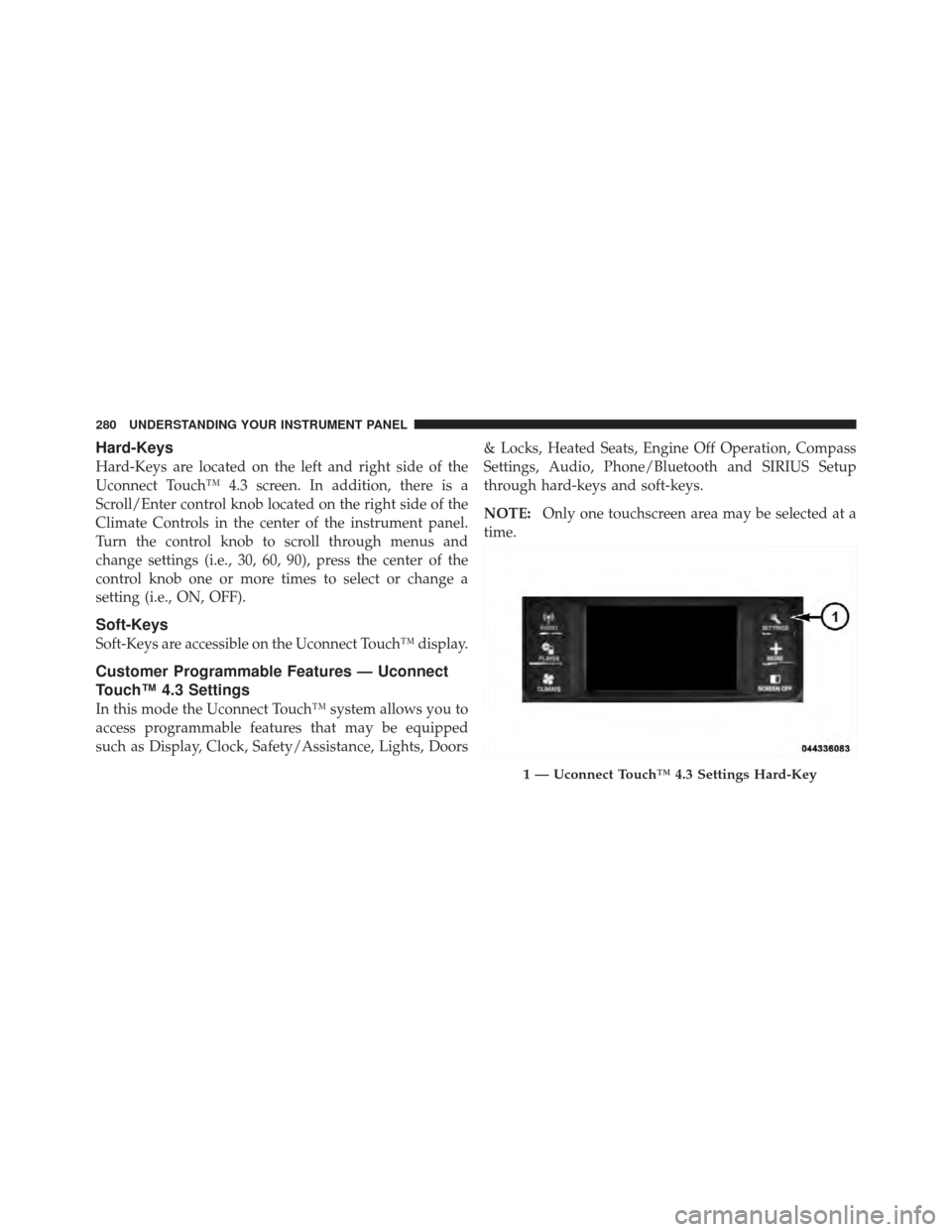
Hard-Keys are located on the left and right side of the
Uconnect Touch™ 4.3 screen. In addition, there is a
Scroll/Enter control knob located on the right side of the
Climate Controls in the center of the instrument panel.
Turn the control knob to scroll through menus and
change settings (i.e., 30, 60, 90), press the center of the
control knob one or more times to select or change a
setting (i.e., ON, OFF).
Soft-Keys
Soft-Keys are accessible on the Uconnect Touch™ display.
Customer Programmable Features — Uconnect
Touch™ 4.3 Settings
In this mode the Uconnect Touch™ system allows you to
access programmable features that may be equipped
such as Display, Clock, Safety/Assistance, Lights, Doors& Locks, Heated Seats, Engine Off Operation, Compass
Settings, Audio, Phone/Bluetooth and SIRIUS Setup
through hard-keys and soft-keys.
NOTE:
Only one touchscreen area may be selected at a
time.
1 — Uconnect Touch™ 4.3 Settings Hard-Key
280 UNDERSTANDING YOUR INSTRUMENT PANEL
Page 284 of 557
functions and the navigation system (if equipped). Touch
the English, French (Français) or Spanish (Español) soft-
key to select the language preferred. Then touch the
arrow back soft-key. As you continue, the information
will display in the selected language.
•Units
Touch the Units soft-key to change this display. When in
this display, you may switch the EVIC, odometer, and
navigation system (if equipped) between US and Metric
units of measure. Touch US or Metric then touch the
arrow back soft-key. As you continue, the information
will display in the selected units of measure.
•Voice Response
Touch the Voice Response soft-key to change the Voice
Response Length settings. To change the Voice Response
Length, press and release the Brief or Long soft-key. Then
touch the arrow back soft-key.
•Touch Screen Beep
Touch the Touch Screen Beep soft-key to turn on or shut
off the sound heard when a touch screen button (soft-
key) is pressed. To change the Touch Screen Beep setting
press and release the ON or OFF soft-key, then touch the
arrow back soft-key.
•Fuel Saver Display
Touch the Fuel Saver Display soft-key to turn the “ECO”
message (located in the instrument cluster display) on or
off. To make your selection, touch the Fuel Saver Display
soft-key and select ON or OFF. Then touch the arrow
back soft-key.
Clock
•
Set Time
Touch the Set Time soft-key to change this display. When
in this display, you may select the time display settings.
To make your selection, touch the Set Time soft-key,
adjust the hours and minutes using the up and down
282 UNDERSTANDING YOUR INSTRUMENT PANEL
Page 285 of 557
soft-keys, select AM or PM, select 12 hr or 24 hr. Then
touch the arrow back soft-key when all selections are
complete.
•Show Time Status
Touch the Show Time Status soft-key to change this
display. When in this display, you may turn on or shut off
the digital clock in the status bar. To change the Show
Time Status setting, press and release the ON or OFF
soft-key. Then touch the arrow back soft-key.
•Sync Time
Touch the Sync Time soft-key to change this display.
When in this display, you may have the radio set the time
automatically. To change the Sync Time setting, press and
release the ON or OFF soft-key. Then touch the arrow
back soft-key.
Safety / Assistance
•
Front Collision Warning — If Equipped
Touch the Front Collision Warning soft-key to change this
display. The Front Collision Warning (FCW) feature can
be can be set to Far, set to Near or turned Off. The default
status of FCW is the Far setting. This means the system
will warn you of a possible collision with the vehicle in
front of you when you are farther away. This gives you
the most reaction time. To change the setting for more
dynamic driving, select the Near setting. This warns you
of a possible collision when you are much closer to the
vehicle in front of you. This allows for a more dynamic
driving experience. To change the FCW status, press and
release the OFF, Near or Far button. Then touch the arrow
back soft-key.
For further information, refer to ”Adaptive Cruise Con-
trol (ACC)” in “Understanding The Features Of Your
Vehicle”.
4
UNDERSTANDING YOUR INSTRUMENT PANEL 283
Page 287 of 557
on the windshield. To make your selection, touch the
Rain Sensing soft-key and select ON or OFF. Then touch
the arrow back soft-key.
•Hill Start Assist — If Equipped
Touch the Hill Start Assist soft-key to change this display.
When this feature is selected, the Hill Start Assist (HSA)
system is active. Refer to “Electronic Brake Control
System” in “Starting And Operating” for system function
and operating information. To make your selection, touch
the Hill Start Assist soft-key and select ON or OFF. Then
touch the arrow back soft-key.
Lights
•
Headlight Off Delay
Touch the Headlight Off Delay soft-key to change this
display. When this feature is selected, the driver can
choose to have the headlights remain on for 0, 30, 60, or
90 seconds when exiting the vehicle. To change the Headlight Off Delay status, touch the 0, 30, 60 or 90
soft-key. Then touch the arrow back soft-key.
•Illuminated Approach
Touch the Illuminated Approach soft-key to change this
display. When this feature is selected, the headlights will
activate and remain on for 0, 30, 60, or 90 seconds when
the doors are unlocked with the Remote Keyless Entry
(RKE) transmitter. To change the Illuminated Approach
status, touch the 0, 30, 60 or 90 soft-key. Then touch the
arrow back soft-key.
•Headlights With Wipers
Touch the Headlights With Wipers soft-key to change this
display. When this feature is selected, and the headlight
switch is in the AUTO position, the headlights will turn
on approximately 10 seconds after the wipers are turned
on. The headlights will also turn off when the wipers are
turned off if they were turned on by this feature. To make
4
UNDERSTANDING YOUR INSTRUMENT PANEL 285