audio DODGE JOURNEY 2013 1.G Owners Manual
[x] Cancel search | Manufacturer: DODGE, Model Year: 2013, Model line: JOURNEY, Model: DODGE JOURNEY 2013 1.GPages: 630
Page 63 of 630
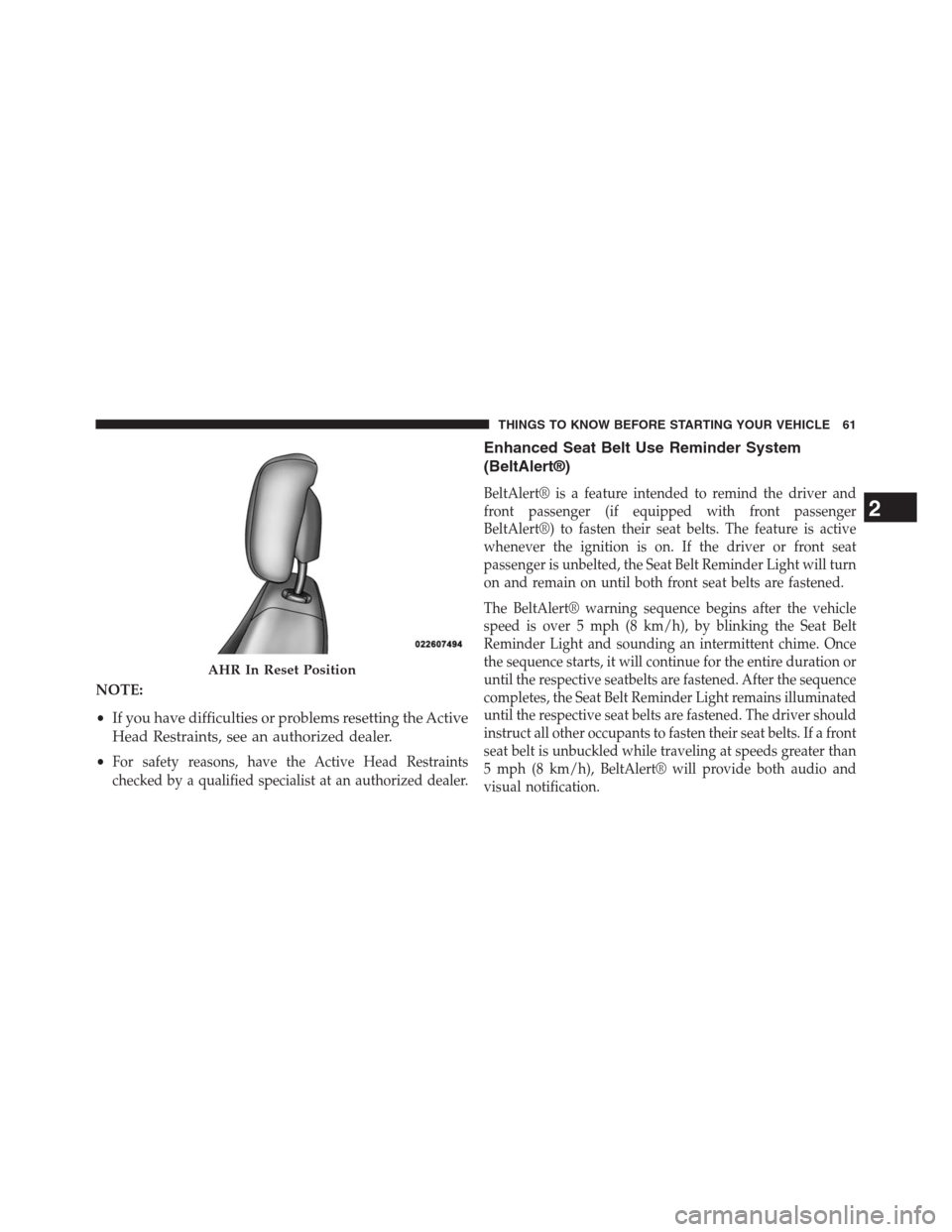
NOTE:
•If you have difficulties or problems resetting the Active
Head Restraints, see an authorized dealer.
•
For safety reasons, have the Active Head Restraints
checked by a qualified specialist at an authorized dealer.
Enhanced Seat Belt Use Reminder System
(BeltAlert®)
BeltAlert® is a feature intended to remind the driver and
front passenger (if equipped with front passenger
BeltAlert®) to fasten their seat belts. The feature is active
whenever the ignition is on. If the driver or front seat
passenger is unbelted, the Seat Belt Reminder Light will turn
on and remain on until both front seat belts are fastened.
The BeltAlert® warning sequence begins after the vehicle
speed is over 5 mph (8 km/h), by blinking the Seat Belt
Reminder Light and sounding an intermittent chime. Once
the sequence starts, it will continue for the entire duration or
until the respective seatbelts are fastened. After the sequence
completes, the Seat Belt Reminder Light remains illuminated
until the respective seat belts are fastened. The driver should
instruct all other occupants to fasten their seat belts. If a front
seat belt is unbuckled while traveling at speeds greater than
5 mph (8 km/h), BeltAlert® will provide both audio and
visual notification.
AHR In Reset Position
2
THINGS TO KNOW BEFORE STARTING YOUR VEHICLE 61
Page 122 of 630
Uconnect® Phone supports the following features:
Voice Activated features:
•Hands Free dialing via Voice (“Call John Smith Mobile”
or, “Dial 248 555-1212”),
•Redialing last dialed numbers (“Redial”),
•Calling Back the last incoming call number (“Call
Back”),
•View Call logs on screen (“Show incoming calls”,
“Show Outgoing calls”, “Show missed Calls”, “Show
Recent Calls”),
•Searching Contacts phone number (“Search for John
Smith Mobile”).
Screen Activated Features:
•Dialing via Keypad using touch-screen,
•Viewing and Calling contacts from Phonebooks dis-
played on the touch-screen,•Setting Favorite Contact Phone numbers so they are
easily accessible on the Main Phone screen,
•Viewing and Calling contacts from Recent Call logs,
•Listen to Music on your Bluetooth® Device via the
touch-screen,
•Pairing up to 10 phones/audio devices for easy access
to connect to them quickly.
Your mobile phone’s audio is transmitted through your
vehicle’s audio system; the system will automatically
mute your radio when using the Uconnect® Phone.
For Uconnect® customer support, visit the following
website:
•www.UconnectPhone.com
•or call 1–877–855–8400
120 UNDERSTANDING THE FEATURES OF YOUR VEHICLE
Page 123 of 630
If your mobile phone only supports the Headset Profile
you may not be able to use any Uconnect® Phone
features. Refer to your mobile service provider or the
phone manufacturer for details.
Uconnect® Phone allows you to transfer calls between
the system and your mobile phone as you enter or exit
your vehicle and enables you to mute the system’s
microphone for private conversation.
WARNING!
Any voice commanded system should be used only
in safe driving conditions following all applicable
laws, including laws regarding phone use. Your at-
tention should be focused on safely operating the
vehicle. Failure to do so may result in a collision
causing serious injury or death.
The Uconnect® Phone is driven through your Bluetooth®
“Hands-Free Profile” mobile phone. Uconnect® features
Bluetooth® technology - the global standard that enables
different electronic devices to connect to each other without
wires or a docking station, so Uconnect® Phone works no
matter where you stow your mobile phone (be it your
purse, pocket, or briefcase), as long as your phone is turned
on and has been paired to the vehicle’s Uconnect® Phone.
The Uconnect® Phone allows up to ten mobile phones or
audio devices to be linked to the system. Only one linked
(or paired) mobile phone and one audio device can be used
with the system at a time. The system is available in
English, Spanish, or French languages.
3
UNDERSTANDING THE FEATURES OF YOUR VEHICLE 121
Page 124 of 630
Uconnect® Phone Button
The Uconnect® Phone
Button is used to get
into the phone mode and make calls, show
recent, incoming, outgoing calls, view phone-
book etc., When you press the button you will
hear a BEEP. The beep is your signal to give a command.
Uconnect® Voice Command Button
The Uconnect® Voice Command
Button is
only used for “barge in” and when you are
already in a call and you want to send Tones or
make another call.
The Uconnect® Phone is fully integrated with the vehi-
cle’s audio system. The volume of the Uconnect® Phone
can be adjusted either from the radio volume control
knob or from the steering wheel radio control (right
switch), if so equipped.
Operation
Voice commands can be used to operate the Uconnect®
Phone and to navigate through the Uconnect® Phone
menu structure. Voice commands are required after most
Uconnect® Phone prompts. There are two general meth-
ods for how Voice Command works:
1. Say compound commands like “Call John Smith mo-
bile”.
2. Say the individual commands and allow the system to
guide you to complete the task.
You will be prompted for a specific command and then
guided through the available options.
•Prior to giving a voice command, one must wait for the
beep, which follows the “Listen” prompt or another
prompt.
122 UNDERSTANDING THE FEATURES OF YOUR VEHICLE
Page 127 of 630
NOTE:
•You must have Bluetooth® enabled on your phone to
complete this procedure.
•The vehicle must be in PARK.
1. You can do either of the following:
a. Press the “Settings” hard-key, Page down to the
“Phone/Bluetooth®” soft-key, press it and you will
see the “Paired Phones” screen. If there are no
paired phones you will see
device name.
b. Press the MORE hard-key, then press the Phone
soft-key and you will go to the Uconnect® Phone
main screen. Press the “Settings” soft-key. If there
are no phones currently paired a pop-up will
appear. If you select “Yes” you will go the “Paired
Phones” screen, if you select “No” you will return
to the Uconnect® Phone main menu.2. At the “Paired Phones” screen press the “Add Device”
soft-key and a pop-up with instructions will appear.
3. Search for available devices on your Bluetooth® en-
abled mobile phone. When prompted on the phone,
select the “Uconnect®” device and enter the PIN.
4. When the pairing process has successfully completed,
the system will prompt you to choose whether or not
this is your favorite phone. Selecting “Yes” will make
this phone the highest priority. This phone will take
precedence over other paired phones within range.
Pair A Bluetooth® Streaming Audio Device
•Touch the “Player” hard-key to begin,
•Press the “Source” soft-key,
•Change the Source to Bluetooth®,
•Touch the “Add Device” soft-key,
3
UNDERSTANDING THE FEATURES OF YOUR VEHICLE 125
Page 128 of 630
•Search for available devices on your Bluetooth® en-
abled Audio Device. When prompted on the device,
select the “Uconnect®” device and enter the PIN,
•Uconnect® Phone will display an in process screen
while the system is connecting,
•When the pairing process has successfully completed,
the system will prompt you to choose whether or not
this is your favorite device. Selecting Yes will make
this device the highest priority. This device will take
precedence over other paired devices within range.
NOTE:If No is selected, device priority is determined by
the order in which it was paired. The latest device paired
will have the higher priority.
You can also use the following VR command to bring up
a list of paired audio devices.
•“Show Paired Audio Devices”Connecting To A Particular Mobile Phone Or
Audio Device
Uconnect® Phone will automatically connect to the high-
est priority paired phone and/or Audio Device within
range. If you would need to choose a particular Phone or
Audio Device follow these steps:
•Touch the “Settings” hard-key,
•Touch the “Phone/Bluetooth®” soft-key,
•Touch to select the particular Phone or the “Phone/
Audio” soft-key and then an Audio Device,
•At the Options pop-up screen touch the “Connect
Device” soft-key,
•Touch the X to exit out of the Settings screen.
126 UNDERSTANDING THE FEATURES OF YOUR VEHICLE
Page 129 of 630
Disconnecting A Phone Or Audio Device
•Touch the “Settings” hard-key,
•Touch the “Phone/Bluetooth®” soft-key,
•Select the Phone or Audio Device,
•At the Options pop-up screen touch the “Disconnect
Device” soft-key,
•Touch the X to exit out of the Settings screen.
Deleting A Phone Or Audio Device
•Touch the “Settings” hard-key,
•Touch the “Phone/Bluetooth®” soft-key,
•Select the Phone or Audio Device,•At the Options pop-up screen touch the “Delete De-
vice” soft-key,
•Touch the X to exit out of the Settings screen.
Making A Phone Or Audio Device A Favorite
•Touch the “Settings” hard-key,
•Touch the “Phone/Bluetooth®” soft-key,
•Select a different Phone or Audio Device then the
currently connected device,
•At the Options pop-up screen touch the “Make Favor-
ite” soft-key; you will see the chosen device move to
the top of the list,
•Touch the X to exit out of the Settings screen.3
UNDERSTANDING THE FEATURES OF YOUR VEHICLE 127
Page 133 of 630
Touch-Tone Number Entry
•Touch the “Phone” soft-key,
•Touch the “Dial” soft-key,
•The Touch-Tone screen will be displayed,
•Use the numbered soft-keys to enter the number and
touch “Call”.
To send a touch tone using Voice Recognition (VR), press
the
button while in a call and say “1234#” or you
can say “Send Voicemail Password” if Voicemail pass-
word is stored in your mobile phonebook.
Recent Calls
You may browse up to 34 of the most recent of each of the
following call types:
•Incoming Calls
•Outgoing Calls•Missed Calls
•All Calls
These can be accessed by touching the recent calls
soft-key on the Phone main screen.
You can also press the
button and say “Show my
incoming calls” from any screen and the Incoming calls
will be displayed.
NOTE:Incoming can also be replaced with “Outgoing”,
“Recent” or “Missed”.
Answer Or Reject An Incoming Call — No Call
Currently In Progress
When you receive a call on your mobile phone, the
Uconnect® Phone will interrupt the vehicle audio sys-
tem, if on, and will display a pop-up showing Answer or
Ignore. Press the Answer soft-key or the
button on the
steering wheel to accept the call.
3
UNDERSTANDING THE FEATURES OF YOUR VEHICLE 131
Page 134 of 630
Answer Or Reject An Incoming Call — Call
Currently In Progress
If a call is currently in progress and you have another
incoming call, you will hear the same network tones for call
waiting that you normally hear when using your mobile
phone. Uconnect® Phone will then interrupt the vehicle
audio system, if on, and will display a pop-up showing
Answer, Ignore or Transfer. Press the
button to place
the current call on hold and answer the incoming call.
NOTE:The Uconnect® Phone compatible phones in the
market today do not support rejecting an incoming call
when another call is in progress. Therefore, the user can
only answer an incoming call or ignore it.
Making A Second Call While Current Call Is In
Progress
To make a second call while you are currently on a call,
press the
button and say “Dial” or “Call” followed
by the phone number or phonebook entry you wish to
call. The first call will be on hold while the second call is
in progress. Or you can place a call on hold by touching
the “Hold” soft-key on the Phone main screen, then dial
a number from the dialpad, recent calls or from the
phonebooks. To go back to the first call, refer to “Toggling
Between Calls” in this section. To combine two calls, refer
to “Join Calls” in this section.
132 UNDERSTANDING THE FEATURES OF YOUR VEHICLE
Page 140 of 630
You can dial a phone number with your mobile phone
keypad and still use the Uconnect® Phone (while dialing
via the mobile phone keypad, the user must exercise
caution and take precautionary safety measures). By
dialing a number with your paired Bluetooth® mobile
phone, the audio will be played through your vehicle’s
audio system. The Uconnect® Phone will work the same
as if you dial the number using voice a command.
NOTE:Certain brands of mobile phones do not send the
dial ring to the Uconnect® Phone to play it on the vehicle
audio system, so you will not hear it. Under this situa-
tion, after successfully dialing a number the user may feel
that the call did not go through even though the call is in
progress. Once your call is answered, you will hear the
audio.Mute/Un-Mute (Mute OFF)
When you mute the Uconnect® Phone, you will still be
able to hear the conversation coming from the other
party, but the other party will not be able to hear you. In
order to mute the Uconnect® Phone simply touch the
“Mute” button on the Phone main screen.
Advanced Phone Connectivity
Transfer Call To And From Mobile Phone
The Uconnect® Phone allows ongoing calls to be trans-
ferred from your mobile phone to the Uconnect® Phone
without terminating the call. To transfer an ongoing call
from your paired mobile phone to the Uconnect® Phone
or vice versa, press the Transfer button on the Phone
main screen.
138 UNDERSTANDING THE FEATURES OF YOUR VEHICLE