key DODGE JOURNEY 2015 1.G Owner's Manual
[x] Cancel search | Manufacturer: DODGE, Model Year: 2015, Model line: JOURNEY, Model: DODGE JOURNEY 2015 1.GPages: 648
Page 34 of 648
To change the current setting, refer to “Uconnect® Set-
tings” in “Understanding Your Instrument Panel” for
further information.
NOTE:Use the Automatic Unlock Doors On Exit feature
in accordance with local laws.
Child-Protection Door Lock System — Rear
Doors
To provide a safer environment for small children riding
in the rear seats, the rear doors are equipped with a
Child-Protection Door Lock system.
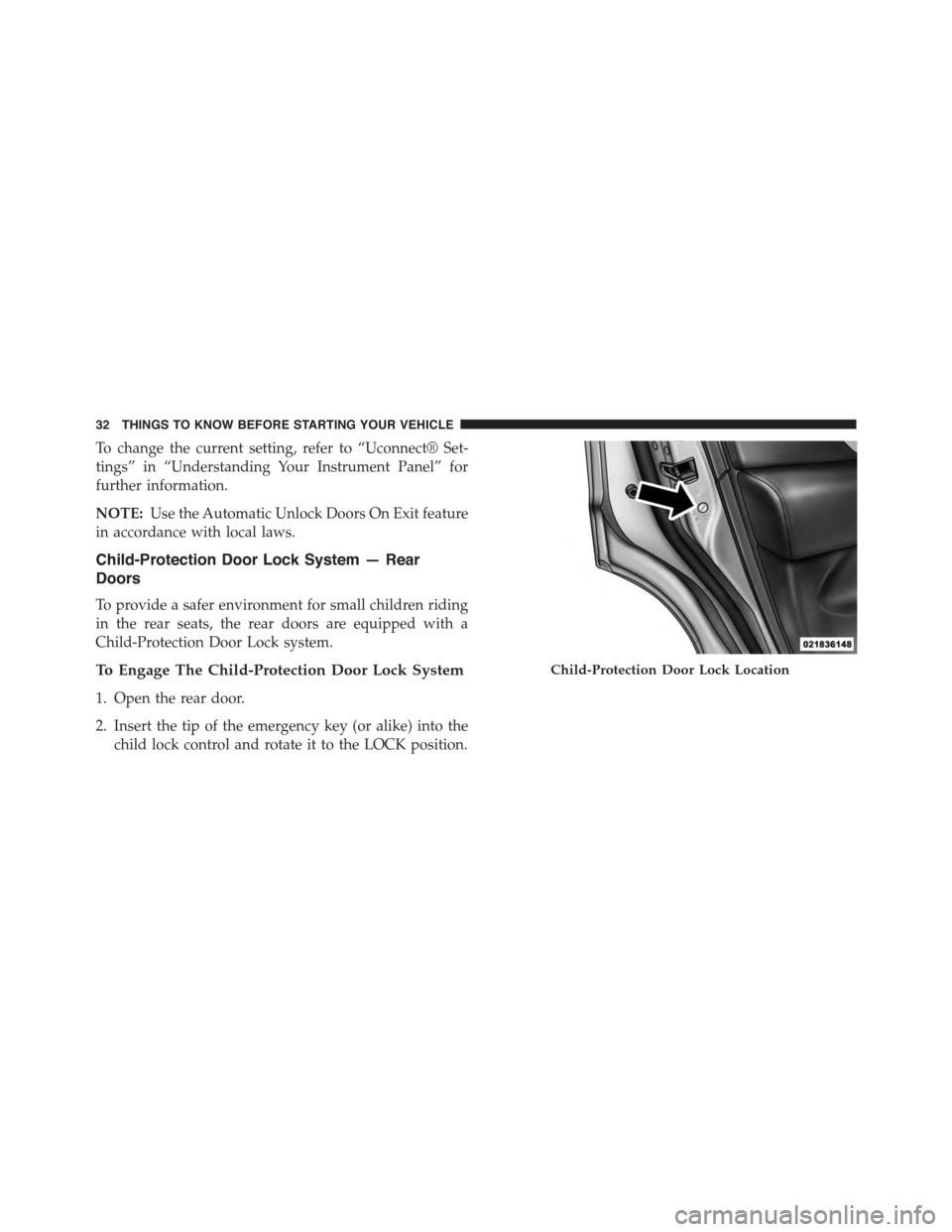
To Engage The Child-Protection Door Lock System
1. Open the rear door.
2. Insert the tip of the emergency key (or alike) into the
child lock control and rotate it to the LOCK position.
Child-Protection Door Lock Location
32 THINGS TO KNOW BEFORE STARTING YOUR VEHICLE
Page 36 of 648
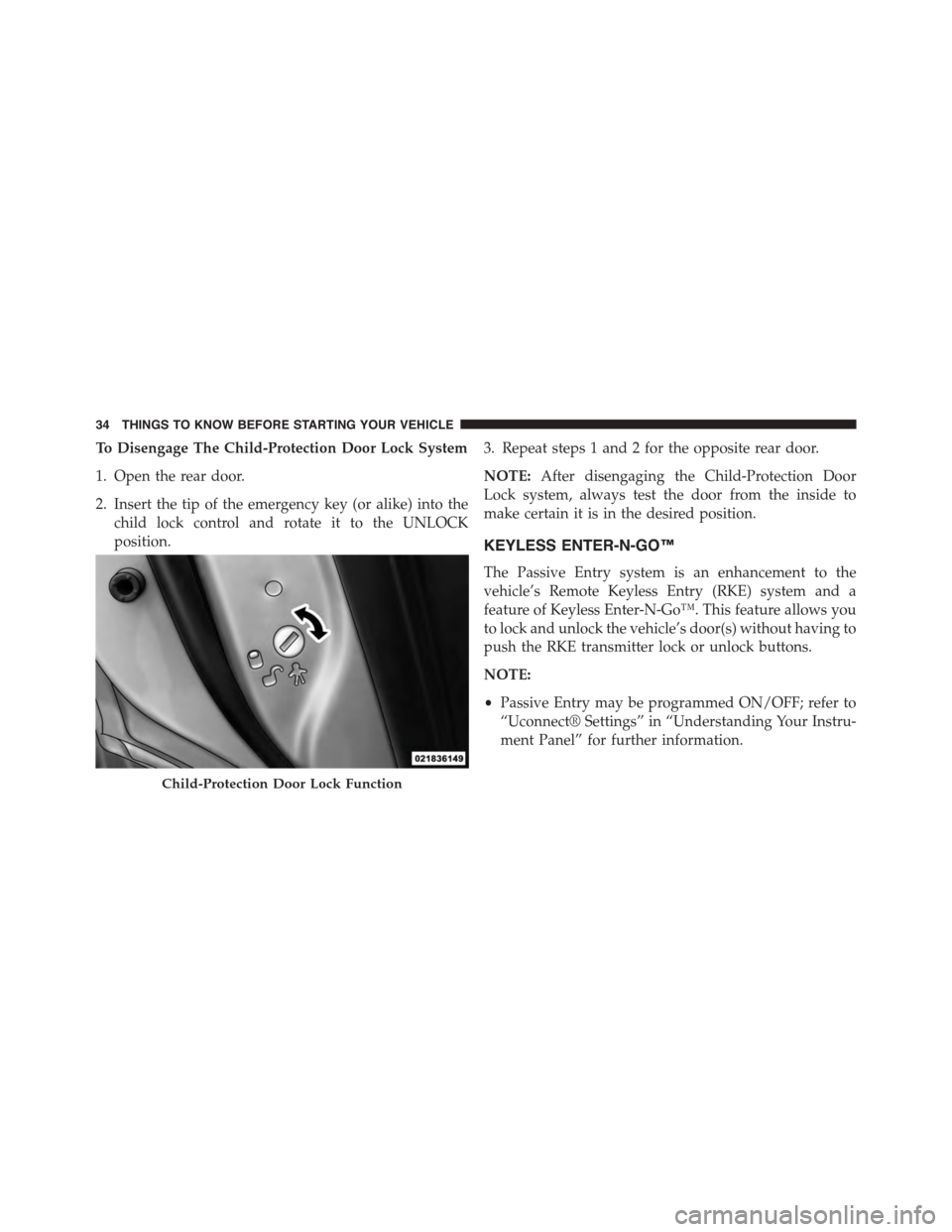
To Disengage The Child-Protection Door Lock System
1. Open the rear door.
2. Insert the tip of the emergency key (or alike) into the
child lock control and rotate it to the UNLOCK
position.
3. Repeat steps 1 and 2 for the opposite rear door.
NOTE:After disengaging the Child-Protection Door
Lock system, always test the door from the inside to
make certain it is in the desired position.
KEYLESS ENTER-N-GO™
The Passive Entry system is an enhancement to the
vehicle’s Remote Keyless Entry (RKE) system and a
feature of Keyless Enter-N-Go™. This feature allows you
to lock and unlock the vehicle’s door(s) without having to
push the RKE transmitter lock or unlock buttons.
NOTE:
•Passive Entry may be programmed ON/OFF; refer to
“Uconnect® Settings” in “Understanding Your Instru-
ment Panel” for further information.
Child-Protection Door Lock Function
34 THINGS TO KNOW BEFORE STARTING YOUR VEHICLE
Page 40 of 648
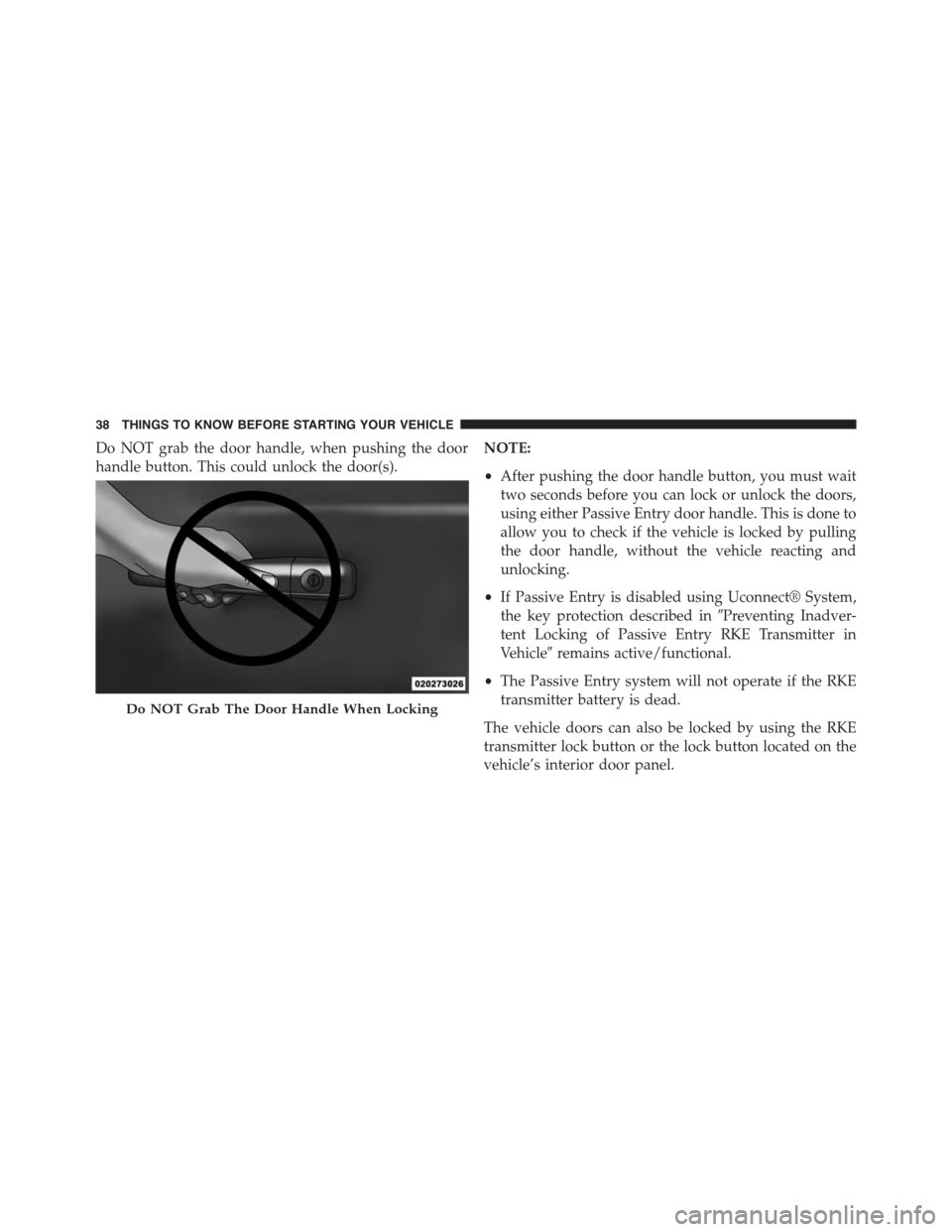
Do NOT grab the door handle, when pushing the door
handle button. This could unlock the door(s).
NOTE:
•After pushing the door handle button, you must wait
two seconds before you can lock or unlock the doors,
using either Passive Entry door handle. This is done to
allow you to check if the vehicle is locked by pulling
the door handle, without the vehicle reacting and
unlocking.
•If Passive Entry is disabled using Uconnect® System,
the key protection described in#Preventing Inadver-
tent Locking of Passive Entry RKE Transmitter in
Vehicle#remains active/functional.
•The Passive Entry system will not operate if the RKE
transmitter battery is dead.
The vehicle doors can also be locked by using the RKE
transmitter lock button or the lock button located on the
vehicle’s interior door panel.
Do NOT Grab The Door Handle When Locking
38 THINGS TO KNOW BEFORE STARTING YOUR VEHICLE
Page 41 of 648
WINDOWS
Power Windows
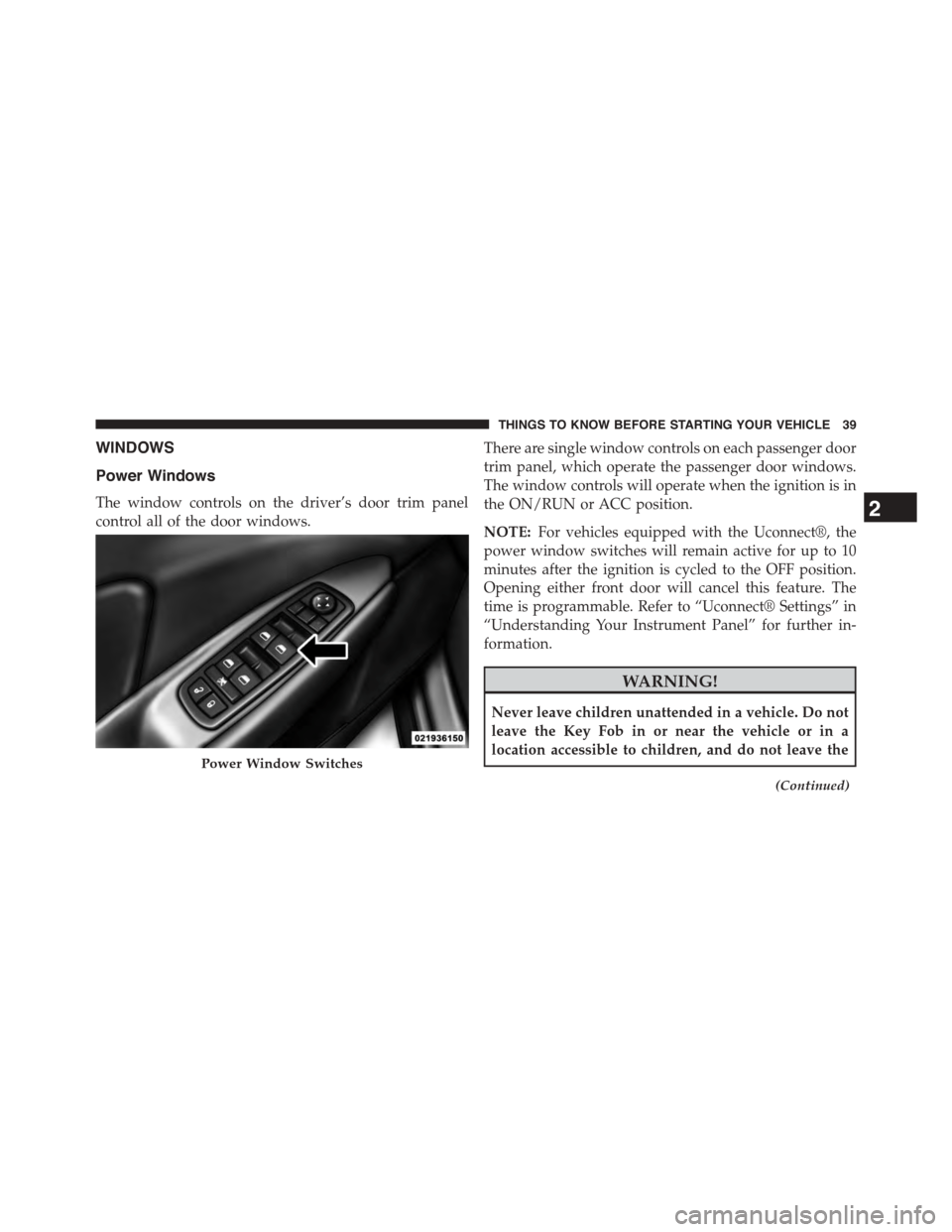
The window controls on the driver’s door trim panel
control all of the door windows.
There are single window controls on each passenger door
trim panel, which operate the passenger door windows.
The window controls will operate when the ignition is in
the ON/RUN or ACC position.
NOTE:For vehicles equipped with the Uconnect®, the
power window switches will remain active for up to 10
minutes after the ignition is cycled to the OFF position.
Opening either front door will cancel this feature. The
time is programmable. Refer to “Uconnect® Settings” in
“Understanding Your Instrument Panel” for further in-
formation.
WARNING!
Never leave children unattended in a vehicle. Do not
leave the Key Fob in or near the vehicle or in a
location accessible to children, and do not leave the
(Continued)
Power Window Switches
2
THINGS TO KNOW BEFORE STARTING YOUR VEHICLE 39
Page 42 of 648
WARNING!(Continued)
ignition of a vehicle equipped with Keyless Enter-N-
Go™ in the ACC or ON/RUN mode. Occupants,
particularly unattended children, can become en-
trapped by the windows while operating the power
window switches. Such entrapment may result in
serious injury or death.
Auto-Down Feature
The driver’s power window switch has an Auto-down
feature. Push the window switch past the first detent,
release, and the window will go down automatically.
To open the window part way, push the window switch
to the first detent and release it when you want the
window to stop.
To stop the window from going all the way down during
the Auto-down operation, pull up on the switch briefly.
Auto-Up Feature With Anti-Pinch Protection
On some models, the driver and front passenger power
window switches have an Auto-up feature. Pull the
window switch up to the second detent, release, and the
window will go up automatically.
To stop the window from going all the way up during the
Auto-up operation, push down on the switch briefly.
To close the window part way, pull the window switch
up to the first detent and release it when you want the
window to stop.
40 THINGS TO KNOW BEFORE STARTING YOUR VEHICLE
Page 44 of 648
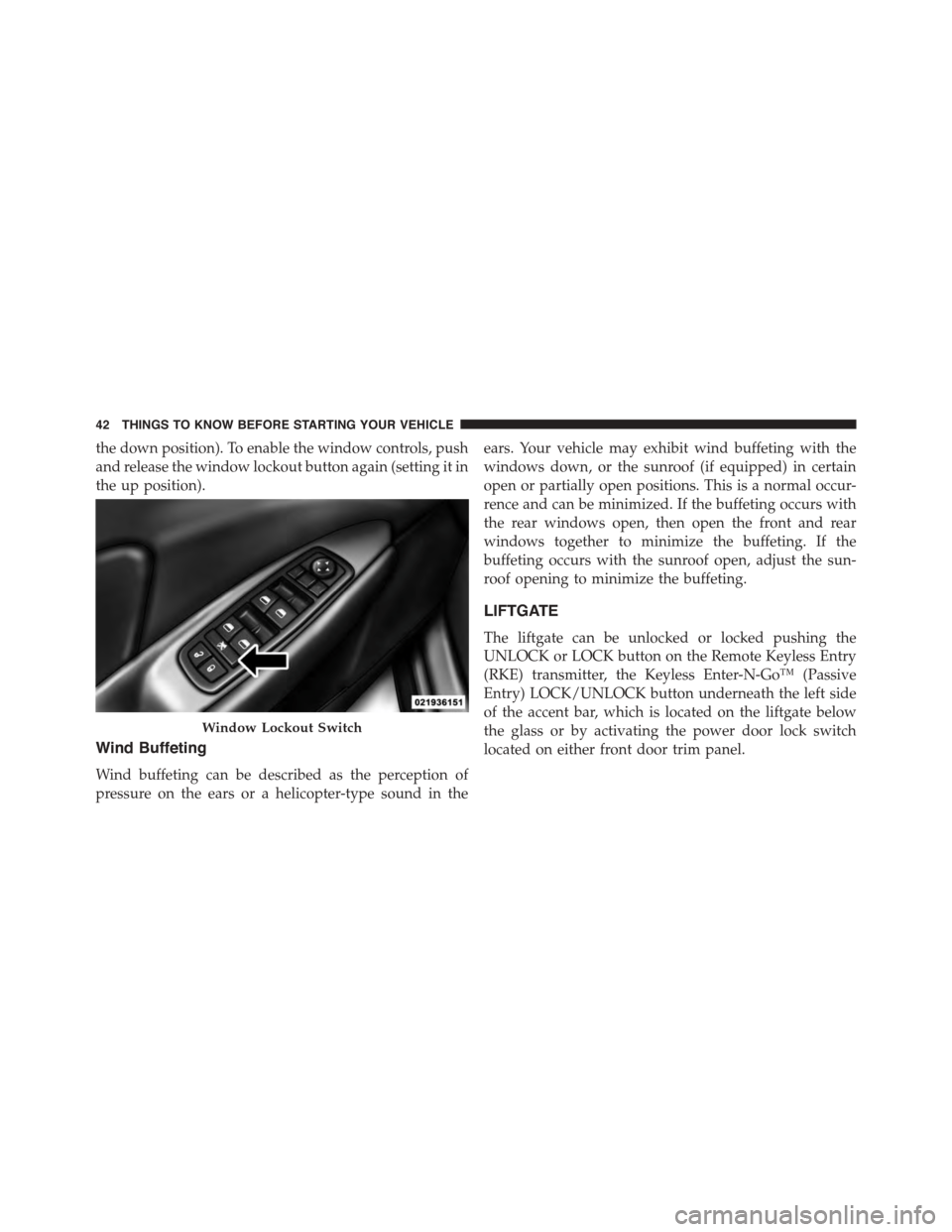
the down position). To enable the window controls, push
and release the window lockout button again (setting it in
the up position).
Wind Buffeting
Wind buffeting can be described as the perception of
pressure on the ears or a helicopter-type sound in the
ears. Your vehicle may exhibit wind buffeting with the
windows down, or the sunroof (if equipped) in certain
open or partially open positions. This is a normal occur-
rence and can be minimized. If the buffeting occurs with
the rear windows open, then open the front and rear
windows together to minimize the buffeting. If the
buffeting occurs with the sunroof open, adjust the sun-
roof opening to minimize the buffeting.
LIFTGATE
The liftgate can be unlocked or locked pushing the
UNLOCK or LOCK button on the Remote Keyless Entry
(RKE) transmitter, the Keyless Enter-N-Go™ (Passive
Entry) LOCK/UNLOCK button underneath the left side
of the accent bar, which is located on the liftgate below
the glass or by activating the power door lock switch
located on either front door trim panel.
Window Lockout Switch
42 THINGS TO KNOW BEFORE STARTING YOUR VEHICLE
Page 45 of 648
For further information on Keyless Enter-N-Go™ (Pas-
sive Entry), refer to “Keyless Enter-N-Go™” in “Things
To Know Before Starting Your Vehicle”.
NOTE:The liftgate cannot be unlocked or locked with
the manual door lock plungers on the door trim panels or
the door lock cylinder on the driver’s door.
To open the unlocked liftgate, squeeze the handle and
pull the liftgate toward you. Gas props will raise and
support the liftgate in the open position.
NOTE:
•In the event of a power malfunction to the liftgate, an
emergency liftgate latch release can be used to open
the liftgate. The emergency liftgate latch release can be
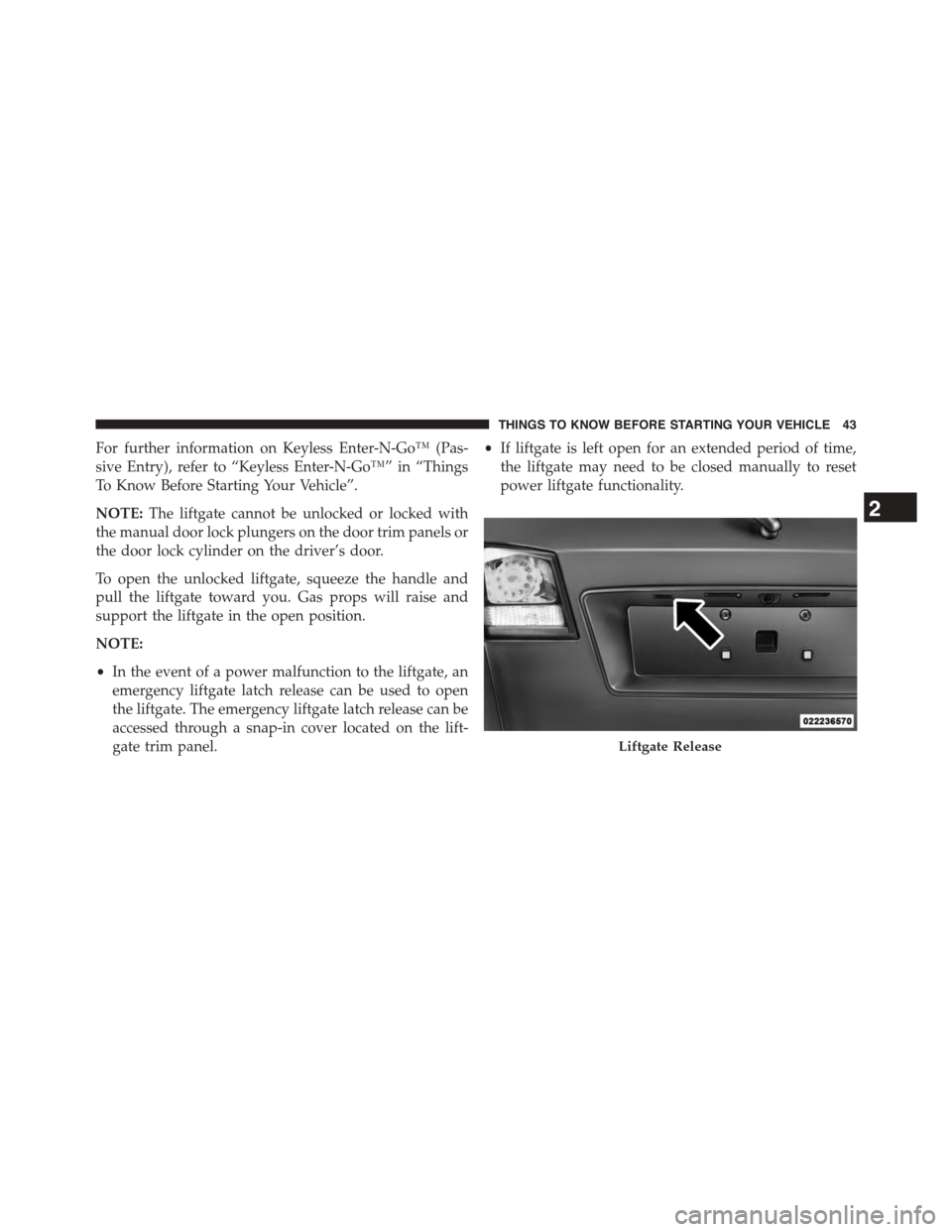
accessed through a snap-in cover located on the lift-
gate trim panel.
•If liftgate is left open for an extended period of time,
the liftgate may need to be closed manually to reset
power liftgate functionality.
Liftgate Release
2
THINGS TO KNOW BEFORE STARTING YOUR VEHICLE 43
Page 123 of 648
Uconnect® Phone supports the following features:
Voice Activated Features:
•Hands Free dialing via Voice (“Call John Smith Mo-
bile” or, “Dial 248-555-1212”)
•Redialing last dialed numbers (“Redial”)
•Calling Back the last incoming call number (“Call
Back”)
•View Call logs on screen (“Show incoming calls,”
“Show Outgoing calls,” “Show missed Calls,” “Show
Recent Calls”)
•Searching Contacts phone number (“Search for John
Smith Mobile”)
Screen Activated Features:
•Dialing via Keypad using touchscreen
•Viewing and Calling contacts from Phonebooks dis-
played on the touchscreen
•Setting Favorite Contact Phone numbers so they are
easily accessible on the Main Phone screen
•Viewing and Calling contacts from Recent Call logs
•Listen to Music on your Bluetooth® Device via the
touchscreen
•Pairing up to 10 phones/audio devices for easy access
to connect to them quickly
Your mobile phone’s audio is transmitted through your
vehicle’s audio system; the system will automatically
mute your radio when using the Uconnect® Phone.
For Uconnect® Customer Support:
•U.S. residents – visitUconnectPhone.comor call
1-877-855-8400.
3
UNDERSTANDING THE FEATURES OF YOUR VEHICLE 121
Page 136 of 648
hold at a time. Also you can press the “Swap” button
on the touchscreen, on the Phone main screen.
Join Calls
When two calls are in progress (one active and one on
hold), press the “Join Calls” button on the Phone main
screen to combine all calls into a Conference Call.
Call Termination
To end a call in progress, momentarily press the “End”
button on the touchscreen or thebutton. Only the
active call(s) will be terminated and if there is a call on
hold, it will become the new active call. If the active
call is terminated by the far end, a call on hold may not
become active automatically. This is cell phone-
dependent.
Redial
1. Press the “Redial” button on the touchscreen, or push
thebutton and after the “Listening” prompt and
the following beep, say “Redial.”
2. The Uconnect® Phone will call the last number that
was dialed from your mobile phone.
Call Continuation
Call continuation is the progression of a phone call on the
Uconnect® Phone after the vehicle ignition key has been
switched to OFF.
•After the ignition key is switched to OFF, a call can
continue on the Uconnect® Phone either until the call
ends, or until the vehicle battery condition dictates
cessation of the call on the Uconnect® Phone and
transfer of the call to the mobile phone.
134 UNDERSTANDING THE FEATURES OF YOUR VEHICLE
Page 138 of 648
Roadside Assistance/Towing Assistance
If you need roadside/towing assistance:
•Push thebutton to begin,
•After the “Listening” prompt and the following beep,
say “Roadside Assistance” or say “Towing Assis-
tance.”
NOTE:The roadside/towing assistance number dialed is
based on the country where the vehicle is purchased
(1-800-528-2069 for the U.S., 1-800-363-4869 for Canada,
55-14-3454 for Mexico City and 1-800-712-3040 for out-
side Mexico City in Mexico). Please refer to the Chrysler
Group LLC 24-Hour “Roadside Assistance” coverage
details in the Warranty Information Booklet and on the
24-Hour Roadside Assistance Card.
Voice Mail Calling
To learn how to access your voice mail, refer to “Working
with Automated Systems.”
Working With Automated Systems
This method is used in instances where one generally has
to push numbers on the mobile phone keypad while
navigating through an automated telephone system.
You can use your Uconnect® Phone to access a voice mail
system or an automated service, such as a paging service
or automated customer service line. Some services re-
quire immediate response selection. In some instances,
that may be too quick for use of the Uconnect® Phone.
When calling a number with your Uconnect® Phone that
normally requires you to enter in a touch-tone sequence
on your mobile phone keypad, you can utilize the
touchscreen or push thebutton and say the word
“Send” then the sequence you wish to enter. For
136 UNDERSTANDING THE FEATURES OF YOUR VEHICLE