lights DODGE JOURNEY 2015 1.G Owner's Manual
[x] Cancel search | Manufacturer: DODGE, Model Year: 2015, Model line: JOURNEY, Model: DODGE JOURNEY 2015 1.GPages: 648
Page 252 of 648
WARNING!
Drivers must be careful when backing up even when
using the ParkView® Rear Back Up Camera. Always
check carefully behind your vehicle, and be sure to
check for pedestrians, animals, other vehicles, ob-
structions, or blind spots before backing up. You are
responsible for the safety of your surroundings and
must continue to pay attention while backing up.
Failure to do so can result in serious injury or death.
CAUTION!
•To avoid vehicle damage, ParkView® should only
be used as a parking aid. The ParkView® camera is
unable to view every obstacle or object in your
drive path.
(Continued)
CAUTION!(Continued)
•To avoid vehicle damage, the vehicle must be
driven slowly when using ParkView® to be able to
stop in time when an obstacle is seen. It is recom-
mended that the driver look frequently over his/her
shoulder when using ParkView®.
NOTE:If snow, ice, mud, or any foreign substance builds
up on the camera lens, clean the lens, rinse with water,
and dry with a soft cloth. Do not cover the lens.
OVERHEAD CONSOLE
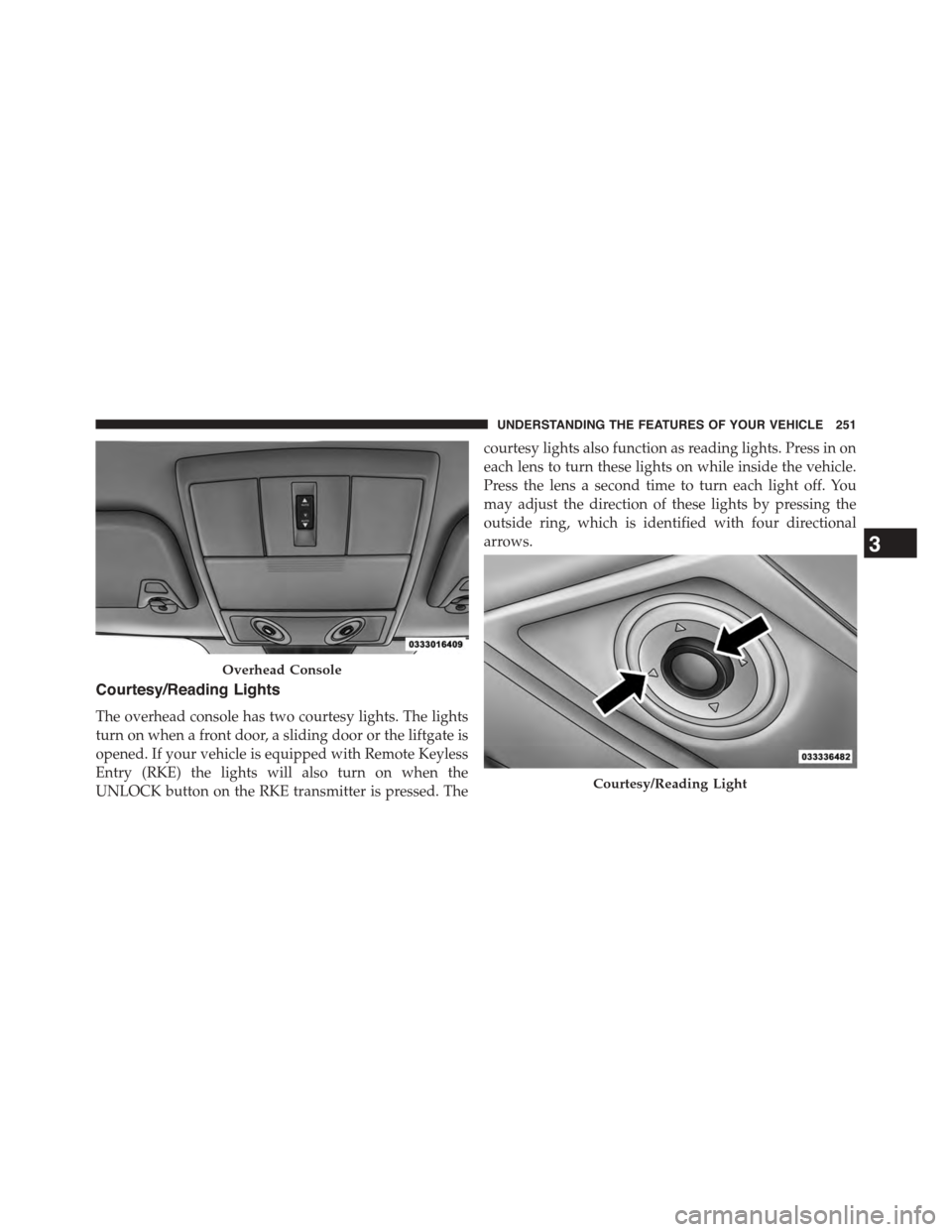
The overhead console contains courtesy/reading lights,
storage for sunglasses, an interior observation mirror and
an optional power sunroof switch.
250 UNDERSTANDING THE FEATURES OF YOUR VEHICLE
Page 253 of 648
Courtesy/Reading Lights
The overhead console has two courtesy lights. The lights
turn on when a front door, a sliding door or the liftgate is
opened. If your vehicle is equipped with Remote Keyless
Entry (RKE) the lights will also turn on when the
UNLOCK button on the RKE transmitter is pressed. The
courtesy lights also function as reading lights. Press in on
each lens to turn these lights on while inside the vehicle.
Press the lens a second time to turn each light off. You
may adjust the direction of these lights by pressing the
outside ring, which is identified with four directional
arrows.
Overhead Console
Courtesy/Reading Light
3
UNDERSTANDING THE FEATURES OF YOUR VEHICLE 251
Page 272 of 648
WARNING!
To avoid serious injury or death:
•Only devices designed for use in this type of outlet
should be inserted into any 12 Volt outlet.
•Do not touch with wet hands.
•Close the lid when not in use and while driving the
vehicle.
•If this outlet is mishandled, it may cause an electric
shock and failure.
CAUTION!
•Many accessories that can be plugged in draw
power from the vehicle’s battery, even when not in
use (i.e., cellular phones, etc.). Eventually, if
plugged in long enough, the vehicle’s battery will
discharge sufficiently to degrade battery life and/or
prevent the engine from starting.
•Accessories that draw higher power (i.e., coolers,
vacuum cleaners, lights, etc.) will degrade the bat-
tery even more quickly. Only use these intermit-
tently and with greater caution.
•After the use of high power draw accessories, or
long periods of the vehicle not being started (with
accessories still plugged in), the vehicle must be
driven a sufficient length of time to allow the
alternator to recharge the vehicle’s battery.
(Continued)
270 UNDERSTANDING THE FEATURES OF YOUR VEHICLE
Page 302 of 648
5. Turn Signal Indicators
The arrow will flash with the exterior turn
signal when the turn signal lever is operated.
If the vehicle electronics sense that the vehicle
is driven more than 1 mile (1.6 km) with either
turn signal on, a continuous chime will sound to alert
you to turn the signals off. If either indicator flashes at a
rapid rate, check for a defective outside light bulb.
6. High Beam Indicator
This indicator shows that the high beam head-
lights are on. Push the multifunction lever for-
ward to switch the headlights to high beam, and pull
toward yourself (normal position) to return to low beam.
7. Front Fog Light Indicator — If Equipped
This indicator will illuminate when the front
fog lights are on.
8.Electronic Vehicle Information Center (EVIC) Display /
Odometer Display
Odometer DisplayThe odometer display shows the total
distance the vehicle has been driven.
U.S. Federal regulations require that upon transfer of
vehicle ownership, the seller certify to the purchaser the
correct mileage that the vehicle has been driven. If your
odometer needs to be repaired or serviced, the repair
technician should leave the odometer reading the same
as it was before the repair or service. If s/he cannot do so,
then the odometer must be set at zero, and a sticker must
be placed in the door jamb stating what the mileage was
before the repair or service. It is a good idea for you to
make a record of the odometer reading before the repair/
service, so that you can be sure that it is properly reset, or
that the door jamb sticker is accurate if the odometer
must be reset at zero.
300 UNDERSTANDING YOUR INSTRUMENT PANEL
Page 303 of 648
Electronic Vehicle Information Center (EVIC) Display
The Electronic Vehicle Information Center (EVIC) fea-
tures a driver-interactive display that is located in the
instrument cluster. For further information, refer to
“Electronic Vehicle Information Center (EVIC)”.
9. Park/Headlight ON Indicator — If Equipped
This indicator will illuminate when the park
lights or headlights are turned on.
10. Tire Pressure Monitoring Telltale Light — If
Equipped
Each tire, including the spare (if provided),
should be checked monthly when cold and
inflated to the inflation pressure recommended
by the vehicle manufacturer on the vehicle
placard or tire inflation pressure label. (If your vehicle
has tires of a different size than the size indicated on the
vehicle placard or tire inflation pressure label, you should
determine the proper tire inflation pressure for those
tires.)
As an added safety feature, your vehicle has been
equipped with a Tire Pressure Monitoring System
(TPMS) that illuminates a low tire pressure telltale when
one or more of your tires is significantly under-inflated.
Accordingly, when the low tire pressure telltale illumi-
nates, you should stop and check your tires as soon as
possible, and inflate them to the proper pressure. Driving
on a significantly under-inflated tire causes the tire to
overheat and can lead to tire failure. Under-inflation also
reduces fuel efficiency and tire tread life, and may affect
the vehicle’s handling and stopping ability.
Please note that the TPMS is not a substitute for proper
tire maintenance, and it is the driver ’s responsibility to
maintain correct tire pressure, even if under-inflation has
not reached the level to trigger illumination of the TPMS
low tire pressure telltale.
4
UNDERSTANDING YOUR INSTRUMENT PANEL 301
Page 311 of 648
Electronic Vehicle Information Center (EVIC)
Displays
The EVIC display consists of three sections:
1. The top line where compass direction, odometer line
and outside temperature are displayed.
2. The main display area where the menus and pop up
messages are displayed.
3. The reconfigurable telltales section below the odom-
eter line.
The main display area will normally display the main
menu or the screens of a selected feature of the main
menu. The main display area also displays#pop up#
messages that consist of approximately 60 possible warn-
ing or information messages. These pop up messages fall
into several categories:
•Five Second Stored Messages
When the appropriate conditions occur, this type of
message takes control of the main display area for five
seconds and then returns to the previous screen. Most of
the messages of this type are then stored (as long as the
condition that activated it remains active) and can be
reviewed from the#Messages#main menu item. As long
as there is a stored message, an#i#will be displayed in the
EVIC’s compass/outside temp line. Examples of this
message type are#Right Front Turn Signal Lamp Out#
and#Low Tire Pressure#.
•Unstored Messages
This message type is displayed indefinitely or until the
condition that activated the message is cleared. Examples
of this message type are#Turn Signal On#(if a turn signal
is left on) and#Lights On#(if driver leaves the vehicle).
4
UNDERSTANDING YOUR INSTRUMENT PANEL 309
Page 323 of 648
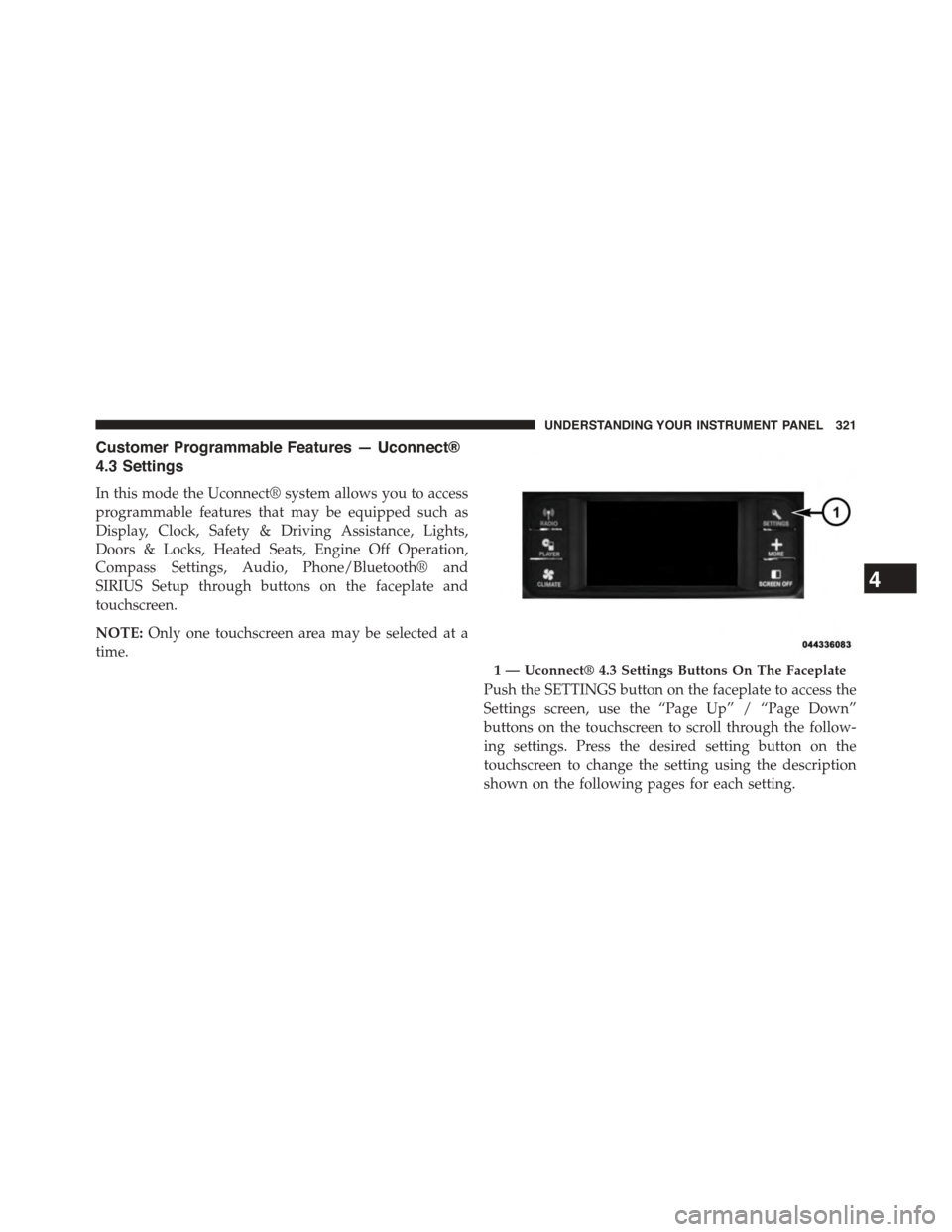
Customer Programmable Features — Uconnect®
4.3 Settings
In this mode the Uconnect® system allows you to access
programmable features that may be equipped such as
Display, Clock, Safety & Driving Assistance, Lights,
Doors & Locks, Heated Seats, Engine Off Operation,
Compass Settings, Audio, Phone/Bluetooth® and
SIRIUS Setup through buttons on the faceplate and
touchscreen.
NOTE:Only one touchscreen area may be selected at a
time.
Push the SETTINGS button on the faceplate to access the
Settings screen, use the “Page Up” / “Page Down”
buttons on the touchscreen to scroll through the follow-
ing settings. Press the desired setting button on the
touchscreen to change the setting using the description
shown on the following pages for each setting.
1 — Uconnect® 4.3 Settings Buttons On The Faceplate
4
UNDERSTANDING YOUR INSTRUMENT PANEL 321
Page 324 of 648
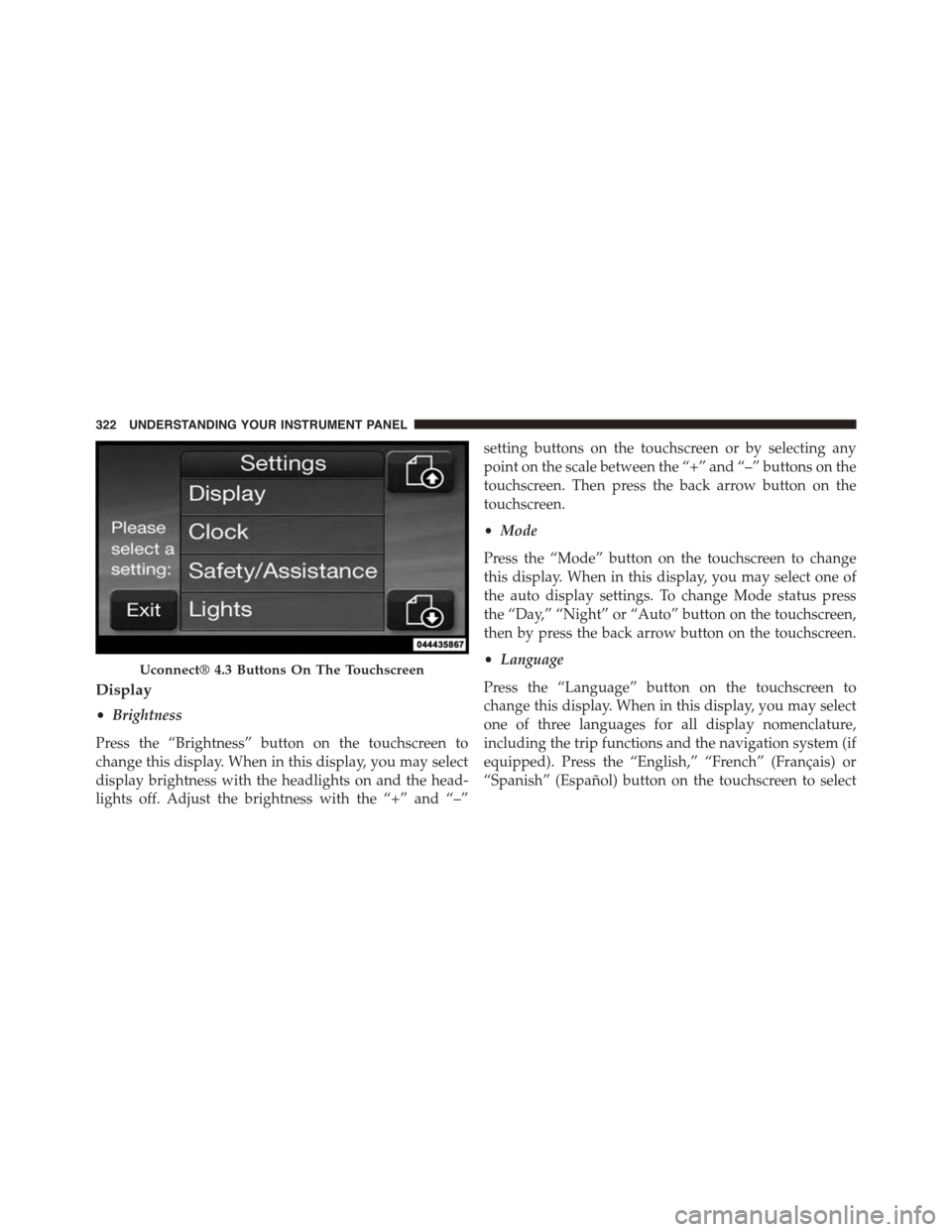
Display
•Brightness
Press the “Brightness” button on the touchscreen to
change this display. When in this display, you may select
display brightness with the headlights on and the head-
lights off. Adjust the brightness with the “+” and “–”
setting buttons on the touchscreen or by selecting any
point on the scale between the “+” and “–” buttons on the
touchscreen. Then press the back arrow button on the
touchscreen.
•Mode
Press the “Mode” button on the touchscreen to change
this display. When in this display, you may select one of
the auto display settings. To change Mode status press
the “Day,” “Night” or “Auto” button on the touchscreen,
then by press the back arrow button on the touchscreen.
•Language
Press the “Language” button on the touchscreen to
change this display. When in this display, you may select
one of three languages for all display nomenclature,
including the trip functions and the navigation system (if
equipped). Press the “English,” “French” (Français) or
“Spanish” (Español) button on the touchscreen to select
Uconnect® 4.3 Buttons On The Touchscreen
322 UNDERSTANDING YOUR INSTRUMENT PANEL
Page 327 of 648
Brake Control System” in “Starting And Operating” for
system function and operating information. To make
your selection, press the “Hill Start Assist” button on the
touchscreen and select “ON” or “OFF.” Then press the
back arrow button on the touchscreen.
Lights
•Illuminated Approach
Press the “Illuminated Approach” button on the touch-
screen to change this display. When this feature is se-
lected, the headlights will activate and remain on for 0,
30, 60, or 90 seconds when the doors are unlocked with
the Remote Keyless Entry (RKE) transmitter. To change
the Illuminated Approach status, press the “0,” “30,”
“60” or “90” button on the touchscreen. Then press the
back arrow button on the touchscreen.
•Headlights With Wipers
Press the “Headlights With Wipers” button on the touch-
screen to change this display. When this feature is se-
lected, and the headlight switch is in the AUTO position,
the headlights will turn on approximately 10 seconds
after the wipers are turned on. The headlights will also
turn off when the wipers are turned off if they were
turned on by this feature. To make your selection, press
the “Headlights With Wipers” button on the touchscreen
and select “ON” or “OFF.” Then press the back arrow
button on the touchscreen.
•Auto High Beams
Press the “Auto High Beams” button on the touchscreen
to change this display. When this feature is selected, the
high beam headlights will deactivate automatically un-
der certain conditions. To make your selection, press the
“Auto High Beams” button on the touchscreen and select
“ON” or “OFF.” Then press the back arrow button on the
4
UNDERSTANDING YOUR INSTRUMENT PANEL 325
Page 328 of 648
touchscreen. Refer to “Lights/SmartBeam™ — If
Equipped” in “Understanding The Features Of Your
Vehicle” for further information.
•Daytime Running Lights — If Available
Press the “Daytime Running Lights” button on the touch-
screen to change this display. When this feature is se-
lected, the headlights will turn on whenever the engine is
running. To make your selection, press the “Daytime
Running Lights” button on the touchscreen and select
“ON” or “OFF.” Then press the back arrow button on the
touchscreen.
•Steering Directed Lights — If Equipped
Press the “Steering Directed Lights” button on the touch-
screen to change this display. When this feature is se-
lected, the headlights turn relative to a change in direc-
tion of the steering wheel. To make your selection, press
the “Steering Directed Lights” button on the touchscreen
and select “ON” or ‘OFF.” Then press the back arrow
button on the touchscreen.
•Flash Lamps With Lock
Press the “Flash Lamps With Lock” button on the touch-
screen to change this display. When this feature is se-
lected, the exterior lights will flash when the doors are
locked with the Remote Keyless Entry (RKE) transmitter.
This feature may be selected with or without the sound
horn on lock feature selected. To make your selection,
press the “Flash Lamps With Lock” button on the touch-
screen and select “ON” or “OFF.” Then press the back
arrow button on the touchscreen.
326 UNDERSTANDING YOUR INSTRUMENT PANEL