buttons DODGE JOURNEY 2015 1.G Owner's Guide
[x] Cancel search | Manufacturer: DODGE, Model Year: 2015, Model line: JOURNEY, Model: DODGE JOURNEY 2015 1.GPages: 648
Page 344 of 648
•Sound Horn With Remote Start
When this feature is selected, the horn will sound when
the remote start is activated. To make your selection,
press the “Sound Horn With Remote Start” button on the
touchscreen, until a check-mark appears next to setting,
showing that setting has been selected. Press the back
arrow button on the touchscreen to return to the previous
menu.
•1st Press Of Key Fob Unlocks
When Unlock Driver Door Only On 1st Press is selected,
only the driver’s door will unlock on the first press of the
Remote Keyless Entry (RKE) transmitter UNLOCK but-
ton. When Driver Door 1st Press is selected, you must
press the RKE transmitter UNLOCK button twice to
unlock the passenger’s doors. When Unlock All Doors
On 1st Press is selected, all of the doors will unlock on the
first press of the RKE transmitter UNLOCK button.
NOTE:If the vehicle is programmed to Unlock All Doors
1st Press, all doors will unlock no matter which Passive
Entry equipped door handle is grasped. If Driver Door
1st Press is programmed, only the driver ’s door will
unlock when the driver ’s door is grasped. With Passive
Entry, if Driver Door 1st Press is programmed touching
the handle more than once will only result in the driver ’s
door opening. If driver door first is selected, once the
driver door is opened, the interior door lock/unlock
switch can be used to unlock all doors (or use RKE
transmitter).
•Passive Entry
This feature allows you to lock and unlock the vehicle’s
door(s) without having to press the Remote Keyless
Entry (RKE) transmitter lock or unlock buttons. To make
your selection, press the “Passive Entry” button on the
touchscreen, until a check-mark appears next to setting,
showing that setting has been selected. Press the back
342 UNDERSTANDING YOUR INSTRUMENT PANEL
Page 347 of 648
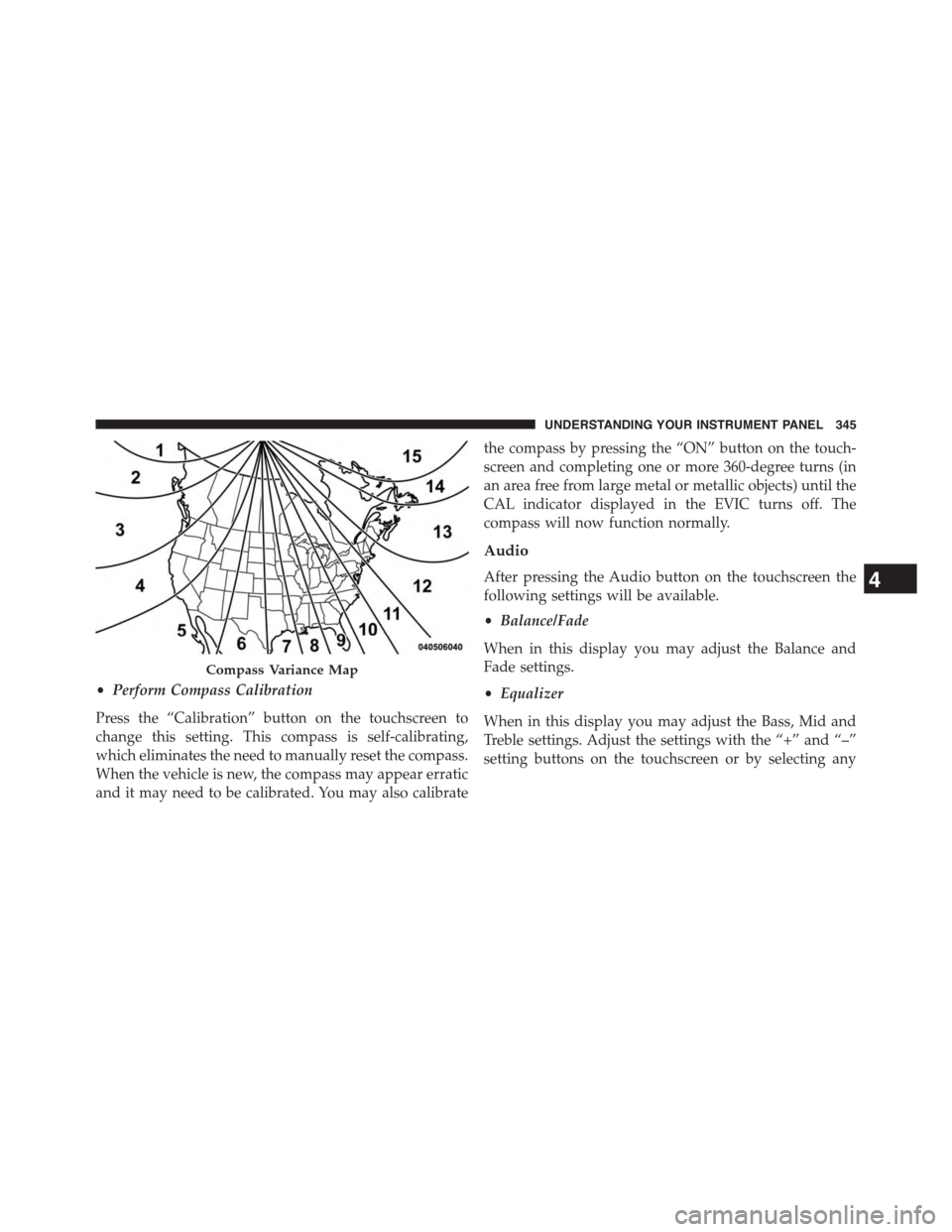
•Perform Compass Calibration
Press the “Calibration” button on the touchscreen to
change this setting. This compass is self-calibrating,
which eliminates the need to manually reset the compass.
When the vehicle is new, the compass may appear erratic
and it may need to be calibrated. You may also calibrate
the compass by pressing the “ON” button on the touch-
screen and completing one or more 360-degree turns (in
an area free from large metal or metallic objects) until the
CAL indicator displayed in the EVIC turns off. The
compass will now function normally.
Audio
After pressing the Audio button on the touchscreen the
following settings will be available.
•Balance/Fade
When in this display you may adjust the Balance and
Fade settings.
•Equalizer
When in this display you may adjust the Bass, Mid and
Treble settings. Adjust the settings with the “+” and “–”
setting buttons on the touchscreen or by selecting any
Compass Variance Map
4
UNDERSTANDING YOUR INSTRUMENT PANEL 345
Page 348 of 648
point on the scale between the “+” and “–” buttons on the
touchscreen. Then press the back arrow button on the
touchscreen.
NOTE:Bass/Mid/Treble allow you to simply slide your
finger up or down to change the setting as well as press
directly on the desired setting.
•Speed Adjusted Volume
This feature increases or decreases volume relative to
vehicle speed. To change the Speed Adjusted Volume
press the “Off,” “1,” “2” or “3” button on the touchscreen.
Then press the back arrow button on the touchscreen.
•Music Info Cleanup
This feature helps organize music files for optimized
music navigation. To make your selection, press the
“Music Info Cleanup” button on the touchscreen, select
“On” or “Off” followed by pressing the back arrow
button on the touchscreen.
Phone/Bluetooth®
After pressing the “Phone/Bluetooth®” button on the
touchscreen the following settings will be available.
•Paired Devices
This feature shows which phones are paired to the
Phone/Bluetooth® system. For further information, refer
to the Uconnect® Supplement.
SiriusXM Setup
After pressing the “SIRIUS Setup” button on the touch-
screen the following settings will be available.
•Channel Skip
SiriusXM can be programmed to designate a group of
channels that are the most desirable to listen to or to
exclude undesirable channels while scanning. To make
your selection, press the “Channel Skip” button on the
346 UNDERSTANDING YOUR INSTRUMENT PANEL
Page 351 of 648
2. Insert the DVD with the label facing up. The radio
automatically selects the appropriate mode after the
disc is recognized and displays the menu screen or
starts playing the first track.
3. Ensure the VES™ Remote Control and the Headphone
switch is on Channel 1.
Using The Remote Control
1. Push the MODE button on the Remote Control.
2. While looking at the video screen, highlight DISC by
either pushing Up/Down/Left/Right buttons or by
repeatedly pushing the MODE button, then push
ENTER on the Remote Control.
NOTE:The VES™ system will retain the last setting
when turned off.
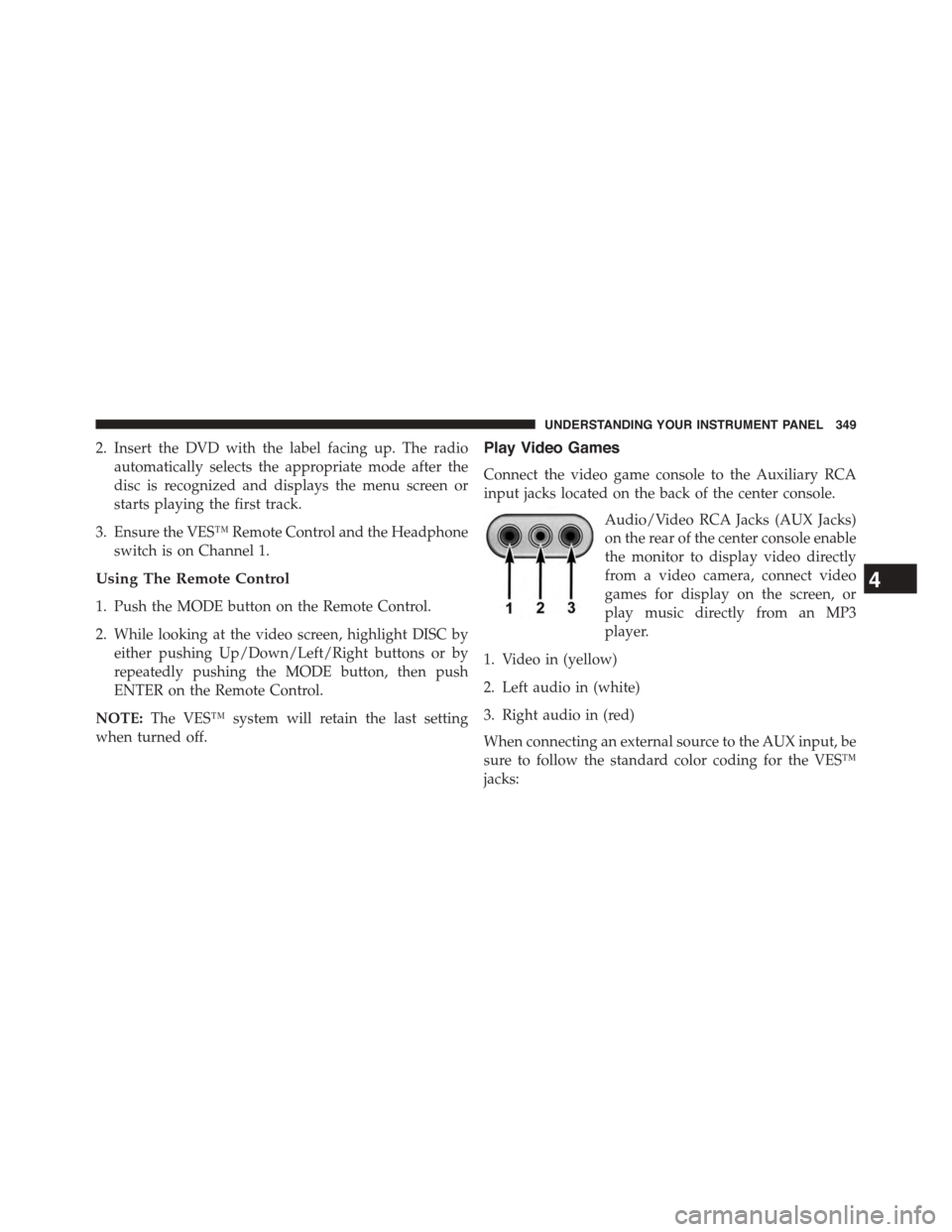
Play Video Games
Connect the video game console to the Auxiliary RCA
input jacks located on the back of the center console.
Audio/Video RCA Jacks (AUX Jacks)
on the rear of the center console enable
the monitor to display video directly
from a video camera, connect video
games for display on the screen, or
play music directly from an MP3
player.
1. Video in (yellow)
2. Left audio in (white)
3. Right audio in (red)
When connecting an external source to the AUX input, be
sure to follow the standard color coding for the VES™
jacks:
4
UNDERSTANDING YOUR INSTRUMENT PANEL 349
Page 352 of 648
NOTE:Certain high-end video games, such as Playsta-
tion3 and XBox360 will exceed the power limit of the
vehicle’s Power Inverter. Refer to the Power Inverter
section in your vehicle’s Owner’s Manual for more
information.
Ensure the remote control channel selector switch and
Headphone switch (IR channel) are the same number.
Using The Remote Control
1. Push the MODE button on the Remote Control.
2. While looking at the video screen, highlight VES AUX
2, by either pushing Up/Down/Left/Right buttons or
by repeatedly pushing the MODE button, then push
ENTER on the Remote Control.
Using The Touchscreen Radio Controls
1. Press the “MORE” button on the touchscreen.
2. Press the “Rear Entertainment” button on the touch-
screen to display the Rear Entertainment Controls.
3. If the Rear Entertainment is turned off, press the
“Power” button on the touchscreen.
4. Press the “1” or “2” button on the touchscreen for the
channel desired and press the “Source” button on the
touchscreen to select the desired mode.
Listen To An Audio Source On Channel 2 While A
Video Is Playing On Channel 1
Ensure the Remote Control and Headphone switch is on
Channel 2.
Using The Remote Control
1. Push the MODE button on the Remote Control and the
Mode Select Screen will display, unless a video is
playing then only a small banner will appear on the
bottom of the screen.
350 UNDERSTANDING YOUR INSTRUMENT PANEL
Page 354 of 648
Play A DVD Using The Touchscreen Radio
1. Insert the DVD with the label facing up. The radio
automatically selects the appropriate mode after the
disc is recognized and displays the menu screen or
starts playing the first track.
Using The Remote Control
1. Push the MODE button on the Remote Control.
2. While looking at the Video Screen, highlight DISC by
either pushing Up/Down/Left/Right buttons or by
repeatedly pushing the MODE button, then push
ENTER.
NOTE:
•The VES™ system will retain the last setting when
turned off.
•Viewing a DVD on the Touchscreen radio screen is not
available in some regions or locations, the vehicle must
be stopped, and the shift lever must be in the PARK
position for vehicles with automatic transmission. In
vehicles with manual transmission the parking brake
must be engaged even when the vehicle is parked.
Refer to local and state laws.
Using The Touchscreen Radio Controls
1. Press the “MORE” button on the touchscreen.
2. Press the “Rear Entertainment” button on the touch-
screen to display the Rear Entertainment Controls.
3. If the Rear Entertainment is turned off, press the
“Power” button on the touchscreen.
4. Press the “1” or “2” button on the touchscreen for the
channel desired and press the “Source” button on the
touchscreen to select the desired mode.
352 UNDERSTANDING YOUR INSTRUMENT PANEL
Page 361 of 648
NOTE:The rear video system must be turned on before
sound can be heard from the headphones. To conserve
battery life, the headphones will automatically turn off
approximately three minutes after the rear video system
is turned off.
Changing The Audio Mode For Headphones
1. Ensure the Remote Control channel/screen selector
switch is in the same position as the headphone
selector switch.
NOTE:
•When both switches are on Channel 1, the Remote is
controlling Channel 1 and the headphones are tuned
to the audio of the VES™ Channel 1.
•When both switches are on Channel 2, the Remote is
controlling Channel 2 and the headphones are tuned
to the audio of the VES™ Channel 2.
2. Push the MODE button on the remote control.
3. If the video screen is displaying a video source (such
as a DVD Video), pushing STATUS shows the status
on a popup banner at the bottom of the screen.
Pushing the MODE button will advance to the next
mode. When the mode is in an audio only source (such
as FM), the Mode Selection menu appears on screen.
4. When the Mode Selection menu appears on screen,
use the cursor buttons on the remote control to navi-
gate to the available modes and push the ENTER
button to select the new mode.
5. To cancel out of the Mode Selection menu, push the
BACK button on the remote control.
Unwired® Stereo Headphone Lifetime Limited
Warranty
Who Does This Warranty Cover?This warranty covers
the initial user or purchaser (#you#or#your#) of this
4
UNDERSTANDING YOUR INSTRUMENT PANEL 359
Page 365 of 648
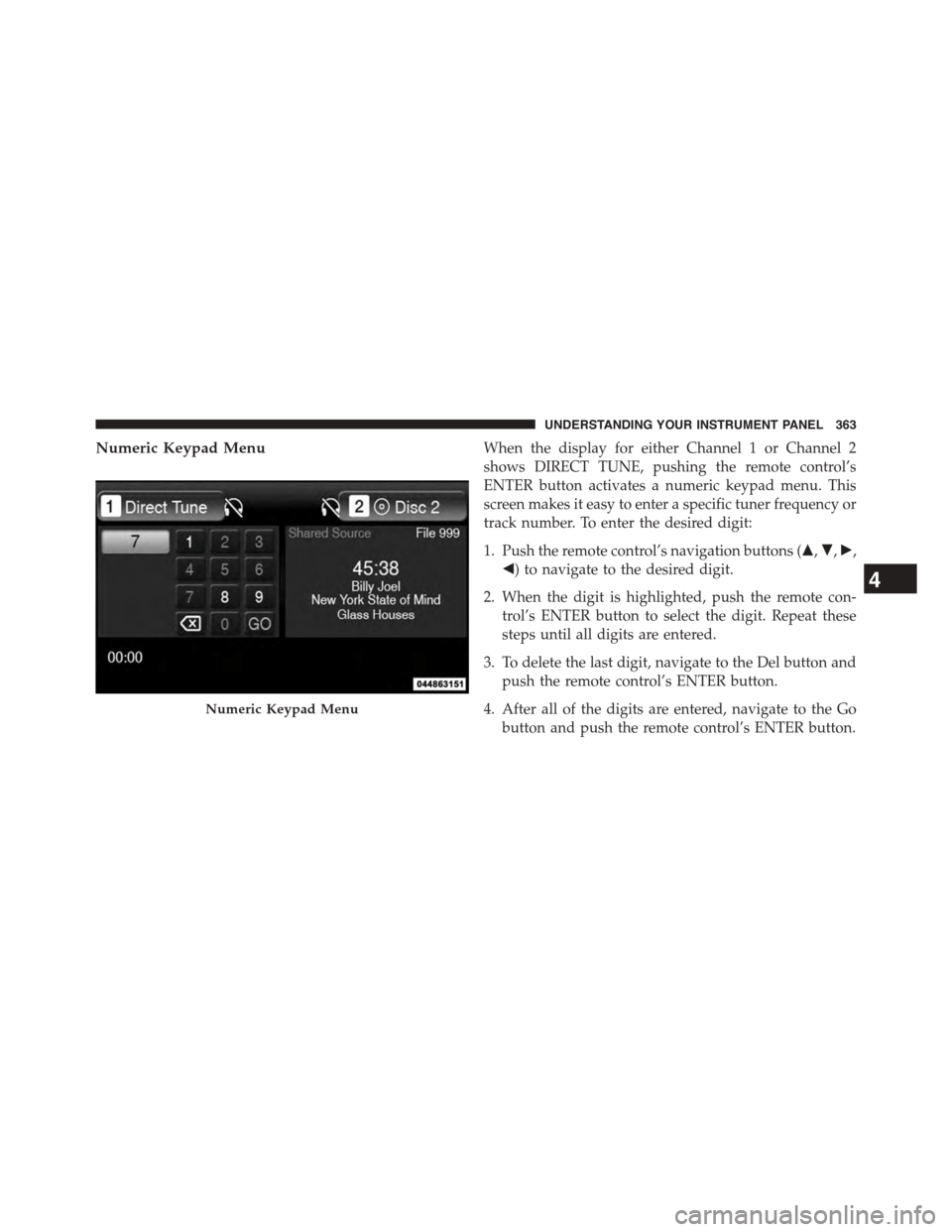
Numeric Keypad MenuWhen the display for either Channel 1 or Channel 2
shows DIRECT TUNE, pushing the remote control’s
ENTER button activates a numeric keypad menu. This
screen makes it easy to enter a specific tuner frequency or
track number. To enter the desired digit:
1. Push the remote control’s navigation buttons ($,",!,
#) to navigate to the desired digit.
2. When the digit is highlighted, push the remote con-
trol’s ENTER button to select the digit. Repeat these
steps until all digits are entered.
3. To delete the last digit, navigate to the Del button and
push the remote control’s ENTER button.
4. After all of the digits are entered, navigate to the Go
button and push the remote control’s ENTER button.
Numeric Keypad Menu
4
UNDERSTANDING YOUR INSTRUMENT PANEL 363
Page 366 of 648
Station List Menu
When listening to Satellite audio, pushing the remote
control’s MENU button displays a list of all available
channels. Navigate this list using the remote control’s
navigation buttons to find the desired station, push the
remote control’s ENTER button to tune to that station. To
jump through the list more quickly, navigate to the Page
Up and Page Down icons on the screen.
Disc Menu
When listening to a CD Audio or CD Data disc, pushing
the remote control’s MENU button displays a list of all
commands which control playback of the disc. Using the
options you can activate or cancel Random play.
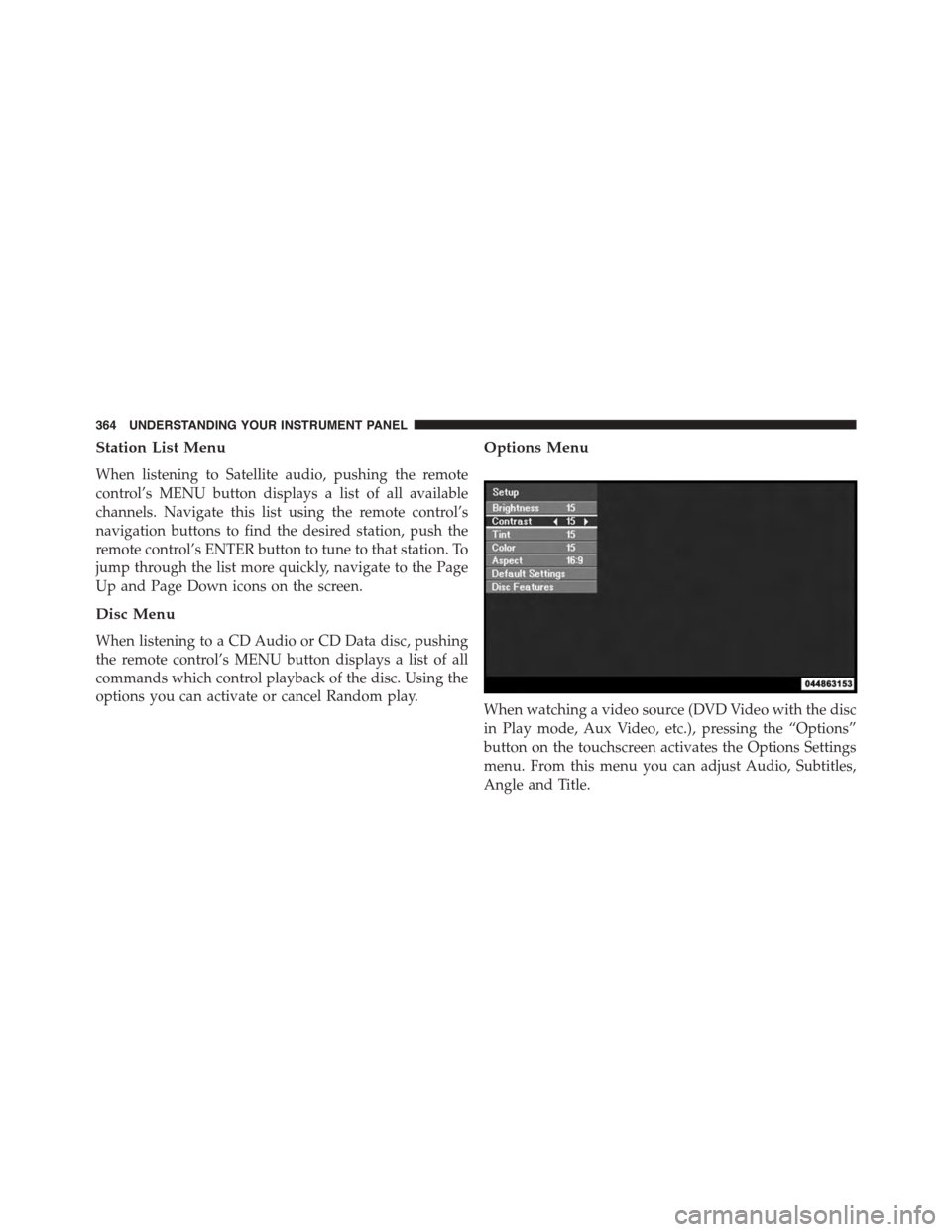
Options Menu
When watching a video source (DVD Video with the disc
in Play mode, Aux Video, etc.), pressing the “Options”
button on the touchscreen activates the Options Settings
menu. From this menu you can adjust Audio, Subtitles,
Angle and Title.
364 UNDERSTANDING YOUR INSTRUMENT PANEL
Page 367 of 648
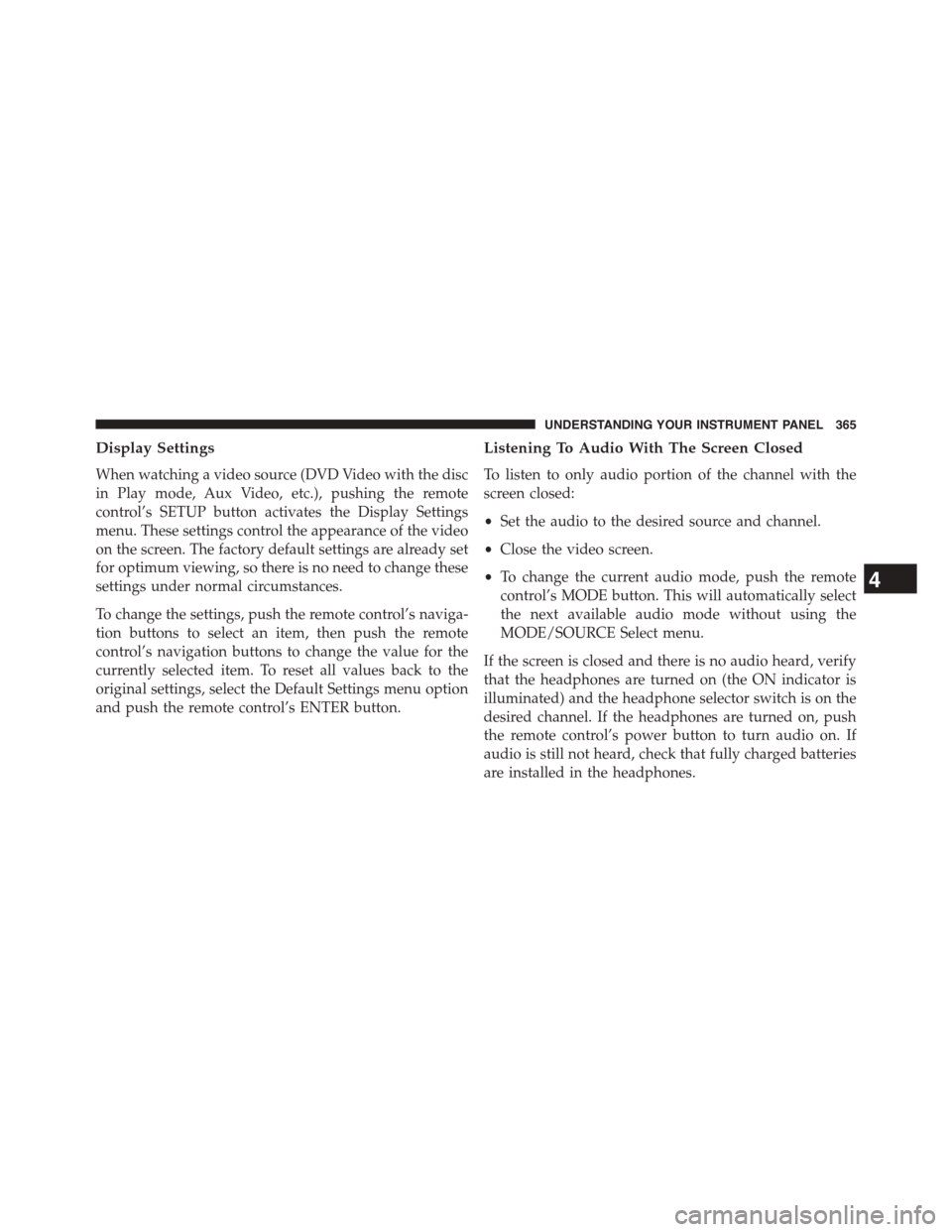
Display Settings
When watching a video source (DVD Video with the disc
in Play mode, Aux Video, etc.), pushing the remote
control’s SETUP button activates the Display Settings
menu. These settings control the appearance of the video
on the screen. The factory default settings are already set
for optimum viewing, so there is no need to change these
settings under normal circumstances.
To change the settings, push the remote control’s naviga-
tion buttons to select an item, then push the remote
control’s navigation buttons to change the value for the
currently selected item. To reset all values back to the
original settings, select the Default Settings menu option
and push the remote control’s ENTER button.
Listening To Audio With The Screen Closed
To listen to only audio portion of the channel with the
screen closed:
•Set the audio to the desired source and channel.
•Close the video screen.
•To change the current audio mode, push the remote
control’s MODE button. This will automatically select
the next available audio mode without using the
MODE/SOURCE Select menu.
If the screen is closed and there is no audio heard, verify
that the headphones are turned on (the ON indicator is
illuminated) and the headphone selector switch is on the
desired channel. If the headphones are turned on, push
the remote control’s power button to turn audio on. If
audio is still not heard, check that fully charged batteries
are installed in the headphones.
4
UNDERSTANDING YOUR INSTRUMENT PANEL 365