climate settings DODGE JOURNEY 2020 User Guide
[x] Cancel search | Manufacturer: DODGE, Model Year: 2020, Model line: JOURNEY, Model: DODGE JOURNEY 2020Pages: 396, PDF Size: 25.53 MB
Page 67 of 396
GETTING TO KNOW YOUR VEHICLE 65
Icon Description
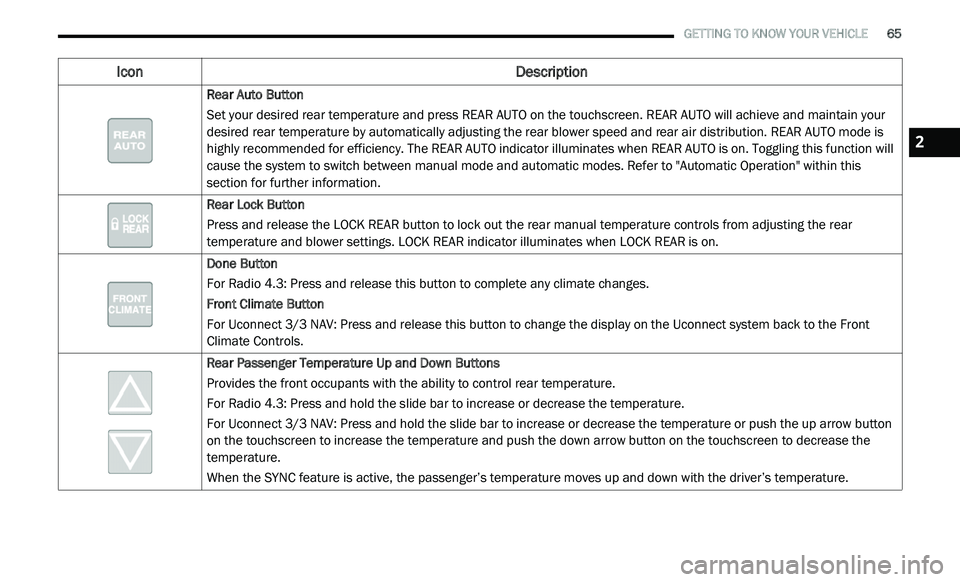
Rear Auto Button
Set your desired rear temperature and press REAR AUTO on the touchscreen. REAR AUTO will achieve and maintain your
de
sired rear temperature by automatically adjusting the rear blower speed and rear air distribution. REAR AUTO mode is
highly recommended for efficiency. The REAR AUTO indicator illuminates when REAR AUTO is on. Toggling this function will
cause the system to switch between manual mode and automatic modes. Refer to "Automatic Operation" within this
section for further information.
Rear Lock Button
Press and release the LOCK REAR button to lock out the rear manual temperature controls from adjusting the rear
te
mperature and blower settings. LOCK REAR indicator illuminates when LOCK REAR is on.
Done Button
For Radio 4.3: Press and release this button to complete any climate changes.
Front Climate Button
For Uconnect 3/3 NAV: Press and release this button to change the display on the Uconnect system back to the Front
C li
mate Controls.
Rear Passenger Temperature Up and Down Buttons
Provides the front occupants with the ability to control rear temperature.
For Radio 4.3: Press and hold the slide bar to increase or decrease the temperature.
For Uconnect 3/3 NAV: Press and hold the slide bar to increase or decrease the temperature or push the up arrow button
o n
the touchscreen to increase the temperature and push the down arrow button on the touchscreen to decrease the
temperature.
When the SYNC feature is active, the passenger’s temperature moves up and down with the driver’s temperature.
2
Page 68 of 396
66 GETTING TO KNOW YOUR VEHICLE
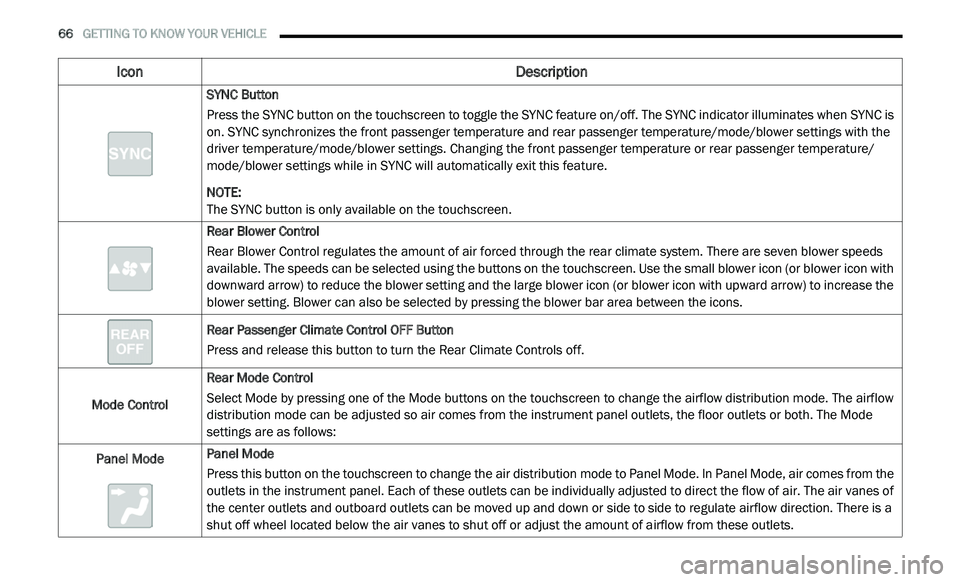
SYNC Button
Press the SYNC button on the touchscreen to toggle the SYNC feature on/off. The SYNC indicator illuminates when SYNC is
on
. SYNC synchronizes the front passenger temperature and rear passenger temperature/mode/blower settings with the
driver temperature/mode/blower settings. Changing the front passenger temperature or rear passenger temperature/
mode/blower settings while in SYNC will automatically exit this feature.
NOTE:
The SYNC button is only available on the touchscreen.
Rear Blower Control
Rear Blower Control regulates the amount of air forced through the rear climate system. There are seven blower speeds
a v
ailable. The speeds can be selected using the buttons on the touchscreen. Use the small blower icon (or blower icon with
downward arrow) to reduce the blower setting and the large blower icon (or blower icon with upward arrow) to increase the
blower setting. Blower can also be selected by pressing the blower bar area between the icons.
Rear Passenger Climate Control OFF Button
Press and release this button to turn the Rear Climate Controls off.
Mode Control Rear Mode Control
Select Mode by pressing one of the Mode buttons on the touchscreen to change the airflow distribution mode. The airflow
d
i
stribution mode can be adjusted so air comes from the instrument panel outlets, the floor outlets or both. The Mode
settings are as follows:
Panel Mode Panel Mode
Press this button on the touchscreen to change the air distribution mode to Panel Mode. In Panel Mode, air comes from the
o
u
tlets in the instrument panel. Each of these outlets can be individually adjusted to direct the flow of air. The air vanes of
the center outlets and outboard outlets can be moved up and down or side to side to regulate airflow direction. There is a
shut off wheel located below the air vanes to shut off or adjust the amount of airflow from these outlets.
Icon Description
Page 72 of 396
70 GETTING TO KNOW YOUR VEHICLE
CLIMATE CONTROL FUNCTIONS
A/C (Air Conditioning)
The Air Conditioning (A/C) button allows the
operator to manually activate or deactivate
the air conditioning system. When the air
c o
nditioning system is turned on, cool
dehumidified air will flow through the outlets into
the cabin. For improved fuel economy, press the
A/C button to turn off the air conditioning and
manually adjust the blower and airflow mode
settings. Also, make sure to select only Panel,
Bi-Level, or Floor modes.
NOTE:
For Manual Climate Controls, if the system is
in Mix, Floor or Defrost Mode, the A/C can be
turned off, but the A/C system shall remain
active to prevent fogging of the windows.
If fog or mist appears on the windshield or
side glass, select Defrost mode, and increase
blower speed if needed.
If your air conditioning performance seems
lower than expected, check the front of the
A/C condenser (located in front of the radi -
ator), for an accumulation of dirt or insects. C
le
an with a gentle water spray from the front
of the radiator and through the condenser.
MAX A/C
MAX A/C sets the control for maximum cooling
p e
rformance.
Press and release to toggle between MAX A/C
a n
d the prior settings. The button illuminates
when MAX A/C is on.
In MAX A/C, the blower level and mode position
c a
n be adjusted to desired user settings.
Pressing other settings will cause the MAX A/C
operation to switch to the selected setting and
MAX A/C to exit.
Recirculation
In cold weather, use of Recirculation mode
may lead to excessive window fogging. The
R e
circulation feature may be unavailable (button
on the touchscreen greyed out) if conditions exist
that could create fogging on the inside of the
windshield.
On systems with Manual Climate Controls,
if equipped, the Recirculation mode is not
a l
lowed in Defrost mode to improve window
clearing operation. Recirculation is disabled
automatically if this mode is selected. Attempting to use Recirculation while in this
mode causes the LED in the control button to
blink and then turns off.
AUTOMATIC TEMPERATURE CONTROL
(ATC) — I
F EQUIPPED
Automatic Operation
1. Push the AUTO button on the faceplate, or
the AUTO button on the touchscreen on the
Automatic Temperature Control (ATC)
Panel.
2. Next, adjust the temperature you would like t
he system to maintain by adjusting the
driver and passenger temperature control
buttons. Once the desired temperature is
displayed, the system achieves and
automatically maintains that comfort level.
3. W hen the system is set up for your comfort
l
evel, it is not necessary to change the
settings. You will experience the greatest
efficiency by simply allowing the system to
function automatically.
Page 74 of 396
72 GETTING TO KNOW YOUR VEHICLE
Outside Air Intake
Make sure the air intake, located directly in
front of the windshield, is free of obstructions
such as leaves. Leaves collected in the air
intake may reduce airflow, and if they enter
the plenum, they could plug the water drains.
In winter months, make sure the air intake is
c le
ar of ice, slush, and snow.
A/C Air Filter
The climate control system filters out dust and
pollen from the air. Refer to an authorized
dealer for filter replacement instructions.
Economy Mode
If ECONOMY mode is desired, push the A/C
button to turn off the LED indicator and the A/C
compressor. Rotate the temperature control
knob to the desired temperature. Also, make
sure to select only Panel, Bi-Level, or Floor
modes.
Operating Tips ChartWINDOWS
POWER WINDOWS
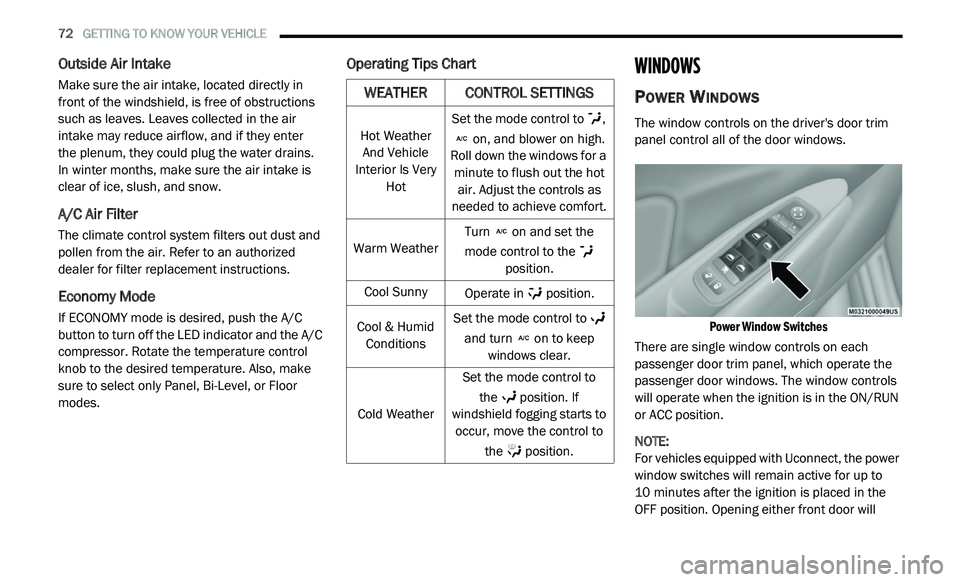
The window controls on the driver's door trim
panel control all of the door windows.
Power Window Switches
There are single window controls on each
p a
ssenger door trim panel, which operate the
passenger door windows. The window controls
will operate when the ignition is in the ON/RUN
or ACC position.
NOTE:
For vehicles equipped with Uconnect, the power
w i
ndow switches will remain active for up to
10 minutes after the ignition is placed in the
O F
F position. Opening either front door will
WEATHER CONTROL SETTINGS
Hot Weather
And Vehicle
Interior Is Very Hot Set the mode control to
,
on, and blower on high.
Roll down the windows for a m i
nute to flush out the hot
air. Adjust the controls as
needed to achieve comfort.
Warm Weather Turn
on and set the
mode control to the
position.
Cool Sunny Operate in position.
Cool & Humid Co
nditions Set the mode control to
and turn on to keep
windows clear.
Cold Weather Set the mode control to
th
e position. If
windshield fogging starts to o c
cur, move the control to
the position.
Page 117 of 396
SAFETY 115
Disabling And Enabling HSA
This feature can be turned on or turned off. To
change the current setting, proceed as follows:
If disabling HSA using your instrument cluster
display, refer to “Instrument Cluster Display”
in “Getting To Know Your Instrument Panel”
for further information.
If disabling HSA using Uconnect Settings,
refer to “Uconnect Settings” in “Multimedia”
for further information.
For vehicles not equipped with an instrument
c lu
ster display, perform the following steps:
1. C enter the steering wheel (front wheels
p
ointing straight forward).
2. S hift the transmission into PARK.
3
. A pply the parking brake.
4
. S tart the engine.
5
. R otate the steering wheel slightly more than
o
ne-half turn to the left.
6. P ush the “ESC OFF” button located in the
l
ower switch bank below the climate control
four times within 20 seconds. The “ESC OFF
Indicator Light” should turn on and turn off
two times. 7. R
otate the steering wheel back to center
a
nd then an additional slightly more than
one-half turn to the right.
8. P lace the ignition in the OFF mode and then
b
ack to ON. If the sequence was completed
properly, the “ESC OFF Indicator Light” will blink
several times to confirm HSA is disabled.
9. Repeat these steps if you want to return this f
eature to its previous setting.
Traction Control System (TCS)
The Traction Control System (TCS) monitors the
amount of wheel spin of each of the driven
wheels. If wheel spin is detected, the TCS may
apply brake pressure to the spinning wheel(s)
and/or reduce engine power to provide
enhanced acceleration and stability. A feature
of the TCS, Brake Limited Differential (BLD),
functions similarly to a limited slip differential
and controls the wheel spin across a driven
axle. If one wheel on a driven axle is spinning
faster than the other, the system will apply the
brake of the spinning wheel. This will allow more
engine power to be applied to the wheel that is
not spinning. BLD may remain enabled even if
TCS and Electronic Stability Control (ESC) are in
reduced modes.
Trailer Sway Control (TSC)
TSC uses sensors in the vehicle to recognize an
excessively swaying trailer and will take the
appropriate actions to attempt to stop the sway.
TSC will become active automatically once an
excessively swaying trailer is recognized.
Note that TSC cannot stop all trailers from
s w
aying. Always use caution when towing a
trailer and follow the trailer tongue weight
r e
commendations. Refer to “Trailer Towing” in
“Starting And Operating” for further information.
When TSC is functioning, the ESC Activation/
M a
lfunction Indicator Light will flash, the engine
power may be reduced and you may feel the
brakes being applied to individual wheels to
attempt to stop the trailer from swaying. TSC is
disabled when the ESC system is in the “Partial
Off” mode.
WARNING!
If TSC activates while driving, slow the vehicle
down, stop at the nearest safe location, and
adjust the trailer load to eliminate trailer sway.
4
Page 309 of 396
MULTIMEDIA 307
4 — PLAYER
Press the Player button on the touchscreen to
ac
cess media sources such as: Disc, USB
Device, and AUX as long as the requested
media is present.
5 — CONTROLS
Press the Controls button on the touchscreen to
a c
cess the Settings list. Controls such as
Heated Seats, Heated Steering Wheel, Vented
Seats, etc. can be selected or turned on/off by
pressing the corresponding button.
6 — CLIMATE (Touchcreen Controls)
Refer to “Climate Controls” in “Getting To Know
Y o
ur Vehicle” for more information.
7 — NAV (Uconnect 3 NAV Only)
Press the Nav button on the touchscreen to
ac
cess the Navigation feature.
8 — PHONE — If Equipped
Press the Phone button on the touchscreen to
ac
cess the Uconnect Phone feature. Refer to
“Uconnect Phone” in this section for more
information. 9 — MORE
Press the More button on the touchscreen to
a
c
cess additional options. Options available
such as Settings and SiriusXM® Travel Link
(if equipped) can be accessed by pressing the
c o
rresponding button in the More Menu.
10 — ENTER/BROWSE & TUNE/SCROLL
Push the ENTER/BROWSE button to accept a
hi
ghlighted selection on the screen. Rotate the
TUNE/SCROLL rotary knob to scroll through a
list or tune a radio station.
11 — SD CARD SLOT
Insert an SD Card containing audio media files
t o
play them through the vehicle’s sound
system.
12 — DISC SLOT
When inserting a disc, ensure the label is facing
u p
. Push the Eject button to eject the disc.
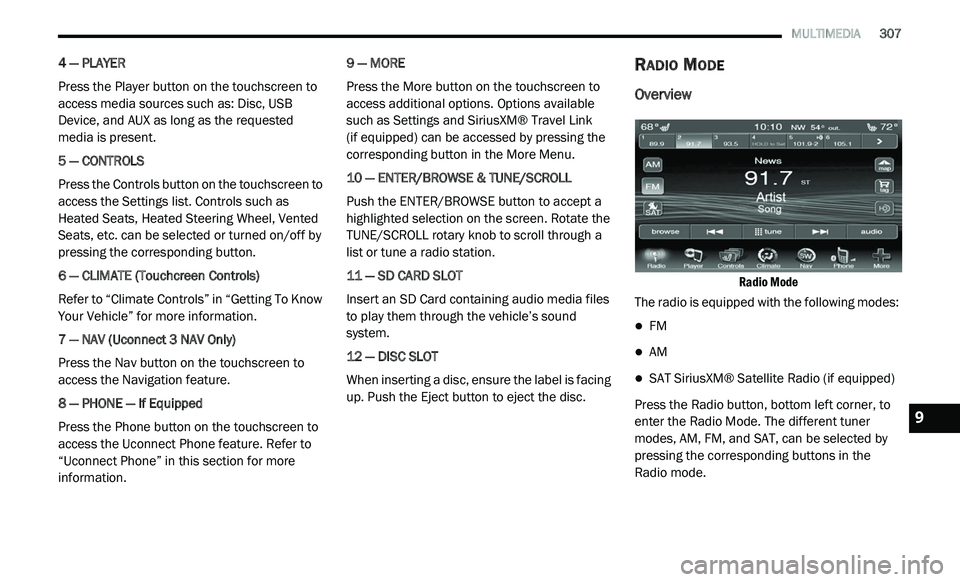
RADIO MODE
Overview
Radio Mode
The radio is equipped with the following modes:
FM
AM
SAT SiriusXM® Satellite Radio (if equipped)
Press the Radio button, bottom left corner, to
e n
ter the Radio Mode. The different tuner
modes, AM, FM, and SAT, can be selected by
pressing the corresponding buttons in the
Radio mode.9