lock DODGE NEON 2005 2.G Owner's Manual
[x] Cancel search | Manufacturer: DODGE, Model Year: 2005, Model line: NEON, Model: DODGE NEON 2005 2.GPages: 246, PDF Size: 3.69 MB
Page 51 of 246

MIRRORS
Inside Day/Night Mirror
Adjust the mirror to center on the view through the rear
window. A two point pivot system allows for horizontal
and vertical mirror adjustment.
Annoying headlight glare can be reduced by moving the
small control under the mirror to the night position
(toward rear of vehicle). The mirror should be adjusted
while set in the day position (toward windshield).
Inside Compass/Temperature MirrorÐIf Equipped
Adjust the mirror to center the view through the rear
window. A two point pivot system allows for horizontal
and vertical mirror adjustments.
Annoying headlight glare can be reduced by rotating the
small knob under the mirror in the clockwise direction,
so the knob points to the right (night position). The
mirror should be adjusted while set in the day position
(knob points towards rear of vehicle.)
Adjusting Rear View MirrorAdjusting Rear View Mirror
UNDERSTANDING THE FEATURES OF YOUR VEHICLE 51
3
Page 59 of 246
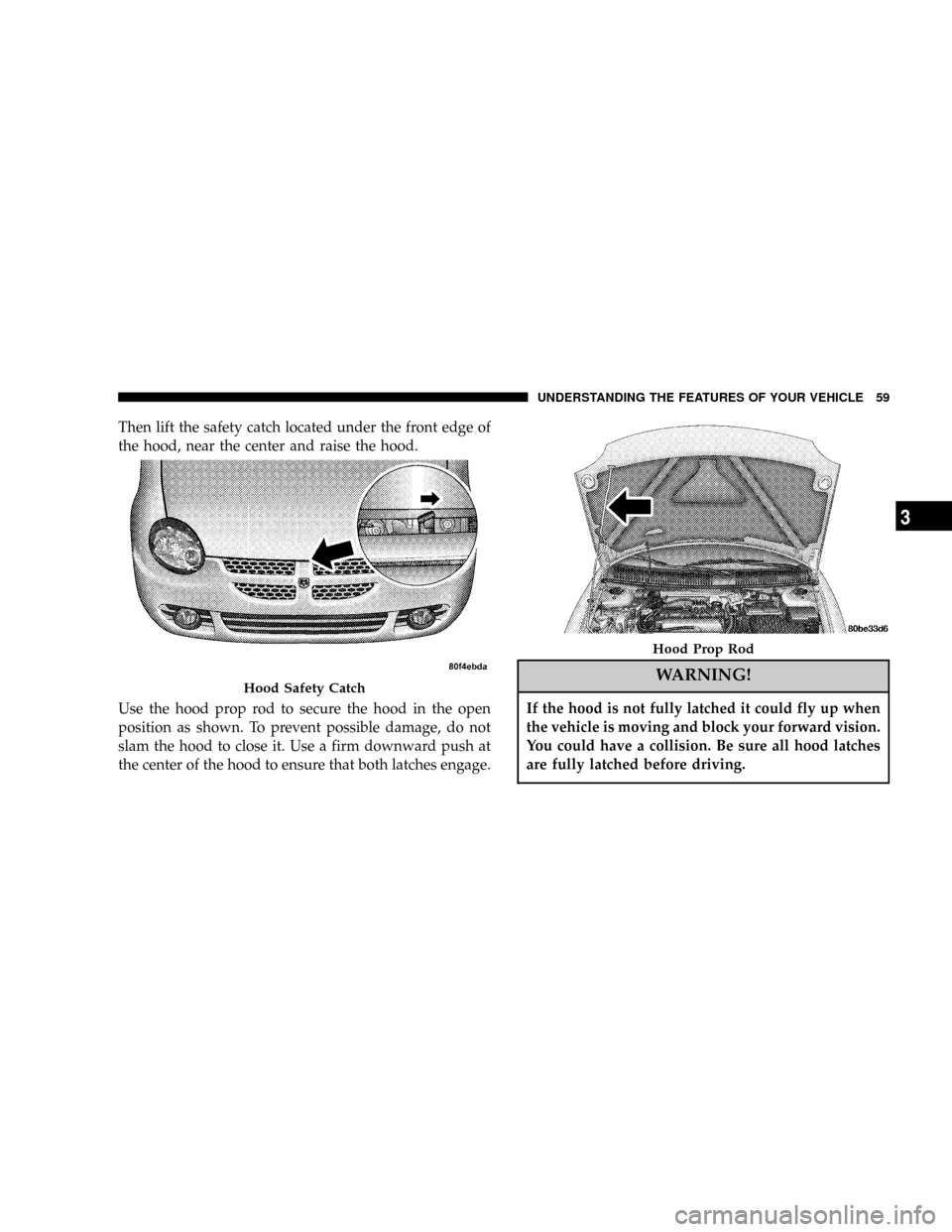
Then lift the safety catch located under the front edge of
the hood, near the center and raise the hood.
Use the hood prop rod to secure the hood in the open
position as shown. To prevent possible damage, do not
slam the hood to close it. Use a firm downward push at
the center of the hood to ensure that both latches engage.
WARNING!
If the hood is not fully latched it could fly up when
the vehicle is moving and block your forward vision.
You could have a collision. Be sure all hood latches
are fully latched before driving.
Hood Safety Catch
Hood Prop Rod
UNDERSTANDING THE FEATURES OF YOUR VEHICLE 59
3
Page 64 of 246

Intermittent Wiper System
Use the intermittent wiper when weather conditions
make a single wiping cycle, with a variable pause be-
tween cycles, desirable. Move the lever to the first detent
(DEL) position, then select the delay interval by turning
the end of the lever. Rotate the knob upward (clockwise)
to decrease the delay time and downward (counterclock-
wise) to increase the delay time. The delay can be
regulated from a maximum of approximately 18 seconds
between cycles, to a cycle every second.
Lo Speed Wipers
Move the wiper stalk upward to the 2nd detent to obtain
a low speed wiper function.
Hi Speed Wipers
Move the wiper stalk upward to the 3rd position to
obtain the fastest wiper speed.
TILT STEERING COLUMN
To tilt the column, push down on the lever below the turn
signal control and move the wheel up or down, as
desired. Pull the lever back towards you to lock the
column firmly in place.
Tilt Steering Column Control
64 UNDERSTANDING THE FEATURES OF YOUR VEHICLE
Page 65 of 246
WARNING!
Tilting the steering column while the vehicle is
moving is dangerous. Without a stable steering col-
umn, you could lose control of the vehicle and have
an accident. Adjust the column only while the ve-
hicle is stopped. Be sure it is locked before driving.
ELECTRONIC SPEED CONTROL Ð IF EQUIPPED
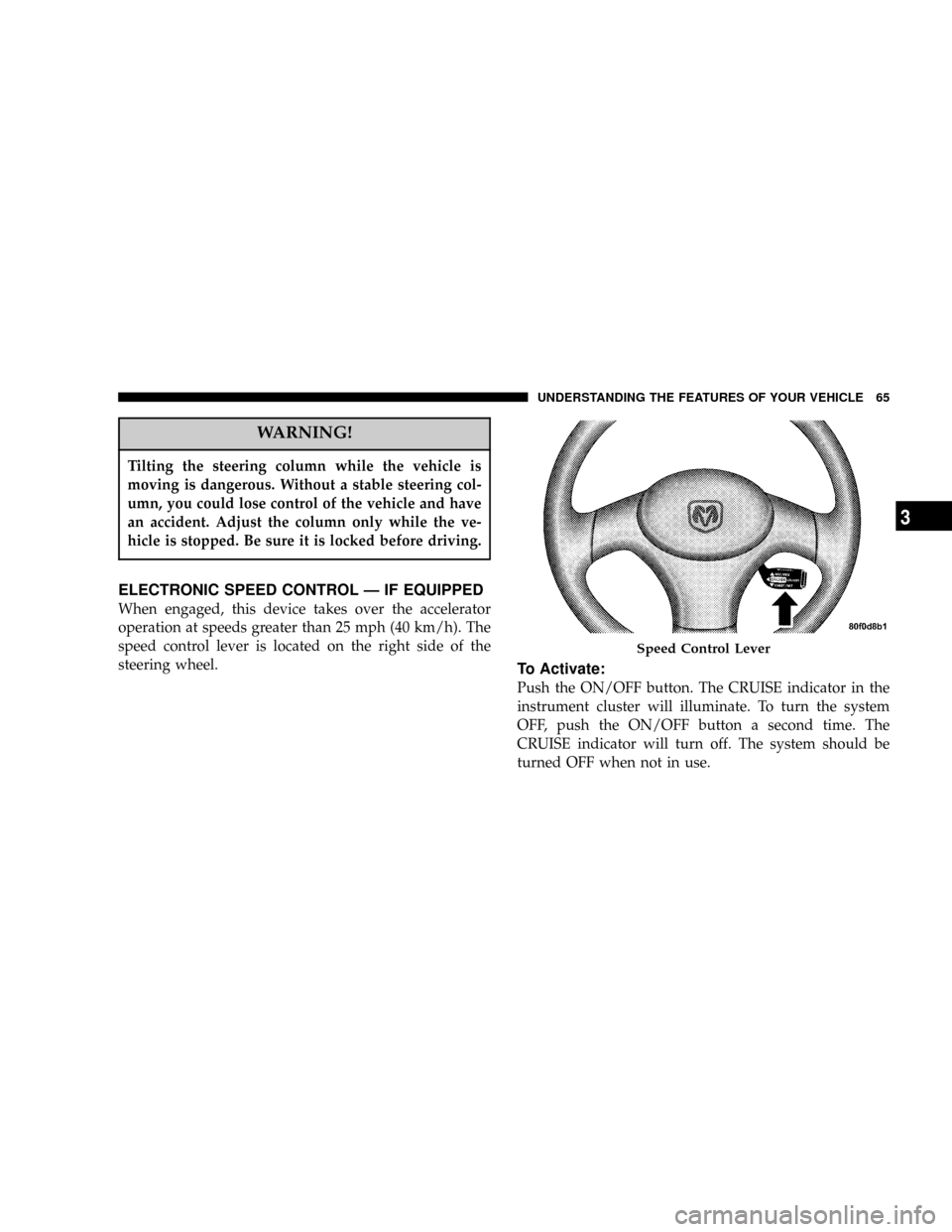
When engaged, this device takes over the accelerator
operation at speeds greater than 25 mph (40 km/h). The
speed control lever is located on the right side of the
steering wheel.
To Activate:
Push the ON/OFF button. The CRUISE indicator in the
instrument cluster will illuminate. To turn the system
OFF, push the ON/OFF button a second time. The
CRUISE indicator will turn off. The system should be
turned OFF when not in use.
Speed Control Lever
UNDERSTANDING THE FEATURES OF YOUR VEHICLE 65
3
Page 71 of 246

UNDERSTANDING YOUR INSTRUMENT PANEL
CONTENTS
mInstrument Panel Features................74
mStandard Instrument Cluster...............75
mOptional Instrument Cluster...............76
mInstrument Cluster Descriptions............77
mElectronic Digital Clock..................82
NClock Setting Procedure..................82
mRadio General Information................82
NRadio Broadcast Signals..................82
NTwo Types Of Signals...................82
NElectrical Disturbances...................83
NAM Reception........................83NFM Reception.........................83
mSales Code RBBÐAM/FM Stereo Radio With
Cassette Tape Player And CD Changer
Capability
............................83
NRadio Operation.......................83
NMode Button.........................85
NScan Button (Radio Mode)................85
NCassette Player Features.................86
N
CD Changer Control Capability Ð If Equipped..87
mSales Code RBKÐAM/ FM Stereo Radio With
CD Player And CD Changer Controls
........88
NRadio Operation.......................88
4
Page 77 of 246
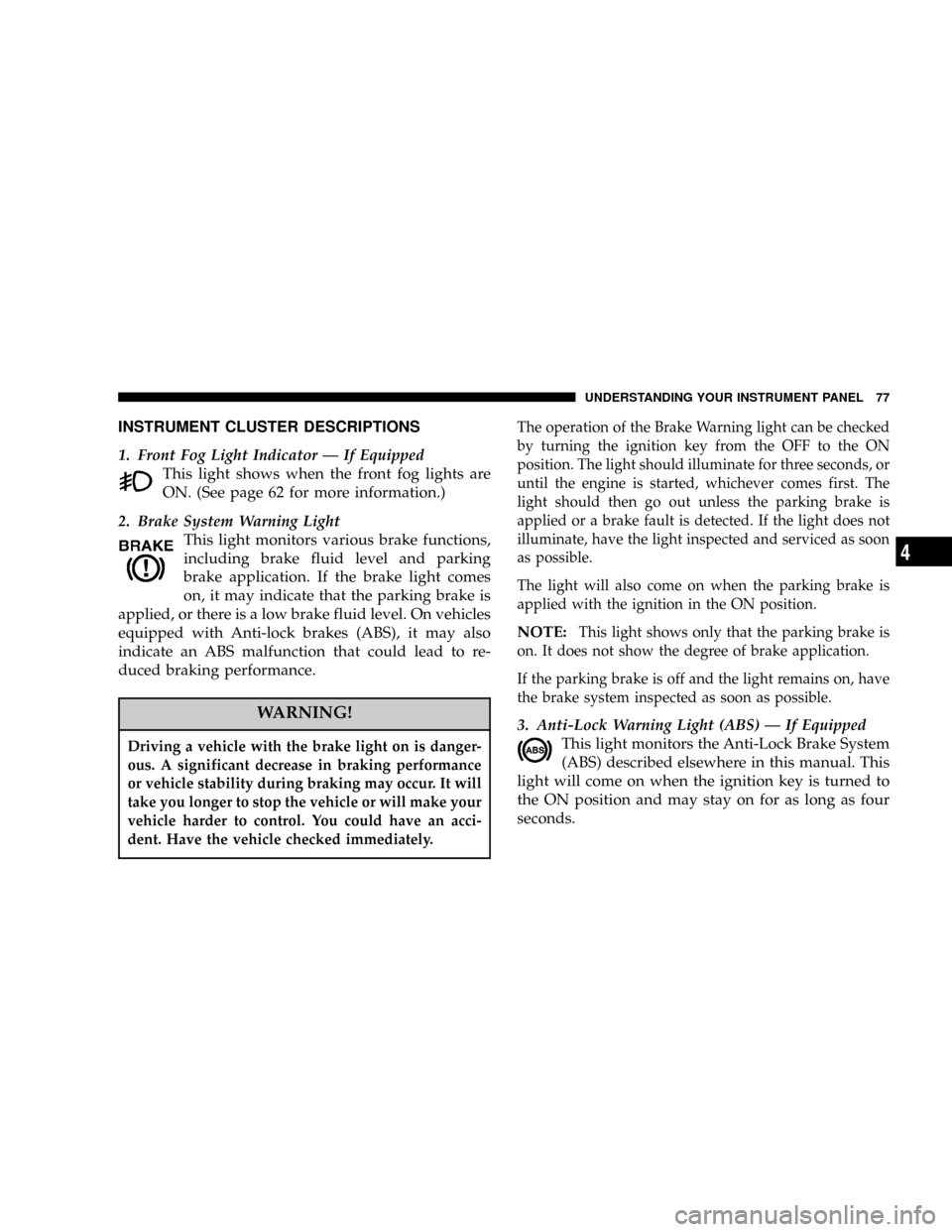
INSTRUMENT CLUSTER DESCRIPTIONS
1. Front Fog Light Indicator Ð If Equipped
This light shows when the front fog lights are
ON. (See page 62 for more information.)
2. Brake System Warning Light
This light monitors various brake functions,
including brake fluid level and parking
brake application. If the brake light comes
on, it may indicate that the parking brake is
applied, or there is a low brake fluid level. On vehicles
equipped with Anti-lock brakes (ABS), it may also
indicate an ABS malfunction that could lead to re-
duced braking performance.
WARNING!
Driving a vehicle with the brake light on is danger-
ous. A significant decrease in braking performance
or vehicle stability during braking may occur. It will
take you longer to stop the vehicle or will make your
vehicle harder to control. You could have an acci-
dent. Have the vehicle checked immediately.
The operation of the Brake Warning light can be checked
by turning the ignition key from the OFF to the ON
position. The light should illuminate for three seconds, or
until the engine is started, whichever comes first. The
light should then go out unless the parking brake is
applied or a brake fault is detected. If the light does not
illuminate, have the light inspected and serviced as soon
as possible.
The light will also come on when the parking brake is
applied with the ignition in the ON position.
NOTE:This light shows only that the parking brake is
on. It does not show the degree of brake application.
If the parking brake is off and the light remains on, have
the brake system inspected as soon as possible.
3. Anti-Lock Warning Light (ABS) Ð If Equipped
This light monitors the Anti-Lock Brake System
(ABS) described elsewhere in this manual. This
light will come on when the ignition key is turned to
the ON position and may stay on for as long as four
seconds.
UNDERSTANDING YOUR INSTRUMENT PANEL 77
4
Page 78 of 246

If the ABS light remains on or comes on during driving,
it indicates that the Anti-Lock portion of the brake system
is not functioning and that service is required, however,
the conventional brake system will continue to operate
normally provided that the BRAKE warning light is not
on.
If the ABS light is on, the brake system should be serviced
as soon as possible to restore the benefit of Anti-Lock
Brakes.
The warning light should be checked frequently to assure
that it is operating properly. Turn the ignition key to a
point midway between ON and START. The light should
come on. If the light does not come on, have the system
checked by an authorized dealer.
4. Speedometer
Indicates vehicle speed.
5. Turn Signal Indicators
The arrows will flash in unison with the exterior
turn signal, when using the turn signal lever. (See
page 62 for more information.)6. High Beam Indicator
This light shows that the headlights are on high
beam. Pull the turn signal lever toward the
steering wheel to switch the headlights from high or
low beam.
7. Tachometer Ð If Equipped
The white area of the scale shows the permissible engine
revolutions-per-minute (rpm x 1000) for each gear range.
Before reaching the red area, ease up on the accelerator to
prevent engine damage.
8. Oil Pressure Light
Shows low engine oil pressure. The light will
come on and remain on when the ignition key is
turned from the OFF to the ON position, and the light
will turn off after the engine is started. If the bulb does
not come on during starting, have the system checked
by an authorized dealer.
If the light comes on and remains on while driving, stop
the vehicle and shut off the engine. DO NOT OPERATE
THE VEHICLE UNTIL THE CAUSE IS CORRECTED.
78 UNDERSTANDING YOUR INSTRUMENT PANEL
Page 82 of 246

ELECTRONIC DIGITAL CLOCK
The clock and radio each use the display panel built into
the radio. A digital readout shows the time in hours and
minutes whenever the ignition switch is in the ON or
ACC position.
When the ignition switch is in the OFF position, or when
the radio frequency is being displayed, time keeping is
accurately maintained.
Clock Setting Procedure
1. Turn the ignition switch to the ON or ACC position.
Using the tip of a ballpoint pen or similar object, press
either the hour (H) or minute (M) buttons on the radio.
The display will show TIME.
2. Press the H button to set hours or the M button to set
minutes. The time setting will increase each time you
press a button.
RADIO GENERAL INFORMATION
Radio Broadcast Signals
Your new radio will provide excellent reception under
most operating conditions. Like any system, however, car
radios have performance limitations, due to mobile op-
eration and natural phenomena, which might lead you to
believe your sound system is malfunctioning. To help
you understand and save you concern about these ªap-
parentº malfunctions, you must understand a point or
two about the transmission and reception of radio sig-
nals.
Two Types of Signals
There are two basic types of radio signals... AM or
Amplitude Modulation, in which the transmitted sound
causes the amplitude, or height, of the radio waves to
vary... and FM or Frequency Modulation, in which the
frequency of the wave is varied to carry the sound.
82 UNDERSTANDING YOUR INSTRUMENT PANEL
Page 83 of 246

Electrical Disturbances
Radio waves may pick up electrical disturbances during
transmission. They mainly affect the wave amplitude,
and thus remain a part of the AM reception. They
interfere very little with the frequency variations that
carry the FM signal.
AM Reception
AM sound is based on wave amplitude, so AM reception
can be disrupted by such things as lightning, power lines
and neon signs.
FM Reception
Because FM transmission is based on frequency varia-
tions, interference that consists of amplitude variations
can be filtered out, leaving the reception relatively clear,
which is the major feature of FM radio.
SALES CODE RBBÐAM/FM STEREO RADIO
WITH CASSETTE TAPE PLAYER AND CD
CHANGER CAPABILITY
Radio Operation
Power/Volume Control
Press the ON/VOL control to turn the radio on. Turn the
volume control clockwise to increase the volume.
RBB Radio
UNDERSTANDING YOUR INSTRUMENT PANEL 83
4
Page 84 of 246

NOTE:Power to operate the radio is supplied through
the ignition switch. It must be in the ON or ACC position
to operate the radio.
Electronic Volume Control
The electronic volume control turns continuously (360
degrees) in either direction without stopping. Turning the
volume control to the right increases the volume and to
the left decreases it.
When the audio system is turned on, the sound will be
set at the same volume level as last played.
For your convenience, the volume can be turned down,
but not up, when the audio system is off and the ignition
is ON.
Seek
Press and release the SEEK button to search for the next
station in either the AM or FM mode. Press the top of the
button to seek up and the bottom to seek down. The
radio will remain tuned to the new station until you
make another selection. Holding the button will bypass
stations without stopping until you release it.
Tune
Press the TUNE control up or down to increase or
decrease the frequency. If the button is pushed and held,
the radio will continue to tune until the button is
released. The frequency will be displayed and continu-
ously updated while the button is pushed.
To Set The Push-Button Memory
When you are receiving a station that you wish to
commit to push-button memory, press the SET button.
The symbol SET 1 will now show in the display window.
Select the ª1±5º button you wish to lock onto this station
and press and release that button. If a button is not
selected within 5 seconds after pressing the SET button,
the station will continue to play but will not be locked
into push-button memory.
You may add a second station to each push-button by
repeating the above procedure with this exception: Press
the SET button twice and SET 2 will show in the display
window. Each button can be set for SET 1 and SET 2 in
both AM and FM. This allows a total of 10 AM and 10 FM
84 UNDERSTANDING YOUR INSTRUMENT PANEL