ignition DODGE NEON SRT 2004 2.G User Guide
[x] Cancel search | Manufacturer: DODGE, Model Year: 2004, Model line: NEON SRT, Model: DODGE NEON SRT 2004 2.GPages: 200, PDF Size: 3.23 MB
Page 32 of 200

²The Airbag Control Module also turns on the AIRBAG
light in the instrument panel for 6 to 8 seconds when
the ignition switch is first turned to ON/RUN, then
turns the light off. If it detects a malfunction in any
part of the system, it turns on the light either momen-
tarily or continuously.WARNING!
Ignoring the AIRBAG light in your instrument panel
could mean you won't have the airbags to protect
you in a collision. If the light does not come on, stays
on after you start the vehicle, or if it comes on as you
drive, have the airbag system checked right away.
²When the Airbag Control Module detects a collision
requiring the airbags, it signals the inflator units. A
large quantity of nontoxic gas is generated to inflate
the airbags. The airbag covers separate and fold out of
the way as the airbags inflate to their full size. The
airbags fully inflate in about 50 milliseconds. This is
only about half of the time it takes you to blink your
eyes. The airbags then quickly deflate while helping to
restrain the driver and front passenger. The driver's
front airbag gas is vented through the airbag material
towards the instrument panel. The passenger's front
airbag gas is vented through vent holes in the sides of
the airbag. In this way the airbags do not interfere with
your control of the vehicle.
32 THINGS TO KNOW BEFORE STARTING YOUR VEHICLE
Page 34 of 200
WARNING!
Deployed airbags can't protect you in another colli-
sion. Have the airbags replaced by an authorized
dealer as soon as possible.
Side Airbag System Ð If Equipped
²
The Side Impact Airbag Control Modules determine if
a side collision is severe enough to require the airbag
to inflate. The Side Impact Airbag Control Modules is
not designed to detect roll over, front, or rear impacts.
²The Side Impact Airbag Control Module monitors the
readiness of the electronic parts of the system when-
ever the ignition switch is in the START or ON/RUN
positions. These include all of the items listed above. If
the left or right SIACM detects a malfunction in any
part of the system, it will send a message to the frontal
ACM to turn the Airbag Light on. The Airbag Control
Module also turns on the AIRBAG light in the instru-
ment panel for 6 to 8 seconds when the ignition switch
is first turned on as a diagnostic or system check, then
turns the light off.
²In moderate to severe side collisions, the side airbag
inflator on the crash side of the vehicle is triggered by
the appropriate SIACM, releasing a quantity of non-
toxic gas. The inflating side airbag exits through the
seat seam into the space between the occupant and the
door. The side airbag moves at a very high speed and
with such a high force, that it could injure you if you
are not seated properly, or if items are positioned in
the area where the side airbag inflates. This especially
applies to children.
Enhanced Accident Response Time Ð If Equipped
If the airbags deploy after an impact and the electrical
system remains functional, vehicles equipped with
power door locks will unlock automatically. In addition,
approximately 10 seconds after the vehicle has stopped
moving, the interior lights will light until the ignition
switch is turned off.
34 THINGS TO KNOW BEFORE STARTING YOUR VEHICLE
Page 35 of 200
Maintaining Your Airbag Systems
WARNING!
²Modifications to any part of the airbag system
could cause it to fail when you need it. You could
be injured because the airbags are not there to
protect you. Do not modify the components or
wiring, including adding any kind of badges or
stickers to the steering wheel hub trim cover or
the upper right side of the instrument panel. Do
not modify the front bumper, vehicle body struc-
ture, or frame.
²You need proper knee impact protection in a
collision. Do not mount or locate any aftermarket
equipment on or behind the knee bolster.
²It is dangerous to try to repair any part of the
airbag system yourself. Be sure to tell anyone who
works on your vehicle that it has airbags.
Airbag Light
You will want to have the airbags ready to inflate for your
protection in an impact. While the airbag system is
designed to be maintenance free, if any of the following
occurs, have an authorized dealer service the system
immediately:
²The AIRBAG light does not come on or flickers during
the 6 to 8 seconds when the ignition switch is first
turned on.
²The light remains on or flickers after the 6 to 8 second
interval.
²The light flickers or comes on and remains on while
driving.
Child Restraint
Everyone in your vehicle needs to be buckled up at all
times Ð babies and children, too. Every state in the
United States and all Canadian provinces require that
small children ride in proper restraint systems. This is the
law, and you can be prosecuted for ignoring it.
THINGS TO KNOW BEFORE STARTING YOUR VEHICLE 35
2
Page 44 of 200

Airbag Light
The light should come on and remain on for 6 to
8 seconds as a bulb check when the ignition
switch is first turned to ON/RUN. If the bulb is
not lit during starting, have it replaced. If the light stays
on or comes on while driving, have the system checked
by an authorized dealer.
Defrosters
Check operation by selecting the defrost mode and place
the blower control on high speed. You should be able to
feel the air directed against the windshield.
Periodic Safety Checks You Should Make Outside
The Vehicle
Tires
Examine tires for excessive tread wear or uneven wear
patterns. Check for stones, nails, glass, or other objects
lodged in the tread. Inspect for tread cuts or sidewall
cracks. Check wheel nuts for tightness, and tires (includ-
ing spare) for proper pressure.
Lights
Have someone observe the operation of exterior lights
while you work the controls. Check turn signal and high
beam indicator lights on the instrument panel.
Fluid Leaks
Check area under vehicle after overnight parking for fuel,
water, oil, or other fluid leaks. Also, if gasoline fumes are
present, the cause should be corrected immediately.
44 THINGS TO KNOW BEFORE STARTING YOUR VEHICLE
Page 52 of 200
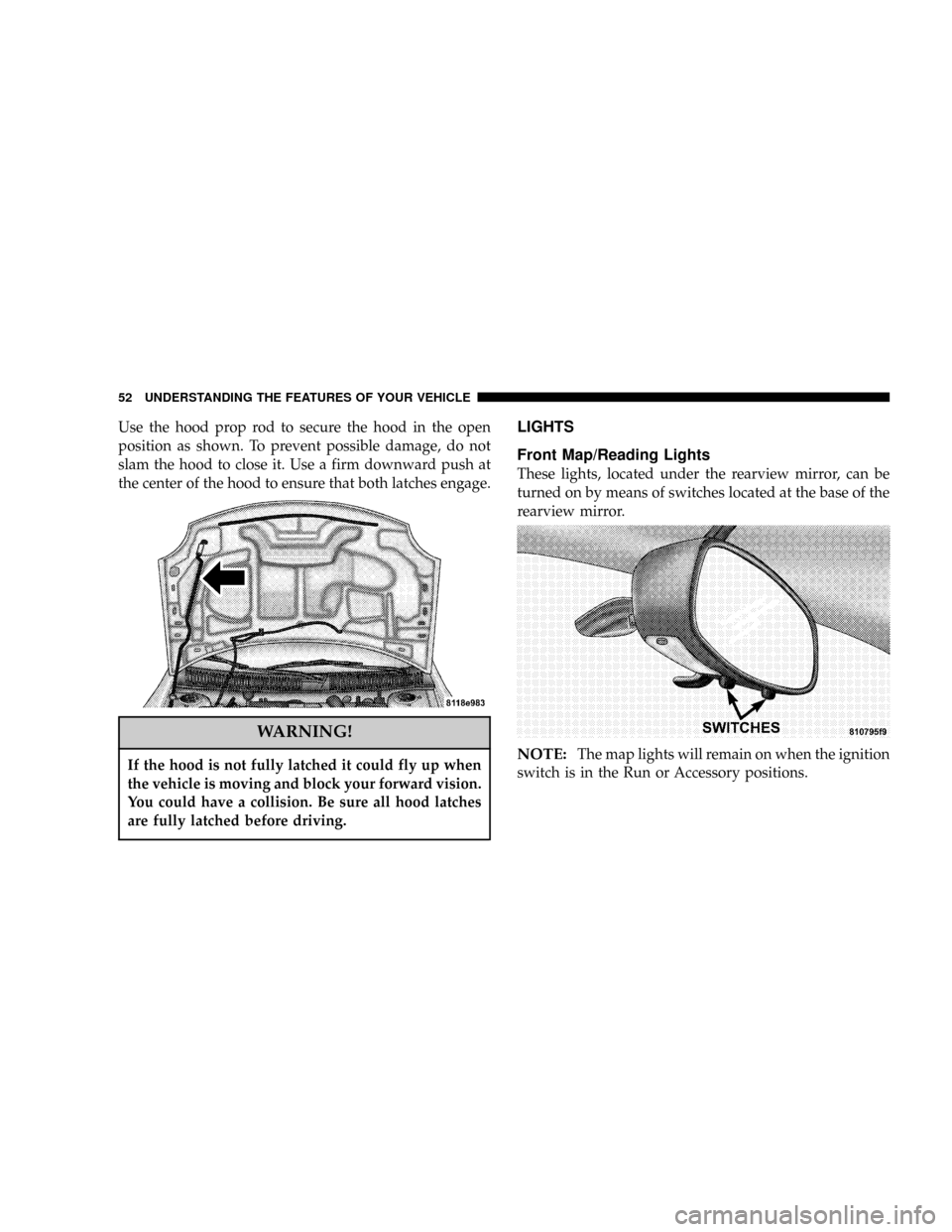
Use the hood prop rod to secure the hood in the open
position as shown. To prevent possible damage, do not
slam the hood to close it. Use a firm downward push at
the center of the hood to ensure that both latches engage.
WARNING!
If the hood is not fully latched it could fly up when
the vehicle is moving and block your forward vision.
You could have a collision. Be sure all hood latches
are fully latched before driving.
LIGHTS
Front Map/Reading Lights
These lights, located under the rearview mirror, can be
turned on by means of switches located at the base of the
rearview mirror.
NOTE:The map lights will remain on when the ignition
switch is in the Run or Accessory positions.
52 UNDERSTANDING THE FEATURES OF YOUR VEHICLE
Page 53 of 200

Interior Lights
The interior lights come on when a door is opened.
The interior lights will automatically turn off in about 8
minutes if a door is left open or the dimmer control is left
in the Dome light position. Turn the ignition switch ON
to restore the interior light operation.
Dimmer Control
With the park lights or headlights
on, rotating the dimmer control
for the interior lights on the Multi-
Function Control Lever upward
will increase the brightness of the
instrument panel lights.
Dome Light Position
Rotate the dimmer control com-
pletely upward to the second de-
tent to turn on the interior lights.
The interior lights will remain on
when the dimmer control is in this
position.
Daytime Brightness Feature
Certain instrument panel components can be illuminated
at full brightness during the daytime. These are the
Odometer and Radio. This can be helpful when driving
with your headlights on during the daytime such as in a
parade or a funeral procession. To activate this feature,
rotate the dimmer ring on the left stalk one detent lower
than the dome light.
Multi-Function Control Lever
The Multi-Function Control Lever controls the operation
of the headlights, parking lights, turn signals, headlight
beam selection, instrument panel light dimming, interior
UNDERSTANDING THE FEATURES OF YOUR VEHICLE 53
3
Page 54 of 200

lights, the passing lights, and fog lights. The lever is
located on the left side of the steering column.
Headlights, Parking Lights, Instrument Panel
Lights
Turn the end of the Multi-Function Control Lever to the
first detent for parking light operation. Turn to the
second detent for headlight operation.
To change the brightness of the instrument panel lights,
rotate the center portion of the Multi-Function Control
Lever up or down.
Daytime Running Lights (Canada Only)
The front fog lights will come on as Daytime Running
Lights whenever the ignition is on, the headlights are off,
and the parking brake is off. The headlight switch must
be used for normal night time driving.
Lights-on Reminder
If the headlights or parking lights are on after the ignition
is turned OFF, a chime will sound when the driver's door
is opened. Leaving the headlights on for an extended
period of time will discharge the battery resulting in
reduced battery life and possible inability to start the
vehicle.
Fog Lights
The front fog light switch is on the Multi-Function
Control Lever. To activate the front fog lights, turn
on the headlights and pull out the end of the
control lever.
NOTE:The fog lights will only operate with the head-
lights on low beam. Selecting high beam headlights or
park lights will turn off the fog lights.
54 UNDERSTANDING THE FEATURES OF YOUR VEHICLE
Page 63 of 200
INSTRUMENT CLUSTER DESCRIPTIONS
1. Fog Light Indicator
This light shows when the fog lights are ON.
2. Brake System Warning Light
This light monitors various brake functions,
including brake fluid level and parking brake
application. If the brake light comes on, it may
indicate that the parking brake is applied, or there is a
low brake fluid level. It may also indicate an ABS
malfunction that could lead to reduced braking per-
formance.
WARNING!
Driving a vehicle with the brake light on is danger-
ous. A significant decrease in braking performance
or vehicle stability during braking may occur. It will
take you longer to stop the vehicle or will make your
vehicle harder to control. You could have an acci-
dent. Have the vehicle checked immediately.
The operation of the Brake Warning light can be checked
by turning the ignition key from the OFF to the ON
position. The light should illuminate for three seconds, or
until the engine is started, whichever comes first. The
light should then go out unless the parking brake is
applied or a brake fault is detected. If the light does not
illuminate, have the light inspected and serviced as soon
as possible.
The light will also come on when the parking brake is
applied with the ignition in the ON position.
NOTE:This light shows only that the parking brake is
on. It does not show the degree of brake application.
If the parking brake is off and the light remains on, have
the brake system inspected as soon as possible.
3. Anti-Lock Warning Light (ABS)
This light monitors the Anti-Lock Brake System
(ABS) described elsewhere in this manual. This
light will come on when the ignition key is turned to
the ON position and may stay on for as long as four
seconds.
UNDERSTANDING YOUR INSTRUMENT PANEL 63
4
Page 64 of 200

If the ABS light remains on or comes on during driving,
it indicates that the Anti-Lock portion of the brake system
is not functioning and that service is required, however,
the conventional brake system will continue to operate
normally provided that the BRAKE warning light is not
on.
If the ABS light is on, the brake system should be serviced
as soon as possible to restore the benefit of Anti-Lock
Brakes.
The warning light should be checked frequently to assure
that it is operating properly. Turn the ignition key to a
point midway between ON and START. The light should
come on. If the light does not come on, have the system
checked by an authorized dealer.
4. Speedometer
Indicates vehicle speed.
5. Turn Signal Indicators
The arrows will flash in unison with the exterior turn
signal, when using the turn signal lever.
6. High Beam Indicator
This light shows that the headlights are on high
beam. Pull the turn signal lever toward the
steering wheel to switch the headlights from high or
low beam.
7. Tachometer
The silver area of the scale shows the permissible engine
revolutions-per-minute (rpm x 1000) for each gear range.
Before reaching the red area, ease up on the accelerator to
prevent engine damage.
8. Oil Pressure Light
Shows low engine oil pressure. The light will
come on and remain on when the ignition key is
turned from OFF to the ON position, and the light will
turn off after the engine is started. If the bulb does not
come on during starting, have the system checked by
an authorized dealer.
If the light comes on and remains on while driving, stop
the vehicle and shut off the engine. DO NOT OPERATE
THE VEHICLE UNTIL THE CAUSE IS CORRECTED.
64 UNDERSTANDING YOUR INSTRUMENT PANEL
Page 65 of 200

The light does not show the quantity of oil in the engine.
This can be determined using the procedure shown in
Section 7.
9. Seat Belt Reminder Light
When the ignition key is first turned on, this
light will come on for about six seconds. A
chime will sound if you have not pulled the
shoulder belt out of the retractor. This is a reminder to
ªbuckle upº. If you do not buckle up, the light will
remain on.
10. Charging System Light
This light shows the status of the electrical
charging system. The light should come on
briefly when the ignition is first turned on and remain
on briefly as a bulb check. If the light stays on or
comes on while driving, it means that there is a
problem with the charging system. Obtain SERVICE
IMMEDIATELY.
11. Airbag Light
The light comes on and remains on for 6 to 8
seconds as a bulb check when the ignition
switch is first turned ON. If the light does notcome on during starting, stays on, or comes on while
driving, have the system checked by an authorized
dealer.
12. Theft Alarm Light
This light will flash rapidly for several seconds when the
alarm system is arming. The light will begin to flash
slowly indicating that the system is armed.
13. Fuel Door Reminder
This symbol is a reminder that the Fuel Filler Door is
located on the passenger's side of the vehicle
14. Fuel Gauge
When the ignition key is in the ON position, the
pointer will show the level of fuel remaining in
the fuel tank.
15. Low Fuel Light
When the fuel level drops to about 1/8 tank, the
fuel symbol will light and a single chime will
sound. The light will remain on until fuel is
added. If the fuel level drops to about 1/2 gallon, the
fuel symbol will begin to flash and the chime will
sound several times.
UNDERSTANDING YOUR INSTRUMENT PANEL 65
4