lock DODGE NEON SRT 2004 2.G User Guide
[x] Cancel search | Manufacturer: DODGE, Model Year: 2004, Model line: NEON SRT, Model: DODGE NEON SRT 2004 2.GPages: 200, PDF Size: 3.23 MB
Page 17 of 200

To Unlock the Trunk
Press the TRUNK button on the transmitter twice to
unlock the trunk.
NOTE:A slight delay of up to two seconds can occur
before the trunk unlatches.
Using The Panic Alarm
To turn on the panic alarm feature, press and release the
PANIC button. When the panic alarm is on the headlights
and park/lamps will flash, the horn will pulse on and off
and the interior lights will turn on.
The panic alarm will stay on for 3 minutes unless you
press the PANIC button a second time, or until vehicle
speed reaches 15 mph (24 km/h).
NOTE:When you turn off the panic alarm by pressing
the PANIC button a second time, you may have to be
closer to the vehicle due to the radio frequency noises of
the system.
Programming Additional Transmitters
Up to four transmitters can be programmed to your
vehicle. Your new vehicle was shipped with two trans-
mitters. See your dealer for additional transmitters.
Additional transmitters can be programmed to the sys-
tem by using the following procedure:
1. Insert the key into the ignition and turn the switch to
the RUN position.
2. Press and hold the UNLOCK button on the transmitter
for between four and ten seconds.
3. Continue to hold the UNLOCK button and press the
PANIC button. A chime will sound to indicate that the
transmitter programming mode has been entered.
4. Press a button on all transmitters to be programmed to
the system, including any previously programmed trans-
mitters. A chime will sound when each transmitter has
been programmed.
5. Turn the ignition switch off to exit the transmitter
programming mode.
THINGS TO KNOW BEFORE STARTING YOUR VEHICLE 17
2
Page 20 of 200
WARNING!
In a collision, you and your passengers can suffer
much greater injuries if you are not properly buck-
led up. You can strike the interior of your vehicle or
other passengers, or you can be thrown out of the
vehicle. Always be sure you and others in your
vehicle are buckled up properly.
Buckle up even though you are an excellent driver, even
on short trips. Someone on the road may be a poor driver
and cause a collision that includes you. This can happen
far away from home or on your own street.
Research has shown that seat belts save lives, and that
they can reduce the seriousness of injuries in a collision.
Some of the worst injuries happen when people are
thrown from the vehicle. Seat belts reduce the possibility
of ejection and the risk of injury caused by striking the
inside of the vehicle.Everyonein a motor vehicle should
be belted at all times.
Lap/Shoulder Belts
All the seats in your vehicle are equipped with Lap/
Shoulder Belts.
The belt webbing retractor is designed to lock during
very sudden stops or collisions. This feature allows the
shoulder part of the belt to move freely with you under
normal conditions. But in a collision, the belt will lock
and reduce your risk of striking the inside of the vehicle
or being thrown out.
20 THINGS TO KNOW BEFORE STARTING YOUR VEHICLE
Page 24 of 200
WARNING!
A frayed or torn belt could rip apart in a collision
and leave you with no protection. Inspect the belt
system periodically, checking for cuts, frays, or loose
parts. Damaged parts must be replaced immediately.
Do not disassemble or modify the system. Front seat
belt assemblies must be replaced after a collision.
Rear seat belt assemblies must be replaced after a
collision if they have been damaged (bent retractor,
torn webbing, etc.).
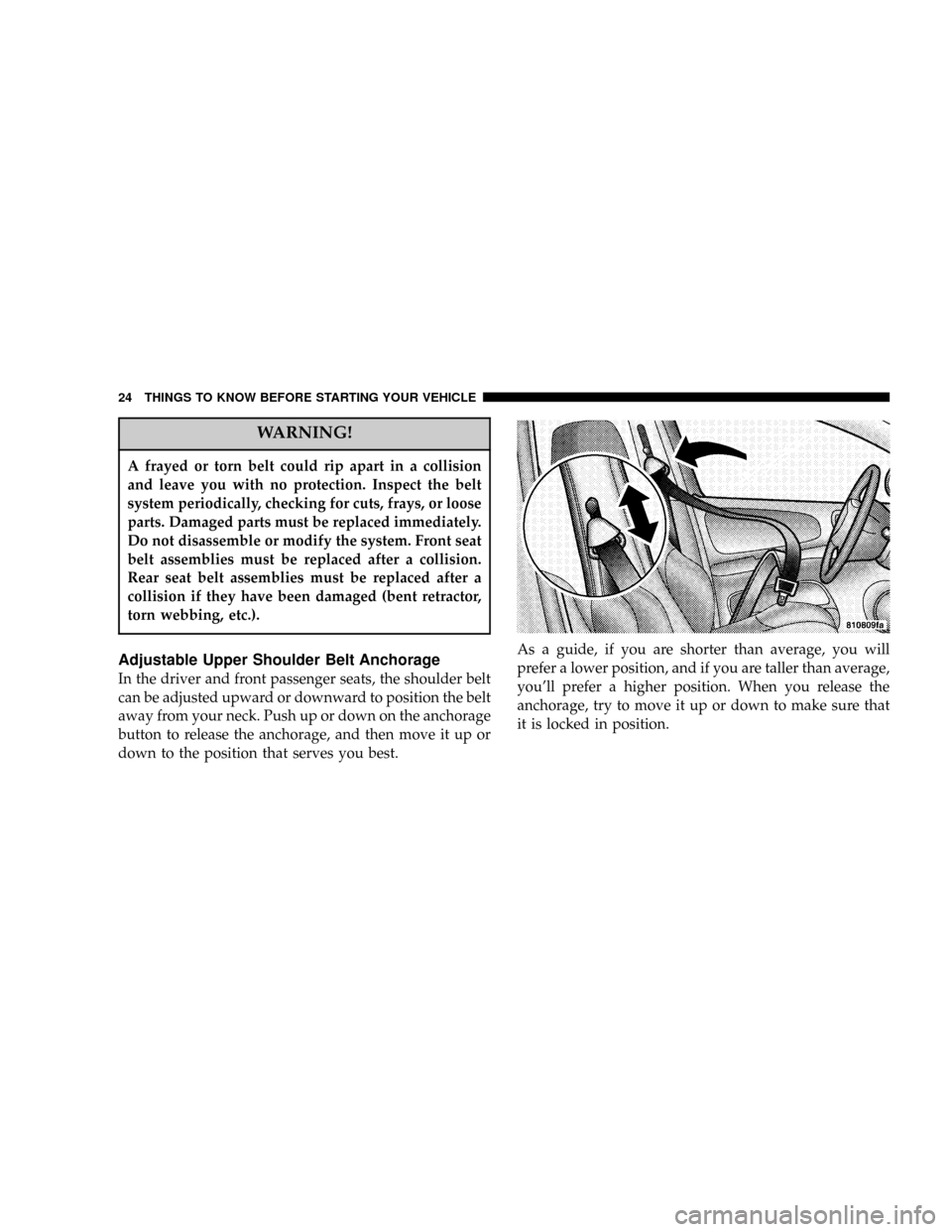
Adjustable Upper Shoulder Belt Anchorage
In the driver and front passenger seats, the shoulder belt
can be adjusted upward or downward to position the belt
away from your neck. Push up or down on the anchorage
button to release the anchorage, and then move it up or
down to the position that serves you best.As a guide, if you are shorter than average, you will
prefer a lower position, and if you are taller than average,
you'll prefer a higher position. When you release the
anchorage, try to move it up or down to make sure that
it is locked in position.
24 THINGS TO KNOW BEFORE STARTING YOUR VEHICLE
Page 34 of 200
WARNING!
Deployed airbags can't protect you in another colli-
sion. Have the airbags replaced by an authorized
dealer as soon as possible.
Side Airbag System Ð If Equipped
²
The Side Impact Airbag Control Modules determine if
a side collision is severe enough to require the airbag
to inflate. The Side Impact Airbag Control Modules is
not designed to detect roll over, front, or rear impacts.
²The Side Impact Airbag Control Module monitors the
readiness of the electronic parts of the system when-
ever the ignition switch is in the START or ON/RUN
positions. These include all of the items listed above. If
the left or right SIACM detects a malfunction in any
part of the system, it will send a message to the frontal
ACM to turn the Airbag Light on. The Airbag Control
Module also turns on the AIRBAG light in the instru-
ment panel for 6 to 8 seconds when the ignition switch
is first turned on as a diagnostic or system check, then
turns the light off.
²In moderate to severe side collisions, the side airbag
inflator on the crash side of the vehicle is triggered by
the appropriate SIACM, releasing a quantity of non-
toxic gas. The inflating side airbag exits through the
seat seam into the space between the occupant and the
door. The side airbag moves at a very high speed and
with such a high force, that it could injure you if you
are not seated properly, or if items are positioned in
the area where the side airbag inflates. This especially
applies to children.
Enhanced Accident Response Time Ð If Equipped
If the airbags deploy after an impact and the electrical
system remains functional, vehicles equipped with
power door locks will unlock automatically. In addition,
approximately 10 seconds after the vehicle has stopped
moving, the interior lights will light until the ignition
switch is turned off.
34 THINGS TO KNOW BEFORE STARTING YOUR VEHICLE
Page 38 of 200

²The restraint must be appropriate for your child's
weight and height. Check the label on the restraint for
weight and height limits.
²Carefully follow the instructions that come with the
restraint. If you install the restraint improperly, it may
not work when you need it.
The passenger seat belts are equipped with cinching latch
plates which are designed to keep the lap portion tight
around the child restraint so that it is not necessary to use
a locking clip. Pulling up on the shoulder portion of the
lap/shoulder belt will tighten the belt. The cinching latch
plate will keep the belt tight, however, any seat belt
system will loosen with time, so check the belt occasion-
ally and pull it tight if necessary.
²In the rear seat, you may have trouble tightening the
lap/shoulder belt on the child restraint because the
buckle or latch plate is too close to the belt path
opening on the restraint. Disconnect the latch plate
from the buckle and twist the short buckle-end belt
several times to shorten it. Insert the latch plate into
the buckle with the release button facing out.
²If the belt still can't be tightened, or if pulling and
pushing on the restraint loosens the belt, disconnect
the latch plate from the buckle, turn the buckle
around, and insert the latch plate into the buckle
again. If you still can't make the child restraint secure,
try a different seating position.
²Buckle the child into the seat according to the child
restraint manufacturer's directions.
²When your child restraint is not in use, secure it in the
vehicle with the seat belt or remove it from the vehicle.
Do not leave it loose in the vehicle. In a sudden stop or
collision, it could strike the occupants or seat backs
and cause serious personal injury.
LATCH ÐL ower Anchors and Tether for CHildren
Your vehicle's rear seat is equipped with the child
restraint anchorage system called LATCH, which stands
for Lower Anchors and Tether for Children. The LATCH
system provides for the installation of the child restraint
without using the vehicle seat belt. All three rear seating
positions have exclusive lower anchorages. These are
round bars, located at the rear of the seat cushion where
it meets the seat back, and just visible when you lean into
38 THINGS TO KNOW BEFORE STARTING YOUR VEHICLE
Page 52 of 200
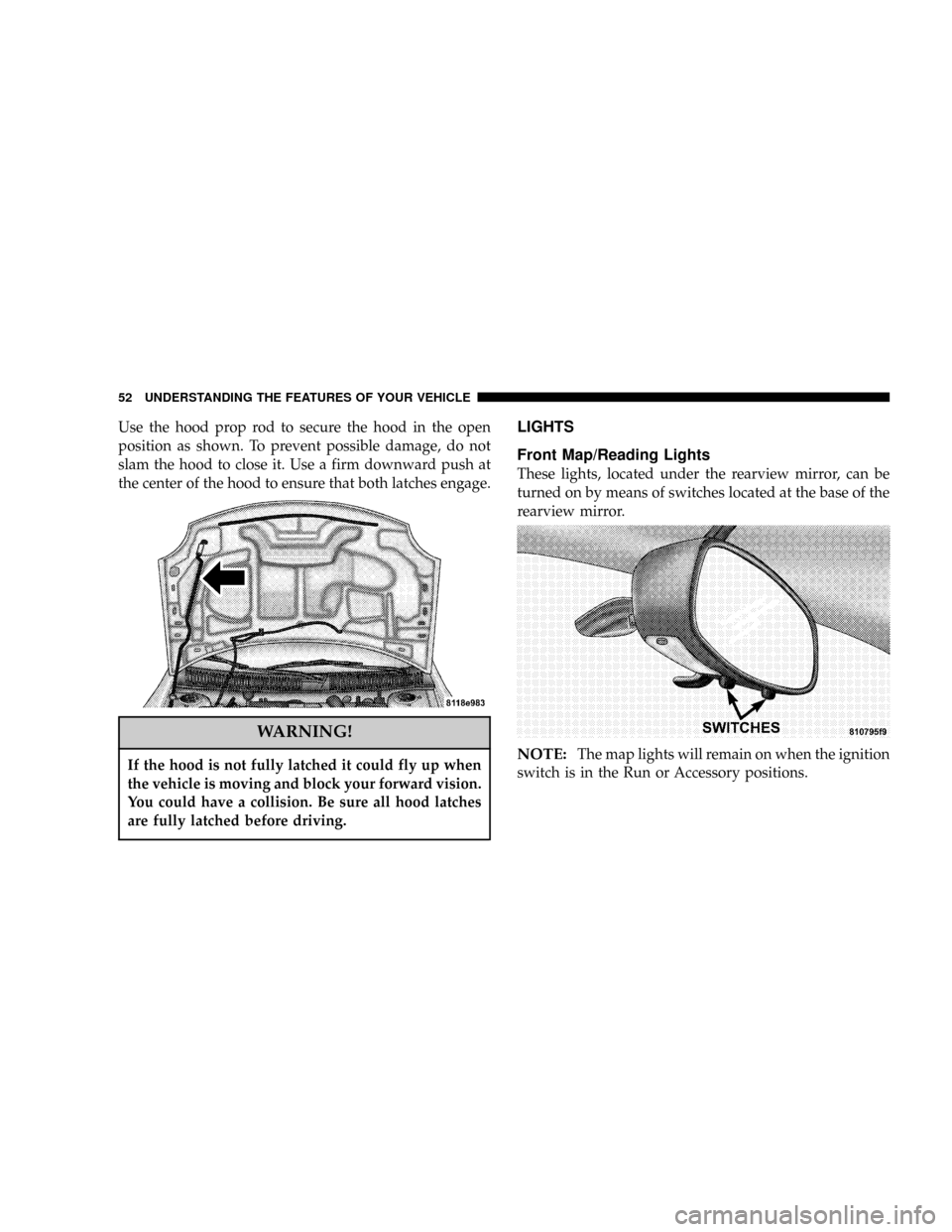
Use the hood prop rod to secure the hood in the open
position as shown. To prevent possible damage, do not
slam the hood to close it. Use a firm downward push at
the center of the hood to ensure that both latches engage.
WARNING!
If the hood is not fully latched it could fly up when
the vehicle is moving and block your forward vision.
You could have a collision. Be sure all hood latches
are fully latched before driving.
LIGHTS
Front Map/Reading Lights
These lights, located under the rearview mirror, can be
turned on by means of switches located at the base of the
rearview mirror.
NOTE:The map lights will remain on when the ignition
switch is in the Run or Accessory positions.
52 UNDERSTANDING THE FEATURES OF YOUR VEHICLE
Page 57 of 200
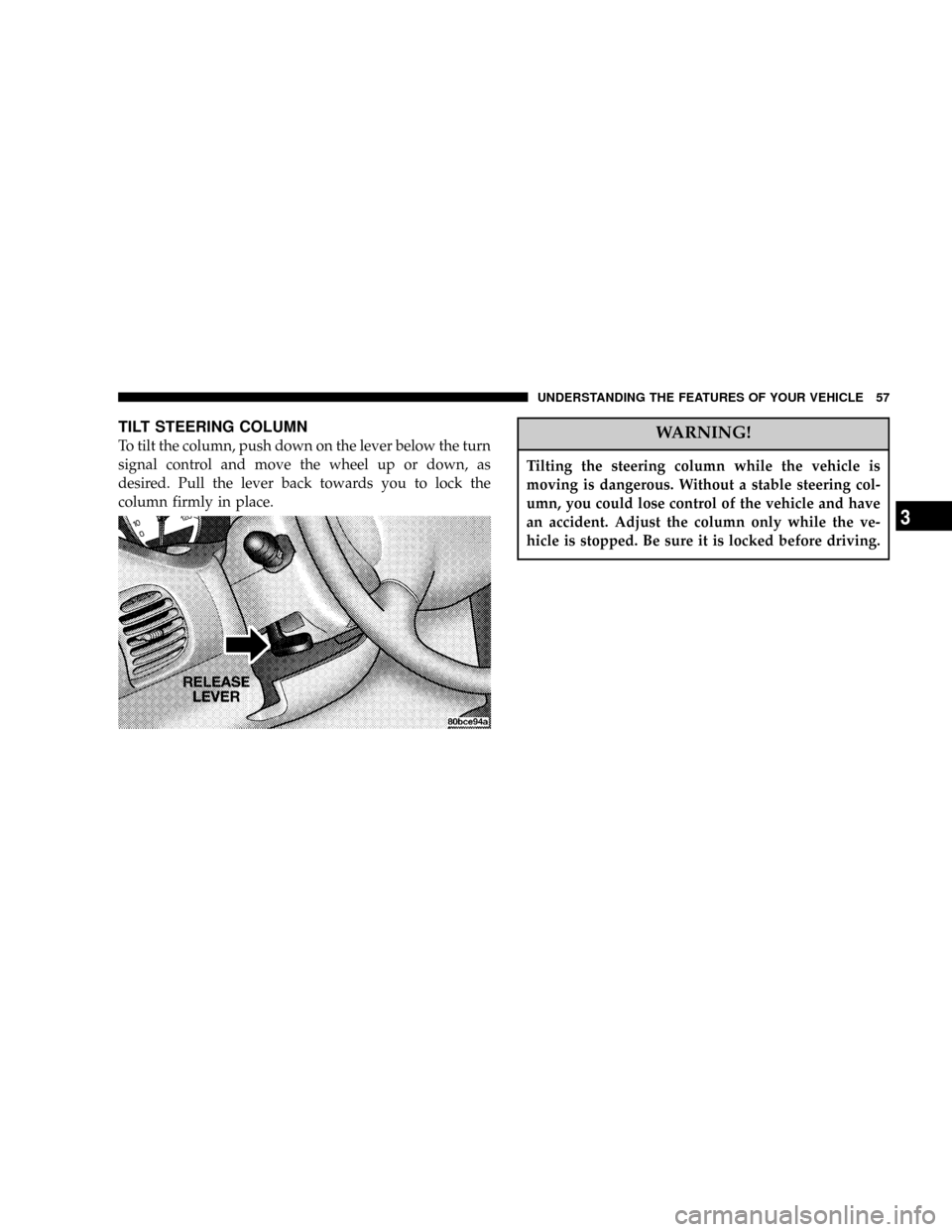
TILT STEERING COLUMN
To tilt the column, push down on the lever below the turn
signal control and move the wheel up or down, as
desired. Pull the lever back towards you to lock the
column firmly in place.WARNING!
Tilting the steering column while the vehicle is
moving is dangerous. Without a stable steering col-
umn, you could lose control of the vehicle and have
an accident. Adjust the column only while the ve-
hicle is stopped. Be sure it is locked before driving.
UNDERSTANDING THE FEATURES OF YOUR VEHICLE 57
3
Page 59 of 200

UNDERSTANDING YOUR INSTRUMENT PANEL
CONTENTS
mInstrument Panel Features................61
mInstrument ClusterÐTurbo................62
mInstrument Cluster Descriptions............63
mElectronic Digital Clock..................68
NClock Setting Procedure..................68
mRadio General Information................68
NRadio Broadcast Signals..................68
NTwo Types Of Signals...................68
NElectrical Disturbances...................69
NAM Reception........................69
NFM Reception.........................69
mSales Code RBKÐAM/ FM Stereo Radio With
CD Player And CD Changer Controls Ð If
Equipped
.............................69
NRadio Operation.......................69
NCD Player Operation....................71
NCD Changer Operation Ð If Equipped.......73
mSatellite Radio Ð If Equipped..............74
NSystem Activation......................74
NElectronic Serial Number/Sirius Identification
Number (ENS/SID).....................74
NSelecting Satellite Mode In RBB And RBK
Radios..............................75
4
Page 63 of 200
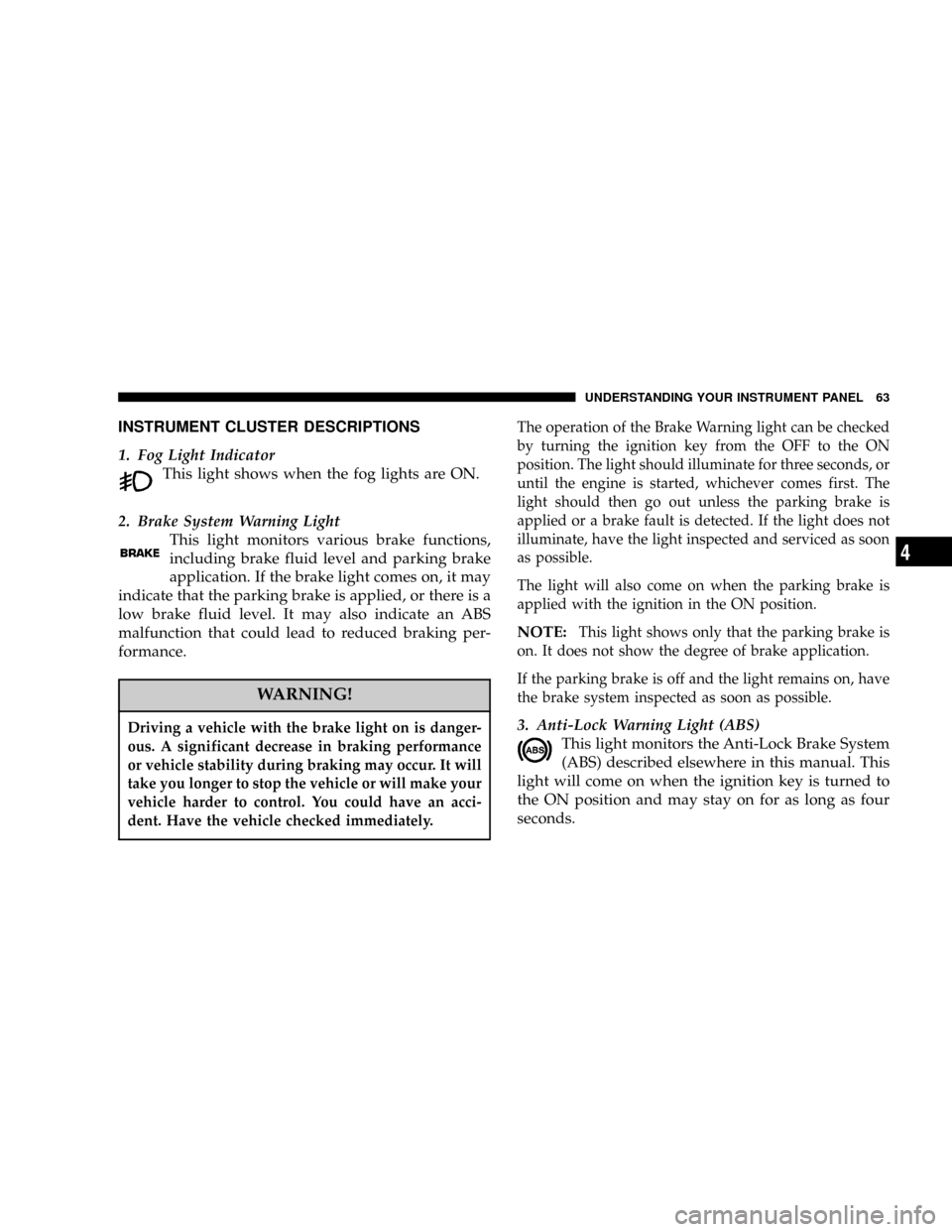
INSTRUMENT CLUSTER DESCRIPTIONS
1. Fog Light Indicator
This light shows when the fog lights are ON.
2. Brake System Warning Light
This light monitors various brake functions,
including brake fluid level and parking brake
application. If the brake light comes on, it may
indicate that the parking brake is applied, or there is a
low brake fluid level. It may also indicate an ABS
malfunction that could lead to reduced braking per-
formance.
WARNING!
Driving a vehicle with the brake light on is danger-
ous. A significant decrease in braking performance
or vehicle stability during braking may occur. It will
take you longer to stop the vehicle or will make your
vehicle harder to control. You could have an acci-
dent. Have the vehicle checked immediately.
The operation of the Brake Warning light can be checked
by turning the ignition key from the OFF to the ON
position. The light should illuminate for three seconds, or
until the engine is started, whichever comes first. The
light should then go out unless the parking brake is
applied or a brake fault is detected. If the light does not
illuminate, have the light inspected and serviced as soon
as possible.
The light will also come on when the parking brake is
applied with the ignition in the ON position.
NOTE:This light shows only that the parking brake is
on. It does not show the degree of brake application.
If the parking brake is off and the light remains on, have
the brake system inspected as soon as possible.
3. Anti-Lock Warning Light (ABS)
This light monitors the Anti-Lock Brake System
(ABS) described elsewhere in this manual. This
light will come on when the ignition key is turned to
the ON position and may stay on for as long as four
seconds.
UNDERSTANDING YOUR INSTRUMENT PANEL 63
4
Page 64 of 200

If the ABS light remains on or comes on during driving,
it indicates that the Anti-Lock portion of the brake system
is not functioning and that service is required, however,
the conventional brake system will continue to operate
normally provided that the BRAKE warning light is not
on.
If the ABS light is on, the brake system should be serviced
as soon as possible to restore the benefit of Anti-Lock
Brakes.
The warning light should be checked frequently to assure
that it is operating properly. Turn the ignition key to a
point midway between ON and START. The light should
come on. If the light does not come on, have the system
checked by an authorized dealer.
4. Speedometer
Indicates vehicle speed.
5. Turn Signal Indicators
The arrows will flash in unison with the exterior turn
signal, when using the turn signal lever.
6. High Beam Indicator
This light shows that the headlights are on high
beam. Pull the turn signal lever toward the
steering wheel to switch the headlights from high or
low beam.
7. Tachometer
The silver area of the scale shows the permissible engine
revolutions-per-minute (rpm x 1000) for each gear range.
Before reaching the red area, ease up on the accelerator to
prevent engine damage.
8. Oil Pressure Light
Shows low engine oil pressure. The light will
come on and remain on when the ignition key is
turned from OFF to the ON position, and the light will
turn off after the engine is started. If the bulb does not
come on during starting, have the system checked by
an authorized dealer.
If the light comes on and remains on while driving, stop
the vehicle and shut off the engine. DO NOT OPERATE
THE VEHICLE UNTIL THE CAUSE IS CORRECTED.
64 UNDERSTANDING YOUR INSTRUMENT PANEL