display DODGE NITRO 2010 1.G User Guide
[x] Cancel search | Manufacturer: DODGE, Model Year: 2010, Model line: NITRO, Model: DODGE NITRO 2010 1.GPages: 498, PDF Size: 6.94 MB
Page 201 of 498
Do not operate the vehicle until the cause is corrected.
This light does not indicate how much oil is in the engine.
The engine oil level must be checked under the hood.
22. Airbag Warning LightThis light will turn on for four to eight seconds
as a bulb check when the ignition switch is first
turned ON. If the light is either not on during
starting, stays on, or turns on while driving,
then have the system inspected at an authorized dealer as
soon as possible. Refer to “Occupant Restraints” in
“Things To Know Before Starting Your Vehicle” for
further information.
23. Tachometer
This gauge measures engine revolutions-per-minute
(RPM x 1000). Before the pointer reaches the red area,
ease up on the accelerator to prevent engine damage. 24. Shift Lever Indicator
The Shift Lever Indicator is self-contained within the
instrument cluster. It displays the gear position of the
automatic transmission.
25. Tire Pressure Monitoring Telltale Light
Each tire, including the spare (if provided),
should be checked monthly, when cold and
inflated to the inflation pressure recommended
by the vehicle manufacturer on the vehicle
placard or tire inflation pressure label. (If your vehicle
has tires of a different size than the size indicated on the
vehicle placard or tire inflation pressure label, you should
determine the proper tire inflation pressure for those
tires.)
As an added safety feature, your vehicle has been
equipped with a Tire Pressure Monitoring System
(TPMS) that illuminates a low tire pressure telltale when
one or more of your tires is significantly under-inflated.
200 UNDERSTANDING YOUR INSTRUMENT PANEL
Page 203 of 498
CAUTION!
The TPMS has been optimized for the original
equipment tires and wheels. TPMS pressures and
warning have been established for the tire size
equipped on your vehicle. Undesirable system opera-
tion or sensor damage may result when using re-
placement equipment that is not of the same size,
type, and/or style. Aftermarket wheels can cause
sensor damage. Do not use tire sealant from a can, or
balance beads if your vehicle is equipped with a
TPMS, as damage to the sensors may result.
26. Odometer / Trip Odometer Display Area
The odometer shows the total distance the vehicle has
been driven. The trip odometer shows individual trip
mileage. Refer to “Trip Odometer Button” for additional
information. NOTE:
U.S. Federal regulations require that upon trans-
fer of vehicle ownership, the seller certify to the pur-
chaser the correct mileage that the vehicle has been
driven. If your odometer needs to be repaired or serviced,
the repair technician should leave the odometer reading
the same as it was before the repair or service. If s/he
cannot do so, then the odometer must be set at zero, and
a sticker must be placed in the door jamb stating what the
mileage was before the repair or service. It is a good idea
for you to make a record of the odometer reading before
the repair/service, so that you can be sure that it is
properly reset, or that the door jamb sticker is accurate if
the odometer must be reset at zero.
202 UNDERSTANDING YOUR INSTRUMENT PANEL
Page 204 of 498
Vehicle Odometer Messages
When the appropriate conditions exist, the following
messages will display in the odometer:
ECO................... Fuel Saver Indicator Off
ECO-ON ................ Fuel Saver Indicator On
door ............................. Door Ajar
gATE ........................... Liftgate Ajar
gASCAP ....................... Fuel Cap Fault
noFUSE .......................... Fuse Fault
CHAngE OIL ............... Oil Change Required
LoWASH .................... LowW asher Fluid
On vehicles equipped with a Premium Instrument Clus-
ter, this display shows the Electronic Vehicle Information
Center (EVIC) messages when the appropriate conditions
exist. Refer to Electronic Vehicle Information Center
(EVIC) for further information. ECO / ECO-ON (Fuel Saver Indicator) — If Equipped
The ECO-ON indicator will illuminate when you are
driving in a fuel efficient manner and can be used to
modify driving habits in order to increase fuel economy.
The ECO display will toggle between ECO and ECO-ON
depending on driving habits and vehicle usage. Press the
Odometer / Trip Odometer / ECO (Fuel Saver Indicator)
button to change the display from odometer to either of
the two trip odometer settings or the “ECO” display.
gASCAP Message
If the vehicle diagnostic system determines that the fuel
filler cap is loose, improperly installed, or damaged,
“gASCAP” will be displayed in the odometer display
area. Tighten the fuel filler cap properly and press the
odometer reset button to turn the gASCAP message off. If
the problem continues, the message will appear the next
time the vehicle is started.
4
UNDERSTANDING YOUR INSTRUMENT PANEL 203
Page 205 of 498
A loose, improperly installed, or damaged fuel filler cap
may also turn on the Malfunction Indicator Light (MIL).
noFUSE
If the vehicle diagnostic system determines that the
Ignition Off Draw (IOD) fuse is improperly installed, or
damaged, a “noFUSE” message will display in the odom-
eter display area. For further information on fuses and
fuse locations refer to “Fuses” in “Maintaining Your
Vehicle”.
CHAngE OIL Message
Your vehicle is equipped with an engine oil change
indicator system. The “CHAngE OIL” message will flash
in the instrument cluster odometer for approximately
12 seconds after a single chime has sounded to indicate
the next scheduled oil change interval. The engine oil
change indicator system is duty cycle based, which
means the engine oil change interval may fluctuate
dependent upon your personal driving style. Unlessreset, this message will continue to display each time you
turn the ignition switch to the ON/RUN position. To turn
off the message temporarily, press and release the TRIP
ODOMETER button on the instrument cluster. To reset
the oil change indicator system (after performing the
scheduled maintenance), refer to the following proce-
dure:
1. Turn the ignition switch to the ON position. Do not
start the engine.
2. Fully depress the accelerator pedal slowly three
times within 10 seconds.
3. Turn the ignition switch to the OFF/LOCK position.
NOTE: If the indicator message illuminates when you
start the vehicle, the oil change indicator system did not
reset. If necessary, repeat this procedure.
204 UNDERSTANDING YOUR INSTRUMENT PANEL
Page 207 of 498
28. Cruise Indicator — If Equipped
This indicator lights when the electronic speed control
system is turned on.
29. Odometer / Trip Odometer / ECO (Fuel Saver
Indicator) Button
Changing the Display
Press this button to change the display from odometer to
either of the two trip odometer settings or the “ECO”
display. Trip A or Trip B will appear when in the trip
odometer mode. On vehicles equipped with a Base
Cluster, press and release it once again to display the
outside temperature. On vehicles equipped with a Mid
Line Cluster, press and release it once again to display the
outside temperature and compass heading in the screen
below the speedometer. Refer to “Compass/Trip Com-
puter” for details.Resetting the Trip Odometer
Display the trip mileage that you want to reset, “Trip A”
or “Trip B.” Then push and hold the button (approxi-
mately two seconds) until the display resets to 0. The
odometer must be in Trip Mode to reset the trip odom-
eter.
30. Compass/Trip Computer or Electronic Vehicle
Information Center (EVIC) Display — If Equipped
When the appropriate conditions exist, this display
shows the Compass/Trip Computer or Electronic Vehicle
Information Center (EVIC) messages.
For further information refer to “Compass/Trip Com-
puter” or “Electronic Vehicle Information Center
(EVIC)”.
206 UNDERSTANDING YOUR INSTRUMENT PANEL
Page 208 of 498
31. 4WD Indicator — If Equipped
This light indicates the vehicle is in four-wheel
drive and 4LOCK. 4WD allows all four wheels to
receive torque from the engine simultaneously.
COMPASS AND TRIP COMPUTER — IF
EQUIPPED
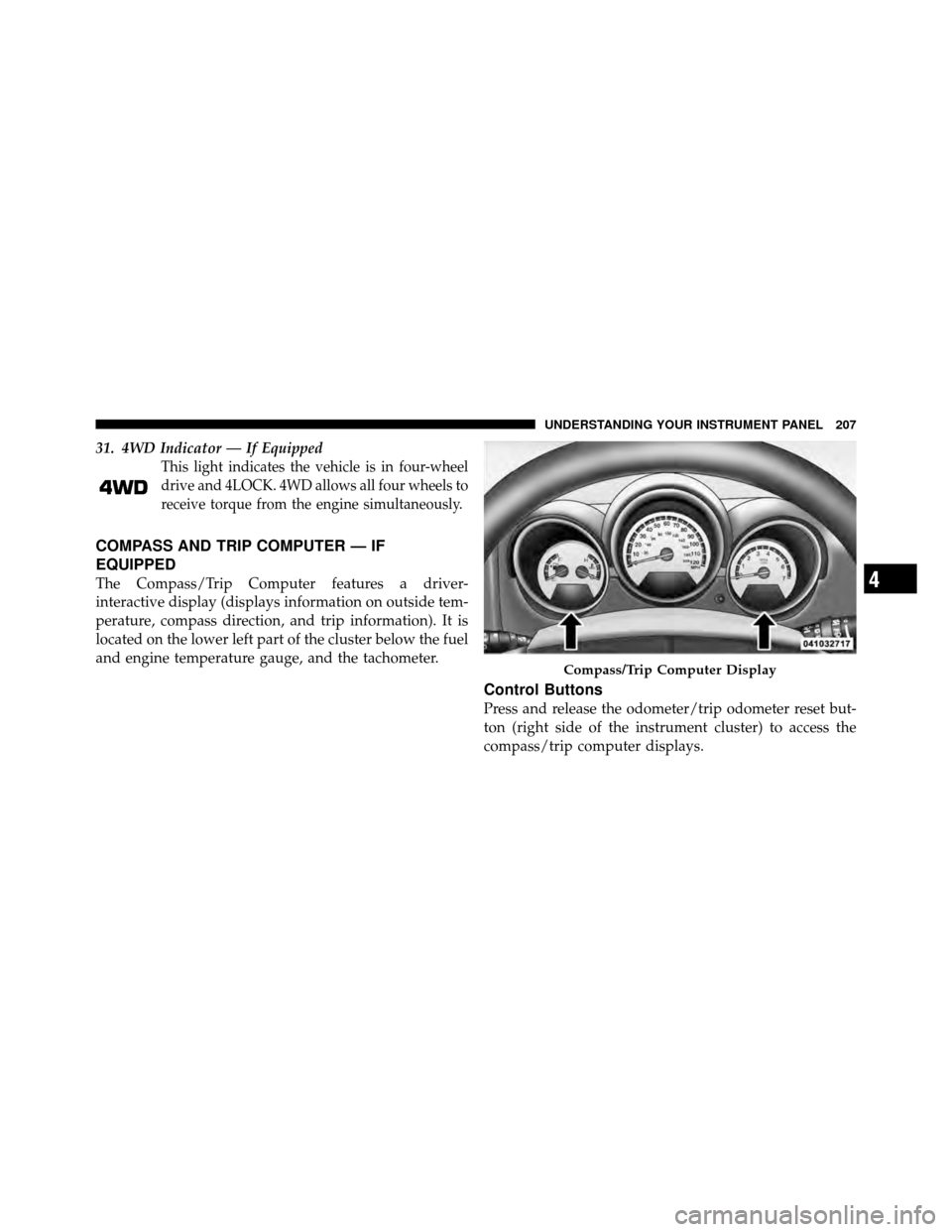
The Compass/Trip Computer features a driver-
interactive display (displays information on outside tem-
perature, compass direction, and trip information). It is
located on the lower left part of the cluster below the fuel
and engine temperature gauge, and the tachometer.
Control Buttons
Press and release the odometer/trip odometer reset but-
ton (right side of the instrument cluster) to access the
compass/trip computer displays.
Compass/Trip Computer Display
4
UNDERSTANDING YOUR INSTRUMENT PANEL 207
Page 209 of 498
NOTE:The system will display the last known outside
temperature when starting the vehicle and may need to
be driven several minutes before the updated tempera-
ture is displayed. Engine temperature can also affect the
displayed temperature, therefore temperature readings
are not updated when the vehicle is not moving. The compass/trip computer, when the appropriate con-
ditions exist, will show the following messages in the
odometer display:
•Door Ajar (door)
•Lift Gate Ajar (gATE)
•Loose Fuel Cap (gASCAP)
These messages can be manually turned off by pressing
the right button (on the instrument cluster).
Trip Conditions
Trip Odometer (ODO) / ECO (Fuel Saver Indicator)
— If Equipped
This display shows the distance traveled since the last
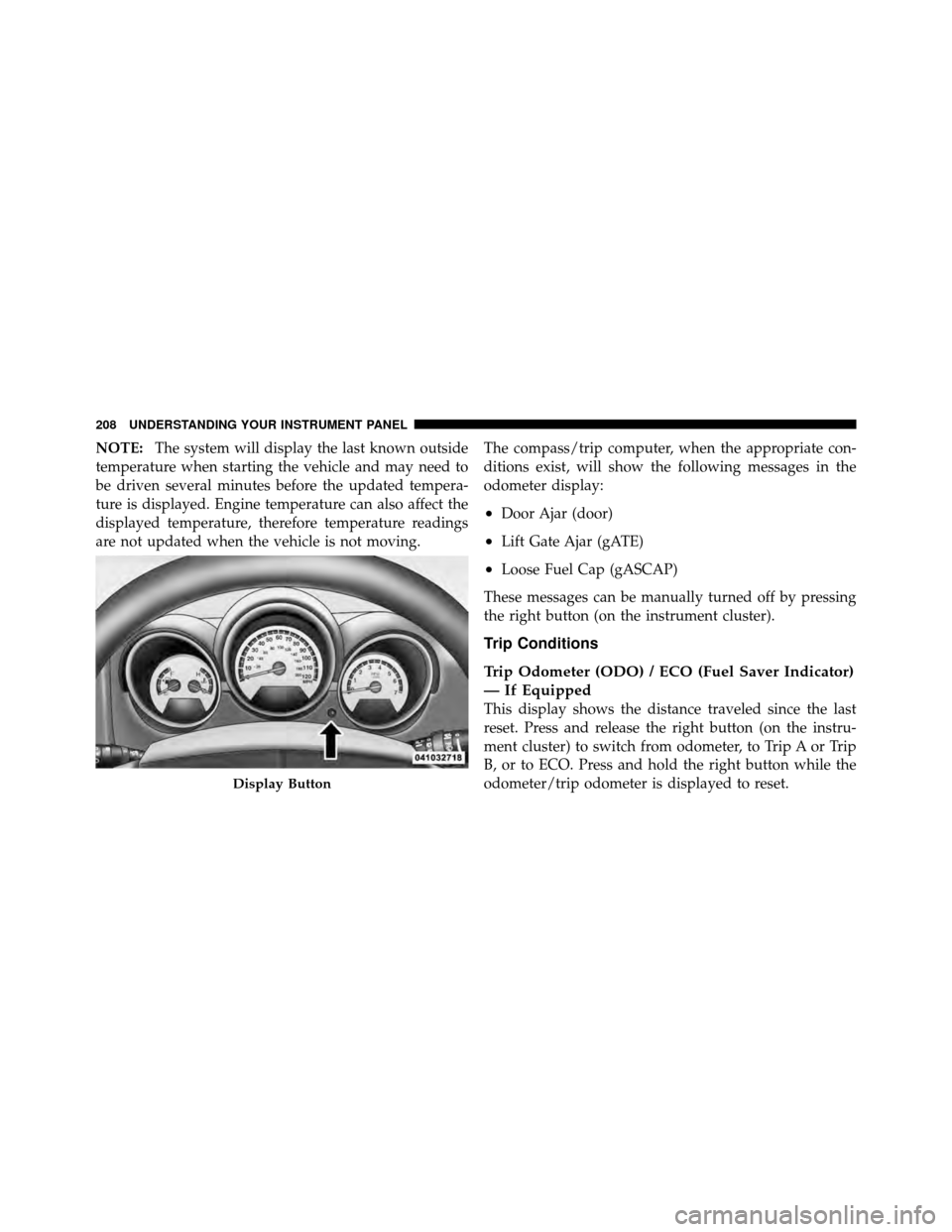
reset. Press and release the right button (on the instru-
ment cluster) to switch from odometer, to Trip A or Trip
B, or to ECO. Press and hold the right button while the
odometer/trip odometer is displayed to reset.
Display Button
208 UNDERSTANDING YOUR INSTRUMENT PANEL
Page 210 of 498
Trip A
Shows the total distance traveled for trip A since the last
reset.
Trip B
Shows the total distance traveled for trip B since the last
reset.
ECO (Fuel Saver Indicator) — If Equipped
The ECO-ON indicator will illuminate when you are
driving in a fuel efficient manner and can be used to
modify driving habits in order to increase fuel economy.
The ECO display will toggle between ECO and ECO-ON
depending on driving habits and vehicle usage.
Compass/Temperature Display
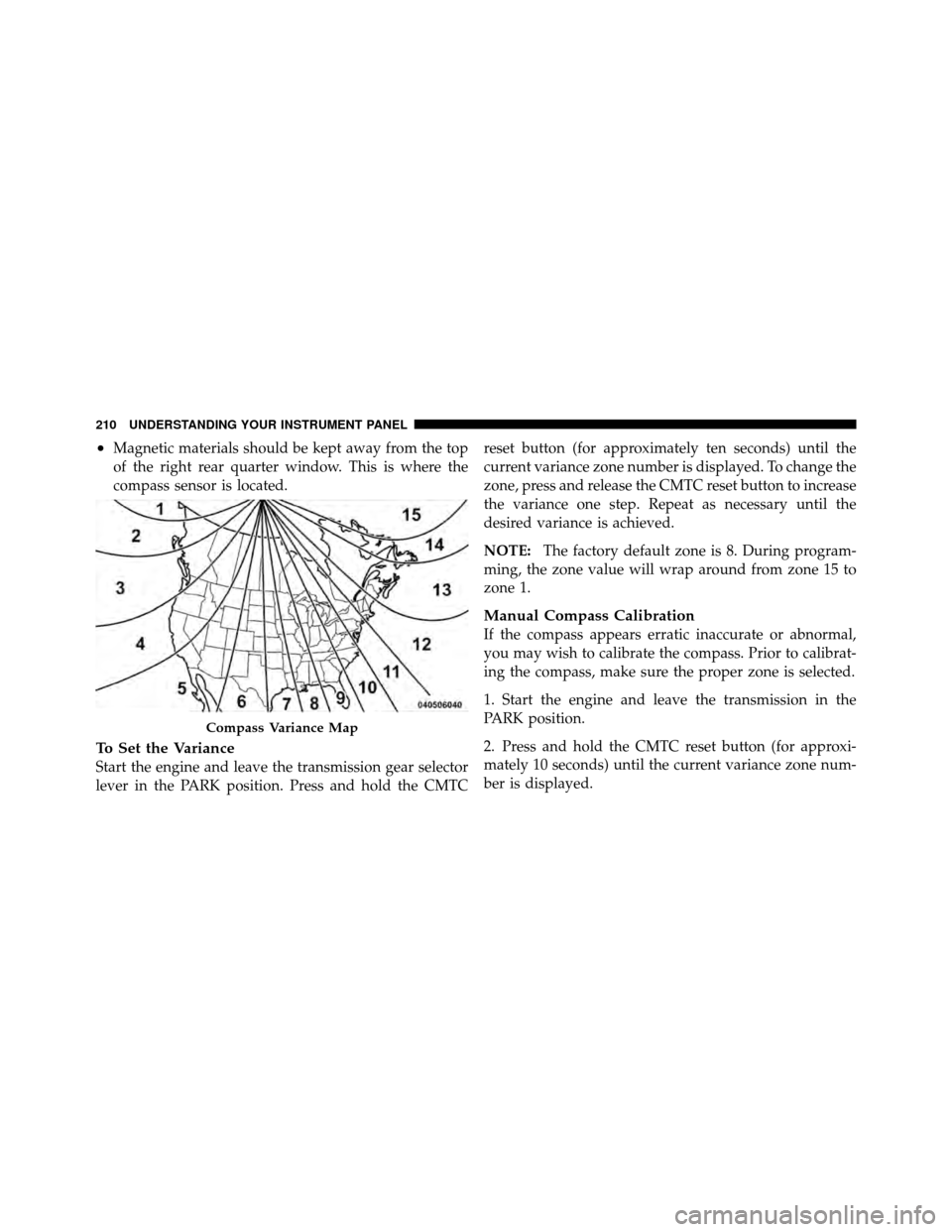
Compass Variance
Compass Variance is the difference between Magnetic
North and Geographic North. To compensate for the
differences, the variance should be set for the zone where
the vehicle is driven, per the zone map. Once properly
set, the compass will automatically compensate for the
differences and provide the most accurate compass head-
ing.
NOTE:
•A good calibration requires a level surface and an
environment free from large metallic objects such as
buildings, bridges, underground cables, railroad
tracks, etc.
4
UNDERSTANDING YOUR INSTRUMENT PANEL 209
Page 211 of 498
•Magnetic materials should be kept away from the top
of the right rear quarter window. This is where the
compass sensor is located.
To Set the Variance
Start the engine and leave the transmission gear selector
lever in the PARK position. Press and hold the CMTCreset button (for approximately ten seconds) until the
current variance zone number is displayed. To change the
zone, press and release the CMTC reset button to increase
the variance one step. Repeat as necessary until the
desired variance is achieved.
NOTE:
The factory default zone is 8. During program-
ming, the zone value will wrap around from zone 15 to
zone 1.
Manual Compass Calibration
If the compass appears erratic inaccurate or abnormal,
you may wish to calibrate the compass. Prior to calibrat-
ing the compass, make sure the proper zone is selected.
1. Start the engine and leave the transmission in the
PARK position.
2. Press and hold the CMTC reset button (for approxi-
mately 10 seconds) until the current variance zone num-
ber is displayed.
Compass Variance Map
210 UNDERSTANDING YOUR INSTRUMENT PANEL
Page 212 of 498
3. Release the CMTC reset button, then press and hold
again for approximately 10 seconds, until the direction is
displayed, with the CAL indicator on continuously in the
display.
4. To complete the compass calibration, drive the vehicle
in one or more complete 360–degree circles, under 5 mph
(8 km/h) in an area free from power lines and large
metallic objects, until the CAL indicator turns off. The
compass will now function normally.
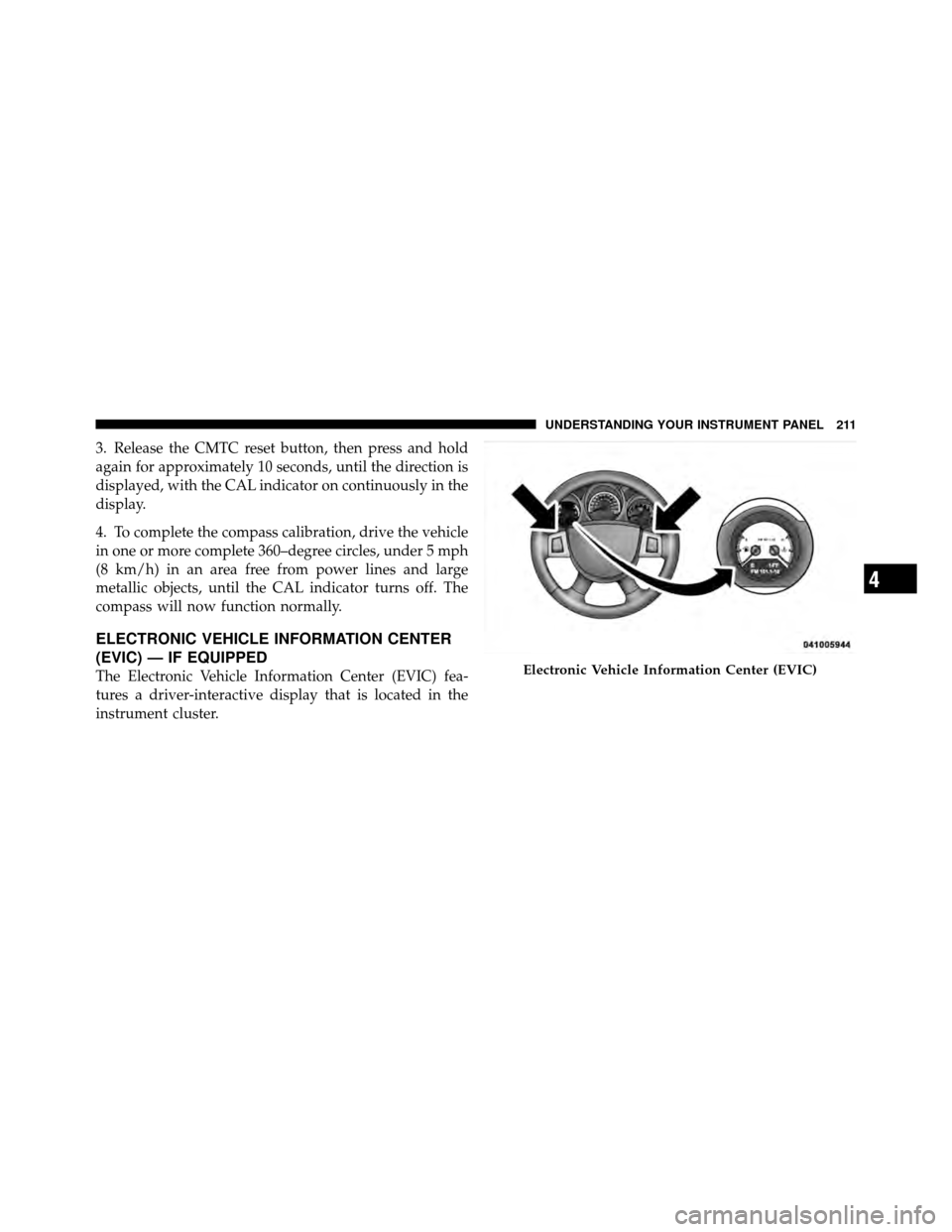
ELECTRONIC VEHICLE INFORMATION CENTER
(EVIC) — IF EQUIPPED
The Electronic Vehicle Information Center (EVIC) fea-
tures a driver-interactive display that is located in the
instrument cluster.Electronic Vehicle Information Center (EVIC)
4
UNDERSTANDING YOUR INSTRUMENT PANEL 211